AUX LEXUS RX270 2014 User Guide
[x] Cancel search | Manufacturer: LEXUS, Model Year: 2014, Model line: RX270, Model: LEXUS RX270 2014Pages: 652, PDF Size: 48.98 MB
Page 324 of 652
324
3-2. Using the audio system
RX350/270_EE
■Using mobile phones
Interference may be heard through the audio system’s speakers if a mobile phone is
being used inside or close to the vehicle while the audio system is operating.
Ti t l ePa g e
Using the radioP. 3 2 6
Using the CD playerP. 3 3 0
Playing MP3 and WMA discsP. 3 3 7
Operating an iPodP. 3 4 4
Operating a USB memoryP. 3 5 3
Bluetooth® audio systemP. 3 6 1
Optimal use of the audio systemP. 3 7 7
Using the AUX portP. 3 7 9
Using the steering wheel audio switchesP. 3 8 1
Hands-free system for mobile phonesP. 3 8 4
RX350_270_EE_48D77E.book 324 ページ 2014年1月24日 金曜日 午前10時4分
Page 379 of 652
379
3-2. Using the audio system
3
Interior features
RX350/270_EE
Using the AUX port
■Operating portable audio devices connected to the audio system
The volume can be adjusted using the vehicle's audio controls. All other adjust-
ments must be made on the portable audio device itself.
■When using a portable audio device connected to the power outlet
Noise may occur during playback. Use the power source of the portable audio
device.
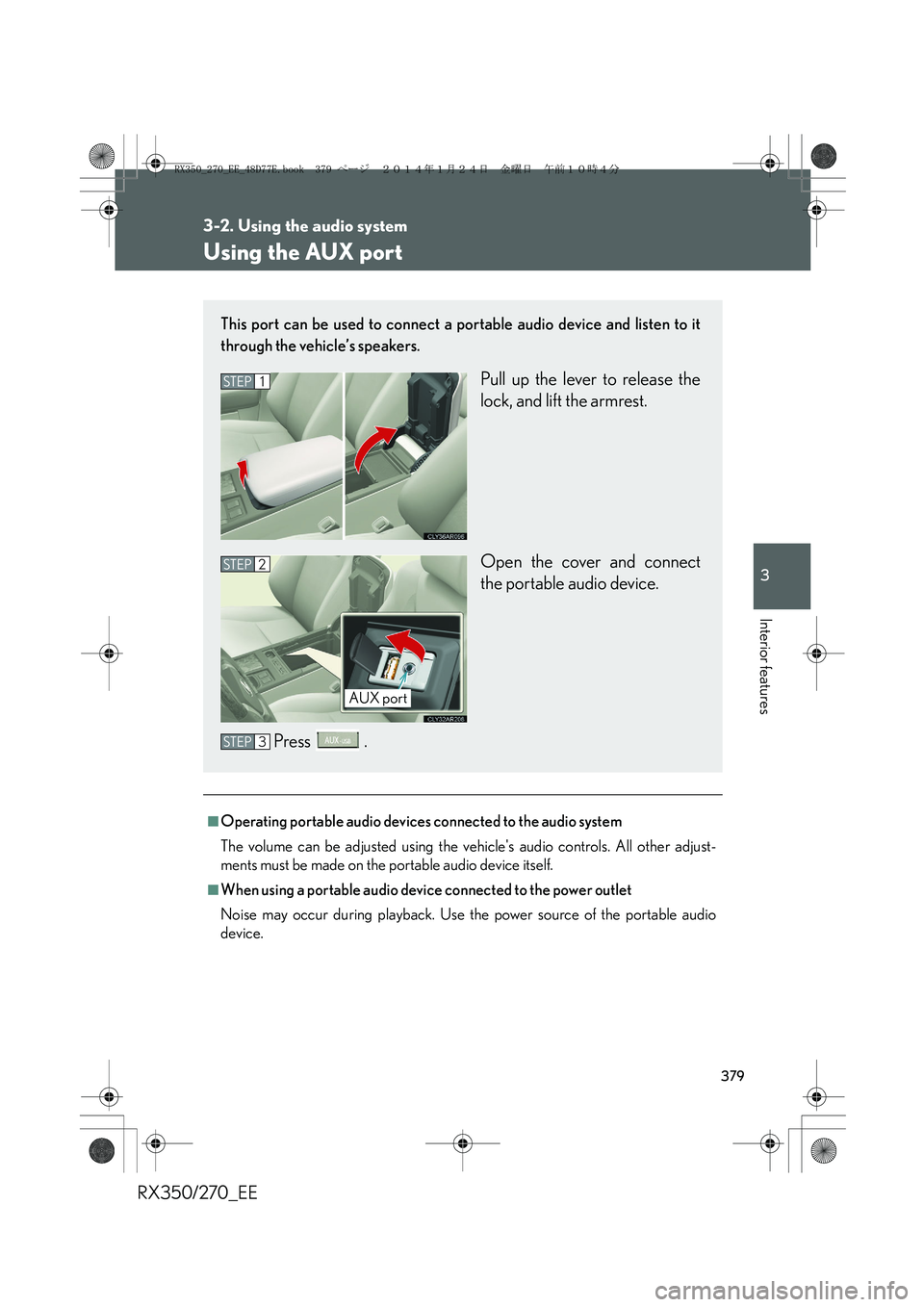
This port can be used to connect a portable audio device and listen to it
through the vehicle’s speakers.
Pull up the lever to release the
lock, and lift the armrest.
Open the cover and connect
the portable audio device.
Press .STEP1
STEP2
AUX port
STEP3
RX350_270_EE_48D77E.book 379 ページ 2014年1月24日 金曜日 午前10時4分
Page 382 of 652
382
3-2. Using the audio system
RX350/270_EE
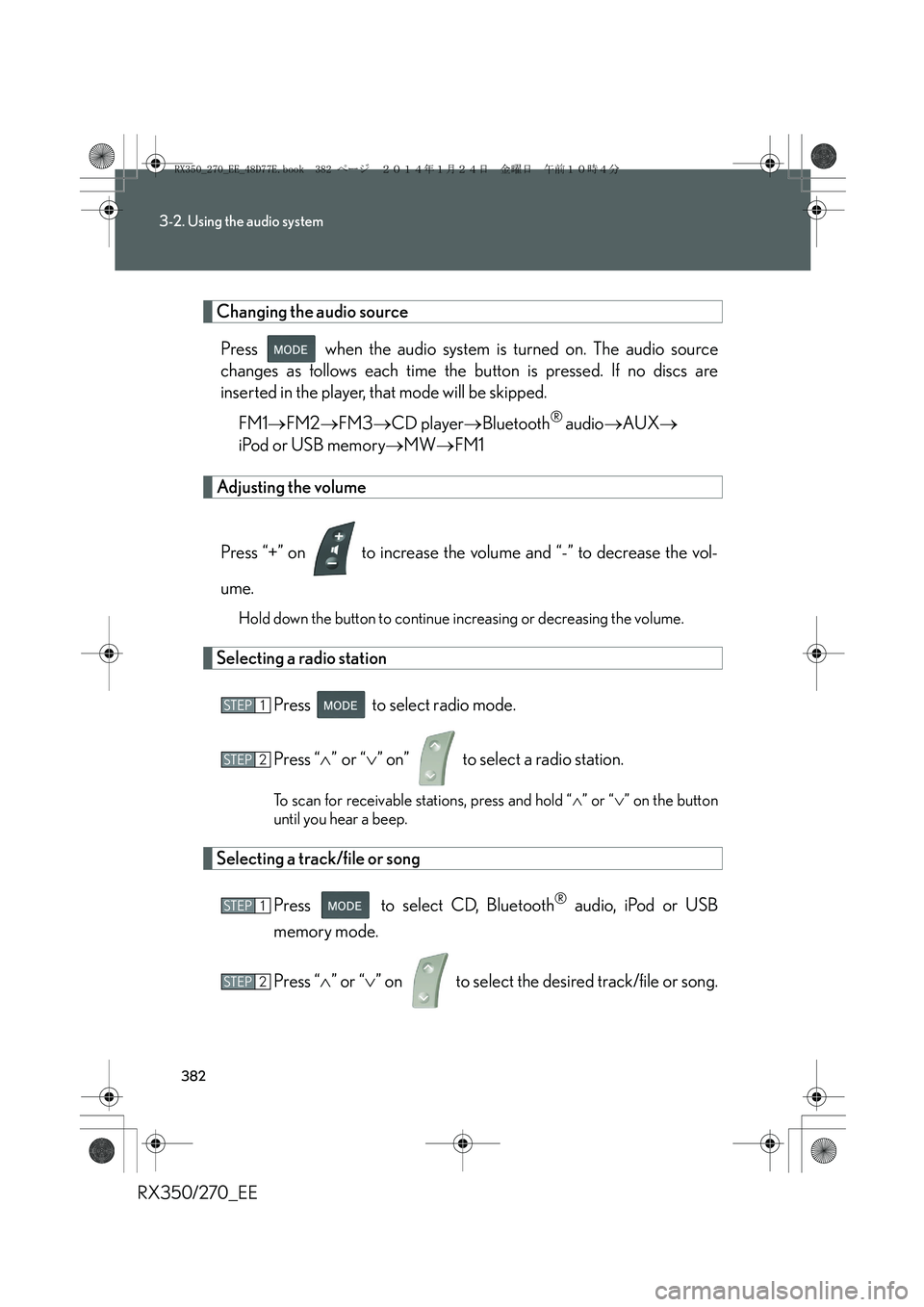
Changing the audio source
Press when the audio system is turned on. The audio source
changes as follows each time the button is pressed. If no discs are
inserted in the player, that mode will be skipped.
FM1→FM2→FM3→CD player→Bluetooth
® audio→AUX→
iPod or USB memory→MW→FM1
Adjusting the volume
Press “+” on to increase the volume and “-” to decrease the vol-
ume.
Hold down the button to continue increasing or decreasing the volume.
Selecting a radio station
Press to select radio mode.
Press “∧” or “∨” on” to select a radio station.
To scan for receivable stations, press and hold “∧” or “∨” on the button
until you hear a beep.
Selecting a track/file or song
Press to select CD, Bluetooth
® audio, iPod or USB
memory mode.
Press “∧” or “∨” on to select the desired track/file or song.
STEP1
STEP2
STEP1
STEP2
RX350_270_EE_48D77E.book 382 ページ 2014年1月24日 金曜日 午前10時4分
Page 420 of 652
420
RX350/270_EE
3-4. Using the storage features
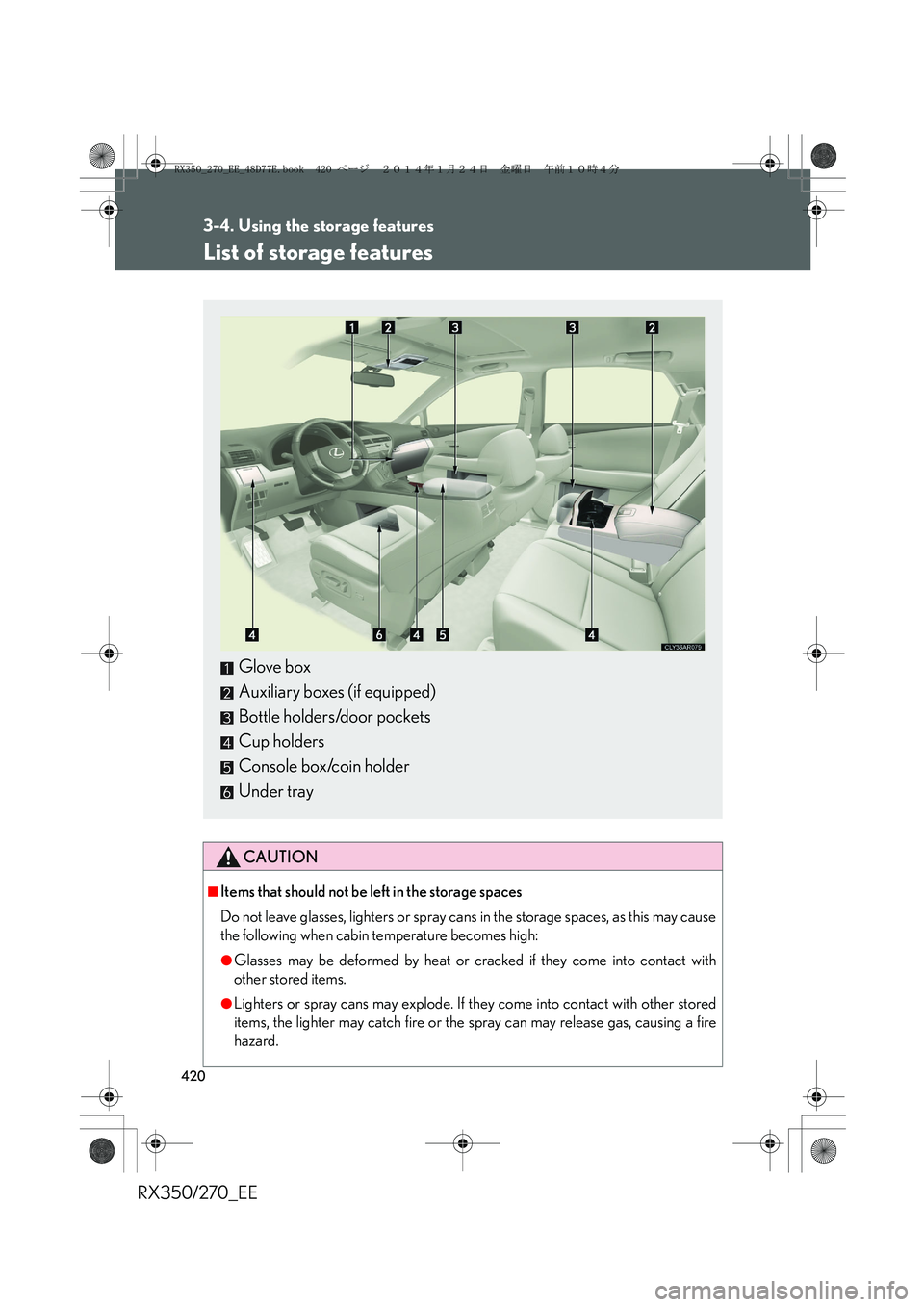
List of storage features
CAUTION
■Items that should not be left in the storage spaces
Do not leave glasses, lighters or spray cans in the storage spaces, as this may cause
the following when cabin temperature becomes high:
●Glasses may be deformed by heat or cracked if they come into contact with
other stored items.
●Lighters or spray cans may explode. If they come into contact with other stored
items, the lighter may catch fire or the spray can may release gas, causing a fire
hazard.
Glove box
Auxiliary boxes (if equipped)
Bottle holders/door pockets
Cup holders
Console box/coin holder
Under tray
RX350_270_EE_48D77E.book 420 ページ 2014年1月24日 金曜日 午前10時4分
Page 428 of 652
428
3-4. Using the storage features
RX350/270_EE
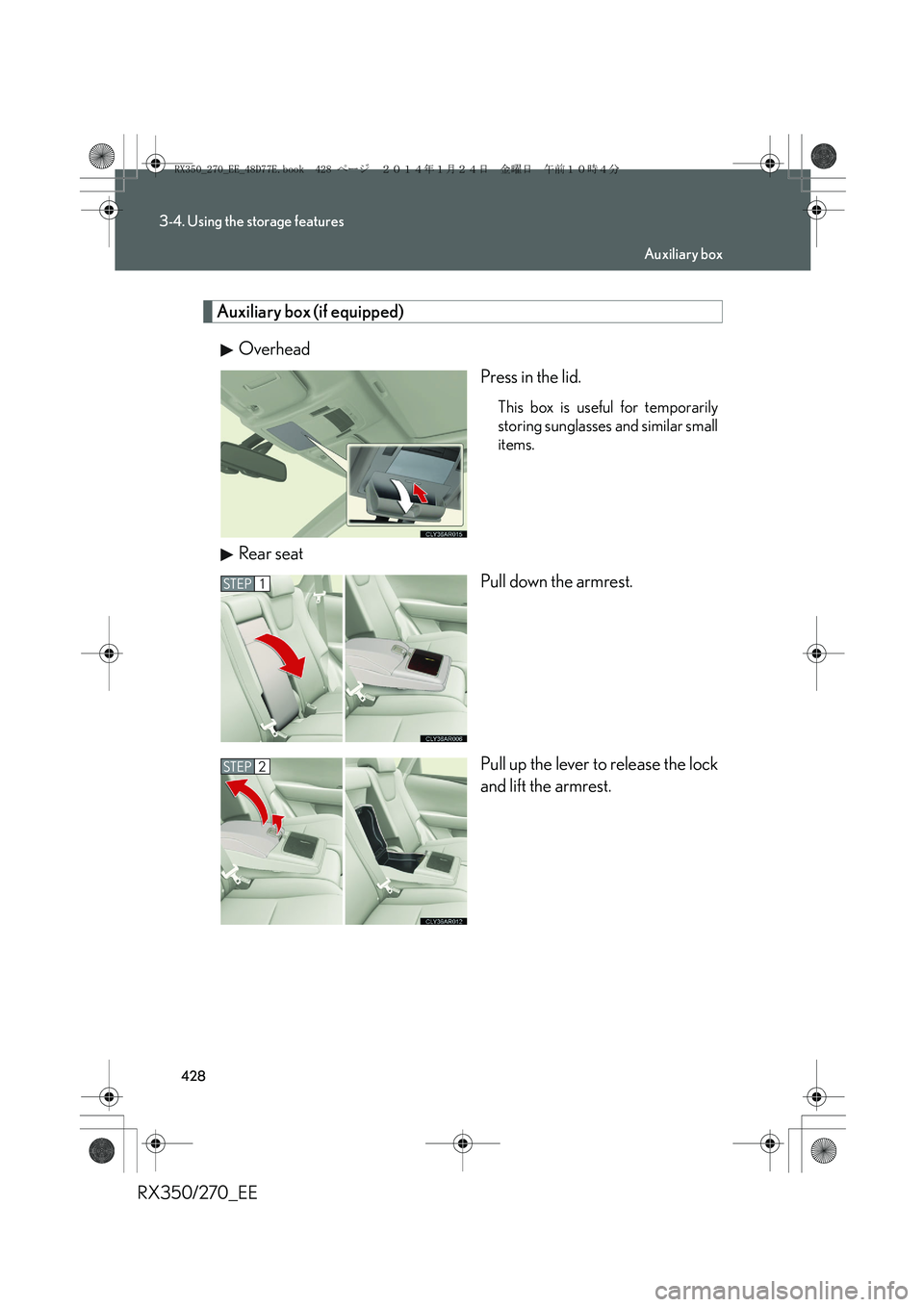
Auxiliary box (if equipped)
Overhead
Press in the lid.
This box is useful for temporarily
storing sunglasses and similar small
items.
Rear seat
Pull down the armrest.
Pull up the lever to release the lock
and lift the armrest.
STEP1
STEP2
Auxiliary box
RX350_270_EE_48D77E.book 428 ページ 2014年1月24日 金曜日 午前10時4分
Page 429 of 652
429
3-4. Using the storage features
3
Interior features
RX350/270_EE
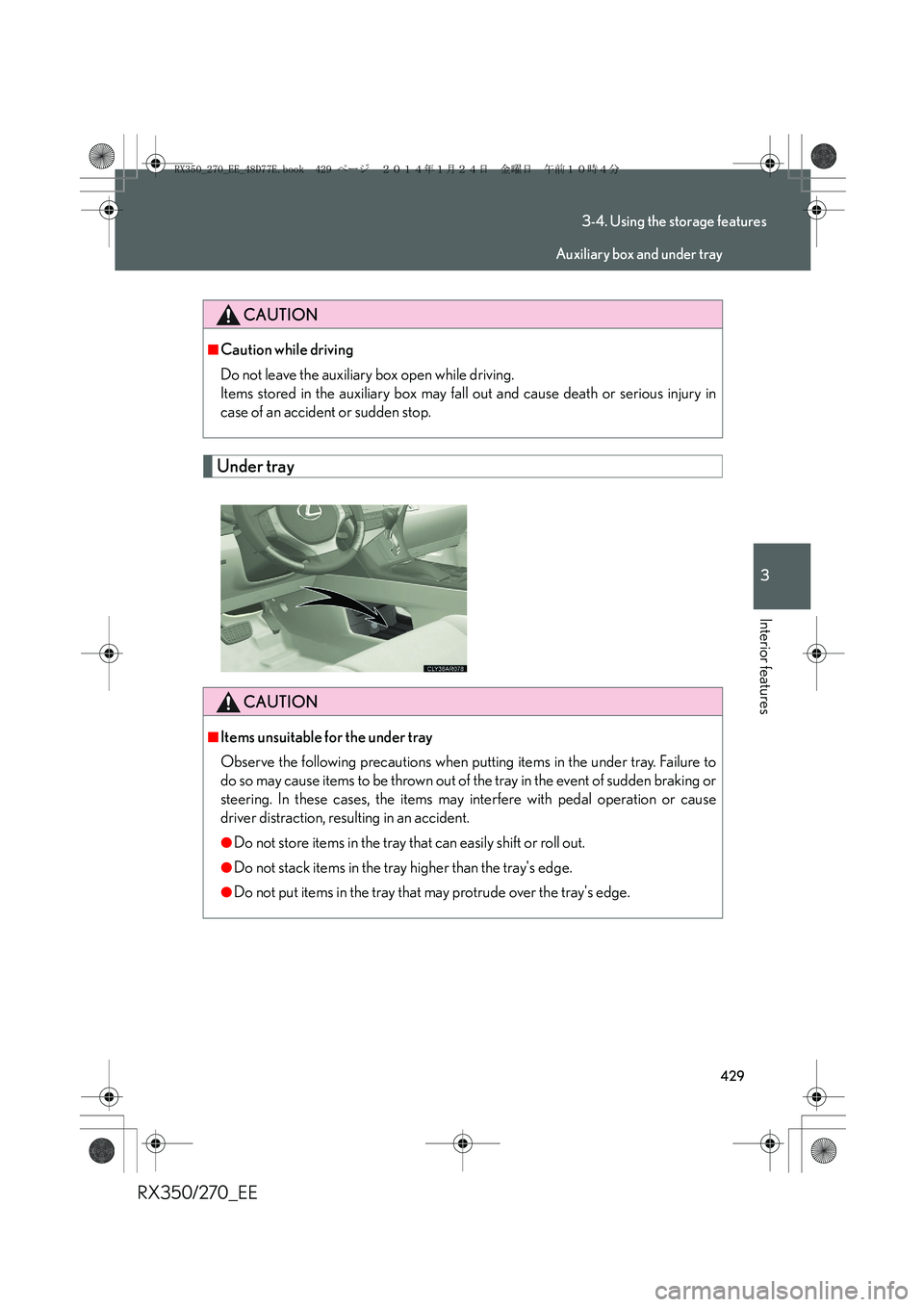
Under tray
CAUTION
■Caution while driving
Do not leave the auxiliary box open while driving.
Items stored in the auxiliary box may fall out and cause death or serious injury in
case of an accident or sudden stop.
CAUTION
■Items unsuitable for the under tray
Observe the following precautions when putting items in the under tray. Failure to
do so may cause items to be thrown out of the tray in the event of sudden braking or
steering. In these cases, the items may interfere with pedal operation or cause
driver distraction, resulting in an accident.
●Do not store items in the tray that can easily shift or roll out.
●Do not stack items in the tray higher than the tray's edge.
●Do not put items in the tray that may protrude over the tray's edge.
Auxiliary box and under tray
RX350_270_EE_48D77E.book 429 ページ 2014年1月24日 金曜日 午前10時4分
Page 446 of 652
446
3-5. Other interior features
RX350/270_EE
Luggage compartment features
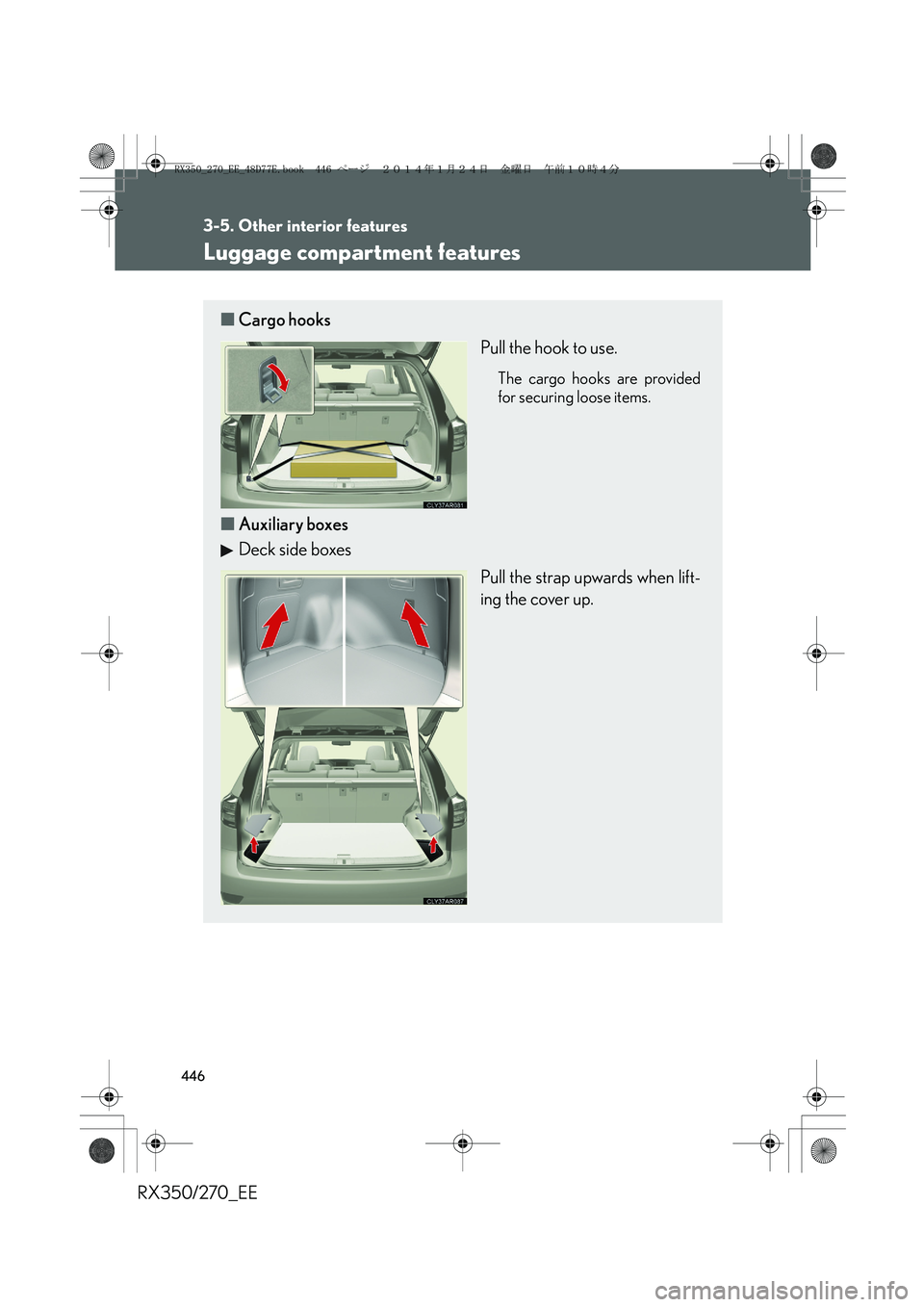
■Cargo hooks
Pull the hook to use.
The cargo hooks are provided
for securing loose items.
■Auxiliary boxes
Deck side boxes
Pull the strap upwards when lift-
ing the cover up.
RX350_270_EE_48D77E.book 446 ページ 2014年1月24日 金曜日 午前10時4分
Page 637 of 652
637
RX350/270_EE
Alphabetical index
Alphabetical index
A/C*
Air conditioning filter........................499
Automatic air conditioning
system*..................................................314
ABS ..............................................................271
ACCESSORY mode .......................... 180
Active torque control
4WD mode ............................................ 271
Adaptive front lighting system ........ 219
AFS .............................................................. 219
Air conditioning filter .......................... 499
Air conditioning system*
Air conditioning filter........................499
Automatic air conditioning
system*..................................................314
Airbags
Airbag manual on/off
system ....................................................163
Airbag operating conditions..........133
Airbag precautions for your
child ......................................................... 137
Airbag warning light......................... 544
Curtain shield airbag operating
conditions.............................................134
Curtain shield airbag
precautions.......................................... 137
General airbag precautions .......... 137
Locations of airbags............................ 131
Modification and disposal of
airbags .................................................... 141
Proper driving posture ...........129, 137Side airbag operating
conditions ............................................ 134
Side airbag precautions................... 137
SRS airbags ..............................................131
Alarm ........................................................... 122
All-wheel drive lock switch ...............277
Antenna .................................................... 329
Anti-lock brake system ........................ 271
Armrest ......................................................441
Assist grips .............................................. 443
Audio input ............................................. 379
Audio system*
Antenna .................................................. 329
Audio input ........................................... 379
AUX port .............................................. 379
Bluetooth
® audio system ............... 361
CD player/changer ......................... 330
Hands-free system for
mobile phone................................... 384
iPod .......................................................... 344
MP3/WMA disc................................337
Optimal use........................................... 377
Portable audio device..................... 379
Radio........................................................ 326
Steering wheel audio switch..........381
USB memory ...................................... 353
USB port.................................... 344, 353
Automatic air conditioning system*
Air conditioning filter ....................... 499
Air conditioning system* ................. 314
Automatic headlight leveling
system .................................................... 220
A
*: For vehicles with a navigation system, refer to the “Navigation System Owner’s Manual”.
RX350_270_EE_48D77E.book 637 ページ 2014年1月24日 金曜日 午前10時4分
Page 638 of 652
638
Alphabetical index
RX350/270_EE
Automatic light control system .........217
Automatic transmission
Automatic transmission ................... 186
If the shift lever cannot be
shifted from P .................................. 589
S mode ..................................................... 189
AUX port ................................................. 379
Auxiliary boxes .......................... 428, 446
Back door
Back door.................................................60
Wireless remote control ................... 53
Back-up lights
Replacing light bulbs......................... 516
Wattage................................................... 619
Battery
Checking ............................................... 479
If the vehicle has a discharged
battery ..................................................594
Preparing and checking before
winter.................................................... 296
Bluetooth
® audio* ................................ 361
Bluetooth® phone* .............................. 391
Bottle holders ......................................... 422
Brake
Emergency brake signal .................272
Fluid ........................................................... 616
Parking brake ........................................194
Brake assist................................................271
Break-in tips ............................................. 170Card key ..................................................... 26
Care
Exterior ................................................... 452
Interior..................................................... 455
Seat belts ............................................... 456
Cargo hooks .......................................... 446
CD changer
CD ............................................................ 330
MP3 disc ................................................337
WMA disc .............................................337
CD player ................................................ 330
Chains ....................................................... 296
Child restraint system
Baby seats, definition......................... 142
Baby seats, installation ...................... 152
Child seats, definition ........................ 142
Child seats, installation ..................... 152
Installing CRS with ISOFIX
rigid anchor ........................................ 157
Installing CRS with seat belts ........ 153
Installing CRS with top straps .......158
Junior seats, definition ....................... 142
Junior seats, installation .................... 152
B
C
RX350_270_EE_48D77E.book 638 ページ 2014年1月24日 金曜日 午前10時4分
Page 652 of 652
652
RX350/270_EE
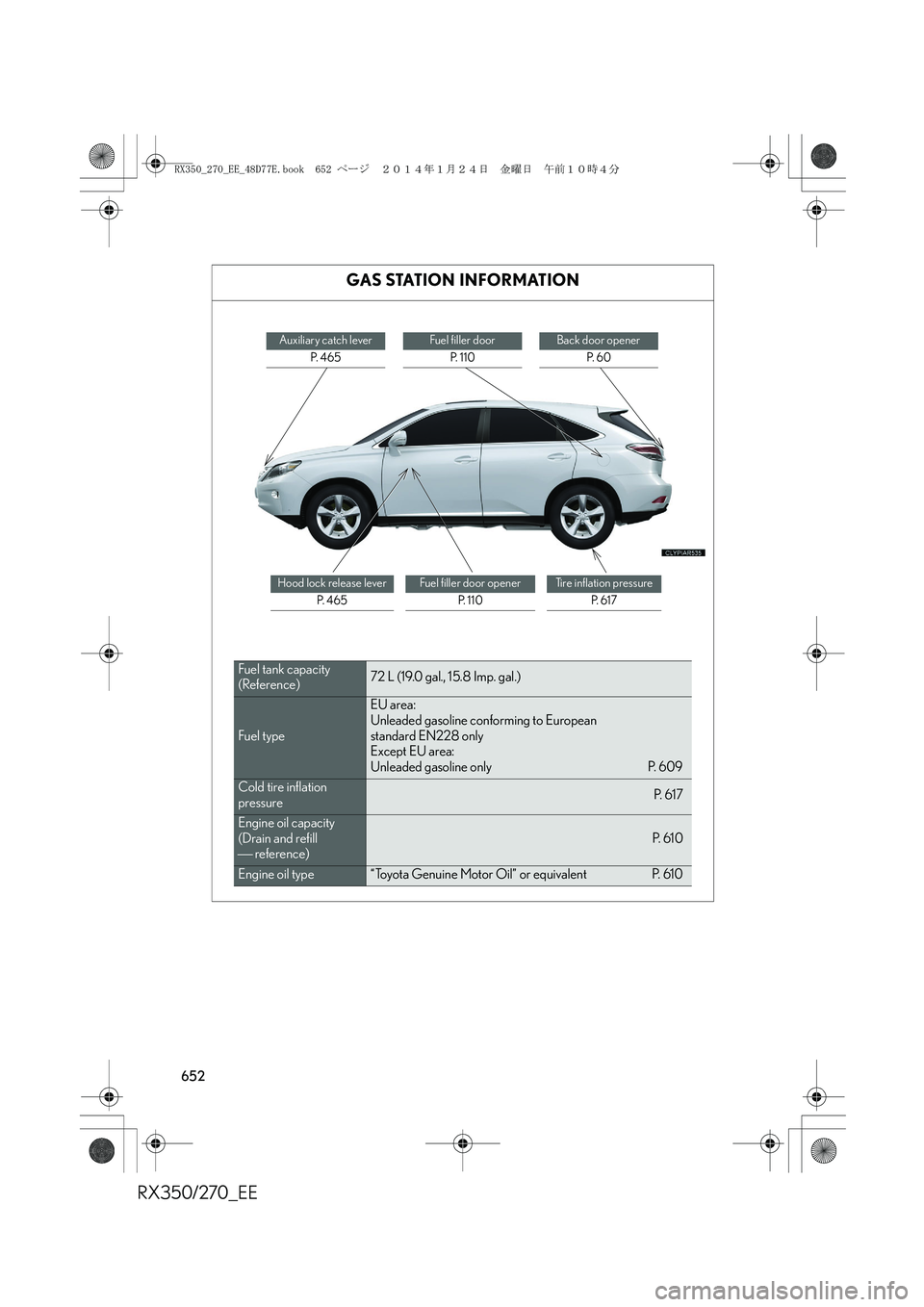
GAS STATION INFORMATION
Auxiliary catch lever
P. 4 6 5Fuel filler door
P. 110Back door opener
P. 6 0
Hood lock release lever
P. 4 6 5Fuel filler door opener
P. 1 1 0Tire inflation pressure
P. 6 1 7
Fuel tank capacity
(Reference)72 L (19.0 gal., 15.8 Imp. gal.)
Fuel type
EU area:
Unleaded gasoline conforming to European
standard EN228 only
Except EU area:
Unleaded gasoline only P. 609
Cold tire inflation
pressureP. 6 1 7
Engine oil capacity
(Drain and refill
reference)P. 6 1 0
Engine oil type“Toyota Genuine Motor Oil” or equivalent P. 610
RX350_270_EE_48D77E.book 652 ページ 2014年1月24日 金曜日 午前10時4分