USB LEXUS RX270 2014 User Guide
[x] Cancel search | Manufacturer: LEXUS, Model Year: 2014, Model line: RX270, Model: LEXUS RX270 2014Pages: 652, PDF Size: 48.98 MB
Page 381 of 652
381
3-2. Using the audio system
3
Interior features
RX350/270_EE
Using the steering wheel audio switches
Turning the power on
Press when the audio system is turned off.
The audio system can be turned off by holding the switch down until you hear
a beep.
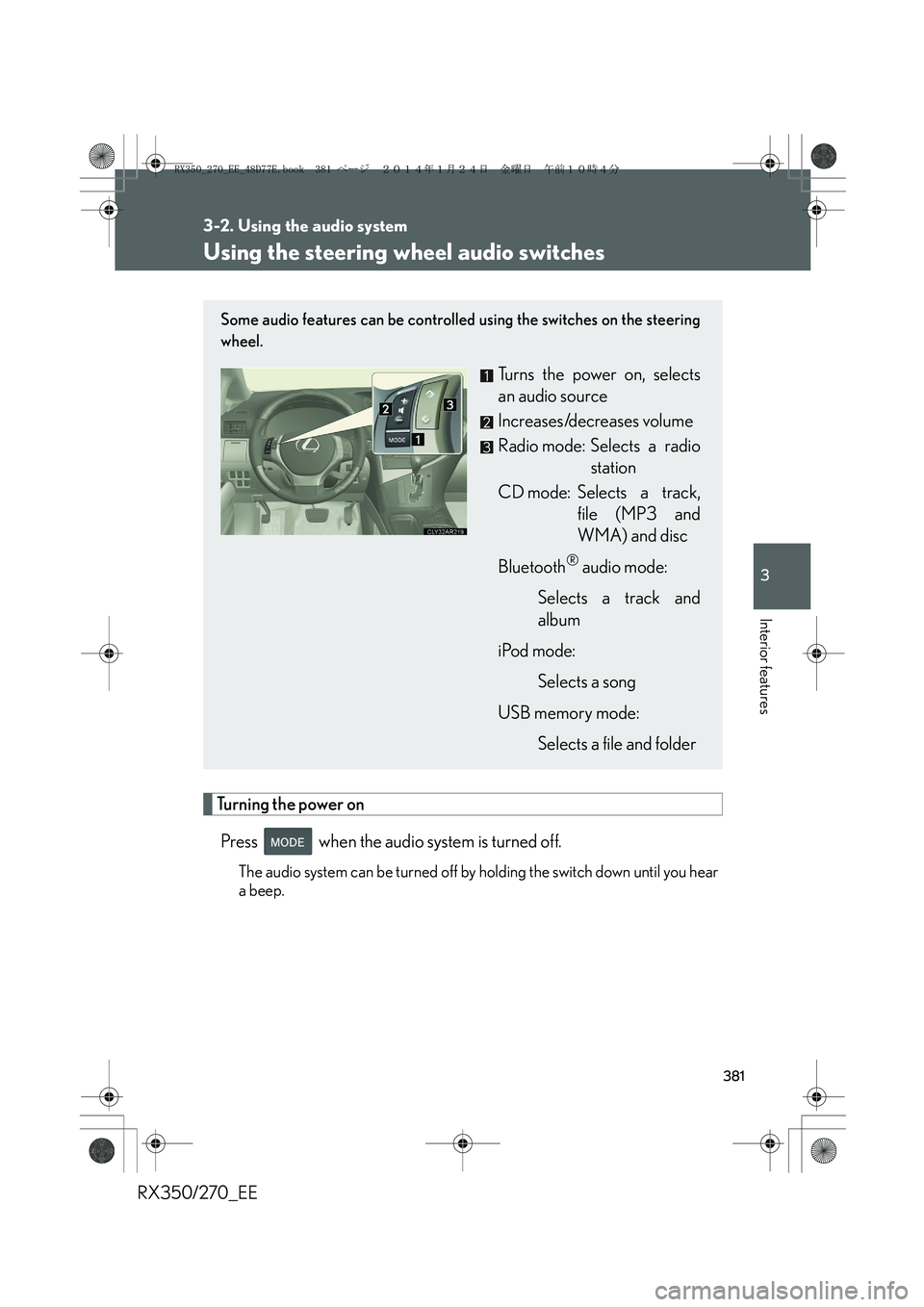
Some audio features can be controlled using the switches on the steering
wheel.
Turns the power on, selects
an audio source
Increases/decreases volume
Radio mode: Selects a radio
station
CD mode: Selects a track,
file (MP3 and
WMA) and disc
Bluetooth
® audio mode:
Selects a track and
album
iPod mode:
Selects a song
USB memory mode:
Selects a file and folder
RX350_270_EE_48D77E.book 381 ページ 2014年1月24日 金曜日 午前10時4分
Page 382 of 652
382
3-2. Using the audio system
RX350/270_EE
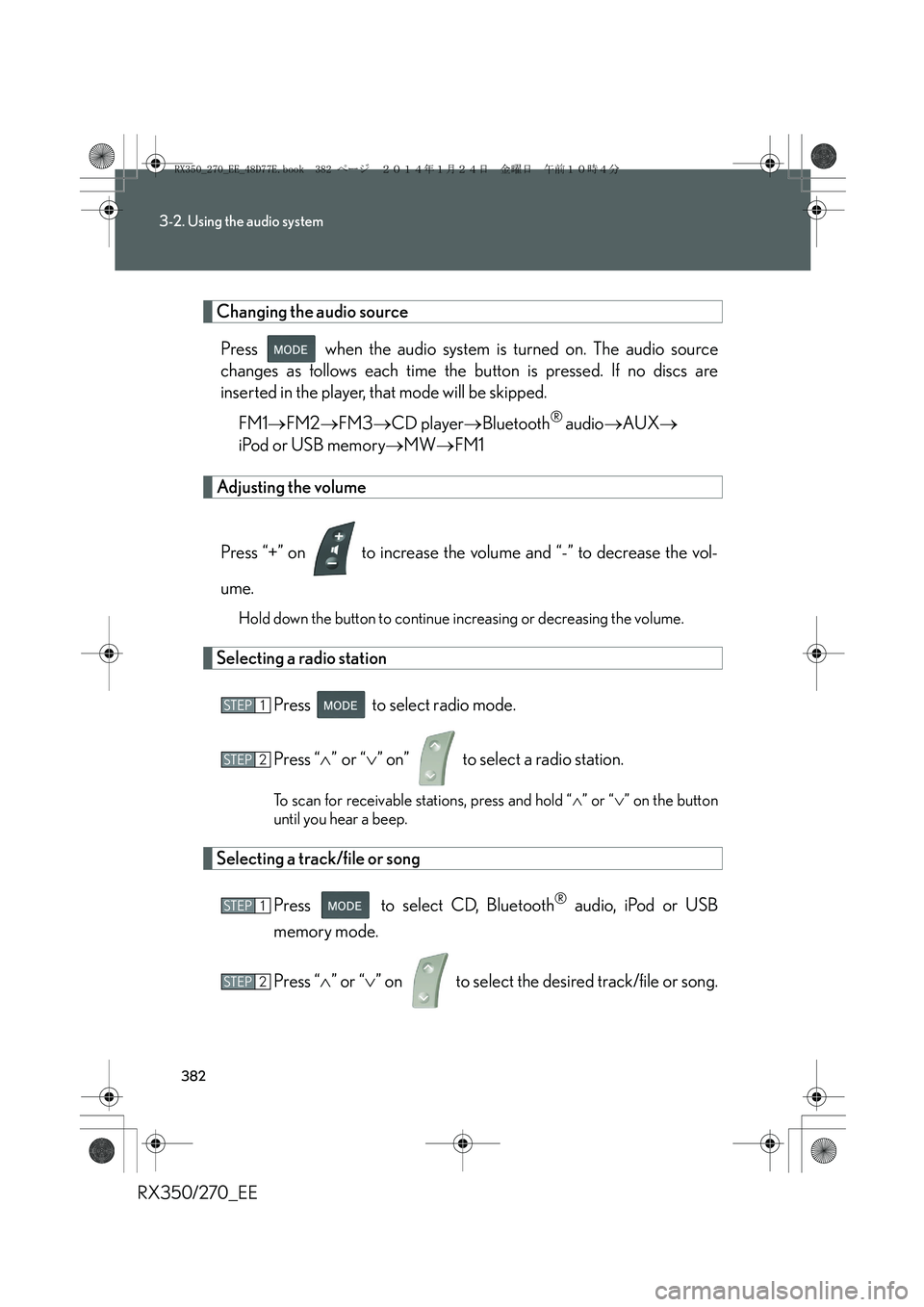
Changing the audio source
Press when the audio system is turned on. The audio source
changes as follows each time the button is pressed. If no discs are
inserted in the player, that mode will be skipped.
FM1→FM2→FM3→CD player→Bluetooth
® audio→AUX→
iPod or USB memory→MW→FM1
Adjusting the volume
Press “+” on to increase the volume and “-” to decrease the vol-
ume.
Hold down the button to continue increasing or decreasing the volume.
Selecting a radio station
Press to select radio mode.
Press “∧” or “∨” on” to select a radio station.
To scan for receivable stations, press and hold “∧” or “∨” on the button
until you hear a beep.
Selecting a track/file or song
Press to select CD, Bluetooth
® audio, iPod or USB
memory mode.
Press “∧” or “∨” on to select the desired track/file or song.
STEP1
STEP2
STEP1
STEP2
RX350_270_EE_48D77E.book 382 ページ 2014年1月24日 金曜日 午前10時4分
Page 383 of 652
383
3-2. Using the audio system
3
Interior features
RX350/270_EE
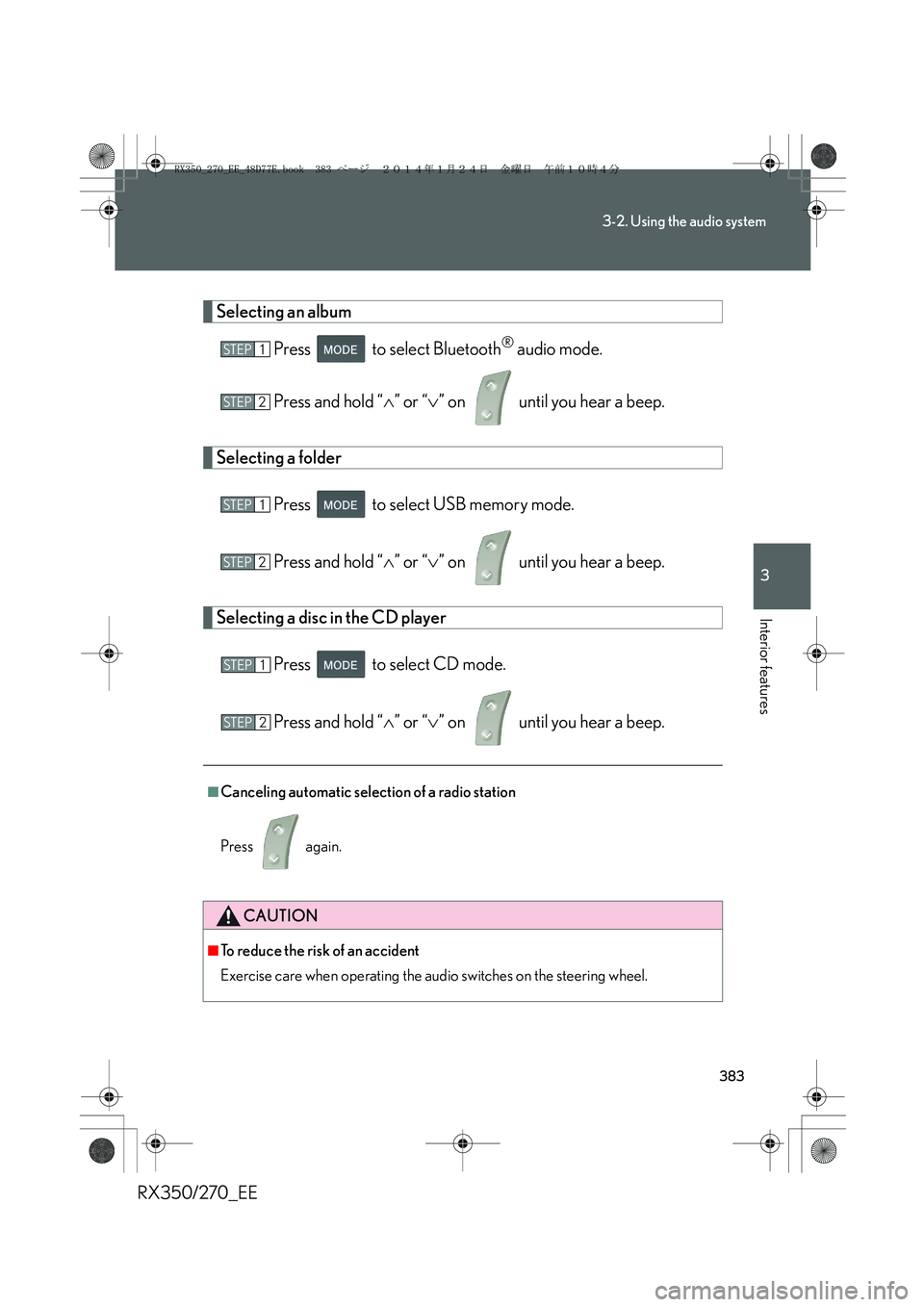
Selecting an album
Press to select Bluetooth
® audio mode.
Press and hold “∧” or “∨” on until you hear a beep.
Selecting a folder
Press to select USB memory mode.
Press and hold “∧” or “∨” on until you hear a beep.
Selecting a disc in the CD player
Press to select CD mode.
Press and hold “∧” or “∨” on until you hear a beep.
■Canceling automatic selection of a radio station
Press again.
CAUTION
■To reduce the risk of an accident
Exercise care when operating the audio switches on the steering wheel.
STEP1
STEP2
STEP1
STEP2
STEP1
STEP2
RX350_270_EE_48D77E.book 383 ページ 2014年1月24日 金曜日 午前10時4分
Page 637 of 652
637
RX350/270_EE
Alphabetical index
Alphabetical index
A/C*
Air conditioning filter........................499
Automatic air conditioning
system*..................................................314
ABS ..............................................................271
ACCESSORY mode .......................... 180
Active torque control
4WD mode ............................................ 271
Adaptive front lighting system ........ 219
AFS .............................................................. 219
Air conditioning filter .......................... 499
Air conditioning system*
Air conditioning filter........................499
Automatic air conditioning
system*..................................................314
Airbags
Airbag manual on/off
system ....................................................163
Airbag operating conditions..........133
Airbag precautions for your
child ......................................................... 137
Airbag warning light......................... 544
Curtain shield airbag operating
conditions.............................................134
Curtain shield airbag
precautions.......................................... 137
General airbag precautions .......... 137
Locations of airbags............................ 131
Modification and disposal of
airbags .................................................... 141
Proper driving posture ...........129, 137Side airbag operating
conditions ............................................ 134
Side airbag precautions................... 137
SRS airbags ..............................................131
Alarm ........................................................... 122
All-wheel drive lock switch ...............277
Antenna .................................................... 329
Anti-lock brake system ........................ 271
Armrest ......................................................441
Assist grips .............................................. 443
Audio input ............................................. 379
Audio system*
Antenna .................................................. 329
Audio input ........................................... 379
AUX port .............................................. 379
Bluetooth
® audio system ............... 361
CD player/changer ......................... 330
Hands-free system for
mobile phone................................... 384
iPod .......................................................... 344
MP3/WMA disc................................337
Optimal use........................................... 377
Portable audio device..................... 379
Radio........................................................ 326
Steering wheel audio switch..........381
USB memory ...................................... 353
USB port.................................... 344, 353
Automatic air conditioning system*
Air conditioning filter ....................... 499
Air conditioning system* ................. 314
Automatic headlight leveling
system .................................................... 220
A
*: For vehicles with a navigation system, refer to the “Navigation System Owner’s Manual”.
RX350_270_EE_48D77E.book 637 ページ 2014年1月24日 金曜日 午前10時4分
Page 647 of 652
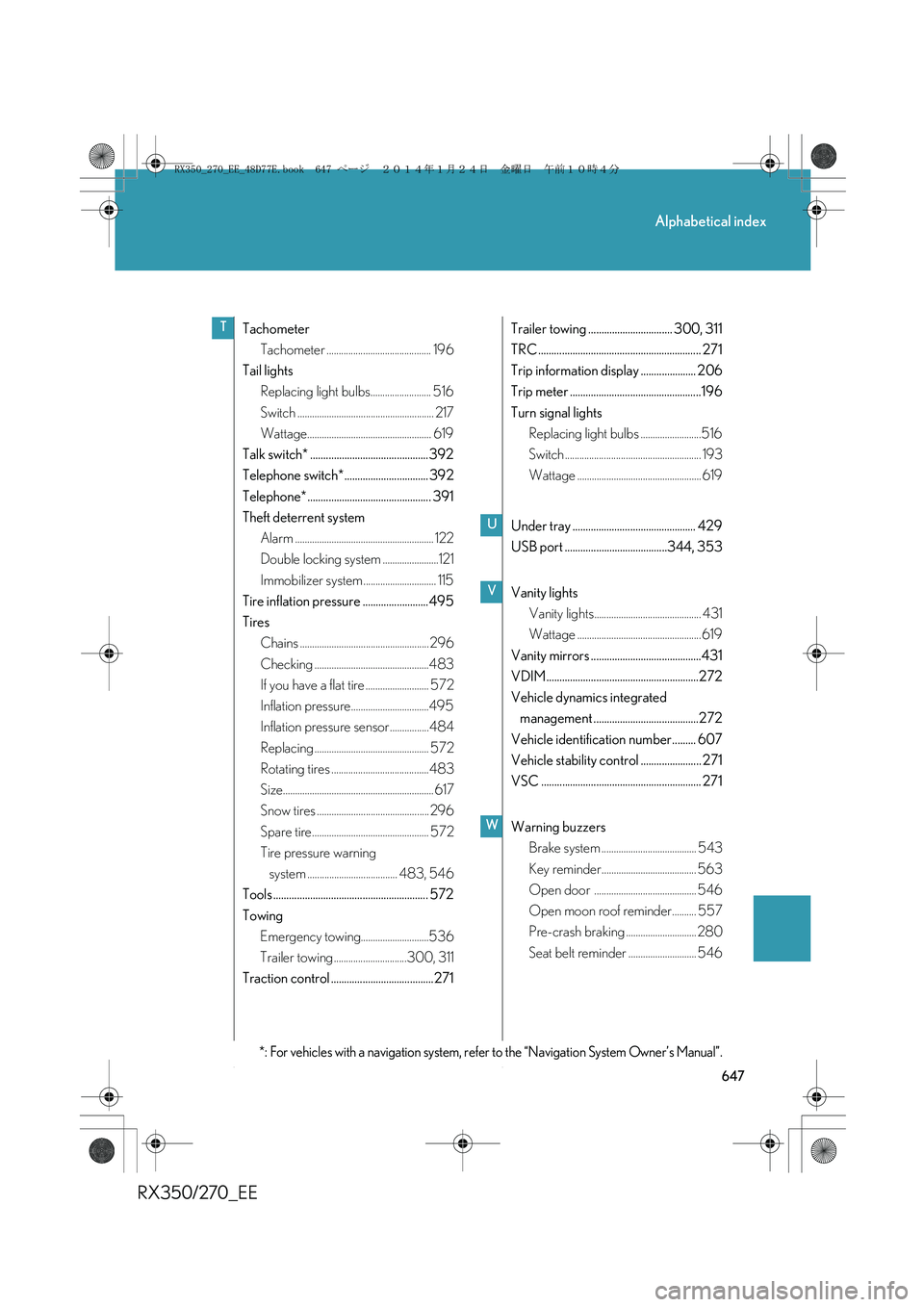
647
Alphabetical index
RX350/270_EE
Tachometer
Tachometer ........................................... 196
Tail lights
Replacing light bulbs......................... 516
Switch ........................................................ 217
Wattage................................................... 619
Talk switch* ............................................. 392
Telephone switch*................................ 392
Telephone* ............................................... 391
Theft deterrent system
Alarm ......................................................... 122
Double locking system .......................121
Immobilizer system.............................. 115
Tire inflation pressure ......................... 495
Tires
Chains ..................................................... 296
Checking ...............................................483
If you have a flat tire .......................... 572
Inflation pressure................................495
Inflation pressure sensor ................484
Replacing ............................................... 572
Rotating tires ........................................483
Size.............................................................. 617
Snow tires .............................................. 296
Spare tire................................................ 572
Tire pressure warning
system ..................................... 483, 546
Tools ........................................................... 572
Towing
Emergency towing............................536
Trailer towing ..............................300, 311
Traction control .......................................271Trailer towing ................................ 300, 311
TRC .............................................................. 271
Trip information display ..................... 206
Trip meter ..................................................196
Turn signal lights
Replacing light bulbs .........................516
Switch ........................................................ 193
Wattage ................................................... 619
Under tray ............................................... 429
USB port .......................................344, 353
Vanity lights
Vanity lights............................................ 431
Wattage ................................................... 619
Vanity mirrors ..........................................431
VDIM..........................................................272
Vehicle dynamics integrated
management ........................................272
Vehicle identification number......... 607
Vehicle stability control ....................... 271
VSC ............................................................. 271
Warning buzzers
Brake system ....................................... 543
Key reminder....................................... 563
Open door .......................................... 546
Open moon roof reminder.......... 557
Pre-crash braking ............................. 280
Seat belt reminder ............................ 546T
*: For vehicles with a navigation system, refer to the “Navigation System Owner’s Manual”.
U
V
W
RX350_270_EE_48D77E.book 647 ページ 2014年1月24日 金曜日 午前10時4分