buttons LEXUS RX270 2014 User Guide
[x] Cancel search | Manufacturer: LEXUS, Model Year: 2014, Model line: RX270, Model: LEXUS RX270 2014Pages: 652, PDF Size: 48.98 MB
Page 345 of 652
345
3-2. Using the audio system
3
Interior features
RX350/270_EE
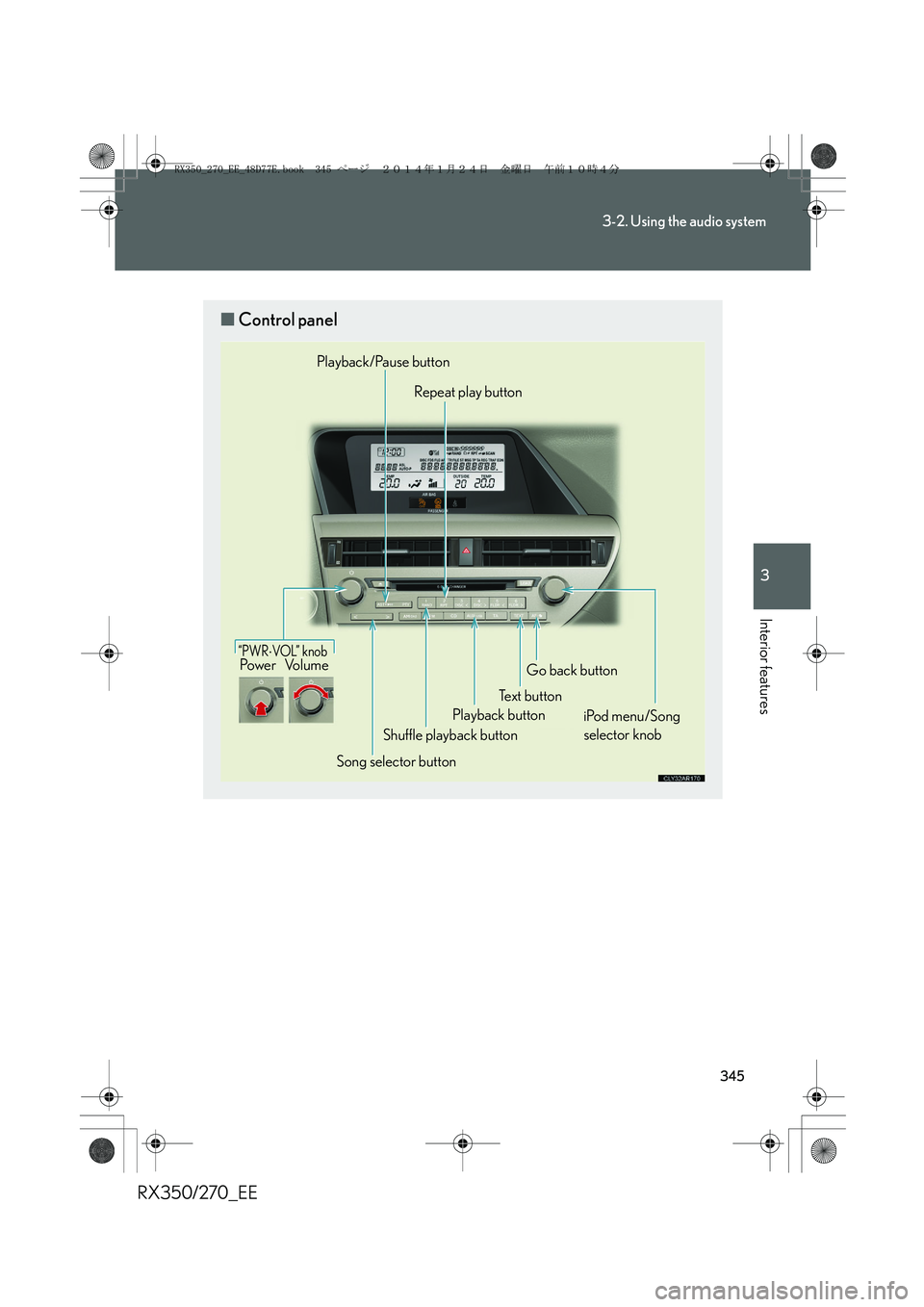
■Control panel
“PWR⋅VOL” k no bPo w e r Vo l u m e
Song selector buttonShuffle playback button
Playback/Pause button
Repeat play button
Playback buttonTe x t b u t t o nGo back button
iPod menu/Song
selector knob
RX350_270_EE_48D77E.book 345 ページ 2014年1月24日 金曜日 午前10時4分
Page 354 of 652
354
3-2. Using the audio system
RX350/270_EE
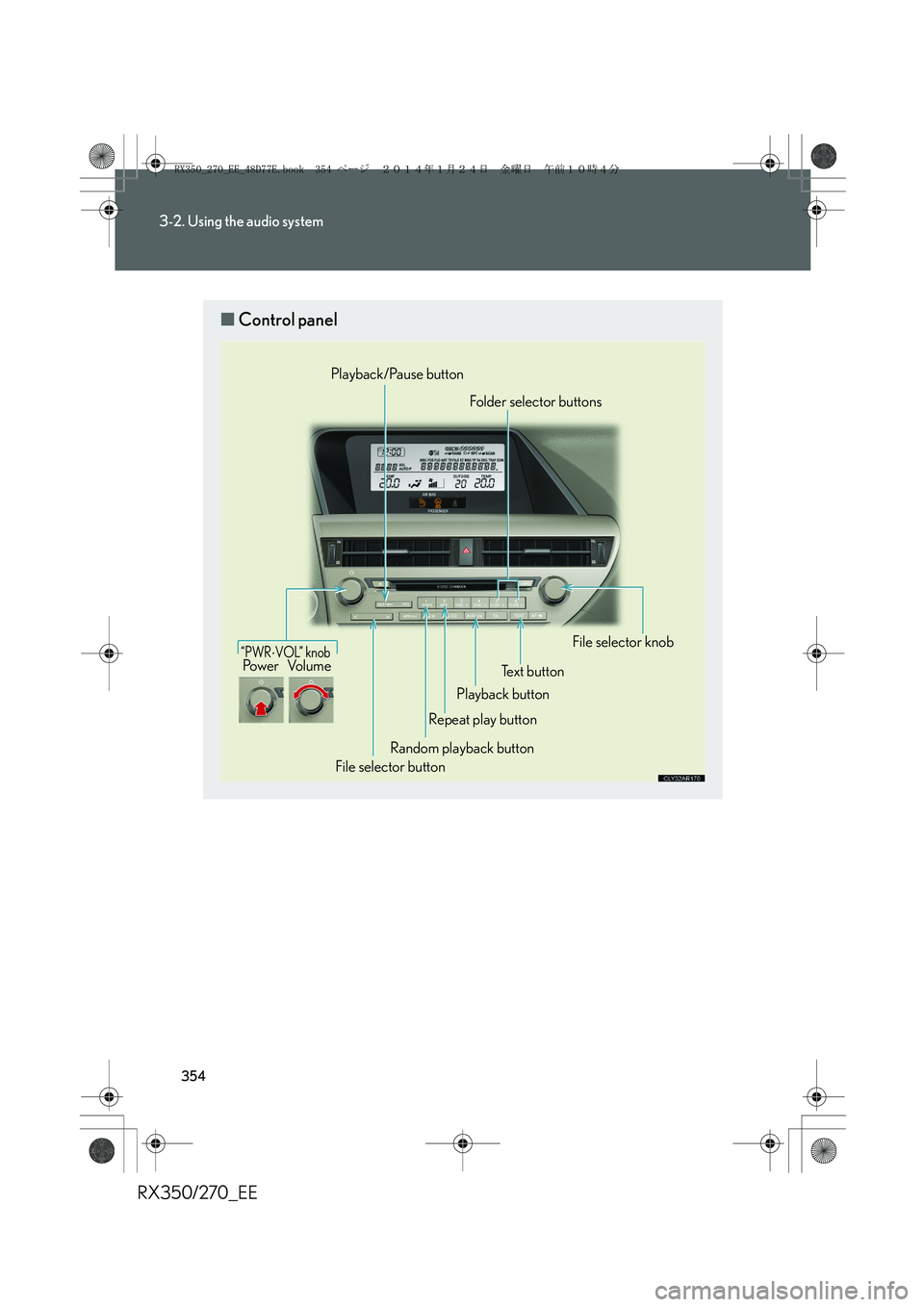
■Control panel
“PWR⋅VOL” knobPo w e r Vo l u m e
Playback/Pause button
Playback buttonFolder selector buttons
File selector knob
Text button
Repeat play button
File selector buttonRandom playback button
RX350_270_EE_48D77E.book 354 ページ 2014年1月24日 金曜日 午前10時4分
Page 369 of 652
369
3-2. Using the audio system
3
Interior features
RX350/270_EE
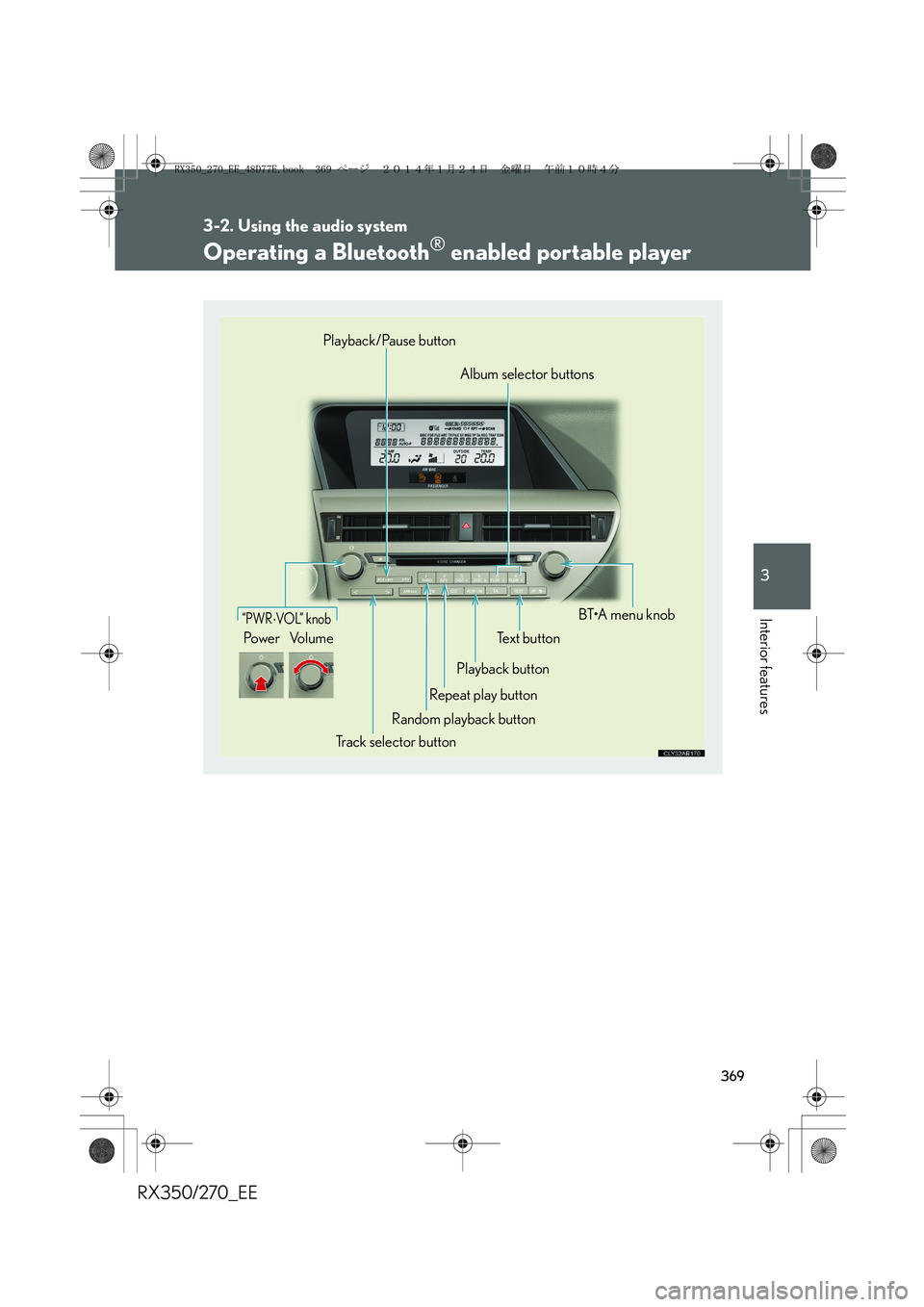
Operating a Bluetooth® enabled portable player
“PWR⋅VO L” k no b
Po w e r Vo l u m eText button
Playback button
Repeat play button
Random playback button
Track selector buttonBT•A menu knob Album selector buttons Playback/Pause button
RX350_270_EE_48D77E.book 369 ページ 2014年1月24日 金曜日 午前10時4分
Page 432 of 652
432
3-5. Other interior features
RX350/270_EE
Clock
■The clock is displayed when
The clock is displayed when the “ENGINE START STOP” switch is in ACCES-
SORY or IGNITION ON mode.
■When the battery is disconnected
The time display will automatically be set to 1:00.
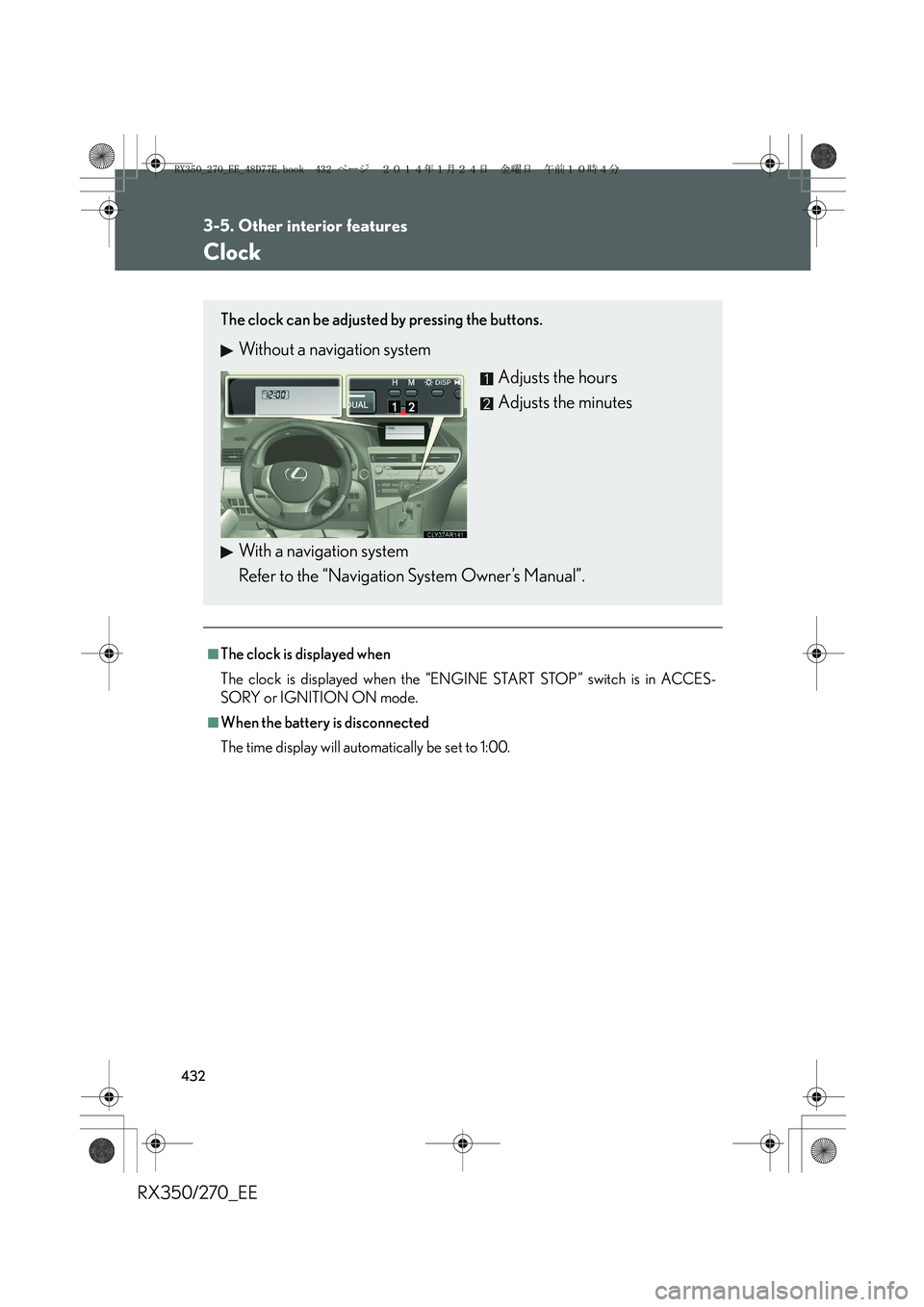
The clock can be adjusted by pressing the buttons.
Without a navigation system
Adjusts the hours
Adjusts the minutes
With a navigation system
Refer to the “Navigation System Owner’s Manual”.
RX350_270_EE_48D77E.book 432 ページ 2014年1月24日 金曜日 午前10時4分
Page 448 of 652
448
3-5. Other interior features
RX350/270_EE
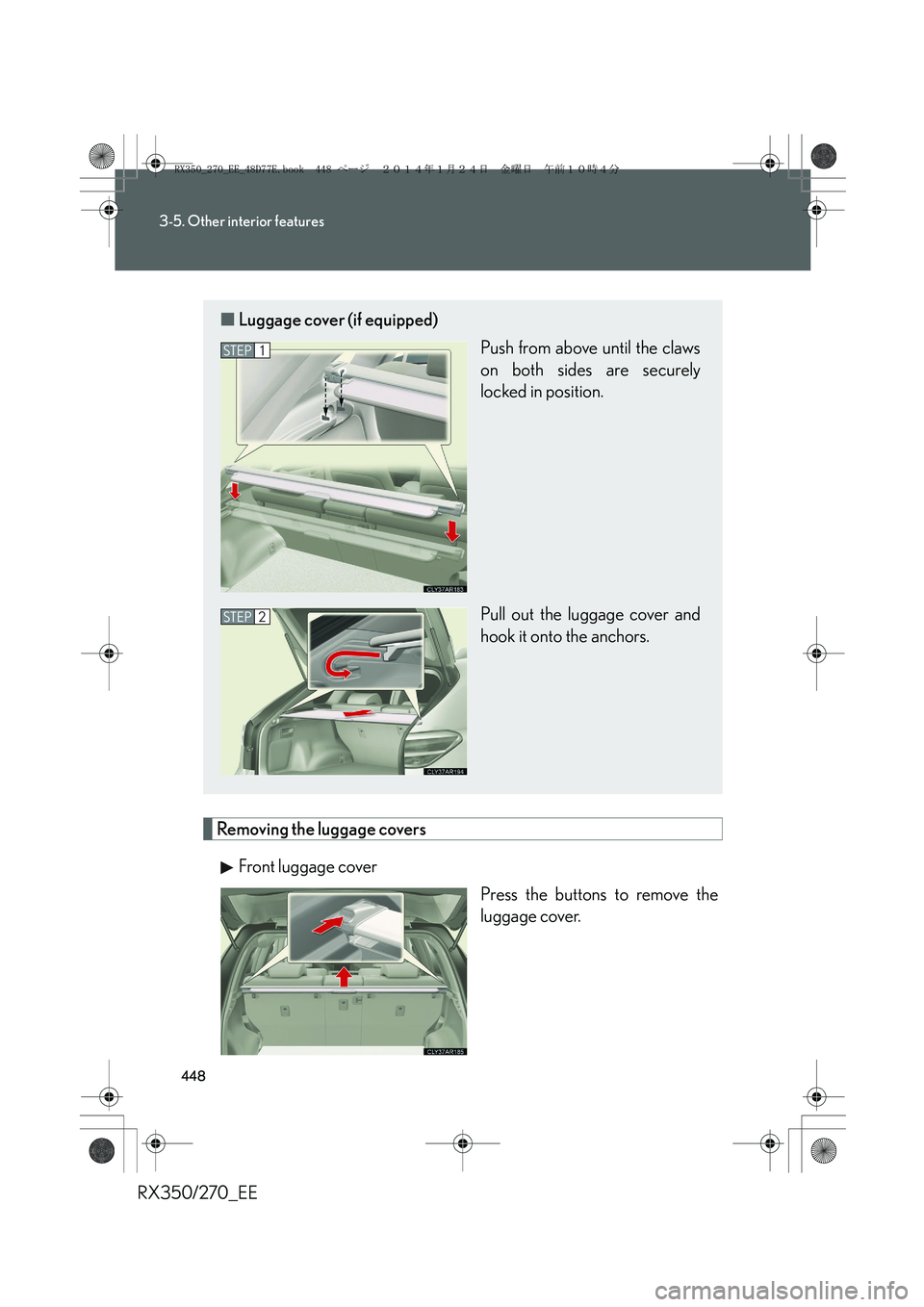
Removing the luggage covers
Front luggage cover
Press the buttons to remove the
luggage cover.
■Luggage cover (if equipped)
Push from above until the claws
on both sides are securely
locked in position.
Pull out the luggage cover and
hook it onto the anchors.
STEP1
STEP2
RX350_270_EE_48D77E.book 448 ページ 2014年1月24日 金曜日 午前10時4分
Page 642 of 652
642
Alphabetical index
RX350/270_EE
Headlights
Discharge headlight
precautions....................................... 530
Replacing light bulbs......................... 516
Switch ........................................................ 217
Wattage................................................... 619
Head-up display
Display contrast adjustment
switch...................................................... 212
Display position adjustment
switch...................................................... 212
Head-up display main switch ........ 212
Heaters
Seat heaters .......................................... 439
Side mirror* ............................................ 321
Steering wheel .................................... 437
Height control
Electronically modulated air
suspension ......................................... 256
Hill-start assist control ..........................271
Hood .......................................................... 465
Hooks
Cargo ...................................................... 446
Coat.......................................................... 442
Horn ............................................................ 195
HUD
Display contrast adjustment
switch...................................................... 212
Display position adjustment
switch...................................................... 212
Head-up display main switch ........ 212Identification
Engine ..................................................... 607
Vehicle.................................................... 607
Ignition switch ......................................... 180
Illuminated entry system ...................... 417
Immobilizer system ................................. 115
Indicator lights ........................................ 198
Initialization
Items to initialize ................................. 633
Inside rear view mirror .......................... 96
Instrument panel light control
buttons ..................................................... 197
Interior lights
Interior lights .......................................... 417
Switch ........................................................ 418
Wattage ................................................... 619
iPod* .......................................................... 344
Jack
Positioning a floor jack ................... 466
Vehicle-equipped jack....................572
Jack handle ............................................. 572I
J
RX350_270_EE_48D77E.book 642 ページ 2014年1月24日 金曜日 午前10時4分