steering wheel LEXUS RX270 2014 Workshop Manual
[x] Cancel search | Manufacturer: LEXUS, Model Year: 2014, Model line: RX270, Model: LEXUS RX270 2014Pages: 652, PDF Size: 48.98 MB
Page 313 of 652
3Interior features
313
RX350/270_EE
Setting up a Bluetooth®
enabled portable
player...................................... 372
Bluetooth
® audio system
setup ........................................ 376
Optimal use of the audio
system...................................... 377
Using the AUX port............... 379
Using the steering wheel
audio switches....................... 381
Hands-free system
for mobile phones ............... 384
Using the hands-free
system (for mobile
phones) ................................... 391
Making a phone call............... 397
Setting a mobile phone ......... 401
Security and system
setup ....................................... 405
Using the phone book ............. 411
3-3. Using the interior lights
Interior lights list ...................... 417
• Interior lights .......................... 418
• Personal lights ....................... 4183-4. Using the storage
features
List of storage features ........ 420
• Glove box ................................421
• Bottle holders/
door pockets ......................... 422
• Cup holders .......................... 423
• Console box .......................... 426
• Coin holder ............................427
• Auxiliary box......................... 428
• Under tray ............................. 429
3-5. Other interior features
Sun visors ................................. 430
Vanity mirror............................. 431
Clock ........................................ 432
Outside temperature
display .................................... 433
Multi-display light
control.................................... 434
Power outlets........................... 435
Heated steering wheel ......... 437
Seat heaters and
ventilators ............................. 439
Armrest ...................................... 441
Coat hooks ............................... 442
Assist grips .............................. 443
Floor mat................................... 444
Luggage compartment
features .................................. 446
RX350_270_EE_48D77E.book 313 ページ 2014年1月24日 金曜日 午前10時4分
Page 324 of 652
324
3-2. Using the audio system
RX350/270_EE
■Using mobile phones
Interference may be heard through the audio system’s speakers if a mobile phone is
being used inside or close to the vehicle while the audio system is operating.
Ti t l ePa g e
Using the radioP. 3 2 6
Using the CD playerP. 3 3 0
Playing MP3 and WMA discsP. 3 3 7
Operating an iPodP. 3 4 4
Operating a USB memoryP. 3 5 3
Bluetooth® audio systemP. 3 6 1
Optimal use of the audio systemP. 3 7 7
Using the AUX portP. 3 7 9
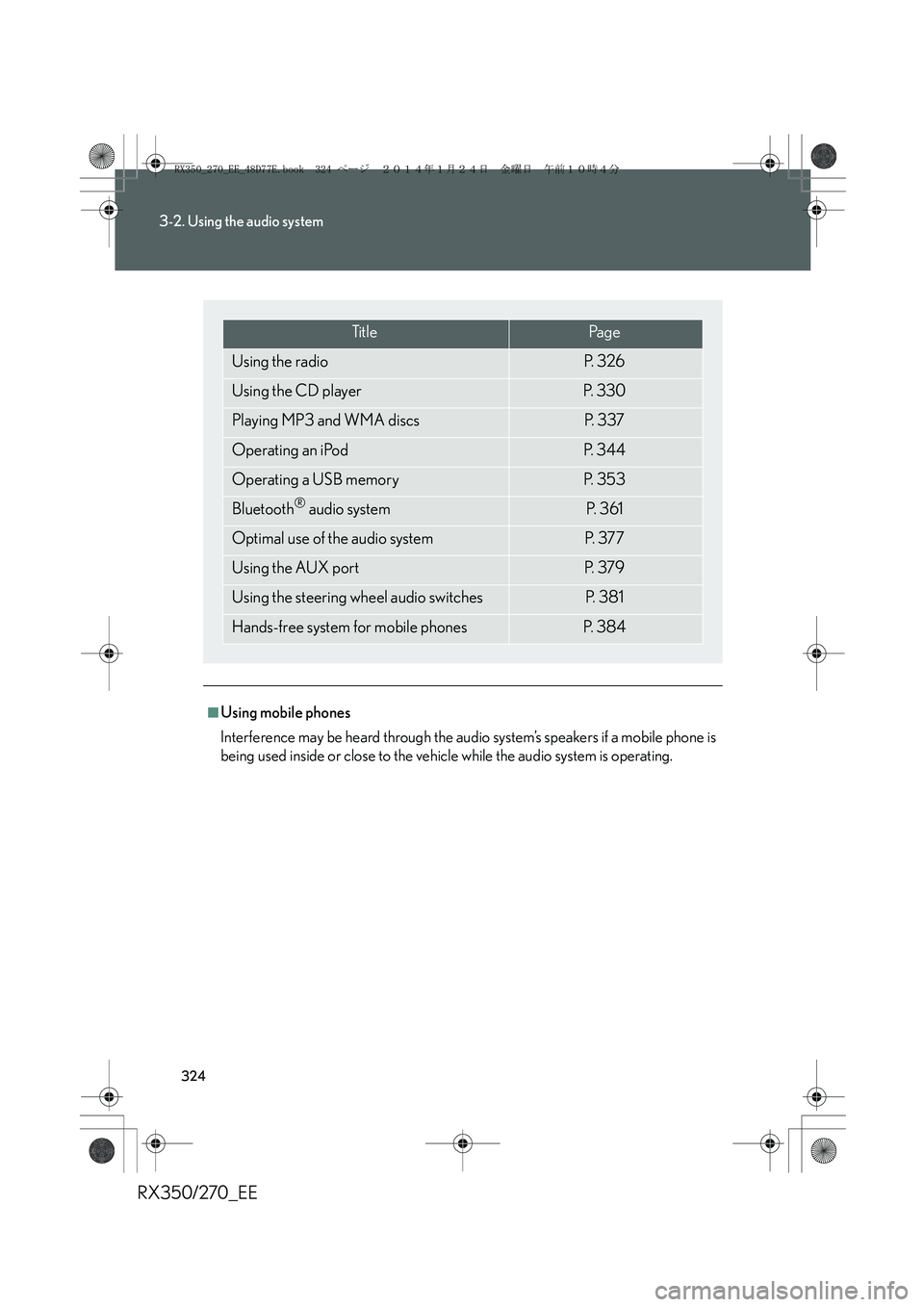
Using the steering wheel audio switchesP. 3 8 1
Hands-free system for mobile phonesP. 3 8 4
RX350_270_EE_48D77E.book 324 ページ 2014年1月24日 金曜日 午前10時4分
Page 381 of 652
381
3-2. Using the audio system
3
Interior features
RX350/270_EE
Using the steering wheel audio switches
Turning the power on
Press when the audio system is turned off.
The audio system can be turned off by holding the switch down until you hear
a beep.
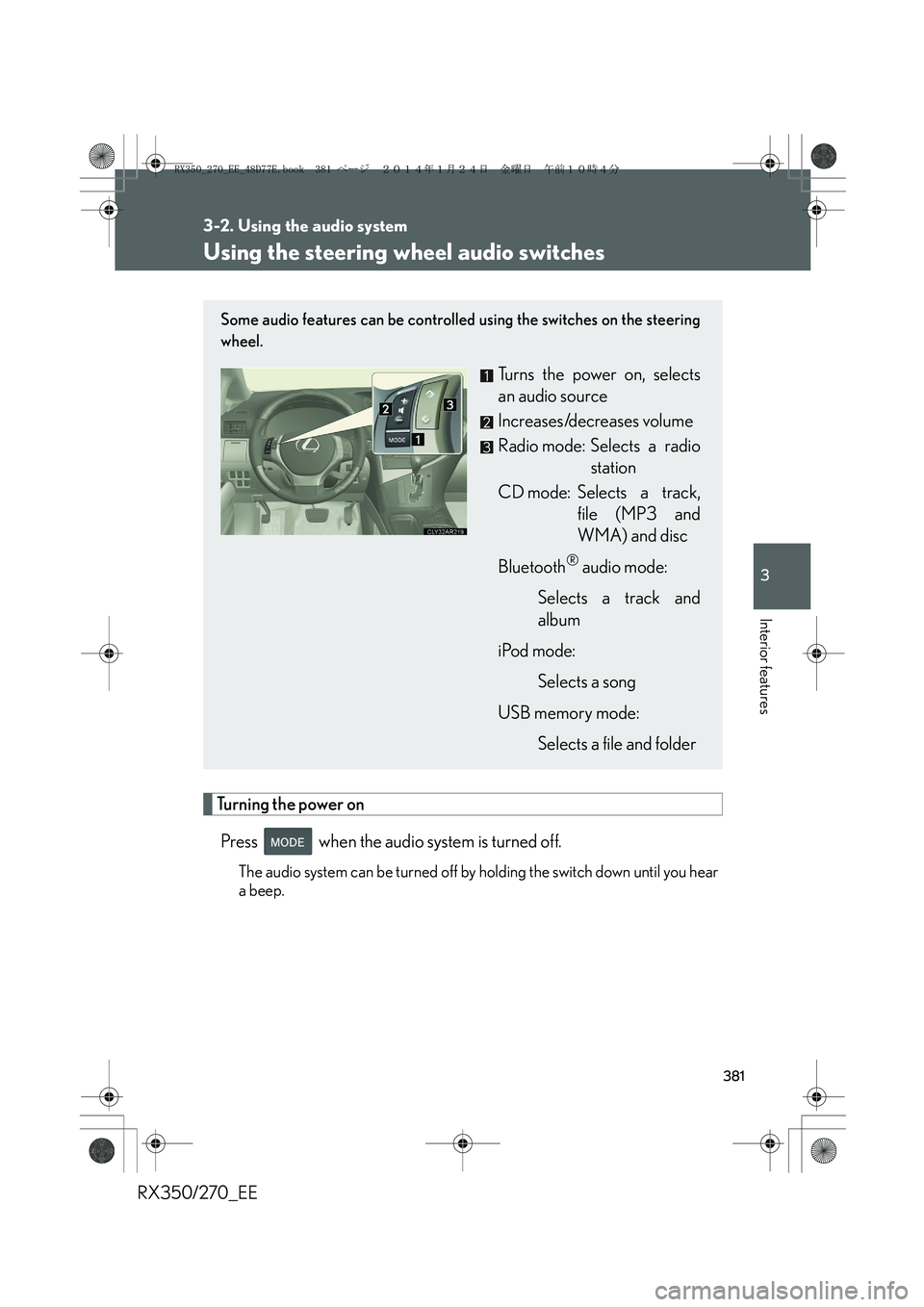
Some audio features can be controlled using the switches on the steering
wheel.
Turns the power on, selects
an audio source
Increases/decreases volume
Radio mode: Selects a radio
station
CD mode: Selects a track,
file (MP3 and
WMA) and disc
Bluetooth
® audio mode:
Selects a track and
album
iPod mode:
Selects a song
USB memory mode:
Selects a file and folder
RX350_270_EE_48D77E.book 381 ページ 2014年1月24日 金曜日 午前10時4分
Page 383 of 652
383
3-2. Using the audio system
3
Interior features
RX350/270_EE
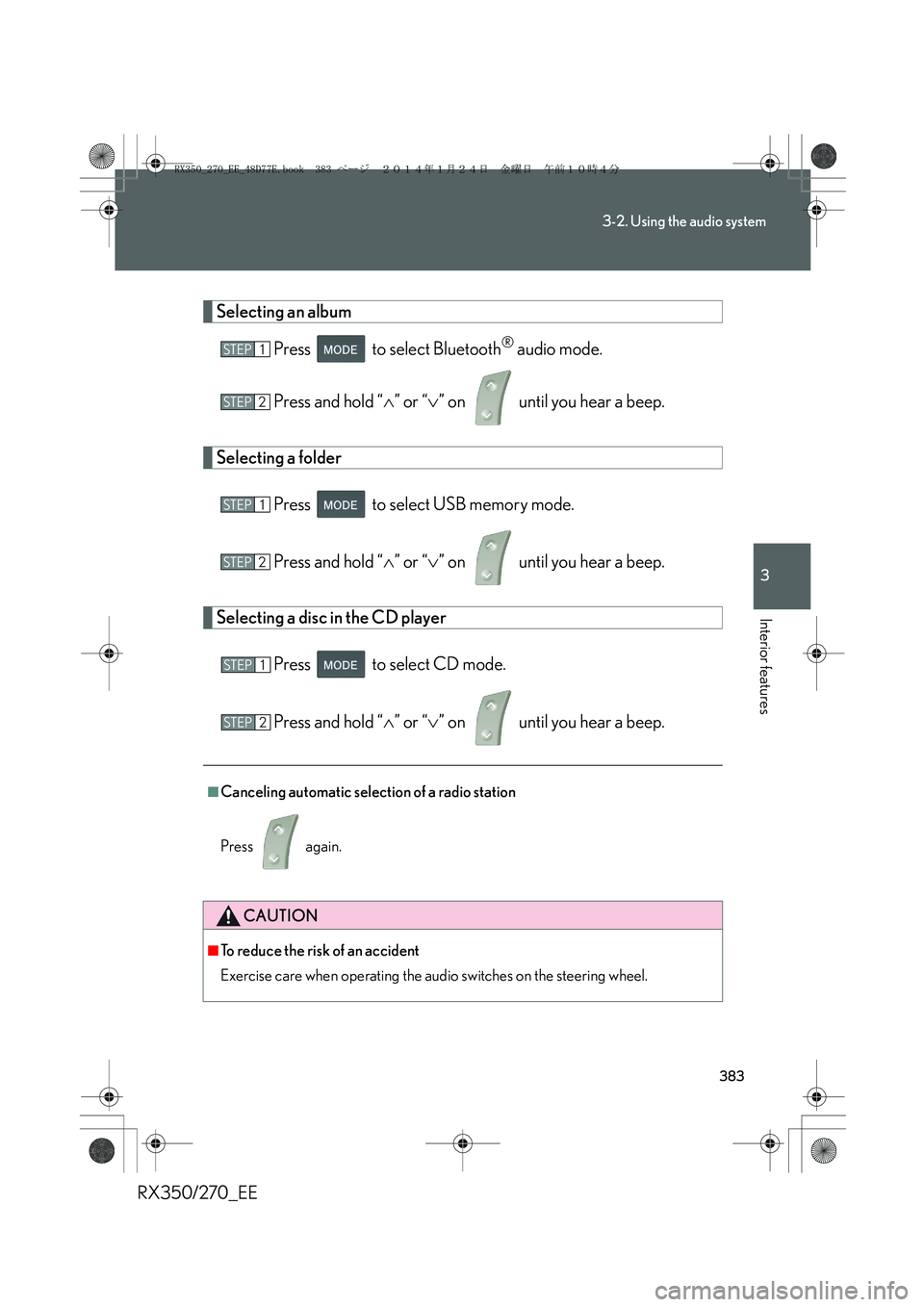
Selecting an album
Press to select Bluetooth
® audio mode.
Press and hold “∧” or “∨” on until you hear a beep.
Selecting a folder
Press to select USB memory mode.
Press and hold “∧” or “∨” on until you hear a beep.
Selecting a disc in the CD player
Press to select CD mode.
Press and hold “∧” or “∨” on until you hear a beep.
■Canceling automatic selection of a radio station
Press again.
CAUTION
■To reduce the risk of an accident
Exercise care when operating the audio switches on the steering wheel.
STEP1
STEP2
STEP1
STEP2
STEP1
STEP2
RX350_270_EE_48D77E.book 383 ページ 2014年1月24日 金曜日 午前10時4分
Page 392 of 652
392
3-2. Using the audio system
RX350/270_EE
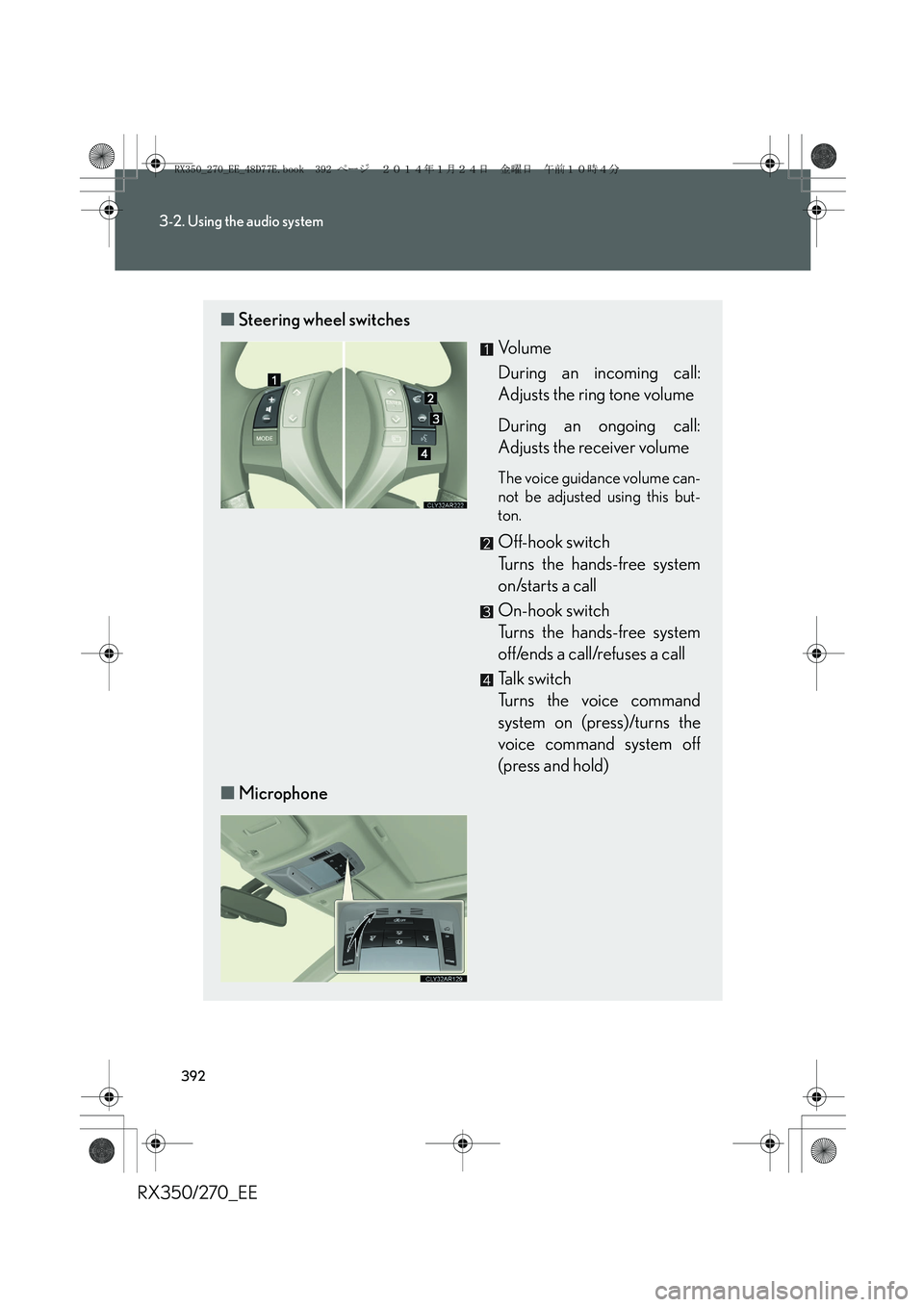
■Steering wheel switches
Vo l u m e
During an incoming call:
Adjusts the ring tone volume
During an ongoing call:
Adjusts the receiver volume
The voice guidance volume can-
not be adjusted using this but-
ton.
Off-hook switch
Turns the hands-free system
on/starts a call
On-hook switch
Turns the hands-free system
off/ends a call/refuses a call
Talk switch
Turns the voice command
system on (press)/turns the
voice command system off
(press and hold)
■Microphone
RX350_270_EE_48D77E.book 392 ページ 2014年1月24日 金曜日 午前10時4分
Page 437 of 652
437
3-5. Other interior features
3
Interior features
RX350/270_EE
Heated steering wheel∗
■The heated steering wheel can be used when
The “ENGINE START STOP” switch is in IGNITION ON mode.
■To prevent battery discharge
The heated steering wheel will automatically turn off after about 30 minutes.
■If the indicator light does not come on
If the indicator light does not come on when the switch is pressed, a malfunction
may have occurred in the system. Have the vehicle inspected by any authorized
Lexus dealer or repairer, or another duly qualified and equipped professional.
∗: If equipped
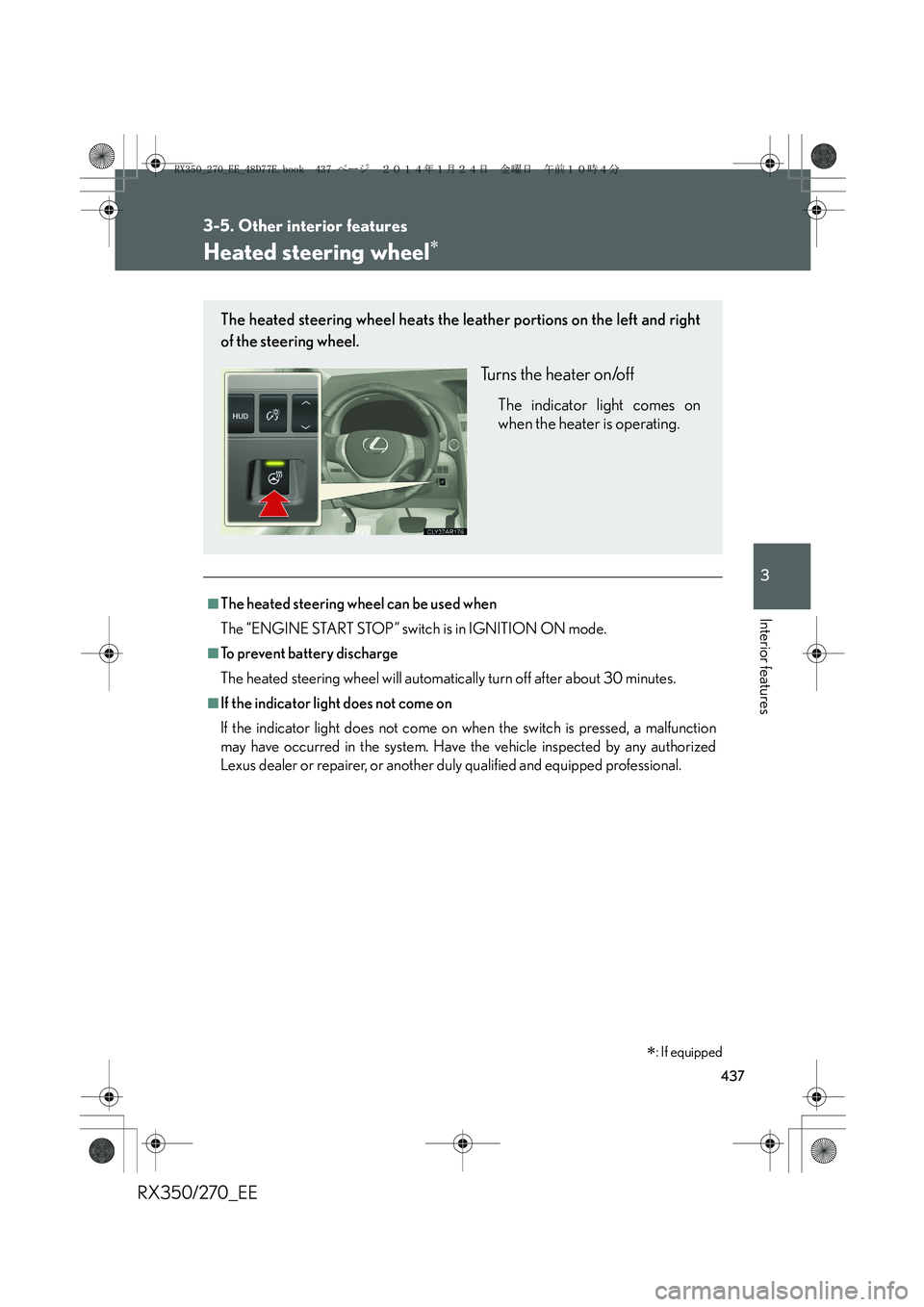
The heated steering wheel heats the leather portions on the left and right
of the steering wheel.
Turns the heater on/off
The indicator light comes on
when the heater is operating.
RX350_270_EE_48D77E.book 437 ページ 2014年1月24日 金曜日 午前10時4分
Page 438 of 652
438
3-5. Other interior features
RX350/270_EE
CAUTION
■Burns
Care should be taken to prevent injury if anyone in the following categories comes
in contact with the steering wheel when the heated steering wheel is on:
●Babies, small children, the elderly, the sick and the physically challenged
●Persons with sensitive skin
●Persons who are fatigued
●Persons who have taken alcohol or drugs that induce sleep (sleeping drugs, cold
remedies, etc.)
RX350_270_EE_48D77E.book 438 ページ 2014年1月24日 金曜日 午前10時4分
Page 522 of 652
522
4-3. Do-it-yourself maintenance
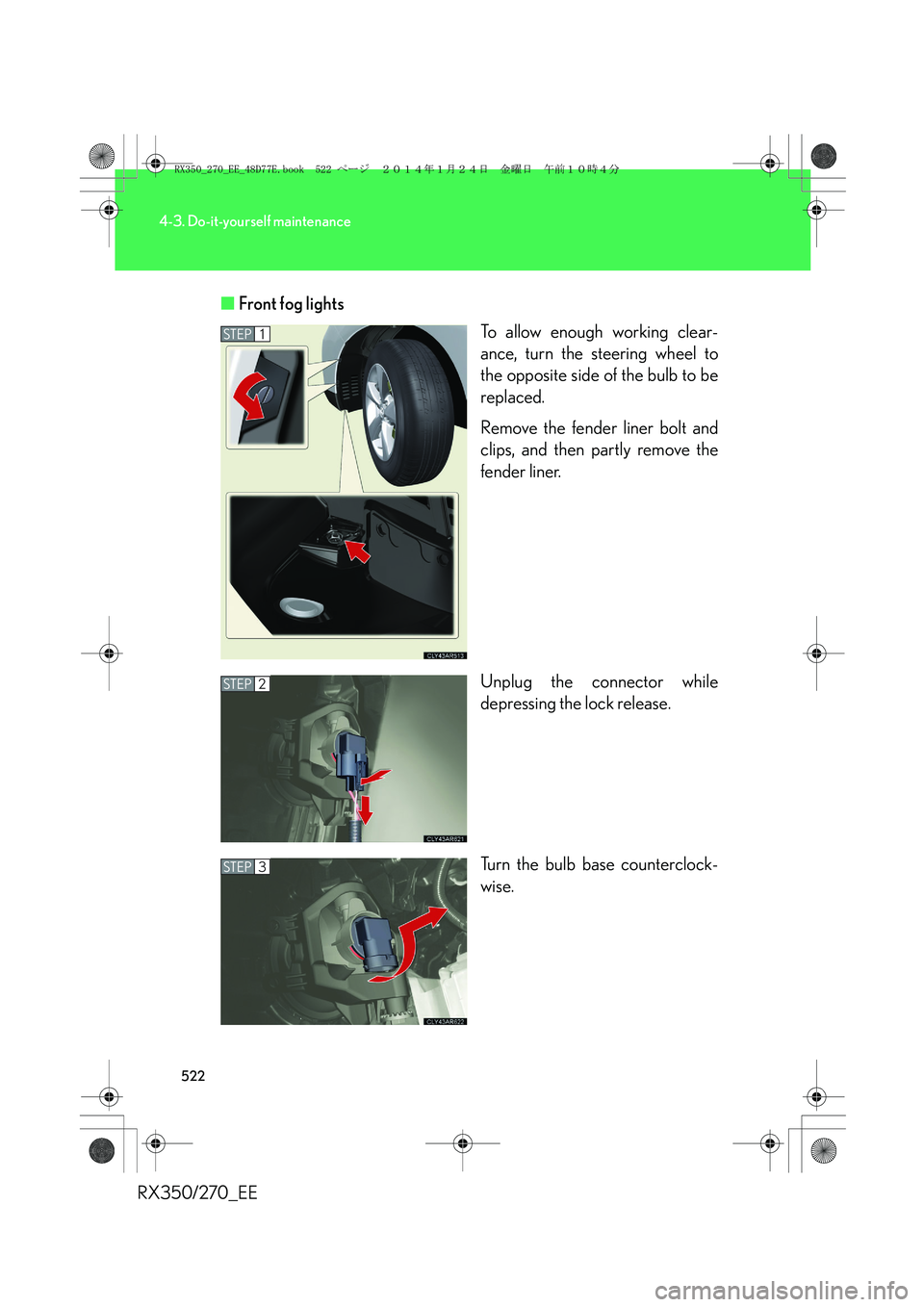
RX350/270_EE■Front fog lights
To allow enough working clear-
ance, turn the steering wheel to
the opposite side of the bulb to be
replaced.
Remove the fender liner bolt and
clips, and then partly remove the
fender liner.
Unplug the connector while
depressing the lock release.
Turn the bulb base counterclock-
wise.
STEP1
STEP2
STEP3
RX350_270_EE_48D77E.book 522 ページ 2014年1月24日 金曜日 午前10時4分
Page 536 of 652
536
5-1. Essential information
RX350/270_EE
Emergency towing
If a tow truck is not available in an emergency, your vehicle may be tem-
porarily towed using a cable or chain secured to the emergency towing
eyelet. This should only be attempted on hard surfaced roads for 80 km
(50 miles) at under 30 km/h (18 mph).
A driver must be in the vehicle to steer and operate the brakes. The vehi-
cle’s wheels, drive train, axles, steering and brakes must be in good condi-
tion.
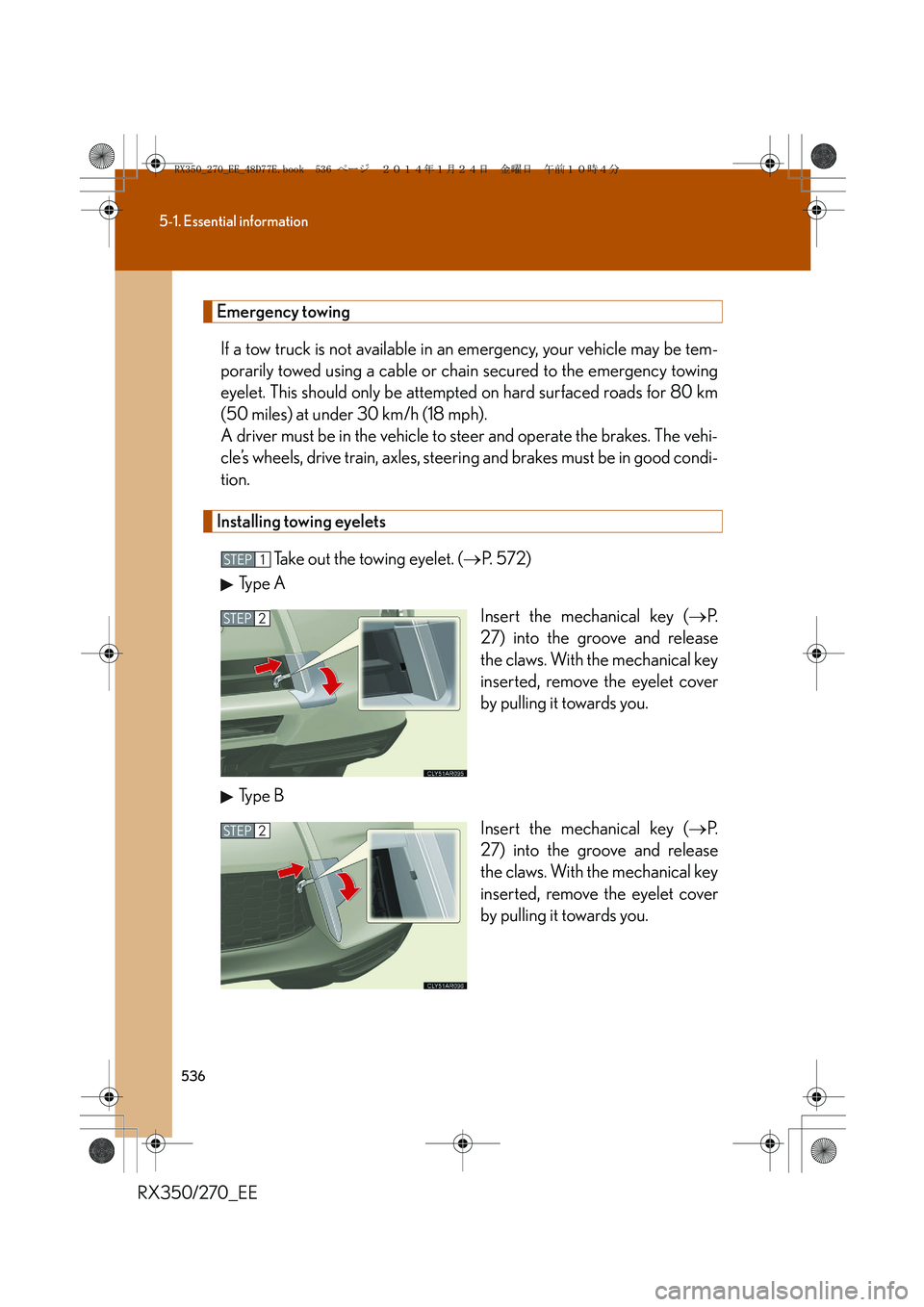
Installing towing eyelets
Take out the towing eyelet. (→P. 5 7 2 )
Type A
Insert the mechanical key (→P.
27) into the groove and release
the claws. With the mechanical key
inserted, remove the eyelet cover
by pulling it towards you.
Type B
Insert the mechanical key (→P.
27) into the groove and release
the claws. With the mechanical key
inserted, remove the eyelet cover
by pulling it towards you.
STEP1
STEP2
STEP2
RX350_270_EE_48D77E.book 536 ページ 2014年1月24日 金曜日 午前10時4分
Page 538 of 652
538
5-1. Essential information
RX350/270_EESecurely attach a cable or chain to the towing eyelet.
Take care not to damage the vehicle body.
Enter the vehicle being towed and start the engine.
If the engine does not start, turn the “ENGINE START STOP” switch to
IGNITION ON mode.
For models with electronically modulated air suspension: Change
the vehicle height to “N” mode and end the vehicle height opera-
tion. (
→P. 2 5 6 )
Shift the shift lever to N and release the parking brake.
When the shift lever cannot be shifted: →P. 589
■While towing
If the engine is not running, the power assist for the brakes and steering will not
function, making steering and braking more difficult.
■Wheel nut wrench
Wheel nut wrench is installed in the luggage compartment. (→P. 5 7 2 )
STEP5
STEP6
STEP7
STEP8
RX350_270_EE_48D77E.book 538 ページ 2014年1月24日 金曜日 午前10時4分