audio LEXUS RX350 2015 Owners Manual
[x] Cancel search | Manufacturer: LEXUS, Model Year: 2015, Model line: RX350, Model: LEXUS RX350 2015Pages: 886, PDF Size: 11 MB
Page 427 of 886
4273-3. Using the Lexus Display Audio system
3
Interior features CAUTION■
Caution while driving
Do not connect portable players or operate the controls.■
Caution regarding interference with electronic devices ●
Your audio unit is fi tted with Bluetooth ®
antennas. People with implantable car-
diac pacemakers, cardiac resynchronization therapy-pacemakers or implantable
cardioverter defibrillators should maintain a reasonable distance between them-
selves and the Bluetooth ®
antennas. The radio waves may affect the operation of
such devices.●
Before using Bluetooth ®
devices, users of any electrical medical device other
than implantable cardiac pacemakers, cardiac resynchronization therapy-pace-
makers or implantable cardioverter defibrillators should consult the manufac-
turer of the device for information about its operation under the influence of radio
waves. Radio waves could have unexpected effects on the operation of such
medical devices.
NOTICE■
To prevent damage to portable players
Do not leave portable players in the vehicle. The temperature inside the vehicle
may become high, resulting in damage to the player.
Page 428 of 886
4283-3. Using the Lexus Display Audio system
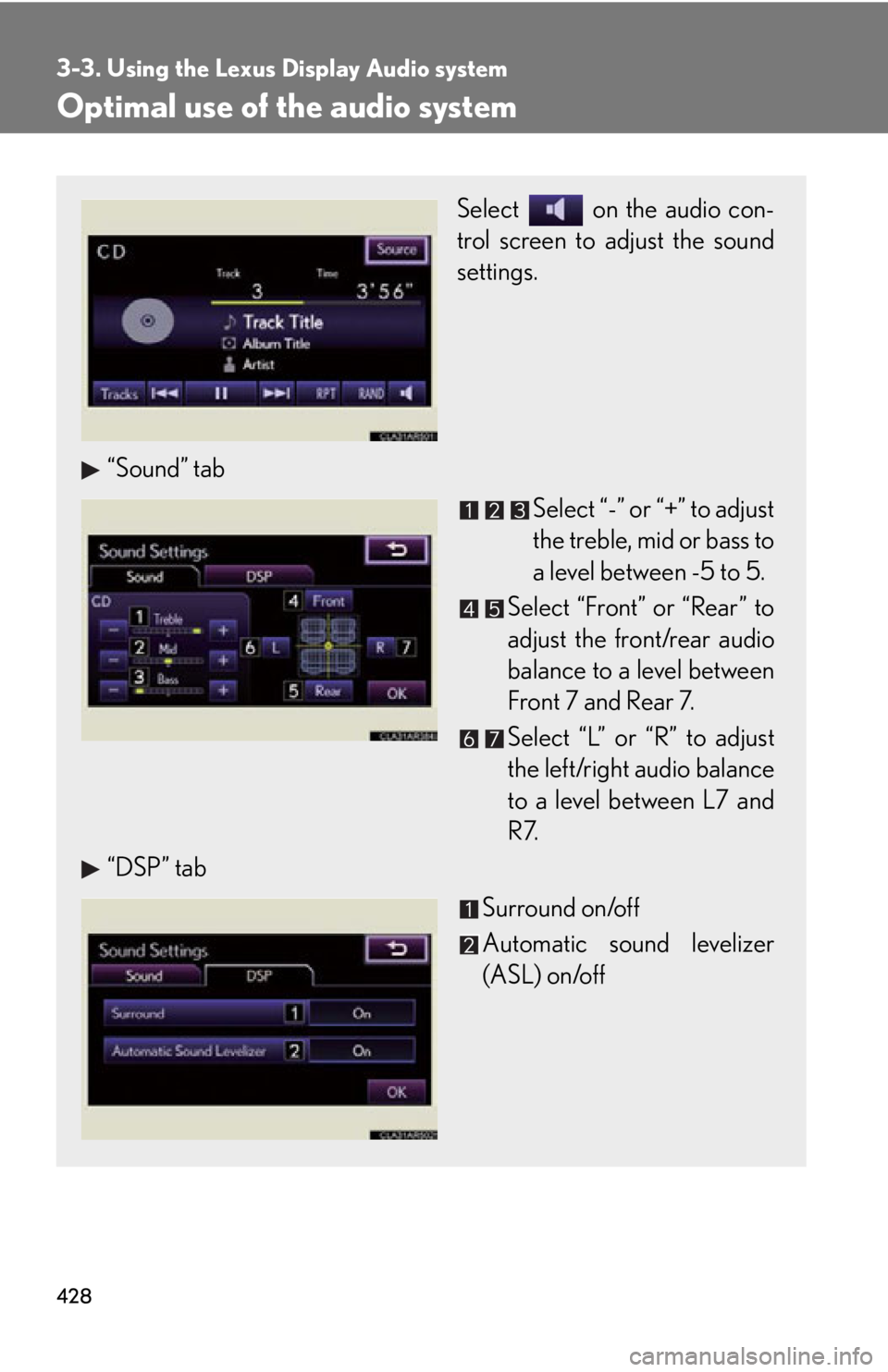
Optimal use of the audio system Select on the audio con-
trol screen to adjust the sound
settings.
“Sound” tab
Select “-” or “+” to adjust
the treble, mid or bass to
a level between -5 to 5.
Select “Front” or “Rear” to
adjust the front/rear audio
balance to a level between
Front 7 and Rear 7.
Select “L” or “R” to adjust
the left/right audio balance
to a level between L7 and
R7.
“DSP” tab
Surround on/off
Automatic sound levelizer
(ASL) on/off
Page 429 of 886

4293-3. Using the Lexus Display Audio system
3
Interior features ■
The sound quality level is adjusted individually
The treble, mid and bass levels can be adjusted for the each audio mode separately.■
About Automatic Sound Leveliser (ASL)
ASL automatically adjusts the volume and tone quality according to the vehicle
speed.
Page 430 of 886
4303-3. Using the Lexus Display Audio system
Using the steering wh eel audio switches
Turning the audio system on
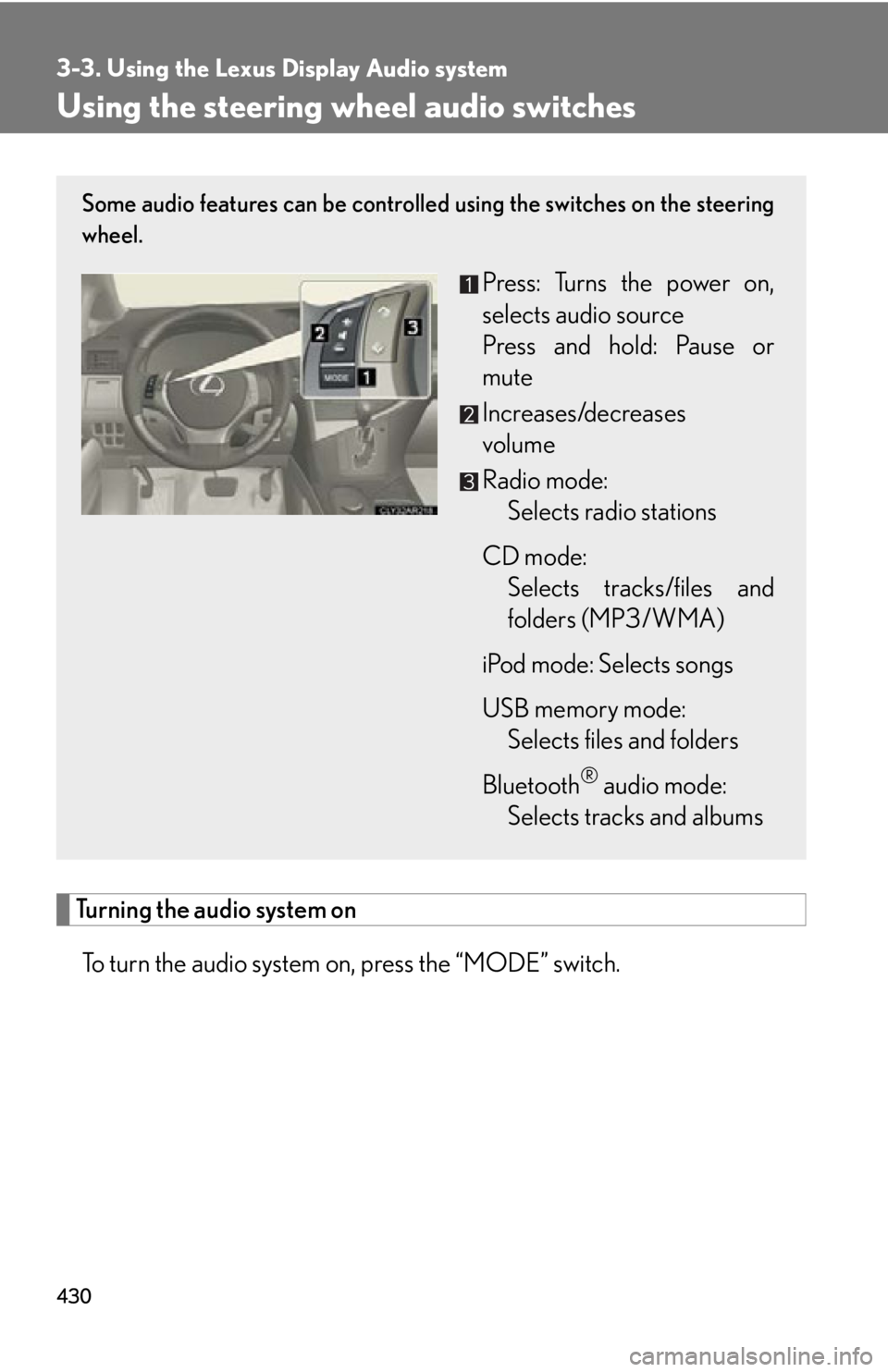
To turn the audio system on, press the “MODE” switch. Some audio features can be controlled using the switches on the steering
wheel.
Press: Turns the power on,
selects audio source
Press and hold: Pause or
mute
Increases/decreases
volume
Radio mode:
Selects radio stations
CD mode:
Selects tracks/files and
folders (MP3/WMA)
iPod mode: Selects songs
USB memory mode:
Selects files and folders
Bluetooth ®
audio mode:
Selects tracks and albums
Page 431 of 886
4313-3. Using the Lexus Display Audio system
3
Interior features Changing the audio source
Press the “MODE” switch when the audio system is turned on. The audio
source changes as follows each time the “MODE” switch is pressed. If no
discs are inserted in the player, or if the external device is not connected,
that mode will be skipped. FM SAT CD player iPod or USB memory
Bluetooth ®
audio AUX AM FM
Adjusting the volume
Press “+” to increase the volume and “-” to decrease the volume. Hold the button in that position to continue increasing or decreasing the vol-
ume.
Silencing a sound
Press and hold the “MODE” switch. To cancel, press and hold
the “MODE” switch .
Selecting a radio station
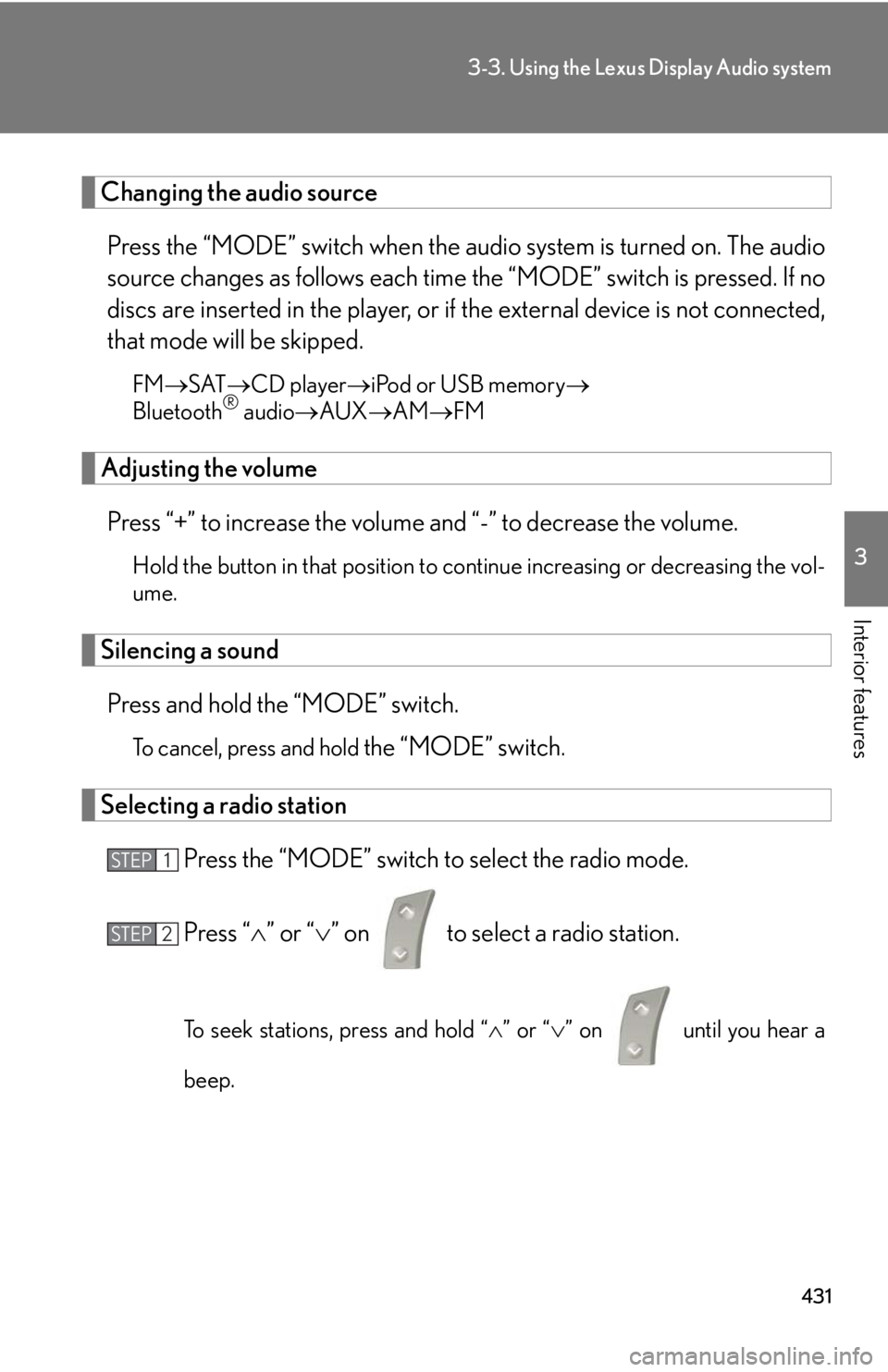
Press the “MODE” switch to select the radio mode.
Press “ ” or “ ” on to select a radio station.
To seek stations, press and hold “ ” or “ ” on
until you hear a
beep.STEP 1
STEP 2
Page 432 of 886
4323-3. Using the Lexus Display Audio system
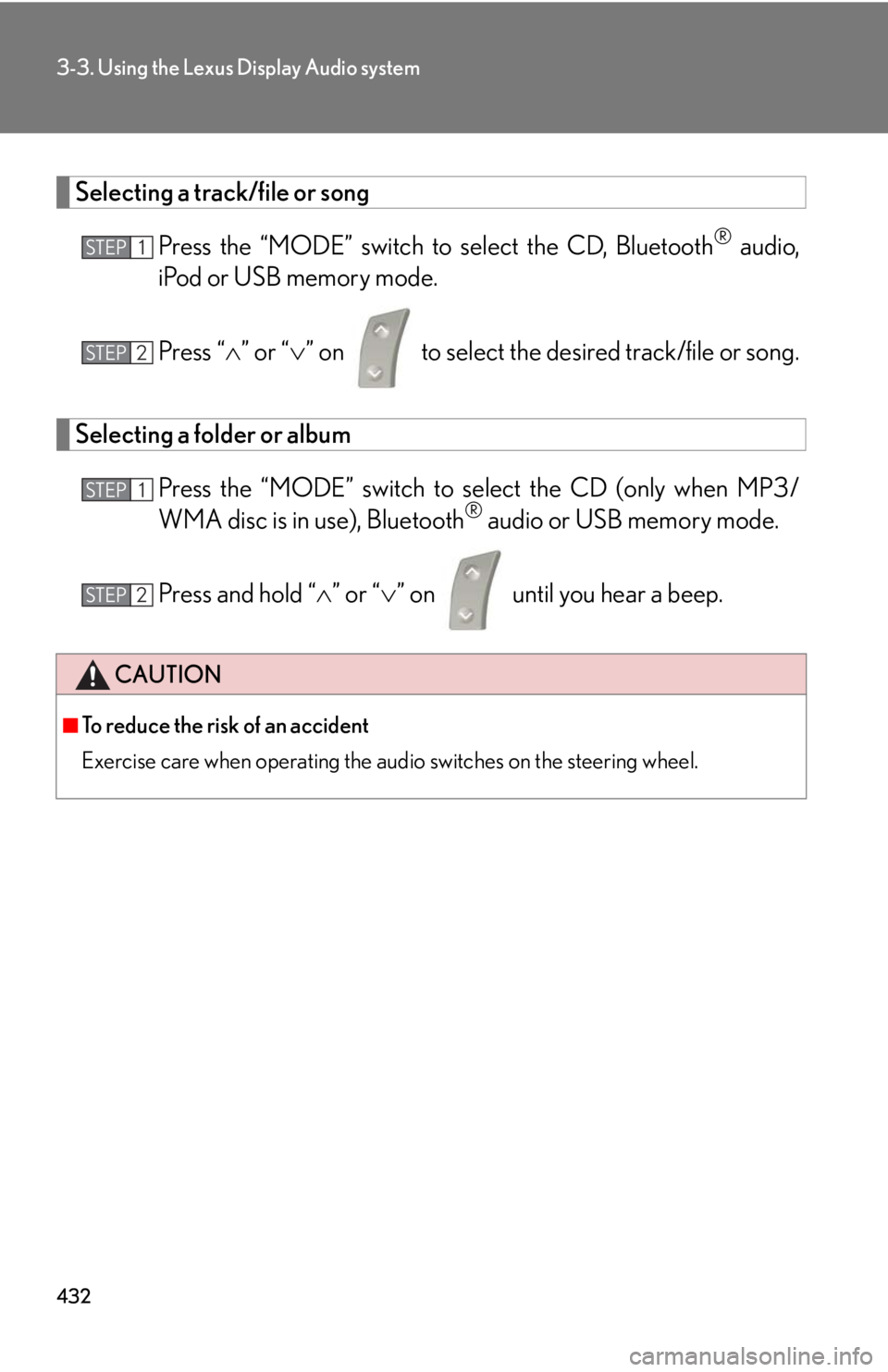
Selecting a track/file or song
Press the “MODE” switch to select the CD, Bluetooth ®
audio,
iPod or USB memory mode.
Press “ ” or “ ” on to select the desired track/file or song.
Selecting a folder or album
Press the “MODE” switch to se lect the CD (only when MP3/
WMA disc is in use), Bluetooth ®
audio or USB memory mode.
Press and hold “ ” or “ ” on until you hear a beep.
CAUTION■
To reduce the risk of an accident
Exercise care when operating the audio switches on the steering wheel. STEP 1
STEP 2
STEP 1
STEP 2
Page 433 of 886
4333-3. Using the Lexus Display Audio system
3
Interior features Hands-free system (for mobile phone) The hands-free system is a function that allows you to use your mobile
phone without touching it.
This system supports Bluetooth ®
. Bluetooth ®
is a wireless data system that
allows the mobile phone to wirelessly connect to the hands-free system and
make/receive calls.
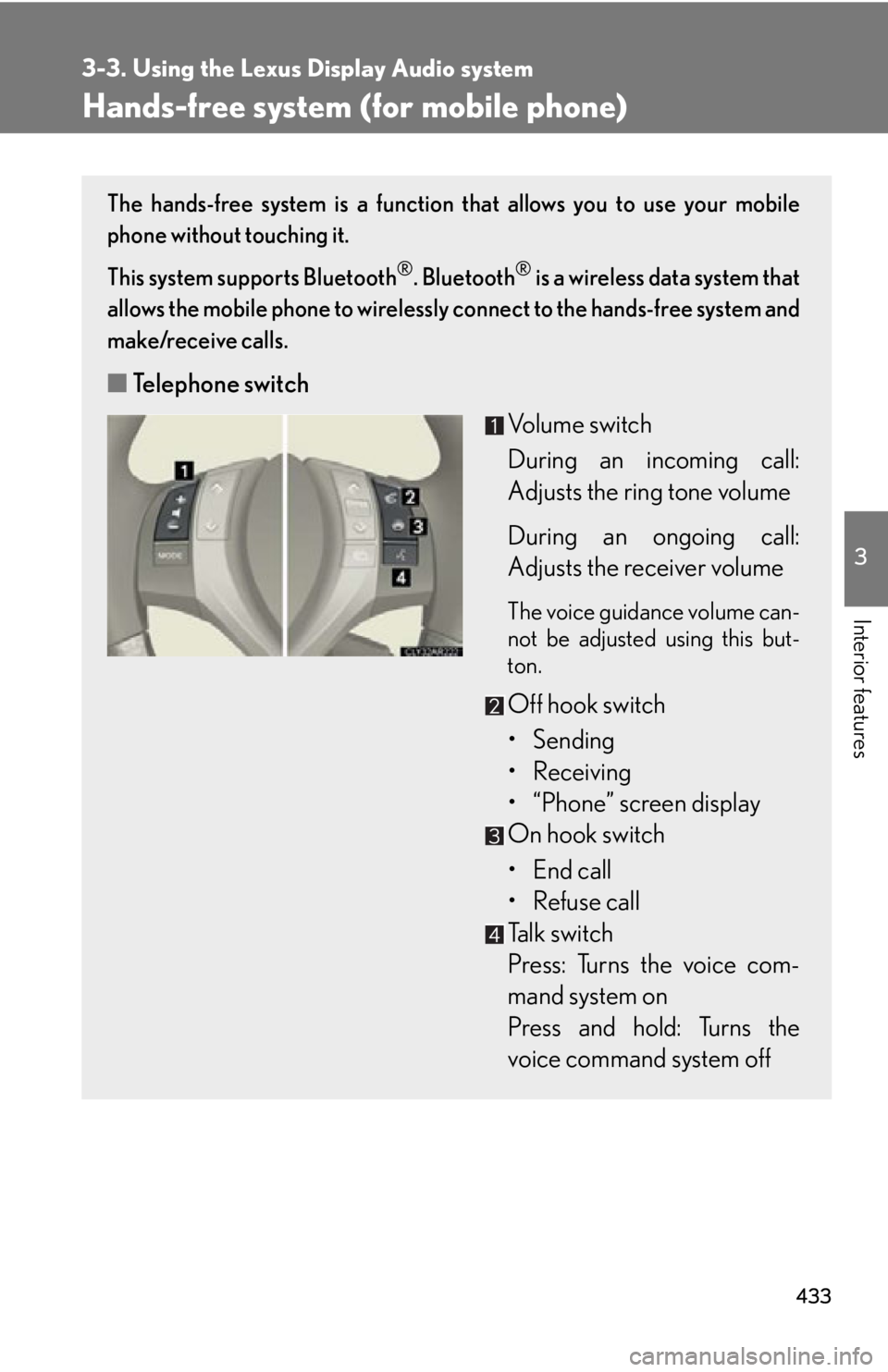
■ Telephone switch
Volume switch
During an incoming call:
Adjusts the ring tone volume
During an ongoing call:
Adjusts the receiver volume The voice guidance volume can-
not be adjusted using this but-
ton.
Off hook switch
• Sending
• Receiving
• “Phone” screen display
On hook switch
• End call
• Refuse call
Talk switch
Press: Turns the voice com-
mand system on
Press and hold: Turns the
voice command system off
Page 434 of 886
4343-3. Using the Lexus Display Audio system
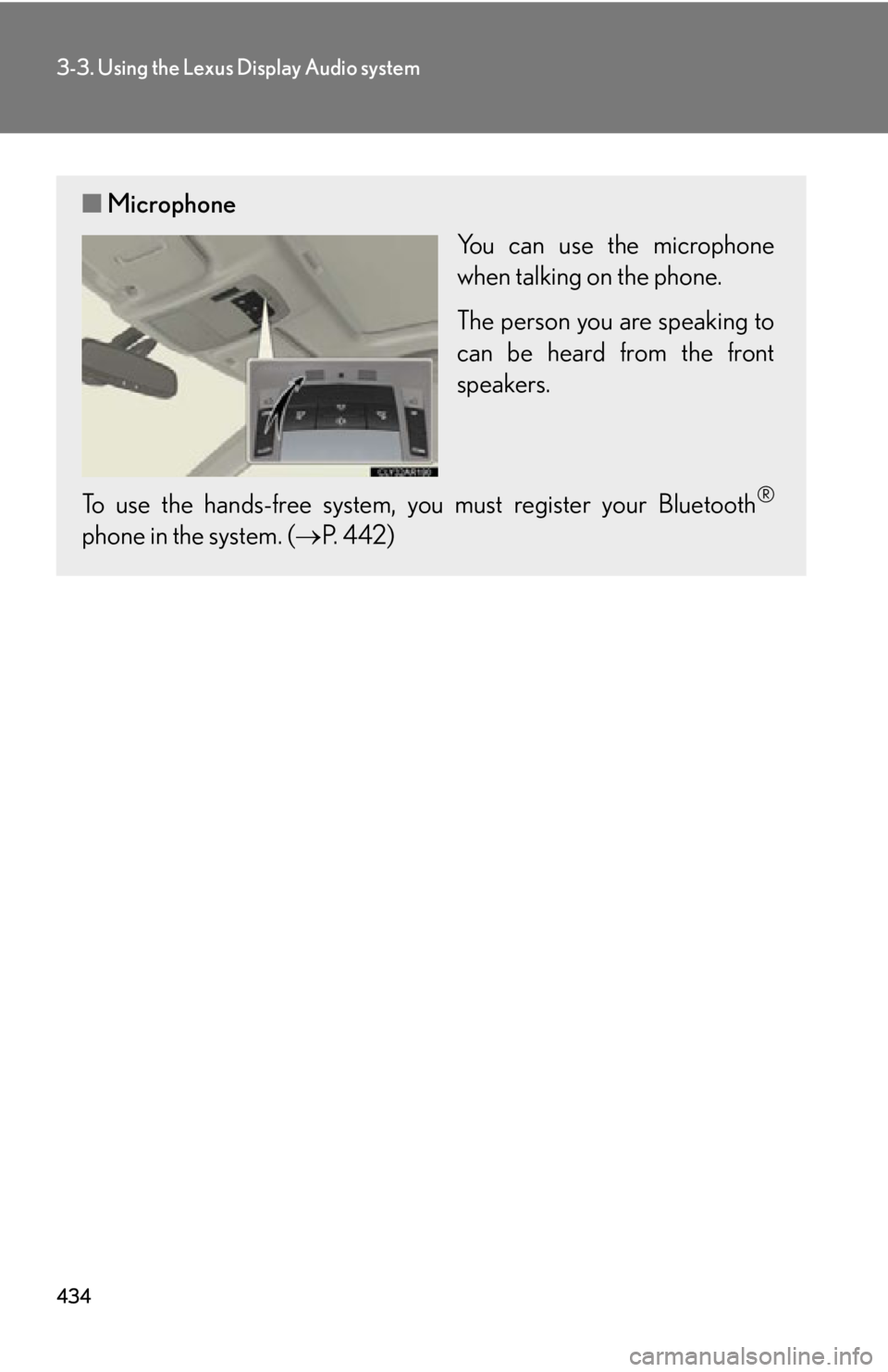
■ Microphone
You can use the microphone
when talking on the phone.
The person you are speaking to
can be heard from the front
speakers.
To use the hands-free system, you must register your Bluetooth ®
phone in the system. ( P. 4 4 2 )
Page 435 of 886
4353-3. Using the Lexus Display Audio system
3
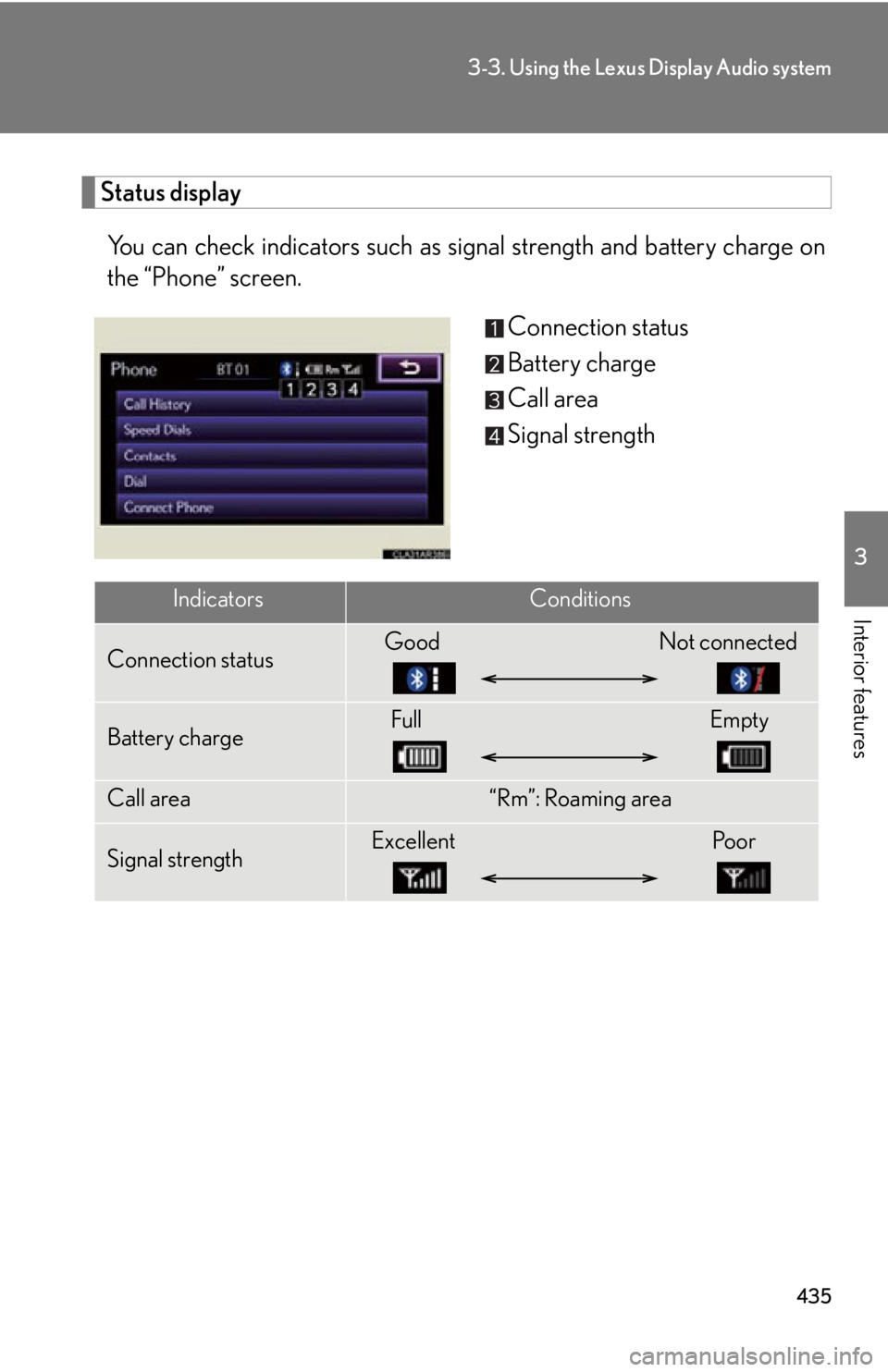
Interior features Status display
You can check indicators such as signal strength an d battery charge on
the “Phone” screen.
Connection status
Battery charge
Call area
Signal strength
Indicators Conditions
Connection status Good Not connected
Battery charge Full Empty
Call area “Rm”: Roaming area
Signal strength Excellent Poor
Page 436 of 886

4363-3. Using the Lexus Display Audio system
■
When using the hands-free system ●
The audio system is muted when making a call.●
If both parties speak at the same time, it may be difficult to hear.●
If the received call volume is overly loud, an echo may be heard.
If the Bluetooth ®
phone is too close to the system, quality of the sound may
deteriorate and connecting condition may go down.●
In the following circumstances, it may be difficult to hear the other party:
• When driving on unpaved roads
• When driving at high speeds
• If a window is open
• If the air conditioning is blowing directly on the microphone
• There is an effect from the network of the mobile phone■
Conditions under which the system will not operate ●
If using a mobile phone that does not support Bluetooth ®
●
If the mobile phone is turned off●
If you are outside service range●
If the mobile phon e is not connected●
If the mobile phone’s battery is low●
When outgoing is controlled, due to heavy traffic on telephone lines, etc.●
When the mobile phone itself cannot be used●
When transferring the phonebook data from the mobile phone■
Bluetooth ®
antenna
The antenna is built into the display. If the mobile phone is behind the seat or in the
console box, or touching or covered by metal objects, connection status may dete-
riorate.