audio LEXUS RX350 2015 Owners Manual
[x] Cancel search | Manufacturer: LEXUS, Model Year: 2015, Model line: RX350, Model: LEXUS RX350 2015Pages: 886, PDF Size: 11 MB
Page 477 of 886
4773-3. Using the Lexus Display Audio system
3
Interior features Selecting the Bluetooth
phone
If multiple Bluetooth
devices are registered, follow the procedure
below to select the Bluetooth
device to be used. You may only use one
device at a time.
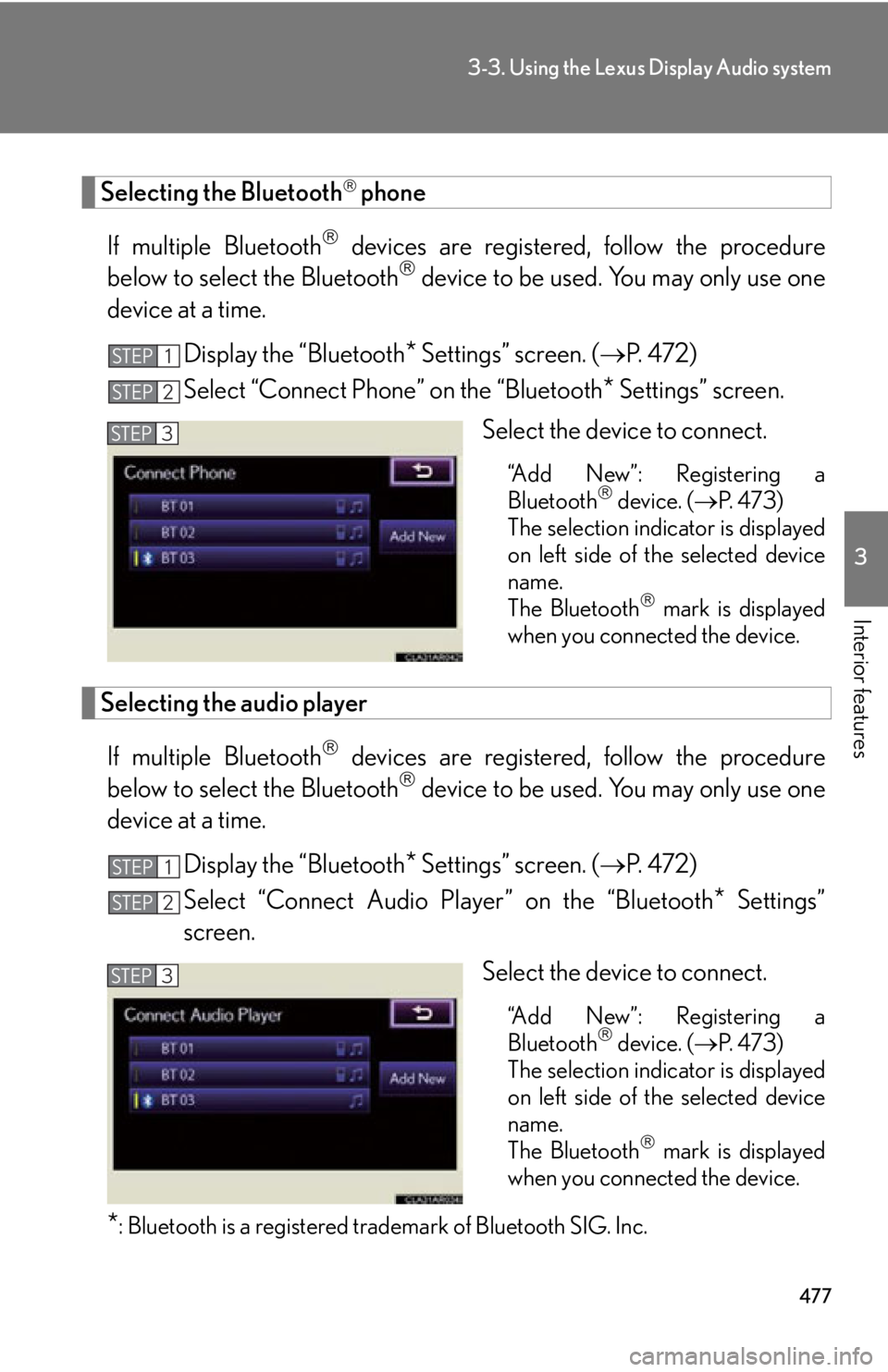
Display the “Bluetooth
* Settings” screen. ( P. 4 7 2 )
Select “Connect Phone” on the “Bluetooth
* Settings” screen.
Select the device to connect. “Add New”: Registering a
Bluetooth
device. ( P. 4 7 3 )
The selection indicator is displayed
on left side of the selected device
name.
The Bluetooth
mark is displayed
when you connected the device.
Selecting the audio player
If multiple Bluetooth
devices are registered, follow the procedure
below to select the Bluetooth
device to be used. You may only use one
device at a time.
Display the “Bluetooth
* Settings” screen. ( P. 4 7 2 )
Select “Connect Audio Player” on the “Bluetooth
* Settings”
screen.
Select the device to connect.
“Add New”: Registering a
Bluetooth
device. ( P. 4 7 3 )
The selection indicator is displayed
on left side of the selected device
name.
The Bluetooth
mark is displayed
when you connected the device.
* : Bluetooth is a registered tr ademark of Bluetooth SIG. Inc.STEP 1
STEP 2
STEP 3
STEP 1
STEP 2
STEP 3
Page 478 of 886
4783-3. Using the Lexus Display Audio system
Detailed Bluetooth
settings
You can confirm and change the detailed Bluetooth
settings.
Display the “Bluetooth
* Settings” screen. ( P. 4 7 2 )
Select “Detailed Bluetooth
* Settings” on the “Bluetooth
*Settings” screen.
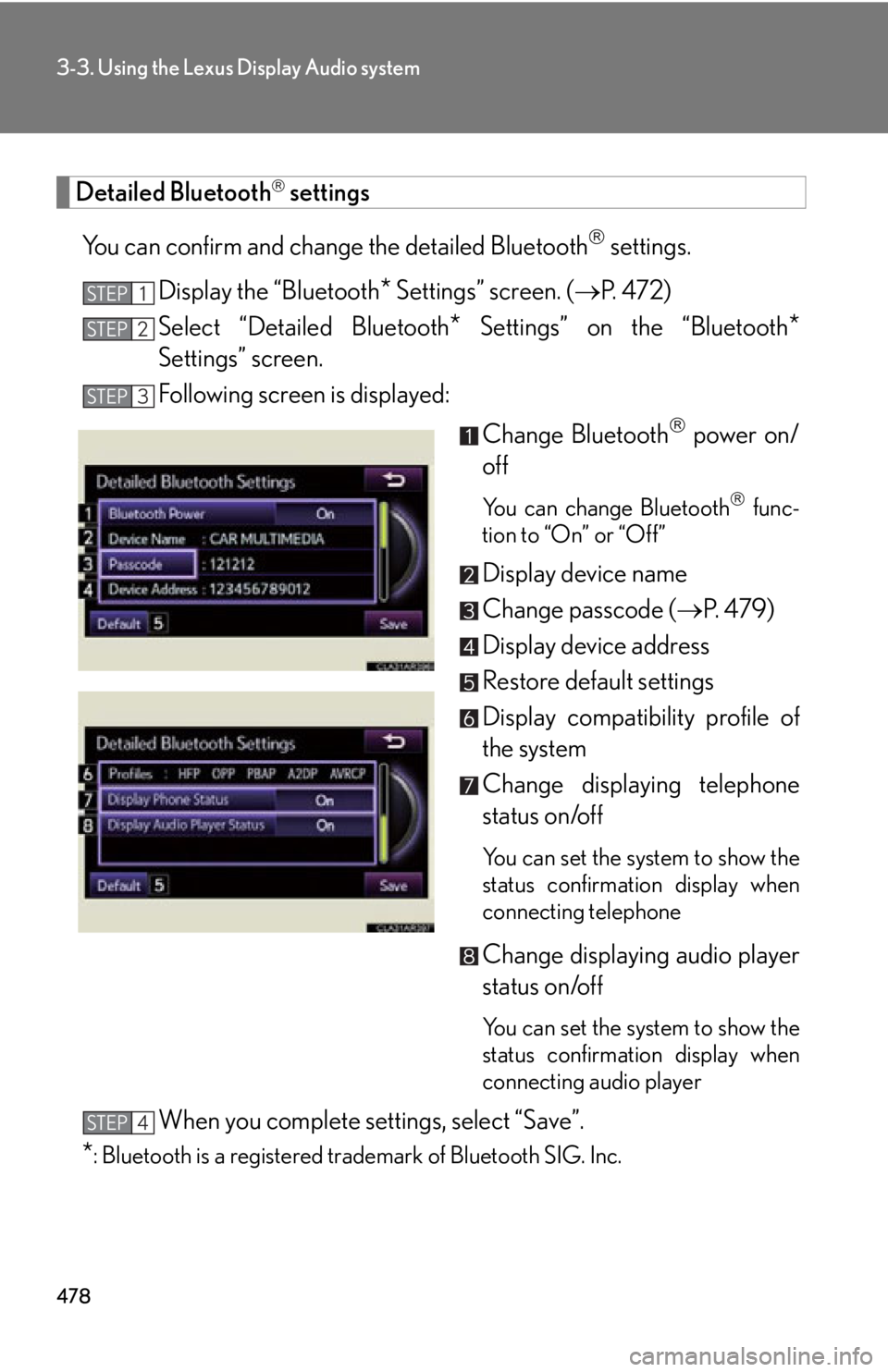
Following screen is displayed:
Change Bluetooth
power on/
off You can change Bluetooth
func-
tion to “On” or “Off”
Display device name
Change passcode ( P. 4 7 9 )
Display device address
Restore default settings
Display compatibility profile of
the system
Change displaying telephone
status on/off You can set the system to show the
status confirmation display when
connecting telephone
Change displaying audio player
status on/off
You can set the system to show the
status confirmation display when
connecting audio player
When you complete settings, select “Save”.
* : Bluetooth is a registered tr ademark of Bluetooth SIG. Inc.STEP 1
STEP 2
STEP 3
STEP 4
Page 479 of 886
4793-3. Using the Lexus Display Audio system
3
Interior features ■ Editing the passcode
You can change the passcode that you use to register your Bluetooth
device in the system.
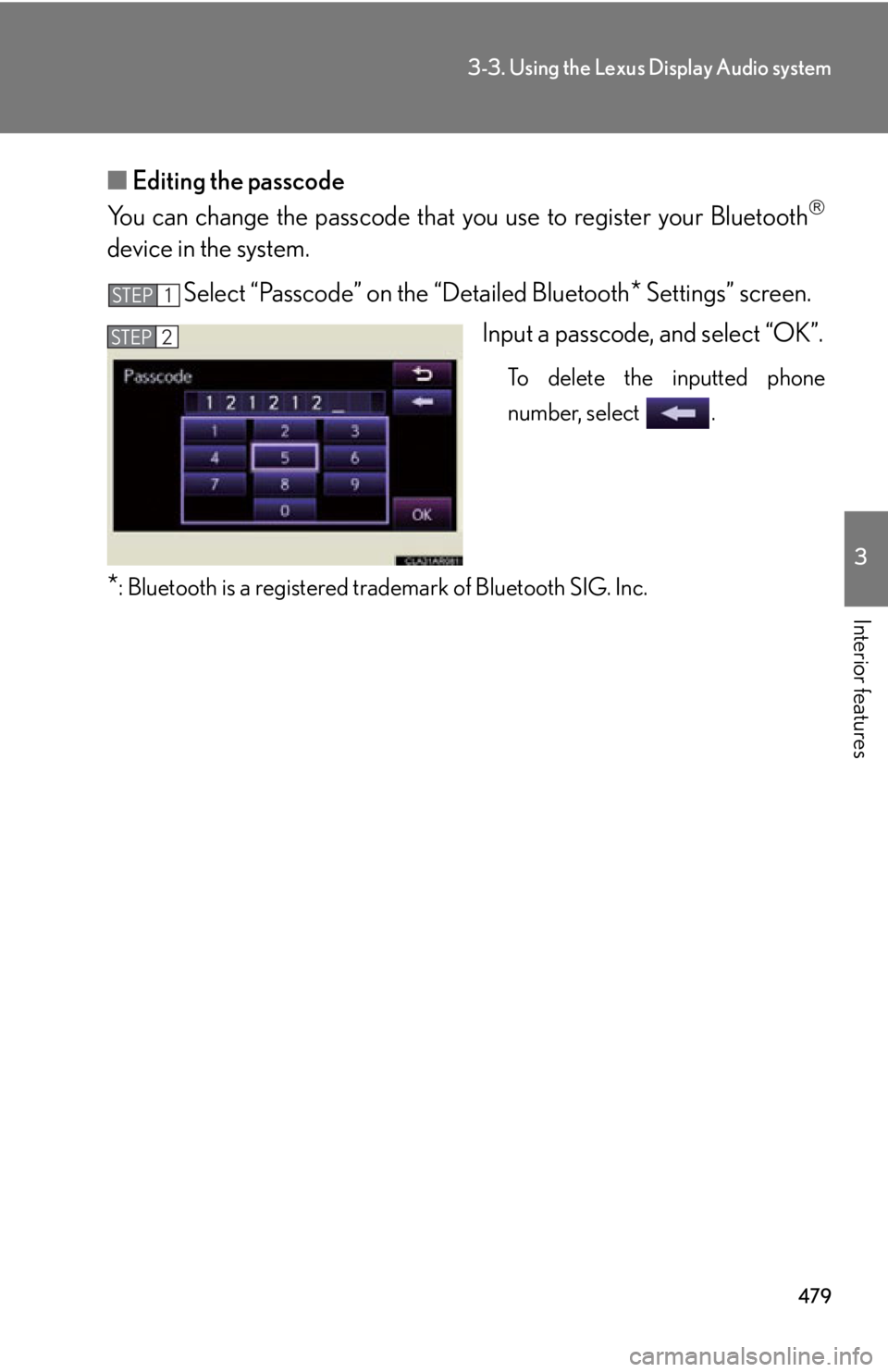
Select “Passcode” on the “Detailed Bluetooth
* Settings” screen.
Input a passcode, and select “OK”. To delete the inputted phone
number, select .
* : Bluetooth is a registered tr ademark of Bluetooth SIG. Inc.STEP 1
STEP 2
Page 480 of 886
4803-4. Using the audio system
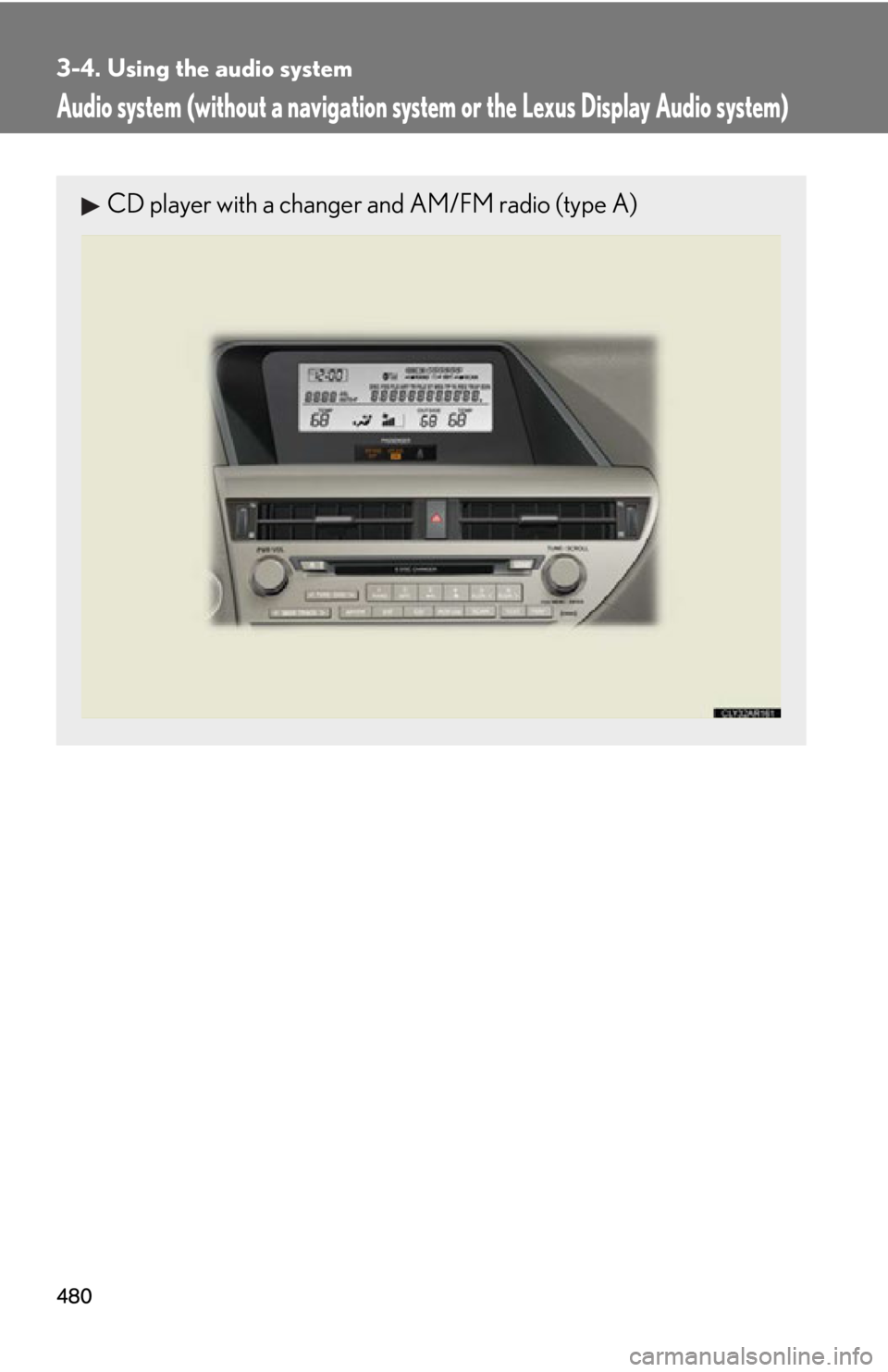
Audio system (without a navigation syst em or the Lexus Display Audio system)CD player with a changer and AM/FM radio (type A)
Page 481 of 886
4813-4. Using the audio system
3
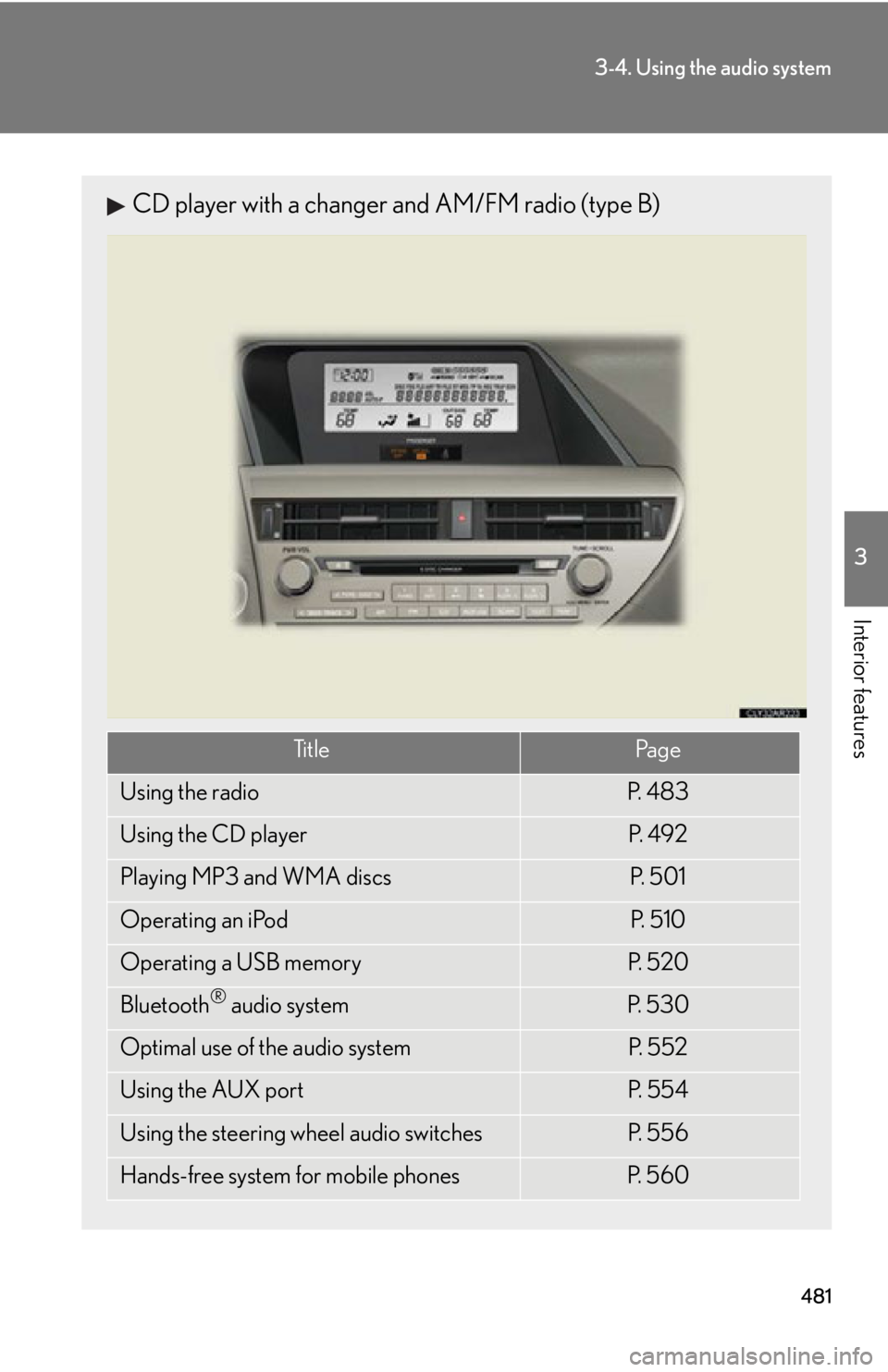
Interior features CD player with a changer and AM/FM radio (type B)
Ti t l e Pa g e
Using the radio P. 4 8 3
Using the CD player P. 4 9 2
Playing MP3 and WMA discs P. 5 0 1
Operating an iPod P. 5 1 0
Operating a USB memory P. 5 2 0
Bluetooth ®
audio system P. 5 3 0
Optimal use of the audio system P. 5 5 2
Using the AUX port P. 5 5 4
Using the steering wheel audio switches P. 5 5 6
Hands-free system for mobile phones P. 5 6 0
Page 482 of 886
4823-4. Using the audio system
■
Using mobile phones
Interference may be heard through the audio system’s speakers if a mobile phone is
being used inside or close to the vehi cle while the audio system is operating.
CAUTION■
Certification ●
Pa r t 1 5 o f t h e F CC Ru l e s
FCC Warning:
Any unauthorized changes or modifications to this equipment will void the user’s
authority to operate this device.●
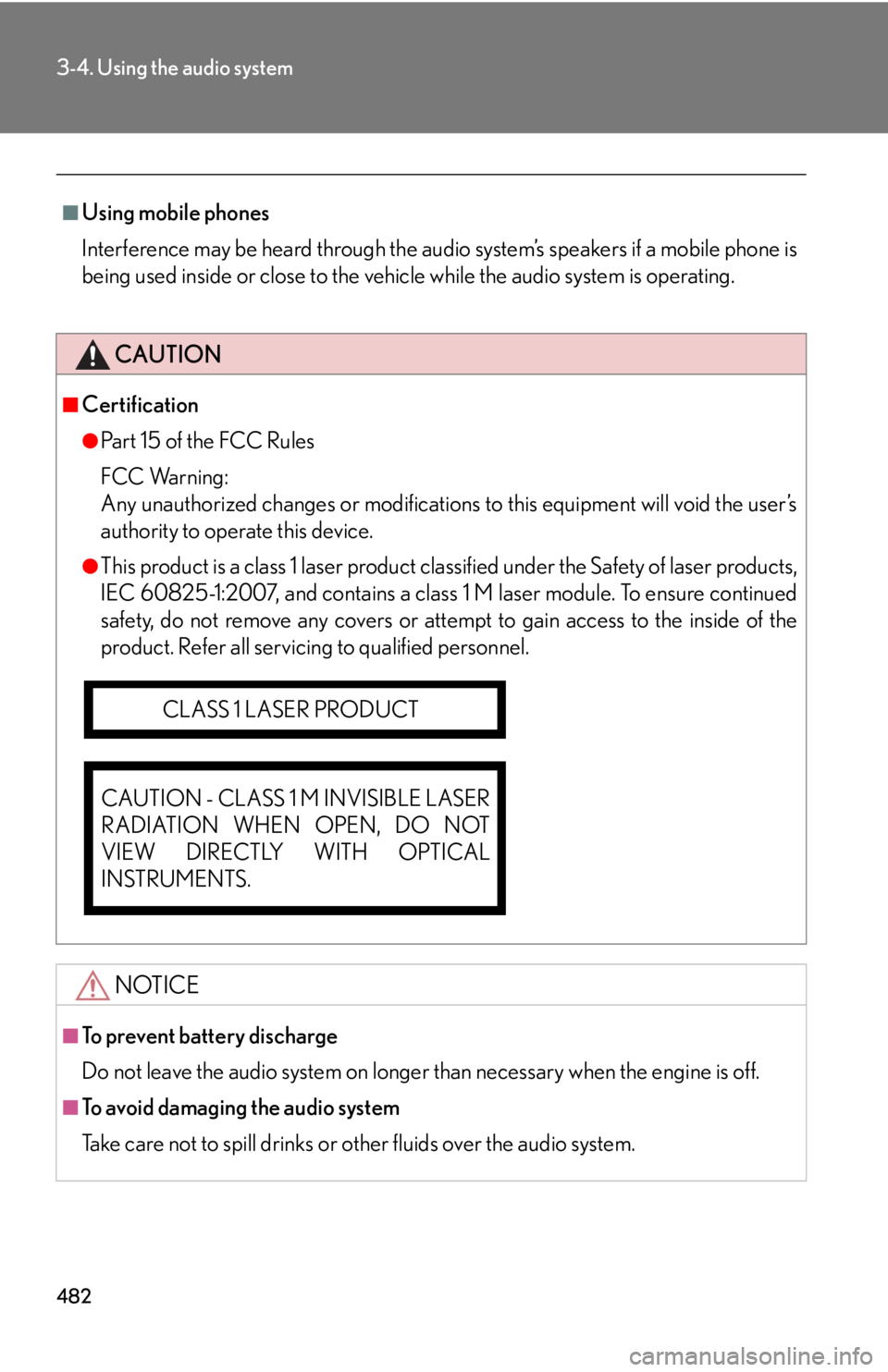
This product is a class 1 laser product clas sified under the Safety of laser products,
IEC 60825-1:2007, and contains a class 1 M laser module. To ensure continued
safety, do not remove any covers or atte mpt to gain access to the inside of the
product. Refer all servicing to qualified personnel.
NOTICE■
To prevent battery discharge
Do not leave the audio system on longer than necessary when the engine is off.
■
To avoid damaging the audio system
Take care not to spill drinks or other fluids over the audio system.CLASS 1 LASER PRODUCT
CAUTION - CLASS 1 M INVISIBLE LASER
RADIATION WHEN OPEN, DO NOT
VIEW DIRECTLY WITH OPTICAL
INSTRUMENTS.
Page 483 of 886
4833-4. Using the audio system
3
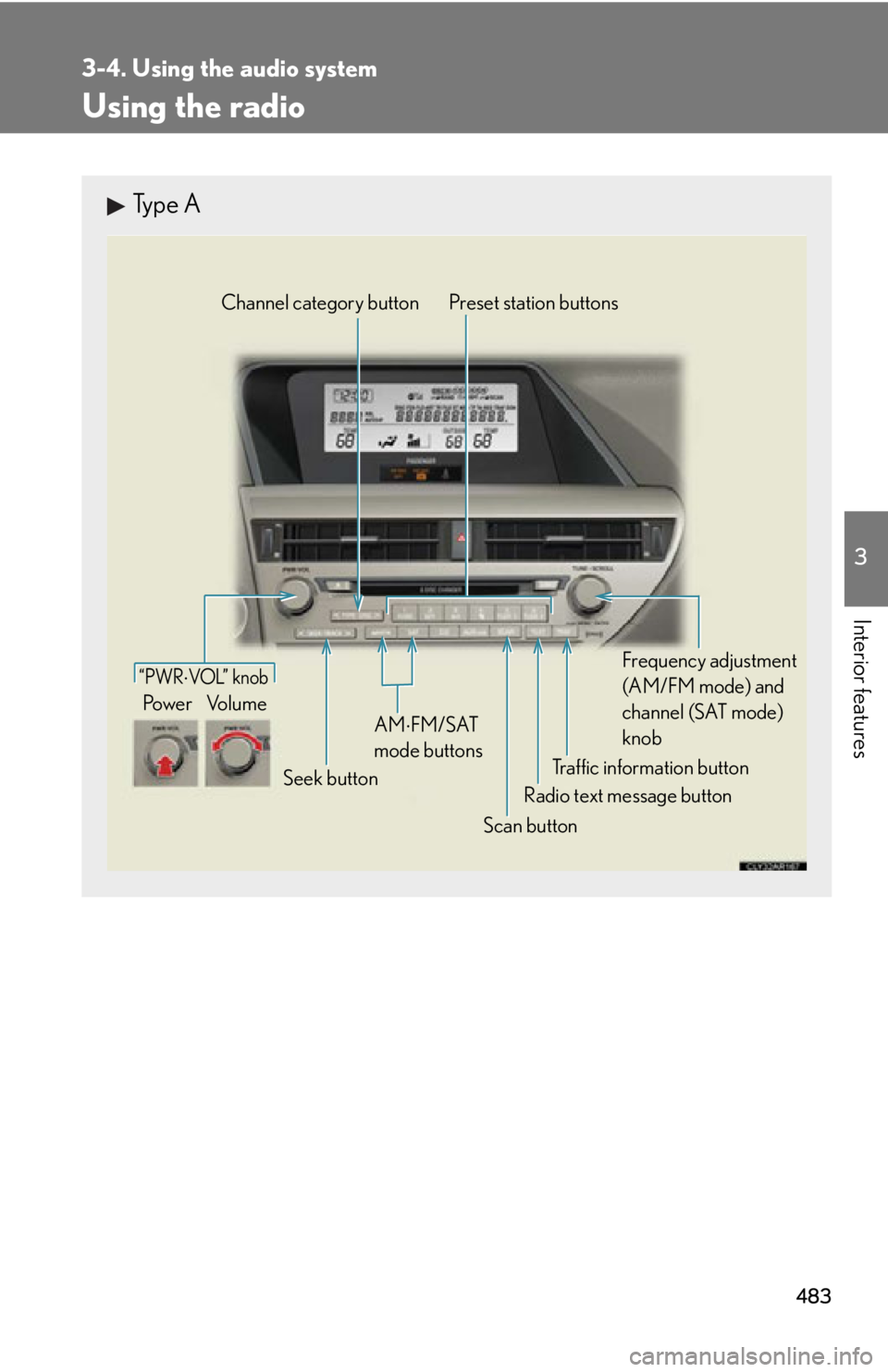
Interior features Using the radio Type A
Traffic information buttonPreset station buttons
Radio text message button
Scan buttonSeek buttonChannel category button
Frequency adjustment
(AM/FM mode) and
channel (SAT mode)
knobAM FM/SAT
mode buttons“PWR VOL” k nob
Po w e r Vo l u m e
Page 484 of 886
4843-4. Using the audio system
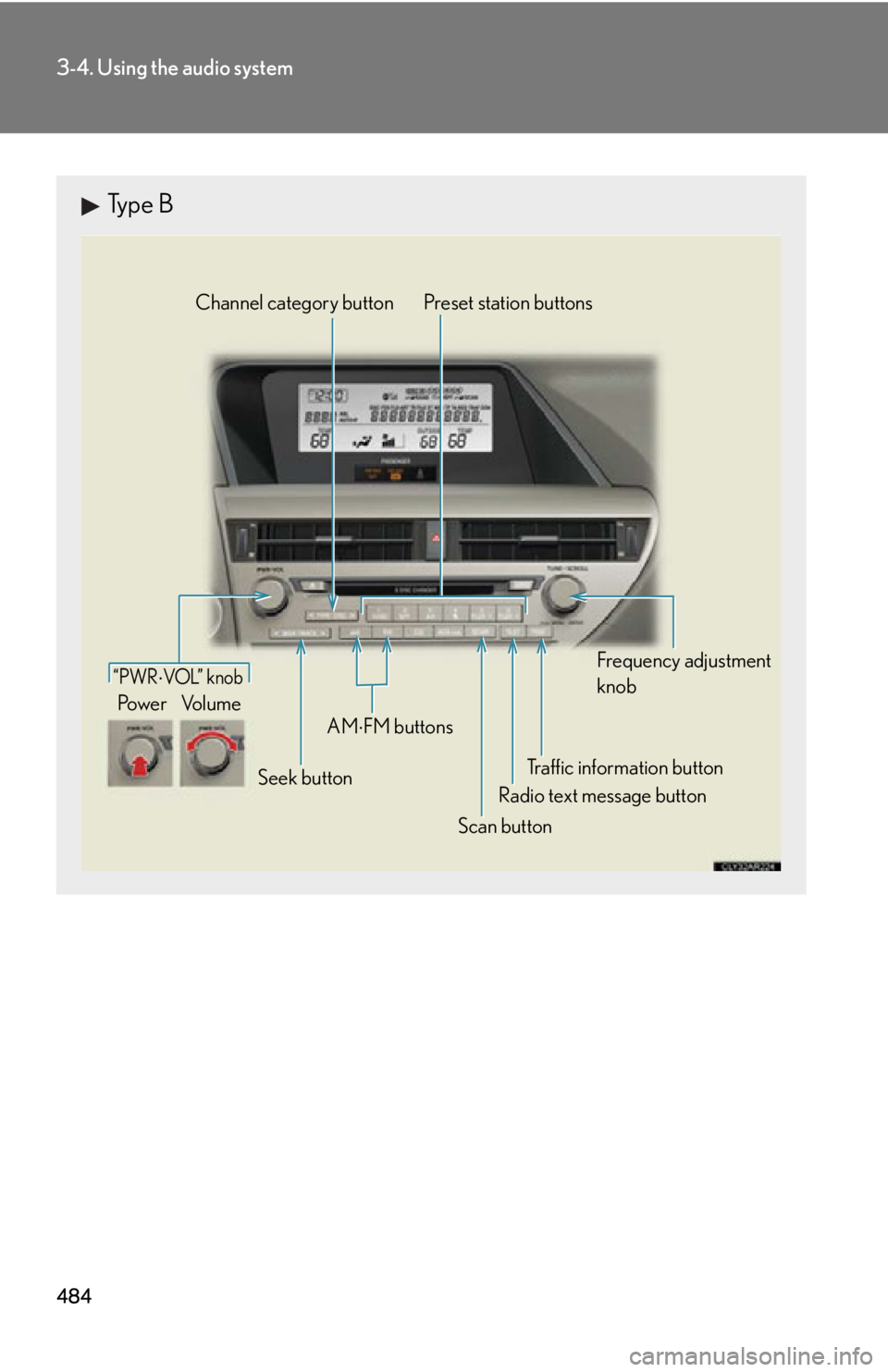
Type B
Traffic information buttonPreset station buttons
Radio text message button
Scan buttonSeek buttonChannel category button
Frequency adjustment
knob
AM
FM buttons“PWR VOL” k nob
Po w e r Vo l u m e
Page 485 of 886
4853-4. Using the audio system
3
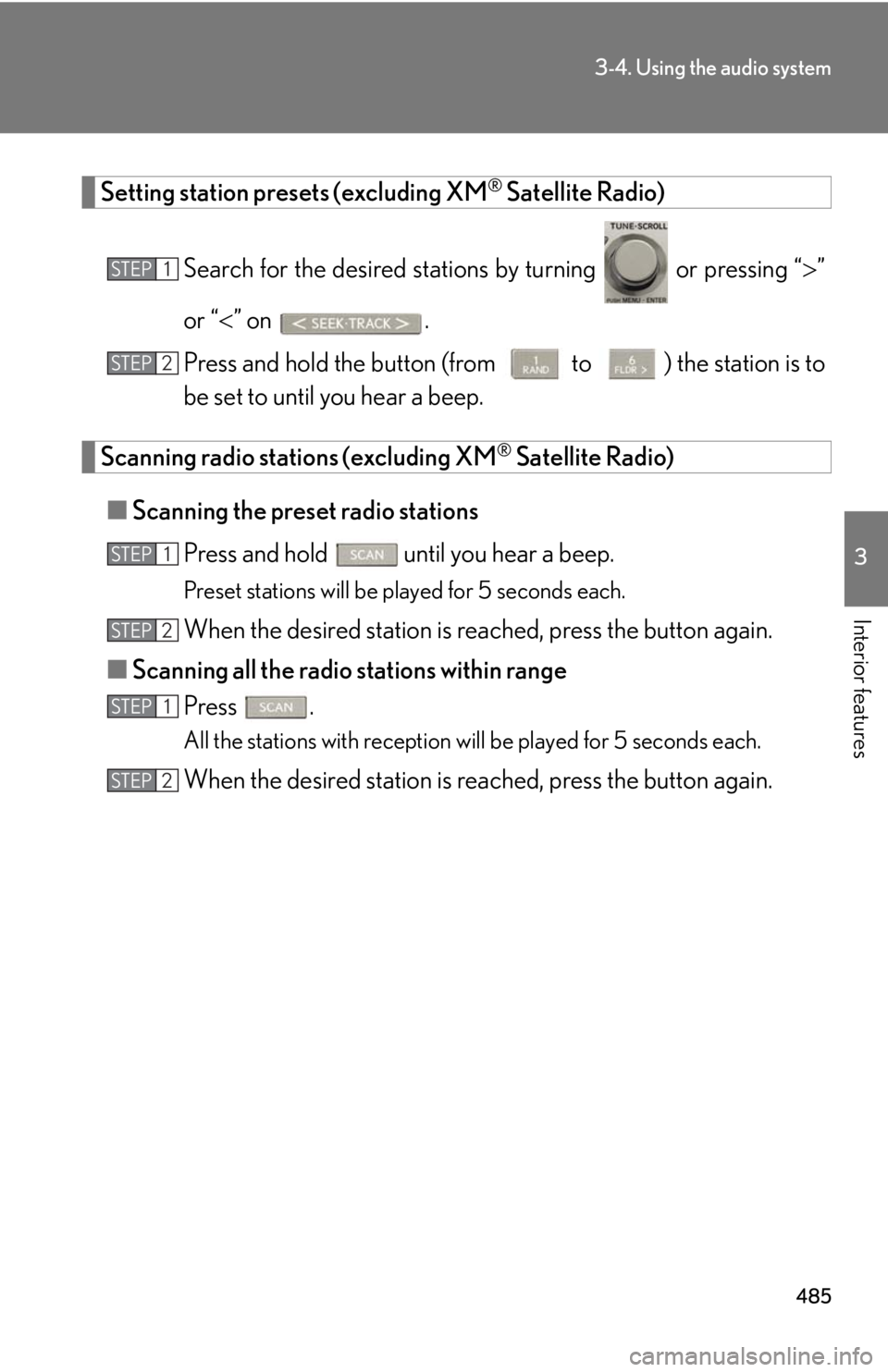
Interior features Setting station presets (excluding XM ®
Satellite Radio)
Search for the desired stations by turning or pressing “ ”
or “ ” on .
Press and hold the button (from
to ) the station is to
be set to until you hear a beep.
Scanning radio stations (excluding XM ®
Satellite Radio)
■ Scanning the preset radio stations
Press and hold
until you hear a beep.Preset stations will be played for 5 seconds each.
When the desired station is reached, press the button again.
■ Scanning all the radio stations within range
Press . All the stations with reception will be played for 5 seconds each.
When the desired station is reached, press the button again.STEP 1
STEP 2
STEP 1
STEP 2
STEP 1
STEP 2
Page 486 of 886
4863-4. Using the audio system
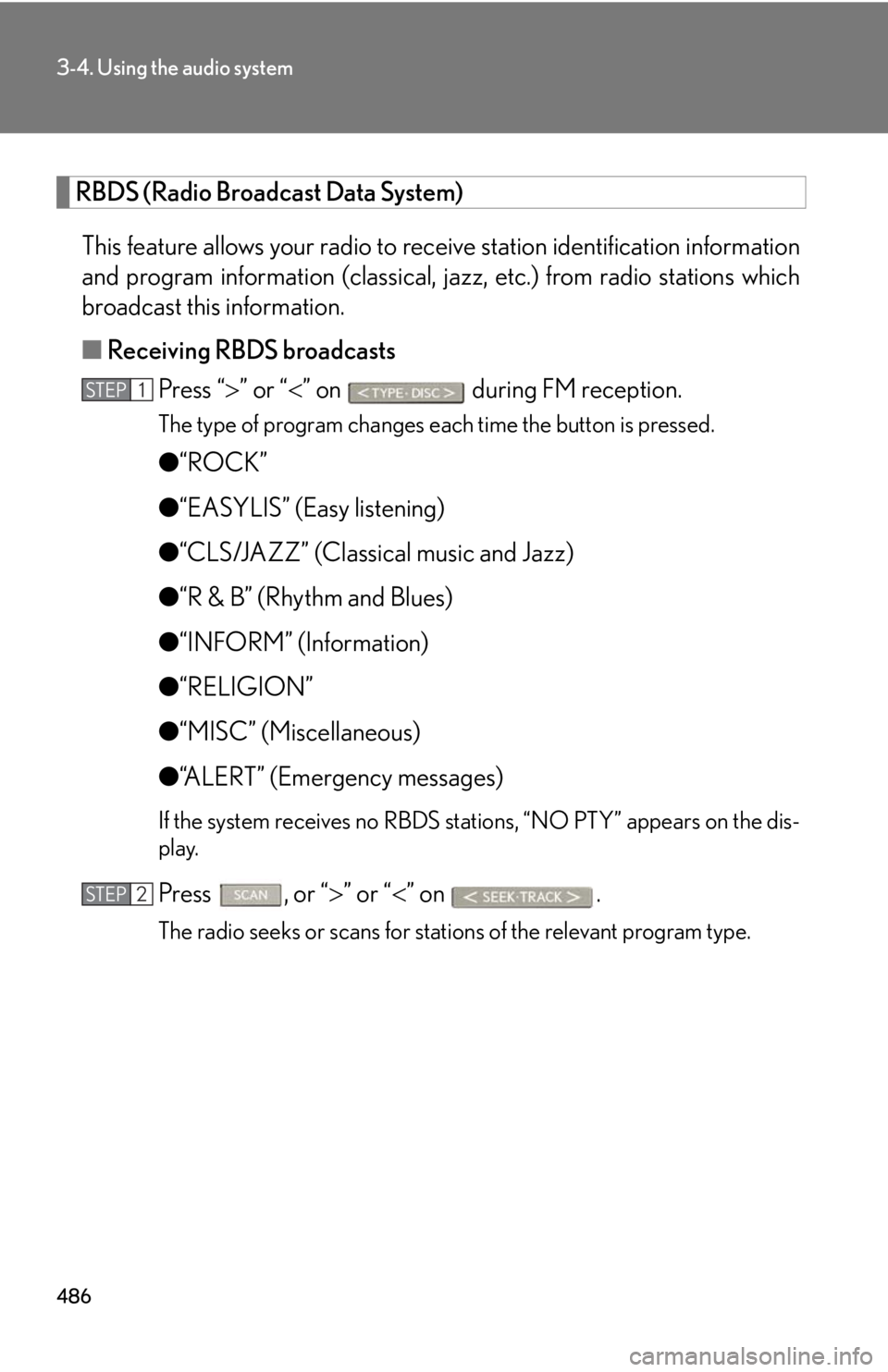
RBDS (Radio Broadcast Data System)
This feature allows your radio to receive station identification information
and program information (classical, ja zz, etc.) from radio stations which
broadcast this information.
■ Receiving RBDS broadcasts
Press “ ” or “ ” on during FM reception.The type of program changes each time the button is pressed.
● “ROCK”
● “EASYLIS” (Easy listening)
● “CLS/JAZZ” (Classical music and Jazz)
● “R & B” (Rhythm and Blues)
● “INFORM” (Information)
● “RELIGION”
● “MISC” (Miscellaneous)
● “ALERT” (Emergency messages)If the system receives no RBDS stations, “NO PTY” appears on the dis-
play.
Press , or “ ” or “ ” on
.The radio seeks or scans for stations of the relevant program type.STEP 1
STEP 2