remote control LEXUS RX350 2015 User Guide
[x] Cancel search | Manufacturer: LEXUS, Model Year: 2015, Model line: RX350, Model: LEXUS RX350 2015Pages: 886, PDF Size: 11 MB
Page 51 of 886

511-2. Opening, closing and locking the doors
1
Before driving ■
Reversing the operation of the power back door
Pressing the wireless remote control switch again while the power back door is
operating will cause the operation to reverse.■
Wireless remote control operation while the power back door is closing
If the wireless remote control is used to lock the doors while the power back door is
closing, the doors will lock after the power back door has completely closed. To
prevent locking the keys inside the vehicle, do not place the electric key inside the
vehicle while the power back door is closing.■
Conditions affecting operation
P. 4 2■
If the wireless remote control does not operate properly
Locking and unlocking the doors: Use the mechanical key. ( P. 7 9 3 )■
Electronic key battery depletion
P. 4 5■
When the electronic key battery is fully depleted
P. 7 0 1■
Customization
Settings (e.g. door unlocking function) can be changed.
(Customizable features P. 8 3 4 )
Page 52 of 886
521-2. Opening, closing and locking the doors
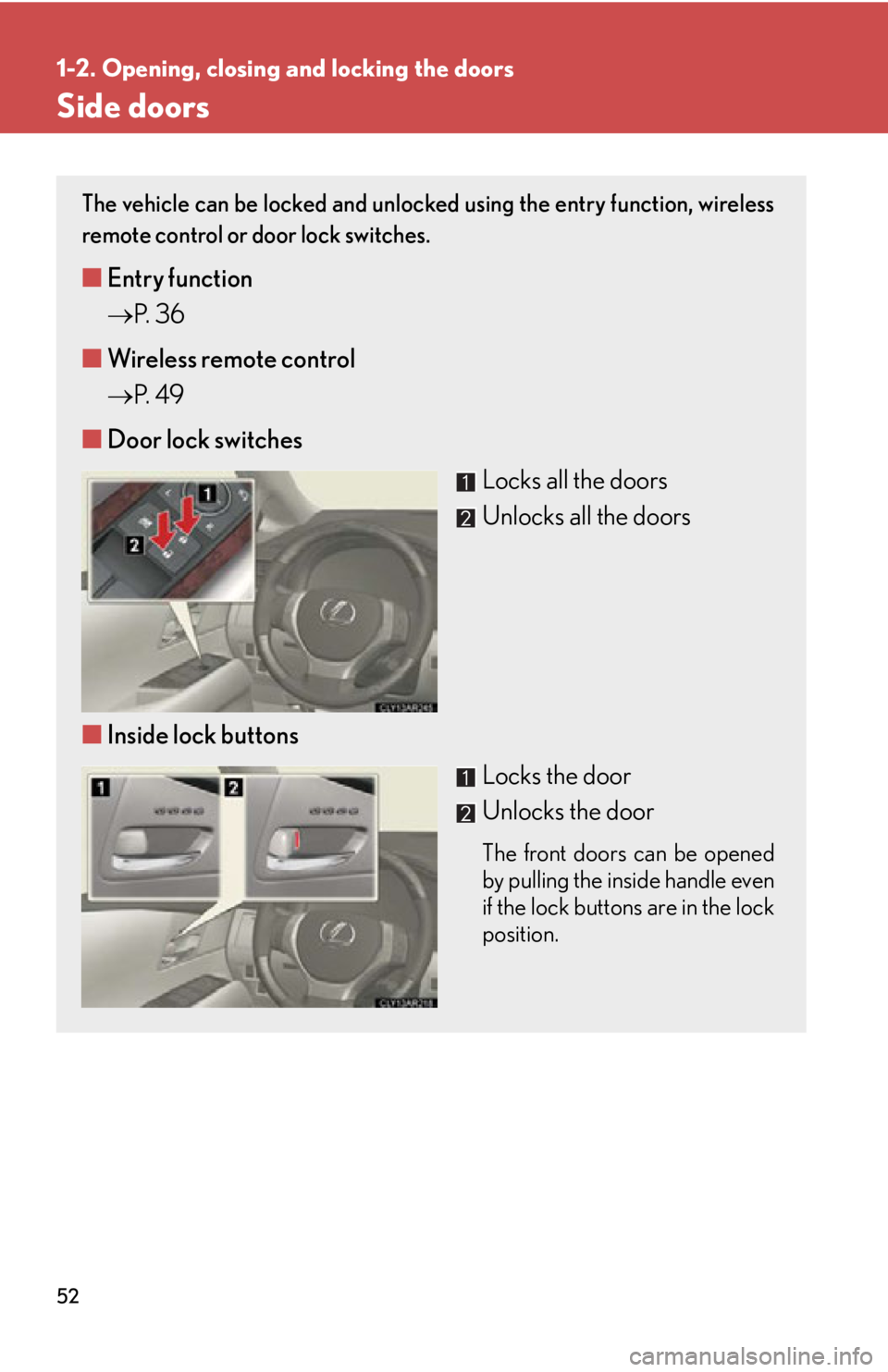
Side doors The vehicle can be locked and unlocked using the entry function, wireless
remote control or door lock switches.
■ Entry function
P. 3 6
■ Wireless remote control
P. 4 9
■ Door lock switches
Locks all the doors
Unlocks all the doors
■ Inside lock buttons
Locks the door
Unlocks the door The front doors can be opened
by pulling the inside handle even
if the lock buttons are in the lock
position.
Page 56 of 886
561-2. Opening, closing and locking the doors
Back door The back door can be locked/unlocked and opened/closed by the follow-
ing procedures:
■ Locking and unlocking the back door
Door lock switches
P. 5 2
Entry function
P. 3 7
Wireless remote control
P. 4 9
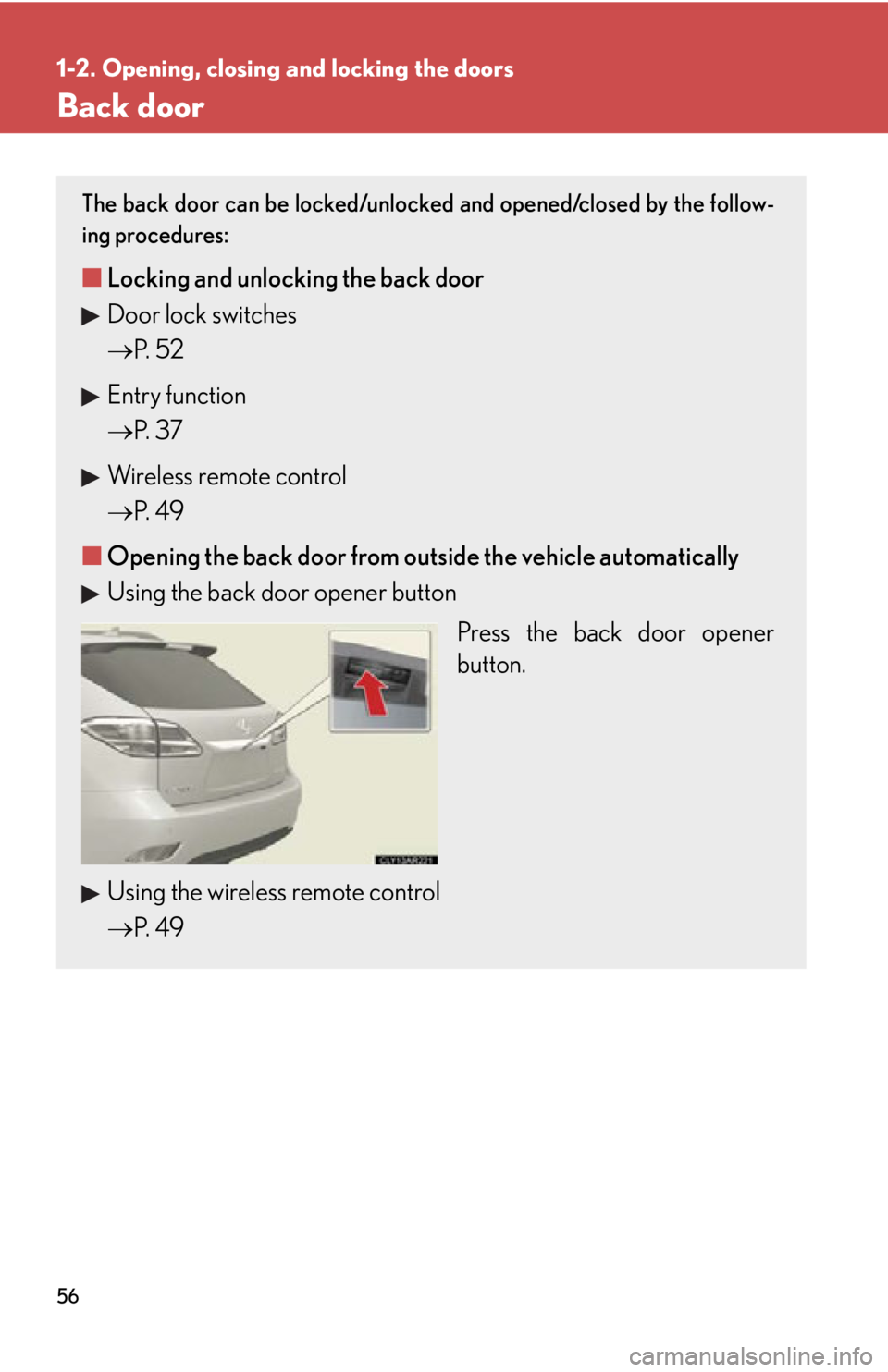
■ Opening the back door from outside the vehicle automatically
Using the back door opener button
Press the back door opener
button.
Using the wireless remote control
P. 4 9
Page 59 of 886
591-2. Opening, closing and locking the doors
1
Before driving ■
The power back door can be operated when ●
The back door is unlocked. (Except for using the back door opener button or
wireless remote control, when the power back door can be operated even if it is
locked.)●
The power back door main switch is on.●
To open the power back door when the “ENGINE START STOP” switch is in
IGNITION ON mode, the power back door main switch must be on, the vehi-
cle speed must be lower than 1 mph (3 km /h) and the shift lever must be in P.
(When using the back door opener button only)●
The “ENGINE START STOP” switch is turned off. (When using the wireless
remote control only)■
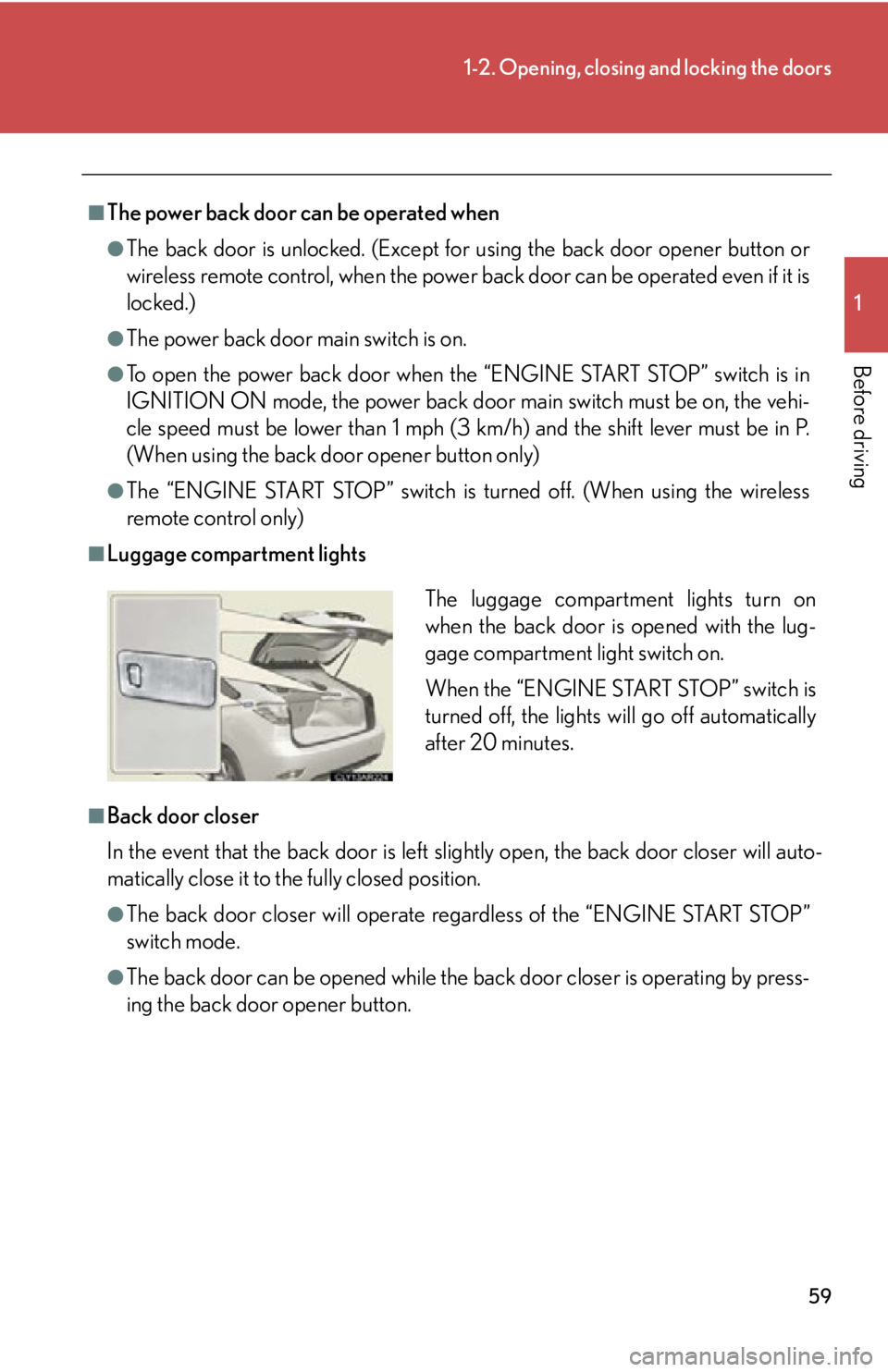
Luggage compartment lights
■
Back door closer
In the event that the back door is left sl ightly open, the back door closer will auto-
matically close it to the fully closed position. ●
The back door closer wi ll operate regardless of the “ENGINE START STOP”
switch mode.●
The back door can be opened while the ba ck door closer is operating by press-
ing the back door opener button. The luggage compartment lights turn on
when the back door is opened with the lug-
gage compartment light switch on.
When the “ENGINE START STOP” switch is
turned off, the lights will go off automatically
after 20 minutes.
Page 77 of 886
771-3. Adjustable components (seats, mirrors, steering wheel)
1
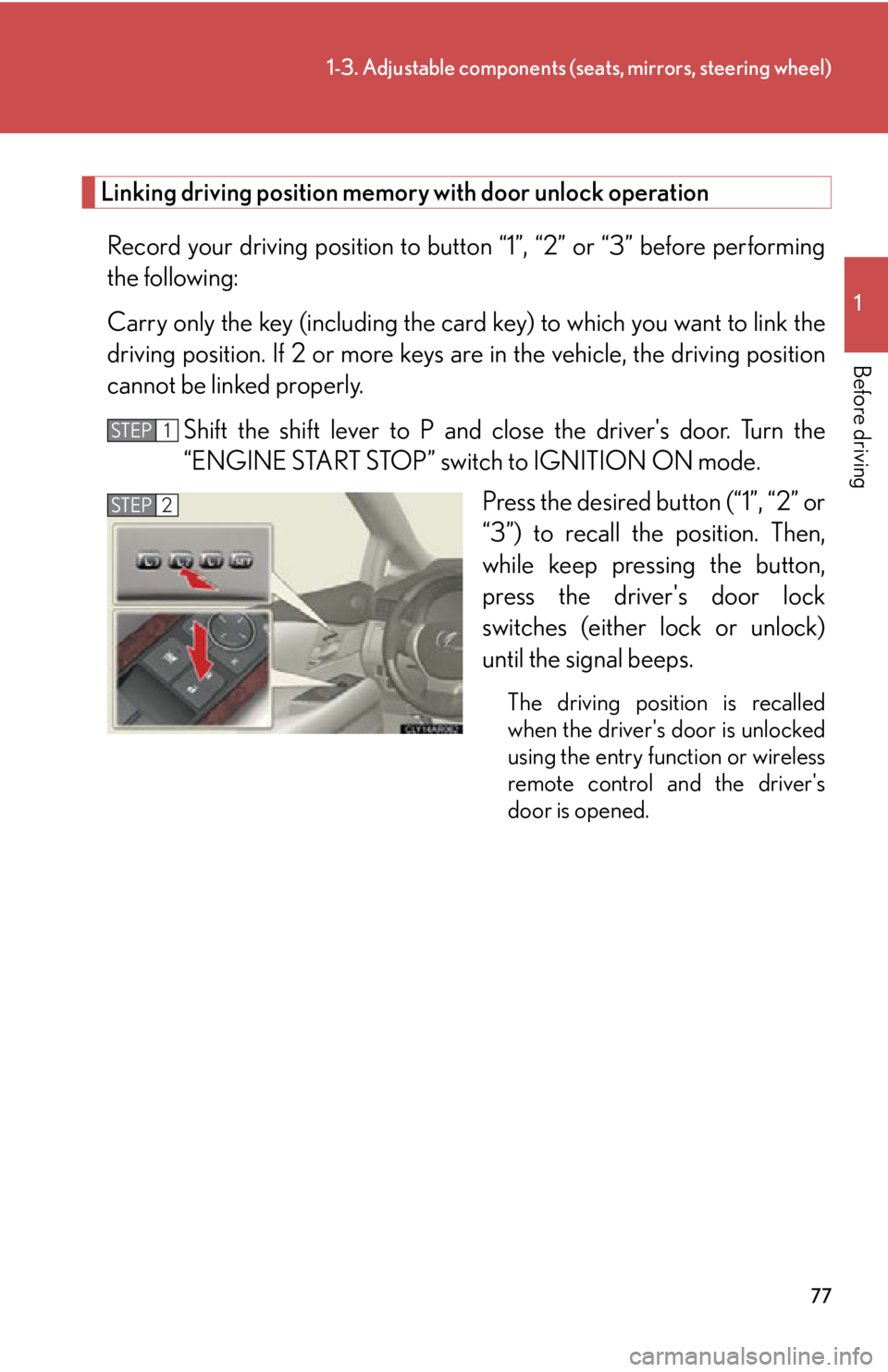
Before driving Linking driving position memory with door unlock operation
Record your driving position to butto n “1”, “2” or “3” before performing
the following:
Carry only the key (including the card key) to which you want to link the
driving position. If 2 or more keys are in the vehi cle, the driving position
cannot be linked properly.
Shift the shift lever to P and cl ose the driver's door. Turn the
“ENGINE START STOP” switch to IGNITION ON mode.
Press the desired button (“1”, “2” or
“3”) to recall the position. Then,
while keep pressing the button,
press the driver's door lock
switches (either lock or unlock)
until the signal beeps. The driving position is recalled
when the driver's door is unlocked
using the entry function or wireless
remote control and the driver's
door is opened. STEP 1
STEP 2
Page 100 of 886
1001-4. Opening and closing the windows and moon roof
■
Door lock linked window operation ●
The power windows can be opened and closed using the mechanical key.
( P. 7 9 3 )●
The power windows can be opened using the wireless remote control.
( P. 4 9 )■
When the battery is disconnected
The window lock switch is disabled. If necessary, press the window lock switch after
reconnecting the battery.■
Customization
Settings (e.g. linked door lock operation) can be changed.
(Customizable features P. 8 3 4 )
CAUTION■
Closing the windows
Observe the following precautions.
Failing to do so may result in death or serious injury. ●
Check to make sure that all passengers do not have any part of their body in a
position where it could be caught when a window is being operated.●
Do not allow children to operate the power windows.
Closing a power window on someone can cause death or serious injury.
The driver is responsible for instructin g children not to operate the power win-
dows.■
Jam protection function ●
Never use any part of your body to intent ionally activate the jam protection func-
tion.●
The jam protection function may not work if something gets caught just before
the window fully closes. Also, the jam protection does not operate when the
power window switch is pulled up continually to close the windows.
Page 102 of 886

1021-4. Opening and closing the windows and moon roof
■
The moon roof can be operated when
The “ENGINE START STOP” switch is in IGNITION ON mode. ■
Operating the moon roof after turning the engine off
The moon roof can be operated for ap proximately 45 seconds even after the
“ENGINE START STOP” switch is turned to ACCESSORY mode or turned off. It
cannot, however, be operated once either front door is opened. ■
Jam protection function
If an object is detected between the moon roof and the frame while the moon roof is
closing or tilting down, travel is stopped and the moon roof opens slightly.■
Sunshade
The sunshade can be opened and closed manually. However, the sunshade will
open automatically when the moon roof is opened. ■
Door lock linked moon roof operation ●
The moon roof can be opened and closed using the mechanical key. ( P. 7 9 3 )●
The moon roof can be opened using the wireless remote control. ( P. 4 9 )
Page 214 of 886

2142-3. Operating the lights and windshield wipers
■
Automatic light off system ●
When the headlights are on: The headlights and tail lights turn off 30 seconds
after a door is opened and closed if the “ENGINE START STOP” switch is
turned to ACCESSORY mode or turned off. (The lights turn off immediately
if on the key is pressed after all the doors are locked.)●
When only the tail lights ar e on: The tail lights turn off automatically if the
“ENGINE START STOP” switch is turned to ACCESSORY mode or turned off
and the driver’s door is opened.
To turn the lights on again, turn the “ENGINE START STOP” switch to IGNITION
ON mode, or turn the light switch off once and then back to or .
If any of the doors is kept open, the ligh ts automatically turn off after 20 minutes.■
Automatic headlight leveling system (if equipped)
The level of the headlights is automatica lly adjusted according to the number of
passengers and the loading condition of the vehicle to ensure that the headlights do
not interfere with other road users. ■
Light reminder buzzer (headlights)
A buzzer sounds when the “ENGINE START STOP” switch is turned off or turned
to ACCESSORY mode and the driver's door is opened while the headlights are
turned on.■
Illuminated entry system
If the wireless remote control switch is used to unlock the vehicle when the light
switch is in and the surrounding area is dark, the parking light turns on.■
Customization
Settings (e.g. light sensor sensitivity) can be changed.
(Customizable features P. 8 3 4 )
NOTICE
■
To prevent battery discharge
Do not leave the lights on longer than necessary when the engine is off.
Page 424 of 886

4243-3. Using the Lexus Display Audio system
■
About Bluetooth ®
■
Compatible models
Portable audio players must correspond to the specifications. ●
Bluetooth ®
specifications:
Ver. 1.1, or higher (Recommended: Ver. 2.1 + EDR or higher)●
Profiles:
• A2DP (Advanced Audio Distribution Profile) Ver. 1.0, or higher
(Recommended: Ver. 1.2 or higher)
This is a profile to transmit stereo audio or high quality sounds to the head-
phone.
• AVRCP (Audio/Video Remote Control Profile) Ver. 1.0 or higher
(Recommended: Ver. 1.4 or higher)
This is a profile to remote control the A/V equipment.
However, please note that some function s may be limited depending on the type of
portable audio player. Bluetooth is a registered trademark of
Bluetooth SIG. Inc.
Page 531 of 886
5313-4. Using the audio system
3
Interior features ■
When transferring ownership of the vehicle
Be sure to initialize the system to prevent personal data from being improperly
accessed. ( P. 5 8 7 )■
About Bluetooth ®
■
Compatible models ●
Bluetooth ®
specifications:
Ver. 1.1, or higher (Recommended: Ver. 1.2 or higher)●
Following profiles:
• A2DP (Advanced Audio Distribution Profil e) Ver. 1.0, or higher (Conformed:
Ve r. 1 . 2 )
• AVRCP (Audio/Video Remote Control Profile) Ver. 1.0 or higher (Con-
formed: Ver. 1.3)
Portable players must correspond to the above specifications in order to be con-
nected to the Bluetooth ®
audio system. However, please note that some functions
may be limited depending on the type of portable player. Bluetooth is a registered trademark of
Bluetooth SIG. Inc.