steering wheel LEXUS RX350 2015 Workshop Manual
[x] Cancel search | Manufacturer: LEXUS, Model Year: 2015, Model line: RX350, Model: LEXUS RX350 2015Pages: 886, PDF Size: 11 MB
Page 294 of 886
2942-5. Driving information
CAUTION■
Off-road driving precautions
Always observe the following precautions to minimize the risk of death or serious
injury or damage to your vehicle: ●
Drive carefully when off the road. Do not take unnecessary risks by driving in
dangerous places.●
Do not grip the steering wheel spokes wh en driving off-road. A bad bump could
jerk the wheel and injure your hands. Keep both hands and especially your
thumbs on the outside of the rim.●
Always check your brakes for effectiveness immediately after driving in sand,
mud, water or snow.●
After driving through tall grass, mud, rock , sand, water, etc., check that there is no
grass, bush, paper, rags, stone, sand, etc. adhering or trapped to the underbody.
Clear off any such matter from the underbody. If the vehicle is used with these
materials trapped or adhering to the underbody, a breakdown or fire could occur.●
When driving off-road or in rugged te rrain, do not drive at excessive speeds,
jump, make sharp turns, strike objects, etc. This may cause loss of control or vehi-
cle rollover causing death or serious injury. You are also risking expensive dam-
age to your vehicle’s suspension and chassis.
NOTICE■
To prevent water damage
Take all necessary safety measures to ensure that water damage to the engine or
other components does not occur. ●
Water entering the engine air intake will cause severe engine damage. ●
Water entering the automatic transmission will cause deterioration in shift quality,
locking up of your transmission accompanied by vibration, and ultimately dam-
age.
●
Water can wash the grease from wheel bearings, causing rusting and premature
failure, and may also enter the differentials, transmission and transfer case, reduc-
ing the gear oil’s lubricating qualities.
Page 316 of 886

3162-5. Driving information
Trailer towing tips
Your vehicle will handle differently when towing a trailer. Help to avoid an
accident, death or serious injury, keep the following in mind when towing:
● Speed limits for towing a trailer va ry by state or province. Do not
exceed the posted towing speed limit.
● Lexus recommends that the vehicle-trailer speed limit is 65 mph (104
km/h) on a flat, straight, dry road. Do not exceed this limit, the posted
towing speed limit or the speed limit for your trailer as set forth in your
trailer owner’s manual, whichever is lowest. Instability of the towing
vehicle-trailer combination (trailer sway) increases as speed increases.
Exceeding speed limits may cause loss of control.
● Before starting out, check the trailer lights, tires and the vehicle-trailer
connections. Recheck after driving a short distance.
● Practice turning, stopping and reversing with th e trailer attached in an
area away from traffic until you be come accustomed to the feel of the
vehicle-trailer combination.
● Reversing with a trailer attached is difficult and requires practice. Grip
the bottom of the steering wheel and move your hand to the left to
move the trailer to the left. Move yo ur hand to the right to move the
trailer to the right. (This is gene rally opposite to reversing without a
trailer attached.) Avoid sharp or prolonged turning. Have someone
guide you when reversing to redu ce the risk of an accident.
● As stopping distance is increased when towing a trailer, vehicle-to-
vehicle distance should be increas ed. For each 10 mph (16 km/h) of
speed, allow at least one vehicle and trailer length.
● Avoid sudden braking as you may skid, resulting in the trailer jackknif-
ing and a loss of vehicle control. Th is is especially true on wet or slip-
pery surfaces.
● Avoid jerky starts or sudden acceleration.
Page 317 of 886

3172-5. Driving information
2
When driving ● Avoid jerky steering and sharp turns, and slow down before making a
turn.
● Note that when making a turn, the tr ailer wheels will be closer than the
vehicle wheels to the inside of th e turn. Compensate by making a
wider than normal turning radius.
● Slow down before making a turn, in cross winds, on wet or slippery sur-
faces, etc.
Increasing vehicle speed can destabilize the trailer.
● Take care when passing other vehi cles. Passing requires considerable
distance. After passing a vehicle, do not forget the length of your
trailer, and be sure you have plenty of room before changing lanes.
● To maintain engine braking efficiency and charging system perfor-
mance when using engine braking, do not put the transmission in D.
● Instability happens more frequently when descending steep or long
downhill grades. Before descending, slow down and downshift. Do not
make sudden downshifts while descending steep or long downhill
grades.
● Avoid holding the brake pedal down too long or applying the brakes
too frequently. This could cause th e brakes to overheat and result in
reduced braking efficiency.
● Due to the added load of the trailer, your vehicle’s engine may overheat
on hot days (at temperatures over 85°F [30°C]) when driving up a
long or steep grade. If the eng ine coolant temperature gauge indicates
overheating, immediately turn off th e air conditioning (if in use), pull
your vehicle off the road and stop in a safe spot. ( P. 799)
Page 320 of 886

3202-5. Driving information
■
Break-in schedule
If your vehicle is new or equipped with any new power train components (such as
an engine, transmission, differential or wheel bearing), Lexus recommends that you
do not tow a trailer until the vehicle has been driven for over 500 miles (800 km).
After the vehicle has been driven for over 500 miles (800 km), you can start tow-
ing. However, for the next 500 miles (800 km), drive the vehicle at a speed of less
than 50 mph (80 km/h) when towing a trailer, and avoid full throttle acceleration.■
Maintenance ●
If you tow a trailer, your vehicle will require more frequent maintenance due to
the additional load. (See “Warranty and Services Guide”, “Owner's Manual
Supplement” or “Scheduled Maintenance”.)●
Retighten the fixing bolts of the towing ball and bracket after approximately
600 miles (1000 km) of trailer towing.■
If trailer sway occurs
One or more factors (crosswinds, passing vehicles, rough roads, etc.) can adversely
affect handling of your vehicle and trailer, causing instability. ●
If trailer swaying occurs:
• Firmly grip the steering wheel. Steer straight ahead.
Do not try to control trailer sway ing by turning the steering wheel.
• Begin releasing the accelerator peda l immediately but very gradually to
reduce speed.
Do not increase speed. Do not apply vehicle brakes.
If you make no extreme correction with the steering or brakes, your vehicle and
trailer should stabilize. ●
After the trailer swaying has stopped:
• Stop in a safe place. Get all occupants out of the vehicle.
• Check the tires of the vehicle and the trailer.
• Check the load in the trailer.
Make sure the load has not shifted.
Make sure the tongue weight is appropriate, if possible.
• Check the load in the vehicle.
Make sure the vehicle is not ov erloaded after occupants get in.
If you cannot find any problems, the speed at which trailer swaying occurred is
beyond the limit of your particular vehicle-trailer combination.
Drive at a lower speed to prevent instability. Remember that swaying of the towing
vehicle-trailer increases as speed increases.
Page 326 of 886
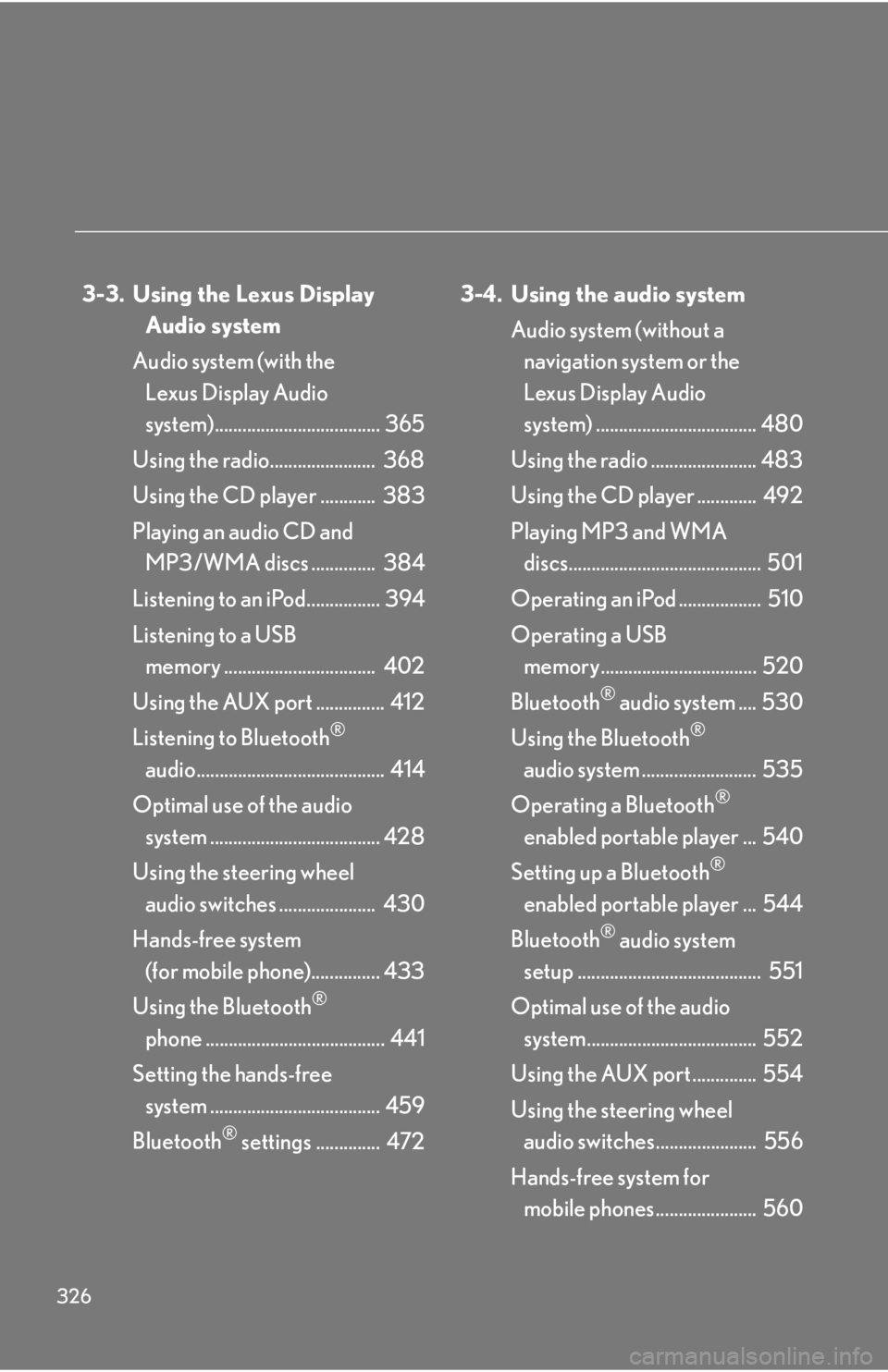
326 3-3. Using the Lexus Display
Audio system
Audio system (with the
Lexus Display Audio
system).................................... 365
Using the radio....................... 368
Using the CD player ............ 383
Playing an audio CD and
MP3/WMA discs .............. 384
Listening to an iPod................ 394
Listening to a USB
memory ................................. 402
Using the AUX port ............... 412
Listening to Bluetooth ®
audio......................................... 414
Optimal use of the audio
system ..................................... 428
Using the steering wheel
audio switches ..................... 430
Hands-free system
(for mobile phone)............... 433
Using the Bluetooth ®
phone ....................................... 441
Setting the hands-free
system ..................................... 459
Bluetooth ®
settings .............. 472 3-4. Using the audio system
Audio system (without a
navigation system or the
Lexus Display Audio
system) ................................... 480
Using the radio ....................... 483
Using the CD player ............. 492
Playing MP3 and WMA
discs.......................................... 501
Operating an iPod .................. 510
Operating a USB
memory.................................. 520
Bluetooth ®
audio system .... 530
Using the Bluetooth ®
audio system ......................... 535
Operating a Bluetooth ®
enabled portable player ... 540
Setting up a Bluetooth ®
enabled portable player ... 544
Bluetooth ®
audio system
setup ........................................ 551
Optimal use of the audio
system..................................... 552
Using the AUX port .............. 554
Using the steering wheel
audio switches...................... 556
Hands-free system for
mobile phones...................... 560
Page 327 of 886
Interior features
3
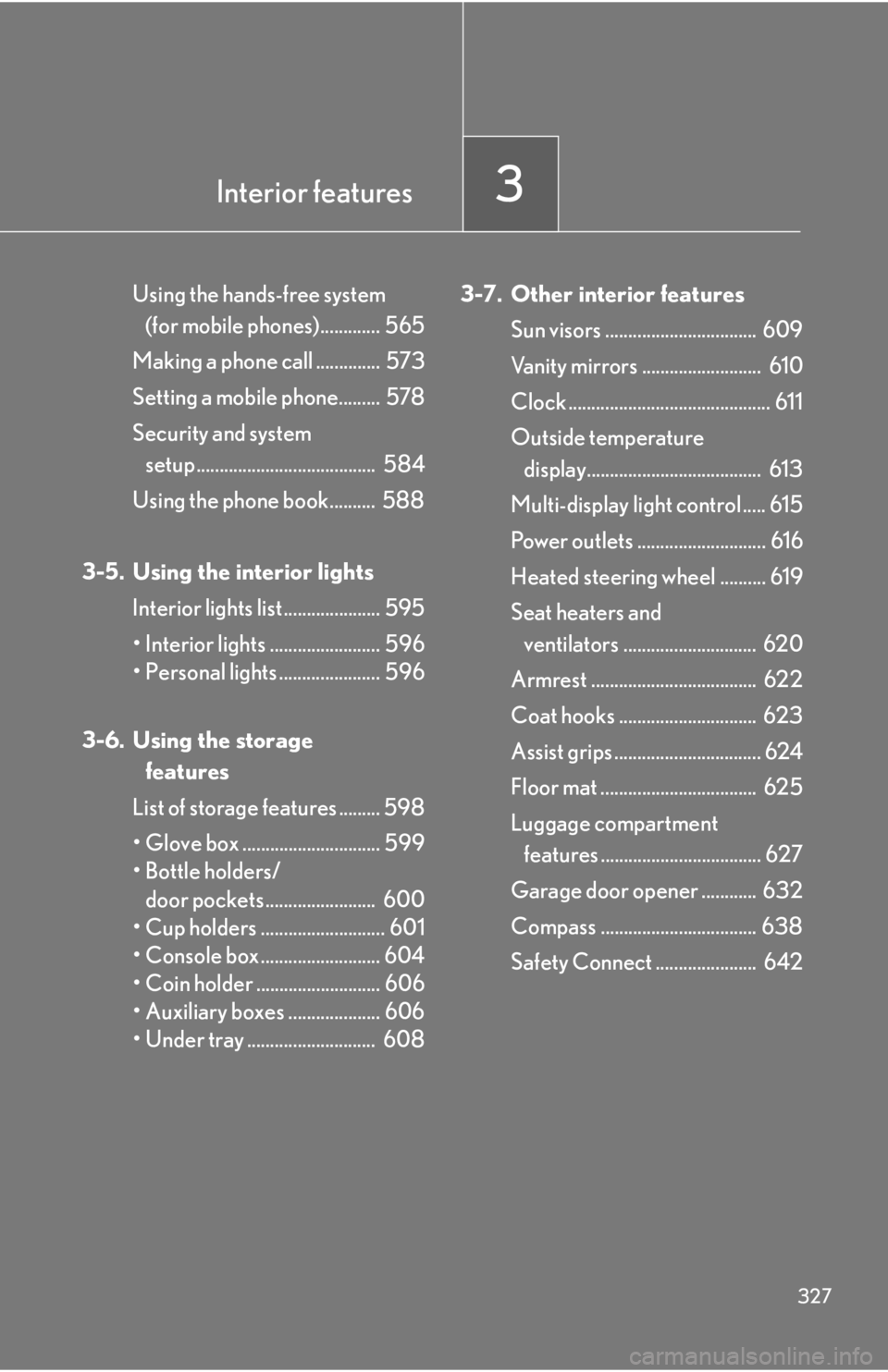
327Using the hands-free system
(for mobile phones)............. 565
Making a phone call .............. 573
Setting a mobile phone......... 578
Security and system
setup ....................................... 584
Using the phone book.......... 588
3-5. Using the interior lights
Interior lights list ..................... 595
• Interior lights ........................ 596
• Personal lights ...................... 596
3-6. Using the storage
features
List of storage features ......... 598
• Glove box .............................. 599
• Bottle holders/
door pockets ........................ 600
• Cup holders ........................... 601
• Console box .......................... 604
• Coin holder ........................... 606
• Auxiliary boxes .................... 606
• Under tray ............................ 608 3-7. Other interior features
Sun visors ................................. 609
Vanity mirrors .......................... 610
Clock ............................................ 611
Outside temperature
display...................................... 613
Multi-display light control ..... 615
Power outlets ............................ 616
Heated steering wheel .......... 619
Seat heaters and
ventilators ............................. 620
Armrest .................................... 622
Coat hooks .............................. 623
Assist grips ................................ 624
Floor mat .................................. 625
Luggage compartment
features ................................... 627
Garage door opener ............ 632
Compass .................................. 638
Safety Connect ...................... 642
Page 343 of 886
3433-1. Lexus Display Audio system
3
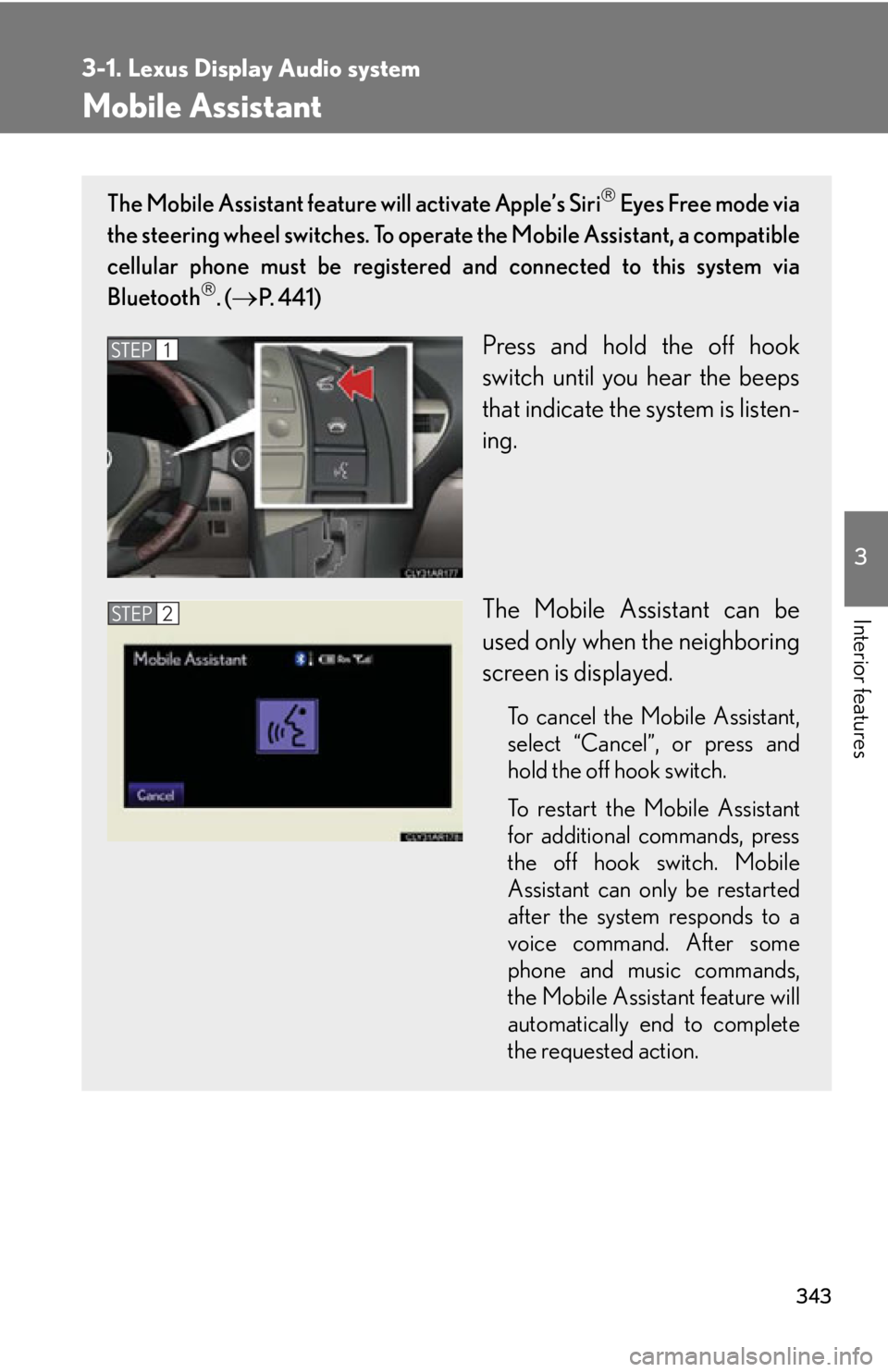
Interior features Mobile Assistant The Mobile Assistant feature will activate Apple’s Siri
Eyes Free mode via
the steering wheel switches. To operat e the Mobile Assistant, a compatible
cellular phone must be registered and connected to this system via
Bluetooth
. (
P. 4 4 1 )
Press and hold the off hook
switch until you hear the beeps
that indicate the system is listen-
ing.
The Mobile Assistant can be
used only when the neighboring
screen is displayed. To cancel the Mobile Assistant,
select “
Cancel ”
, or press and
hold the off hook switch.
To restart the Mobile Assistant
for additional commands, press
the off hook switch. Mobile
Assistant can only be restarted
after the system responds to a
voice command. After some
phone and music commands,
the Mobile Assistant feature will
automatically end to complete
the requested action.STEP 1
STEP 2
Page 344 of 886
3443-1. Lexus Display Audio system
■
Adjusting the volume
The volume of the Mobile Assist ant can be adjusted using the
“ PWR·VOL
” knob or
steering wheel volume switches. The Mobile Assistant and phone call volumes are
synchronized.■
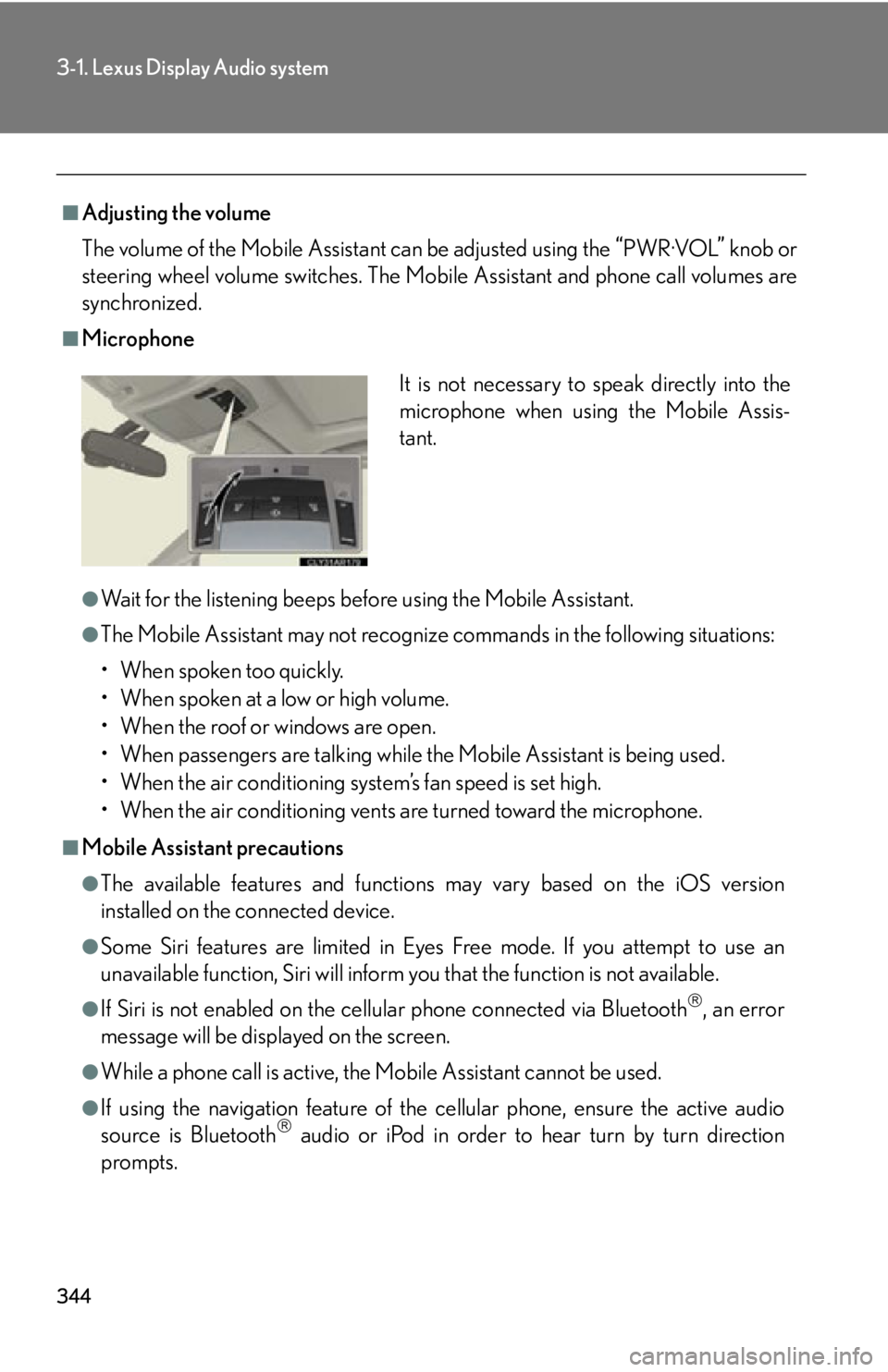
Microphone
●
Wait for the listening beeps befo re using the Mobile Assistant.●
The Mobile Assistant may not recognize commands in the following situations:
• When spoken too quickly.
• When spoken at a low or high volume.
• When the roof or windows are open.
• When passengers are talking while the Mobile Assistant is being used.
• When the air conditioning system’s fan speed is set high.
• When the air conditioning vents are turned toward the microphone.■
Mobile Assistant precautions ●
The available features and functions may vary based on the iOS version
installed on the connected device.●
Some Siri features are limited in Eyes Free mode. If you attempt to use an
unavailable function, Siri will inform you that the function is not available.●
If Siri is not enabled on the cell ular phone connected via Bluetooth
, an error
message will be displayed on the screen.
●
While a phone call is active, the Mo bile Assistant cannot be used.
●
If using the navigation feature of the cellular phone, ensure the active audio
source is Bluetooth
audio or iPod in order to hear turn by turn direction
prompts. It is not necessary to speak directly into the
microphone when using the Mobile Assis-
tant.
Page 365 of 886
3653
Interior features 3-3. Using the Lexus Display Audio system
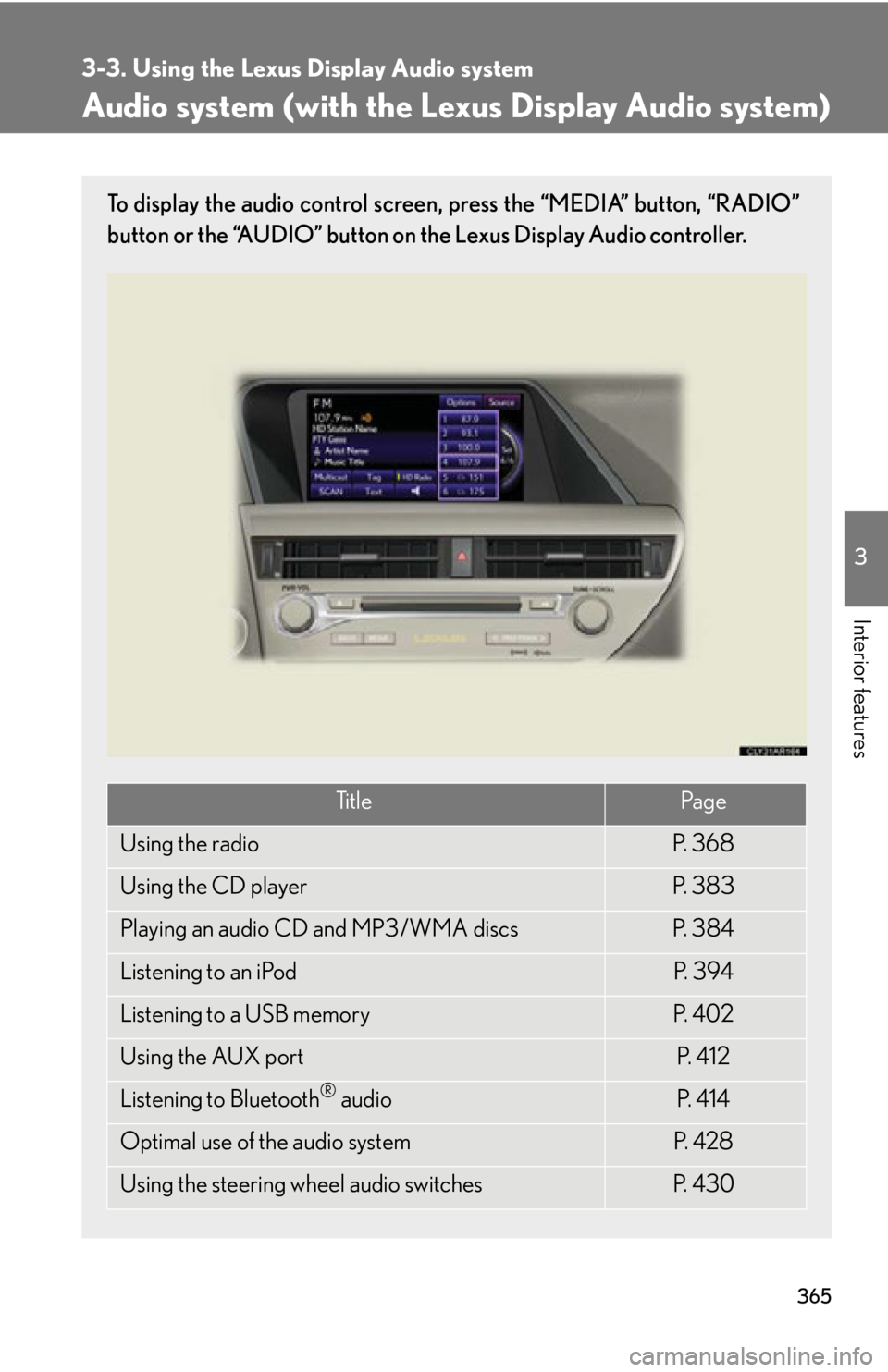
Audio system (with the Lexus Display Audio system) To display the audio control screen, press the “MEDIA” button, “RADIO”
button or the “AUDIO” button on the Lexus Display Audio controller.
Ti t l e Pa g e
Using the radio P. 3 6 8
Using the CD player P. 3 8 3
Playing an audio CD and MP3/WMA discs P. 3 8 4
Listening to an iPod P. 3 9 4
Listening to a USB memory P. 4 0 2
Using the AUX port P. 4 1 2
Listening to Bluetooth ®
audio P. 4 1 4
Optimal use of the audio system P. 4 2 8
Using the steering wheel audio switches P. 4 3 0
Page 430 of 886
4303-3. Using the Lexus Display Audio system
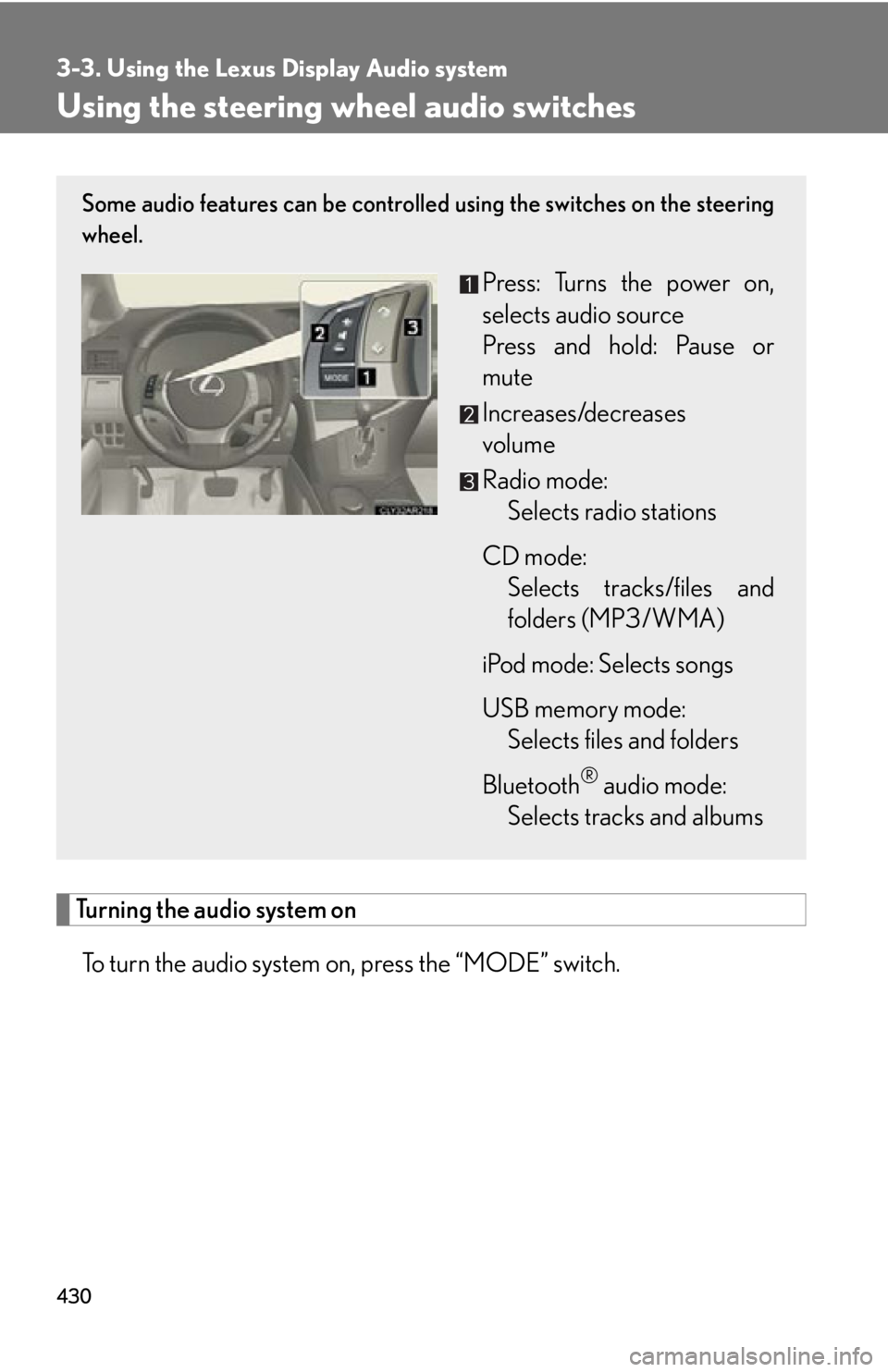
Using the steering wh eel audio switches
Turning the audio system on
To turn the audio system on, press the “MODE” switch. Some audio features can be controlled using the switches on the steering
wheel.
Press: Turns the power on,
selects audio source
Press and hold: Pause or
mute
Increases/decreases
volume
Radio mode:
Selects radio stations
CD mode:
Selects tracks/files and
folders (MP3/WMA)
iPod mode: Selects songs
USB memory mode:
Selects files and folders
Bluetooth ®
audio mode:
Selects tracks and albums