USB port LEXUS RX350 2015 Owners Manual
[x] Cancel search | Manufacturer: LEXUS, Model Year: 2015, Model line: RX350, Model: LEXUS RX350 2015Pages: 886, PDF Size: 11 MB
Page 4 of 886

TABLE OF CONTENTS Index
43-1. Lexus Display Audio system
Lexus Display Audio
system ........................................... 328
Display settings ............................. 332
Setup menu..................................... 334
Vehicle information.................... 340
Mobile Assistant ........................... 343
3-2. Using the air conditioning
system and defogger
Automatic air conditioning
system (with the Lexus
Display Audio system) ............ 345
Automatic air conditioning
system (without a navigation
system or the Lexus Display
Audio system)............................ 353
Rear window defogger
switch............................................... 361
Windshield wiper de-icer ......... 363
3-3. Using the Lexus Display
Audio system
Audio system (with the Lexus
Display Audio system) ........... 365
Using the radio ............................. 368
Using the CD player .................. 383 Playing an audio CD and
MP3/WMA discs.................... 384
Listening to an iPod ..................... 394
Listening to a USB memory..... 402
Using the AUX port .................... 412
Listening to Bluetooth ®
audio ................................................ 414
Optimal use of the audio
system ............................................ 428
Using the steering wheel
audio switches ........................... 430
Hands-free system
(for mobile phone) .................... 433
Using the Bluetooth ®
phone .............................................. 441
Setting the hands-free
system ............................................ 459
Bluetooth ®
settings .................... 472
3-4. Using the audio system
Audio system (without a
navigation system or the
Lexus Display Audio
system).......................................... 480
Using the radio ............................. 483
Using the CD player ................... 492
Playing MP3 and WMA
discs ................................................. 501
Operating an iPod ........................ 510
Operating a USB memory...... 520
Bluetooth ®
audio system ........ 530
Using the Bluetooth ®
audio
system ........................................... 5353
Interior features
Page 10 of 886
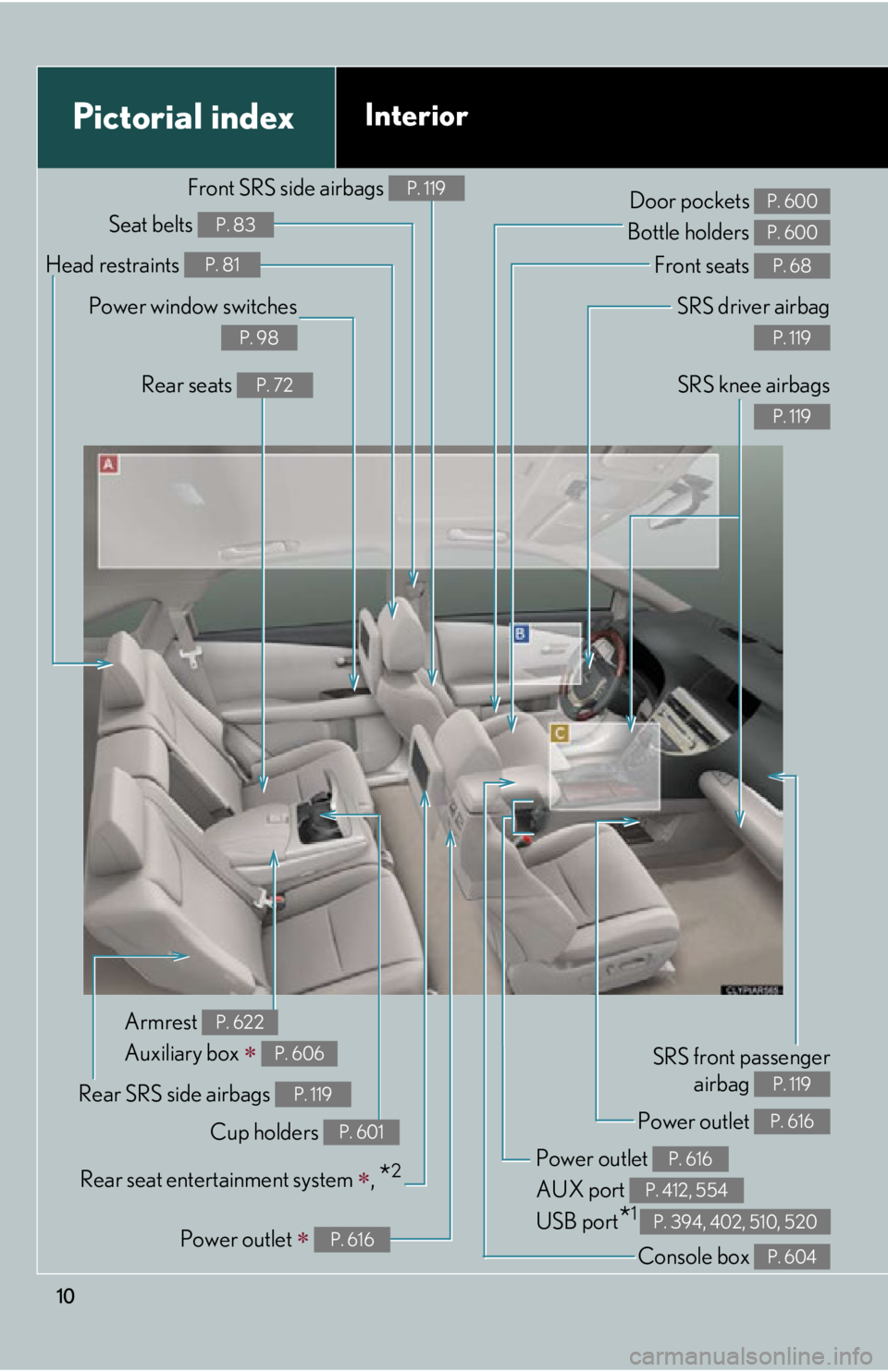
10Pictorial index Interior SRS driver airbag
P. 119
SRS knee airbags P. 119
Front seats P. 68
SRS front passenger
airbag P. 119
Power outlet
AUX port
USB port
* 1 P. 616
P. 412, 554
P. 394, 402, 510, 520Door pockets
Bottle holders P. 600
P. 600
Rear SRS side airbags P. 119
Power outlet P. 616
Console box P. 604Armrest
Auxiliary box
P. 622
P. 606
Power outlet
P. 616Power window switches P. 98
Rear seats P. 72
Head restraints P. 81
Seat belts P. 83
Front SRS side airbags P. 119
Cup holders P. 601
Rear seat entert ainment system
,
* 2
Page 326 of 886
326 3-3. Using the Lexus Display
Audio system
Audio system (with the
Lexus Display Audio
system).................................... 365
Using the radio....................... 368
Using the CD player ............ 383
Playing an audio CD and
MP3/WMA discs .............. 384
Listening to an iPod................ 394
Listening to a USB
memory ................................. 402
Using the AUX port ............... 412
Listening to Bluetooth ®
audio......................................... 414
Optimal use of the audio
system ..................................... 428
Using the steering wheel
audio switches ..................... 430
Hands-free system
(for mobile phone)............... 433
Using the Bluetooth ®
phone ....................................... 441
Setting the hands-free
system ..................................... 459
Bluetooth ®
settings .............. 472 3-4. Using the audio system
Audio system (without a
navigation system or the
Lexus Display Audio
system) ................................... 480
Using the radio ....................... 483
Using the CD player ............. 492
Playing MP3 and WMA
discs.......................................... 501
Operating an iPod .................. 510
Operating a USB
memory.................................. 520
Bluetooth ®
audio system .... 530
Using the Bluetooth ®
audio system ......................... 535
Operating a Bluetooth ®
enabled portable player ... 540
Setting up a Bluetooth ®
enabled portable player ... 544
Bluetooth ®
audio system
setup ........................................ 551
Optimal use of the audio
system..................................... 552
Using the AUX port .............. 554
Using the steering wheel
audio switches...................... 556
Hands-free system for
mobile phones...................... 560
Page 365 of 886
3653
Interior features 3-3. Using the Lexus Display Audio system
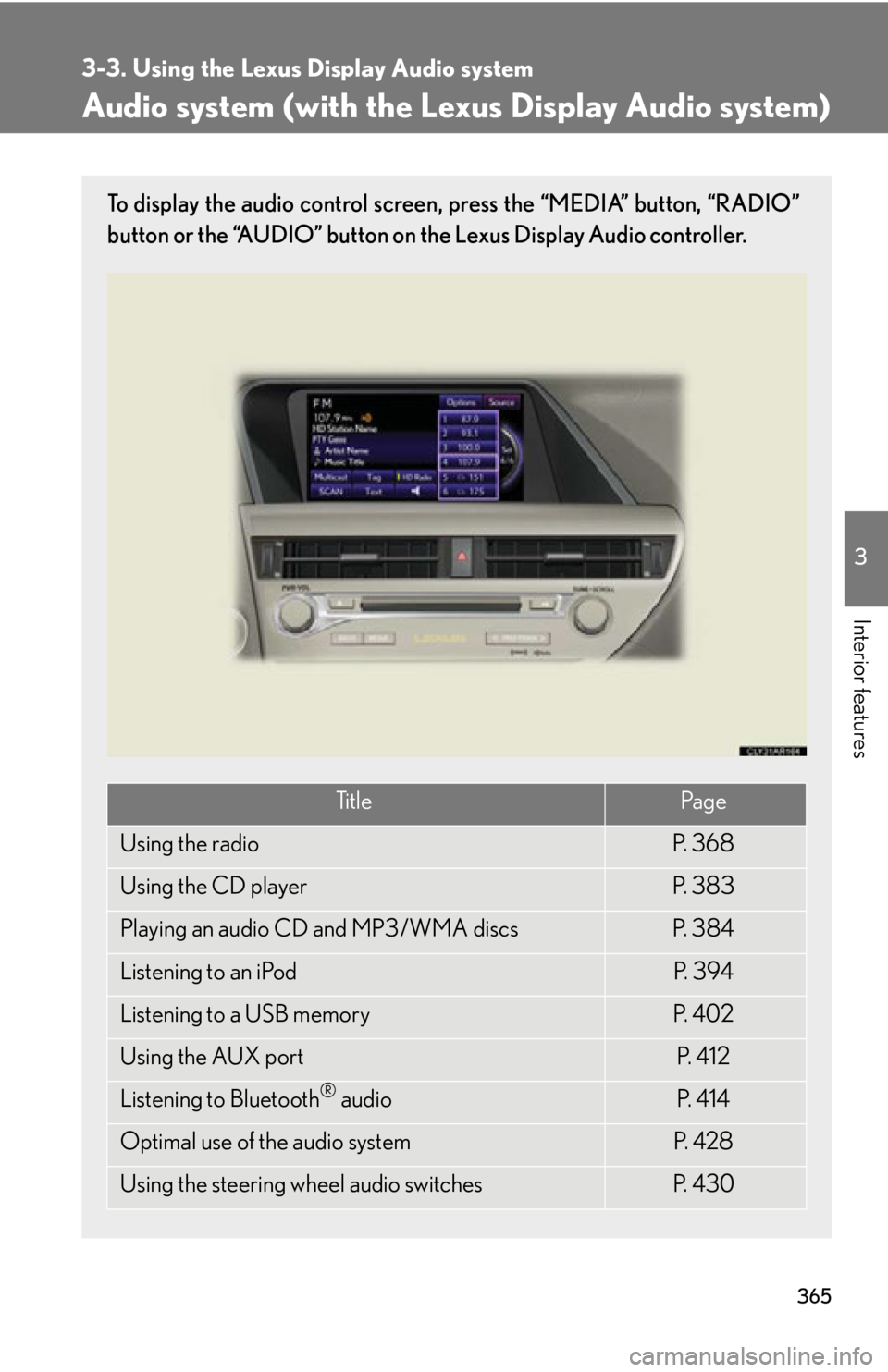
Audio system (with the Lexus Display Audio system) To display the audio control screen, press the “MEDIA” button, “RADIO”
button or the “AUDIO” button on the Lexus Display Audio controller.
Ti t l e Pa g e
Using the radio P. 3 6 8
Using the CD player P. 3 8 3
Playing an audio CD and MP3/WMA discs P. 3 8 4
Listening to an iPod P. 3 9 4
Listening to a USB memory P. 4 0 2
Using the AUX port P. 4 1 2
Listening to Bluetooth ®
audio P. 4 1 4
Optimal use of the audio system P. 4 2 8
Using the steering wheel audio switches P. 4 3 0
Page 411 of 886
4113-3. Using the Lexus Display Audio system
3
Interior features NOTICE■
If the armrest cannot be fully closed
Depending on the size and shape of the US B memory that is connected to the sys-
tem, the armrest may not close fully. In this case, do not forcibly close the armrest as
this may damage the USB me mory or the terminal, etc.■
To prevent damage to USB memories ●
Do not leave USB memories in the vehicle. The temperature inside the vehicle
may become high, resulting in damage to the player.●
Do not push down on or apply unnecess ary pressure to the USB memory while it
is connected as this may damage the USB memory or its terminal.●
Do not insert foreign objects into the port as this may damage the USB memory
or its terminal.
Page 481 of 886
4813-4. Using the audio system
3
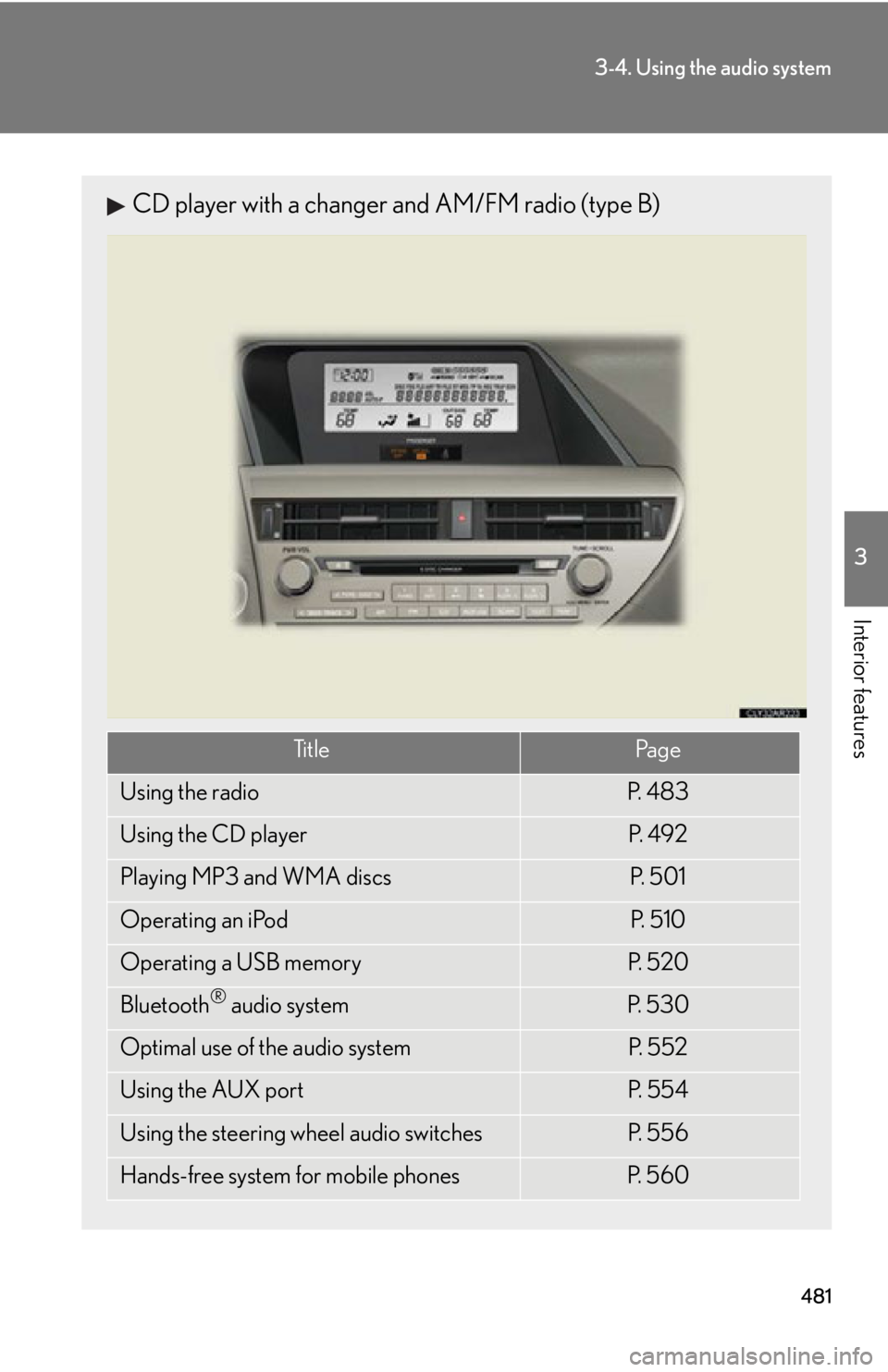
Interior features CD player with a changer and AM/FM radio (type B)
Ti t l e Pa g e
Using the radio P. 4 8 3
Using the CD player P. 4 9 2
Playing MP3 and WMA discs P. 5 0 1
Operating an iPod P. 5 1 0
Operating a USB memory P. 5 2 0
Bluetooth ®
audio system P. 5 3 0
Optimal use of the audio system P. 5 5 2
Using the AUX port P. 5 5 4
Using the steering wheel audio switches P. 5 5 6
Hands-free system for mobile phones P. 5 6 0
Page 529 of 886
5293-4. Using the audio system
3
Interior features NOTICE■
If the armrest cannot be fully closed
Depending on the size and shape of the US B memory that is connected to the sys-
tem, the armrest may not close fully. In this case, do not forcibly close the armrest as
this may damage the USB me mory or the terminal, etc.■
To prevent damage to USB memories ●
Do not leave USB memories in the vehicle. The temperature inside the vehicle
may become high, resulting in damage to the player.●
Do not push down on or apply unnecess ary pressure to the USB memory while it
is connected as this may damage the USB memory or its terminal.●
Do not insert foreign objects into the port as this may damage the USB memory
or its terminal.
Page 872 of 886

870Alphabetical index
Alphabetical index A/C*
Air conditioning filter .......................699
Automatic air conditioning
system*....................................345, 353
ABS............................................................. 269
ACCESSORY mode .......................... 165
Active torque control
AWD mode ......................................... 269
Air conditioning system*
Air conditioning filter .......................699
Automatic air conditioning
system*....................................345, 353
Airbags
Airbag operating conditions.......... 122
Airbag precautions for your
child......................................................... 127
Airbag warning light ........................ 745
Curtain shield airbag operating
conditions............................................. 123
Curtain shield airbag
precautions ......................................... 127
Front passenger occupant
classification system........................ 132
General airbag precautions .......... 127
Locations of airbags............................ 119
Modification and disposal of
airbags .....................................................131
Proper driving post ure ............. 117, 127
Side airbag operating
conditions............................................. 123
Side airbag precautions ................... 127
SRS airbags ............................................. 119 Alarm ............................................................ 112
All-wheel drive lock switch .............. 275
Antenna ........................................ 380, 489
Anti-lock brake system ...................... 269
Armrest .................................................... 622
Assist grips .............................................. 624
Audio input* ................................. 412, 554
Audio system*
Antenna.................................................. 489
Audio input ........................................... 554
AUX port .............................................. 554
Bluetooth ®
audio system ............. 530
CD player/changer ..........................492
Hands-free system for mobile
phone................................................... 560
iPod ............................................................510
MP3/WMA disc.................................501
Optimal use ......................................... 552
Portable audio device..................... 554
Radio ....................................................... 483
Steering wheel audio switch........ 556
USB memory ...................................... 520
USB port .................................... 510, 520A
Page 873 of 886
871Alphabetical index
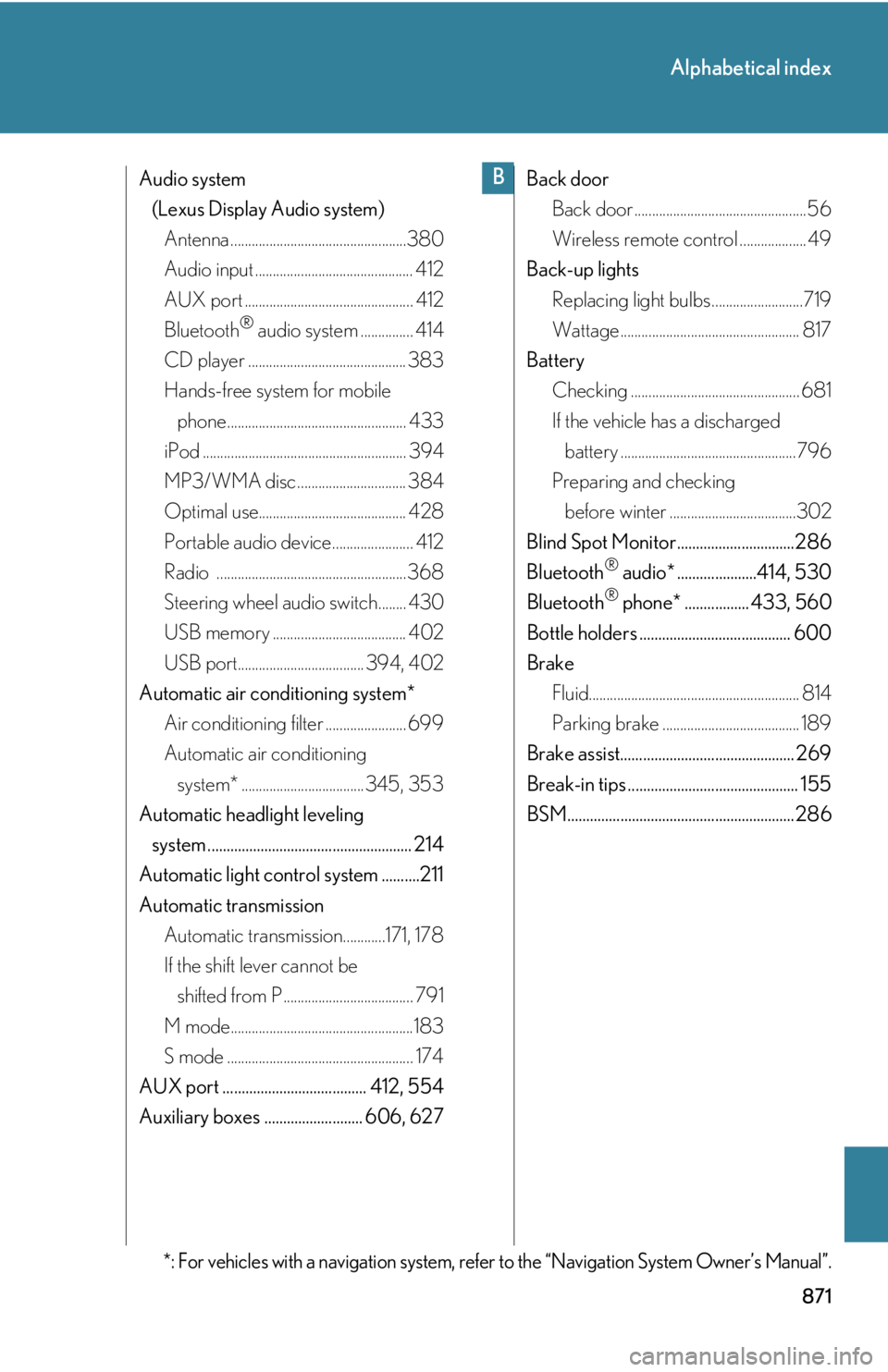
Audio system
(Lexus Display Audio system)
Antenna ..................................................380
Audio input ............................................. 412
AUX port ................................................ 412
Bluetooth ®
audio system ............... 414
CD player ............................................. 383
Hands-free system for mobile
phone................................................... 433
iPod .......................................................... 394
MP3/WMA disc ............................... 384
Optimal use.......................................... 428
Portable audio device....................... 412
Radio ...................................................... 368
Steering wheel audio switch........ 430
USB memory ...................................... 402
USB port.................................... 394, 402
Automatic air conditioning system*
Air conditioning filter ....................... 699
Automatic air conditioning
system* ...................................345, 353
Automatic headlight leveling
system ...................................................... 214
Automatic light control system ..........211
Automatic transmission
Automatic transmission............171, 178
If the shift lever cannot be
shifted from P ..................................... 791
M mode....................................................183
S mode ..................................................... 174
AUX port ...................................... 412, 554
Auxiliary boxes .......................... 606, 627 Back door
Back door .................................................56
Wireless remote control ................... 49
Back-up lights
Replacing light bulbs ..........................719
Wattage ................................................... 817
Battery
Checking ................................................ 681
If the vehicle has a discharged
battery ..................................................796
Preparing and checking
before winter ....................................302
Blind Spot Monitor...............................286
Bluetooth ®
audio* .....................414, 530
Bluetooth ®
phone* ................. 433, 560
Bottle holders ........................................ 600
Brake
Fluid............................................................ 814
Parking brake ....................................... 189
Brake assist.............................................. 269
Break-in tips ............................................. 155
BSM............................................................286
*: For vehicles with a navigation system, refer to the “Navigation System Owner’s Manual”. B
Page 882 of 886

880Alphabetical index
Tires
Chains ..................................................... 302
Checking ...............................................684
If you have a flat tire ...........................774
Inflation pressure................................693
Inflation pressure sensor............... 685
Information..............................................821
Replacing ................................................774
Rotating tires ........................................684
Size ............................................................ 815
Snow tires .............................................. 302
Spare tire.................................................774
Tire pressure warning
system ...................................... 684, 747
Tools ........................................................... 774
Total load capacity ................................ 301
Towing
Dinghy towing ..................................... 323
Emergency towing ........................... 735
Trailer towing.......................................306
TRAC......................................................... 269
Traction control ..................................... 269
Trailer towing..........................................306
Trip information display..................... 200
Trip meter ...................................................191
Turn signal lights
Replacing light bulbs.......................... 719
Switch ........................................................187
Wattage....................................................817 Under tray ...............................................608
USB port* .............. 394, 402, 510, 520
Vanity lights
Vanity lights............................................610
Wattage ................................................... 817
Vanity mirrors ......................................... 610
VDIM......................................................... 269
Vehicle data recordings ....................... 24
Vehicle dynamic s integrated
management ....................................... 269
Vehicle identification number......... 807
Vehicle stability control ..................... 269
Voice command switch* ........433, 566
Voice command system*....................451
VSC ........................................................... 269
Warning buzzers
Brake system ........................................ 744
Open door ........................................... 747
Seat belt reminder ............................. 747
Warning lights
Anti-lock brake system ...................745
Brake assist system ...........................745
Brake system ........................................ 744
Charging system ................................ 744
Electric power steering ...................745
Electronic engine control
system...................................................745
Low fuel level........................................ 747
Low tire pressure ............................... 747
Malfunction indicator lamp ...........745
Master warning light......................... 747U
V
W