fog light LEXUS RX350 2016 User Guide
[x] Cancel search | Manufacturer: LEXUS, Model Year: 2016, Model line: RX350, Model: LEXUS RX350 2016Pages: 748, PDF Size: 12.36 MB
Page 249 of 748
2494-3. Operating the lights and wipers
4
Driving
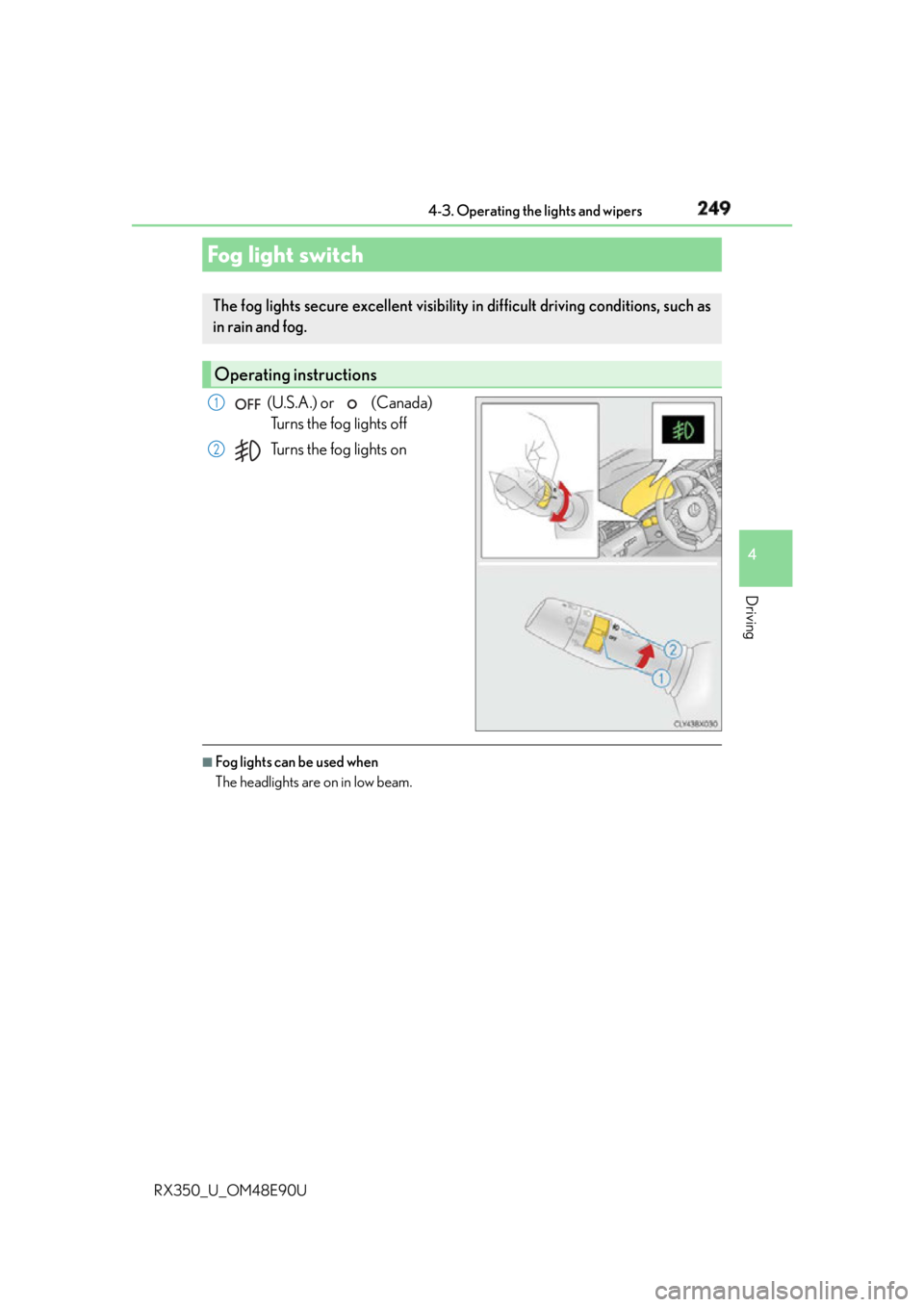
RX350_U_OM48E90U (U.S.A.) or (Canada)
Turns the fog lights off
Turns the fog lights on
■
Fog lights can be used when
The headlights are on in low beam.Fog light switch The fog lights secure excell ent visibility in difficult driving conditions, such as
in rain and fog.
Operating instructions 1
2
Page 266 of 748
266 4-5. Using the driving support systems
RX350_U_OM48E90U WA R N I N G ■
To avoid malfunction of the camera sensor
Observe the following precautions.
Otherwise, the camera sensor may not operat e properly, possibly leading to an acci-
dent resulting in death or serious injury. ●
Keep the windshield clean at all times.
• If the windshield is dirty or covered with an oily film, water droplets, snow, etc.,
clear the windshield.
• If a glass coating agent is applied to the windshield, it will still be necessary to use
the windshield wipers to remove water drop lets from the area of the windshield in
front of the camera sensor.
• If the inner side of the windshield where th e camera sensor is installed is dirty, con-
tact your Lexus dealer.
●
If the part of the windshield in front of th e camera sensor is fogged up or covered with
condensation or ice, use the windshield defogger to remove the fog, condensation or
ice. ( P. 500)●
If water droplets cannot be properly remove d from the area of the windshield in front
of the camera sensor by the windshield wipers, replace the wiper insert or wiper
blade.
• To replace the wiper insert: P. 6 0 1
• If the wiper blades need to be replaced, contact your Lexus dealer. ●
Do not attach window tinting to the windshield. ●
Replace the windshield if it is damaged or cracked.
If the windshield needs to be re placed, contact your Lexus dealer.●
Do not get the camera sensor wet. ●
Do not allow bright lights to shine into the camera sensor. ●
Do not dirty or damage the camera sensor.
When cleaning the inside of the windshield , do not allow glass cleaner to contact the
lens. Also, do not touch the lens.
If the lens is dirty or damage d, contact your Lexus dealer.●
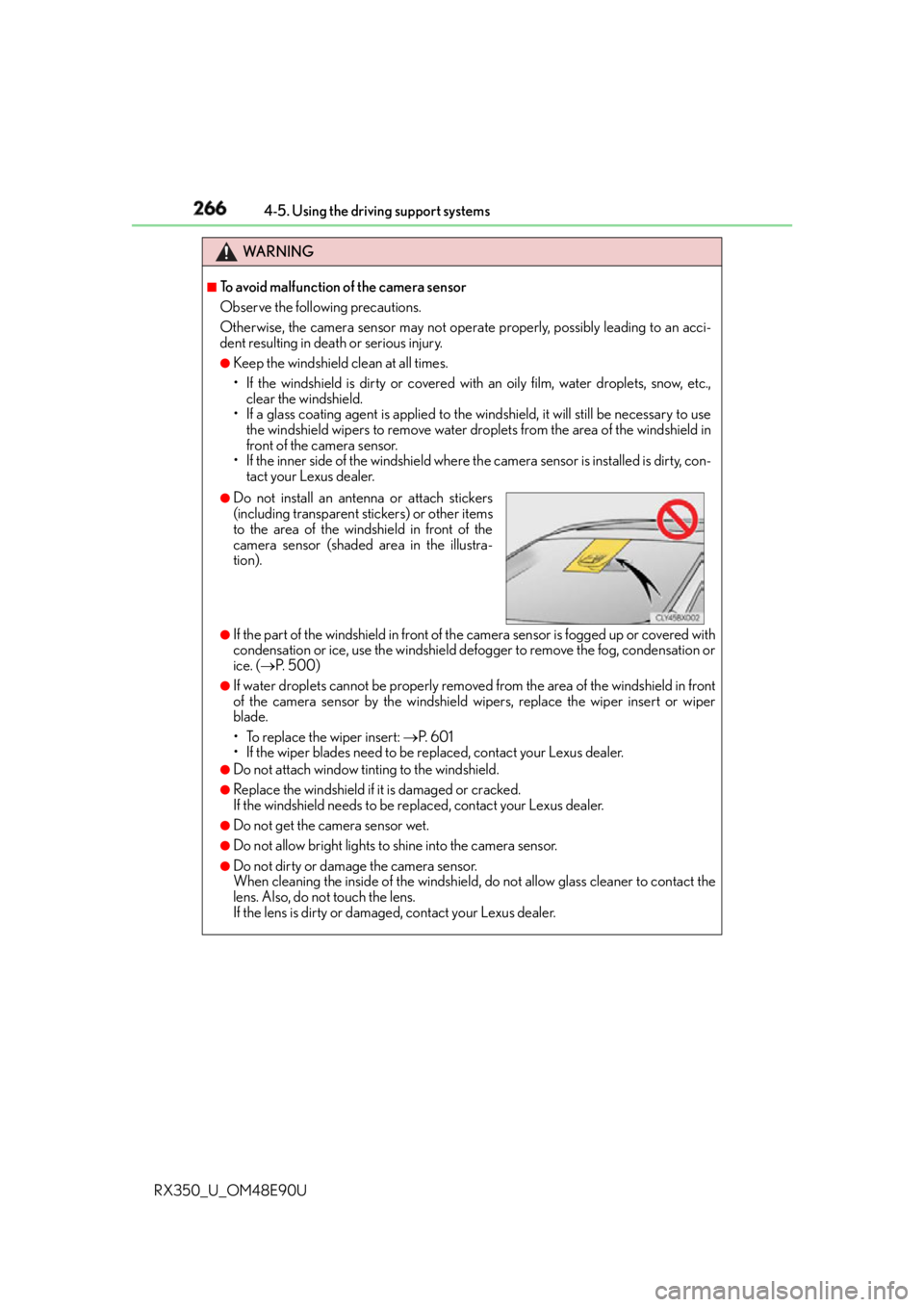
Do not install an antenna or attach stickers
(including transparent stickers) or other items
to the area of the windshield in front of the
camera sensor (shaded area in the illustra-
tion).
Page 280 of 748
280 4-5. Using the driving support systems
RX350_U_OM48E90U ■
Situations in which the system may not operate properly ●
In some situations such as the following, a vehicle may not be de tected by the radar
sensor and camera sensor, preventing the system from operating properly:
• If an oncoming vehicle is approaching your vehicle
• If a vehicle ahead is a motorcycle or bicycle
• When approaching the side of a vehicle
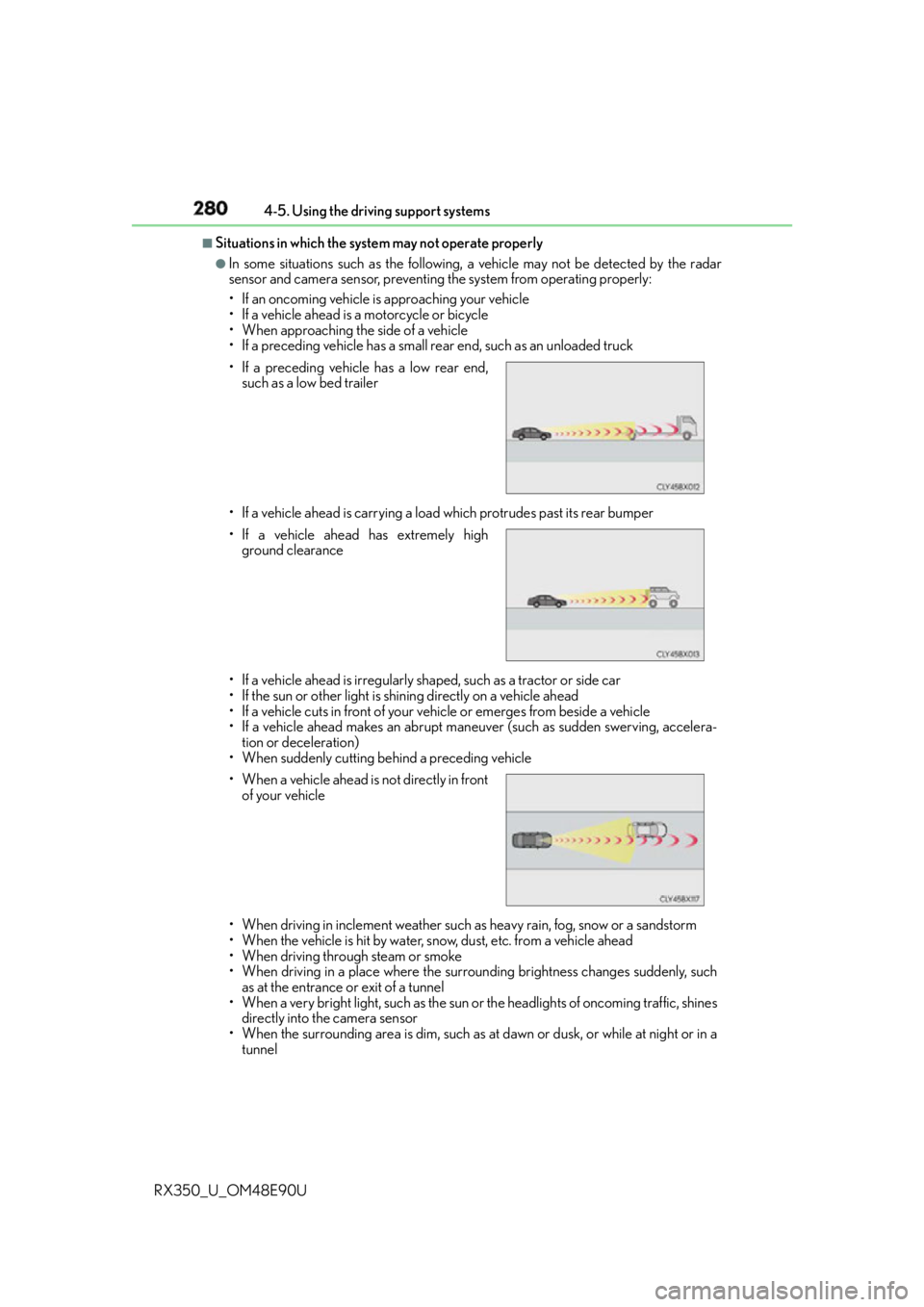
• If a preceding vehicle has a small rear end, such as an unloaded truck
• If a vehicle ahead is carrying a load which protrudes past its rear bumper
• If a vehicle ahead is irregularly shaped, such as a tractor or side car
• If the sun or other light is shin ing directly on a vehicle ahead
• If a vehicle cuts in front of your vehicle or emerges from beside a vehicle
• If a vehicle ahead makes an abrupt maneuver (such as sudden swerving, accelera-
tion or deceleration)
• When suddenly cutting behind a preceding vehicle
• When driving in inclement weather such as heavy rain, fog, snow or a sandstorm
• When the vehicle is hit by water, snow, dust, etc. from a vehicle ahead
• When driving through steam or smoke
• When driving in a place where the surrounding brightness changes suddenly, such
as at the entrance or exit of a tunnel
• When a very bright light, such as the sun or the headlights of oncoming traffic, shines
directly into the camera sensor
• When the surrounding area is dim, such as at dawn or dusk, or while at night or in a
tunnel• If a preceding vehicle has a low rear end,
such as a low bed trailer
• If a vehicle ahead has extremely high
ground clearance
• When a vehicle ahead is not directly in front
of your vehicle
Page 286 of 748
286 4-5. Using the driving support systems
RX350_U_OM48E90U WA R N I N G ■
Before using LKA system
Do not rely solely upon the LKA system. LKA is not a system which automatically
drives the vehicle or reduces the amount of attention that must be paid to the area in
front of the vehicle. The driver must always assume full responsibility for driving safely
by always paying careful attention to the surrounding conditions and operate the steer-
ing wheel to correct the path of the vehicle. Also, make sure to take adequate breaks
when fatigued, such as from driv ing for a long period of time.
Failure to perform appropriate driving operat ions and pay careful attention may lead to
an accident, resulting in death or serious injury. ■
To avoid operating LKA by mistake
When not using the LKA system, use the LKA switch to turn the system off. ■
Situations unsuitable for LKA
Do not use the LKA system in the following situations.
The system may not operate properly and le ad to an accident, resulting in death or
serious injury. ●
A spare tire, tire chains, etc., are equipped. ●
When the tires have been excessively worn, or when the tire inflation pressure is low. ●
Tires which differ by structure, manufa cturer, brand or tread pattern are used.●
Objects or patterns that could be mistaken for white (yellow) lines are present on the
side of the road (guardrails, curbs, reflective poles, etc.).●
Vehicle is driven on a snow-covered road. ●
White (yellow) lines are difficult to see due to rain, snow, fog, dust, etc. ●
Asphalt repair marks, white (y ellow) line marks, etc., are present due to road repair.●
Vehicle is driven in a temporary lane or restricted lane due to construction work. ●
Vehicle is driven on a road surface which is slippery due to rainy weather, fallen snow,
freezing, etc. ●
Vehicle is driven in traffic lanes other than on highways and freeways. ●
Vehicle is driven in a construction zone. ●
When your vehicle is towing a trailer or during emergency towing ■
Preventing LKA system malfunctions and operations performed by mistake●
Do not modify the headlights or place stickers, etc., on the surface of the lights. ●
Do not modify the suspension etc. If the suspension etc. needs to be replaced, con-
tact your Lexus dealer. ●
Do not install or place anything on the hood or grille. Also, do not install a grille guard
(bull bars, kangaroo bar, etc.). ●
If your windshield needs repair s, contact your Lexus dealer.
Page 295 of 748
2954-5. Using the driving support systems
4
Driving
RX350_U_OM48E90U WA R N I N G ■
Before using LDA system
Do not rely solely upon the LDA system. LDA is not a system which automatically
drives the vehicle or reduces the amount of attention that must be paid to the area in
front of the vehicle. The driver must always assume full responsibility for driving safely
by always paying careful attention to the surrounding conditions and operate the steer-
ing wheel to correct the path of the vehicle. Also, make sure to take adequate breaks
when fatigued, such as from driv ing for a long period of time.
Failure to perform appropriate driving operat ions and pay careful attention may lead to
an accident, resulting in death or serious injury. ■
To avoid operating LDA by mistake
When not using the LDA system, use the LDA switch to turn the system off. ■
Situations unsuitable for LDA
Do not use the LDA system in the following situations.
The system may not operate properly and le ad to an accident, resulting in death or
serious injury. ●
A spare tire, tire chains, etc., are equipped. ●
When the tires have been excessively worn, or when the tire inflation pressure is low. ●
Tires which differ by structure, manufa cturer, brand or tread pattern are used.●
Objects or patterns that could be mistaken for white (yellow) lines are present on the
side of the road (guardrails, curbs, reflective poles, etc.).●
Vehicle is driven on a snow-covered road. ●
White (yellow) lines are difficult to see due to rain, snow, fog, dust, etc. ●
Asphalt repair marks, white (y ellow) line marks, etc., are present due to road repair.●
Vehicle is driven in a temporary lane or restricted lane due to construction work. ●
Vehicle is driven on a road surface which is slippery due to rainy weather, fallen snow,
freezing, etc. ●
Vehicle is driven in traffic lanes other than on highways and freeways. ●
Vehicle is driven in a construction zone. ●
When your vehicle is towing a trailer or during emergency towing ■
Preventing LDA system malfunctions and operations performed by mistake●
Do not modify the headlights or place stickers, etc., on the surface of the lights. ●
Do not modify the suspension etc. If the suspension etc. needs to be replaced, con-
tact your Lexus dealer. ●
Do not install or place anything on the hood or grille. Also, do not install a grille guard
(bull bars, kangaroo bar, etc.). ●
If your windshield needs repair s, contact your Lexus dealer.
Page 487 of 748
487
6Interior features
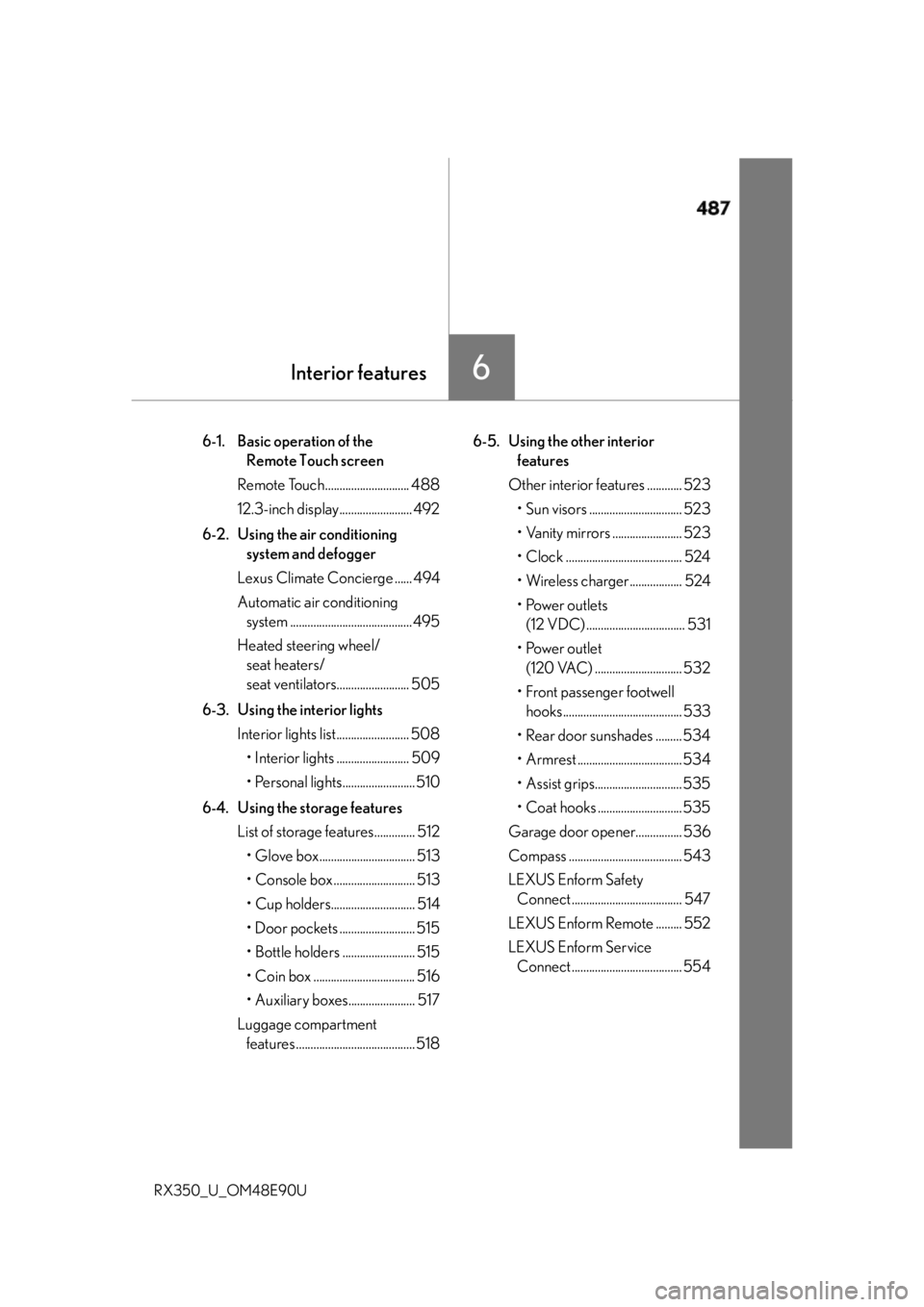
RX350_U_OM48E90U 6-1. Basic operation of the
Remote Touch screen
Remote Touch............................. 488
12.3-inch display......................... 492
6-2. Using the air conditioning
system and defogger
Lexus Climate Concierge ...... 494
Automatic air conditioning
system .......................................... 495
Heated steering wheel/
seat heaters/
seat ventilators......................... 505
6-3. Using the interior lights
Interior lights list......................... 508
• Interior lights ......................... 509
• Personal lights......................... 510
6-4. Using the storage features
List of storage features.............. 512
• Glove box................................. 513
• Console box ............................ 513
• Cup holders............................. 514
• Door pockets .......................... 515
• Bottle holders ......................... 515
• Coin box ................................... 516
• Auxiliary boxes....................... 517
Luggage compartment
features ......................................... 518 6-5. Using the other interior
features
Other interior features ............ 523
• Sun visors ................................ 523
• Vanity mirrors ........................ 523
• Clock ........................................ 524
• Wireless charger.................. 524
• Power outlets
(12 VDC) .................................. 531
• Power outlet
(120 VAC) .............................. 532
• Front passenger footwell
hooks......................................... 533
• Rear door sunshades ......... 534
• Armrest ....................................534
• Assist grips.............................. 535
• Coat hooks ............................. 535
Garage door opener................ 536
Compass ....................................... 543
LEXUS Enform Safety
Connect ...................................... 547
LEXUS Enform Remote ......... 552
LEXUS Enform Service
Connect ...................................... 554
Page 506 of 748
506 6-2. Using the air conditio ning system and defogger
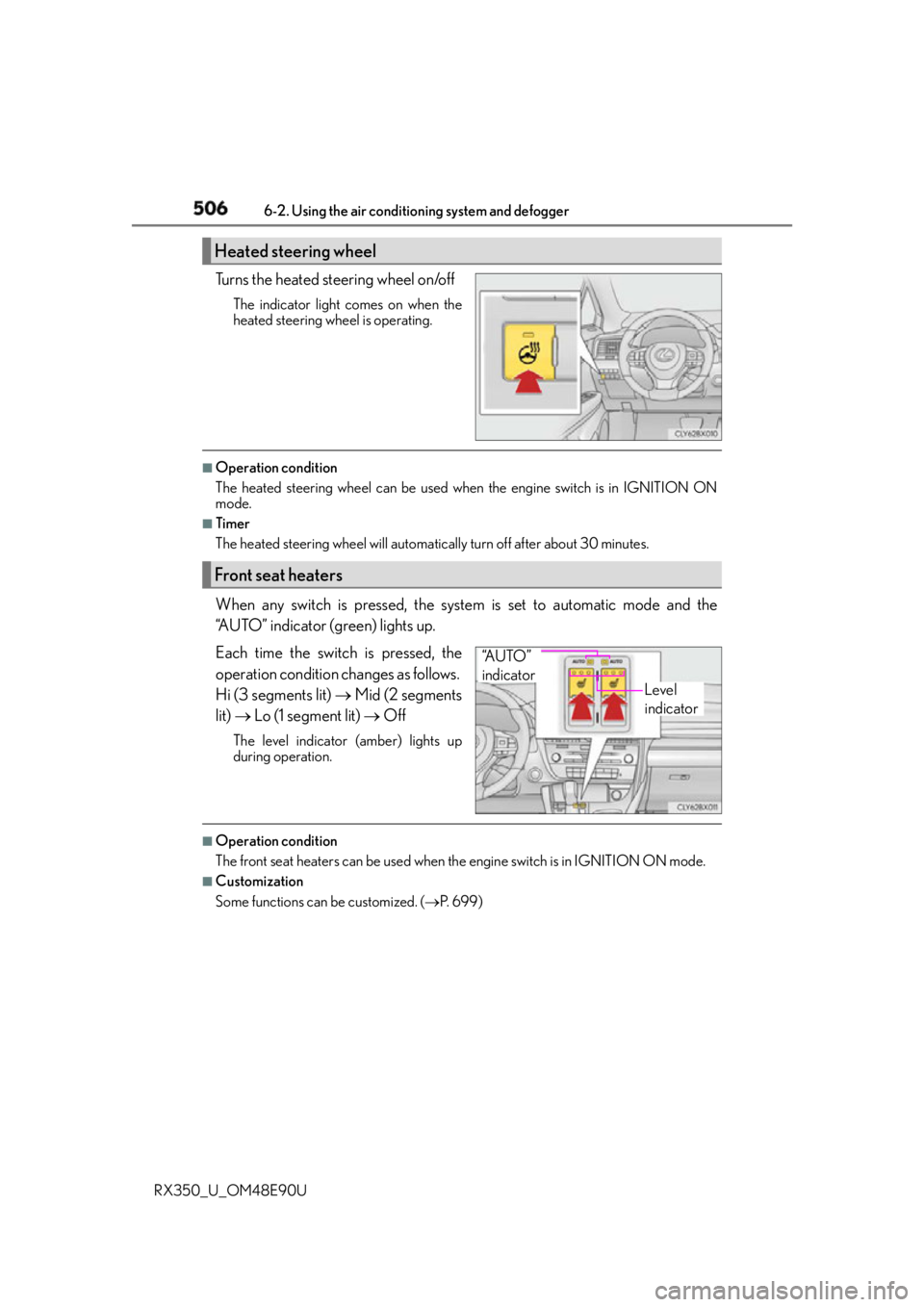
RX350_U_OM48E90U Turns the heated steering wheel on/off The indicator light comes on when the
heated steering wheel is operating. ■
Operation condition
The heated steering wheel can be used when the engine switch is in IGNITION ON
mode. ■
Timer
The heated steering wheel will automati cally turn off after about 30 minutes.
When any switch is pressed, the system is set to automatic mode and the
“AUTO” indicator (green) lights up.
Each time the switch is pressed, the
operation condition changes as follows.
Hi (3 segments lit) Mid (2 segments
lit) Lo (1 segment lit) OffThe level indicator (amber) lights up
during operation.
■
Operation condition
The front seat heaters can be used when th e engine switch is in IGNITION ON mode.■
Customization
Some functions can be customized. ( P. 6 9 9 )Heated steering wheel
Front seat heaters
Level
indicator“A U T O ”
indicator
Page 507 of 748
5076-2. Using the air conditioning system and defogger
6
Interior features
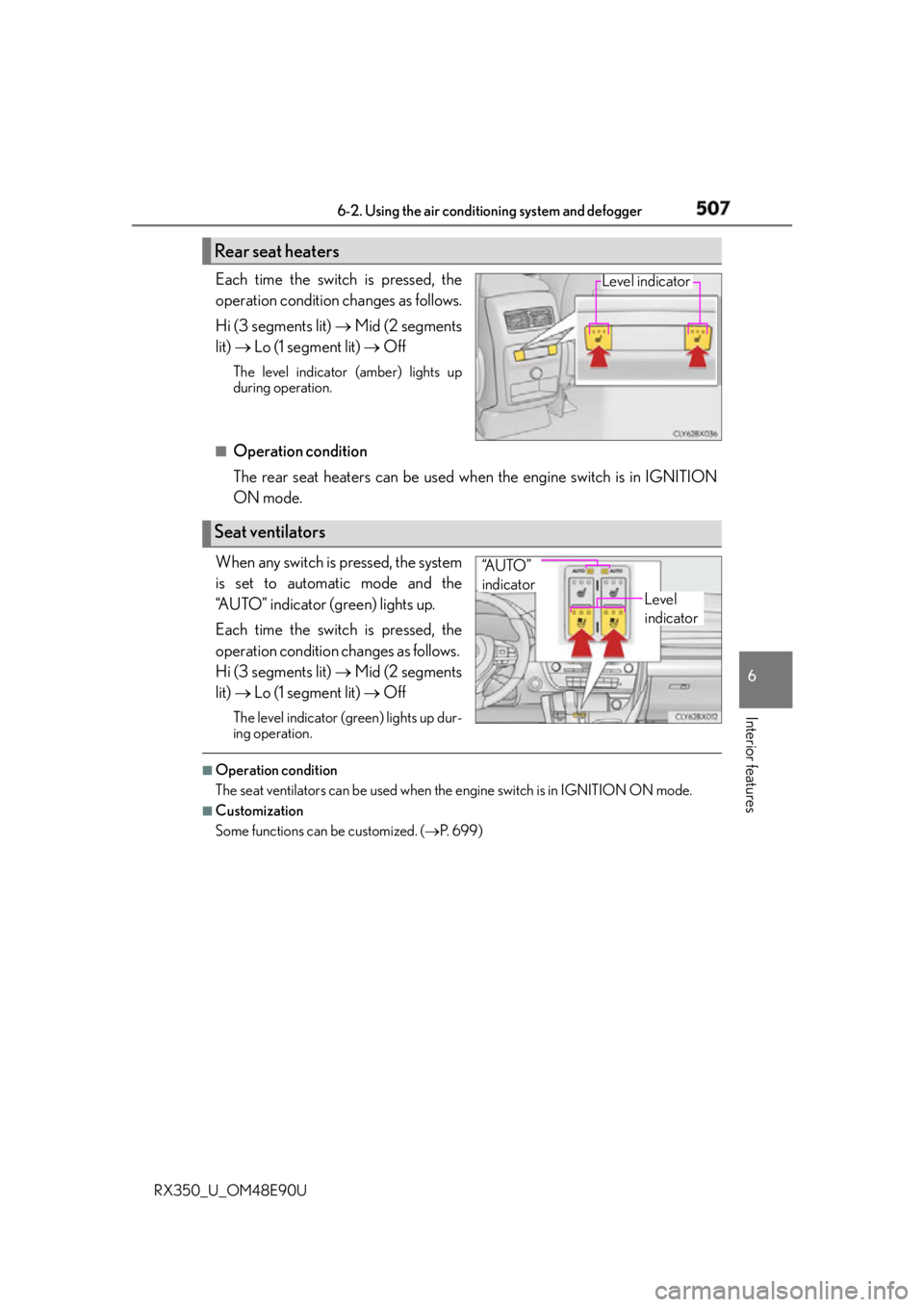
RX350_U_OM48E90U Each time the switch is pressed, the
operation condition changes as follows.
Hi (3 segments lit) Mid (2 segments
lit) Lo (1 segment lit) OffThe level indicator (amber) lights up
during operation.
■
Operation condition
The rear seat heaters can be used wh en the engine switch is in IGNITION
ON mode.
When any switch is pressed, the system
is set to automatic mode and the
“AUTO” indicator (green) lights up.
Each time the switch is pressed, the
operation condition changes as follows.
Hi (3 segments lit) Mid (2 segments
lit) Lo (1 segment lit) OffThe level indicator (g reen) lights up dur-
ing operation. ■
Operation condition
The seat ventilators can be used when the engine switch is in IGNITION ON mode.■
Customization
Some functions can be customized. ( P. 6 9 9 )Rear seat heaters Level indicator
Seat ventilators Level
indicator“A U T O ”
indicator
Page 563 of 748
5637-1. Maintenance and care
7
Maintenance and care
RX350_U_OM48E90U NOTICE ■
Cleaning detergents ●
Do not use the following types of detergent, as they may discolor the vehicle interior
or cause streaks or damage to painted surfaces:
• Non-seat portions: Organic substances such as benzene or gasoline, alkaline or
acidic solutions, dye, and bleach
• Seats: Alkaline or acidic solutions, su ch as thinner, benzene, and alcohol●
Do not use polish wax or polish cleaner. The instrument panel’s or other interior part’s
painted surface may be damaged. ■
Preventing damage to leather surfaces
Observe the following precautions to avoid damage to and deterioration of leather
surfaces: ●
Remove any dust or dirt from leather surfaces immediately. ●
Do not expose the vehicle to direct sunlight for extended periods of time. Park the
vehicle in the shade, especially during summer. ●
Do not place items made of vinyl, plastic, or containing wax on the upholstery, as they
may stick to the leather su rface if the vehicle interior heats up significantly.■
Water on the floor
Do not wash the vehicle floor with water.
Vehicle systems such as the audio system ma y be damaged if water comes into contact
with electrical components such as the au dio system above or under the floor of the
vehicle. Water may also cause the body to rust. ■
When cleaning the inside of the windshie ld (vehicles with Lexus Safety System+)
Do not allow glass cleaner to contact the lens. Also, do not touch the lens.
( P. 283, 293) ■
Cleaning the inside of the rear window ●
Do not use glass cleaner to clean the rear window, as this may cause damage to the
rear window defogger heater wires or antenna. Use a cloth dampened with luke-
warm water to gently wipe the window cl ean. Wipe the window in strokes running
parallel to the heater wires or antenna. ●
Be careful not to scratch or damage the heater wires or antenna.
Page 621 of 748
6217-3. Do-it-yourself maintenance
7
Maintenance and care
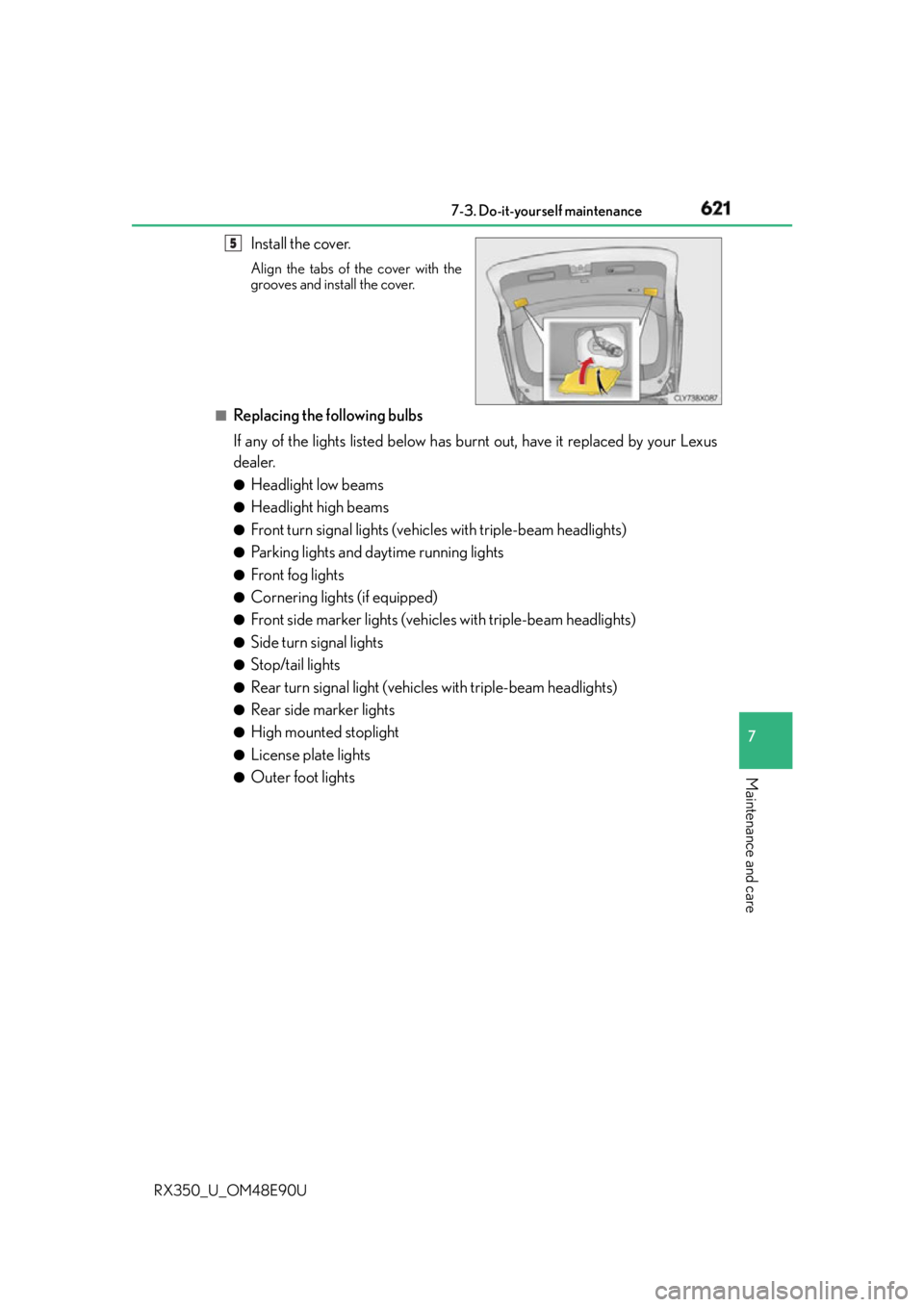
RX350_U_OM48E90U Install the cover. Align the tabs of the cover with the
grooves and install the cover.
■
Replacing the following bulbs
If any of the lights listed below has burnt out, have it replaced by your Lexus
dealer. ●
Headlight low beams ●
Headlight high beams ●
Front turn signal lights (vehic les with triple-beam headlights)●
Parking lights and daytime running lights ●
Front fog lights ●
Cornering lights (if equipped) ●
Front side marker lights (vehicles with triple-beam headlights) ●
Side turn signal lights ●
Stop/tail lights ●
Rear turn signal light (vehic les with triple-beam headlights)●
Rear side marker lights ●
High mounted stoplight ●
License plate lights ●
Outer foot lights 5