key LEXUS RX350 2016 Service Manual
[x] Cancel search | Manufacturer: LEXUS, Model Year: 2016, Model line: RX350, Model: LEXUS RX350 2016Pages: 748, PDF Size: 12.36 MB
Page 243 of 748
2434-3. Operating the lights and wipers
4
Driving
RX350_U_OM48E90U ■
Daytime running light system ●
To make your vehicle more visible to other drivers during daytime driving, the daytime
running lights turn on automatically whenever the engine is started and the parking
brake is released with the headlight sw itch in (Canada only) or position.
(Illuminate brighter th an the parking li ghts.) Daytime running lights are not designed for
use at night.
For the U.S.A.: Daytime running lights can be turned off by operating the headlight
switch to position. ●
Compared to turning on the headlights, the daytime running light system offers greater
durability and consumes less electricity, so it can help improve fuel economy. ■
Cornering lights (if equipped)
When the cornering lights are on for more th an 30 minutes, they will turn off automati-
cally. ■
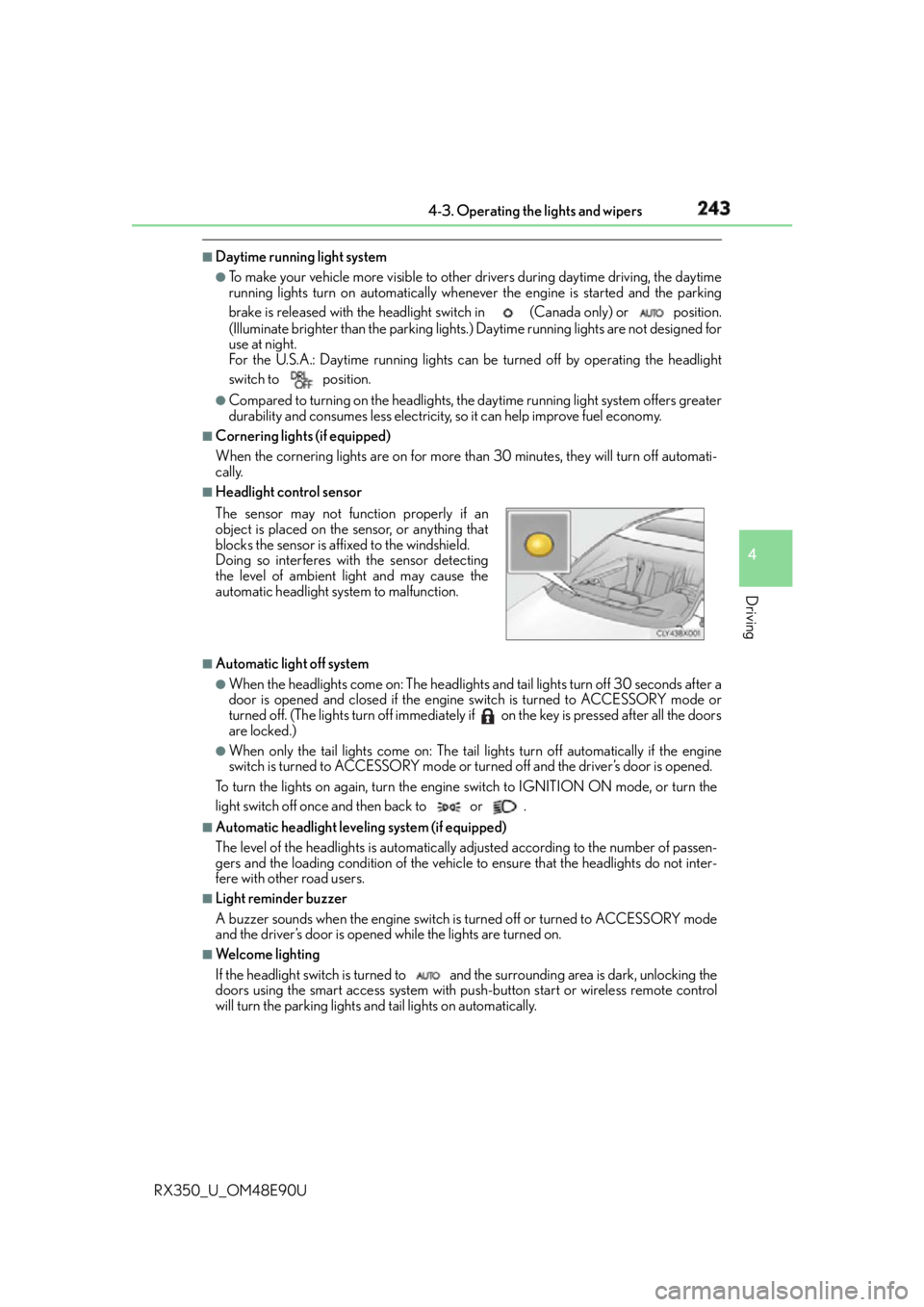
Headlight control sensor
■
Automatic light off system ●
When the headlights come on: The headlights and tail lights turn off 30 seconds after a
door is opened and closed if the engine switch is turned to ACCESSORY mode or
turned off. (The lights turn off immediately if on the key is pressed after all the doors
are locked.) ●
When only the tail lights come on: The tail lights turn off automatically if the engine
switch is turned to ACCESSORY mode or turned off and the driver’s door is opened.
To turn the lights on again, turn the engine switch to IGNITION ON mode, or turn the
light switch off once and then back to or . ■
Automatic headlight leveling system (if equipped)
The level of the headlights is automatically ad justed according to the number of passen-
gers and the loading condition of the vehicle to ensure that the headlights do not inter-
fere with other road users. ■
Light reminder buzzer
A buzzer sounds when the engine switch is turned off or turned to ACCESSORY mode
and the driver’s door is opened while the lights are turned on. ■
We l c o m e l i g h t i n g
If the headlight switch is turned to and the surrounding area is dark, unlocking the
doors using the smart access system with pu sh-button start or wireless remote control
will turn the parking lights and tail lights on automatically.The sensor may not function properly if an
object is placed on the sensor, or anything that
blocks the sensor is affixed to the windshield.
Doing so interferes with the sensor detecting
the level of ambient light and may cause the
automatic headlight system to malfunction.
Page 502 of 748
502 6-2. Using the air conditio ning system and defogger
RX350_U_OM48E90U ■
Registering air conditioning settings to elec tronic keys (vehicles with driving position
memory) ●
Unlocking the vehicle using an electronic ke y and turning the engine switch to IGNI-
TION ON mode will recall that key’s registered air conditioning settings. ●
When the engine switch is tu rned off, the current air conditioning settings will automat-
ically be registered to the electronic key that was used to unlock the vehicle.●
The system may not operate correctly if more th an one electronic key is in the vicinity or
if the smart access system with push-button start is used to unlock a passenger door. ●
The doors that can recall the air conditioni ng setting when unlocked using the smart
access system with push-b utton start can be changed.
* For details, contact your Lexus
dealer.
* : The doors that can recall the driving positi on memory are changed at the same time.■
Using automatic mode
Fan speed is adjusted automatically accordin g to the temperature setting and the ambi-
ent conditions.
Therefore, the fan may stop for a while until warm or cool air is ready to flow immediately
after the “AUTO” button is pr essed or “AUTO” is selected.■
Operation of S-FLOW mode
In automatic mode, S-FLOW mode will be turned off if a rear door has been opened and
closed. To activate S-FLOW mode again, press . ■
Using the voice command system (veh icles with a navigation system)
Air conditioning system can be operated usin g voice commands. For details, refer to the
“NAVIGATION SYSTEM OWNER’S MANUAL”. ■
When the outside temperature exceeds 75 F (24 C) and the air conditioning system
is on ●
In order to reduce the air conditioning po wer consumption, the ai r conditioning system
may switch to recirculated air mode automatically.
This may also reduce fuel consumption. ●
Recirculated air mode is selected as a defaul t mode when the engine switch is turned to
IGNITION ON mode. ●
It is possible to switch to outside air mode at any time by pressing the outside/recircu-
lated air mode button. ■
Automatic mode for air intake control (if equipped)
In automatic mode, the system detects exhaust gas and other pollutants and automati-
cally switches between outside air and recirculated air modes.
When the dehumidification function is off, and the fan is operating, turning automatic
mode on will activate the dehumidification function.■
Fogging up of the windows ●
The windows will easily fog up when the humidi ty in the vehicle is high. Selecting “A/C”
will dehumidify the air from the outlet s and defog the windshield effectively. ●
If you turn “A/C” off, the windows may fog up more easily. ●
The windows may fog up if the recirculated air mode is used.
Page 511 of 748
5116-3. Using the interior lights
6
Interior features
RX350_U_OM48E90U ●
Illuminated entry system: The lights automa tically turn on/off according to engine
switch mode, the presence of the electronic key, whether the doors are locked/
unlocked, and whether the doors are opened/closed. ●
If the interior lights remain on when the engine switch is turned off, the lights will go off
automatically after 20 minutes. ●
In the following cases, the interior lights and front personal lights may not respond as
normal.
• When water, dirt, etc., have adhered to the lens surface
• When operated with a wet hand
• When wearing gloves, etc. ●
Some functions can be customized. ( P. 699)
NOTICE ●
Never remove the lens for the front interior light and front personal lights. Otherwise,
the lights will be damaged. If the lens ne ed to remove, contact your Lexus dealer.●
To prevent battery discharge, do not leav e the lights on longer than necessary when
the engine is off.
Page 513 of 748
5136-4. Using the storage features
6
Interior features
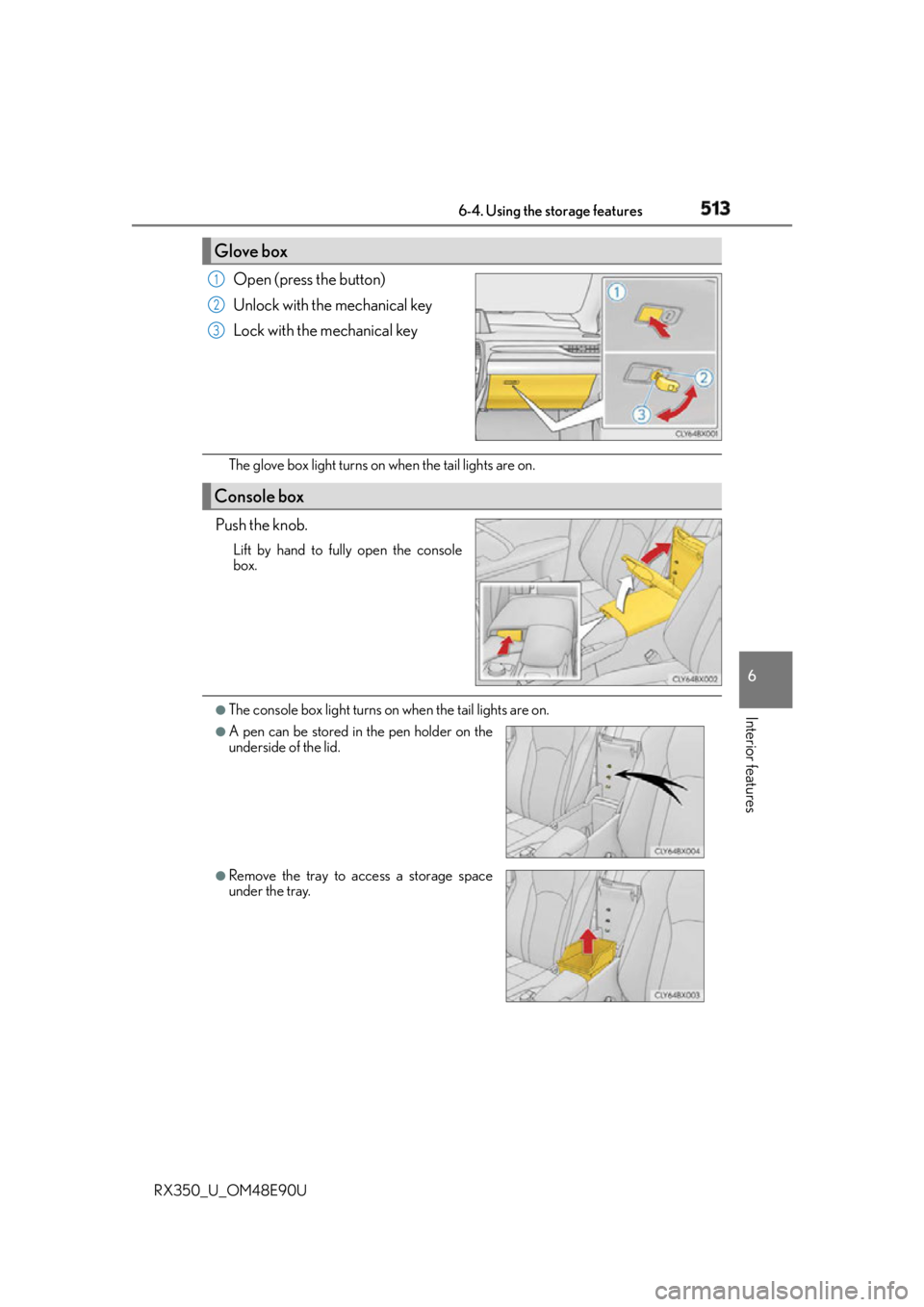
RX350_U_OM48E90U Open (press the button)
Unlock with the mechanical key
Lock with the mechanical key
The glove box light turns on when the tail lights are on.
Push the knob. Lift by hand to fully open the console
box.
●
The console box light turns on when the tail lights are on.Glove box 1
2
3
Console box ●
A pen can be stored in the pen holder on the
underside of the lid.
●
Remove the tray to access a storage space
under the tray.
Page 527 of 748
5276-5. Using the other interior features
6
Interior features
RX350_U_OM48E90U ■
If a cover or accessory is attached to the portable device
Do not charge a portable device if a cover or accessory which is not Qi compatible is
attached. Depending on the type of cover and/or accessory attached, it may not be pos-
sible to charge the portable device. If the portable device is placed on the charging area
and does not charge, remove the cover and/or accessories. ■
If interference is heard in AM radio broadcasts while charging
Turn off the wireless charger and check if the noise is reduced. If noise is reduced, press
and hold the power supply switch of the wire less charger for 2 seconds. The frequency of
the wireless charger is changed and noise may be reduced. When the frequency is
changed, the operation indicator light will blink (orange) 2 times.■
Charging precautions ●
If the electronic key cannot be detected in the cabin, charging cannot be performed.
When a door is opened and closed, ch arging may be temporarily suspended.●
While charging, the wireless charger and the portable device will become warm. This is
not a malfunction.
If a portable device becomes warm while ch arging and charging stops due to the pro-
tection function of the portable device, wait until the portable device cools down and
charge it again. ■
Sound generated du ring operation
When the power supply switch is turned on or while a portable device is being identified,
operation sounds may be heard. This is not a malfunction. ■
Cleaning the wireless charger
P. 5 6 2 ■
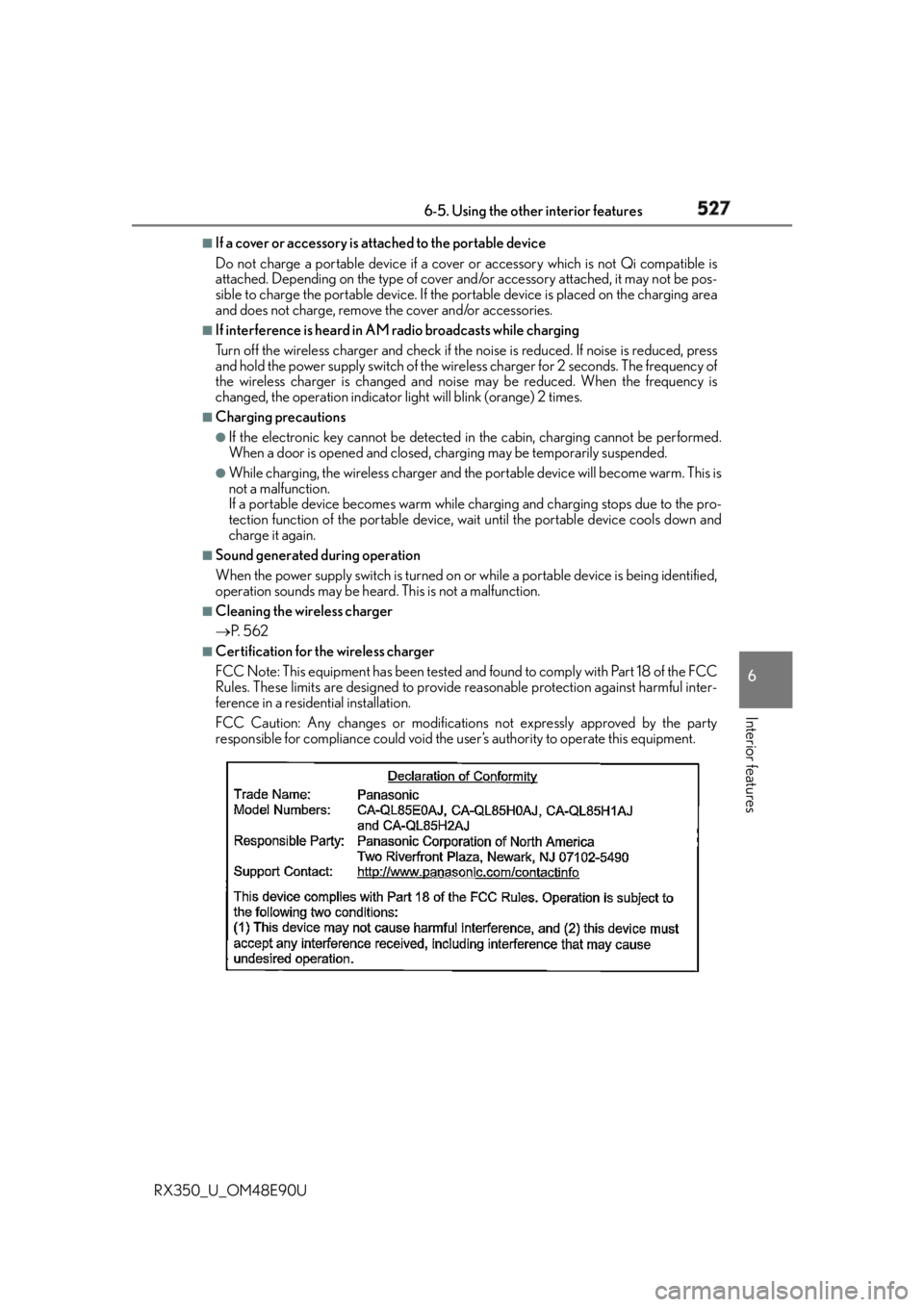
Certification for the wireless charger
FCC Note: This equipment has been tested and found to comply with Part 18 of the FCC
Rules. These limits are designed to provide reasonable protection against harmful inter-
ference in a residential installation.
FCC Caution: Any changes or modification s not expressly approved by the party
responsible for compliance could void the user’s authority to operate this equipment.
Page 530 of 748

530 6-5. Using the other interior features
RX350_U_OM48E90U NOTICE ■
Conditions in which the wireless charger may not operate correctly
In the following situations, the wireless charger may not operate correctly: ●
When a portable device is fully charged ●
When there is a foreign object between the charging area and portable device●
When a portable device becomes hot while charging ●
When a portable device is placed on the wireless area with its charging surface fac-
ing up ●
When a portable device is not centered on the charging area ●
When the vehicle is near a TV tower, electric power plant, gas station, radio station,
large display, airport or other facility that generates strong radio waves or electrical
noise ●
When the portable device is in contact with, or is covered by any of the following
metallic objects
• Cards to which aluminum foil is attached
• Cigarette boxes that have aluminum foil inside
• Metallic wallets or bags
•Coins
• Metal hand warmers
• Media such as CDs and DVDs ●
When wireless keys (that emit radio waves) other than those of your vehicle are being
used nearby.
If in situations other than above the wirele ss charger does not op erate properly or the
operation indicator light is blinking, the wireless charge r may be malfunctioning. Con-
tact your Lexus dealer. ■
To prevent failure or damage to data ●
Do not bring magnetic cards, such as a credit card, or magnetic recording media,
close to the wireless charger while chargi ng. Otherwise, data may be erased due to
the influence of magnetism.
Additionally, do not bring precision instrume nts such as wrist watches, close to the
wireless charger, as such objects may malfunction. ●
Do not leave portable devices in the cab in. The temperature inside the cabin may
become high when parked in the su n, and cause damage to the device.■
To prevent battery discharge
Do not use the wireless charger for a long period of time with the engine is stopped.
Page 555 of 748

555
7Maintenance and care
RX350_U_OM48E90U 7-1. Maintenance and care
Cleaning and protecting
the vehicle exterior .................556
Cleaning and protecting
the vehicle interior ................... 561
7-2. Maintenance
Maintenance
requirements .............................564
General maintenance ..............566
Emission inspection and
maintenance (I/M)
programs ....................................569 7-3. Do-it-yourself
maintenance
Do-it-yourself service
precautions ................................ 570
Hood ............................................... 572
Positioning a floor jack ............. 573
Engine compartment ................ 574
Tires ..................................................584
Tire inflation pressure ............... 593
Wheels ........................................... 596
Air conditioning filter ...............598
Windshield wiper inserts ......... 601
Electronic key battery ..............603
Checking and replacing
fuses ..............................................605
Headlight aim ............................. 608
Light bulbs...................................... 610
Page 556 of 748
556
RX350_U_OM48E90U 7-1. Maintenance and care
●
Working from top to bottom, liberally apply water to the vehicle body, wheel
wells and underside of the vehicle to remove any dirt and dust. ●
Wash the vehicle body using a sponge or soft cloth, such as a chamois. ●
For hard-to-remove marks, use car wash soap and rinse thoroughly with
water. ●
Wipe away any water. ●
Wax the vehicle when the waterproof coating deteriorates. If water does not bead on a clean surface, apply wax when the vehicle body is cool. ■
Self-restoring coat
The vehicle body has a self-restoring coating that is resistant to small surface scratches
caused in a car wash etc. ●
The coating lasts for 5 to 8 years from when the vehicle is delivered from the plant.●
The restoration time differs depending on the depth of the scratch and outside temper-
ature. The restoration time may become shor ter when the coating is warmed by apply-
ing warm water. ●
Deep scratches caused by keys, coins, etc. cannot be restored.●
Do not use wax that contain abrasives. ■
Automatic car washes ●
Before washing the vehicle:
• Fold the mirrors
• Turn off the power back door
Start washing from the front of the vehicle. Extend the mirrors before driving. ●
Brushes used in automatic car washes may scratch the vehicle surface and harm your
vehicle’s paint. ●
Rear spoiler may not be washable in some automatic car washes. There may also be an
increased risk of damage to vehicle. ■
High pressure car washes ●
Do not allow the nozzles of the car wash to come within close proximity of the windows. ●
Before using the car wash, check that the fuel filler door on your vehicle is closed prop-
erly.Cleaning and protecting the vehicle exterior Perform the following to protect the ve hicle and maintain it in prime condi-
tion:
Page 557 of 748

5577-1. Maintenance and care
7
Maintenance and care
RX350_U_OM48E90U ■
Note for a smart access system with push-button start ●
If the door handle becomes wet while the el ectronic key is within the effective range,
the door may lock and unlock repeatedly. Place the key in a position 6 ft. (2 m) or more
separate from the vehicle while the vehicle is being washed. (Take care to ensure that
the key is not stolen.) ●
If the electronic key is insi de the vehicle and a door handle becomes wet during a car
wash, a buzzer will sound outside the vehicle. To turn off the alarm, lock all the doors. ●
Set the electronic key to battery-saving mode to disable the smart access system with
push-button start. ( P. 1 4 7 )■
Aluminum wheels ●
Remove any dirt immediately by using a neutral detergent. Do not use hard brushes or
abrasive cleaners. Do not use strong or harsh chemical cleaners.
Use the same mild detergent as used on the paint. ●
Do not use detergent on the wheels when they are hot, for example after driving for
long distance in the hot weather. ●
Wash detergent from the wheels immediately after use. ■
Bumpers
Do not scrub with abrasive cleaners. ■
Front side windows water-repellent coating ●
The following precautions can extend the effectiveness of the water-repellent coating.
• Remove any dirt, etc. from the front side windows regularly.
• Do not allow dirt and dust to accumulate on the windows for a long period.
Clean the windows with a soft, da mp cloth as soon as possible.
• Do not use wax or glass cleaners that co ntain abrasives when cleaning the windows.
• Do not use any metallic objects to remove condensation build up.●
When the water-repellent performance has become insufficient, the coating can be
repaired. Contact your Lexus dealer.
Page 581 of 748
5817-3. Do-it-yourself maintenance
7
Maintenance and care
RX350_U_OM48E90U Check the battery as follows. ■
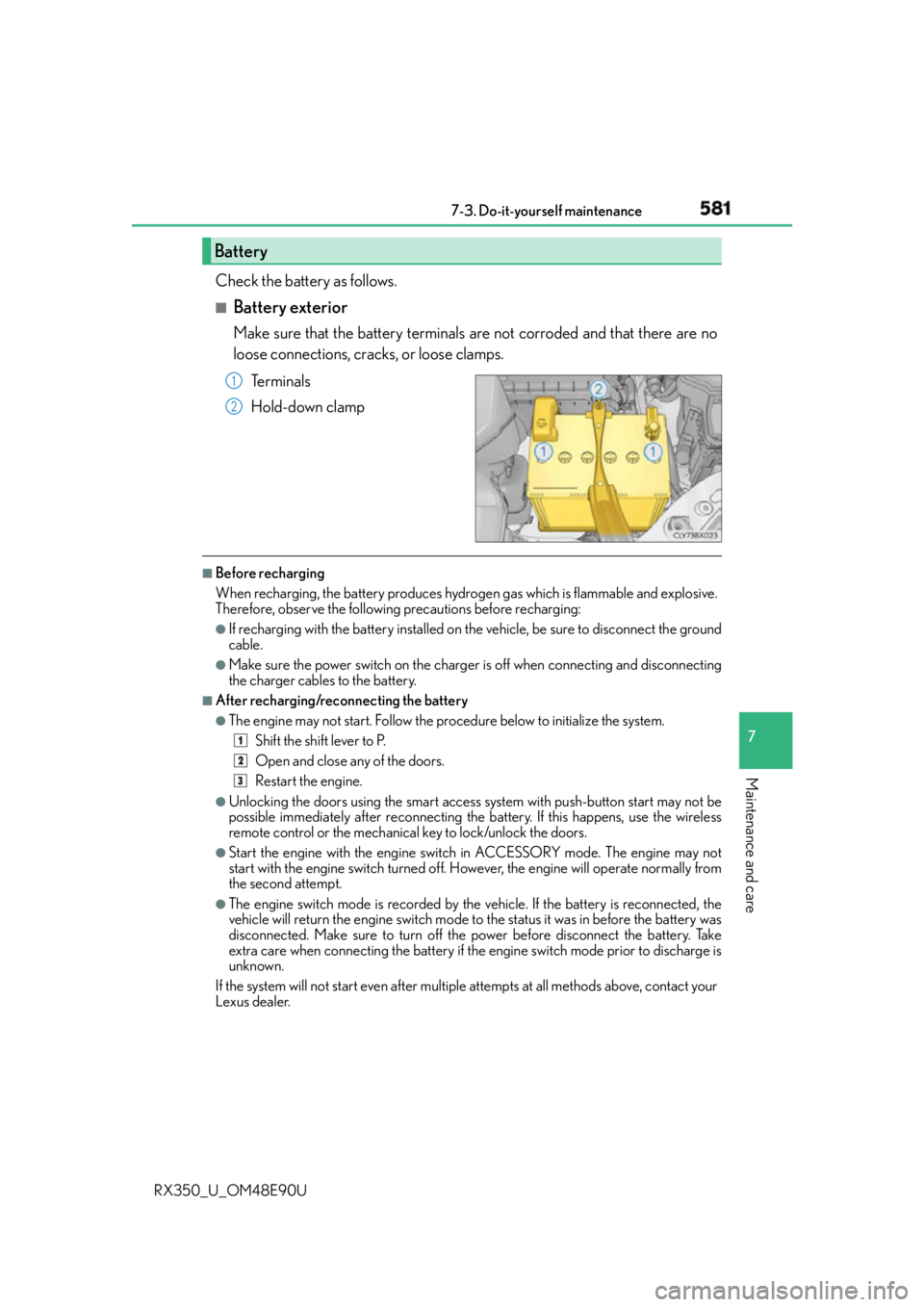
Battery exterior Make sure that the battery terminals are not corroded and that there are no
loose connections, cracks, or loose clamps.
Te r m i n a l s
Hold-down clamp ■
Before recharging
When recharging, the battery produces hydrogen gas which is flammable and explosive.
Therefore, observe the following precautions before recharging: ●
If recharging with the battery installed on the vehicle, be sure to disconnect the ground
cable. ●
Make sure the power switch on the charger is off when connecting and disconnecting
the charger cables to the battery. ■
After recharging/reconnecting the battery ●
The engine may not start. Follow the pr ocedure below to initialize the system.
Shift the shift lever to P.
Open and close any of the doors.
Restart the engine.●
Unlocking the doors using the smart access system with push-button start may not be
possible immediately after reconnecting the battery. If this happens, use the wireless
remote control or the mechanical key to lock/unlock the doors. ●
Start the engine with the engine switch in ACCESSORY mode. The engine may not
start with the engine switch turned off. However, the engine will operate normally from
the second attempt. ●
The engine switch mode is recorded by the vehicle. If the battery is reconnected, the
vehicle will return the engine switch mode to the status it was in before the battery was
disconnected. Make sure to turn off the power before disconnect the battery. Take
extra care when connecting the battery if the engine switch mode prior to discharge is
unknown.
If the system will not start even after multiple attempts at all methods above, contact your
Lexus dealer.Battery 1
2
1
2
3