phone LEXUS RX350 2016 Workshop Manual
[x] Cancel search | Manufacturer: LEXUS, Model Year: 2016, Model line: RX350, Model: LEXUS RX350 2016Pages: 748, PDF Size: 12.36 MB
Page 493 of 748
4936-1. Basic operation of the Remote Touch screen
6
Interior features
RX350_U_OM48E90U ■
Selecting the operation screen
When selecting the main display, move the Remote Touch knob to the left.
When selecting the side display, move the Remote Touch knob to the right. ■
Main display
For details about the functions and operat ion of the main display, refer to the
respective section and “NAVIGATION SYSTEM OWNER’S MANUAL”. ■
Side display
Basic screens
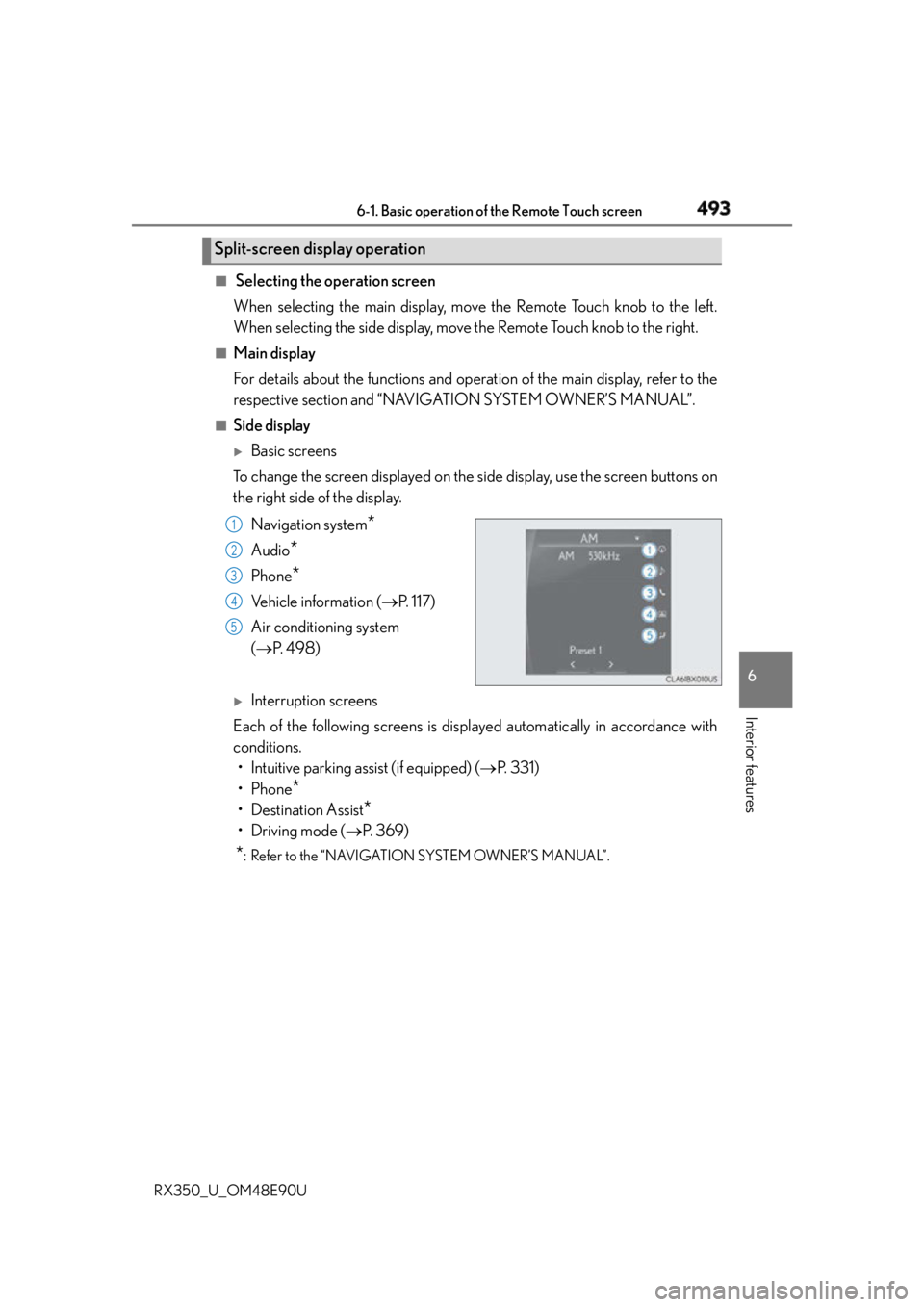
To change the screen displayed on the side display, use the screen buttons on
the right side of the display.
Navigation system
*Audio
* Phone
* Vehicle information ( P. 117)
Air conditioning system
( P. 4 9 8 )
Interruption screens
Each of the following screens is displayed automatically in accordance with
conditions.
• Intuitive parking assist (if equipped) ( P. 3 3 1 )
•Phone
*• Destination Assist
*•Driving mode ( P. 3 6 9 )
* : Refer to the “NAVIGATION SYSTEM OWNER’S MANUAL”.Split-screen display operation
1
2
3
4
5
Page 524 of 748
524 6-5. Using the other interior features
RX350_U_OM48E90U
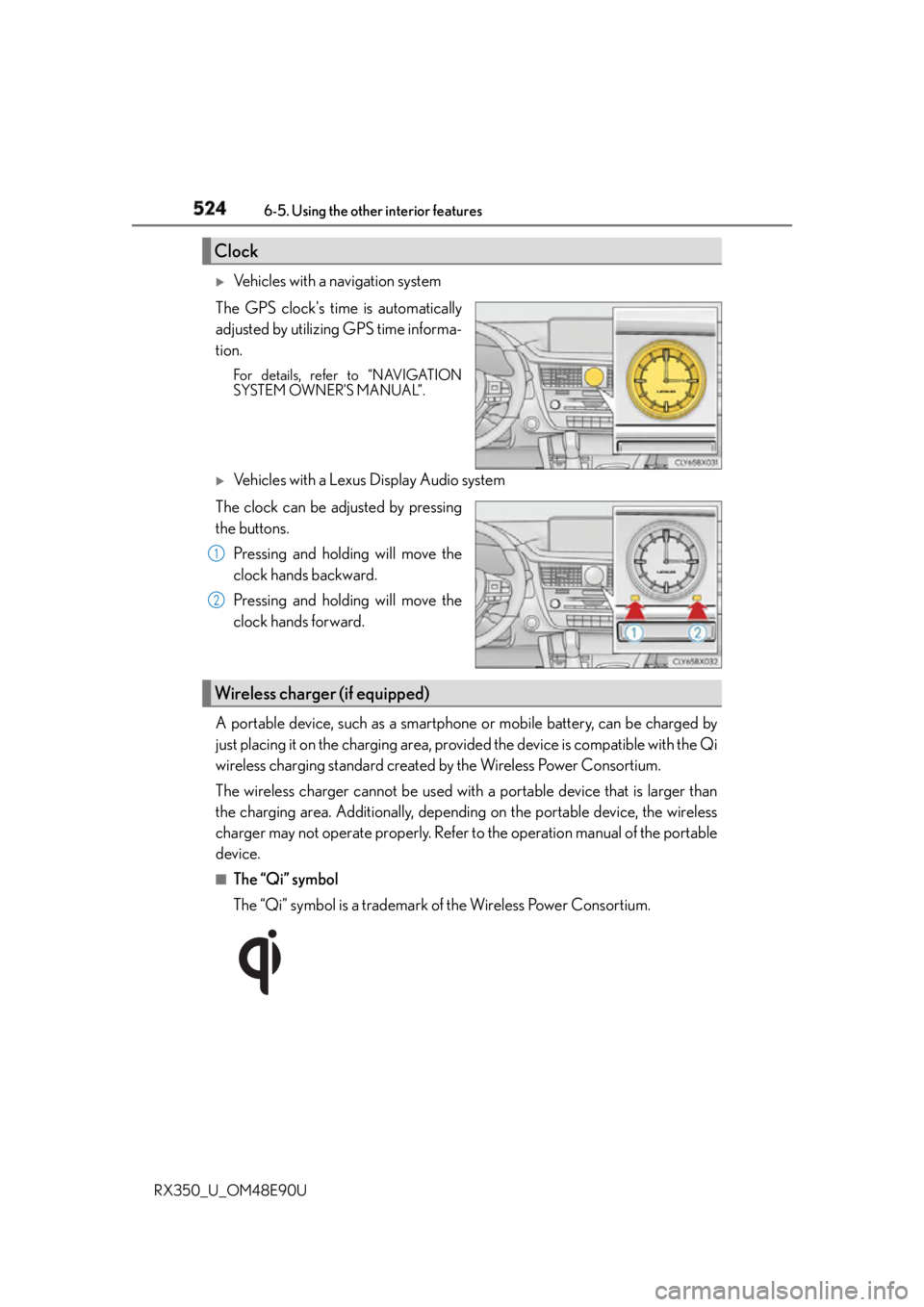
Vehicles with a navigation system
The GPS clock's time is automatically
adjusted by utilizing GPS time informa-
tion. For details, refer to “NAVIGATION
SYSTEM OWNER’S MANUAL”.
Vehicles with a Lexus Display Audio system
The clock can be adjusted by pressing
the buttons.
Pressing and holding will move the
clock hands backward.
Pressing and holding will move the
clock hands forward.
A portable device, such as a smartphone or mobile battery, can be charged by
just placing it on the charging area, provided the device is compatible with the Qi
wireless charging standard created by the Wireless Power Consortium.
The wireless charger cannot be used with a portable device that is larger than
the charging area. Additionally, depending on the portable device, the wireless
charger may not operate properly. Refer to the operation manual of the portable
device. ■
The “Qi” symbol
The “Qi” symbol is a trademark of the Wireless Power Consortium.Clock
1
2
Wireless charger (if equipped)
Page 526 of 748
526 6-5. Using the other interior features
RX350_U_OM48E90U ■
Operation indicator light status
* : Depending on the portable device, the oper ation indicator light may stay illuminated
(orange) after charging has completed.●
If the operation indicator light blinks
If an error is detected, the operation in dicator light will blink (orange). Take the
appropriate measures according to the table below.
■
The wireless charger can be operated when
The engine switch is in ACCESSORY or IGNITION ON mode. ■
Portable devices that can be charged ●
Portable devices compatible with the Qi wi reless charging standard can be charged by
the wireless charger. However, compatibility with all devices which meet the Qi wire-
less charging standard is not guaranteed. ●
The wireless charger is designed to supply low power electricity (5 W or less) to a cel-
lular phone, smartphone, or other portable device. Operation indicator light State
Off The Wireless charger is off
Green (illuminated) Standby (charging is possible)
Charging is complete
*Orange (illuminated) A portable device has been placed on the charging
area (identifying the portable device)
Charging in progress
Operation indicator light Suspected causes Measure
Blinks (orange) at a one
second interval continu-
ously Vehicle to charger com-
munication failure. Contact your Lexus dealer.
Blinks (orange) 3 times
repeatedly A foreign object exists
between the portable
device and charging area. Remove the foreign object.
Portable device is not posi-
tioned properly on the
charging area. Move the portable device
toward the center of the
charging area.
Blinks (orange) 4 times
repeatedly The temperature of the
wireless charger is exces-
sively high. Stop charging immediately
and continue charging
after a while.
Page 547 of 748
5476-5. Using the other interior features
6
Interior features
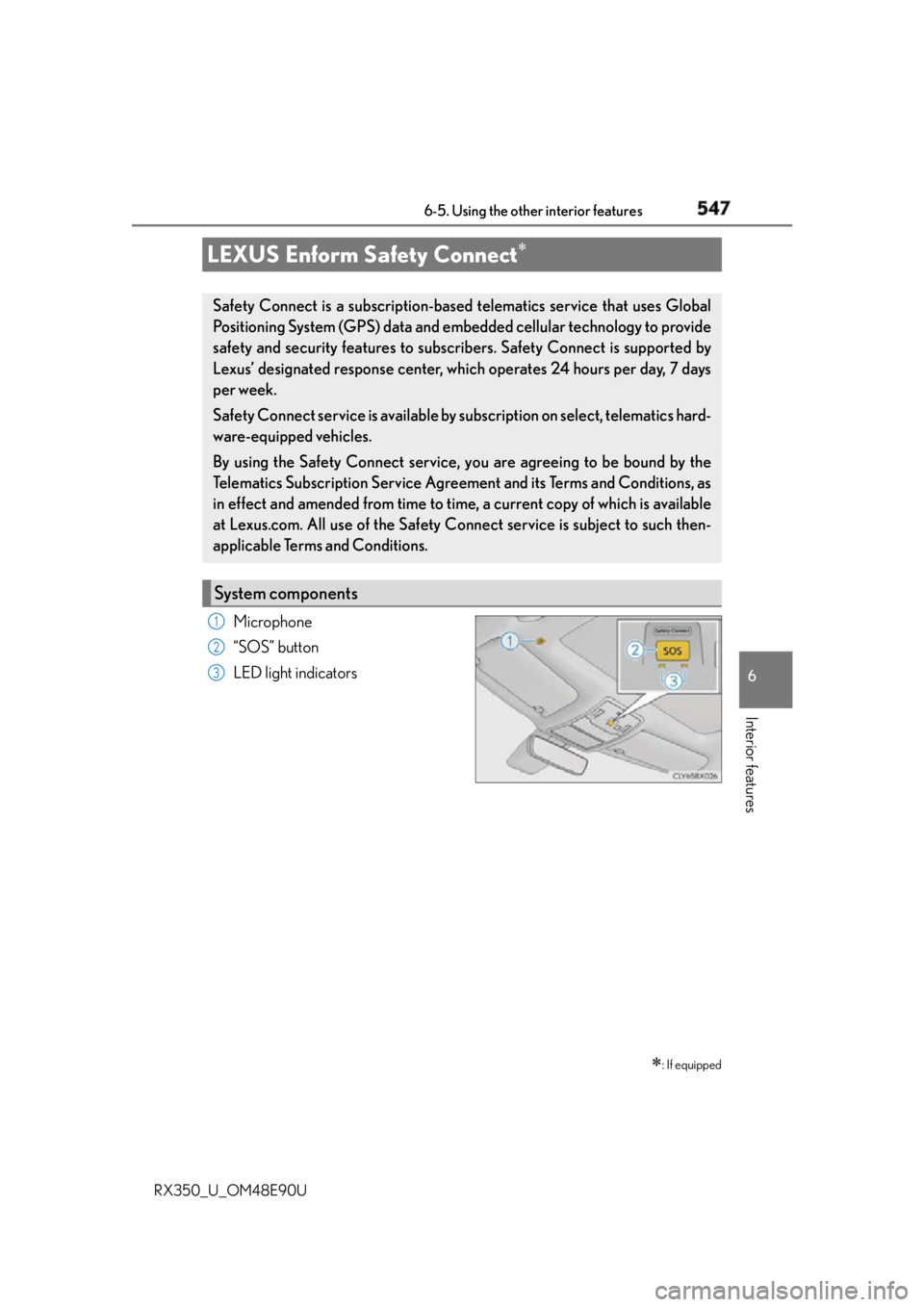
RX350_U_OM48E90U Microphone
“SOS” button
LED light indicatorsLEXUS Enform Safety Connect
: If equippedSafety Connect is a subscription-based telematics service that uses Global
Positioning System (GPS) data and embe dded cellular techno logy to provide
safety and security features to subscribers. Safety Connect is supported by
Lexus’ designated response center, wh ich operates 24 hours per day, 7 days
per week.
Safety Connect service is available by su bscription on select, telematics hard-
ware-equipped vehicles.
By using the Safety Connect service, yo u are agreeing to be bound by the
Telematics Subscription Service Agreement and its Terms and Conditions, as
in effect and amended from time to time, a current copy of which is available
at Lexus.com. All use of the Safety Connect service is subject to such then-
applicable Terms and Conditions.
System components 1
2
3
Page 549 of 748
5496-5. Using the other interior features
6
Interior features
RX350_U_OM48E90U ■
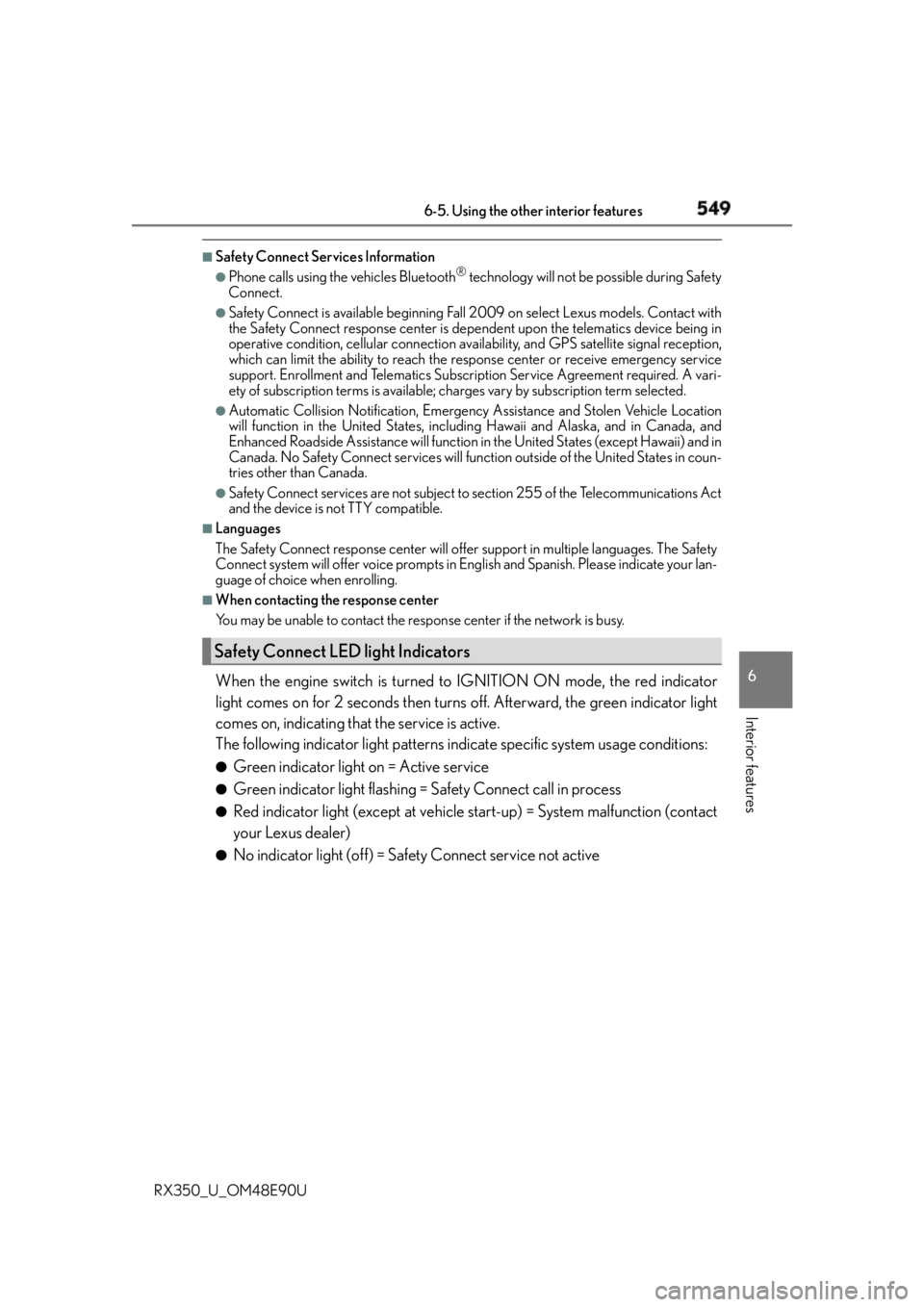
Safety Connect Services Information ●
Phone calls using the vehicles Bluetooth ®
technology will not be possible during Safety
Connect. ●
Safety Connect is available beginning Fall 2009 on select Lexus models. Contact with
the Safety Connect response center is dependent upon the telematics device being in
operative condition, cellular connection ava ilability, and GPS satellite signal reception,
which can limit the ability to reach the resp onse center or receive emergency service
support. Enrollment and Telematics Subscr iption Service Agreement required. A vari-
ety of subscription terms is available; ch arges vary by subscription term selected.●
Automatic Collision Notification, Emergency Assistance and Stolen Vehicle Location
will function in the United States, including Hawaii and Alaska, and in Canada, and
Enhanced Roadside Assistance will function in the United States (except Hawaii) and in
Canada. No Safety Connect services will function outside of the United States in coun-
tries other than Canada. ●
Safety Connect services are not subject to section 255 of the Telecommunications Act
and the device is not TTY compatible. ■
Languages
The Safety Connect resp onse center will offer support in multiple languages. The Safety
Connect system will offer voice prompts in English and Spanish. Please indicate your lan-
guage of choice when enrolling. ■
When contacting the response center
You may be unable to contact the resp onse center if the network is busy.
When the engine switch is turned to IGNITION ON mode, the red indicator
light comes on for 2 seconds then turns off. Afterward, the green indicator light
comes on, indicating that the service is active.
The following indicator light patterns indicate specific system usage conditions: ●
Green indicator light on = Active service ●
Green indicator light flashing = Safety Connect call in process ●
Red indicator light (except at vehicle start-up) = System malfunction (contact
your Lexus dealer) ●
No indicator light (off) = Safety Connect service not activeSafety Connect LED light Indicators
Page 551 of 748

5516-5. Using the other interior features
6
Interior features
RX350_U_OM48E90U Important! Read this informatio n before using Safety Connect.■
Exposure to radio frequency signals
The Safety Connect system installed in your vehicle is a low-power radio
transmitter and receiver. It receives and also sends out radio frequency (RF)
signals.
In August 1996, the Federal Communications Commission (FCC) adopted
RF exposure guidelines with safety levels for mobile wireless phones. Those
guidelines are consistent with the safe ty standards previously set by the fol-
lowing U.S. and international standards bodies. ●
ANSI (American National Stan dards Institute) C95.1 [1992]●
NCRP (National Council on Radiation Protection and Measurement)
Report 86 [1986] ●
ICNIRP (International Commission on Non-Ionizing Radiation Protection)
[1996]
Those standards were based on comprehensive and periodic evaluations of
the relevant scientific literature. Over 120 scientists, engineers, and physi-
cians from universities, and governme nt health agencies and industries
reviewed the available body of research to develop the ANSI Standard
(C95.1).
The design of Safety Connect complies wi th the FCC guidelines in addition to
those standards. ■
Certification fo r Lexus Enform
FCC ID: O6Y-CDMRF101
FCC ID: XOECDMRF101B
FCC ID: N7NGTM2
FCC WARNING:
This equipment complies with FCC radiation exposure limits set forth for an uncontrolled
environment and meets the FCC radio frequency (RF) Exposure Guidelines in Supple-
ment C to OET65. This equipment should be installed and operated keeping the radia-
tor at least 20cm or more away from person’s body (excluding extremities: hands, wrists,
feet and ankles).Safety information for Safety Connect
Page 552 of 748
552 6-5. Using the other interior features
RX350_U_OM48E90U After you sign the Telematics Subscription Service Agreement, download the
Lexus Enform Remote app from your cellular phone’s app store, and register
within the app (or enroll and complete registration at the dealer), you can begin
using these services. ( P. 5 4 7 )
A variety of subscription terms are available. Contact your Lexus dealer, or call 1-
800-25-LEXUS (1-800-255-3987) fo r further subscription details.LEXUS Enform Remote
: If equippedLexus Enform Remote is a cellular phone application that lets you view and
remotely control certain aspects of your vehicle.
For details about the functions and serv ices of this application, refer to
http://www.lexus.com/enform/
.
Function of the Lexus Enform Remote is achieved by using an embedded cel-
lular device in the vehicle (D CM: Data Communication Module).
Subscription
Page 589 of 748

5897-3. Do-it-yourself maintenance
7
Maintenance and care
RX350_U_OM48E90U ■
Situations in which the tire pressure warning system may not operate properly ●
In the following cases, the tire pressure warning system may not operate properly.
• If non-genuine Lexus wheels are used.
• A tire has been replaced with a tire that is not an OE (Original Equipment) tire.
• A tire has been replaced with a tire that is not of the specified size.
• Tire chains etc. are equipped.
• If a window tint that affects the radio wave signals is installed.
• If there is a lot of snow or ice on the vehicle, particularly around the wheels or wheel
housings.
• If the tire inflation pressure is extremely higher than the specified level.
• If wheel without the tire pressure warning valve and transmitter is used.
• If the ID code on the tire pressure warning valves and transmitters is not registered
in the tire pressure warning computer. ●
Performance may be affected in the following situations.
• Near a TV tower, electric power plant, gas station, radio station, large display, air-
port or other facility th at generates strong radio waves or electrical noise.
• When carrying a portable radio, cellular phone, cordless ph one or other wireless
communication device.
If tire position information is not correctl y displayed due to the radio wave conditions,
the display may be corrected by driving and changing the radio wave conditions. ●
When the vehicle is parked, the time taken for the warning to start or go off could be
extended. ●
When tire inflation pressure declines rapidly for example when a tire has burst, the
warning may not function. ■
The initialization operation ●
Make sure to carry out initialization af ter adjusting the tire inflation pressure.
Also, make sure the tires are cold before carry ing out initialization or tire inflation pres-
sure adjustment. ●
If you have accidentally turned the engine swit ch off during initialization, it is not neces-
sary to press the reset switch again as init ialization will restart automatically when the
engine switch has been turned to IG NITION ON mode for the next time.●
If you accidentally press the reset switch when initialization is not necessary, adjust the
tire inflation pressure to the specified leve l when the tires are co ld, and conduct initial-
ization again. ●
While the position of each tire is being de termined and the inflation pressures are not
being displayed on the mu lti-information display, if the in flation pressure of a tire drops,
the tire pressure warning light will come on.
Page 733 of 748
733Alphabetical index
RX350_U_OM48E90U Audio system (with Lexus
Display Audio System) ................... 390
Antenna ................................................... 419
Audio input........................................... 399
AUX port.............................................. 399
Bluetooth ®
audio ............................. 448
CD player .............................................. 422
iPod ...........................................................429
MP3/WMA disc ............................... 422
Optimal use ......................................... 409
Portable music player ...................... 437
Radio ......................................................... 416
Setup menu ...........................................402
Steering wheel audio
switches .............................................. 396
USB memory .......................................433
Audio system
(with navigation system)
*Automatic air conditioning
system .................................................... 495
Air conditioning filter....................... 598
S-FLOW mode ................................. 496
Automatic headlight leveling
system .................................................... 243
Automatic High Beam ....................... 245
Automatic light control system.........241
Automatic transmission .......... 225, 229
If the shift lever cannot be
shifted from P .................................. 660
M mode ....................................................231
Paddle shift switches ............. 230, 231
S mode .................................................... 226
AUX port................................................. 399
Auxiliary boxes ..............................517, 521 Back door
Power back door ............................... 130
Touchless power back door.......... 132
Wireless remote control................. 130
Back-up lights
Replacing light bulbs ........................ 610
Wattage ................................................. 682
Battery
Battery checking ................................. 581
If the battery is discharged............665
Preparing and checking before
winter................................................... 380
Warning light ....................................... 634
Blind Spot Monitor (BSM) ............... 355
Blind Spot Monitor function.........359
Rear Cross Traffic
Alert function.................................... 363
Bluetooth ®
............................................... 471
Audio system ....................................... 448
Hands-free system
(for cellular phone) .......................450
Bottle holders .......................................... 515
Brake
Brake Hold ........................................... 239
Fluid ......................................................... 680
Parking brake ...................................... 235
Warning light ....................................... 634
Brake assist ..............................................374
Brake Hold.............................................. 239
Warning light .......................................635
Break-in tips ............................................. 194
Brightness control
Instrument panel light control ........ 87 B
* : Refer to the “NAVIGATION SYSTEM OWNER’S MANUAL”.
Page 738 of 748
738 Alphabetical index
RX350_U_OM48E90U Hands-free system
(for cellular phone) ........................... 450
Head restraints ........................................ 167
Head-up display......................................107
Headlight cleaner................................. 250
Headlights ................................................. 241
Automatic headlight leveling ....... 243
Automatic High Beam ....................245
Light switch .............................................241
Replacing light bulbs ......................... 610
Wattage ................................................. 682
Windshield wiper linked
headlight illumination.................... 244
Heated steering wheel ....................... 506
Heaters
Automatic air conditioning
system ................................................. 495
Heated steering wheel ................... 506
Outside rear view mirrors ............ 500
Seat heaters .............................506, 507
High mounted stoplight
Replacing ................................................ 610
Hill-start assist control ........................ 374
Hood .......................................................... 572
Hooks
Cargo hooks ......................................... 518
Cargo net hooks ................................. 518
Front passenger footwell
hooks ................................................... 533
Grocery bag hooks........................... 519
Retaining hooks (floor mat) ............. 26
Horn .............................................................169
HUD (Head-up display) ......................107 I/M test ..................................................... 569
Identification
Engine ..................................................... 676
Vehicle .................................................... 675
Ignition switch (engine switch) ....... 220
Illuminated entry system ...................... 511
Immobilizer system ................................. 74
Indicators .................................................... 80
Initialization
Engine oil maintenance data ....... 577
Items to initialize ................................... 712
Power back door ............................... 138
Tire pressure warning system .... 585
Inside rear view mirror...........................171
Instrument panel light control .............87
Interior lights .......................................... 508
Switch ..................................................... 509
Wattage ................................................. 682
Intuitive parking assist ........................ 330
Jack
Positioning a floor jack.................... 573
Vehicle-equipped jack ................... 647
Jack handle .............................................. 647
Jam protection function
Electronic sunshade.......................... 186
Moon roof ...............................................182
Panoramic moon roof...................... 186
Power back door opener
and closer ........................................... 138
Power windows....................................178H I
J