seats LEXUS RX350 2019 Workshop Manual
[x] Cancel search | Manufacturer: LEXUS, Model Year: 2019, Model line: RX350, Model: LEXUS RX350 2019Pages: 777, PDF Size: 12.44 MB
Page 510 of 777
5096-2. Using the air conditioning system and defogger
6
Interior features
RX350/RX350L_U ■
Option control screen
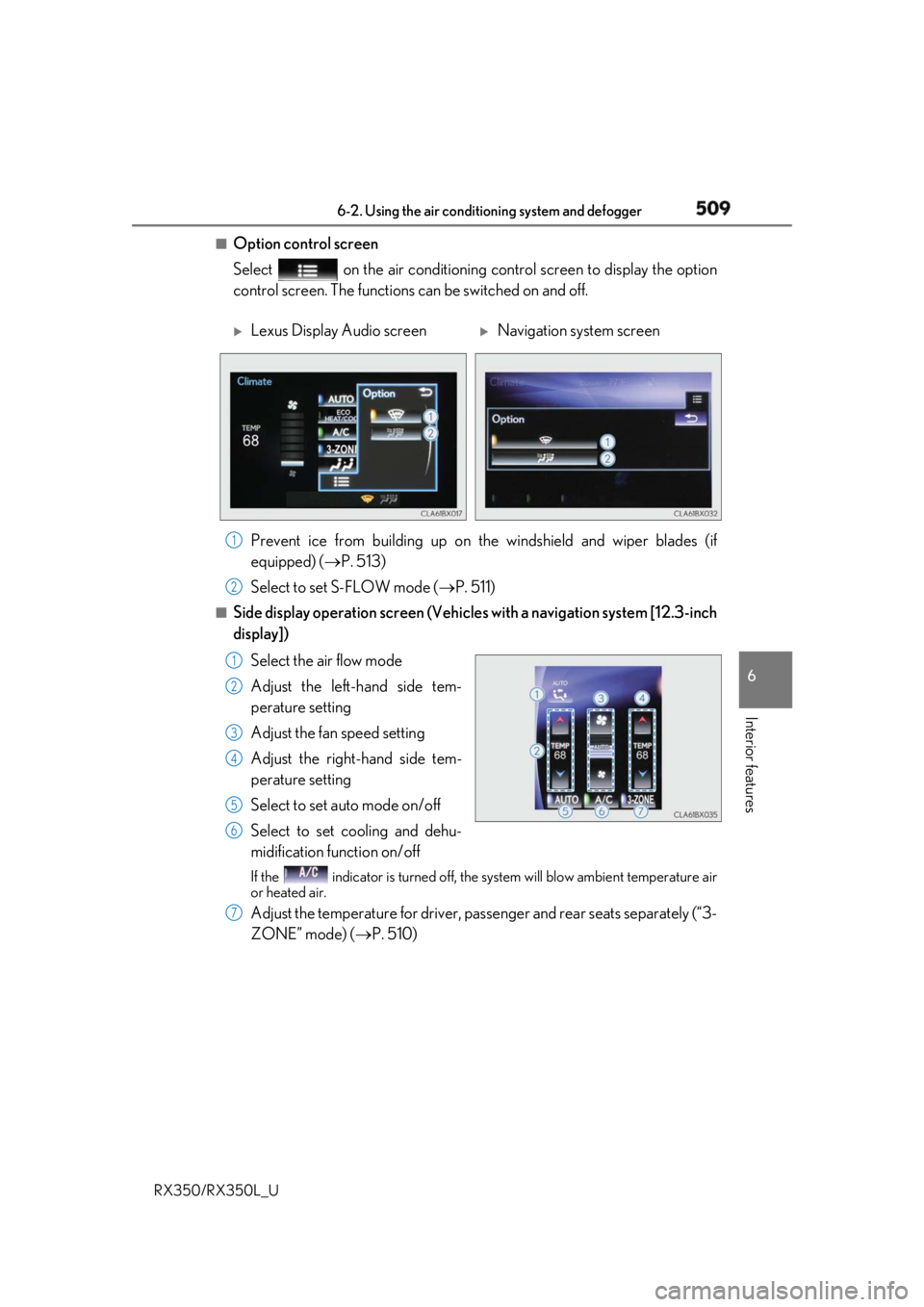
Select on the air conditioning control screen to display the option
control screen. The functions can be switched on and off.
Prevent ice from building up on the windshield and wiper blades (if
equipped) ( P. 513)
Select to set S-FLOW mode ( P. 511)■
Side display operation screen (Vehicle s with a navigation system [12.3-inch
display])
Select the air flow mode
Adjust the left-hand side tem-
perature setting
Adjust the fan speed setting
Adjust the right-hand side tem-
perature setting
Select to set auto mode on/off
Select to set cooling and dehu-
midification function on/off If the indicator is turned off, the system will blow ambient temperature air
or heated air.
Adjust the temperature for driver, passenger and rear seats separately (“3-
ZONE” mode) ( P. 510)
Lexus Display Audio screen
Navigation system screen
1
2
1
2
3
4
5
6
7
Page 511 of 777
510 6-2. Using the air conditio ning system and defogger
RX350/RX350L_U ■
Using the automatic mode
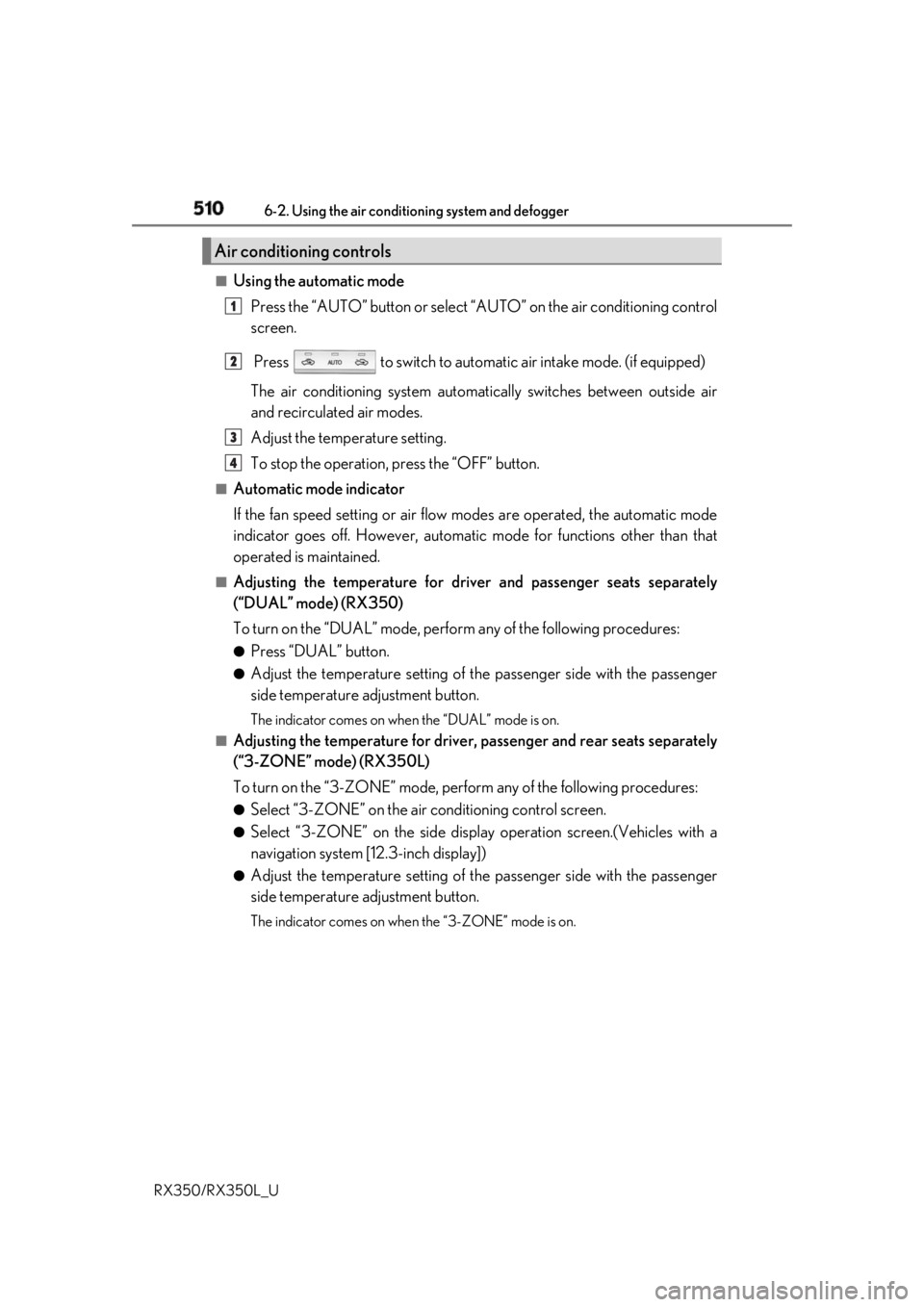
Press the “AUTO” button or select “A UTO” on the air conditioning control
screen.
Press to switch to automatic air intake mode. (if equipped)
The air conditioning system automati cally switches between outside air
and recirculated air modes.
Adjust the temperature setting.
To stop the operation, press the “OFF” button.■
Automatic mode indicator
If the fan speed setting or air flow modes are operated, the automatic mode
indicator goes off. However, automati c mode for functions other than that
operated is maintained. ■
Adjusting the temperature for driv er and passenger seats separately
(“DUAL” mode) (RX350)
To turn on the “DUAL” mode, perfor m any of the following procedures:●
Press “DUAL” button. ●
Adjust the temperature setting of th e passenger side with the passenger
side temperature adjustment button. The indicator comes on when the “DUAL” mode is on.■
Adjusting the temperature for driver, passenger and rear seats separately
(“3-ZONE” mode) (RX350L)
To turn on the “3-ZONE” mode, perf orm any of the following procedures:●
Select “3-ZONE” on the air conditioning control screen.●
Select “3-ZONE” on the side displa y operation screen.(Vehicles with a
navigation system [12.3-inch display]) ●
Adjust the temperature setting of th e passenger side with the passenger
side temperature adjustment button. The indicator comes on when the “3-ZONE” mode is on.Air conditioning controls 1
2
3
4
Page 512 of 777
5116-2. Using the air conditioning system and defogger
6
Interior features
RX350/RX350L_U ■
S-FLOW mode
In S-FLOW mode, priority for the airflo w is given to the front seats, reducing
the airflow and air conditioning effect on the rear seats. When in S-FLOW
mode, airflow from the rear air condit ioning system is stopped. (RX350L)
Operation in S-FLOW mode differs acco rding to the following conditions:
• Priority is given to the driver’s se at only when: Manual S-FLOW mode:
When no passenger is judged to be in the front passenger seat.
Automatic S-FLOW mode: When no passeng ers are judged to be in the front
passenger seat or rear seats.
• Priority is given to the front seats when: Manual S-FLOW mode is selected
or no passengers are judged to be in the rear seats when in automatic S-
FLOW mode.
• S-FLOW mode will be disa bled when: A passenger is judged to be in a rear
seat when in automatic S-FLOW mode.
Depending on the set temperature, operation in S-FLOW mode may not
change as described above.
When certain conditions are met and priori ty is given to the driver’s seat only,
the temperature indicator for the fr ont passenger side will turn off.
How the system judges if a passenger is in the vehicle: P. 515
The following S-FLOW modes are available:
Automatic S-FLOW mode
In this mode, when a passenger is judg ed to be in a rear seat, S-FLOW mode
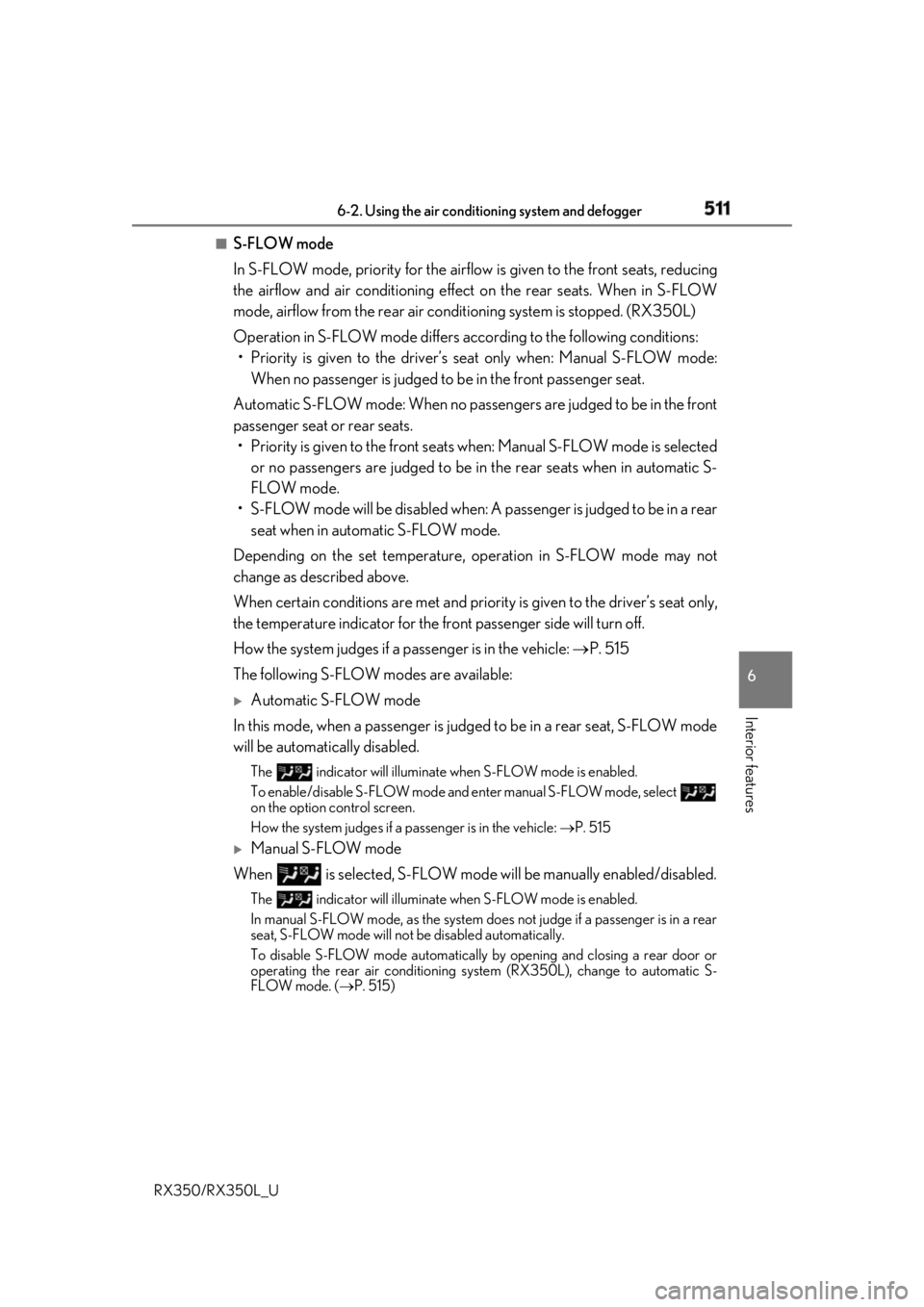
will be automatically disabled. The indicator will illuminate wh en S-FLOW mode is enabled.
To enable/disable S-FLOW mode and enter manual S-FLOW mode, select
on the option control screen.
How the system judges if a passenger is in the vehicle: P. 515
Manual S-FLOW mode
When is selected, S-FLOW mode will be manually enabled/disabled.The indicator will illuminate wh en S-FLOW mode is enabled.
In manual S-FLOW mode, as the system does not judge if a passenger is in a rear
seat, S-FLOW mode will not be disabled automatically.
To disable S-FLOW mode automatically by opening and closing a rear door or
operating the rear air conditioning system (RX350L), change to automatic S-
FLOW mode. ( P. 515)
Page 516 of 777
5156-2. Using the air conditioning system and defogger
6
Interior features
RX350/RX350L_U ■
Registering air conditioning settings to elec tronic keys (vehicles with driving position
memory) ●
Unlocking the vehicle using an electronic ke y and turning the engine switch to IGNI-
TION ON mode will recall that key’s re gistered air conditioning settings.●
When the engine switch is tu rned off, the current air cond itioning settings will automat-
ically be registered to the electronic key that was used to unlock the vehicle. ●
The system may not operate correctly if more th an one electronic key is in the vicinity or
if the smart access system with push-button start is used to unlock a passenger door.●
The doors that can recall the air conditioni ng setting when unlocked using the smart
access system with push-b utton start can be changed.
* For details, contact your Lexus
dealer.
* : The doors that can recall the driving positi on memory are changed at the same time.■
Using automatic mode
Fan speed is adjusted automatically according to the temperature setting and the ambi-
ent conditions.
Therefore, the fan may stop for a while until wa rm or cool air is ready to flow immediately
after the “AUTO” button is pressed or “AUTO” is selected. ■
How the system judges if a passenger is in the vehicle when in S-FLOW mode
In S-FLOW mode, the system judges if a passenger is in the vehicle as follows:
• Front passenger seat: A passeng er is judged to be in the front passenger seat when the
system detects an object on the front passe nger seat, fastening of the front passenger
seat belt, changing of the set temperature for the front passenger seat or the opening
and closing of the front passenger door. (However, when only opening and closing of
the front passenger door is detected, the sy stem will judge that a passenger is not in
the front passenger seat after the vehicl e speed reaches approximately 12 mph (20
km/h) or more.)
• Rear seats (automatic S-FLOW mode only): A passenger is judged to be in a rear seat
when the system detects the opening and closin g of a rear door or the operation of the
rear air conditioning system (RX350L).
If a passenger is judged to be in the vehicl e, the system will retain the judgement for a
certain amount of time after th e engine switch is turned off.■
Operation of automatic S-FLOW mode
When the system is operating in automati c S-FLOW mode, if the system detects the
opening and closing of a rear door or the op eration of the rear air conditioning system
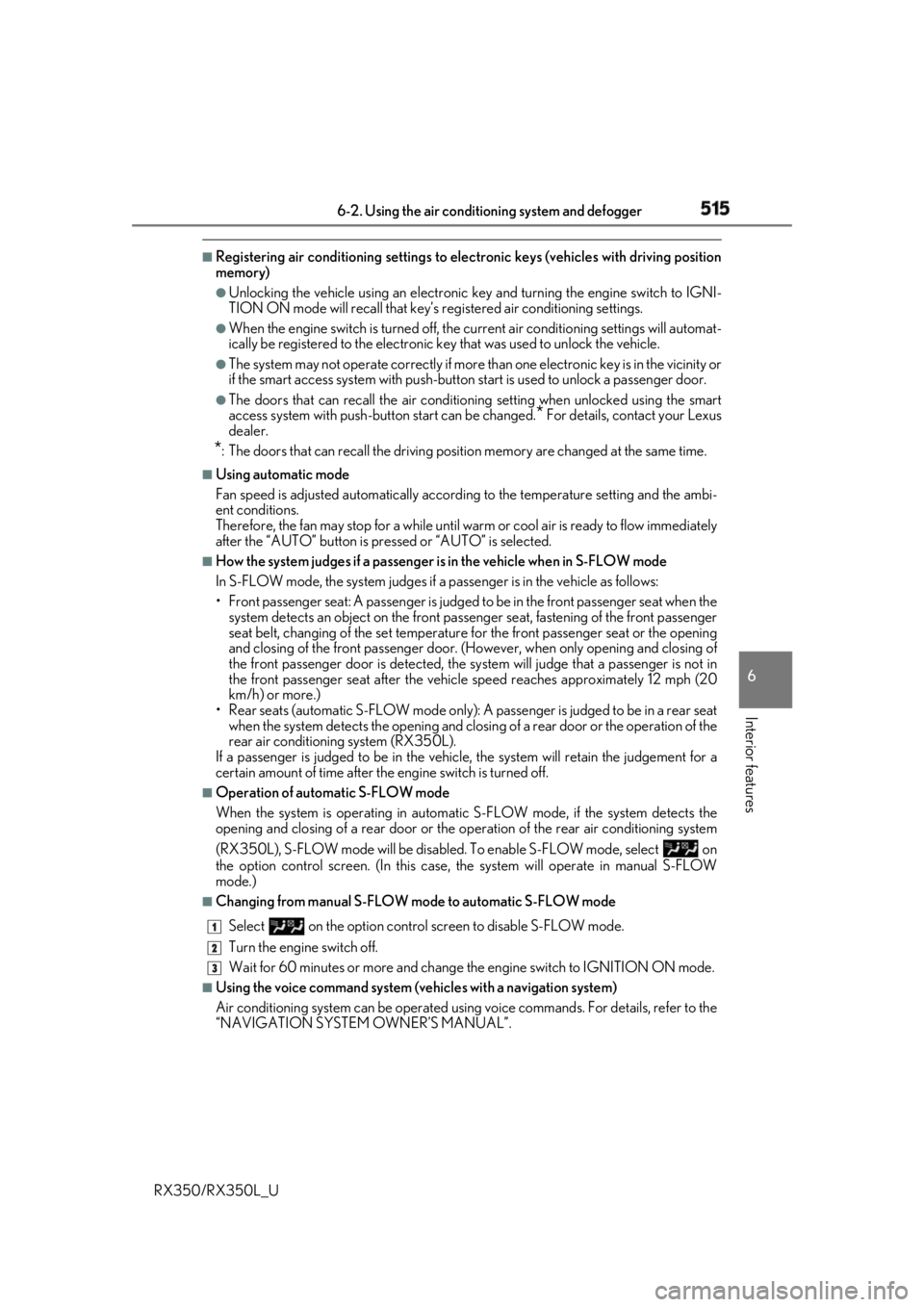
(RX350L), S-FLOW mode will be disabled . To enable S-FLOW mode, select on
the option control screen. (I n this case, the system w ill operate in manual S-FLOW
mode.) ■
Changing from manual S-FLOW mode to automatic S-FLOW mode
Select on the option control screen to disable S-FLOW mode.
Turn the engine switch off.
Wait for 60 minutes or more and change the engine switch to IGNITION ON mode.■
Using the voice command system (vehicles with a navigation system)
Air conditioning system can be operated using voic e commands. For details, refer to the
“NAVIGATION SYSTEM OWNER’S MANUAL”. 1
2
3
Page 522 of 777
5216-2. Using the air conditioning system and defogger
6
Interior features
RX350/RX350L_UHeated steering wheel
/seat heaters
/seat ventila-
tors
: If equippedHeated steering wheel and seat heaters heat the side grips of the steering
wheel and seats, respectively. Seat vent ilators maintain good ventilation using
a fan built into the seats. WARNING ●
Care should be taken to prevent injury if anyone in the following categories comes in
contact with the steering wheel and seats when the heater is on:
• Babies, small children, the elderly, the sick and the ph ysically challenged
• Persons with sensitive skin
• Persons who are fatigued
• Persons who have taken alcohol or drugs that induce sleep (sleeping drugs, cold
remedies, etc.) ●
Observe the following precautions to prevent minor burns or overheating:
• Do not cover the seat with a blanket or cushion when using the seat heater.
• Do not use seat heater more than necessary.
NOTICE ●
Do not put heavy objects that have an unev en surface on the seat and do not stick
sharp objects (needles, nails, etc.) into the seat. ●
To prevent battery discharge, do not us e the functions when the engine is off.
Page 529 of 777
528
RX350/RX350L_U 6-4. Using the storage features
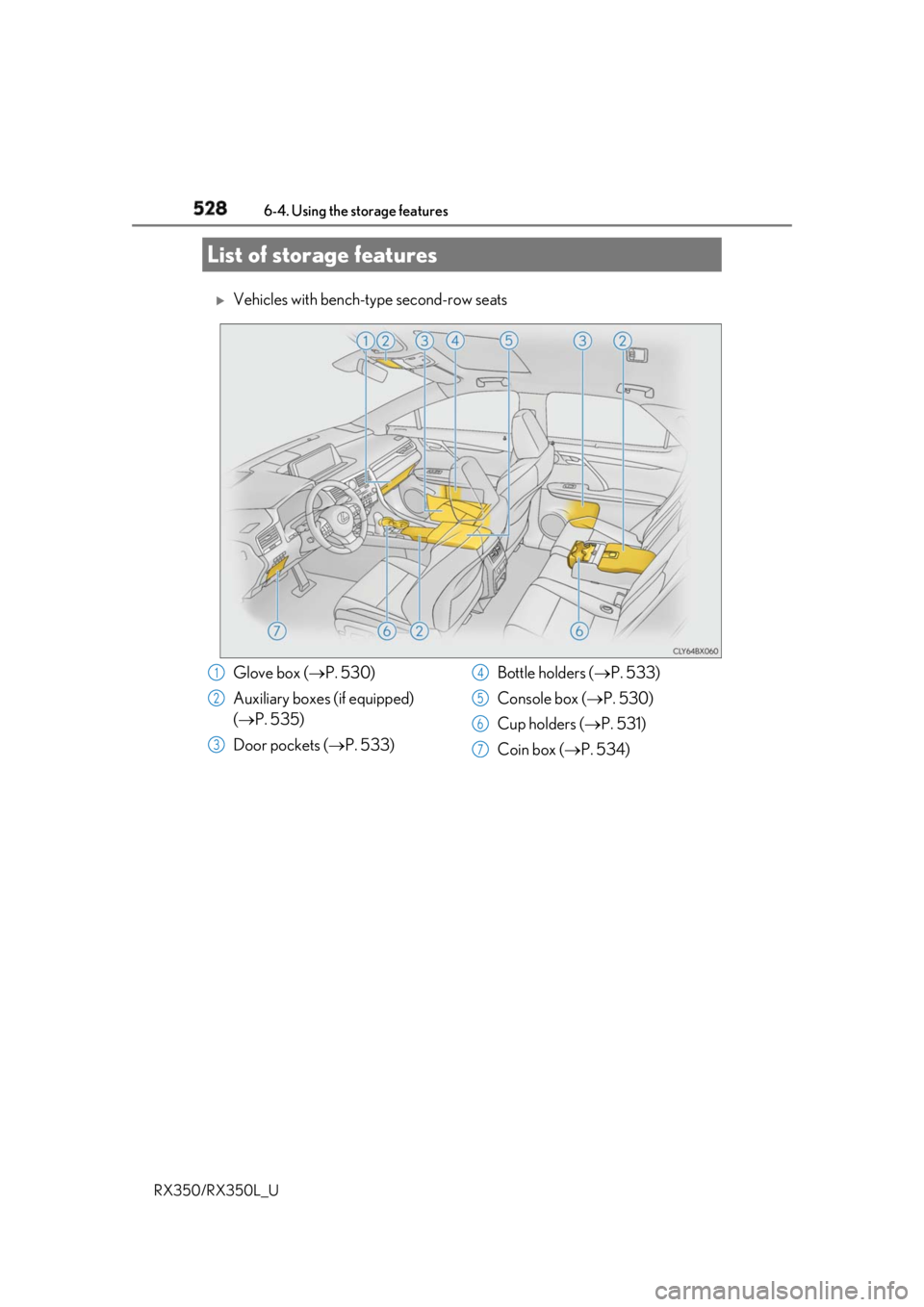
Vehicles with bench-type second-row seats
List of storage features
Glove box ( P. 530)
Auxiliary boxes (if equipped)
( P. 535)
Door pockets ( P. 533) Bottle holders ( P. 533)
Console box ( P. 530)
Cup holders ( P. 531)
Coin box ( P. 534)1
2
3 4
5
6
7
Page 530 of 777
5296-4. Using the storage features
6
Interior features
RX350/RX350L_U
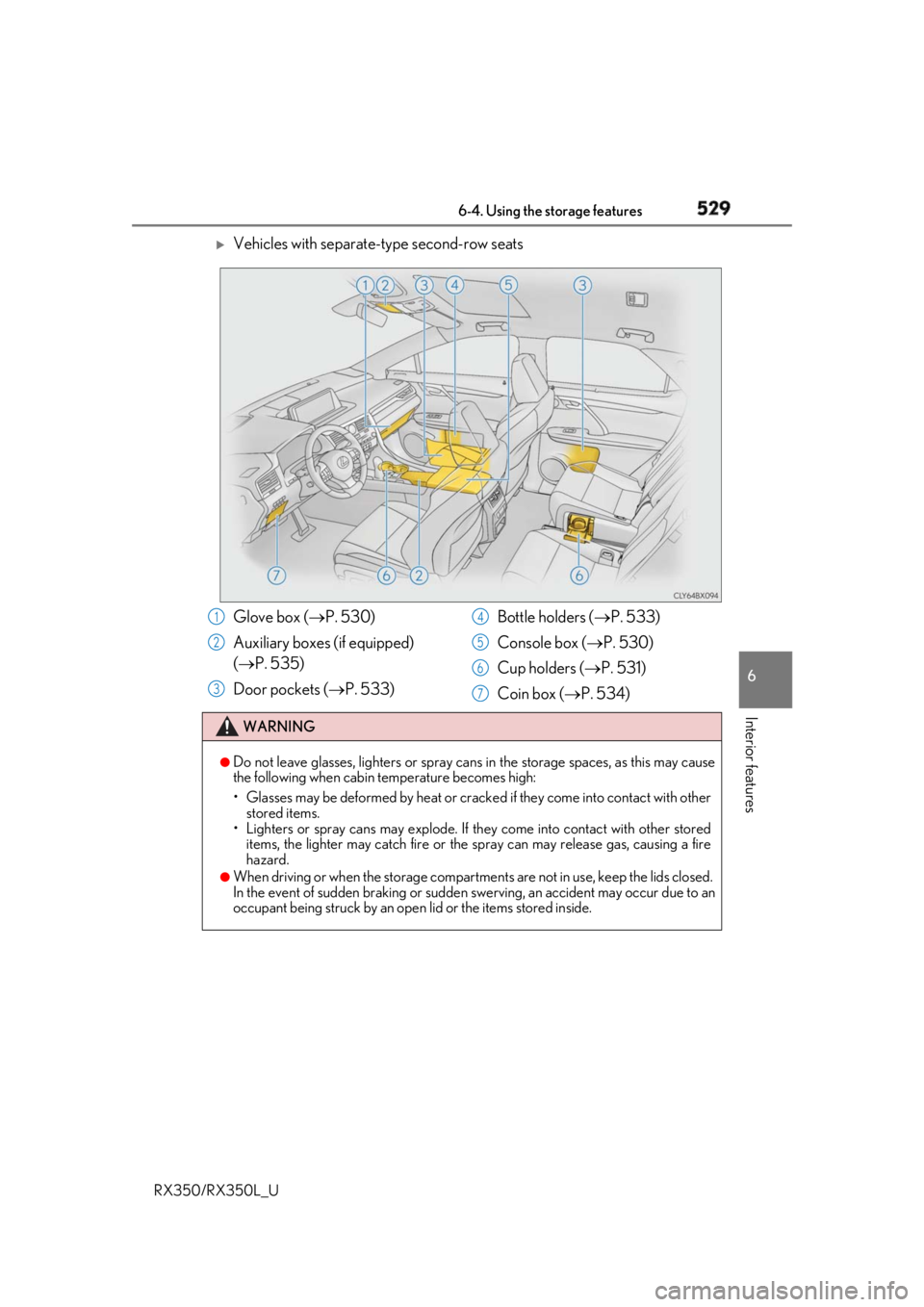
Vehicles with separate-type second-row seats
Glove box ( P. 530)
Auxiliary boxes (if equipped)
( P. 535)
Door pockets ( P. 533) Bottle holders ( P. 533)
Console box ( P. 530)
Cup holders ( P. 531)
Coin box ( P. 534)WARNING ●
Do not leave glasses, lighters or spray cans in the storage spaces, as this may cause
the following when cabin temperature becomes high:
• Glasses may be deformed by heat or cracke d if they come into contact with other
stored items.
• Lighters or spray cans may explode. If they come into contact with other stored
items, the lighter may catch fire or the spray can may release gas, causing a fire
hazard. ●
When driving or when the storage compartments are not in use, keep the lids closed.
In the event of sudden braking or sudden swerving, an accident may occur due to an
occupant being struck by an open lid or the items stored inside.1
2
3 4
5
6
7
Page 532 of 777
5316-4. Using the storage features
6
Interior features
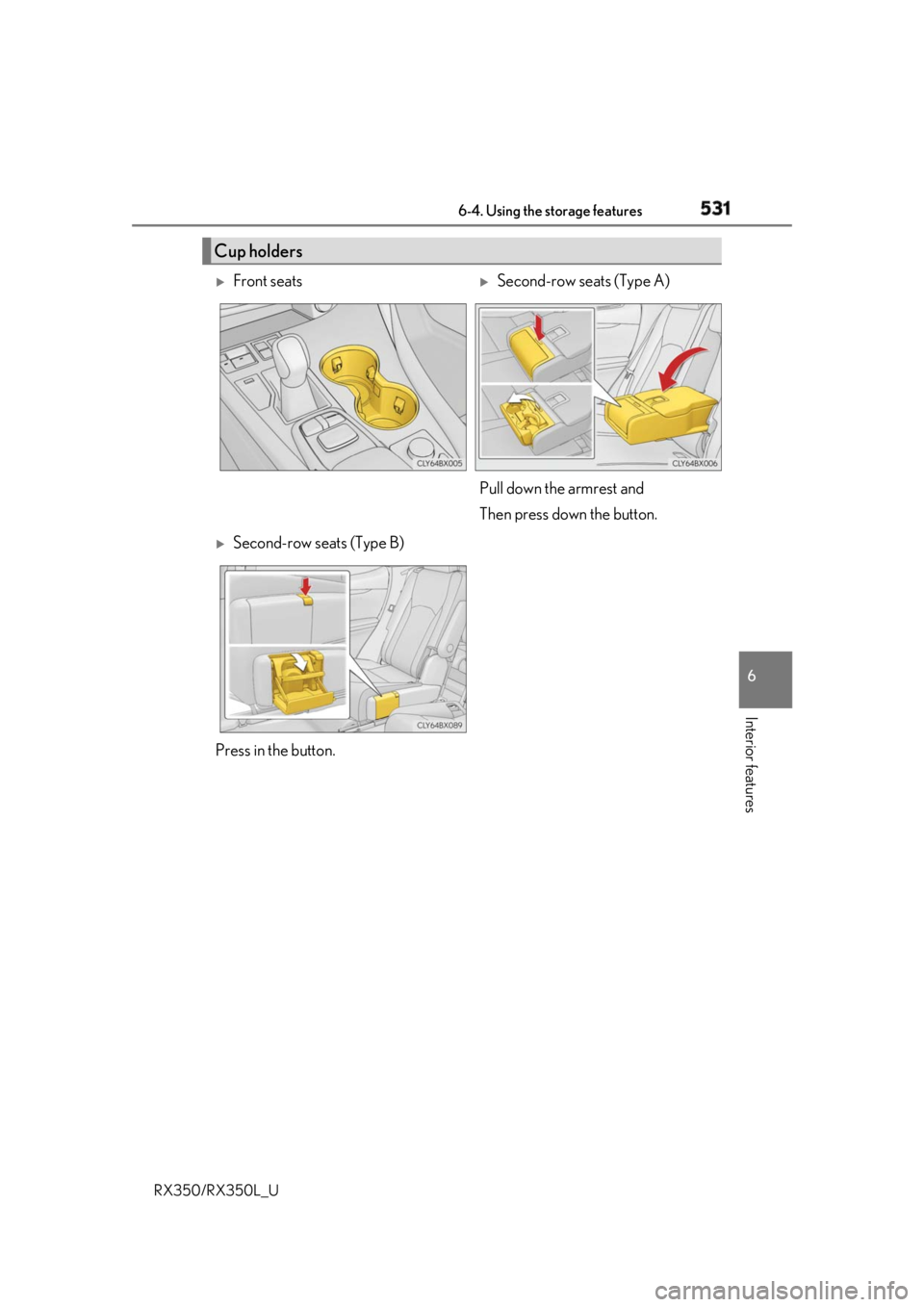
RX350/RX350L_U Cup holders
Front seats
Second-row seats (Type A)
Pull down the armrest and
Then press down the button.
Second-row seats (Type B)
Press in the button.
Page 539 of 777
538 6-4. Using the storage features
RX350/RX350L_U ■
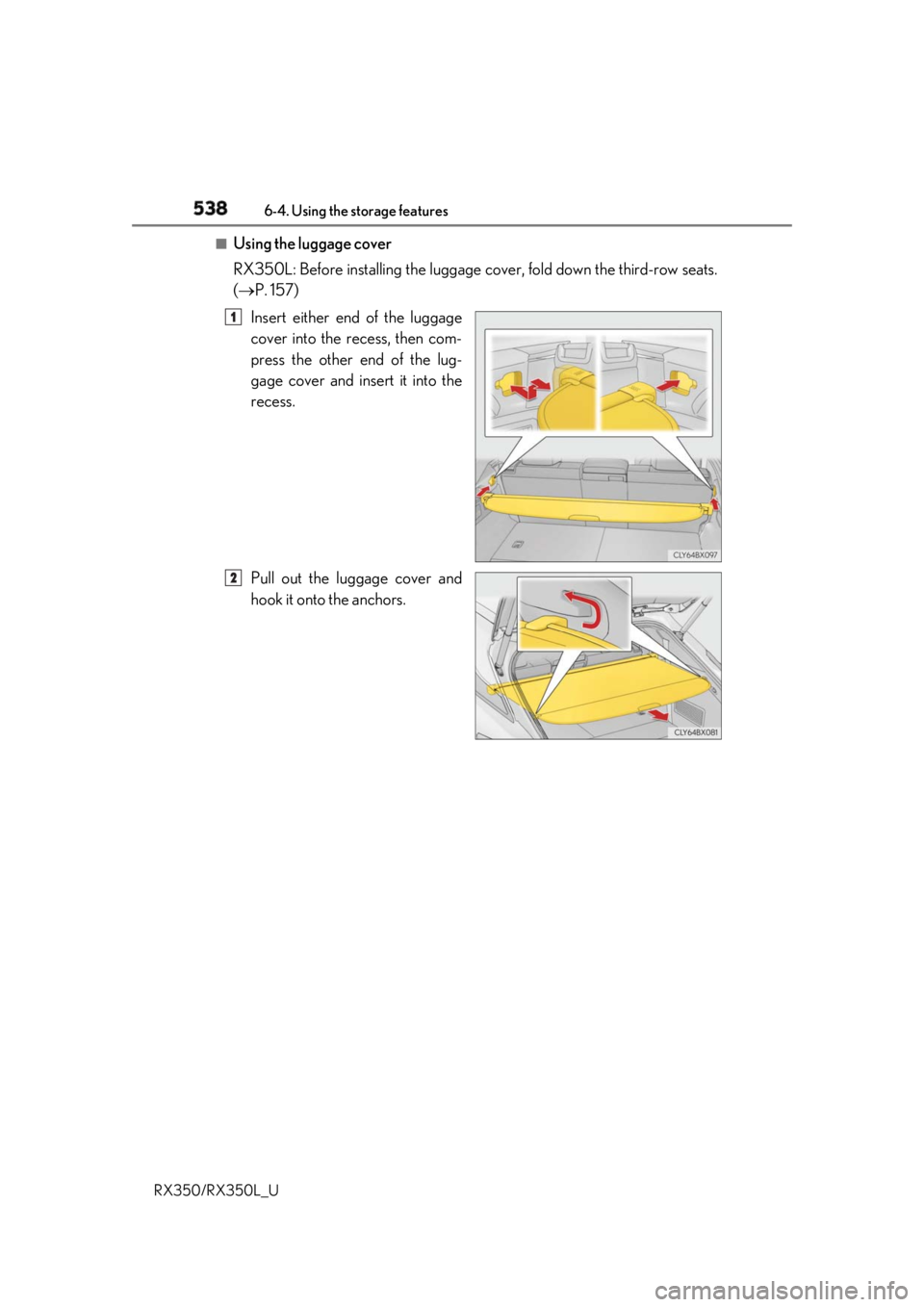
Using the luggage cover
RX350L: Before inst alling the luggage cover, fold down the third-row seats.
( P. 157)
Insert either end of the luggage
cover into the recess, then com-
press the other end of the lug-
gage cover and insert it into the
recess.
Pull out the luggage cover and
hook it onto the anchors. 1
2
Page 584 of 777
5837-1. Maintenance and care
7
Maintenance and care
RX350/RX350L_U NOTICE ■
Cleaning detergents ●
Do not use the following types of detergent, as they may discolor the vehicle interior
or cause streaks or damage to painted surfaces:
• Non-seat portions: Organic substances su ch as benzene or gasoline, alkaline or
acidic solutions, dye, and bleach
• Seats: Alkaline or ac idic solutions, such as thinner, benzene, and alcohol●
Do not use polish wax or polis h cleaner. The instrument pane l’s or other interior part’s
painted surface may be damaged. ■
Preventing damage to leather surfaces
Observe the following precautions to avoid damage to and deterioration of leather
surfaces: ●
Remove any dust or dirt from leather surfaces immediately.●
Do not expose the vehicle to direct sunlight for extended periods of time. Park the
vehicle in the shade, especially during summer. ●
Do not place items made of vinyl, plastic, or containing wax on the upholstery, as they
may stick to the leather su rface if the vehicle interior heats up significantly.■
Water on the floor
Do not wash the vehicle floor with water.
Vehicle systems such as the audio system ma y be damaged if wate r comes into contact
with electrical components such as the au dio system above or un der the floor of the
vehicle. Water may also cause the body to rust. ■
When cleaning the inside of the windshield
Do not allow glass cleaner to contact the lens. Also, do not touch the lens.
( P. 276) ■
Cleaning the inside of the rear window ●
Do not use glass cleaner to clean the rear window, as this may cause damage to the
rear window defogger heater wires or antenna. Use a cloth dampened with luke-
warm water to gently wipe the window clean. Wipe th e window in strokes running
parallel to the heater wires or antenna. ●
Be careful not to scratch or damage the heater wires or antenna.