oil LEXUS RX350 2020 Owners Manual
[x] Cancel search | Manufacturer: LEXUS, Model Year: 2020, Model line: RX350, Model: LEXUS RX350 2020Pages: 516, PDF Size: 17.3 MB
Page 1 of 516
RX350_RX350L_U
1
2
3
4
5
6
7
8
9
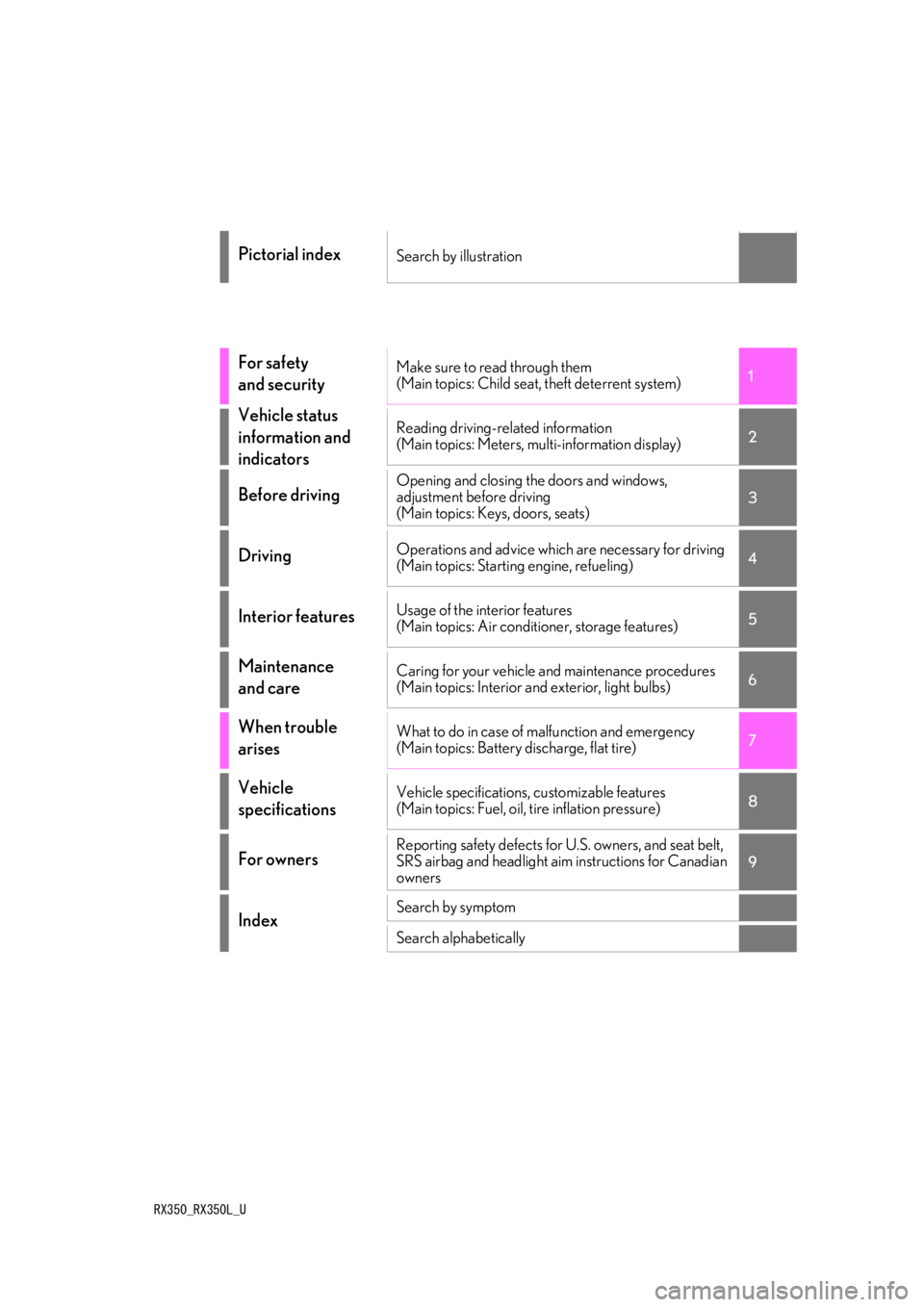
Pictorial indexSearch by illustration
For safety
and securityMake sure to read through them
(Main topics: Child seat, theft deterrent system)
Vehicle status
information and
indicatorsReading driving-related information
(Main topics: Meters, multi-information display)
Before drivingOpening and closing the doors and windows,
adjustment before driving
(Main topics: Keys, doors, seats)
DrivingOperations and advice which are necessary for driving
(Main topics: Starting engine, refueling)
Interior featuresUsage of the interior features
(Main topics: Air conditioner, storage features)
Maintenance
and careCaring for your vehicle and maintenance procedures
(Main topics: Interior and exterior, light bulbs)
When trouble
arisesWhat to do in case of malfunction and emergency
(Main topics: Battery discharge, flat tire)
Vehicle
specificationsVehicle specifications, customizable features
(Main topics: Fuel, oil, tire inflation pressure)
For ownersReporting safety defects for U.S. owners, and seat belt,
SRS airbag and headlight aim instructions for Canadian
owners
IndexSearch by symptom
Search alphabetically
Page 4 of 516
4TABLE OF CONTENTS
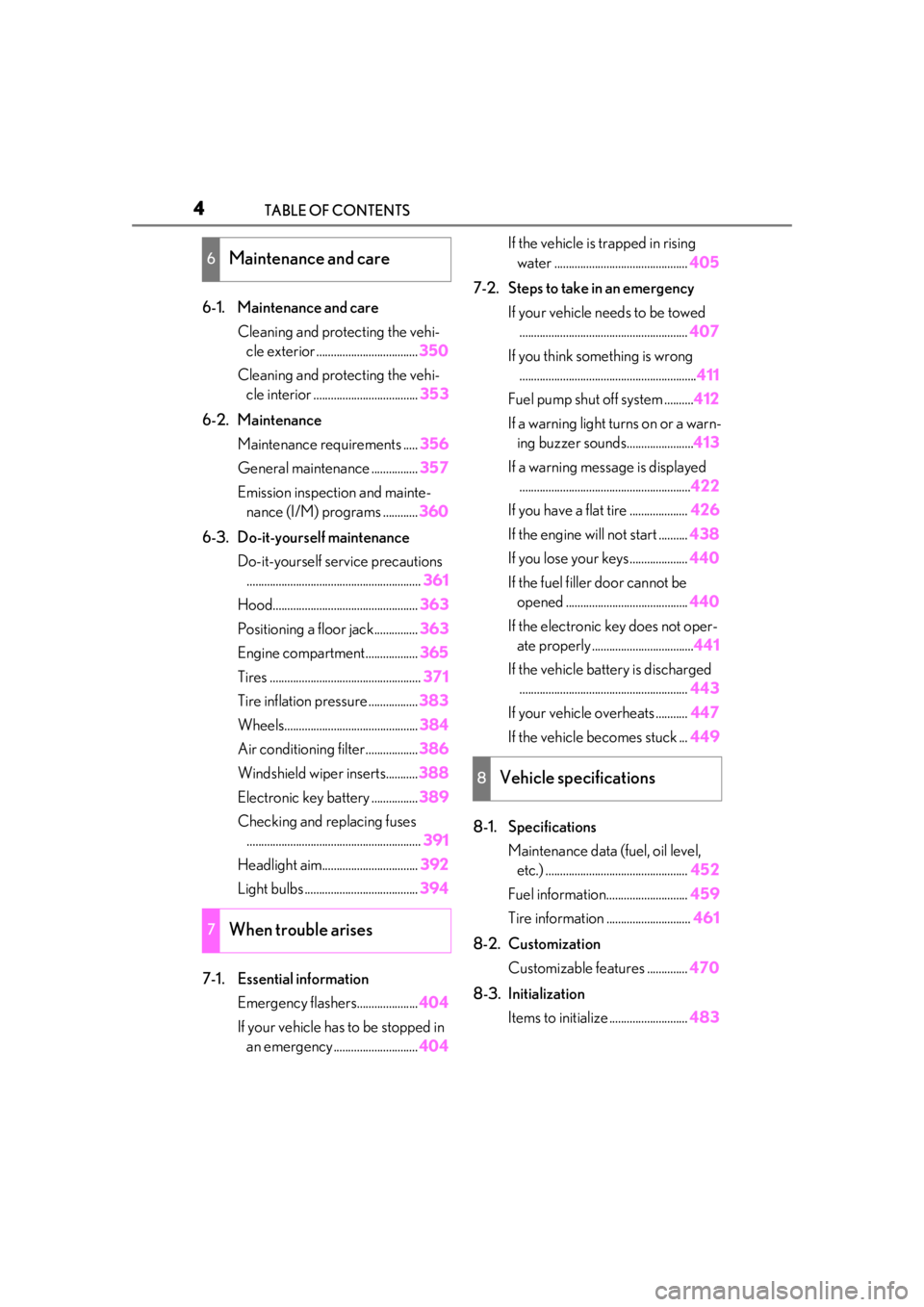
6-1. Maintenance and careCleaning and protecting the vehi-cle exterior ................................... 350
Cleaning and protecting the vehi- cle interior .................................... 353
6-2. Maintenance Maintenance requirements ..... 356
General maintenance ................ 357
Emission inspection and mainte- nance (I/M) programs ............ 360
6-3. Do-it-yourself maintenance Do-it-yourself service precautions............................................................ 361
Hood.................................................. 363
Positioning a floor jack............... 363
Engine compartment.................. 365
Tires .................................................... 371
Tire inflation pressure ................. 383
Wheels.............................................. 384
Air conditioning filter..................386
Windshield wiper inserts........... 388
Electronic key battery ................ 389
Checking and replacing fuses ............................................................ 391
Headlight aim................................. 392
Light bulbs ....................................... 394
7-1. Essential information Emergency flashers..................... 404
If your vehicle has to be stopped in an emergency ............................. 404If the vehicle is trapped in rising
water .............................................. 405
7-2. Steps to take in an emergency If your vehicle needs to be towed.......................................................... 407
If you think something is wrong ............................................................. 411
Fuel pump shut off system .......... 412
If a warning light turns on or a warn- ing buzzer sounds....................... 413
If a warning messa ge is displayed
........................................................... 422
If you have a flat tire .................... 426
If the engine will not start .......... 438
If you lose your keys.................... 440
If the fuel filler door cannot be opened .......................................... 440
If the electronic key does not oper- ate properly ................................... 441
If the vehicle battery is discharged .......................................................... 443
If your vehicle overheats ........... 447
If the vehicle becomes stuck ... 449
8-1. Specifications Maintenance data (fuel, oil level, etc.) ................................................. 452
Fuel information............................ 459
Tire information ............................. 461
8-2. Customization Customizable features .............. 470
8-3. Initialization Items to initialize ........................... 483
6Maintenance and care
7When trouble arises
8Vehicle specifications
Page 13 of 516

13Pictorial index
Precautions for winter season .....................................................................................P.283
To prevent freezing (windshield wiper de-icer)
*.................................................P.303
Precautions for car wash ................................................................................................ P.351
Fuel filler door ........................................................................................................ P.202
Refueling method ............................................................................................................. P. 202
Fuel type/fuel tank capacity ...... ................................................................................... P.454
Tires.......................................................................................................................... ... P.371
Tire size/inflation pressure ................................................................................. P.371, 457
Winter tires/tire chains ..................................................................................................P.283
Checking/rotation/tire pressure warning system................................................P.371
Coping with flat tires........................................................................................................ P .426
Hood ..........................................................................................................................P.363
Opening ........................................................................................................................ ....... P.363
Engine oil ..................................................................................................................... ......... P.454
Coping with overheating ............................................................................................... P.447
Warning messages .......................................................................................................... P.422
Headlights/front turn signal lights/front side marker lights ............ P.184, 190
Side turn signal lights .............................................................................................P.184
Parking lights/daytime running lights...............................................................P.190
Fog lights/cornering lights
*....................................................................... P.190, 195
Rear side marker lights .........................................................................................P.190
Stop/tail lights ..........................................................................................................P.190
Back-up lights/rear turn signal lights ...................................................... P.184, 190
Shifting the shift lever to R .............................................................................................. P.18 0
License plate lights .................................................................................................P.190
*:If equipped
Light bulbs of the exterior lights for driving
(Replacing method: P.394, Watts: P.458)
E
F
G
H
I
J
K
L
M
N
O
Page 71 of 516
712-1. Instrument cluster
2
Vehicle status information and indicators
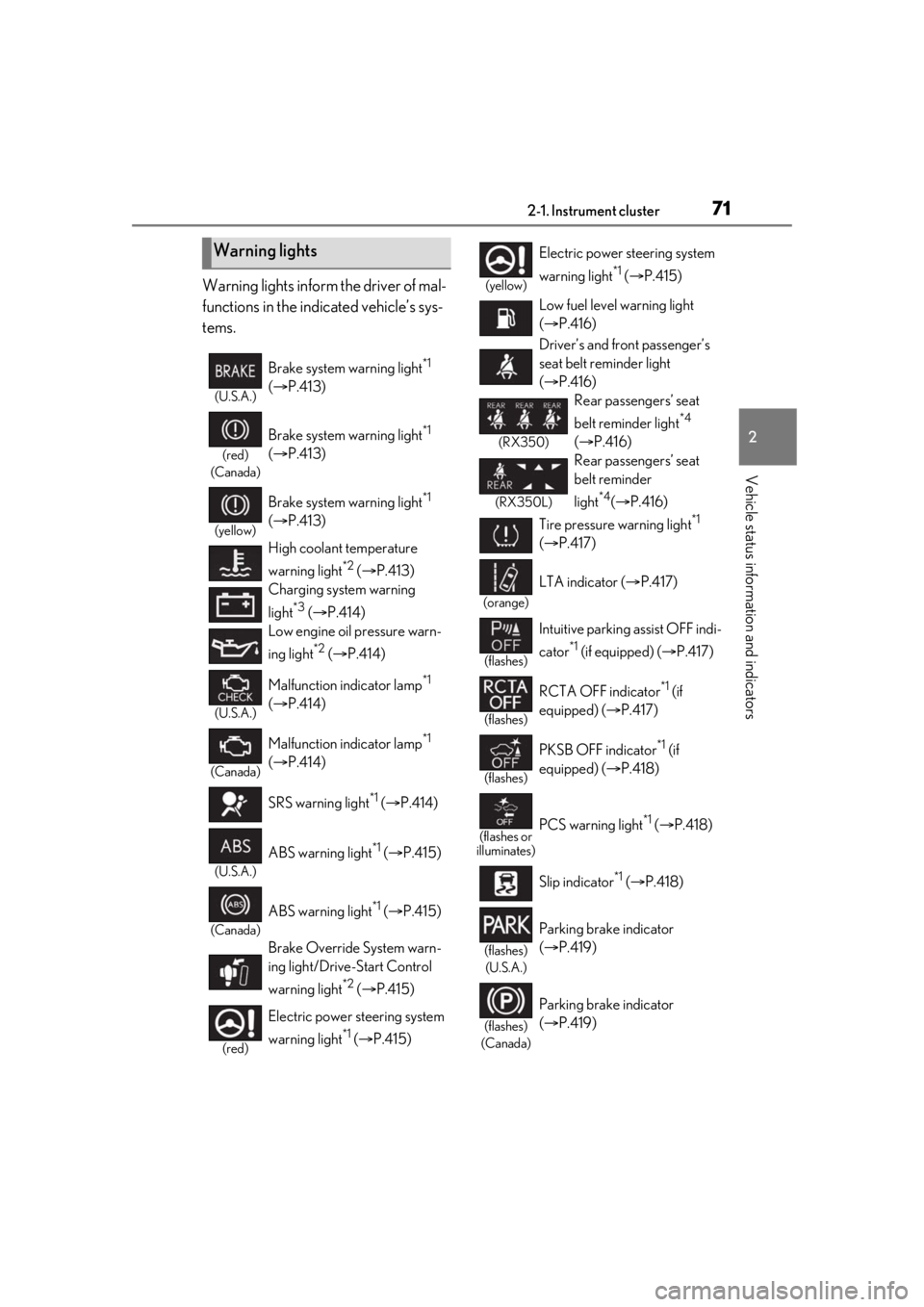
Warning lights inform the driver of mal-
functions in the indicated vehicle’s sys-
tems.
Warning lights
(U.S.A.)
Brake system warning light*1
( P.413)
(red)
(Canada)
Brake system warning light*1
( P.413)
(yellow)
Brake system warning light*1
( P.413)
High coolant temperature
warning light
*2 ( P.413)
Charging system warning
light
*3 ( P.414)
Low engine oil pressure warn-
ing light
*2 ( P.414)
(U.S.A.)
Malfunction indicator lamp*1
( P.414)
(Canada)
Malfunction indicator lamp*1
( P.414)
SRS warning light
*1 ( P.414)
(U.S.A.)
ABS warning light*1 ( P.415)
(Canada)
ABS warning light*1 ( P.415)
Brake Override System warn-
ing light/Drive-Start Control
warning light
*2 ( P.415)
(red)
Electric power st eering system
warning light
*1 ( P.415)
(yellow)
Electric power steering system
warning light
*1 ( P.415)
Low fuel level warning light
( P.416)
Driver’s and front passenger’s
seat belt reminder light
( P.416)
(RX350)
Rear passengers’ seat
belt reminder light
*4
( P.416)
(RX350L)
Rear passengers’ seat
belt reminder
light
*4( P.416)
Tire pressure warning light
*1
( P.417)
(orange)
LTA indicator ( P.417)
(flashes)
Intuitive parking assist OFF indi-
cator
*1 (if equipped) ( P.417)
(flashes)
RCTA OFF indicator*1 (if
equipped) ( P.417)
(flashes)
PKSB OFF indicator*1 (if
equipped) ( P.418)
(flashes or
illuminates)PCS warning light*1 ( P.418)
Slip indicator
*1 ( P.418)
(flashes)
(U.S.A.)
Parking brake indicator
( P.419)
(flashes)
(Canada)
Parking brake indicator
( P.419)
Page 78 of 516
782-1. Instrument cluster
■Display items
Odometer
Displays the total distance the vehicle has
been driven.
Trip meter A/trip meter B
Displays the distance the vehicle has been
driven since the meter was last reset. Trip
meters A and B can be used to record and
display different distances independently.
Distance until next engine oil
change
Displays the distance the vehicle can be
driven until an oil change is necessary.
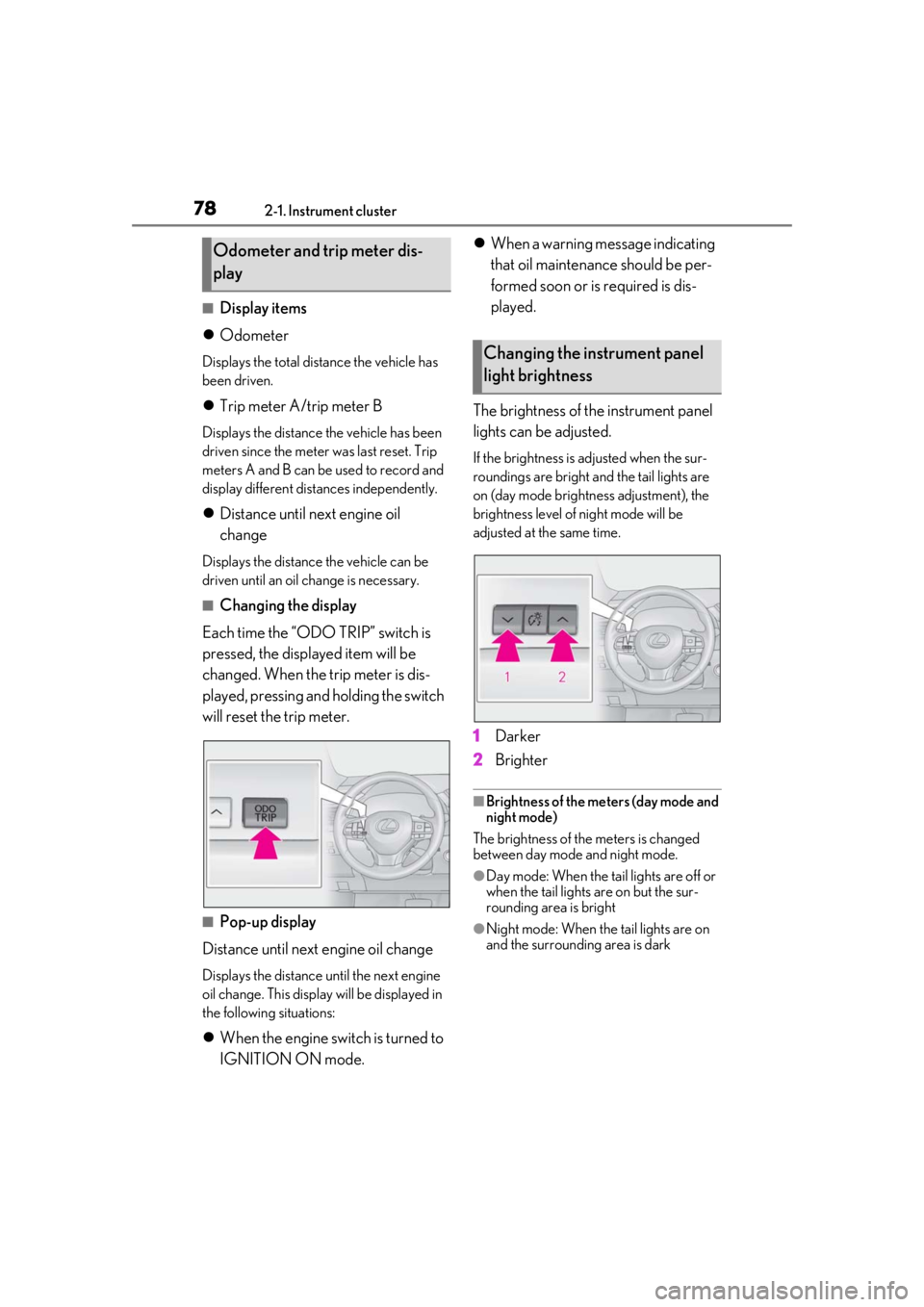
■Changing the display
Each time the “ODO TRIP” switch is
pressed, the displayed item will be
changed. When the trip meter is dis-
played, pressing and holding the switch
will reset the trip meter.
■Pop-up display
Distance until next engine oil change
Displays the distance until the next engine
oil change. This display will be displayed in
the following situations:
When the engine switch is turned to
IGNITION ON mode.
When a warning message indicating
that oil maintenance should be per-
formed soon or is required is dis-
played.
The brightness of the instrument panel
lights can be adjusted.
If the brightness is adjusted when the sur-
roundings are bright and the tail lights are
on (day mode bright ness adjustment), the
brightness level of night mode will be
adjusted at the same time.
1 Darker
2 Brighter
■Brightness of the meters (day mode and
night mode)
The brightness of the meters is changed
between day mode and night mode.
●Day mode: When the tail lights are off or
when the tail lights are on but the sur-
rounding area is bright
●Night mode: When the tail lights are on
and the surrounding area is dark
Odometer and trip meter dis-
play
Changing the instrument panel
light brightness
Page 114 of 516
1143-2. Opening, closing and locking the doors
■If “Key Left inside Vehicle” is shown on
the multi-information display
An attempt was made to lock the doors
using the smart access system with
push-button start while the electronic key
was still inside the vehicle. Retrieve the elec-
tronic key from the vehicle and lock the
doors again.
■Battery-saving function
The battery-saving fu nction will be acti-
vated in order to prevent the electronic key
battery and the battery from being dis-
charged while the vehicl e is not in operation
for a long time.
●In the following situations, the smart
access system with pu sh-button start may
take some time to unlock the doors.
• The electronic key has been left in an
area of approximately 6 ft. (2 m) of the
outside of the vehicle for 10 minutes or
longer.
• The smart access system with push-but- ton start has not been used for 5 days or
longer.
●If the smart access system with push-but-
ton start has not been used for 14 days or
longer, the doors cannot be unlocked at
any doors except the driver’s door. In this
case, take hold of the driver’s door han-
dle, or use the wireless remote control or
the mechanical key, to unlock the doors.
■Turning an electronic key to bat-
tery-saving mode
When battery-saving mode is set, battery
depletion is minimized by stopping the elec-
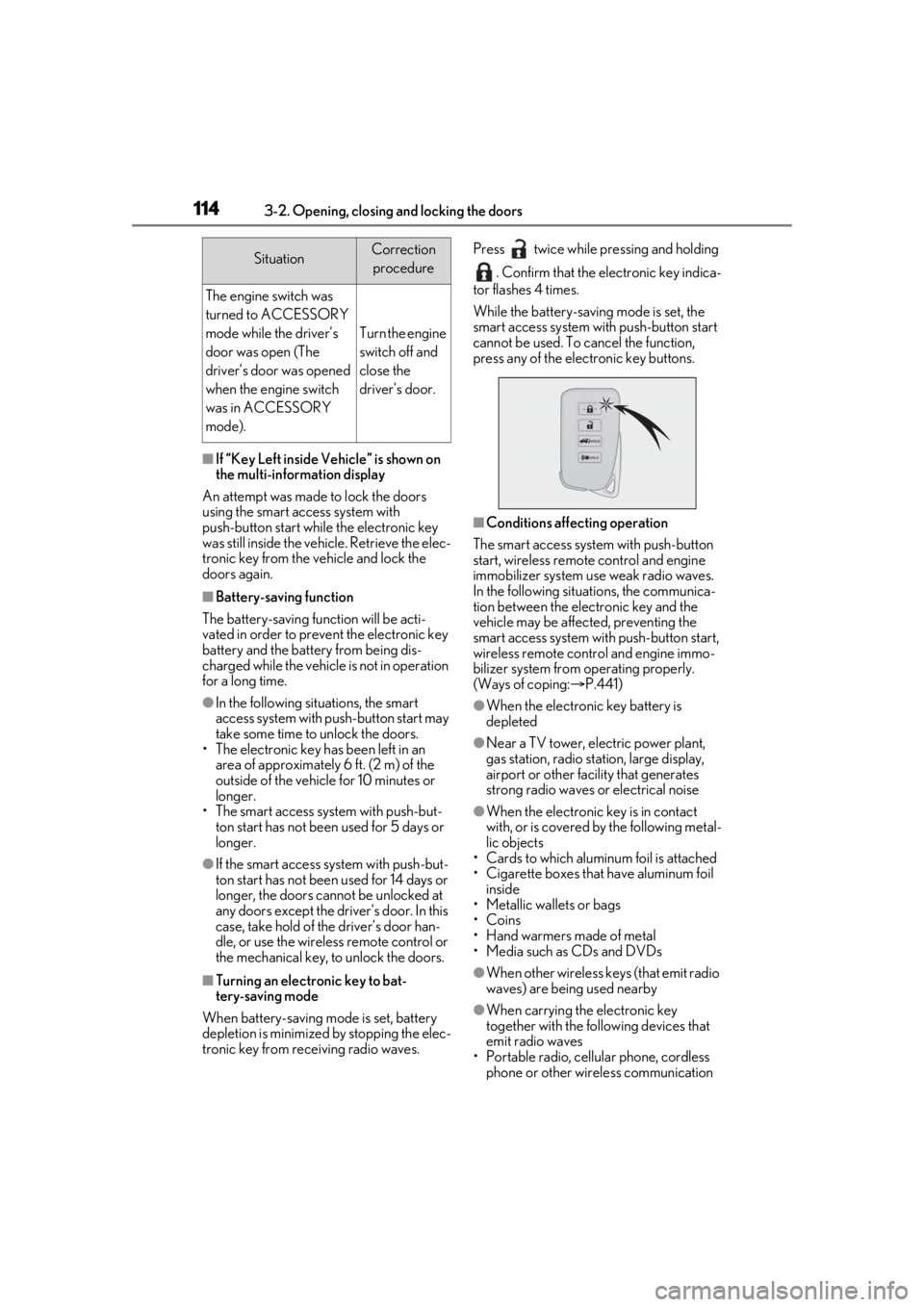
tronic key from re ceiving radio waves. Press twice while pressing and holding
. Confirm that the electronic key indica-
tor flashes 4 times.
While the battery-saving mode is set, the
smart access system with push-button start
cannot be used. To cancel the function,
press any of the electronic key buttons.
■Conditions affecting operation
The smart access system with push-button
start, wireless remote control and engine
immobilizer system use weak radio waves.
In the following situations, the communica-
tion between the electronic key and the
vehicle may be affected, preventing the
smart access system with push-button start,
wireless remote control and engine immo-
bilizer system from operating properly.
(Ways of coping: P.441)
●When the electronic key battery is
depleted
●Near a TV tower, electric power plant,
gas station, radio stat ion, large display,
airport or other fac ility that generates
strong radio waves or electrical noise
●When the electronic key is in contact
with, or is covered by the following metal-
lic objects
• Cards to which aluminum foil is attached
• Cigarette boxes that have aluminum foil inside
• Metallic wallets or bags
•Coins
• Hand warmers made of metal
• Media such as CDs and DVDs
●When other wireless keys (that emit radio
waves) are being used nearby
●When carrying the electronic key
together with the following devices that
emit radio waves
• Portable radio, cellular phone, cordless
phone or other wireless communication
SituationCorrection
procedure
The engine switch was
turned to ACCESSORY
mode while the driver’s
door was open (The
driver’s door was opened
when the engine switch
was in ACCESSORY
mode).
Turn the engine
switch off and
close the
driver’s door.
Page 161 of 516
1614-1. Before driving
4
Driving
Cargo capacity depends on the total
weight of the occupants.
(Cargo capacity) = (Total load capac-
ity) — (Total weight of occupants)
Steps for Determining Correct Load
Limit —
(1) Locate the statement “The com-
bined weight of occupants and cargo
should never exceed XXX kg or XXX
lbs.” on your vehicle’s placard.
(2) Determine the combined weight of
the driver and passengers that will be
riding in your vehicle.
(3) Subtract the combined weight of
the driver and passengers from XXX
kg or XXX lbs.
(4) The resulting figure equals the
available amount of cargo and luggage
load capacity.
For example, if the “XXX” amount
equals 1400 lbs. and there will be five
150 lb passengers in your vehicle, the
amount of available cargo and luggage
load capacity is 650 lbs. (1400 − 750
(5 150) = 650 lbs.)
(5) Determine the combined weight of
luggage and cargo being loaded on
the vehicle. That weight may not safely
exceed the available cargo and lug-
NOTICE
■If you get a flat tire while driving
A flat or damaged ti re may cause the fol-
lowing situations. Hold the steering
wheel firmly and gradually depress the
brake pedal to slow down the vehicle.
●It may be difficult to control your vehi-
cle.
●The vehicle will make abnormal
sounds or vibrations.
●The vehicle will lean abnormally.
Information on what to do in case of a flat
tire (
P.426)
■When encountering flooded roads
Do not drive on a road that has flooded
after heavy rain etc. Doing so may cause
the following serious damage to the vehi-
cle:
●Engine stalling
●Short in electrical components
●Engine damage caused by water
immersion
In the event that you drive on a flooded
road and the vehicle is flooded, be sure
to have your Lexus dealer check the fol-
lowing:
●Brake function
●Changes in quantity and quality of oil
and fluid used for the engine, transaxle,
transfer (AWD models), rear differen-
tial (AWD models), etc.
●Lubricant condition for the propeller
shaft (AWD models), bearings and
suspension joints (where possible),
and the function of all joints, bearings,
etc.
Cargo and luggage
Take notice of the following infor-
mation about storage precautions,
cargo capacity and load.
Capacity and distribution
Page 206 of 516
2064-5. Using the driving support systems
WARNING
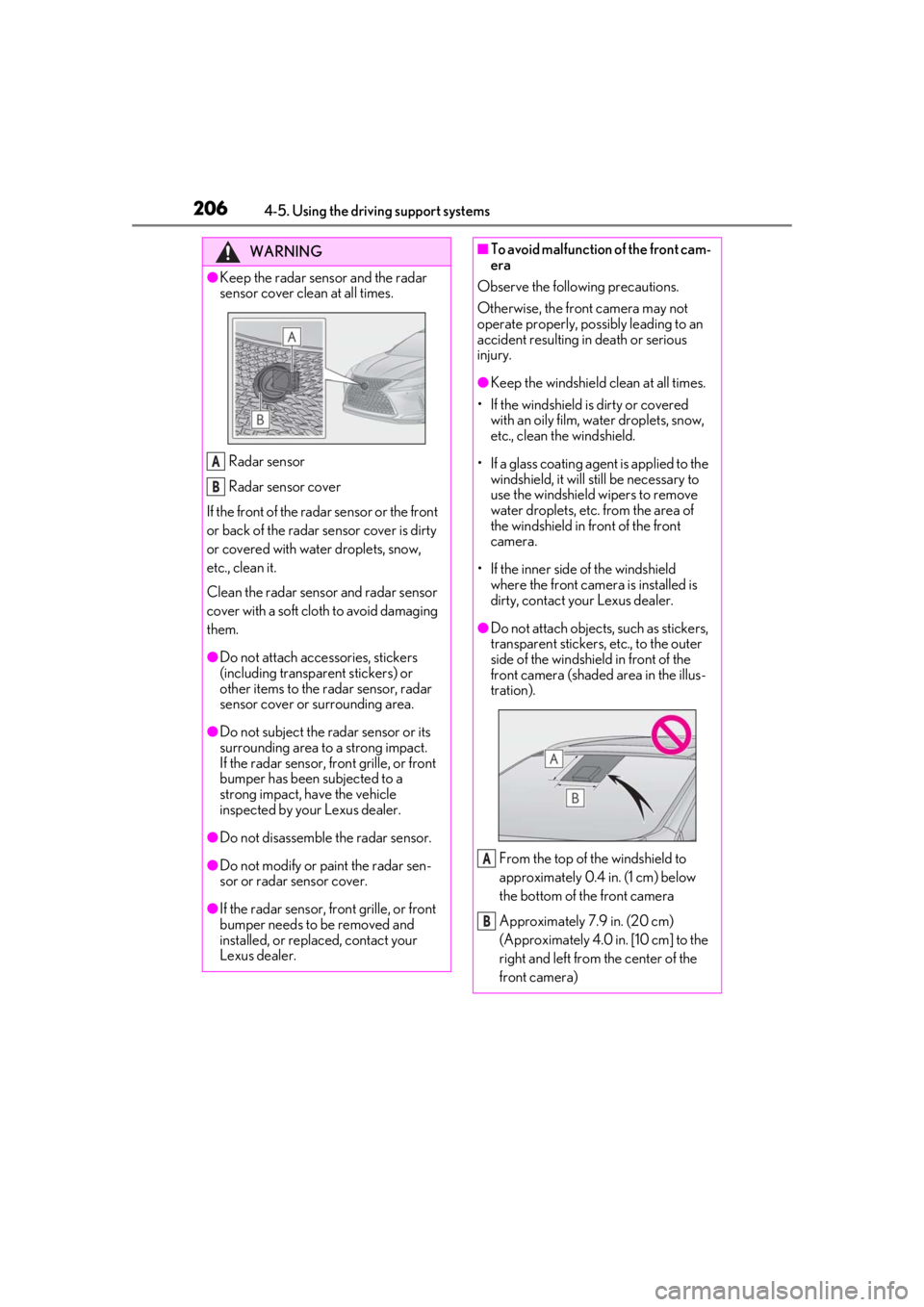
●Keep the radar sensor and the radar
sensor cover clean at all times.
Radar sensor
Radar sensor cover
If the front of the rada r sensor or the front
or back of the radar sensor cover is dirty
or covered with water droplets, snow,
etc., clean it.
Clean the radar sensor and radar sensor
cover with a soft cloth to avoid damaging
them.
●Do not attach accessories, stickers
(including transpar ent stickers) or
other items to the radar sensor, radar
sensor cover or surrounding area.
●Do not subject the radar sensor or its
surrounding area to a strong impact.
If the radar sensor, front grille, or front
bumper has been subjected to a
strong impact, have the vehicle
inspected by your Lexus dealer.
●Do not disassemble the radar sensor.
●Do not modify or paint the radar sen-
sor or radar sensor cover.
●If the radar sensor, front grille, or front
bumper needs to be removed and
installed, or replaced, contact your
Lexus dealer.
A
B
■To avoid malfunction of the front cam-
era
Observe the following precautions.
Otherwise, the front camera may not
operate properly, possibly leading to an
accident resulting in death or serious
injury.
●Keep the windshield clean at all times.
• If the windshield is dirty or covered with an oily film, water droplets, snow,
etc., clean the windshield.
• If a glass coating agent is applied to the windshield, it will still be necessary to
use the windshield wipers to remove
water droplets, etc. from the area of
the windshield in front of the front
camera.
• If the inner side of the windshield where the front camera is installed is
dirty, contact your Lexus dealer.
●Do not attach objects, such as stickers,
transparent stickers, etc., to the outer
side of the windshield in front of the
front camera (shaded area in the illus-
tration).
From the top of the windshield to
approximately 0.4 in. (1 cm) below
the bottom of the front camera
Approximately 7.9 in. (20 cm)
(Approximately 4.0 in. [10 cm] to the
right and left from the center of the
front camera)
A
B
Page 218 of 516
2184-5. Using the driving support systems
LTA (Lane Tracing Assist)
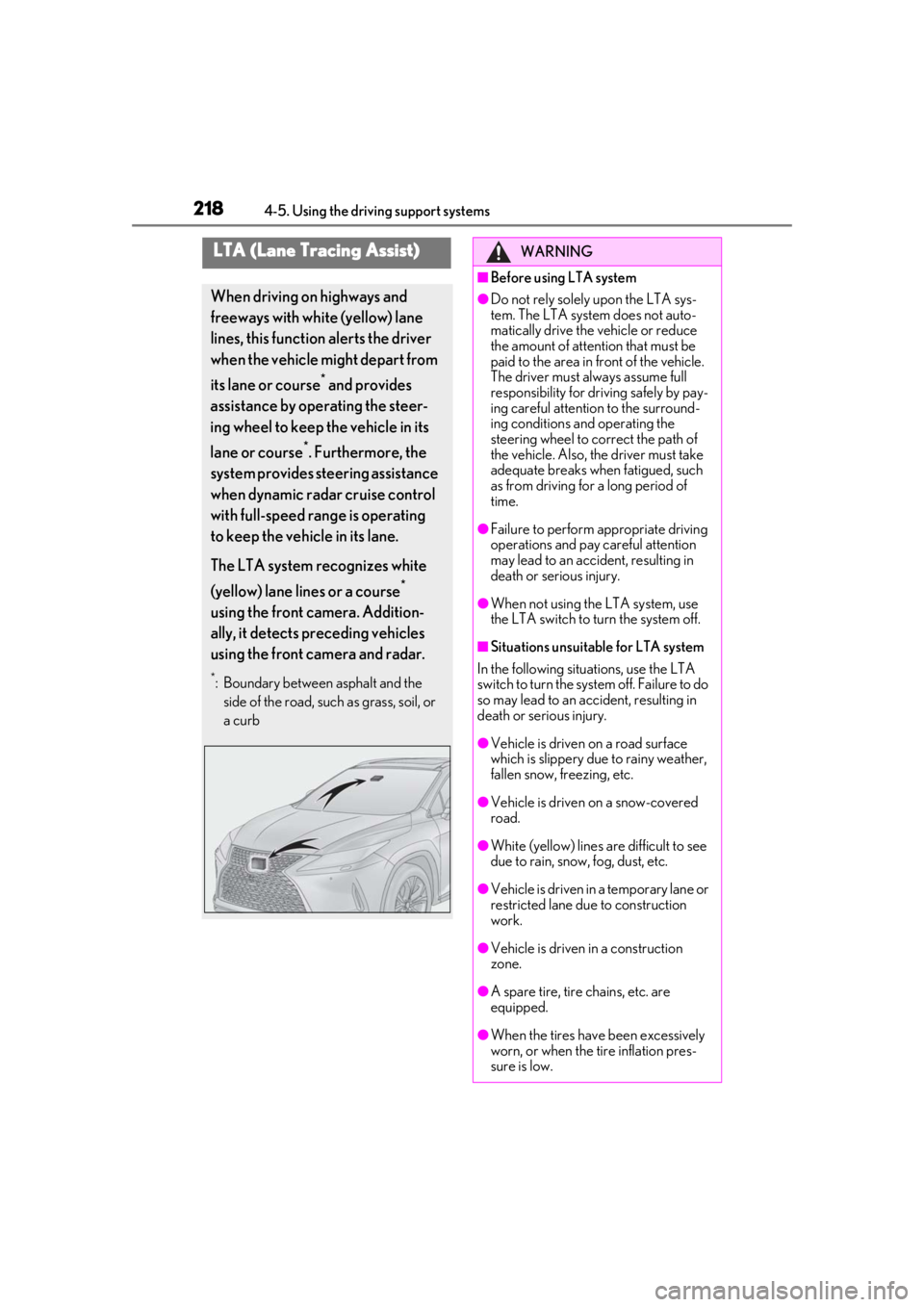
When driving on highways and
freeways with white (yellow) lane
lines, this function alerts the driver
when the vehicle might depart from
its lane or course
* and provides
assistance by operating the steer-
ing wheel to keep the vehicle in its
lane or course
*. Furthermore, the
system provides steering assistance
when dynamic radar cruise control
with full-speed range is operating
to keep the vehicle in its lane.
The LTA system recognizes white
(yellow) lane lines or a course
*
using the front camera. Addition-
ally, it detects preceding vehicles
using the front camera and radar.
*: Boundary between asphalt and the side of the road, such as grass, soil, or
a curb
WARNING
■Before using LTA system
●Do not rely solely upon the LTA sys-
tem. The LTA system does not auto-
matically drive the vehicle or reduce
the amount of attention that must be
paid to the area in front of the vehicle.
The driver must always assume full
responsibility for driving safely by pay-
ing careful attention to the surround-
ing conditions and operating the
steering wheel to correct the path of
the vehicle. Also, the driver must take
adequate breaks when fatigued, such
as from driving for a long period of
time.
●Failure to perform appropriate driving
operations and pay careful attention
may lead to an accident, resulting in
death or serious injury.
●When not using the LTA system, use
the LTA switch to turn the system off.
■Situations unsuitable for LTA system
In the following situations, use the LTA
switch to turn the system off. Failure to do
so may lead to an accident, resulting in
death or serious injury.
●Vehicle is driven on a road surface
which is slippery due to rainy weather,
fallen snow, freezing, etc.
●Vehicle is driven on a snow-covered
road.
●White (yellow) lines are difficult to see
due to rain, snow, fog, dust, etc.
●Vehicle is driven in a temporary lane or
restricted lane due to construction
work.
●Vehicle is driven in a construction
zone.
●A spare tire, tire chains, etc. are
equipped.
●When the tires have been excessively
worn, or when the tire inflation pres-
sure is low.
Page 221 of 516
2214-5. Using the driving support systems
4
Driving
■Lane departure alert function
When the system determines that the
vehicle might depart from its lane or
course
*, a warning is displayed on the
multi-information display, and either a
warning buzzer will sound or the steer-
ing wheel will vibrate to alert the driver.
When the warning buzzer sounds or the
steering wheel vibrates, check the area
around your vehicle and carefully operate
the steering wheel to move the vehicle
back to the center of the lane.
Vehicle with BSM: When the system deter-
mines that the vehicle might depart from its
lane and that the possibility of a collision
with an overtaking vehicle in the adjacent
lane is high, the lane departure alert will
operate even if the turn signals are operat-
ing.
*: Boundary between asphalt and the side of the road, such as grass, soil, or a curb
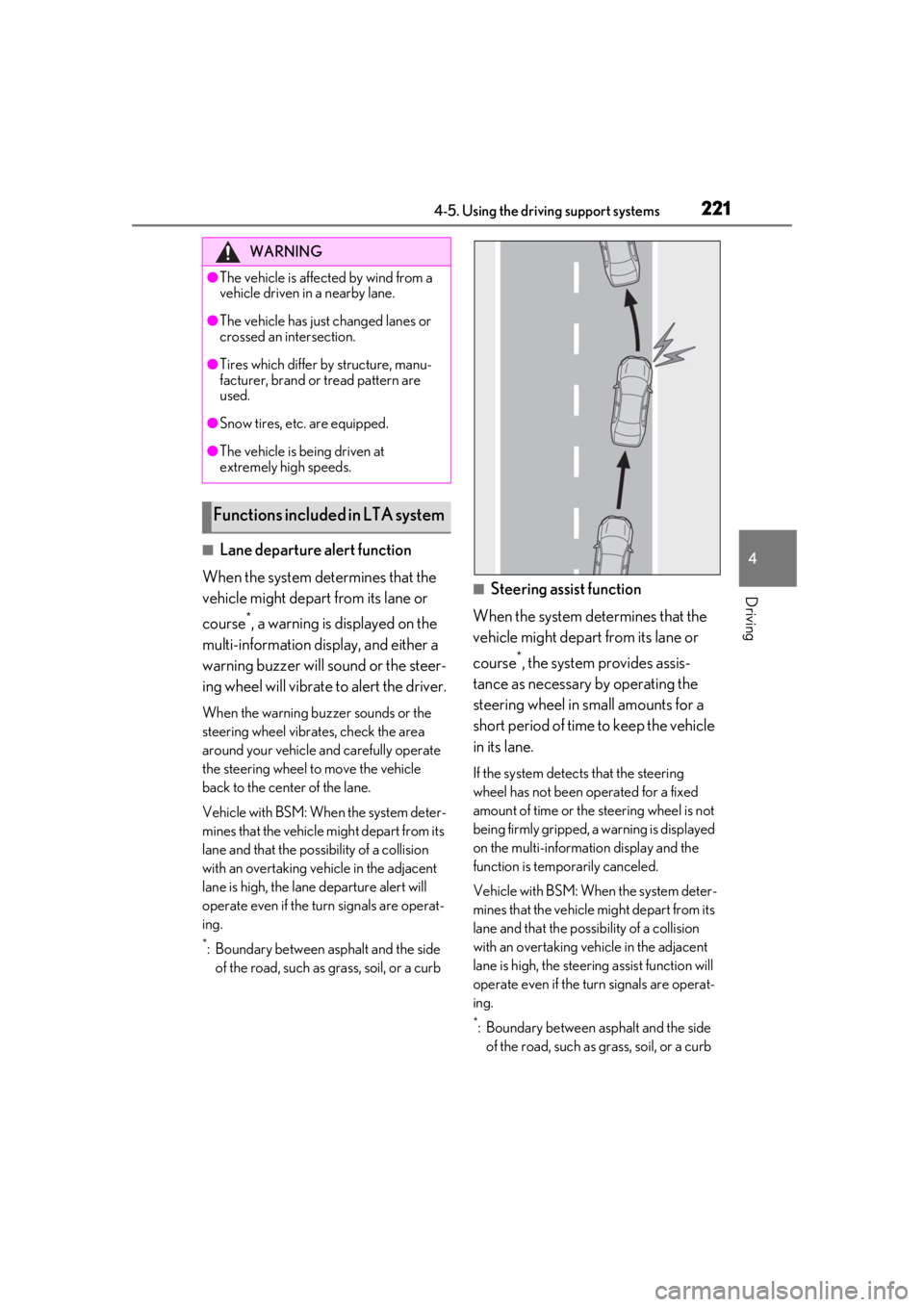
■Steering assist function
When the system determines that the
vehicle might depart from its lane or
course
*, the system provides assis-
tance as necessary by operating the
steering wheel in small amounts for a
short period of time to keep the vehicle
in its lane.
If the system detects that the steering
wheel has not been operated for a fixed
amount of time or the steering wheel is not
being firmly gripped, a warning is displayed
on the multi-informat ion display and the
function is temporarily canceled.
Vehicle with BSM: When the system deter-
mines that the vehicle might depart from its
lane and that the po ssibility of a collision
with an overtaking vehicle in the adjacent
lane is high, the steering assist function will
operate even if the turn signals are operat-
ing.
*: Boundary between asphalt and the side of the road, such as grass, soil, or a curb
WARNING
●The vehicle is affected by wind from a
vehicle driven in a nearby lane.
●The vehicle has just changed lanes or
crossed an intersection.
●Tires which differ by structure, manu-
facturer, brand or tread pattern are
used.
●Snow tires, etc. are equipped.
●The vehicle is being driven at
extremely high speeds.
Functions included in LTA system