instrument cluster LEXUS RX350 2021 Owner's Manual
[x] Cancel search | Manufacturer: LEXUS, Model Year: 2021, Model line: RX350, Model: LEXUS RX350 2021Pages: 508, PDF Size: 10.33 MB
Page 90 of 508
902-1. Instrument cluster
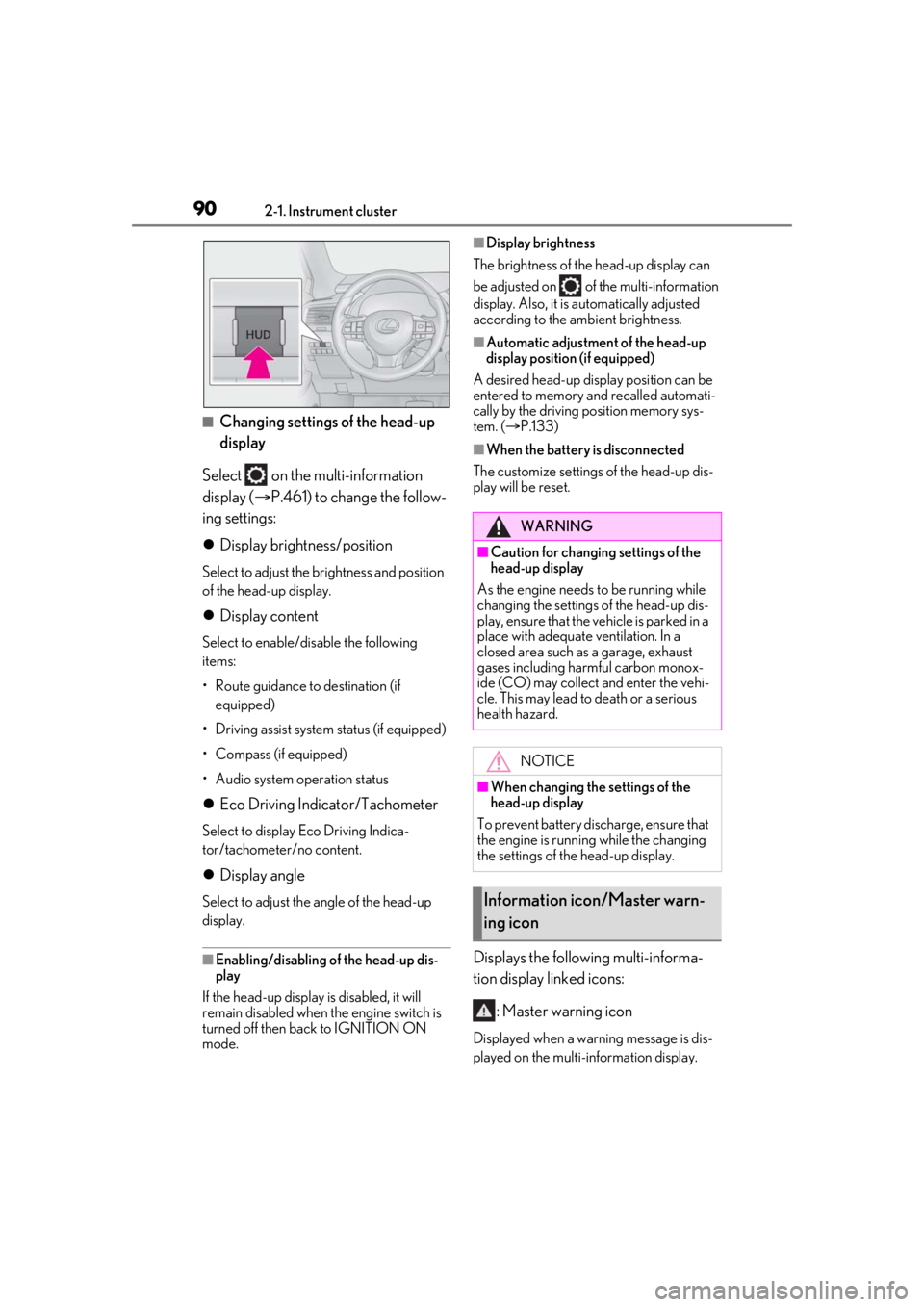
■Changing settings of the head-up
display
Select on the multi-information
display ( P.461) to change the follow-
ing settings:
Display brightness/position
Select to adjust the brightness and position
of the head-up display.
Display content
Select to enable/dis able the following
items:
• Route guidance to destination (if equipped)
• Driving assist system status (if equipped)
• Compass (if equipped)
• Audio system operation status
Eco Driving Indicator/Tachometer
Select to display Eco Driving Indica-
tor/tachometer/no content.
Display angle
Select to adjust the angle of the head-up
display.
■Enabling/disabling of the head-up dis-
play
If the head-up display is disabled, it will
remain disabled when the engine switch is
turned off then back to IGNITION ON
mode.
■Display brightness
The brightness of the head-up display can
be adjusted on of the multi-information
display. Also, it is automatically adjusted
according to the ambient brightness.
■Automatic adjustment of the head-up
display position (if equipped)
A desired head-up display position can be
entered to memory and recalled automati-
cally by the driving position memory sys-
tem. ( P.133)
■When the battery is disconnected
The customize settings of the head-up dis-
play will be reset.
Displays the following multi-informa-
tion display linked icons:
: Master warning icon
Displayed when a warn ing message is dis-
played on the multi-information display.
WARNING
■Caution for changing settings of the
head-up display
As the engine needs to be running while
changing the settings of the head-up dis-
play, ensure that the vehicle is parked in a
place with adequate ventilation. In a
closed area such as a garage, exhaust
gases including harmful carbon monox-
ide (CO) may collect and enter the vehi-
cle. This may lead to death or a serious
health hazard.
NOTICE
■When changing the settings of the
head-up display
To prevent battery discharge, ensure that
the engine is running while the changing
the settings of the head-up display.
Information icon/Master warn-
ing icon
Page 91 of 508
912-1. Instrument cluster
2
Vehicle status information and indicators
( P.412)
: Information icon
Displayed when a suggestion/advice
pop-up display is displayed on the
multi-information display. ( P.86)
Displays the following items in the
appropriate situation:
■Warning/Message (if equipped)
Displays the following system warn-
ing/messages:
PCS (Pre-Collision System)
( P.209)
Parking Support Brake function (for
static objects) ( P.261)
Dynamic radar cruise control with
full-speed range ( P.227)
Brake Override System ( P.155)
Drive-Start Control ( P.155)
Details of content displayed on the
head-up display may differ from that dis-
played on the multi-information display. For
details, refer to the explanation of each sys-
tem.
■Audio system operation status
Displayed when the audio system is
operated.
■Outside temperature
Displayed in the following situations:
When the engine switch is turned to
IGNITION ON mode
When the low outside temperature
indicator is flashing
Displayed content is the same as that displayed on the multi-information dis-
play. For details, refer to the explana-
tion of the outside temperature display
on the multi-information display.
(
P.79)
Displays the following items which are
linked to the navigation system:
■Street name
The name of the street that the vehicle
is currently driving on is displayed on
the bottom of the display area.
When the navigation system is per-
forming route guidance, the name of
the next street will be displayed on the
top of the display area.
■Street name display (vehicles with a nav-
igation system)
Only street names which are included in the
map data will be displayed.
Displays the following items which are
linked to the navigation system:
■Route guidance to destination
Displayed when the navigation system
is performing route guidance. When
approaching an intersection, an arrow
will be displayed to indicate the sug-
gested direction of travel.
■Compass
Displays the direction of travel.
Message display area
Navigation system-linked dis-
play area (if equipped)
Page 92 of 508

922-1. Instrument cluster
■Eco Driving IndicatorEco Driving Indicator Zone Display
Eco driving ratio based on acceler-
ation
Zone of Eco driving
Displayed content is the same as that dis-
played on the multi-information display
(Eco Driving Indicator). For details, refer to
P.83.
■Tachometer
Displays the engine speed in revolu-
tions per minute.
Center Display
“MENU” button
Touchpad
■Trip information
Press the “MENU” button on the
Remote Touch, then select on the
Eco Driving Indicator/Tachome-
ter
A
B
C
Fuel consumption informa-
tion
Fuel consumption information can
be displayed on the Center Display.
Vehicles with a 12.3-inch display:
The fuel consumption information
can be displayed and operated on
the side display.
System components
Consumption
A
B
C
Page 93 of 508

932-1. Instrument cluster
2
Vehicle status information and indicators
menu screen.
If a screen other than “Trip Information”
is displayed, select “Trip Information”.
This system can also be operated by
the touch screen.
Resetting the consumption data
Fuel consumption in the past 15
minutes
Current fuel consumption
Average vehicle speed since the
engine was started.
Elapsed time since the engine was
started.
Cruising range
Average fuel consumption for the past
15 minutes is divided by color into past
averages and averages attained since
the engine switch was last turned to
IGNITION ON mode. Use the dis-
played average fuel consumption as a
reference.
The image is an example only, and may
vary slightly from actual conditions.
■History
Press the “MENU” button on the
Remote Touch, then select on the
menu screen. If a screen other than “History” is dis-
played, select “History”.
This system can also be operated by
the touch screen.
Best recorded fuel consumption
Latest fuel consumption
Previous fuel consumption record
Resetting the history data
Updating the latest fuel consump-
tion data
The average fuel consumption history
is divided by color into past averages
and the average fuel consumption
since the last updated. Use the dis-
played average fuel consumption as a
reference.
The image is an example only, and may
vary slightly from actual conditions.
■Updating the history data
Update the latest fuel consumption by
selecting “Update” to measure the current
fuel consumption again.
■Resetting the data
The fuel consumption data can be deleted
by selecting “Clear”.
■Cruising range
Displays the estimated maximum distance
that can be driven with the quantity of fuel
remaining.
A
B
C
D
E
F
A
B
C
D
E
Page 94 of 508

942-1. Instrument cluster
This distance is computed based on your
average fuel consumption.
As a result, the actual distance that can be
driven may differ from that displayed.
Display the vehicle information on the
side display ( P.289), and then select
or to display the desired
screen.
The image is an example only, and may
vary slightly from actual conditions.
■Trip information (type A)
Displays the average fuel consumption
for the past 10 minutes in 1 minute
intervals, as well as the cruising range.
Use the displayed average fuel consump-
tion as a reference.
■Trip information (type B)
Displays the cruising range, latest fuel
consumption and the amount of time
elapsed since the engine was started.
Use the displayed average fuel consump-
tion as a reference.
■History
Displays the average fuel consumption
and highest fuel consumption.
Use the displayed average fuel consump-
tion as a reference.
Using the side display (vehicles
with a 12.3-inch display)
Page 145 of 508
1453-5. Opening, closing the windows and moon roof
3
Before driving
If you release the switch while the window is
moving, start again from the beginning.
If the window reverses and cannot be fully
closed or opened, have the vehicle
inspected by your Lexus dealer.
■Door lock linked window operation
●The power windows can be opened and
closed using the mechanical key.*
( P.432)
●The power windows can be opened using
the wireless remote control.* ( P.99)
*: These settings must be customized at
your Lexus dealer.
■Alarm
The alarm may be triggered if the alarm is
set and a power window is closed using the
door lock linked power window operation
function. ( P.68)
■Power windows open warning buzzer
A buzzer sounds and a message is shown
on the multi-information display in the
instrument cluster when the engine switch
is turned off and the driver’s door is opened
with the power windows open.
■Customization
Some functions can be customized.
( P.461)
WARNING
Observe the following precautions.
Failing to do so may result in death or
serious injury.
■Closing the windows
●The driver is responsible for all the
power window operations, including
the operation for the passengers. In
order to prevent accidental operation,
especially by a child, do not let a child
operate the power windows. It is possi-
ble for children an d other passengers
to have body parts caught in the power
window. Also, when riding with a child,
it is recommended to use the window
lock switch. (
P.146)
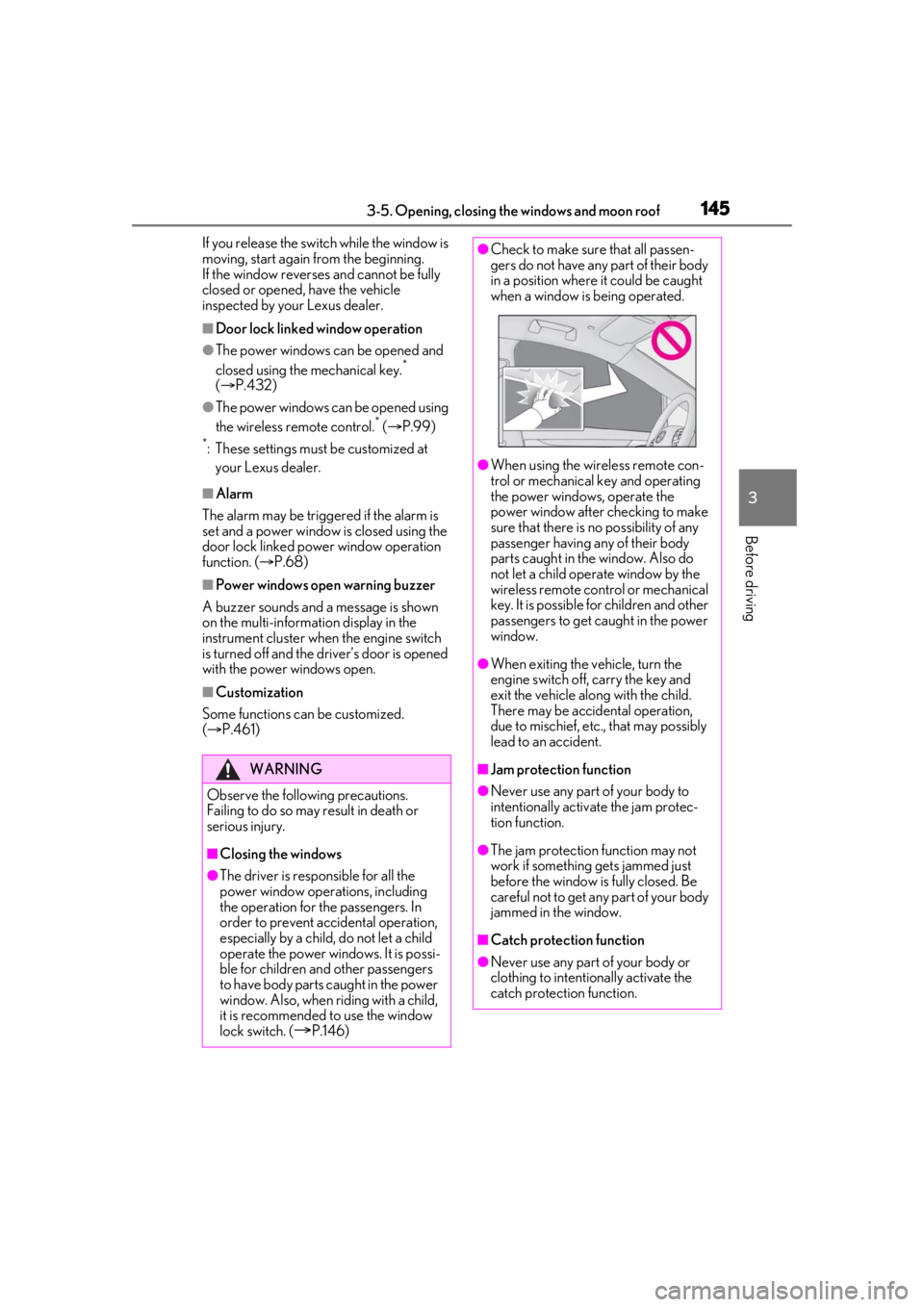
●Check to make sure that all passen-
gers do not have any part of their body
in a position where it could be caught
when a window is being operated.
●When using the wireless remote con-
trol or mechanical key and operating
the power windows, operate the
power window after checking to make
sure that there is no possibility of any
passenger having any of their body
parts caught in the window. Also do
not let a child operate window by the
wireless remote control or mechanical
key. It is possible for children and other
passengers to get caught in the power
window.
●When exiting the vehicle, turn the
engine switch off, carry the key and
exit the vehicle along with the child.
There may be accidental operation,
due to mischief, etc., that may possibly
lead to an accident.
■Jam protection function
●Never use any part of your body to
intentionally activa te the jam protec-
tion function.
●The jam protection function may not
work if something gets jammed just
before the window is fully closed. Be
careful not to get any part of your body
jammed in the window.
■Catch protection function
●Never use any part of your body or
clothing to intentionally activate the
catch protection function.
Page 147 of 508

1473-5. Opening, closing the windows and moon roof
3
Before driving
*: Lightly press either side of the moon roof switch to stop the moon roof partway.
■The moon roof can be operated when
The engine switch is in IGNITION ON
mode.
■Operating the moon roof after turning
the engine off
The moon roof can be operated for approx-
imately 45 seconds after the engine switch
is turned to ACCESSORY mode or turned
off. It cannot, however, be operated once
the driver’s door is opened.
■Jam protection function
If an object is detected between the moon
roof and the frame while the moon roof is
closing or tilting down, travel is stopped and
the moon roof opens slightly.
■Sunshade
The sunshade can be opened and closed
manually. However, the sunshade will open
automatically when the moon roof is
opened.
■Door lock linked moon roof operation
●The moon roof can be opened and
closed using the mechanical key.*
( P.432)
●The moon roof can be opened using the
wireless remote control.* ( P.99)
●The alarm may be triggered if the alarm is
set and the moon roof is closed using the
door lock linked moon roof operation
function. ( P.68)
*: These settings must be customized at
your Lexus dealer.
■When the moon roof does not close nor-
mally
Perform the following procedure:
If the moon roof closes but then re-opens
slightly
1 Stop the vehicle.
2 Press and hold the “CLOSE” switch.
*1
The moon roof will close, reopen and pause
for approximately 10 seconds.*2 Then it will close again, tilt up and pause for approxi-
mately 1 second. Finally, it will tilt down,
open and close.
3
Check to make sure that the moon roof
is completely closed and then release
the switch.
If the moon roof tilts down but then tilts
back up
1 Stop the vehicle.
2 Press and hold the “UP” switch
*1 until
the moon roof moves into the tilt up
position and stops.
3 Release the “UP” switch once and then
press and hold the “UP” switch
again.
*1The moon roof will pause for
approximately 10 seco nds in the tilt up
position.
*2 Then it will adjust slightly and
pause for approximately 1 second.
Finally, it will tilt down, open and close.
4 Check to make sure that the moon roof
is completely closed and then release
the switch.
*1: If the switch is rele ased at the incorrect
time, the procedure will have to be per-
formed again from the beginning.
*2: If the switch is released after the above mentioned 10 second pause, automatic
operation will be disabled. In that case,
press and hold the “CLOSE” or “UP”
switch, and the moon roof will tilt up and
pause for approximately 1 second. Then
it will tilt down, open and close. Check
to make sure that the moon roof is com-
pletely closed and then release the
switch.
If the moon roof does not fully close even
after performing the above procedure cor-
rectly, have the vehicle inspected by your
Lexus dealer.
■Moon roof open warning buzzer
A buzzer sounds and a message is shown
on the multi-informat ion display in the
instrument cluster when the engine switch
is turned off and the driver’s door is opened
with the moon roof open.
Page 150 of 508
1503-5. Opening, closing the windows and moon roof
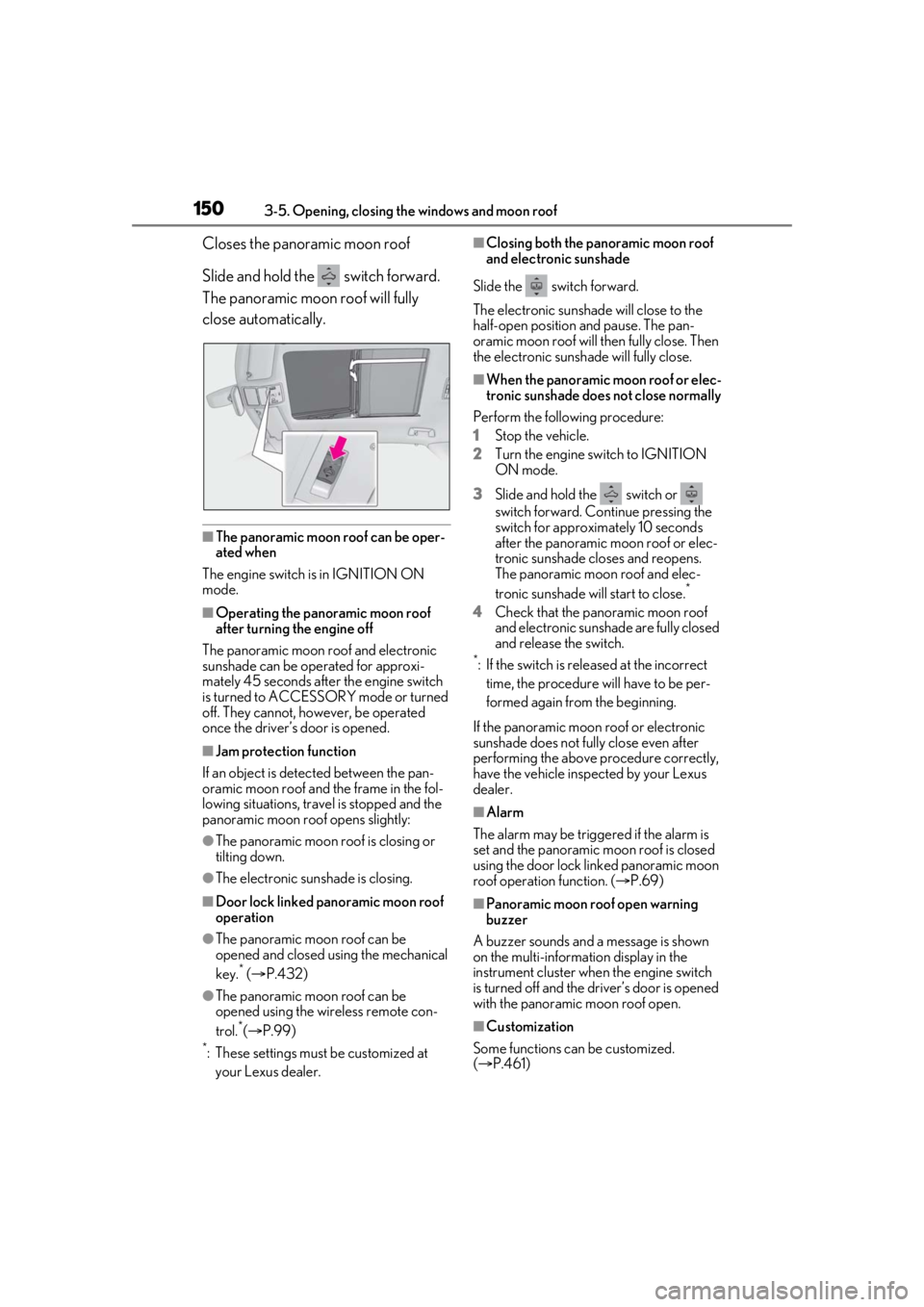
Closes the panoramic moon roof
Slide and hold the switch forward.
The panoramic moon roof will fully
close automatically.
■The panoramic moon roof can be oper-
ated when
The engine switch is in IGNITION ON
mode.
■Operating the panoramic moon roof
after turning the engine off
The panoramic moon roof and electronic
sunshade can be operated for approxi-
mately 45 seconds afte r the engine switch
is turned to ACCESSORY mode or turned
off. They cannot, ho wever, be operated
once the driver’s door is opened.
■Jam protection function
If an object is detected between the pan-
oramic moon roof and the frame in the fol-
lowing situations, travel is stopped and the
panoramic moon roof opens slightly:
●The panoramic moon roof is closing or
tilting down.
●The electronic sunshade is closing.
■Door lock linked panoramic moon roof
operation
●The panoramic moon roof can be
opened and closed using the mechanical
key.
* ( P.432)
●The panoramic moon roof can be
opened using the wireless remote con-
trol.
*( P.99)
*: These settings must be customized at
your Lexus dealer.
■Closing both the panoramic moon roof
and electronic sunshade
Slide the switch forward.
The electronic sunshade will close to the
half-open position and pause. The pan-
oramic moon roof will then fully close. Then
the electronic sunshade will fully close.
■When the panoramic moon roof or elec-
tronic sunshade does not close normally
Perform the following procedure:
1 Stop the vehicle.
2 Turn the engine switch to IGNITION
ON mode.
3 Slide and hold the switch or
switch forward. Continue pressing the
switch for approximately 10 seconds
after the panoramic moon roof or elec-
tronic sunshade closes and reopens.
The panoramic moon roof and elec-
tronic sunshade will start to close.
*
4Check that the panoramic moon roof
and electronic sunshade are fully closed
and release the switch.
*: If the switch is released at the incorrect
time, the procedure will have to be per-
formed again from the beginning.
If the panoramic moon roof or electronic
sunshade does not fully close even after
performing the above procedure correctly,
have the vehicle inspected by your Lexus
dealer.
■Alarm
The alarm may be triggered if the alarm is
set and the panoramic moon roof is closed
using the door lock linked panoramic moon
roof operation function. ( P.69)
■Panoramic moon roof open warning
buzzer
A buzzer sounds and a message is shown
on the multi-informat ion display in the
instrument cluster when the engine switch
is turned off and the driver’s door is opened
with the panoramic moon roof open.
■Customization
Some functions can be customized.
( P.461)
Page 450 of 508
4508-1. Specifications
■Gasoline quality
In very few cases, driveability problems may
be caused by the brand of gasoline you are
using. If driveability problems persist, try
changing the brand of gasoline. If this does
not correct the problem, consult your Lexus
dealer.
■Recommendation of the use of gasoline
containing detergent additives
●Lexus recommends the use of gasoline
that contains detergent additives to avoid
the build-up of engine deposits.
●All gasoline sold in the U.S.A. contains
minimum detergent additives to clean
and/or keep clean intake systems, per
EPA’s lowest additive s concentration pro-
gram.
●Lexus strongly recommends the use of
Top Tier Detergent Gasoline. For more
information on Top Tier Detergent Gaso-
line and a list of marketers, please go to
the official websit e www.toptiergas.com.
■Recommendation of the use of low
emissions gasoline
Gasolines containing oxygenates such as
ethers and ethanol, as well as reformulated
gasolines, are available in some cities.
These fuels are typically acceptable for use,
providing they meet other fuel require- ments.
Lexus recommends these fuels, since the
formulations allow for reduced vehicle
emissions.
■Non-recommendation of the use of
blended gasoline
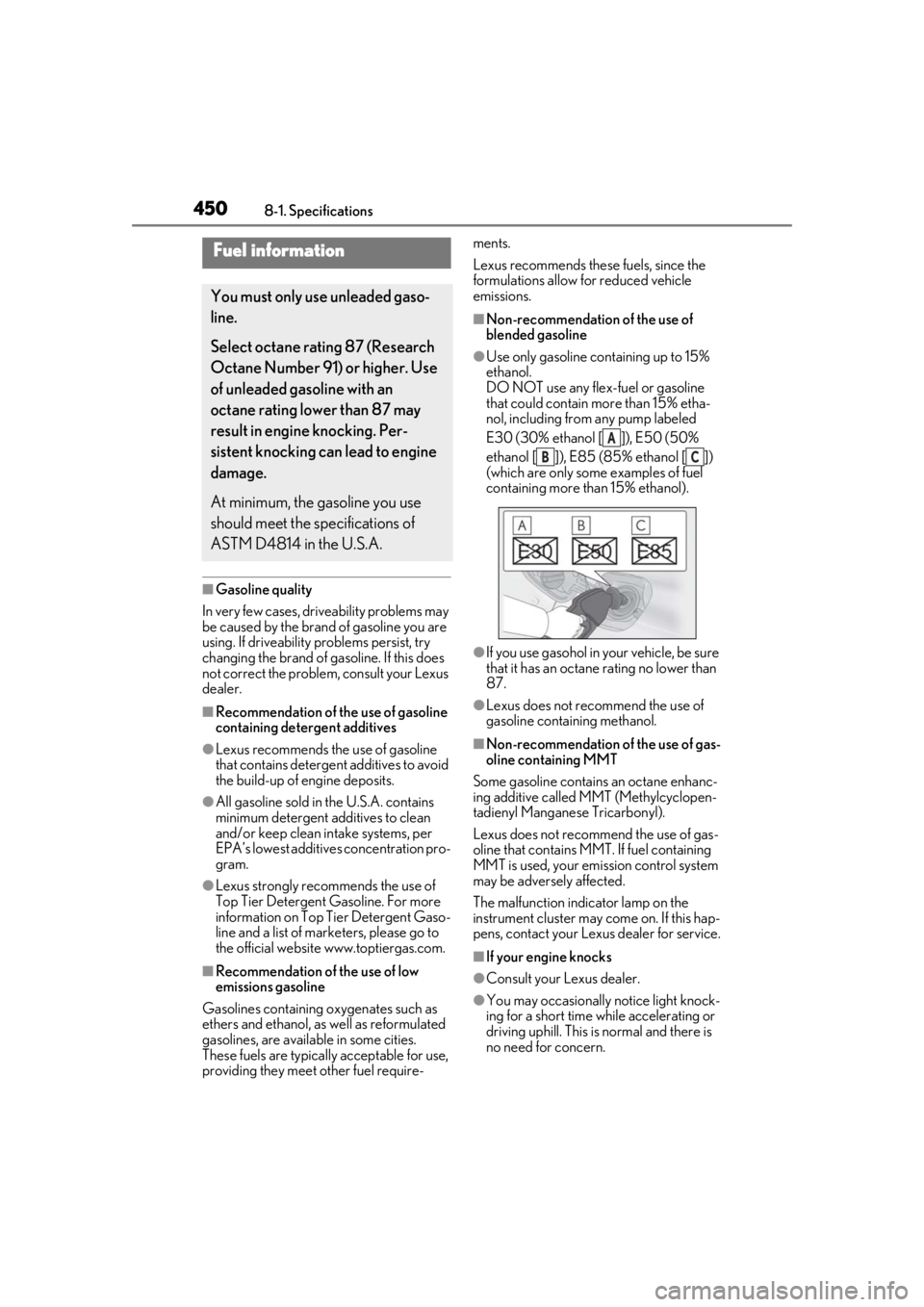
●Use only gasoline containing up to 15%
ethanol.
DO NOT use any flex-fuel or gasoline
that could contain more than 15% etha-
nol, including from
any pump labeled
E30 (30% ethanol [ ]), E50 (50%
ethanol [ ]), E85 (85% ethanol [ ])
(which are only some examples of fuel
containing more than 15% ethanol).
●If you use gasohol in your vehicle, be sure
that it has an octane rating no lower than
87.
●Lexus does not recommend the use of
gasoline containing methanol.
■Non-recommendation of the use of gas-
oline containing MMT
Some gasoline contains an octane enhanc-
ing additive called MMT (Methylcyclopen-
tadienyl Manganese Tricarbonyl).
Lexus does not recommend the use of gas-
oline that contains MMT. If fuel containing
MMT is used, your emission control system
may be adversely affected.
The malfunction indicator lamp on the
instrument cluster may come on. If this hap-
pens, contact your Lexus dealer for service.
■If your engine knocks
●Consult your Lexus dealer.
●You may occasionally notice light knock-
ing for a short time wh ile accelerating or
driving uphill. This is normal and there is
no need for concern.
Fuel information
You must only use unleaded gaso-
line.
Select octane rating 87 (Research
Octane Number 91) or higher. Use
of unleaded gasoline with an
octane rating lower than 87 may
result in engine knocking. Per-
sistent knocking can lead to engine
damage.
At minimum, the gasoline you use
should meet the specifications of
ASTM D4814 in the U.S.A.
A
BC