Turning off LEXUS RX350 2022 Owners Manual
[x] Cancel search | Manufacturer: LEXUS, Model Year: 2022, Model line: RX350, Model: LEXUS RX350 2022Pages: 508, PDF Size: 26.2 MB
Page 8 of 508
6
Please note that this manual applies to
all models and explains all equipment,
including options. Therefore, you may
find explanations for equipment not
installed on your vehicle and the illus-
trations used may differ from your vehi-
cle.
All specifications provided in this man-
ual are current at the time of printing.
Over time, your vehicle may receive
updates that modify the vehicle and
make material in this manual incom-
plete and/or inaccurate. Because of
Lexus’ interest in continual product
improvement, Lexus reserves the right
to make changes to this manual at any
time without notice.
If Lexus chooses to update the manual,
updated versions can be viewed by
selecting your vehicle by model and
year at the following URL or on your
mobile device if you have access to the
Lexus app.
https://drivers.lexus.com
Approximately five hours after the
engine is turned off, you may hear
sound coming from under the vehicle
for several minutes. This is the sound of
a fuel evaporation leakage check and,
it does not indicate a malfunction. A wide variety of non-genuine spare
parts and accessories for Lexus vehi-
cles are currently available in the mar-
ket. You should know that Toyota does
not warrant these products and is not
responsible for their performance,
repair, or replacement, or for any dam-
age they may cause to, or adverse
effect they may have on, your Lexus
vehicle.
This vehicle should not be modified
with non-genuine Lexus products.
Modification with non-genuine Lexus
products could affect its performance,
safety or durability, and may even vio-
late governmental regulations. In addi-
tion, damage or performance
problems resulting from the modifica-
tion may not be covered under war-
ranty.
Also, remodeling like this will have an
effect on advanced safety equipment
such as Lexus Safety System + 2.0 and
there is a danger that it will not work
properly or the danger that it may work
in situations where it should not be
working.
The installation of a mobile two-way
radio system in your vehicle could
affect electronic systems such as:
Multiport fuel injection sys-
tem/sequential multiport fuel injec-
For your information
Main Owner’s Manual
Noise from under vehicle after
turning off the engine
Accessories, spare parts and
modification of your Lexus
Installation of a mobile two-way
radio system
Page 83 of 508

812-1. Instrument cluster
2
Vehicle status information and indicators
Average fuel economy
After reset: Displays average fuel con-
sumption since the display was reset
*1, 2
After start: Displays average fuel con-
sumption since engine start
*2
After refuel: Displays average fuel con-
sumption since refuel
*2, 3
Average vehicle speed
After reset: Displays average vehicle
speed since the display was reset
*1
After start: Displays average vehicle speed
since engine start
Elapsed time
After reset: Displays elapsed time since the
display was reset
*1
After start: Displays elapsed time since
engine start
Distance
Driving range: Displays driving range with
remaining fuel
*3, 4
After start: Displays drive distance since
vehicle start
Other
Blank: No item
*1: To reset, display the desired item and
press and hold of the meter con-
trol switch.
If both of the displayed items are reset-
table, a message will be displayed ask-
ing which item(s) to reset.
*2: Use the displayed fuel consumption as a reference.
*3: When only a small amount of fuel is added to the tank, the display may not
be updated.
When refueling, turn the engine switch
off. If the vehicle is refueled without turning the engine switch off, the display
may not be updated.
*4: This distance is computed based on
your average fuel consumption. As a
result, the actual distance that can be
driven may differ from that displayed.
■Eco Driving Indicator
Eco Driving Indicator Light
During Eco-friendly acceleration (Eco
driving), the Eco Driving Indicator Light
will turn on. When the acceleration
exceeds the Zone of Ec o driving, or when
the vehicle is stopped, the light turns off.
Eco Driving Indicator Zone Display
Suggests the Zone of Eco driving with cur-
rent Eco driving ratio based on accelera-
tion.
Eco driving ratio based on acceler-
ation
If the acceleration exceeds the Zone of
Eco driving, the right side of the Eco Driv-
ing Indicator Zone Display will illuminate.
Zone of Eco driving
■AWD Control (if equipped)
Displays the driving force applied to
each wheel using segments.
A
B
C
D
Page 114 of 508

1123-2. Opening, closing and locking the doors
The Hands Free Power Back Door
(kick sensor) can be enabled/disabled
on the multi-information display.
( P.79)
1 Press or of the meter con-
trol switches and select .
2 Press or of the meter con-
trol switches, select the “Vehicle
Settings” and then press .
3 Press or of the meter con-
trol switches, select and
then press .
4 Press or of the meter con-
trol switches, and then select “Kick
Sensor”.
5 ON and OFF will be switched over
with presses of on the meter
control switches.
When OFF is selected and the operations
of the Hands Free Power Back Door is
made to stop from the of multi-infor-
mation display, unless it is set to ON, the
operation of the Hands Free Power Back
Door will not return. (No return in the
engine switch operation)
The open position of the power back-
door can be adjusted.
1 Stop the power back door at the
desired position. ( P.103) 2
Press and hold the switch on
the lower part of the power back
door for 2 seconds.
When setting is complete, a buzzer
will sound 4 times.
The next time the power back door
is opened, it will stop at that position.
■Returning the power back door opening
position to the default setting
Press and hold the switch on the
lower part of the power back door for 7
seconds.
A buzzer will sound twice. The next time
the power back door is opened, it will open
to the default position.
■Customization
The opening position can be set with the
navigation system or multimedia system.
Priority for the stop position is given to the
last position set by either the switch,
navigation system or multimedia system.
(Customizable features: P.449)
Canceling the Hands Free
Power Back Door (if equipped)
Adjusting the open position of
the power back door
Page 116 of 508
1143-2. Opening, closing and locking the doors
■If “Key Left inside Vehicle” is shown on
the multi-information display
An attempt was made to lock the doors
using the smart access system with
push-button start while the electronic key
was still inside the vehicle. Retrieve the elec-
tronic key from the vehicle and lock the
doors again.
■Battery-saving function
The battery-saving fu nction will be acti-
vated in order to prevent the electronic key
battery and the battery from being dis-
charged while the vehicl e is not in operation
for a long time.
●In the following situations, the smart
access system with pu sh-button start may
take some time to unlock the doors.
• The electronic key has been left in an
area of approximately 6 ft. (2 m) of the
outside of the vehicle for 10 minutes or
longer.
• The smart access system with push-but- ton start has not been used for 5 days or
longer.
●If the smart access system with push-but-
ton start has not been used for 14 days or
longer, the doors cannot be unlocked at
any doors except the driver’s door. In this
case, take hold of the driver’s door han-
dle, or use the wirele ss remote control or
the mechanical key, to unlock the doors.
■Turning an electronic key to bat-
tery-saving mode
When battery-saving mode is set, battery
depletion is minimized by stopping the elec-
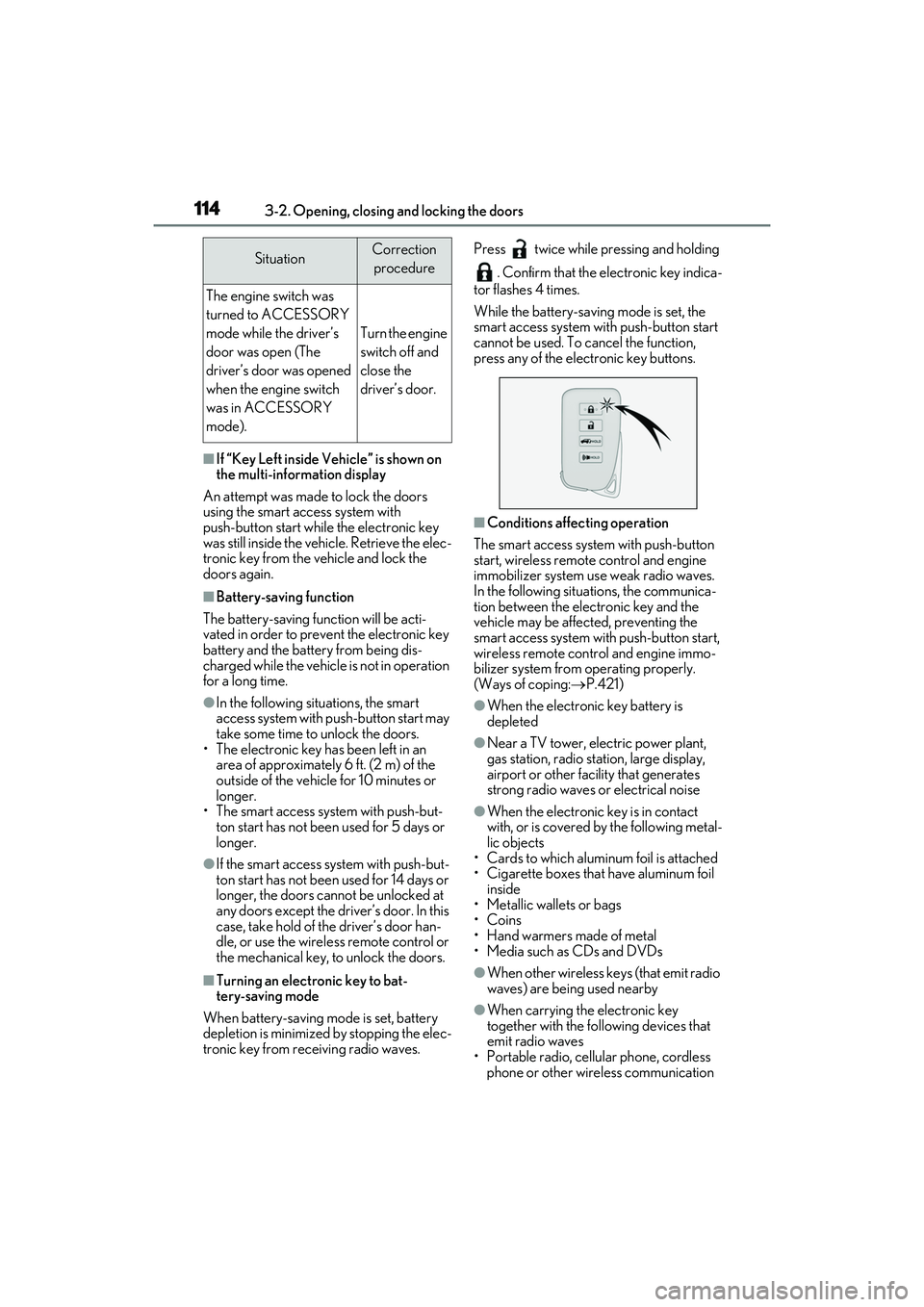
tronic key from re ceiving radio waves. Press twice while pressing and holding
. Confirm that the electronic key indica-
tor flashes 4 times.
While the battery-saving mode is set, the
smart access system with push-button start
cannot be used. To cancel the function,
press any of the electronic key buttons.
■Conditions affecting operation
The smart access system with push-button
start, wireless remote control and engine
immobilizer system use weak radio waves.
In the following situations, the communica-
tion between the electronic key and the
vehicle may be affected, preventing the
smart access system with push-button start,
wireless remote control and engine immo-
bilizer system from operating properly.
(Ways of coping: P.421)
●When the electronic key battery is
depleted
●Near a TV tower, electric power plant,
gas station, radio station, large display,
airport or other fac ility that generates
strong radio waves or electrical noise
●When the electronic key is in contact
with, or is covered by the following metal-
lic objects
• Cards to which aluminum foil is attached
• Cigarette boxes that have aluminum foil inside
• Metallic wallets or bags
•Coins
• Hand warmers made of metal
• Media such as CDs and DVDs
●When other wireless keys (that emit radio
waves) are being used nearby
●When carrying the electronic key
together with the following devices that
emit radio waves
• Portable radio, cell ular phone, cordless
phone or other wireless communication
SituationCorrection
procedure
The engine switch was
turned to ACCESSORY
mode while the driver’s
door was open (The
driver’s door was opened
when the engine switch
was in ACCESSORY
mode).
Turn the engine
switch off and
close the
driver’s door.
Page 133 of 508

1313-3. Adjusting the seats
3
Before driving
3Press one of the buttons for the
driving position you want to recall
until the buzzer sounds.
■To stop the position recall operation
part-way through
Perform any of the following operations:
●Press the “SET” button.
●Press button “1”, “2” or “3”.
●Operate any of the seat adjustment
switches (only cancels seat position
recall).
●Operate the tilt and telescopic steering
control switch (only cancels steering
wheel position recall).
■Operating the driving position memory
after turning the engine switch off
Recorded seat positions can be activated
up to 180 seconds after the driver’s door is
opened and another 60 seconds after it is
closed again.
■Registering procedure
Record your driving position to button
“1”, “2” or “3” before performing the
following:
Carry only the key you want to register,
and then close the driver’s door. If 2 or more keys are in the vehicle, the
driving position cannot be recorded
properly.
1
Check that the shift lever is in P.
2 Turn the engine switch to IGNI-
TION ON mode.
3 Recall the driving position that you
want to record.
4 While pressing the recalled button,
press and hold the door lock switch
(either lock or unlock) until the
buzzer sounds.
If the button could not be registered, the
buzzer sounds continuously for approxi-
mately 3 seconds.
■Cancelation procedure
Carry only the key you want to cancel
and then close the driver’s door.
If 2 or more keys are in the vehicle, the
driving position cannot be canceled
properly.
1 Turn the engine switch to IGNI-
TION ON mode.
2 While pressing the “SET” button,
press and hold the door lock switch
(either lock or unlock) until the
buzzer sounds twice.
If it button could not be canceled, the
buzzer sounds continuously for approxi-
mately 3 seconds.
Registering/canceling/recall a
driving position to an electronic
key (memory recall function)
(driver’s side only)
Page 137 of 508

1353-4. Adjusting the steering wheel and mirrors
3
Before driving
3-4.Adjusting the steering wheel and mirrors
Operating the switch moves the steer-
ing wheel in the following directions:
1Up
2 Down
3 Toward the driver
4 Away from the driver
■The steering wheel can be adjusted
when
The engine switch is in ACCESSORY or
IGNITION ON mode
*.
*: If the driver’s seat belt is fastened, the steering wheel can be adjusted regard-
less of engine switch mode.
■Automatic adjustment of the steering
position (if equipped)
A desired steering position can be entered
to memory and recalled automatically by
the driving position memory system.
( P.129)
■Power easy access system
The steering wheel and driver’s seat (on
some models) move in accordance with
engine switch mode and the driver’s seat
belt condition. ( P.129)
■Customization
Some functions can be customized.
( P.449)
When the engine swit ch is turned off,
the steering wheel returns to its stowed
position by moving up and away to
enable easier driver entry and exit.
Turning the engine switch to ACCES-
SORY or IGNITION ON mode will return
the steering wheel to the original position.
Press on or close to the mark.
Steering wheel
Adjustment procedure
WARNING
■Caution while driving
Do not adjust the steering wheel while
driving.
Doing so may cause the driver to mis-
handle the vehicle and cause an acci-
dent, resulting in death or serious injury.
Auto tilt away
Sounding the horn
Page 142 of 508

1403-5. Opening, closing the windows and moon roof
3-5.Opening, closing the windows and moon roof
The power windows can be opened
and closed using the switches.
Operating the switch moves the win-
dows as follows:
1Closing
2 One-touch closing
*
3Opening
4 One-touch opening
*
*: To stop the window partway, operate the
switch in the op posite direction.
■The power windows can be operated
when
The engine switch is in IGNITION ON
mode.
■Operating the power windows after
turning the engine off
The power windows can be operated for
approximately 45 seconds even after the
engine switch is turned to ACCESSORY
mode or turned off. They cannot, however,
be operated once either front door is
opened.
■Jam protection function
If an object becomes jammed between the
window and the window frame while the
window is closing, window movement is
stopped and the window is opened slightly.
■Catch protection function
If an object becomes caught between the
door and window while the window is open-
ing, window movement is stopped.
■When the window cannot be opened or
closed
When the jam protection function or catch
protection function operates unusually and
the door window cannot be opened or
closed, perform the following operations
with the power window switch of that door.
●Stop the vehicle. With the engine switch
in IGNITION ON mode, within 4 sec-
onds of the jam protection function or
catch protection function activating, con-
tinuously operate the power window
switch in the one-touch closing direction
or one-touch opening direction so that
the door window can be opened and
closed.
●If the door window cannot be opened
and closed even wh en performing the
above operations, perform the following
procedure for function initialization.
1 Turn the engine switch to IGNITION
ON mode.
2 Pull and hold the power window switch
in the one-touch closing direction and
completely close the door window.
3 Release the power window switch for a
moment, resume pulling the switch in
the one-touch closing direction, and
hold it there for approximately 6 sec-
onds or more.
4 Press and hold the power window
switch in the one-touch opening direc-
tion. After the door window is com-
pletely opened, continue holding the
switch for an additi onal 1 second or
more.
5 Release the power window switch for a
moment, resume pushing the switch in
the one-touch opening direction, and
hold it there for approximately 4 sec-
onds or more.
6 Pull and hold the power window switch
in the one-touch closing direction
again. After the door window is com-
pletely closed, continue holding the
switch for a further 1 second or more.
Power windows
Opening and closing the power
windows
Page 145 of 508

1433-5. Opening, closing the windows and moon roof
3
Before driving
2Tilts the moon roof down*
*: Lightly press either side of the moon roof
switch to stop the moon roof partway.
■The moon roof can be operated when
The engine switch is in IGNITION ON
mode.
■Operating the moon roof after turning
the engine off
The moon roof can be operated for approx-
imately 45 seconds after the engine switch
is turned to ACCESSORY mode or turned
off. It cannot, howeve r, be operated once
the driver’s door is opened.
■Jam protection function
If an object is dete cted between the moon
roof and the frame while the moon roof is
closing or tilting down, travel is stopped and
the moon roof opens slightly.
■Sunshade
The sunshade can be opened and closed
manually. However, th e sunshade will open
automatically when the moon roof is
opened.
■Door lock linked moon roof operation
●The moon roof can be opened and
closed using the mechanical key.*
( P.422)
●The moon roof can be opened using the
wireless remote control.* ( P.97)
●The alarm may be triggered if the alarm is
set and the moon roof is closed using the
door lock linked moon roof operation
function. ( P.67)
*: These settings must be customized at
your Lexus dealer.
■When the moon roof does not close nor-
mally
Perform the following procedure:
If the moon roof closes but then re-opens
slightly
1 Stop the vehicle.
2 Press and hold the “CLOSE” switch.
*1
The moon roof will close, reopen and pause for approximately 10 seconds.
*2 Then it will
close again, tilt up and pause for approxi-
mately 1 second. Finally, it will tilt down,
open and close.
3 Check to make sure that the moon roof
is completely closed and then release
the switch.
If the moon roof tilts down but then tilts
back up
1 Stop the vehicle.
2 Press and hold the “UP” switch
*1 until
the moon roof moves into the tilt up
position and stops.
3 Release the “UP” switch once and then
press and hold the “UP” switch
again.
*1The moon roof will pause for
approximately 10 seco nds in the tilt up
position.
*2 Then it will adjust slightly and
pause for approximately 1 second.
Finally, it will tilt down, open and close.
4 Check to make sure that the moon roof
is completely closed and then release
the switch.
*1: If the switch is released at the incorrect
time, the procedure w ill have to be per-
formed again from the beginning.
*2: If the switch is released after the above mentioned 10 second pause, automatic
operation will be disabled. In that case,
press and hold the “CLOSE” or “UP”
switch, and the moon roof will tilt up and
pause for approximately 1 second. Then
it will tilt down, open and close. Check
to make sure that the moon roof is com-
pletely closed and then release the
switch.
If the moon roof does not fully close even
after performing the above procedure cor-
rectly, have the vehicle inspected by your
Lexus dealer.
■Moon roof open warning buzzer
A buzzer sounds and a message is shown
on the multi-informat ion display in the
instrument cluster when the engine switch
is turned off and the driver’s door is opened
with the moon roof open.
Page 148 of 508

1463-5. Opening, closing the windows and moon roof
Closes the panoramic moon roof
Slide and hold the switch forward.
The panoramic moon roof will fully
close automatically.
■The panoramic moon roof can be oper-
ated when
The engine switch is in IGNITION ON
mode.
■Operating the panoramic moon roof
after turning the engine off
The panoramic moon roof and electronic
sunshade can be op erated for approxi-
mately 45 seconds afte r the engine switch
is turned to ACCESSORY mode or turned
off. They cannot, ho wever, be operated
once the driver’s door is opened.
■Jam protection function
If an object is dete cted between the pan-
oramic moon roof and the frame in the fol-
lowing situations, travel is stopped and the
panoramic moon roof opens slightly:
●The panoramic moon roof is closing or
tilting down.
●The electronic sunshade is closing.
■Door lock linked panoramic moon roof
operation
●The panoramic moon roof can be
opened and closed using the mechanical
key.
* ( P.422)
●The panoramic moon roof can be
opened using the wireless remote con-
trol.
*(P.97)
*: These settings must be customized at
your Lexus dealer.
■Closing both the panoramic moon roof
and electronic sunshade
Slide the switch forward.
The electronic sunshade will close to the
half-open position and pause. The pan-
oramic moon roof will then fully close. Then
the electronic sunshade will fully close.
■When the panoramic moon roof or elec-
tronic sunshade does not close normally
Perform the following procedure:
1 Stop the vehicle.
2 Turn the engine switch to IGNITION
ON mode.
3 Slide and hold the switch or
switch forward. Continue pressing the
switch for approximately 10 seconds
after the panoramic moon roof or elec-
tronic sunshade closes and reopens.
The panoramic moon roof and elec-
tronic sunshade will start to close.
*
4Check that the panoramic moon roof
and electronic sunshade are fully closed
and release the switch.
*: If the switch is released at the incorrect
time, the procedure will have to be per-
formed again from the beginning.
If the panoramic moon roof or electronic
sunshade does not fully close even after
performing the above procedure correctly,
have the vehicle inspected by your Lexus
dealer.
■Alarm
The alarm may be triggered if the alarm is
set and the panoramic moon roof is closed
using the door lock linked panoramic moon
roof operation function. ( P.68)
■Panoramic moon roof open warning
buzzer
A buzzer sounds and a message is shown
on the multi-informat ion display in the
instrument cluster when the engine switch
is turned off and the driver’s door is opened
with the panoramic moon roof open.
■Customization
Some functions can be customized.
( P.449)
Page 154 of 508

1524-1. Before driving
WARNING
●Do not drive the vehicle over or stop
the vehicle near flammable materials.
The exhaust system and exhaust gases
can be extremely hot. These hot parts
may cause a fire if there is any flamma-
ble material nearby.
●During normal driving, do not turn off
the engine. Turning the engine off
while driving will not cause loss of
steering or braking control, but the
power assist to these systems will be
lost. This will make it more difficult to
steer and brake, so you should pull
over and stop the vehicle as soon as it
is safe to do so.
However, in the event of an emer-
gency, such as if it becomes impossible
to stop the vehicle in the normal way:
P.384
●Use engine braking (downshift) to
maintain a safe speed when driving
down a steep hill.
Using the brakes continuously may
cause the brakes to overheat and lose
effectiveness. (
P.174)
●Do not adjust the positions of the
steering wheel, the seat, or the inside
or outside rear view mirrors while driv-
ing.
Doing so may result in a loss of vehicle
control.
●Always check that all passengers’
arms, heads or other parts of their
body are not outside the vehicle.
●AWD models: Do not drive the vehicle
off-road.
This is not an AWD vehicle designed
for off-road driving. Proceed with all
due caution if it becomes unavoidable
to drive off-road.
●Do not drive across a river or through
other bodies of water.
This may cause electric/electronic
components to short circuit, damage
the engine or cause other serious
damage to the vehicle.
●Do not drive in excess of the speed
limit. Even if the legal speed limit per-
mits it, do not drive over 85 mph (140
km/h) unless your vehicle has
high-speed capability tires. Driving
over 85 mph (140 km/h) may result in
tire failure, loss of control and possible
injury. Be sure to consult a tire dealer
to determine whether the tires on your
vehicle are high-speed capability tires
or not before drivin g at such speeds.
■When driving on slippery road sur-
faces
●Sudden braking, acceleration and
steering may cause tire slippage and
reduce your ability to control the vehi-
cle.
●Sudden acceleration, engine braking
due to shifting, or changes in engine
speed could cause the vehicle to skid.
●After driving through a puddle, lightly
depress the brake pedal to make sure
that the brakes are functioning prop-
erly. Wet brake pads may prevent the
brakes from functioning properly. If the
brakes on only one side are wet and
not functioning properly, steering con-
trol may be affected.
■When shifting the shift lever
●Do not let the vehicle roll backward
while the shift lever is in a driving posi-
tion, or roll forward while the shift lever
is in R.
Doing so may cause the engine to stall
or lead to poor brake and steering
performance, resulting in an accident
or damage to the vehicle.
●Do not shift the shift lever to P while
the vehicle is moving.
Doing so can damage the transmission
and may result in a loss of vehicle con-
trol.
●Do not shift the shift lever to R while
the vehicle is moving forward.
Doing so can damage the transmission
and may result in a loss of vehicle con-
trol.