CD player LEXUS RX400H 2008 User Guide
[x] Cancel search | Manufacturer: LEXUS, Model Year: 2008, Model line: RX400H, Model: LEXUS RX400H 2008Pages: 487, PDF Size: 6.96 MB
Page 224 of 487
222
3-2. Using the front audio system
RX400h_U
■Canceling random, repeat and scan playback
Press (RAND), (RPT), or
again.
■When LOAD, ERROR or WAIT is shown on the display.
LOAD: This indicates that the CD player has completed loading the CD.
ERROR: This indicates is a trouble either in the CD or inside the player. The CDmay be dirty, damaged, or inserted up-side down.
WAIT: Operation is stopped due to a high temperature inside the player. Wait for a while and then press . Contact your Lexus dealer if the CD still
cannot be played back.
NO MUSIC: This indicates that the MP3/WMA file is not included in the CD.
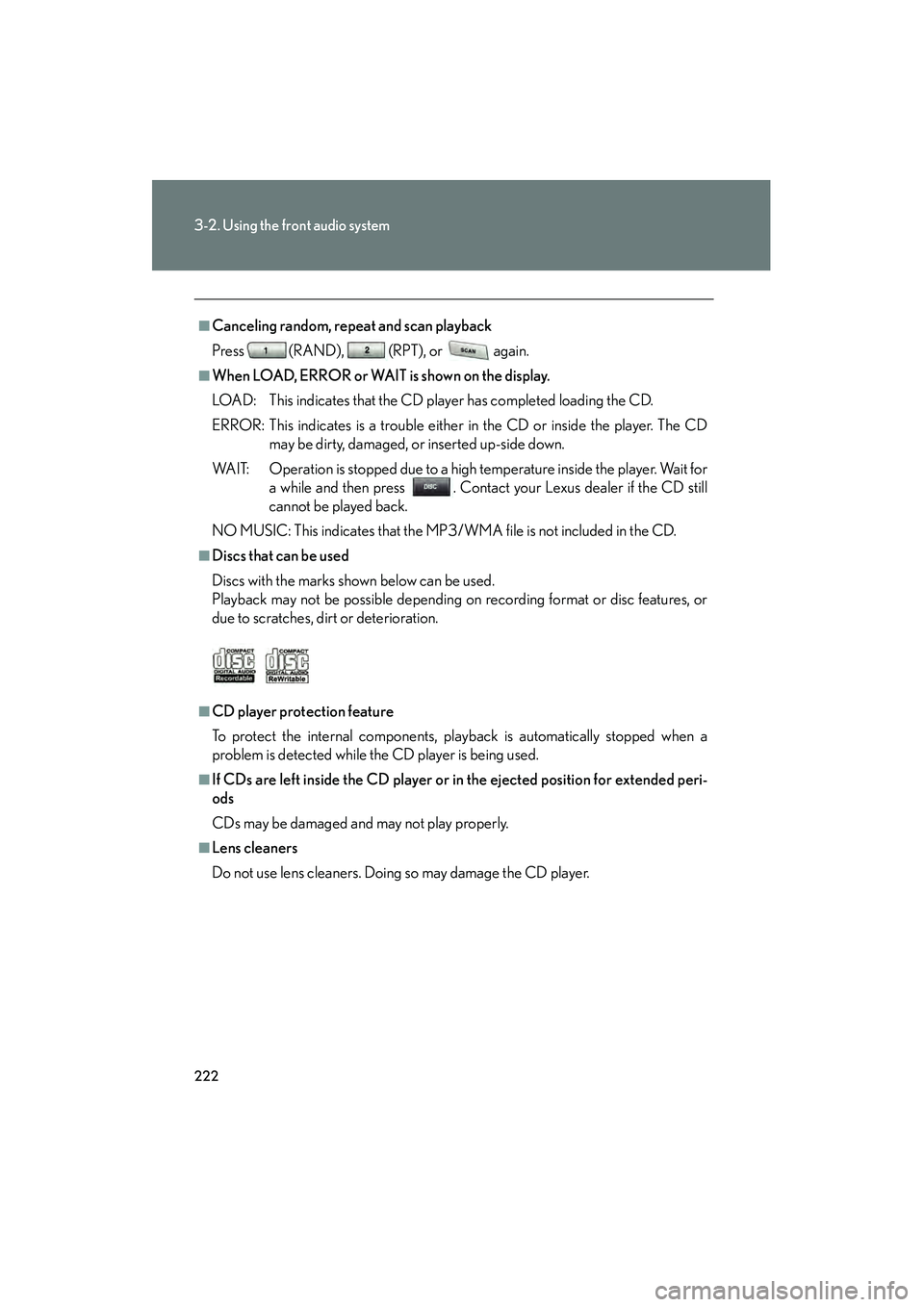
■Discs that can be used
Discs with the marks shown below can be used.
Playback may not be possible depending on recording format or disc features, or
due to scratches, dirt or deterioration.
■CD player protection feature
To protect the internal components, playback is automatically stopped when a
problem is detected while the CD player is being used.
■If CDs are left inside the CD player or in the ejected position for extended peri-
ods
CDs may be damaged and may not play properly.
■Lens cleaners
Do not use lens cleaners. Doing so may damage the CD player.
Page 228 of 487
226
3-2. Using the front audio system
RX400h_U
NOTICE
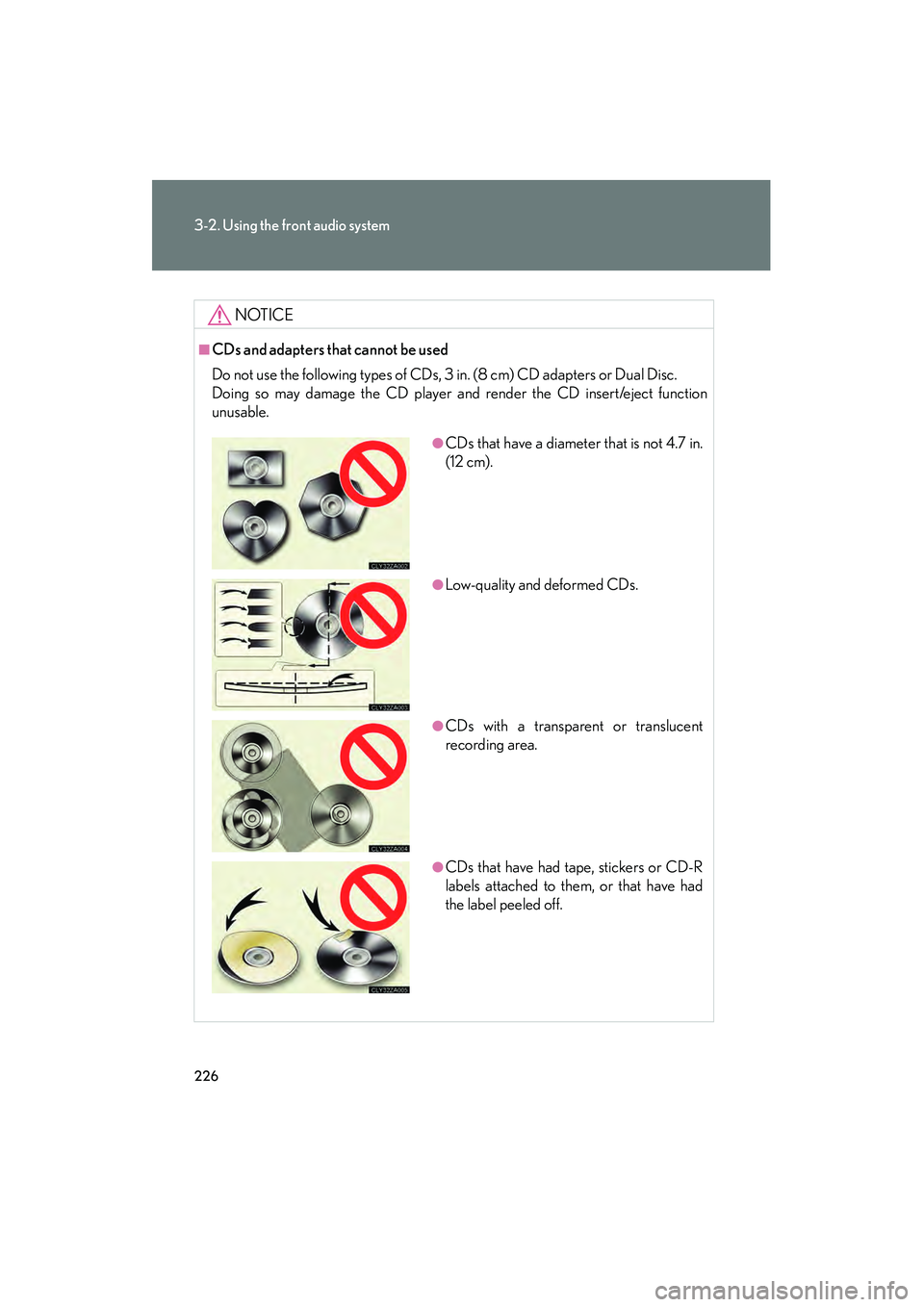
■CDs and adapters that cannot be used
Do not use the following types of CDs, 3 in. (8 cm) CD adapters or Dual Disc.
Doing so may damage the CD player and render the CD insert/eject function
unusable.
●CDs that have a diameter that is not 4.7 in.
(12 cm).
●Low-quality and deformed CDs.
●CDs with a transparent or translucent
recording area.
●CDs that have had tape, stickers or CD-R
labels attached to them, or that have had
the label peeled off.
Page 229 of 487
227
3-2. Using the front audio system
3
Interior features
RX400h_U
NOTICE
■CD player precautions
Failure to follow the precautions below may result in damage to the CDs or the
player itself.
●Do not insert anything other than CDs into the CD slot.
●Do not apply oil to the CD player.
●Store CDs away from direct sunlight.
●Never try to disassemble any part of the CD player.
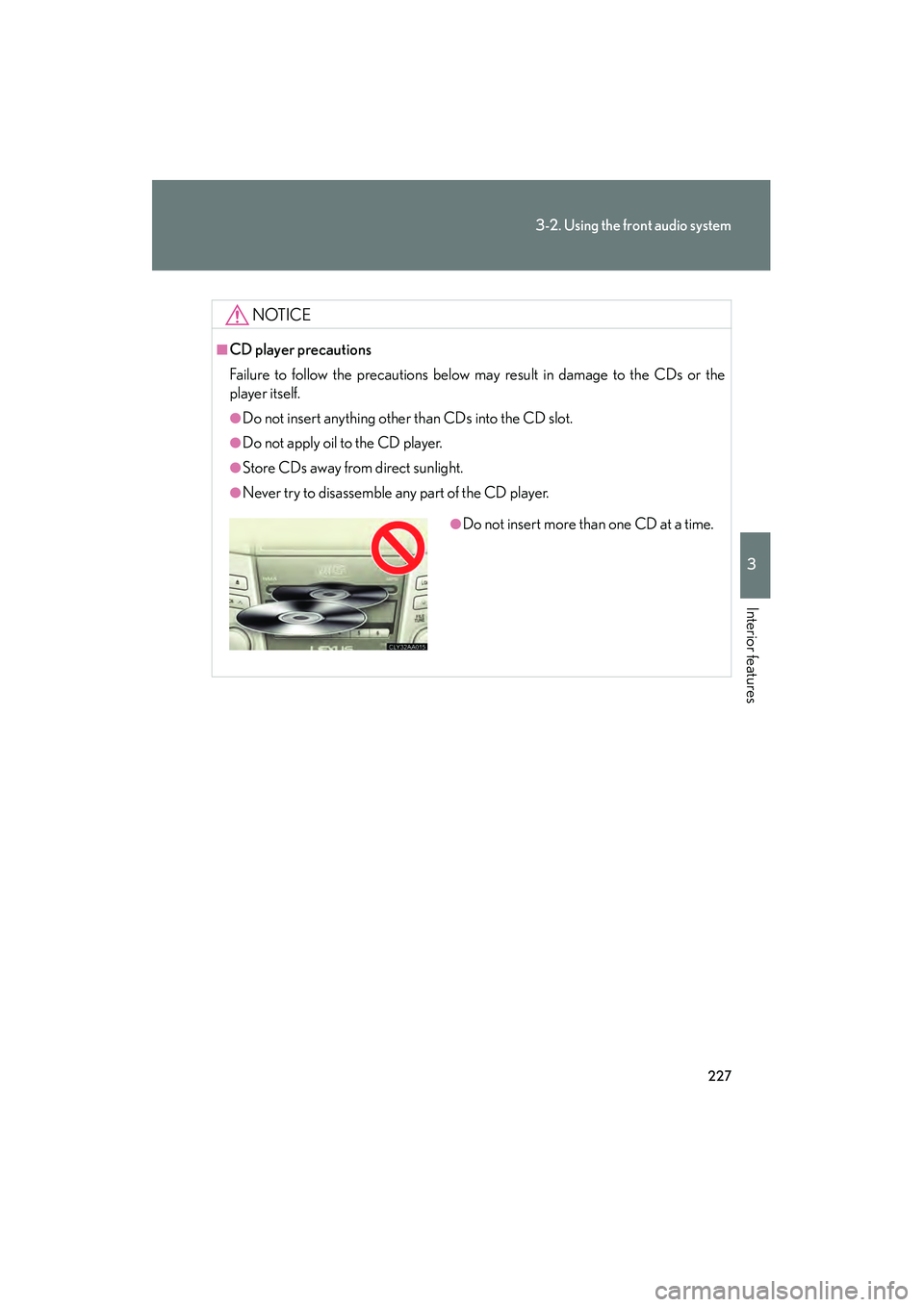
●Do not insert more than one CD at a time.
Page 234 of 487
232
3-2. Using the front audio system
RX400h_U
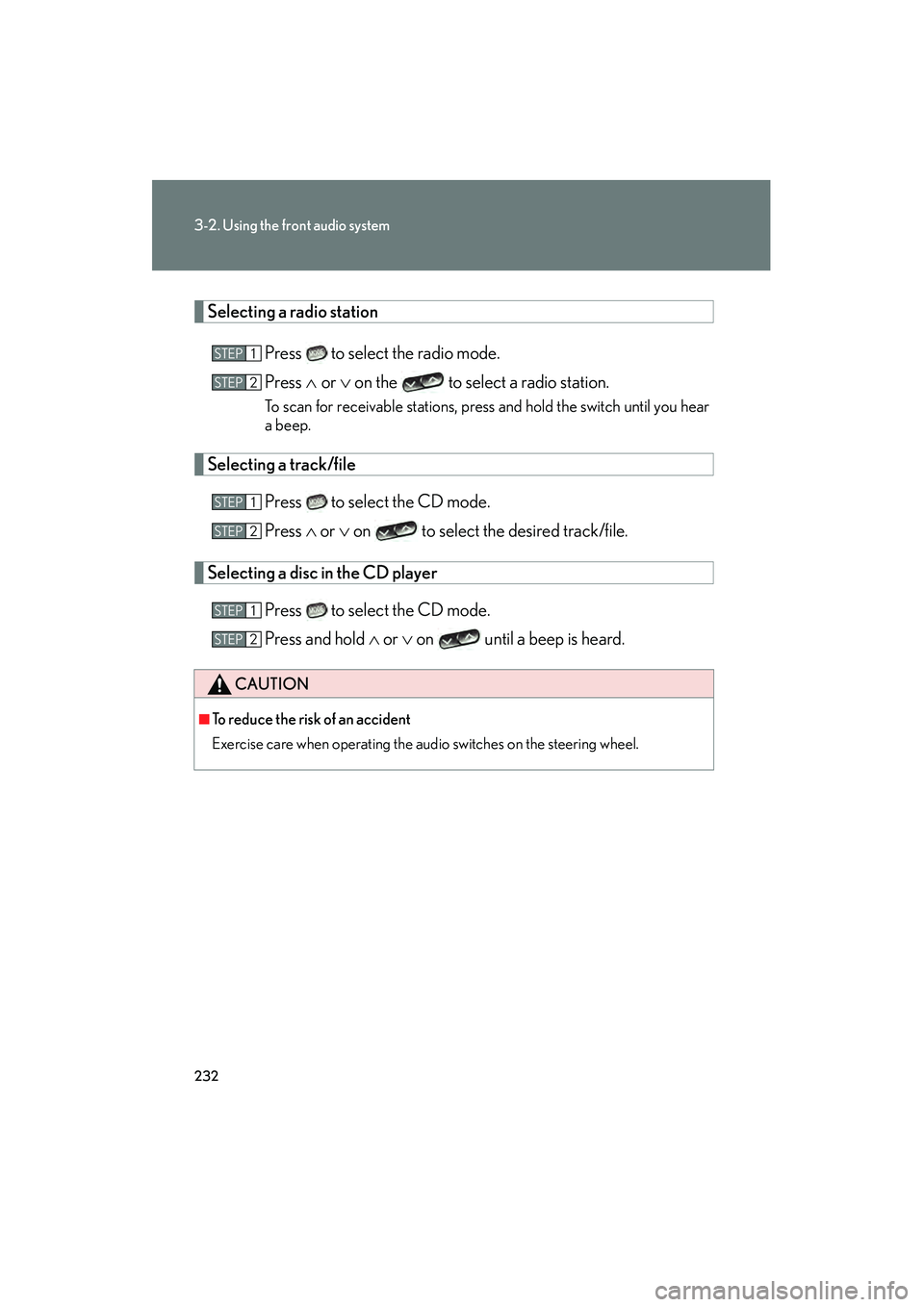
Selecting a radio stationPress to select the radio mode.
Press ∧ or ∨ on the to select a radio station.
To scan for receivable stations, press and hold the switch until you hear
a beep.
Selecting a track/file
Press to select the CD mode.
Press ∧ or ∨ on to select the desired track/file.
Selecting a disc in the CD player
Press to select the CD mode.
Press and hold ∧ or ∨ on until a beep is heard.
CAUTION
■To reduce the risk of an accident
Exercise care when operating the audio switches on the steering wheel.
STEP1
STEP2
STEP1
STEP2
STEP1
STEP2
Page 236 of 487
234
3-3. Using the rear audio system
RX400h_U
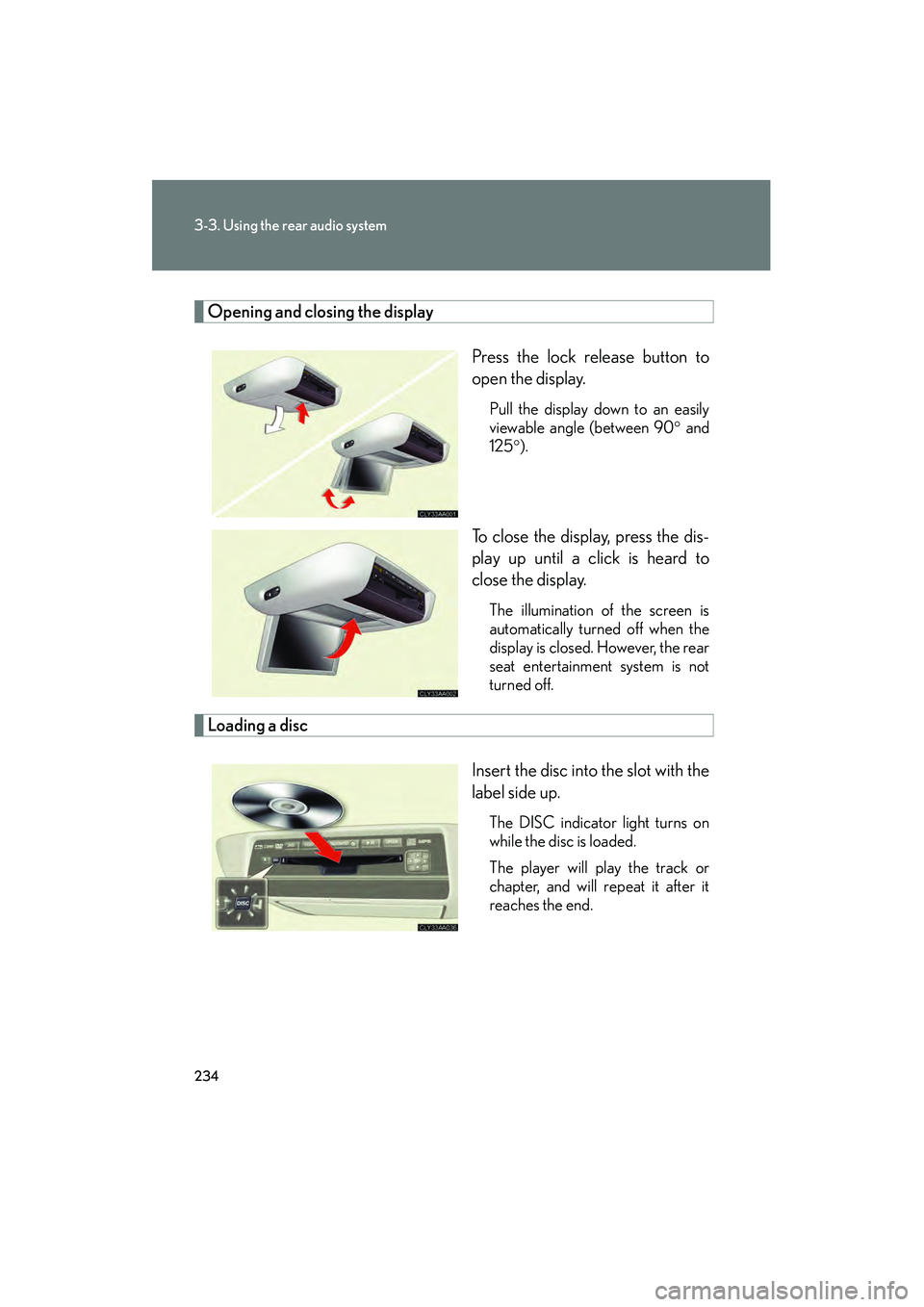
Opening and closing the displayPress the lock release button to
open the display.
Pull the display down to an easily
viewable angle (between 90° and
125° ).
To close the display, press the dis-
play up until a click is heard to
close the display.
The illumination of the screen is
automatically turned off when the
display is closed. However, the rear
seat entertainment system is not
turned off.
Loading a disc
Insert the disc into the slot with the
label side up.
The DISC indicator light turns on
while the disc is loaded.
The player will play the track or
chapter, and will repeat it after it
reaches the end.
Page 239 of 487
237
3-3. Using the rear audio system
3
Interior features
RX400h_U
■Error messages
DISC CHECK: Indicates that the disc is dirty, damaged or was inserted upsidedown. Clean the disc or insert it correctly.
REGION ERROR: Indicates that the DVD region code is not set properly.
DVD ERROR: Indicates that there is a problem inside the player. Eject the disc. Set the disc again.
If the malfunction still exists, take the vehicle to your Lexus
dealer.
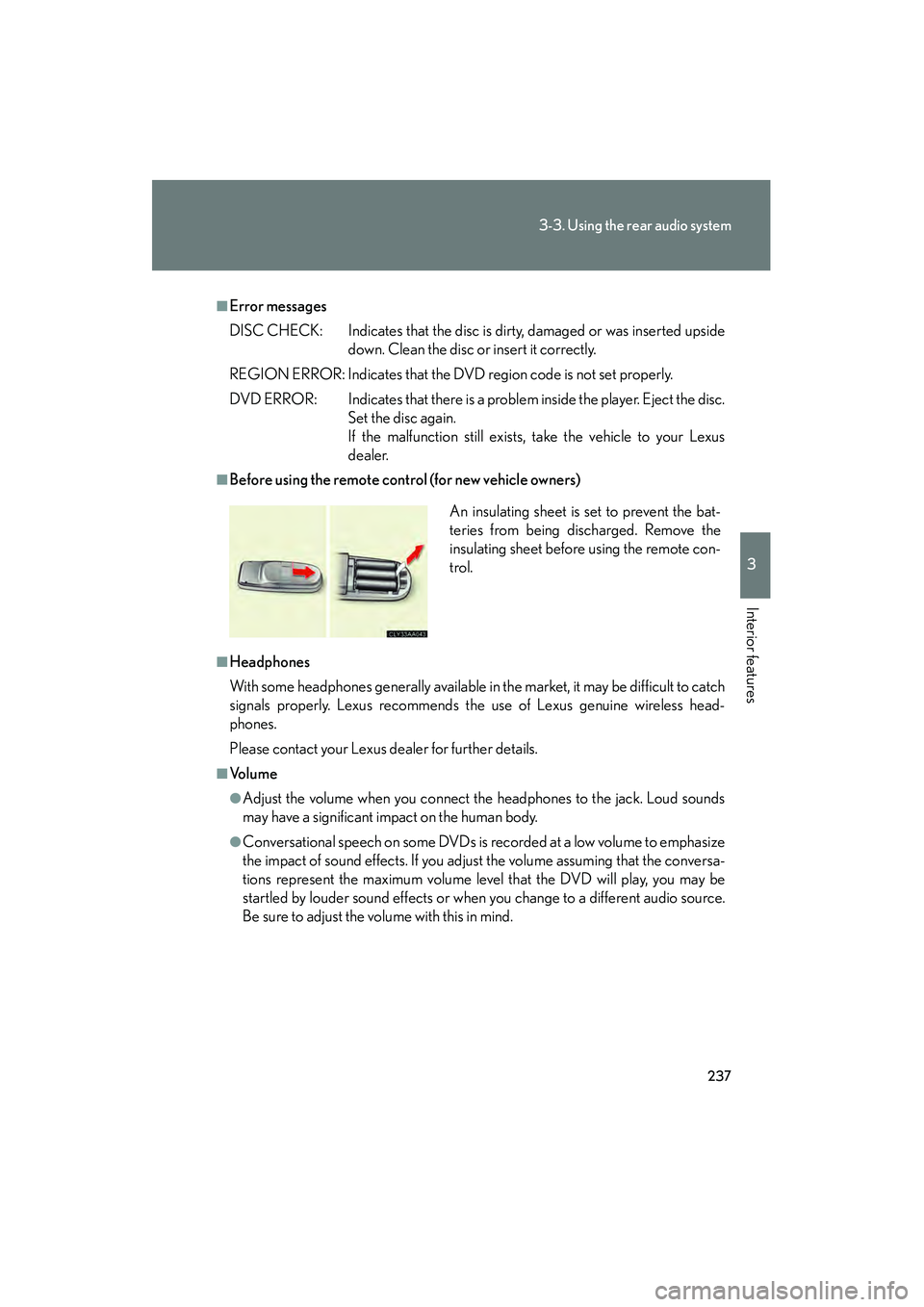
■Before using the remote control (for new vehicle owners)
■Headphones
With some headphones generally available in the market, it may be difficult to catch
signals properly. Lexus recommends the use of Lexus genuine wireless head-
phones.
Please contact your Lexus dealer for further details.
■Vo l u m e
●Adjust the volume when you connect the headphones to the jack. Loud sounds
may have a significant impact on the human body.
●Conversational speech on some DVDs is recorded at a low volume to emphasize
the impact of sound effects. If you adjust the volume assuming that the conversa-
tions represent the maximum volume level that the DVD will play, you may be
startled by louder sound effects or when you change to a different audio source.
Be sure to adjust the volume with this in mind. An insulating sheet is set to prevent the bat-
teries from being discharged. Remove the
insulating sheet before using the remote con-
trol.
Page 241 of 487
239
3-3. Using the rear audio system
3
Interior features
RX400h_U
Using the DVD player (DVD video)
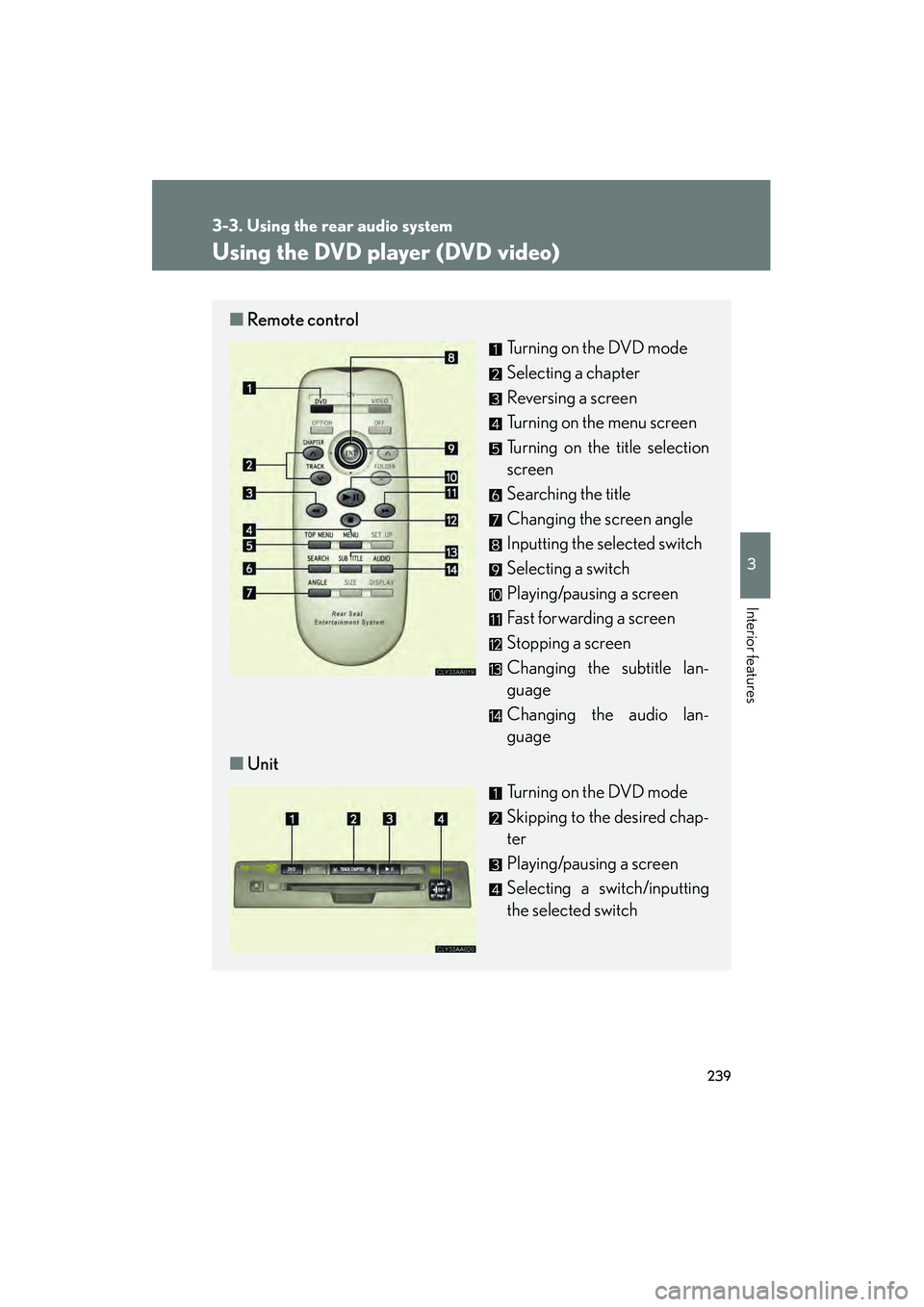
■Remote control
Turning on the DVD mode
Selecting a chapter
Reversing a screen
Turning on the menu screen
Turning on the title selection
screen
Searching the title
Changing the screen angle
Inputting the selected switch
Selecting a switch
Playing/pausing a screen
Fast forwarding a screen
Stopping a screen
Changing the subtitle lan-
guage
Changing the audio lan-
guage
■ Unit
Turning on the DVD mode
Skipping to the desired chap-
ter
Playing/pausing a screen
Selecting a switch/inputting
the selected switch
Page 243 of 487
241
3-3. Using the rear audio system
3
Interior features
RX400h_U
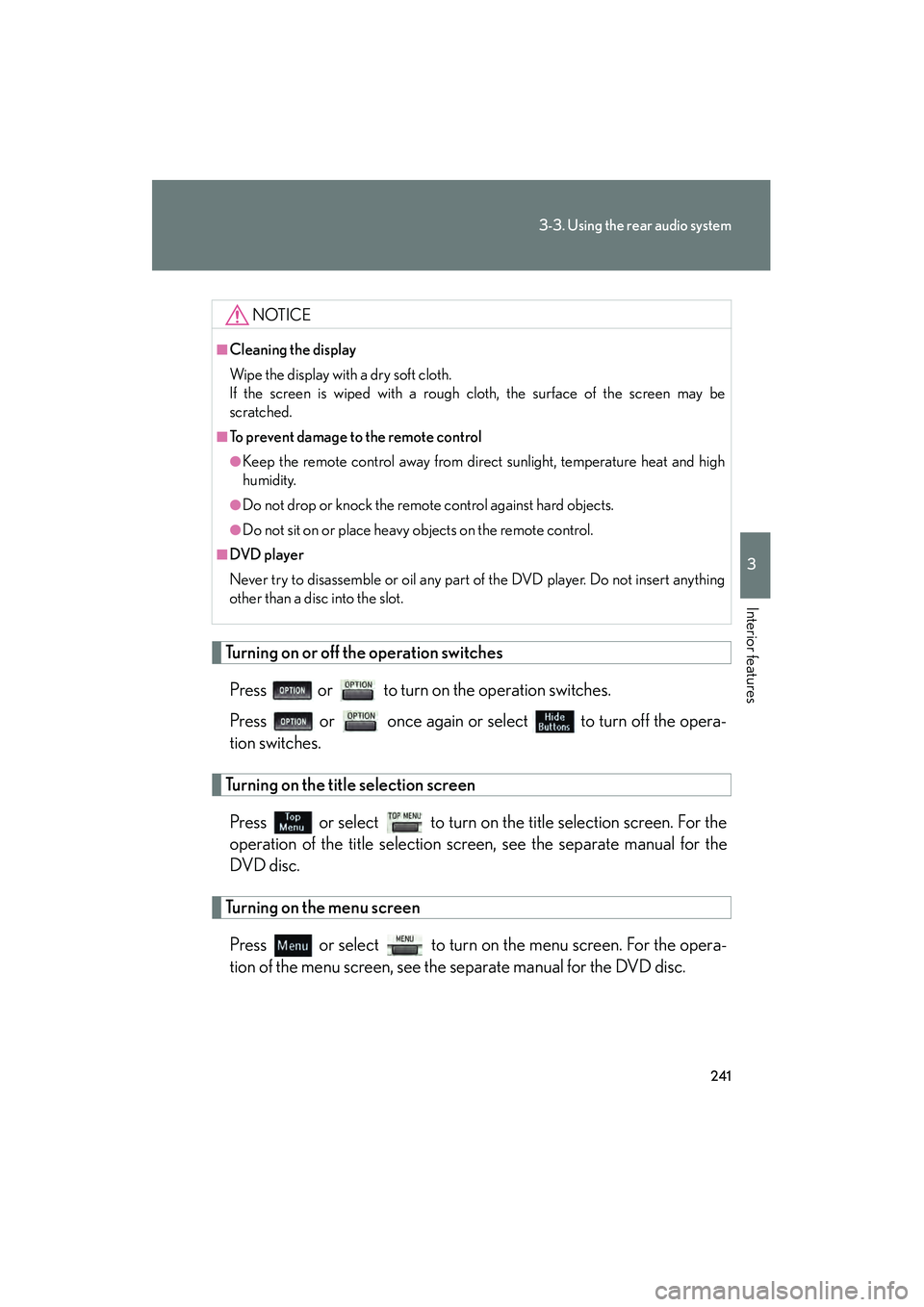
Turning on or off the operation switchesPress or to turn on the operation switches.
Press or once again or select to turn off the opera-
tion switches.
Turning on the title selection screenPress or select to turn on the title selection screen. For the
operation of the title selection screen, see the separate manual for the
DVD disc.
Turning on the menu screenPress or select to turn on the menu screen. For the opera-
tion of the menu screen, see the separate manual for the DVD disc.
NOTICE
■Cleaning the display
Wipe the display with a dry soft cloth.
If the screen is wiped with a rough cloth, the surface of the screen may be
scratched.
■To prevent damage to the remote control
●Keep the remote control away from direct sunlight, temperature heat and high
humidity.
●Do not drop or knock the remote control against hard objects.
●Do not sit on or place heavy objects on the remote control.
■DVD player
Never try to disassemble or oil any part of the DVD player. Do not insert anything
other than a disc into the slot.
Page 245 of 487
243
3-3. Using the rear audio system
3
Interior features
RX400h_U
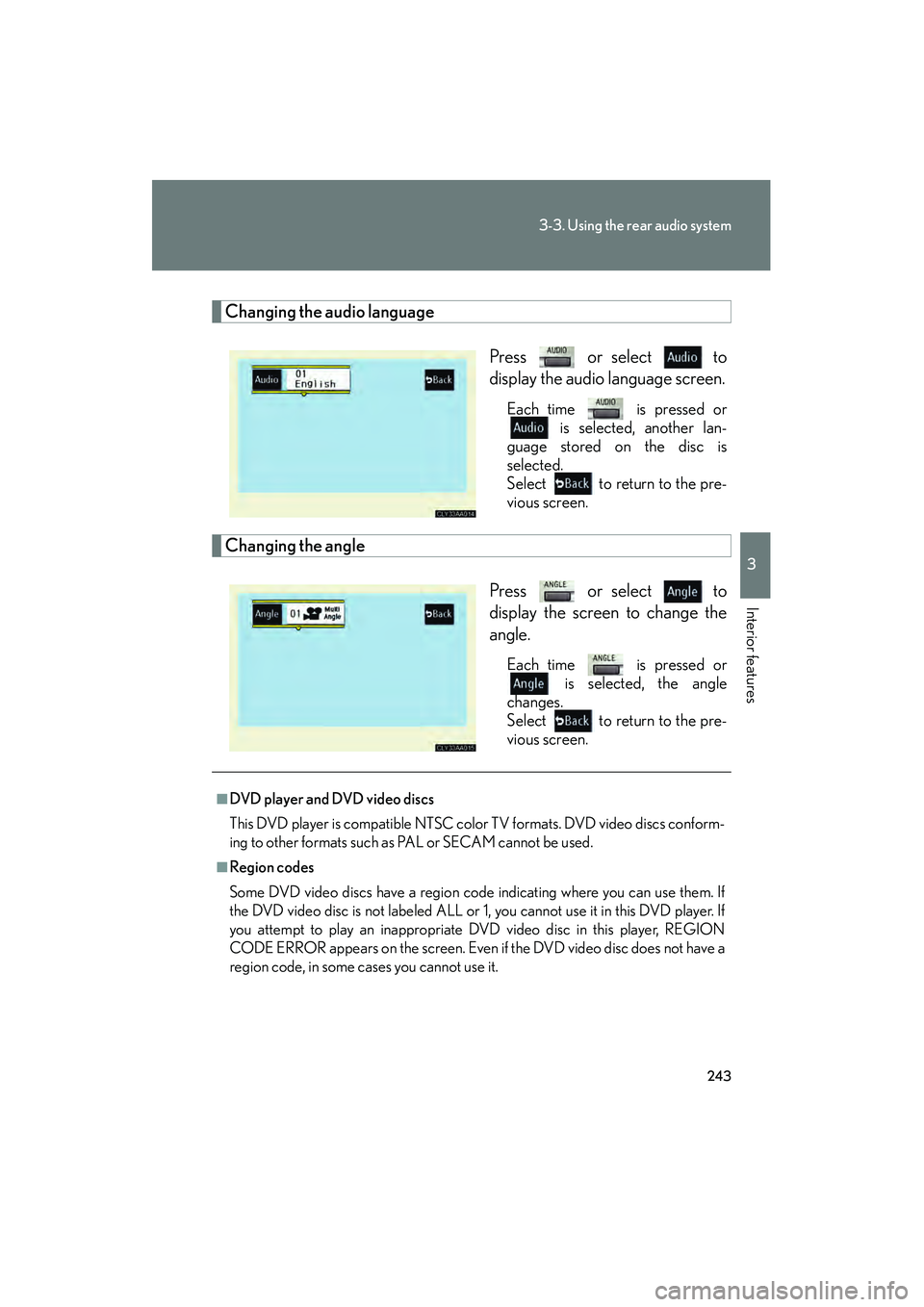
Changing the audio languagePress or select to
display the audio language screen.
Each time is pressed or is selected, another lan-
guage stored on the disc is
selected.
Select to return to the pre-
vious screen.
Changing the angle
Press or select to
display the screen to change the
angle.
Each time is pressed or is selected, the angle
changes.
Select to return to the pre-
vious screen.
■DVD player and DVD video discs
This DVD player is compatible NTSC color TV formats. DVD video discs conform-
ing to other formats such as PAL or SECAM cannot be used.
■Region codes
Some DVD video discs have a region code indicating where you can use them. If
the DVD video disc is not labeled ALL or 1, you cannot use it in this DVD player. If
you attempt to play an inappropriate DVD video disc in this player, REGION
CODE ERROR appears on the screen. Even if the DVD video disc does not have a
region code, in some cases you cannot use it.
Page 247 of 487
245
3-3. Using the rear audio system
3
Interior features
RX400h_U
●Multi-angle feature: Allows you to enjoy the same scene at different angles.
●Multi-language feature: Allows you to select the language of the subtitles and
audio.
●Region codes: Region codes are provided on DVD players and DVD discs. If the
DVD video disc does not have the same region code as the DVD player, you can-
not play the disc on the DVD player.
●Audio: This DVD player can play liner PCM, Dolby digital, dts and MPEG audio
format DVD. Other decoded type cannot be played.
●Title and chapter: Video and audio programs stored on DVD video discs are
divided into sections by title and chapter.
●Title: The largest unit of the video and audio programs stored on DVD video discs.
Usually, one piece of a movie, one album, or one audio program is assigned as a
title.
●Chapter: A unit smaller than a title. A title comprises multiple chapters.
■Audio
Manufactured under license from Dolby Laboratories. “Dolby”, “Pro Logic”,
and are trademarks of Dolby
Laboratories. Confidential unpublished works.
1992-1997 Dolby Laboratories. All rights reserved.
“dts” is a trademark of Digital Theater Systems, Inc.