ESP LEXUS RX400H 2008 User Guide
[x] Cancel search | Manufacturer: LEXUS, Model Year: 2008, Model line: RX400H, Model: LEXUS RX400H 2008Pages: 487, PDF Size: 6.96 MB
Page 147 of 487
145
2-2. Instrument cluster
2
When driving
RX400h_U
■Outside temperature display
In the following situations, the correct outside temperature may not be displayed, or
the display may take longer than normal to change.
●When stopped, or driving at low speeds (less than 12 mph [20 km/h])
●When the outside temperature has changed suddenly (at the entrance/exit of a
garage, tunnel, etc.)
NOTICE
■The multi-information display at low temperatures
Allow the interior of the vehicle to warm up before using the liquid crystal informa-
tion display. At extremely low temperatures, the information display monitor may
respond slowly, and display changes may be delayed.
Page 168 of 487
166
2-4. Using other driving systems
RX400h_U
■Vehicle-to-vehicle distance settings
Select a distance from the table below. Note that the distances shown correspond
to a vehicle speed of 55 mph (88 km/h). Vehicle-to-vehicle distance increases/
decreases in accordance with vehicle speed.
■Laser radar sensor
■Certification
Distance optionsVehicle-to-vehicle distance
LongApproximately 245 ft. (75 m)
MediumApproximately 165 ft. (50 m)
ShortApproximately 100 ft. (30 m)
Always keep the sensor clean to ensure that
the vehicle-to-vehicle distance control oper-
ates properly. (Some obstructions, such as
snow, ice or plastic objects, cannot be
detected by the obstruction sensor.)
Dynamic laser cruise control is canceled if an
obstruction is detected.
This product is a class I laser product complied with 21 C. F. R part 1040. 10. and
1040. 11.
Page 171 of 487
169
2-4. Using other driving systems
2
When driving
RX400h_U
Driving assist systems
To help enhance driving safety and performance, the following systems
operate automatically in response to various driving situations. Be aware,
however, that these systems are supplementary and should not be relied
upon too heavily when operating the vehicle.
■ ABS (Anti-lock Brake System)
Helps to prevent wheel lock when the brakes are applied suddenly, or if
the brakes are applied while driving on a slippery road surface.
■Brake assist
Generates an increased level of braking force after the brake pedal is
depressed, when the system detects a panic stop situation.
■VSC (Vehicle Stability Control)
Helps the driver to control skidding when swerving suddenly or turning on
slippery road surfaces.
■Traction Control
Maintains drive power and prevents the front wheels (2WD models) or all
wheels (AWD models) from spinning wh en starting the vehicle or acceler-
ating on slippery roads.
■ EPS (Electric Power Steering)
Employs an electric motor to reduce the amount of effort needed to turn
the steering wheel.
■VDIM (Vehicle Dynamics Integrated Management)
Provides integrated control of the ABS, brake assist, VSC, traction control
and EPS systems.
Maintains vehicle stability when swerving on slippery road surfaces by
controlling the brakes, engine output, and the movement of the front
wheels.
Page 177 of 487
175
2-5. Driving information
2
When driving
RX400h_U
Off-road drivingYour vehicle is not designed to be driven off-road. However, in the event
that off-road driving cannot be avoided, please observe the following
precautions to help avoid the areas prohibited to vehicles.
● Drive your vehicle only in areas where off-road vehicles are permitted
to travel.
● Respect private property. Get owner’s permission before entering pri-
vate property.
● Do not enter areas that are closed. Honor gates, barriers and signs
that restrict travel.
● Stay on established roads. When conditions are wet, driving tech-
niques should be changed or travel delayed to prevent damage to
roads.
● Avoid driving on very steep, slippery roads and other surfaces, such as
sand, where the tires are liable to lose traction. Your vehicle may not
perform as well as conventional AWD on-road vehicles on these sur-
faces.
■Additional information for off-road driving
For owners in U.S. mainland, Hawaii and Puerto Rico:
To obtain additional information pertaining to driving your vehicle off-road, consult
the following organizations.
●State and Local Parks and Recreation Departments
●State Motor Vehicle Bureau
●Recreational Vehicle Clubs
●U.S. Forest Service and Bureau of Land Management
Page 178 of 487
176
2-5. Driving information
RX400h_U
CAUTION
■Off-road driving precautions
Always observe the following precautions to minimize the risk of serious personal
injury or damage to your vehicle:
●Drive carefully when off the road. Do not take unnecessary risks by driving in
dangerous places.
●Do not grip the steering wheel spokes when driving off-road. A bad bump could
jerk the wheel and injure your hands. Keep both hands and especially your
thumbs on the outside of the rim.
●Always check your brakes for effectiveness immediately after driving in sand,
mud, water or snow.
●After driving through tall grass, mud, rock, sand, rivers, etc., check that there is no
grass, bush, paper, rags, stone, sand, etc. adhering or trapped on the underbody.
Clear off any such matter from the underbody. If the vehicle is used with these
materials trapped or adhering to the underbody, a breakdown or fire could occur.
●When driving off-road or in rugged terrain, do not drive at excessive speeds,
jump, make sharp turns, strike objects, etc. This may cause loss of control or vehi-
cle rollover causing death or serious injury. You are also risking expensive dam-
age to your vehicle’s suspension and chassis.
NOTICE
■To prevent the water damage
Take all necessary safety measures to ensure that water damage to the hybrid bat-
tery, hybrid system or other components does not occur.
●Water entering the engine compartment may cause severe damage to the hybrid
system. Water entering the interior may cause the hybrid battery stowed under
the rear seats to short circuit.
●Water entering the hybrid transaxle will cause deterioration in transmission qual-
ity. The malfunction indicator may come on, and the vehicle may not be drivable.
●Water can wash the grease from wheel bearings, causing rusting and premature
failure, and may also enter the transaxle case, reducing the gear oil’s lubricating
qualities.
Page 196 of 487
194
2-5. Driving information
RX400h_U●
Avoid sudden braking as you may sk id, resulting in jackknifing and loss
of control. This is especially true on wet or slippery surfaces.
● Avoid jerky starts or sudden acceleration.
● Avoid jerky steering and sharp turns, and slow down before making
turns.
● Note that when making a turn, the trailer wheels will be closer than the
vehicle wheels to the inside of the turn. Compensate by making a
larger than normal turning radius.
● Crosswinds and rough roads will adversely affect handling of your
vehicle and trailer, causing sway. Periodically check the rear to prepare
for being passed by large trucks or buses, which may cause your vehi-
cle and trailer to sway. If swaying occurs, firmly grip the steering wheel,
reduce speed immediately but gradually, and steer straight ahead.
Never increase speed. If you make no extreme correction with the
steering or brakes, your vehicle and trailer will stabilize.
● Take care when passing other vehicles. Passing requires considerable
distance. After passing a vehicle, do not forget the length of your
trailer, and be sure you have plenty of room before changing lanes.
● Due to the added load of the trailer, your vehicle's hybrid system may
overheat on hot days (at temperatures over 85°F [30°C]) when driv-
ing up a long or steep grade. If the coolant temperature gauge indi-
cates overheating, immediately turn off the air conditioning (if in use),
pull your vehicle off the road and stop in a safe spot. ( →P. 4 2 4 )
Page 207 of 487
205
3
Interior features
RX400h_U
3-2. Using the front audio system
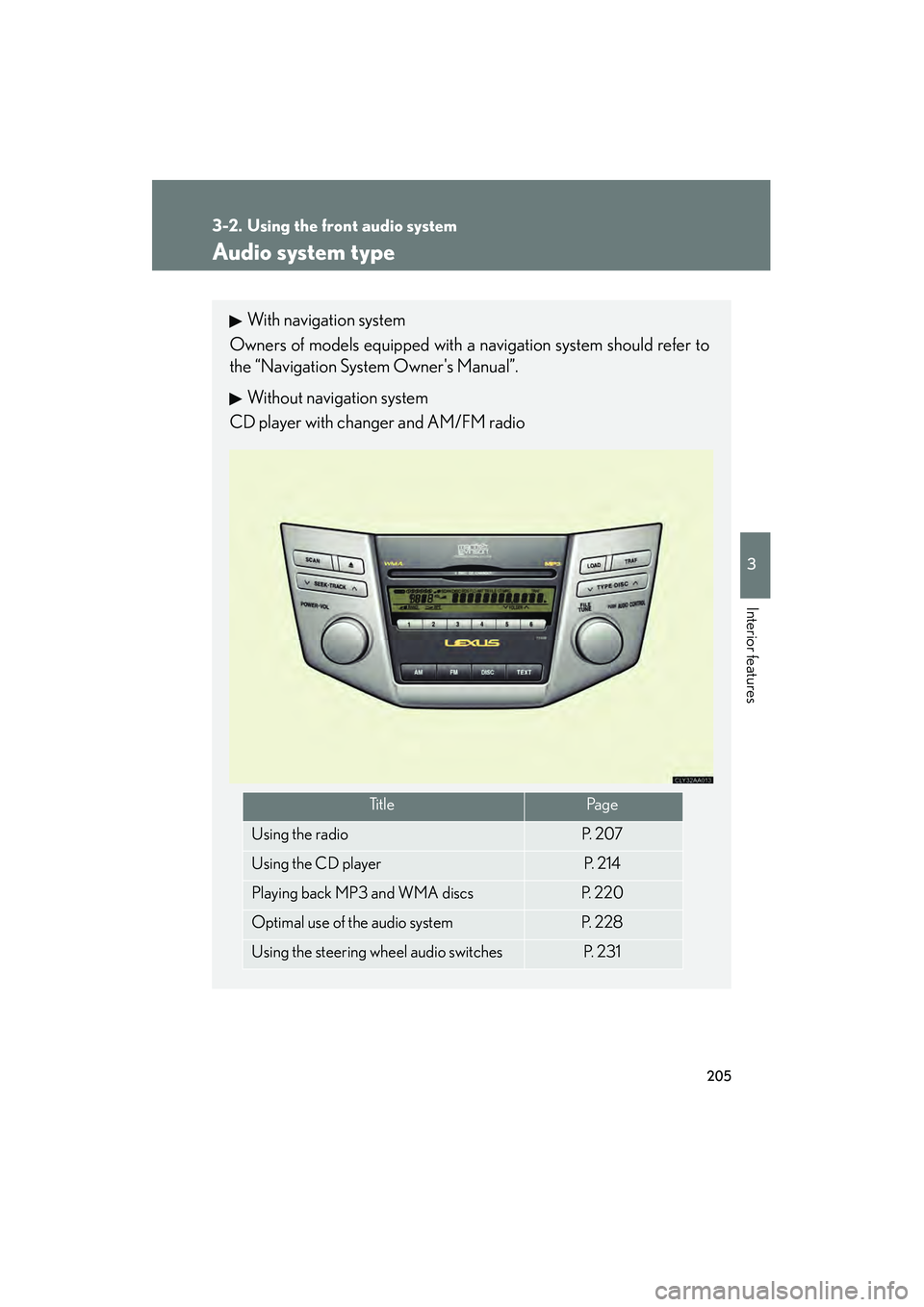
Audio system type
With navigation system
Owners of models equipped with a navigation system should refer to
the “Navigation System Owner's Manual”.
Without navigation system
CD player with changer and AM/FM radio
Ti t l ePa g e
Using the radioP. 2 0 7
Using the CD playerP. 2 1 4
Playing back MP3 and WMA discsP. 220
Optimal use of the audio systemP. 2 2 8
Using the steering wheel audio switchesP. 2 3 1
Page 243 of 487
241
3-3. Using the rear audio system
3
Interior features
RX400h_U
Turning on or off the operation switchesPress or to turn on the operation switches.
Press or once again or select to turn off the opera-
tion switches.
Turning on the title selection screenPress or select to turn on the title selection screen. For the
operation of the title selection screen, see the separate manual for the
DVD disc.
Turning on the menu screenPress or select to turn on the menu screen. For the opera-
tion of the menu screen, see the separate manual for the DVD disc.
NOTICE
■Cleaning the display
Wipe the display with a dry soft cloth.
If the screen is wiped with a rough cloth, the surface of the screen may be
scratched.
■To prevent damage to the remote control
●Keep the remote control away from direct sunlight, temperature heat and high
humidity.
●Do not drop or knock the remote control against hard objects.
●Do not sit on or place heavy objects on the remote control.
■DVD player
Never try to disassemble or oil any part of the DVD player. Do not insert anything
other than a disc into the slot.
Page 259 of 487
257
3-3. Using the rear audio system
3
Interior features
RX400h_U
■Returning to the previous screen
Select , and press ENT.
■To initialize the password
Press on the remote control or unit ten times when the screen to enter the per-
sonal code is displayed.
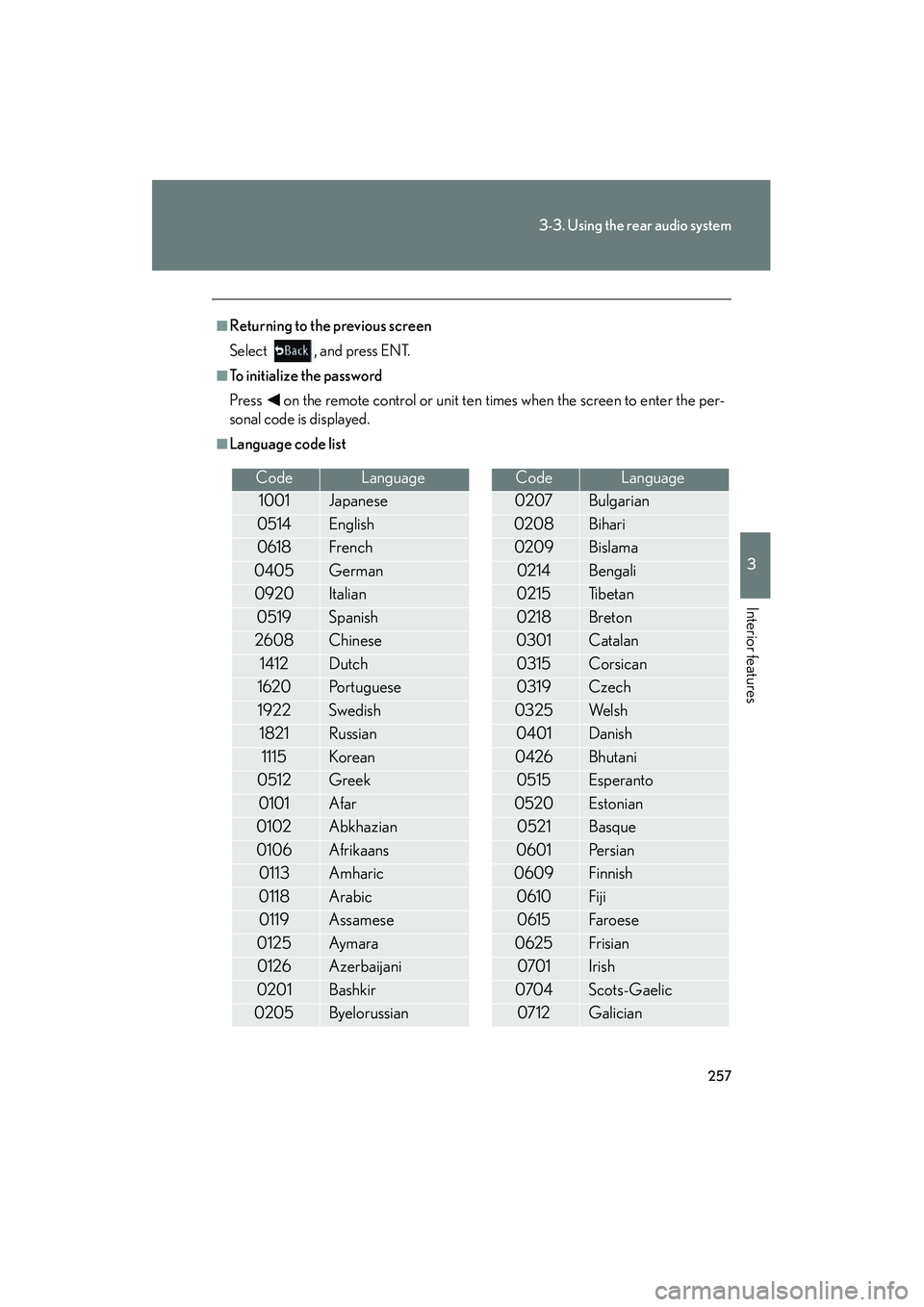
■Language code list
CodeLanguage
1001Japanese
0514English
0618French
0405German
0920Italian
0519Spanish
2608Chinese
1412Dutch
1620Portuguese
1922Swedish
1821Russian
1115Korean
0512Greek
0101Afar
0102Abkhazian
0106Afrikaans
0113Amharic
0118Arabic
0119Assamese
0125Ay m ara
0126Azerbaijani
0201Bashkir
0205Byelorussian
0207Bulgarian
0208Bihari
0209Bislama
0214Bengali
0215Ti b e t a n
0218Breton
0301Catalan
0315Corsican
0319Czech
0325We l s h
0401Danish
0426Bhutani
0515Esperanto
0520Estonian
0521Basque
0601Pe r s i a n
0609Finnish
0610Fiji
0615Fa roe se
0625Frisian
0701Irish
0704Scots-Gaelic
0712Galician
CodeLanguage
Page 293 of 487
291
3-6. Other interior features
3
Interior features
RX400h_U
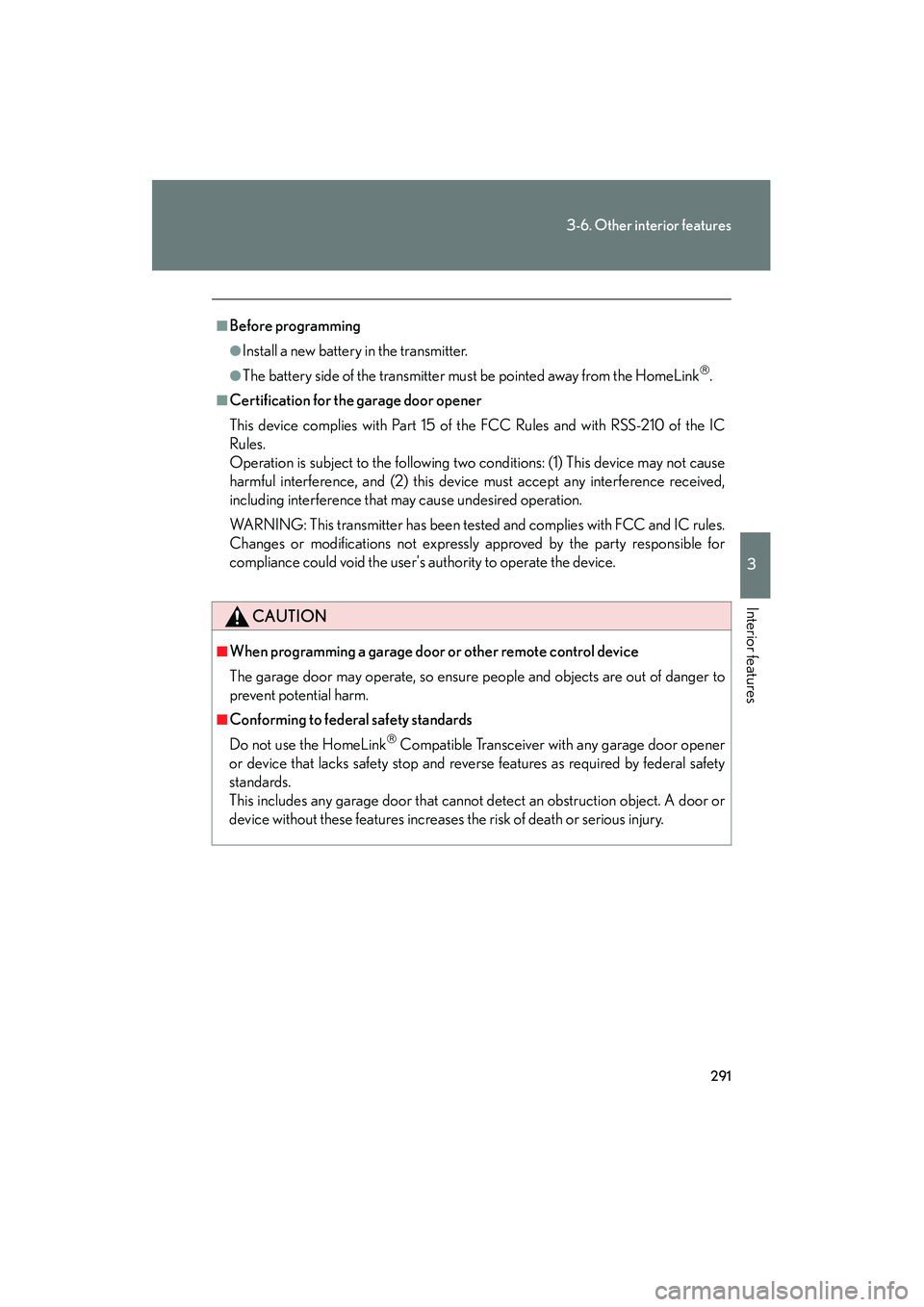
■Before programming
●Install a new battery in the transmitter.
●The battery side of the transmitter must be pointed away from the HomeLink.
■Certification for the garage door opener
This device complies with Part 15 of the FCC Rules and with RSS-210 of the IC
Rules.
Operation is subject to the following two conditions: (1) This device may not cause
harmful interference, and (2) this device must accept any interference received,
including interference that may cause undesired operation.
WARNING: This transmitter has been tested and complies with FCC and IC rules.
Changes or modifications not expressly approved by the party responsible for
compliance could void the user's authority to operate the device.
CAUTION
■When programming a garage door or other remote control device
The garage door may operate, so ensure people and objects are out of danger to
prevent potential harm.
■Conforming to federal safety standards
Do not use the HomeLink
Compatible Transceiver with any garage door opener
or device that lacks safety stop and reverse features as required by federal safety
standards.
This includes any garage door that cannot detect an obstruction object. A door or
device without these features increases the risk of death or serious injury.