ECU LEXUS RX400H 2008 Owner's Manual
[x] Cancel search | Manufacturer: LEXUS, Model Year: 2008, Model line: RX400H, Model: LEXUS RX400H 2008Pages: 487, PDF Size: 6.96 MB
Page 182 of 487
180
2-5. Driving information
RX400h_U
CAUTION
■Storage precautions
●Do not place anything on the luggage cover, and do not stack anything in the lug-
gage compartment higher than the seatbacks.
Such items may be thrown about and possibly injure people in the vehicle during
sudden braking or in an accident.
●Do not drive with objects on top of the instrument panel.
They may interfere with the driver’s field of view or move during sharp accelera-
tion or turning, thus impairing the driver’s control of the vehicle. In an accident
they may injure the vehicle occupants.
●Secure all items in the occupant compartment, as they may shift and injure some-
one during an accident or sudden braking.
●Never allow anyone to ride in the luggage compartment. It is not designed for
passengers. They should ride in their seats with their seat belts properly fastened.
Otherwise, they are much more likely to suffer serious bodily injury, in the event
of sudden braking or a collision.
■Capacity and distribution
●Improper loading may cause deterioration of steering or braking control result-
ing in an accident which may cause death or serious injury.
●Do not exceed the maximum axle weight rating or the total vehicle weight rating.
●Even if the total load of occupant's weight and the cargo load is less than the total
load capacity, do not apply the load unevenly.
Page 192 of 487
190
2-5. Driving information
RX400h_U
Connecting trailer lightsWith tow hitch receiver
Use the socket located under the rear bumper.
Without tow hitch receiver
Use the wire harness stored in the rear end under body.
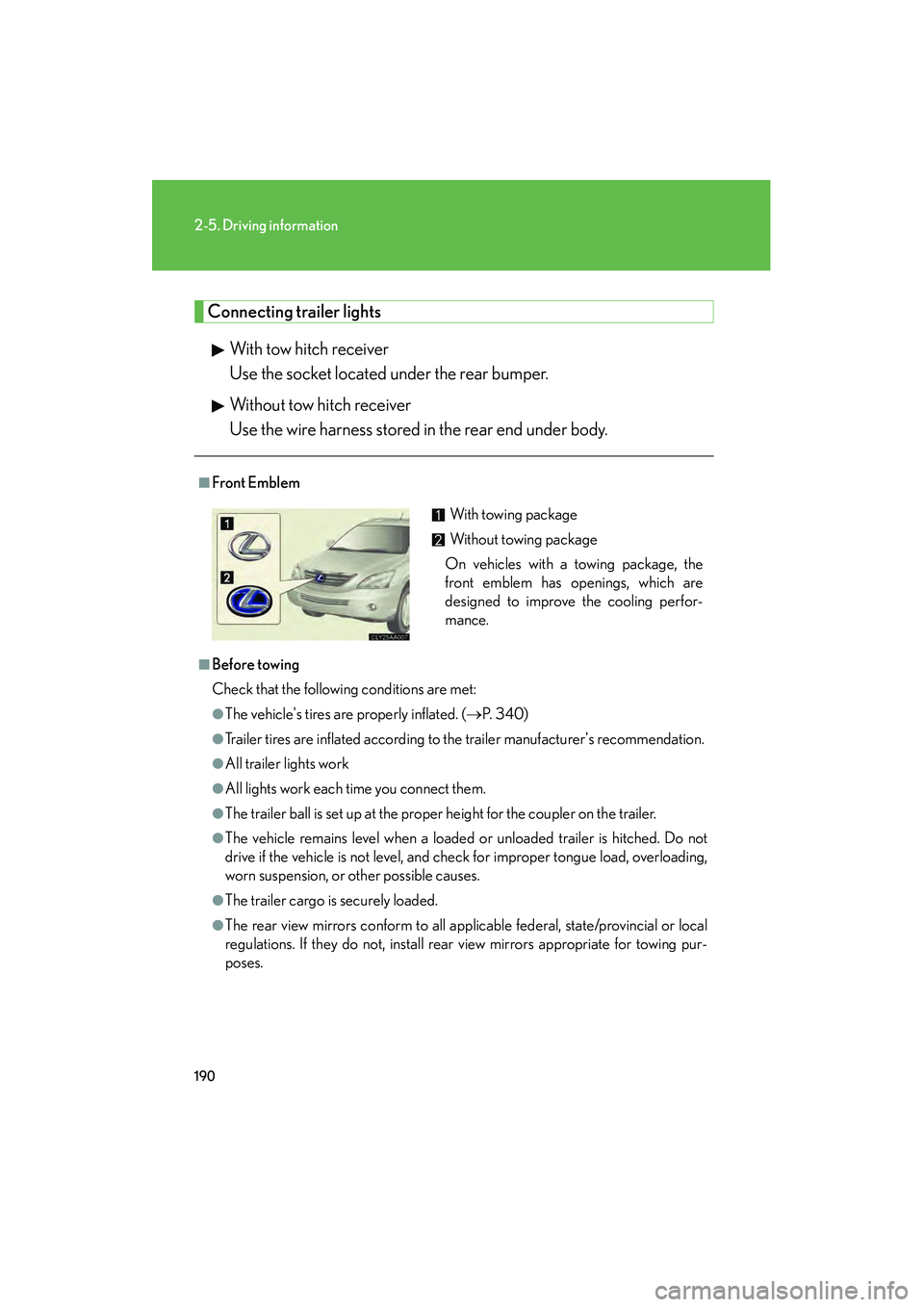
■Front Emblem
■Before towing
Check that the following conditions are met:
●The vehicle's tires are properly inflated. ( →P. 3 4 0 )
●Trailer tires are inflated according to the trailer manufacturer's recommendation.
●All trailer lights work
●All lights work each time you connect them.
●The trailer ball is set up at the proper height for the coupler on the trailer.
●The vehicle remains level when a loaded or unloaded trailer is hitched. Do not
drive if the vehicle is not level, and check for improper tongue load, overloading,
worn suspension, or other possible causes.
●The trailer cargo is securely loaded.
●The rear view mirrors conform to all applicable federal, state/provincial or local
regulations. If they do not, install rear view mirrors appropriate for towing pur-
poses.
With towing package
Without towing package
On vehicles with a towing package, the
front emblem has openings, which are
designed to improve the cooling perfor-
mance.
Page 194 of 487
192
2-5. Driving information
RX400h_U
CAUTION
■Hitches
●If you wish to install a trailer hitch, contact your Lexus dealer.
●Use only a hitch that conforms to the total trailer weight requirement.
●Follow the directions supplied by the hitch manufacturer.
●Lubricate the hitch ball with a light coat of grease.
●Remove the trailer hitch whenever you are not towing a trailer. After removing
the hitch, seal any mounting hole in the vehicle body to prevent entry of any sub-
stances into the vehicle.
■When towing a trailer
●If the total trailer weight exceeds 1000 lb. (450 kg), trailer brakes are required.
●Never tap into your vehicle's hydraulic system, as this will lower the vehicle's
braking effectiveness.
●Never tow a trailer without using a safety chain securely attached to both the
trailer and the vehicle. If damage occurs to the coupling unit or hitch ball, there is
danger of the trailer wandering into another lane.
NOTICE
■When installing a trailer hitch
●Use only the position recommended by your Lexus dealer. Do not install the
trailer hitch on the bumper; this may cause body damage.
●Do not use axle-mounted hitches, as they can cause damage to the axle housing,
wheel bearings, wheels or tires.
■Brakes
Lexus recommends trailers with brakes that conform to all applicable federal and
state/provincial regulations.
Page 214 of 487
212
3-2. Using the front audio system
RX400h_U
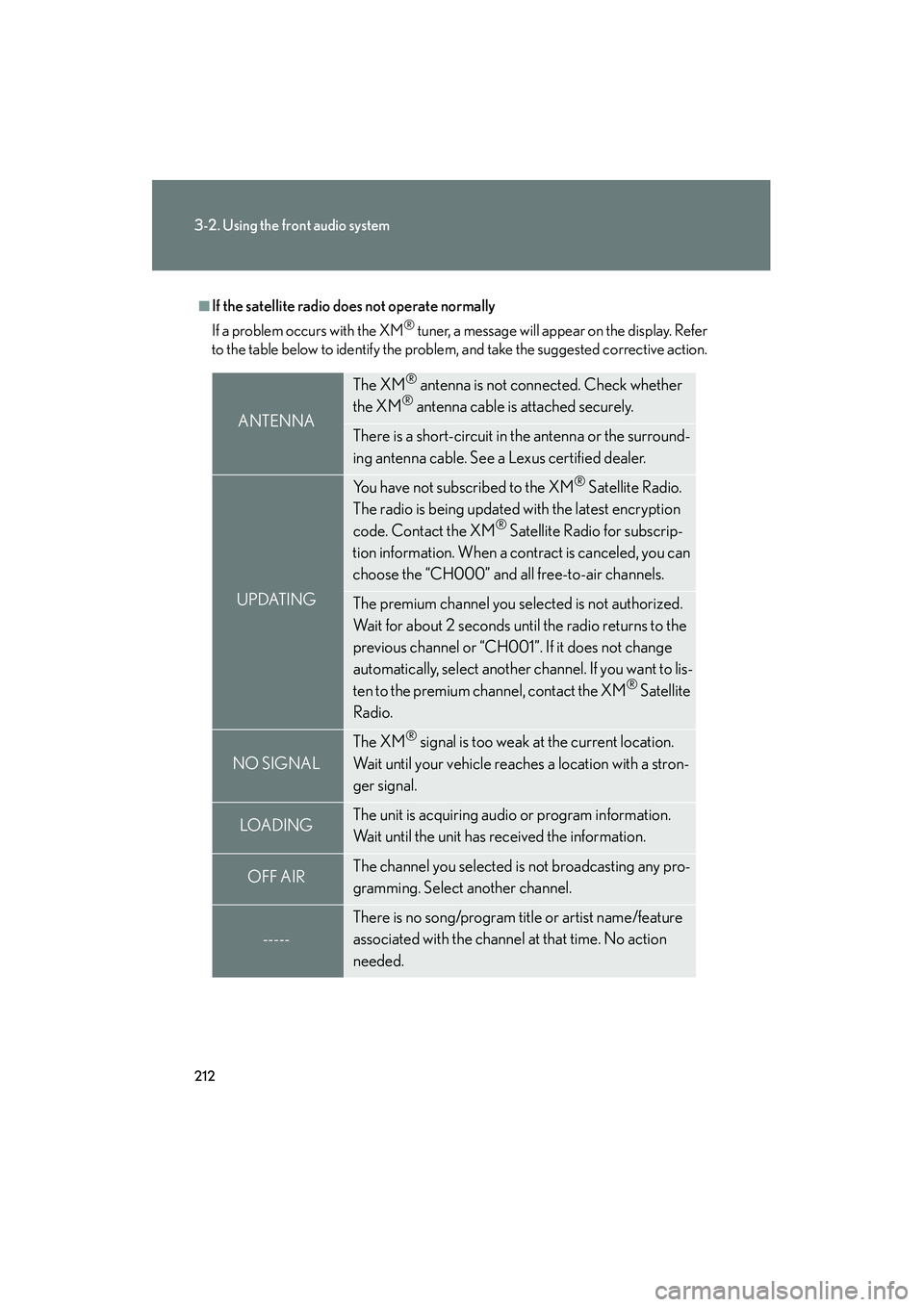
■If the satellite radio does not operate normally
If a problem occurs with the XM
® tuner, a message will appear on the display. Refer
to the table below to identify the problem, and take the suggested corrective action.
ANTENNA
The XM® antenna is not connected. Check whether
the XM® antenna cable is attached securely.
There is a short-circuit in the antenna or the surround-
ing antenna cable. See a Lexus certified dealer.
UPDATING
You have not subscribed to the XM® Satellite Radio.
The radio is being updated with the latest encryption
code. Contact the XM
® Satellite Radio for subscrip-
tion information. When a contract is canceled, you can
choose the “CH000” and all free-to-air channels.
The premium channel you selected is not authorized.
Wait for about 2 seconds until the radio returns to the
previous channel or “CH001”. If it does not change
automatically, select another channel. If you want to lis-
ten to the premium channel, contact the XM
® Satellite
Radio.
NO SIGNAL
The XM® signal is too weak at the current location.
Wait until your vehicle reaches a location with a stron-
ger signal.
LOAD INGThe unit is acquiring audio or program information.
Wait until the unit has received the information.
OFF AIRThe channel you selected is not broadcasting any pro-
gramming. Select another channel.
-----
There is no song/program title or artist name/feature
associated with the channel at that time. No action
needed.
Page 269 of 487
267
3-5. Using the storage features
3
Interior features
RX400h_U■
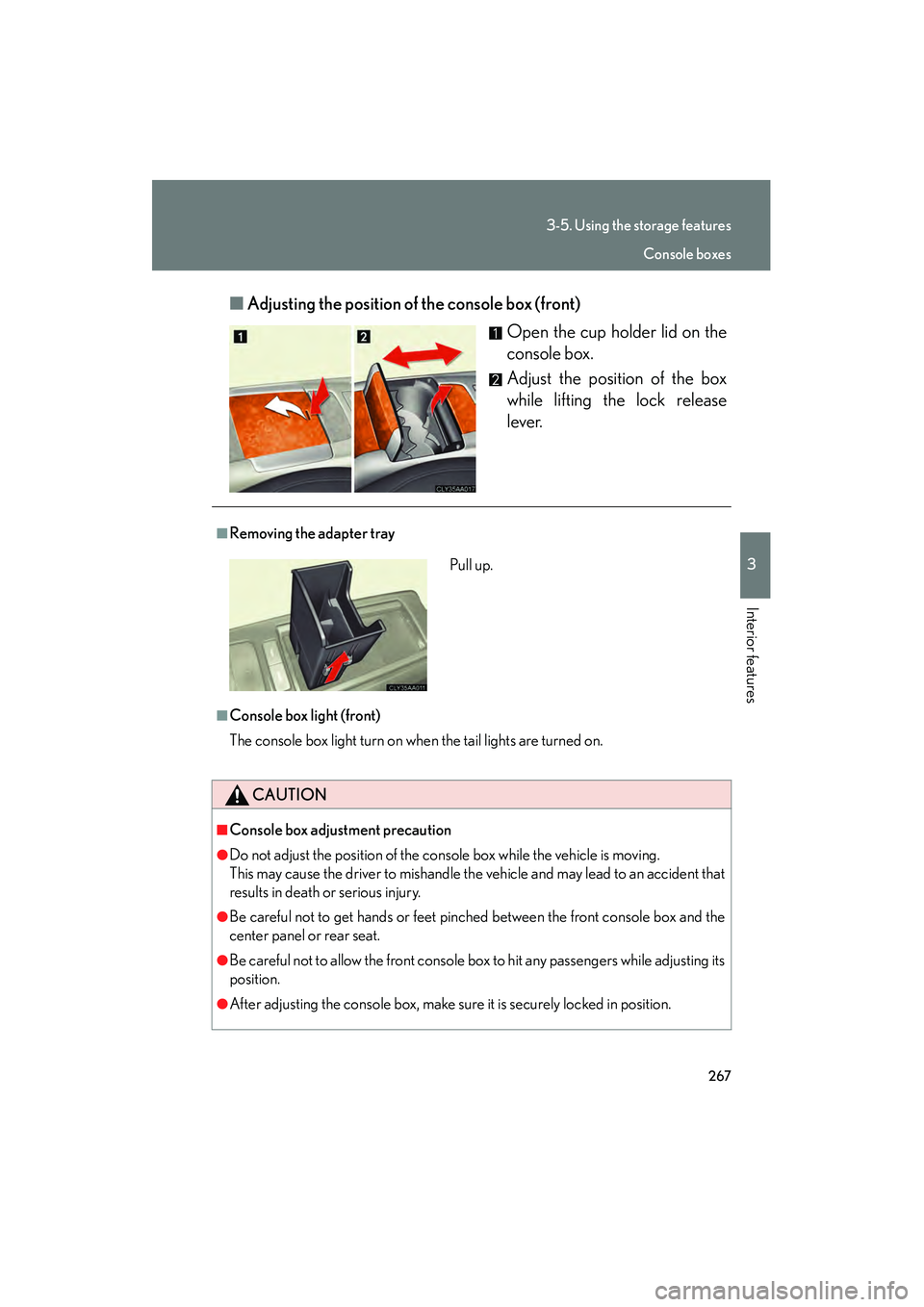
Adjusting the position of the console box (front)
Open the cup holder lid on the
console box.
Adjust the position of the box
while lifting the lock release
lever.
■Removing the adapter tray
■Console box light (front)
The console box light turn on when the tail lights are turned on.
CAUTION
■Console box adjustment precaution
●Do not adjust the position of the console box while the vehicle is moving.
This may cause the driver to mishandle the vehicle and may lead to an accident that
results in death or serious injury.
●Be careful not to get hands or feet pinched between the front console box and the
center panel or rear seat.
●Be careful not to allow the front console box to hit any passengers while adjusting its
position.
●After adjusting the console box, make sure it is securely locked in position.
Pull up.
Console boxes
Page 285 of 487
283
3-6. Other interior features
3
Interior features
RX400h_U
Floor mat
CAUTION
■When inserting the floor mat
Observe the following precautions.
Failure to do so may result in the floor mat slipping and interfering with the move-
ment of the pedals during driving, resulting in an accident.
●Make sure the floor mat is properly placed on the vehicle carpet and the correct
side faces upward.
●Do not place floor mats on top of existing mats.
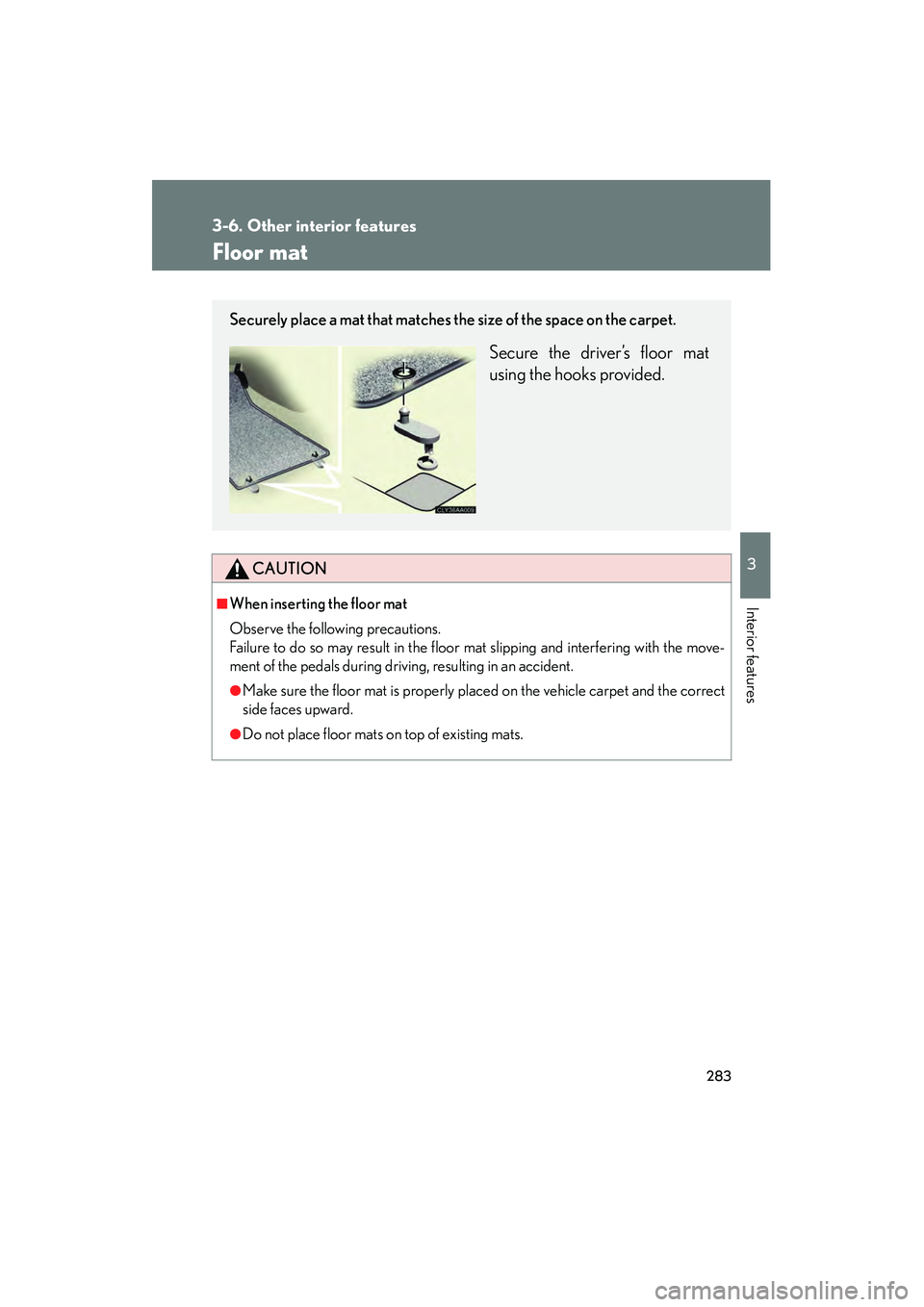
Securely place a mat that matches the size of the space on the carpet.
Secure the driver’s floor mat
using the hooks provided.
Page 286 of 487
284
3-6. Other interior features
RX400h_U
Luggage compartment features
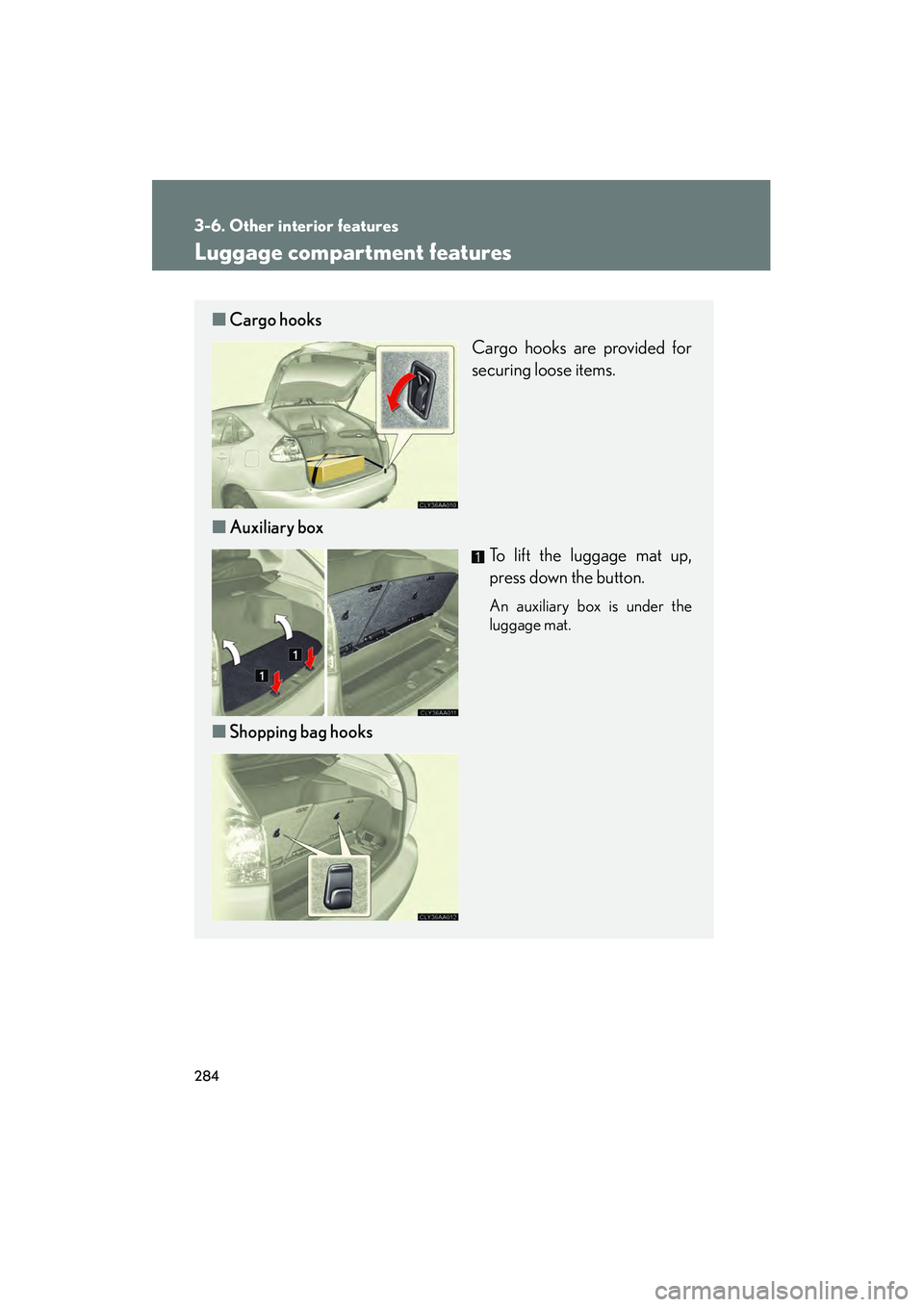
■Cargo hooks
Cargo hooks are provided for
securing loose items.
■ Auxiliary box
To lift the luggage mat up,
press down the button.
An auxiliary box is under the
luggage mat.
■Shopping bag hooks
Page 289 of 487
287
3-6. Other interior features
3
Interior features
RX400h_U
Garage door opener
The garage door opener (HomeLink Universal Transceiver) is manufactured
under license from HomeLink.
Programming the HomeLink (for U.S.A. owners)
The HomeLink
compatible transceiver in your vehicle has 3 buttons
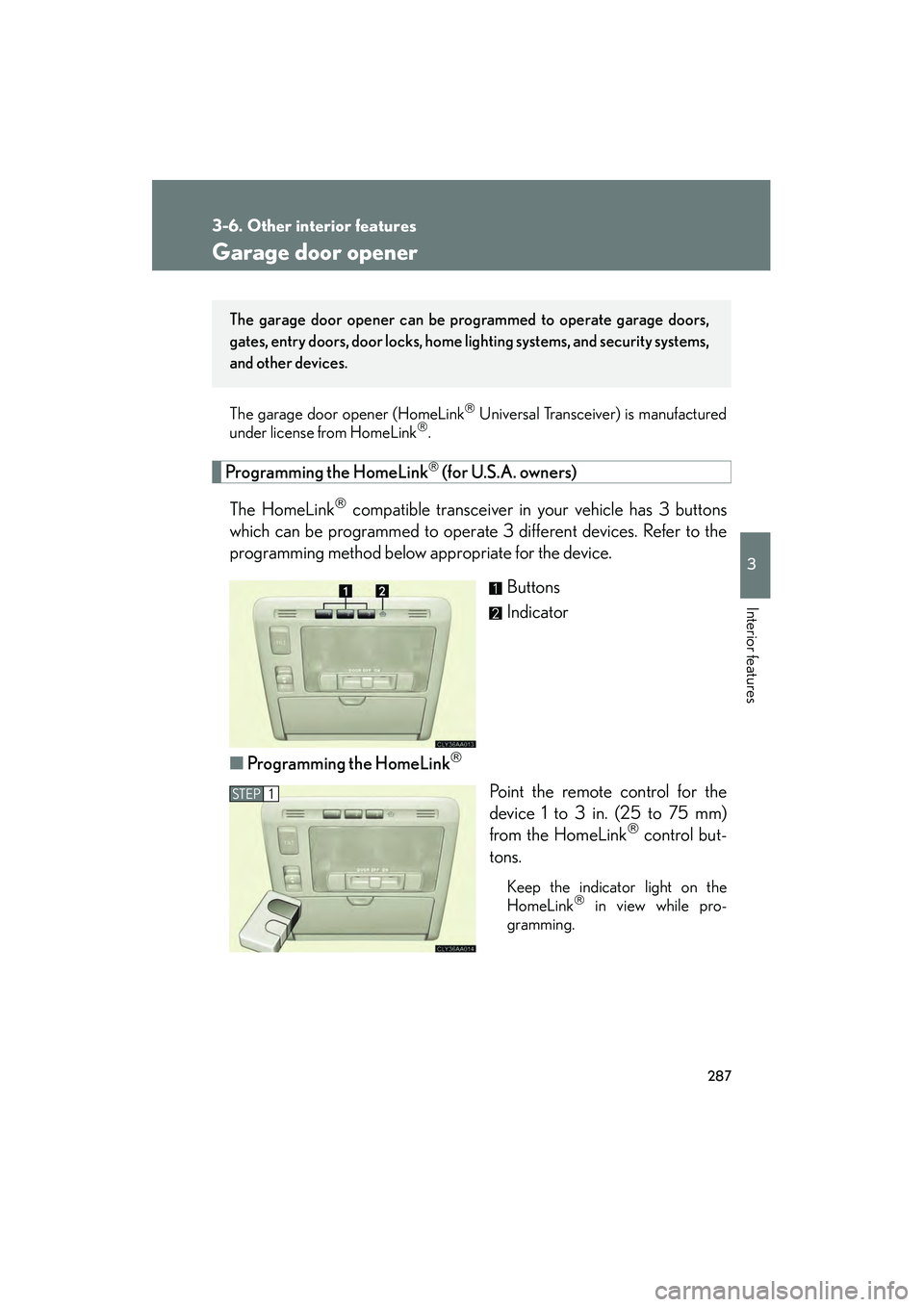
which can be programmed to operate 3 different devices. Refer to the
programming method below appropriate for the device.
Buttons
Indicator
■ Programming the HomeLink
Point the remote control for the
device 1 to 3 in. (25 to 75 mm)
from the HomeLink
control but-
tons.
Keep the indicator light on the
HomeLink in view while pro-
gramming.
The garage door opener can be pr ogrammed to operate garage doors,
gates, entry doors, door locks, home lighting systems, and security systems,
and other devices.
STEP1
Page 292 of 487
290
3-6. Other interior features
RX400h_UTest the operation of the HomeLink
by pressing the newly pro-
grammed button. Check to see if the gate/device operates cor-
rectly.
Repeat the steps above to program another device for each of
the remaining HomeLink
buttons.
■ Programming other devices
To program other devices such as home security systems, home door
locks or lighting, contact your authorized Lexus dealer for assistance.
■ Reprogramming a button
The individual HomeLink
buttons cannot be erased but can be
reprogrammed. To reprogram a button, follow the “Programming the
HomeLink
” instructions.
Operating the HomeLink
Press the appropriate HomeLink button. The HomeLink indicator
light on the HomeLink transceiver should turn on.
The HomeLink continues to send a signal for up to 20 seconds as long as
the button is pressed.
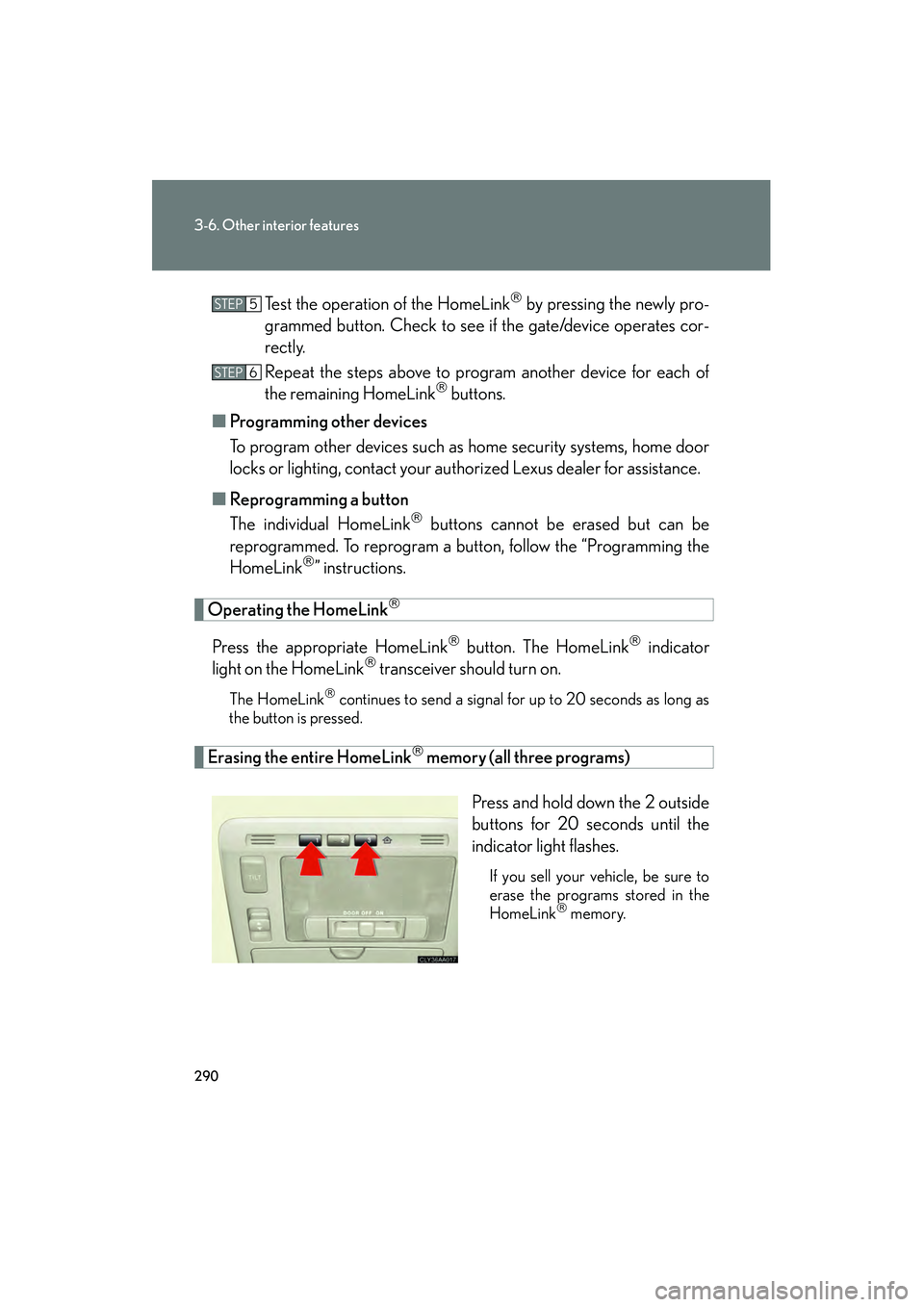
Erasing the entire HomeLink memory (all three programs)
Press and hold down the 2 outside
buttons for 20 seconds until the
indicator light flashes.
If you sell your vehicle, be sure to
erase the programs stored in the
HomeLink
memory.
STEP5
STEP6
Page 297 of 487
295
3-6. Other interior features
3
Interior features
RX400h_U
CAUTION
■While driving the vehicle
Do not adjust the display. Be sure to adjust the display only when the vehicle is
stopped.
■When doing the circling calibration
Be sure to secure a wide space, and watch out for people and vehicles in the neigh-
borhood. Do not violate any local traffic rules while performing circling calibration.
NOTICE
■To avoid the compass malfunctions
Do not place magnets or any metal objects near the inside rear view mirror.
Doing this may cause a malfunction of the compass sensor.
■To ensure normal operation of the compass
●Do not perform circling calibration of the compass in a place where the earth's
magnetic field is subject to interference by artificial magnetic fields.
●During calibration, do not operate electric systems (moon roof, power windows,
etc.) as they may interfere with the calibration.