LEXUS RX450h 2015 Owners Manual
RX450h 2015
LEXUS
LEXUS
https://www.carmanualsonline.info/img/36/58963/w960_58963-0.png
LEXUS RX450h 2015 Owners Manual
Page 390 of 878
3903-3. Using the Lexus Display Audio system
NOTICE■
CD player precautions
Failure to follow the precautions below ma y result in serious damage to the CDs or
the player itself. ●
Do not insert anything other than CDs into the CD slot.●
Do not apply oil to the CD player.●
Store CDs away from direct sunlight.●
Never try to disassemble any part of the CD player.
Page 419 of 878
4193-3. Using the Lexus Display Audio system
3
Interior features Repeat play
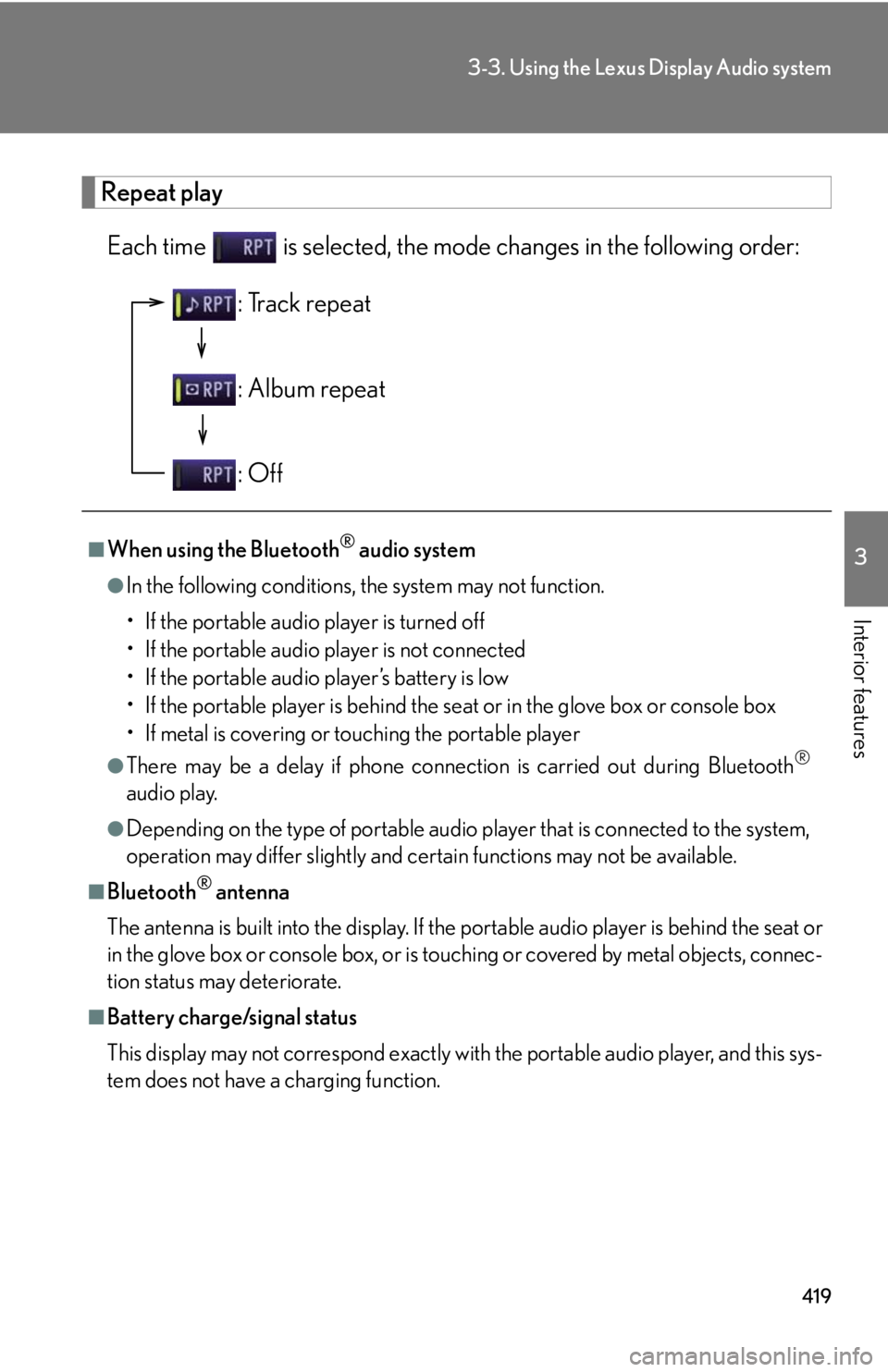
Each time is selected, the mode changes in the following order:
■
When using the Bluetooth ®
audio system●
In the following conditions, the system may not function.
• If the portable audio player is turned off
• If the portable audio player is not connected
• If the portable audio player’s battery is low
• If the portable player is behind the se at or in the glove box or console box
• If metal is covering or touching the portable player●
There may be a delay if phone connecti on is carried out during Bluetooth ®
audio play.●
Depending on the type of portable audio player that is connected to the system,
operation may differ slightly and ce rtain functions may not be available.■
Bluetooth ®
antenna
The antenna is built into the display. If the portable audio player is behind the seat or
in the glove box or console box, or is touching or covered by metal objects, connec-
tion status may deteriorate.■
Battery charge/signal status
This display may not correspond exactly with the portable audio player, and this sys-
tem does not have a charging function. : Track repeat
: Album repeat
: Off
Page 492 of 878
4923-4. Using the audio system
NOTICE■
CD player precautions
Failure to follow the precautions below ma y result in serious damage to the CDs or
the player itself. ●
Do not insert anything other than CDs into the CD slot.●
Do not apply oil to the CD player.●
Store CDs away from direct sunlight.●
Never try to disassemble any part of the CD player. ●
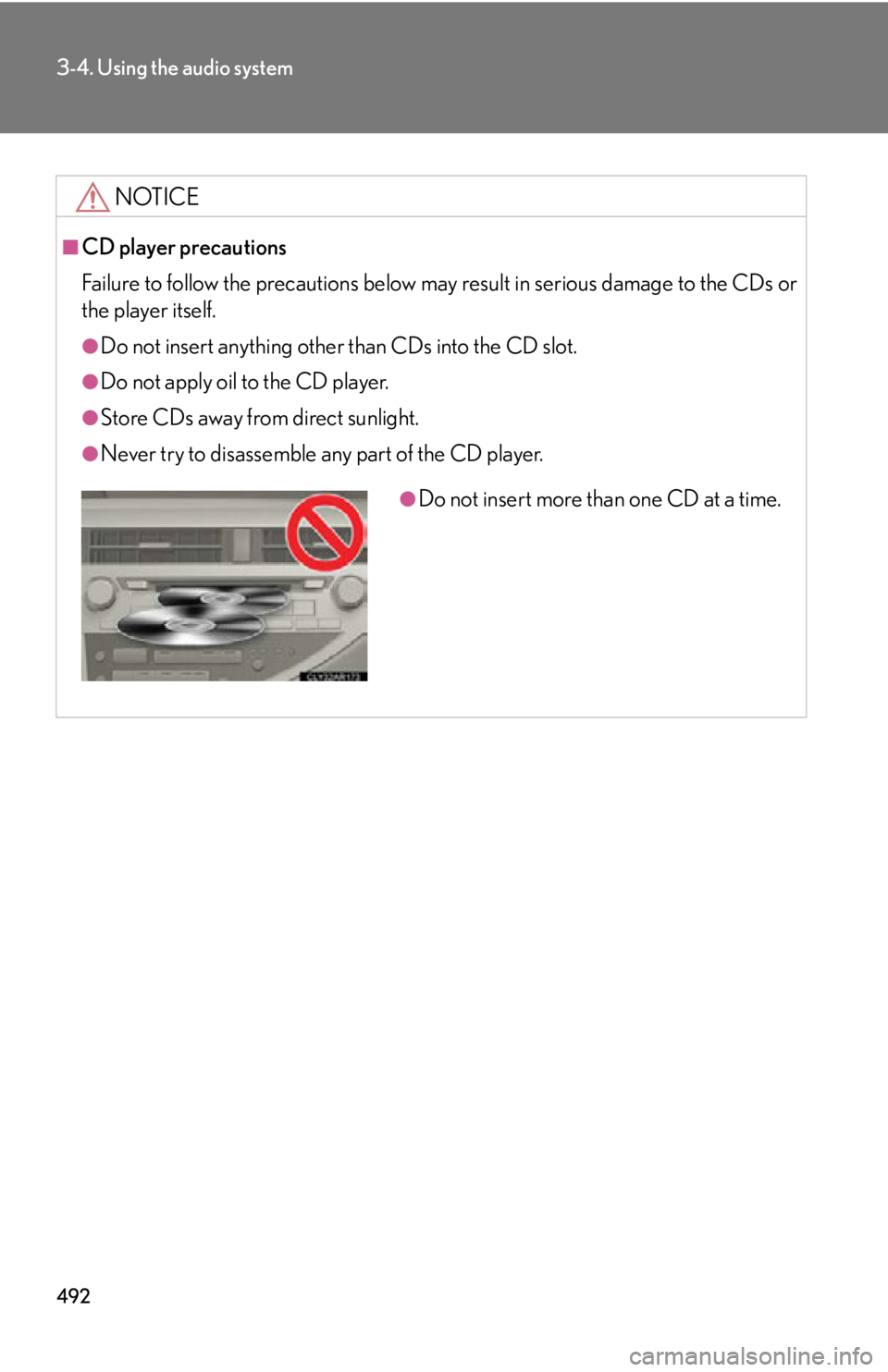
Do not insert more than one CD at a time.
Page 582 of 878
5823-5. Using the interior lights
Interior lights list
Front personal lights ( P. 583)
Front interior light ( P. 583)
Shift lever light (when the “POWER” switch is in ACCESSORY or
ON mode)
Rear personal lights ( P. 583)
Rear interior light
Door courtesy lights
Scuff lights (if equipped)
Footwell lights
Outer foot lights
Page 583 of 878
5833-5. Using the interior lights
3
Interior features Interior lights
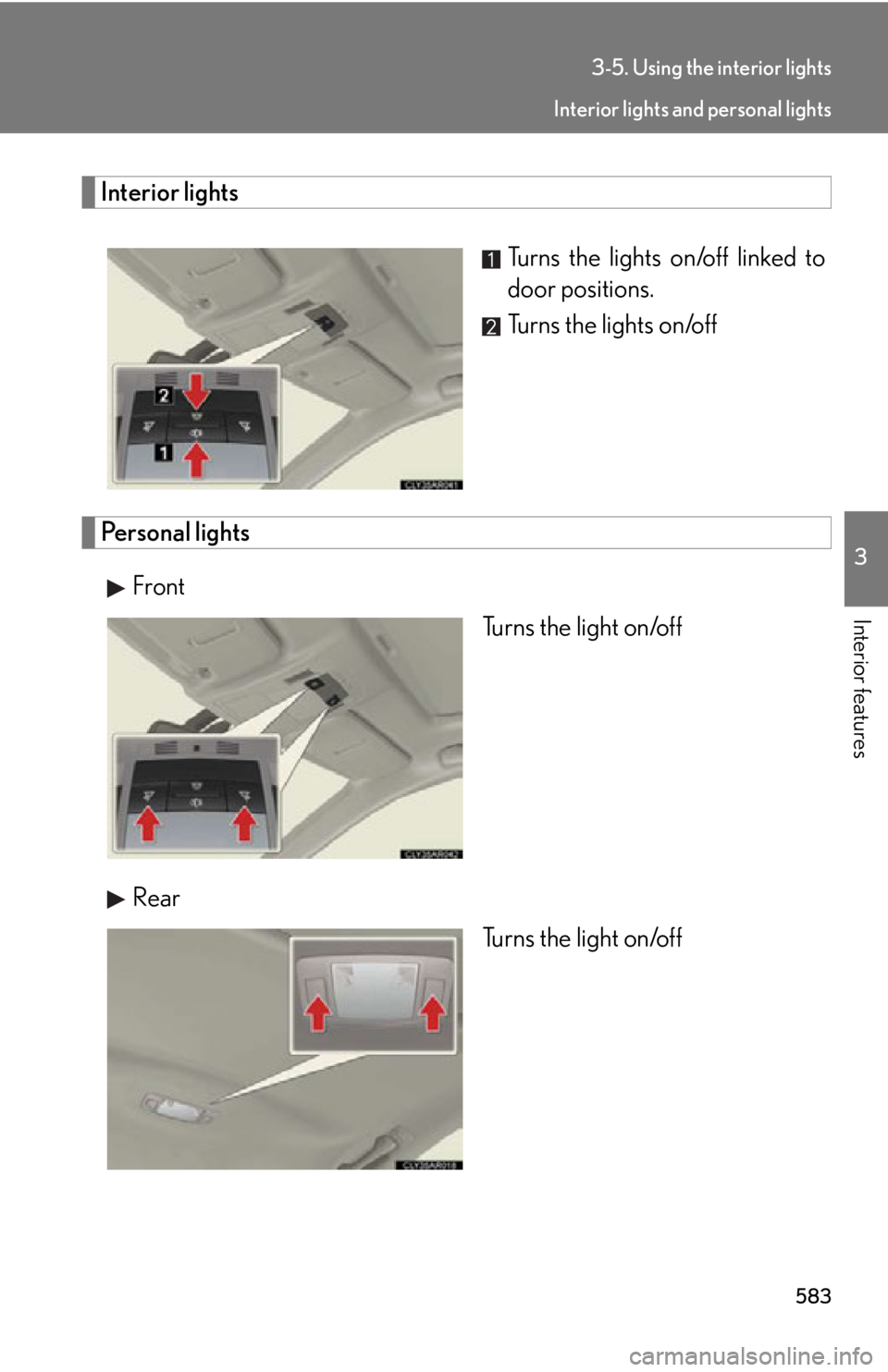
Turns the lights on/off linked to
door positions.
Turns the lights on/off
Personal lights
Front
Turns the light on/off
Rear
Turns the light on/off Interior lights and personal lights
Page 584 of 878
5843-5. Using the interior lights
■
Illuminated entry system
The lights automatically turn on/off according to “POWER” switch mode, the pres-
ence of the electronic key, whether the doors are locked/unlocked, and whether
the doors are open/closed.■
To prevent 12-volt battery discharge
When the “POWER” switch is turned off, the lights will go off automatically after 20
minutes. ●
Personal lights●
Interior lights●
Door courtesy lights●
Scuff lights (if equipped)●
Footwell lights■
Customization
Settings (e.g. the time elapsed before the lights turn off) can be changed.
(Customizable features P. 825) Interior lights and personal lights
Page 585 of 878
5853
Interior features 3-6. Using the storage features
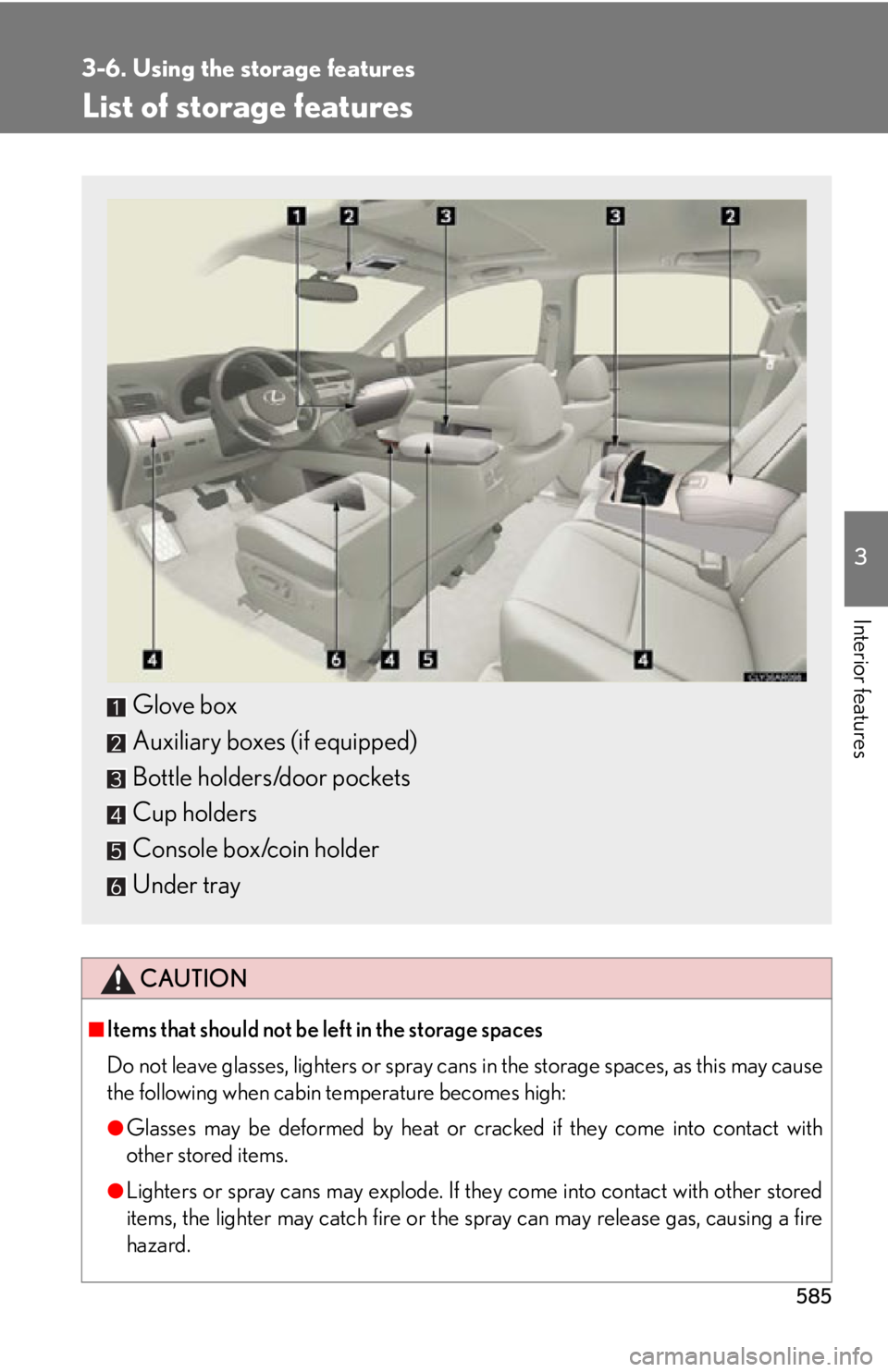
List of storage features
CAUTION■
Items that should not be left in the storage spaces
Do not leave glasses, lighters or spray cans in the storage spaces, as this may cause
the following when cabin temperature becomes high:
●
Glasses may be deformed by heat or cracked if they come into contact with
other stored items.
●
Lighters or spray cans may explode. If they come into contact with other stored
items, the lighter may catch fire or the spray can may release gas, causing a fire
hazard.Glove box
Auxiliary boxes (if equipped)
Bottle holders/door pockets
Cup holders
Console box/coin holder
Under tray
Page 596 of 878
5963-7. Other interior features
Vanity mirrors ■
To prevent 12-volt battery discharge
When the “POWER” switch is turned off, the lights will go off automatically after 20
minutes.
NOTICE■
When not in use
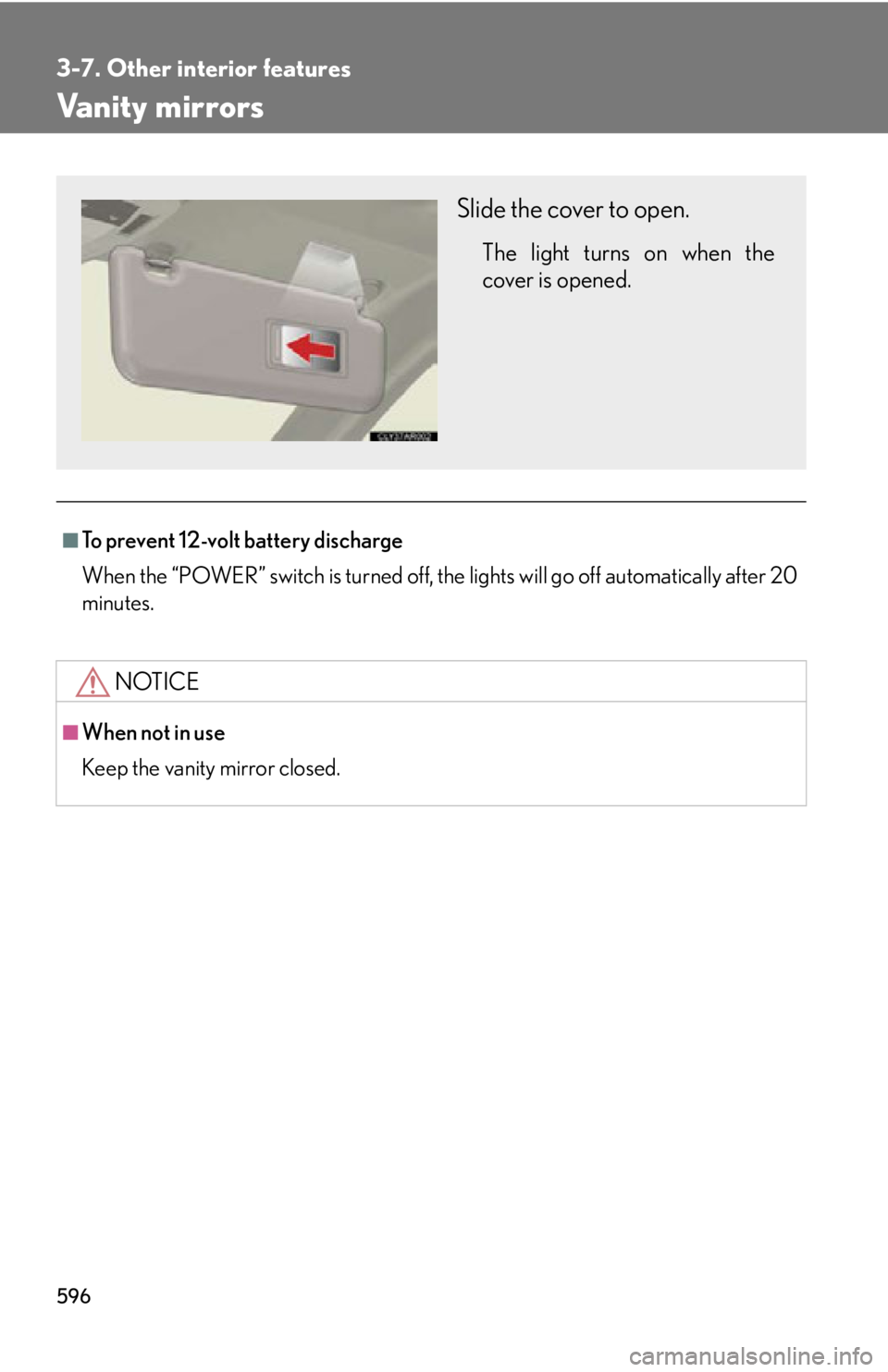
Keep the vanity mirror closed. Slide the cover to open. The light turns on when the
cover is opened.
Page 600 of 878
6003-7. Other interior features
Multi-display light control
■
Instrument panel linked brightness control
When the headlight switch is turned on, the brightness of the multi-display will be
reduced in accordance with the brig htness of the instrument panel. ( P. 1 9 8 )
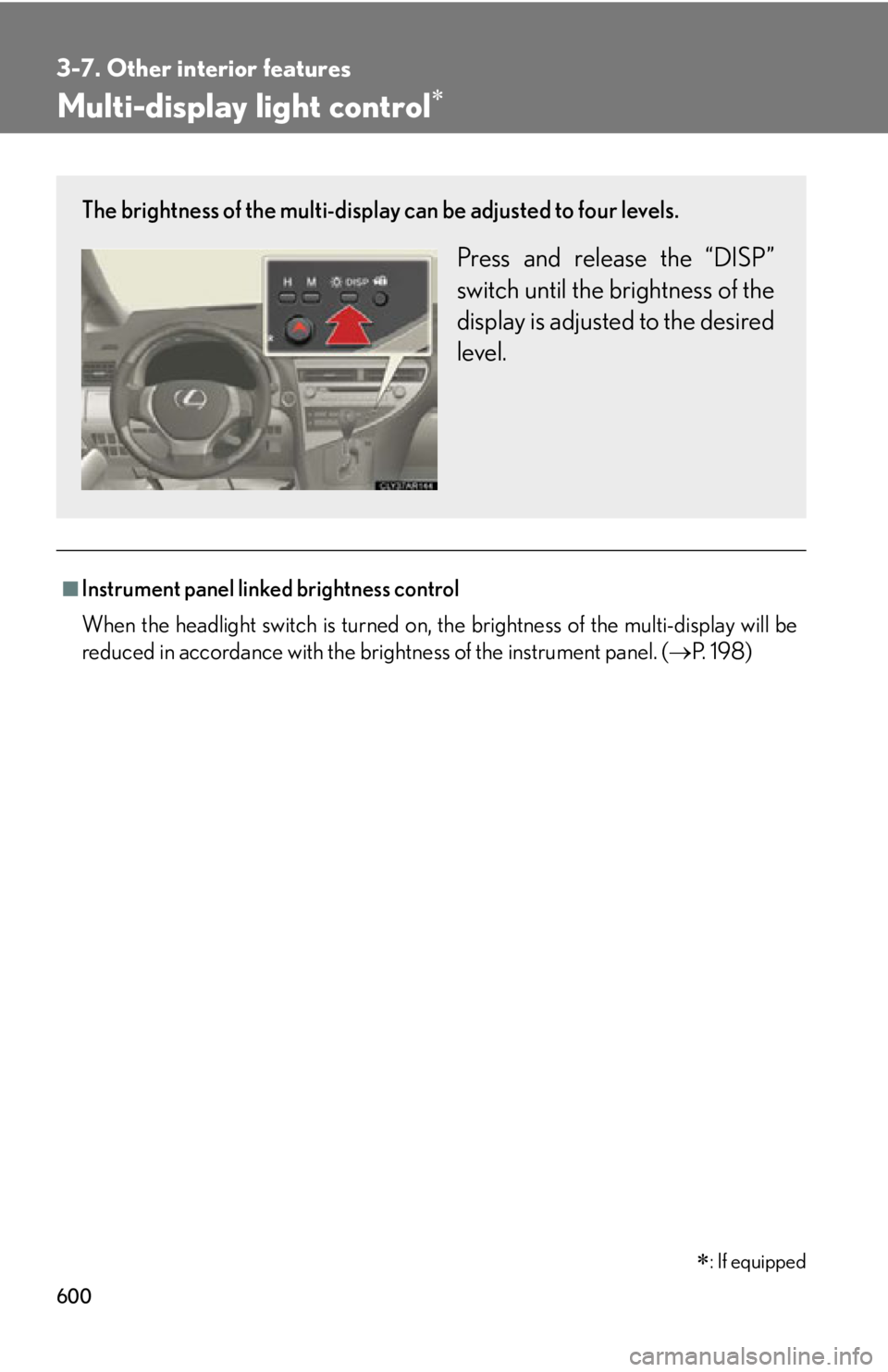
: If equippedThe brightness of the multi-display can be adjusted to four levels.
Press and release the “DISP”
switch until the brightness of the
display is adjusted to the desired
level.
Page 604 of 878
6043-7. Other interior features
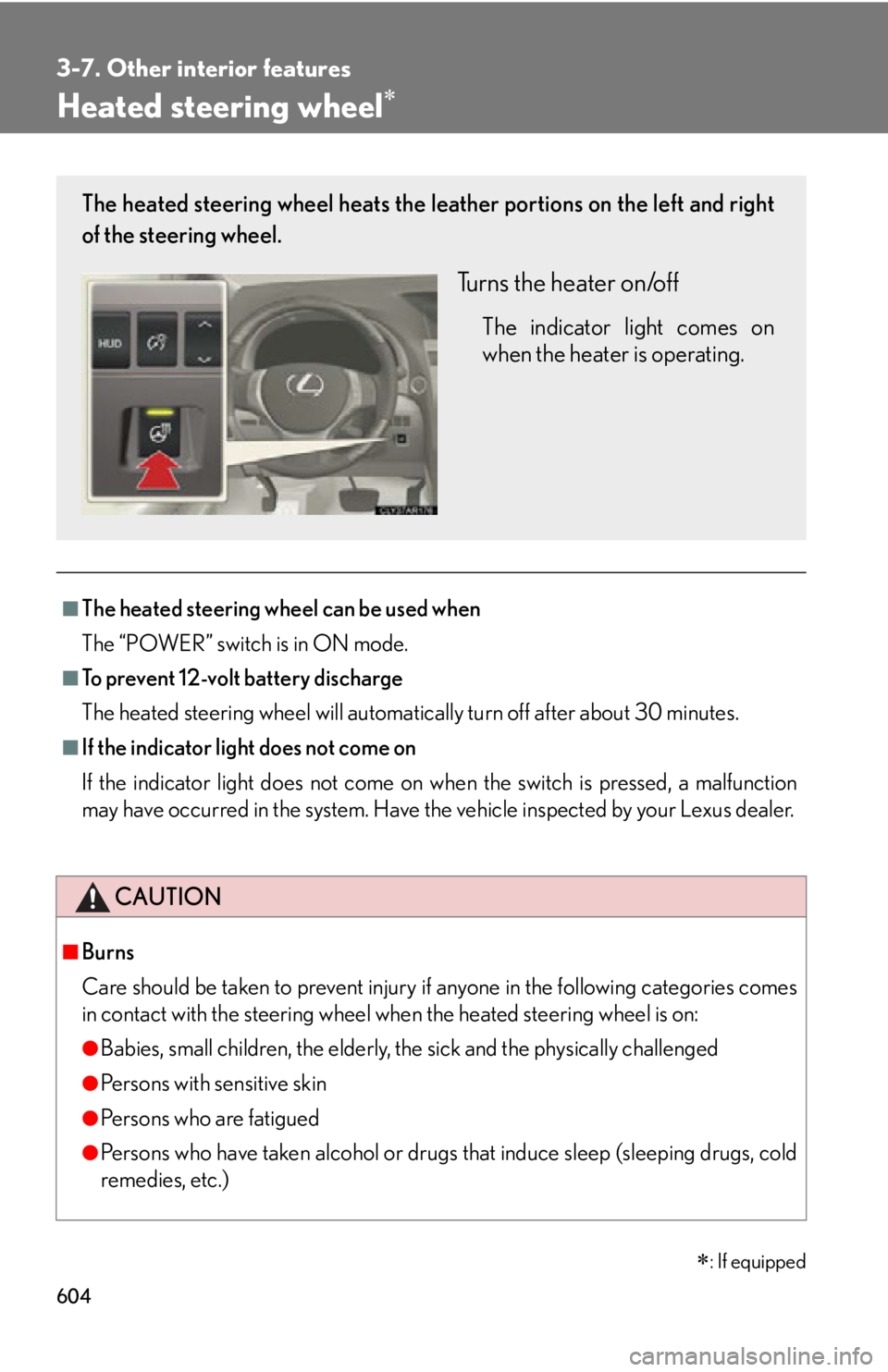
Heated steering wheel
■
The heated steering wheel can be used when
The “POWER” switch is in ON mode.■
To prevent 12-volt battery discharge
The heated steering wheel will automatically turn off after about 30 minutes.■
If the indicator light does not come on
If the indicator light does not come on wh en the switch is pressed, a malfunction
may have occurred in the system. Have the vehicle inspected by your Lexus dealer.
CAUTION■
Burns
Care should be taken to prevent injury if anyone in the following categories comes
in contact with the steering wheel when the heated steering wheel is on:
●
Babies, small children, the elderly, the sick and the physically challenged
●
Persons with sensitive skin
●
Pe r s o n s w h o a r e f a t i g u e d
●
Persons who have taken alcohol or drugs that induce sleep (sleeping drugs, cold
remedies, etc.)
: If equippedThe heated steering wheel heats the le ather portions on the left and right
of the steering wheel.
Turns the heater on/off The indicator light comes on
when the heater is operating.