LEXUS RX450h 2015 User Guide
RX450h 2015
LEXUS
LEXUS
https://www.carmanualsonline.info/img/36/58963/w960_58963-0.png
LEXUS RX450h 2015 User Guide
Page 478 of 878
4783-4. Using the audio system
Setting station presets (excluding XM ®
Satellite Radio)
Search for the desired stations by turning or pressing “ ”
or “ ” on .
Press and hold th e button (from
to ) the station is to
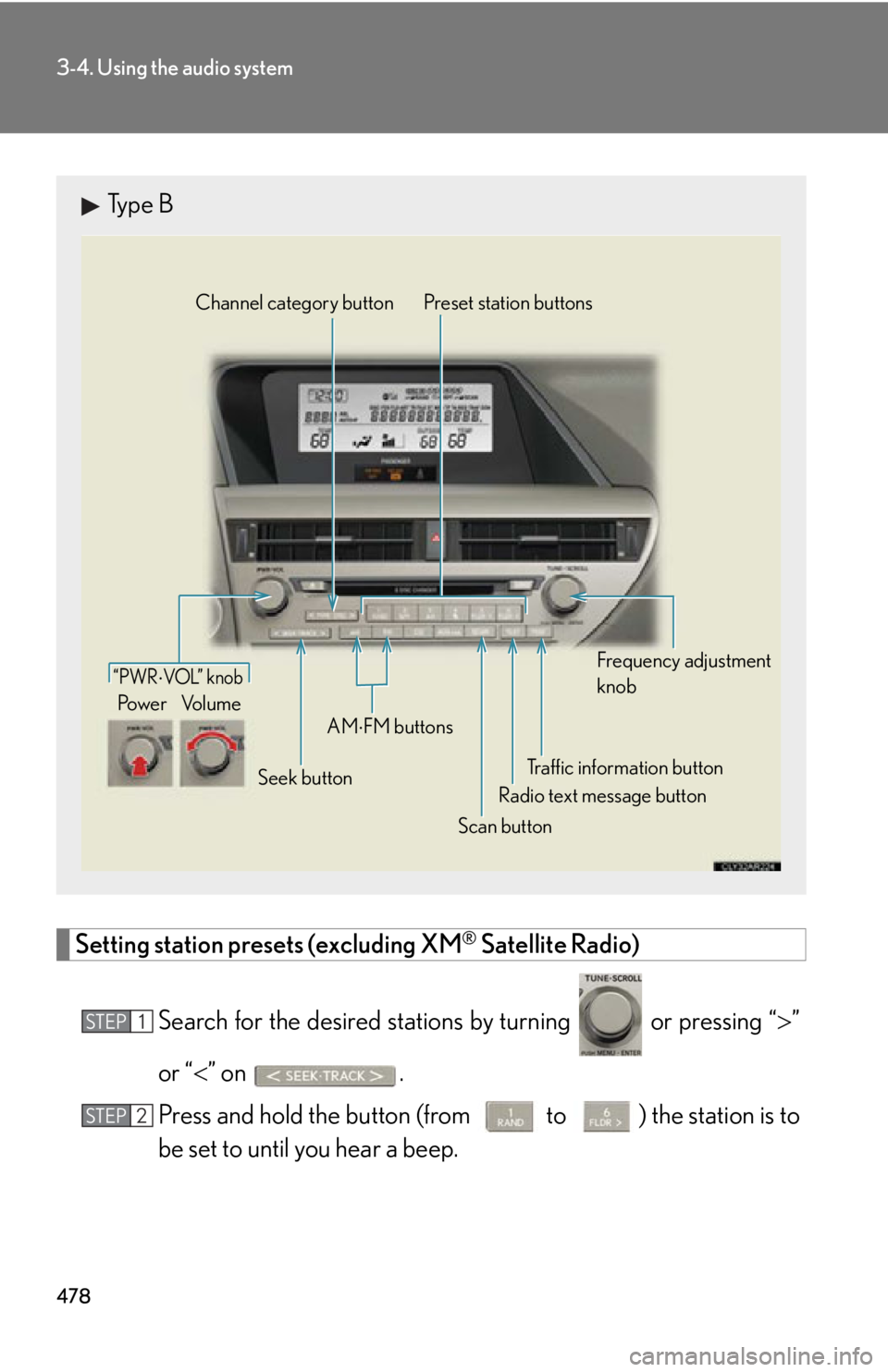
be set to until you hear a beep.Type B
Traffic information buttonPreset station buttons
Radio text message button
Scan buttonSeek buttonChannel category button
Frequency adjustment
knob
AM
FM buttons“PWR VOL” k nob
Po w e r Vo l u m e
STEP 1
STEP 2
Page 493 of 878
4933-4. Using the audio system
3
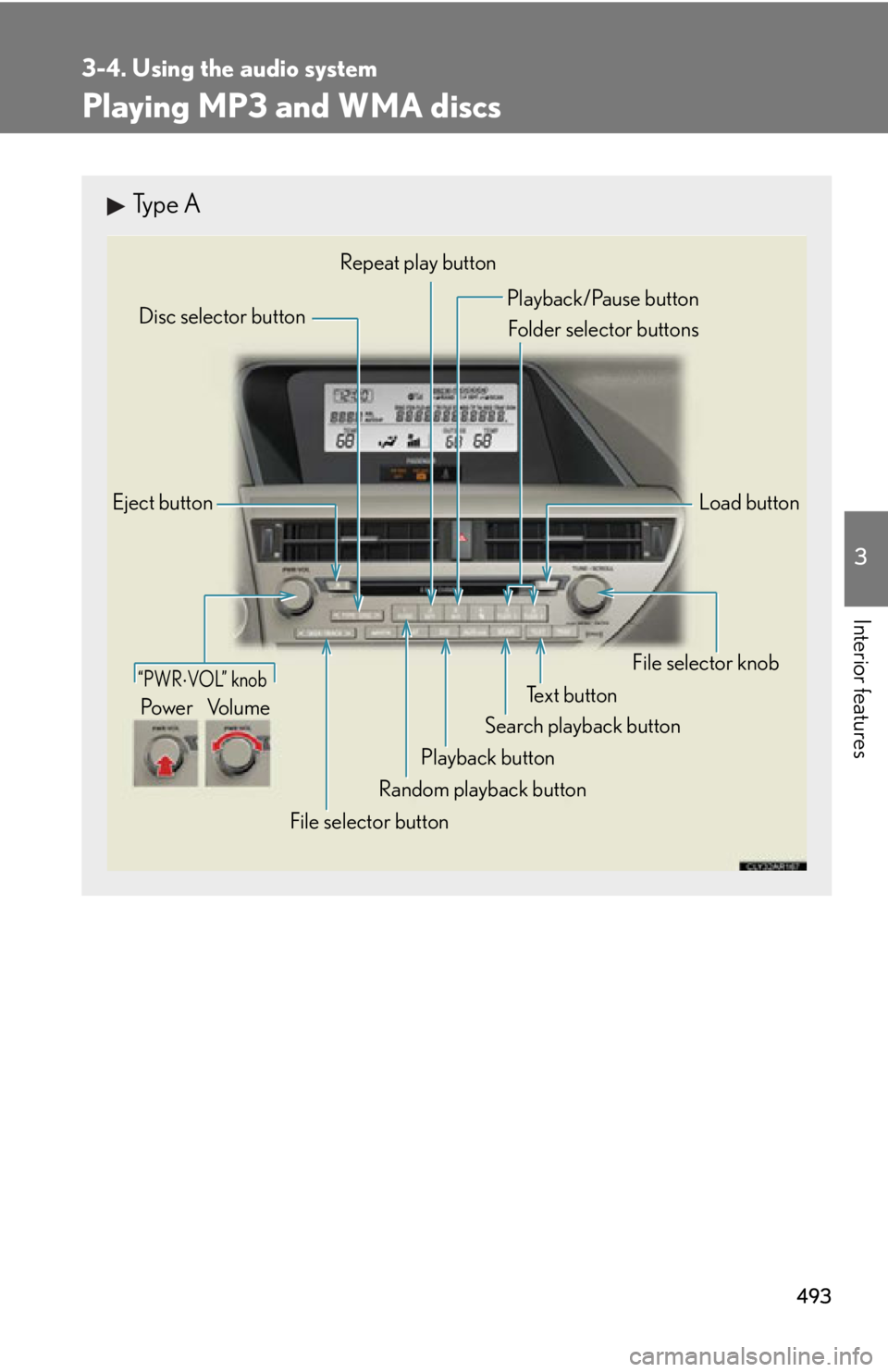
Interior features Playing MP3 and WMA discs Type A
Eject button
Playback button Search playback button Load buttonDisc selector button
File selector knob
Random playback buttonRepeat play button
Te x t b u t t o n
File selector button Playback/Pause button
Folder selector buttons
“PWR VOL” knob
Po w e r Vo l u m e
Page 494 of 878
4943-4. Using the audio system
Loading and ejecting MP3 and WMA discs
P. 486, 487
Selecting MP3 and WMA discs
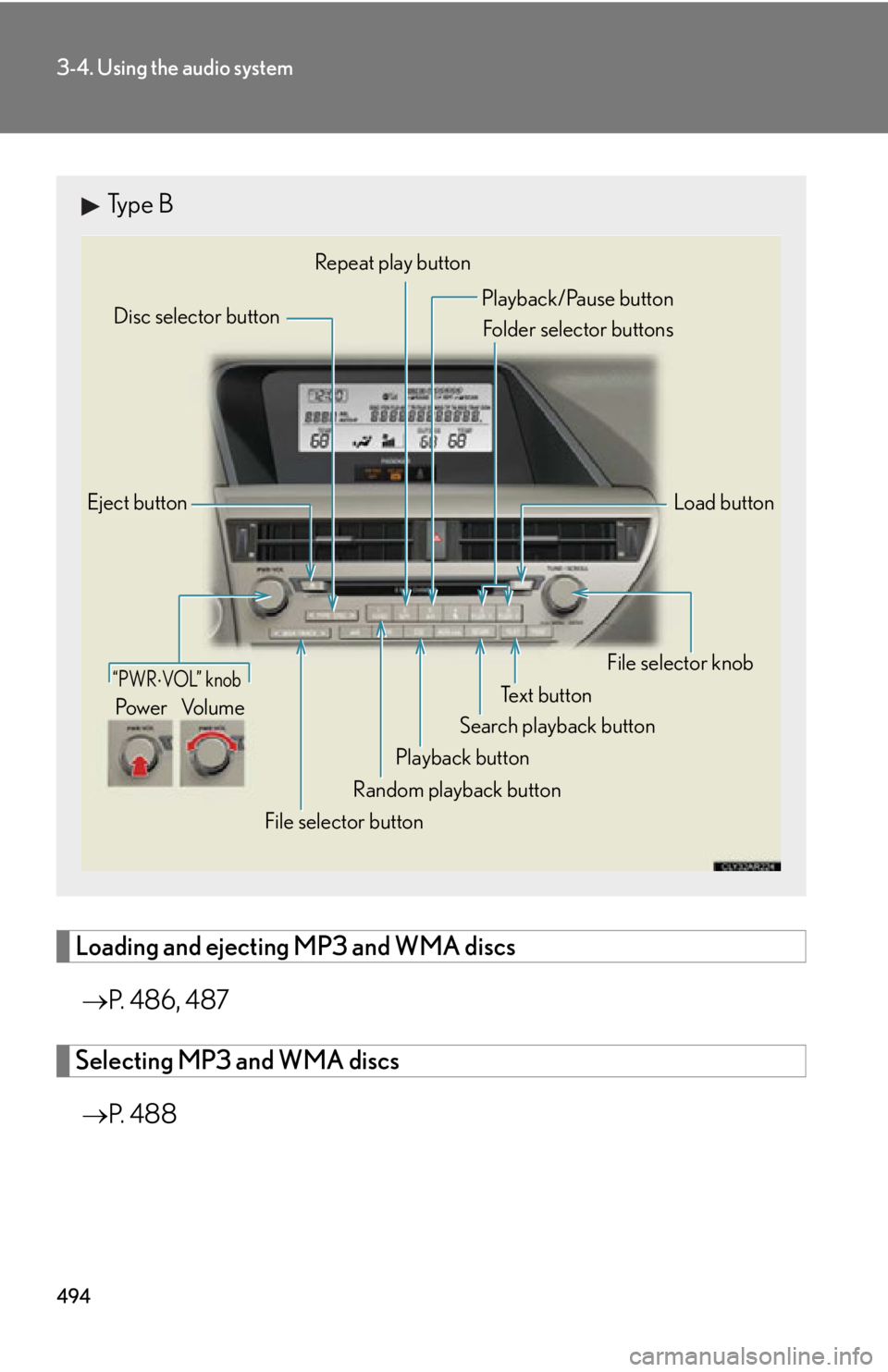
P. 4 8 8Type B
Eject button
Playback button Search playback button Load buttonDisc selector button
File selector knob
Random playback buttonRepeat play button
Te x t b u t t o n
File selector button Playback/Pause button
Folder selector buttons
“PWR VOL” knob
Po w e r Vo l u m e
Page 511 of 878
5113-4. Using the audio system
3
Interior features ■ Control panel
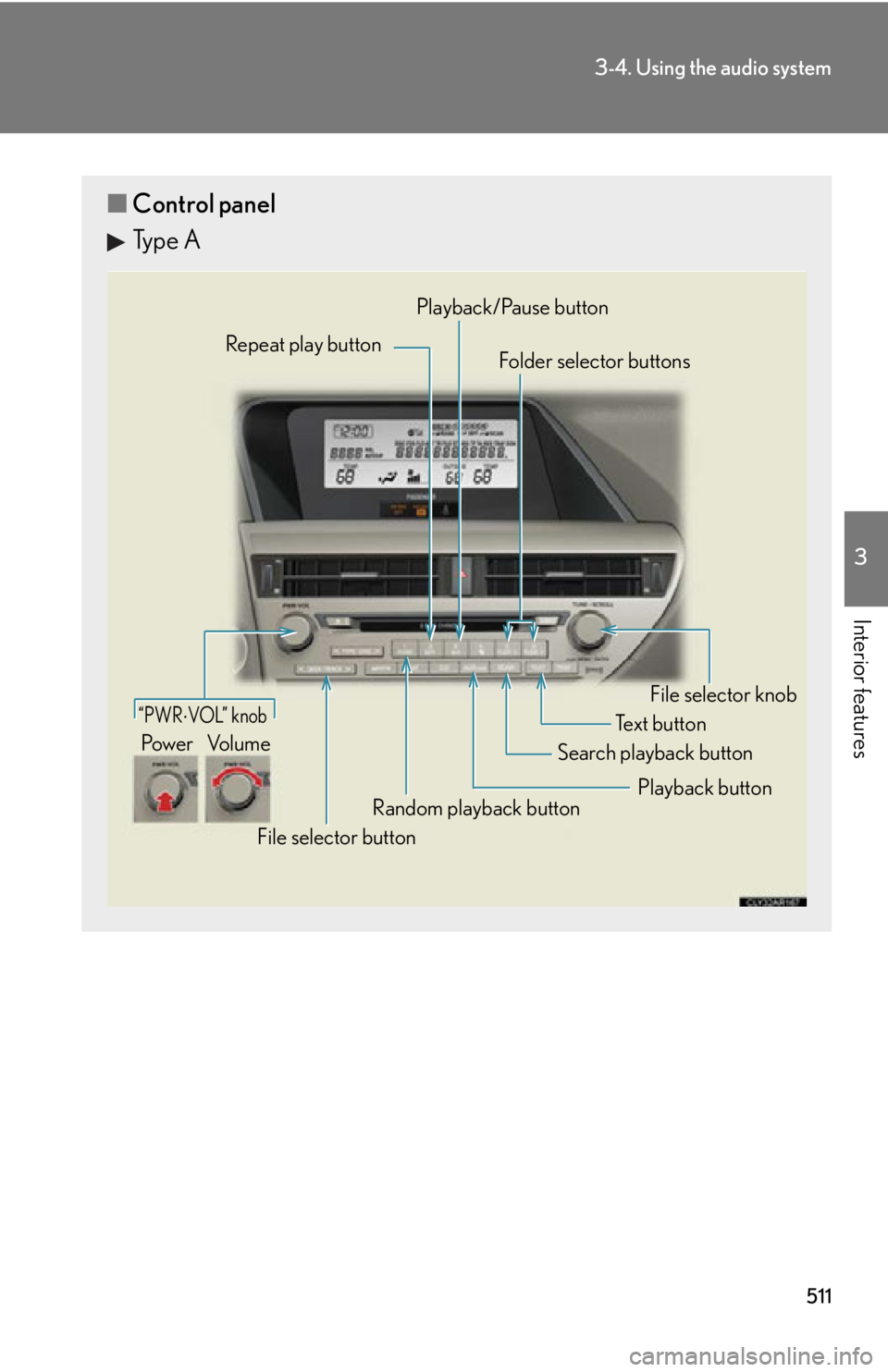
Type A Repeat play button
Folder selector buttons
Random playback button
File selector button Search playback button File selector knobPlayback/Pause button
Text button“PWR VOL” knob
Pow e r Vo l u m e
Playback button
Page 512 of 878
5123-4. Using the audio system
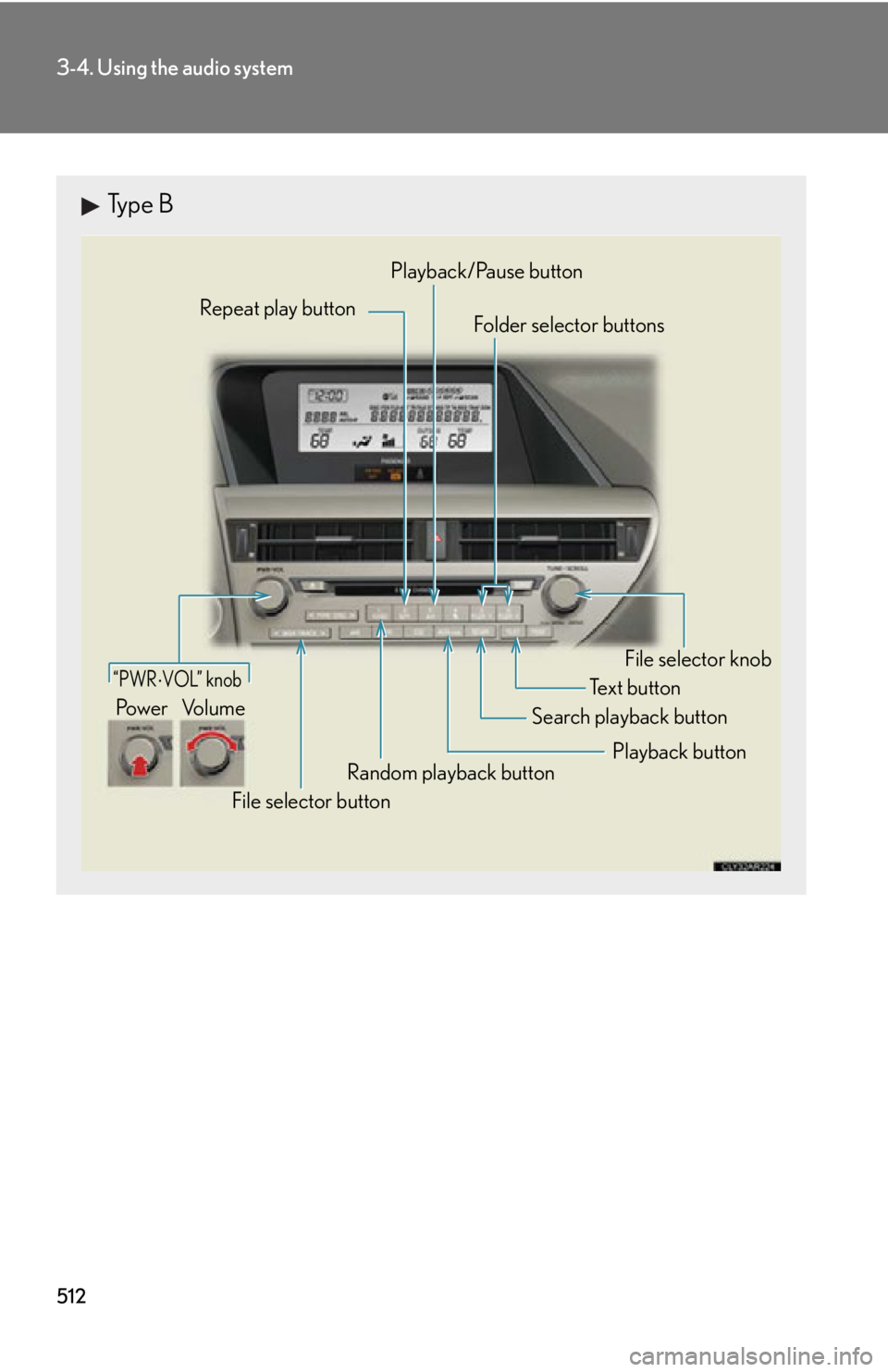
Type B Repeat play button
Folder selector buttons
Random playback button
File selector button Search playback button File selector knobPlayback/Pause button
Text button“PWR VOL” knob
Pow e r Vo l u m e
Playback button
Page 528 of 878
5283-4. Using the audio system
Operating a Bluetooth ®
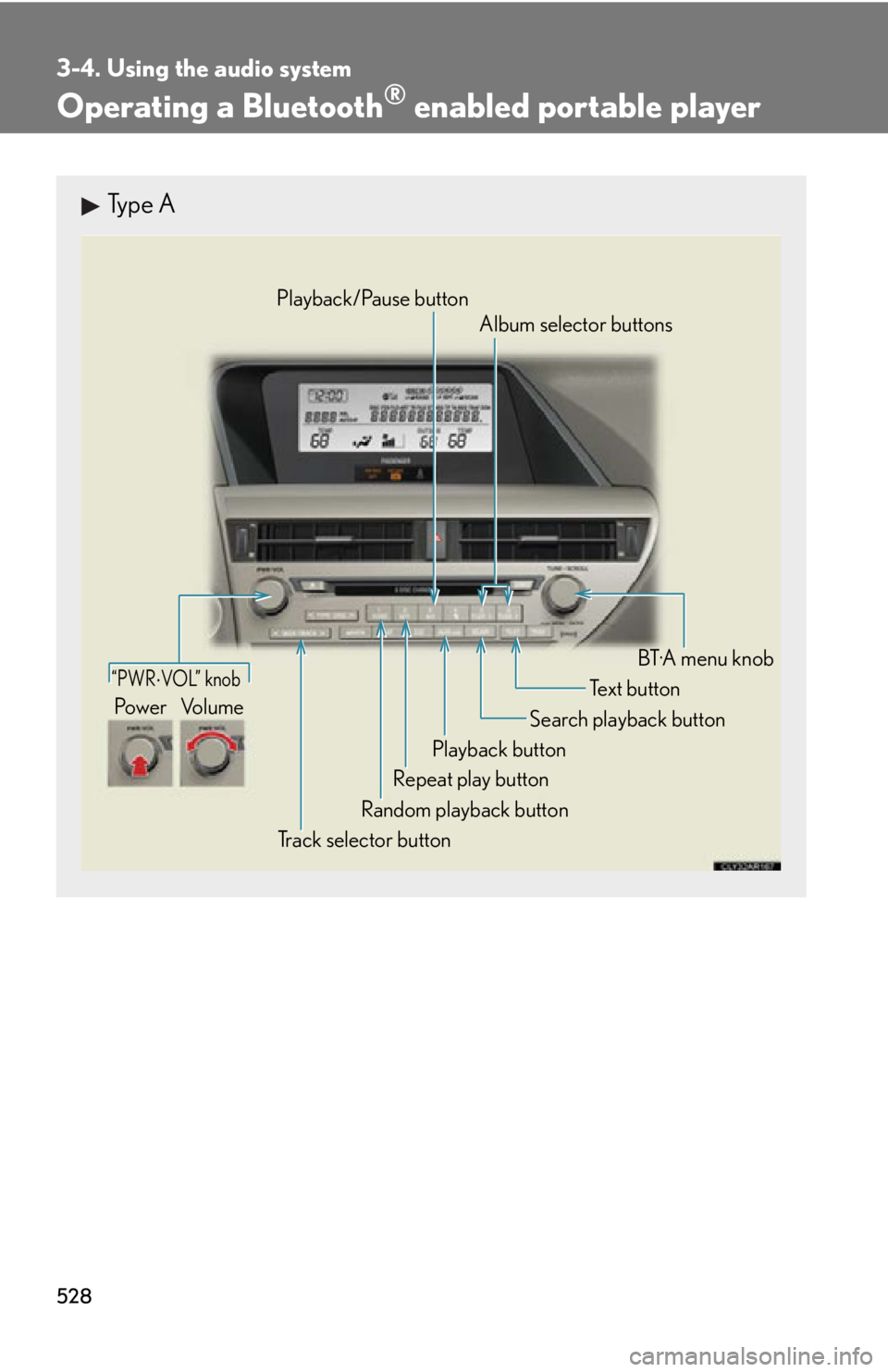
enabled portable playerType A
“PWR VOL” knob
Track selector button Playback button Search playback button
Random playback button Repeat play button Te x t b u t t o n
Pow e r Vo l u m e Playback/Pause button
Album selector buttons
BT·A menu knob
Page 529 of 878
5293-4. Using the audio system
3
Interior features
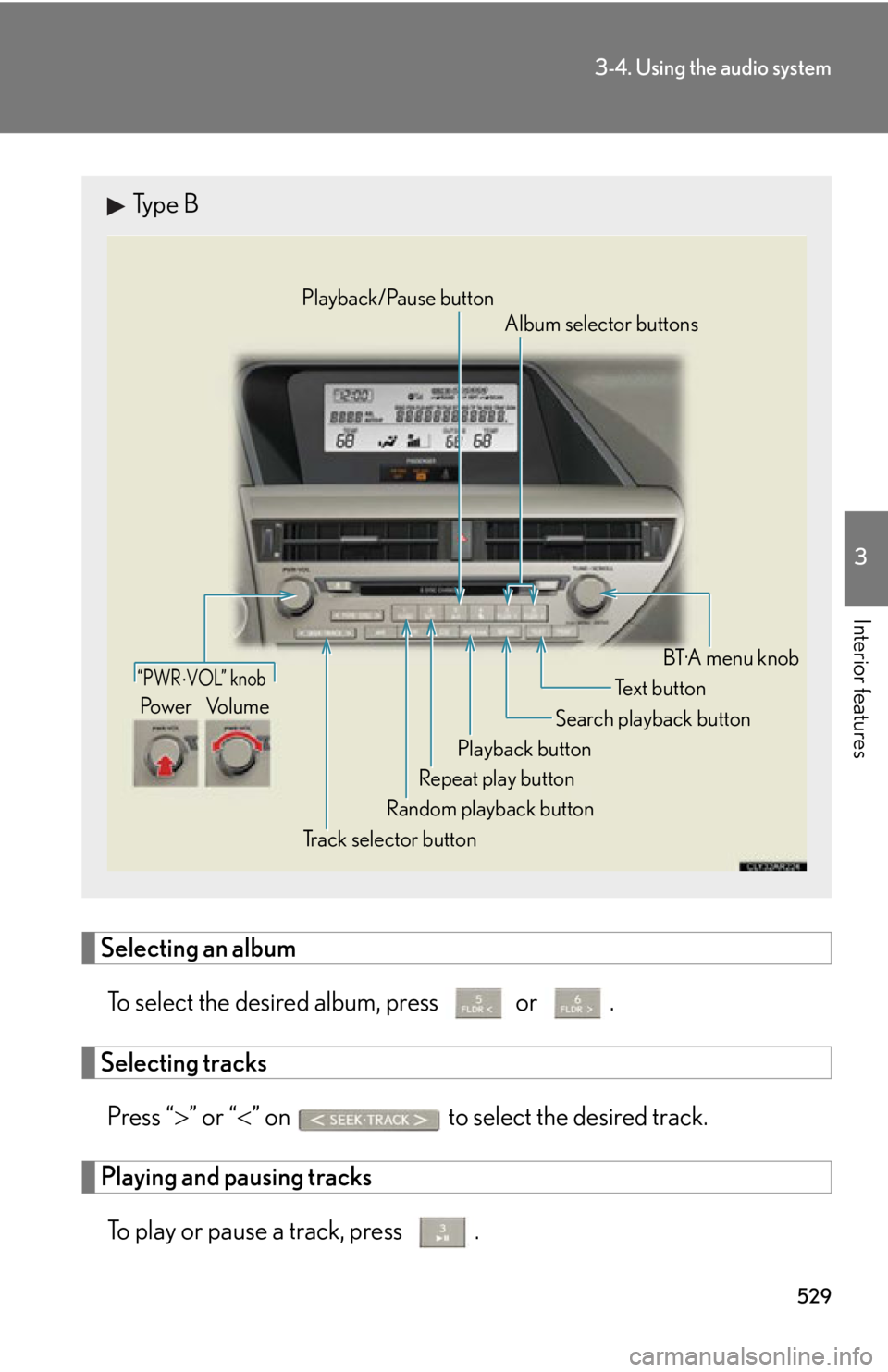
Selecting an album
To select the desired album, press or .
Selecting tracks
Press “ ” or “ ” on to select the desired track.
Playing and pausing tracks
To play or pause a track, press . Type B
“PWR VOL” knob
Track selector button Playback button Search playback button
Random playback button Repeat play button Te x t b u t t o n
Pow e r Vo l u m e Playback/Pause button
Album selector buttons
BT·A menu knob
Page 597 of 878
5973-7. Other interior features
3
Interior features Clock
■
The clock is displayed when
The clock is displayed when the “POWER” switch is in ACCESSORY or ON
mode.
■
When the 12-volt battery is disconnected
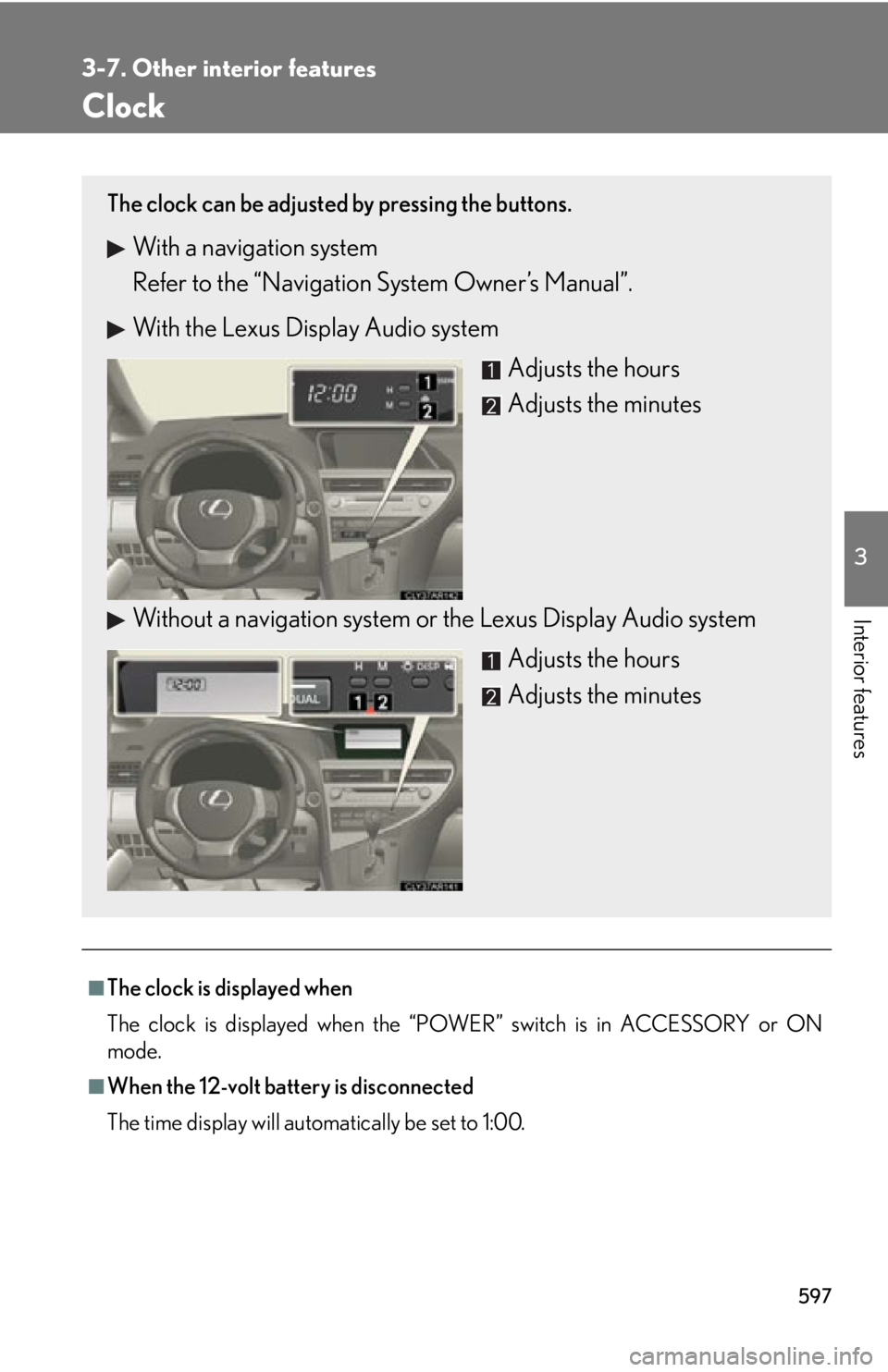
The time display will automatically be set to 1:00.The clock can be adjusted by pressing the buttons.
With a navigation system
Refer to the “Navigation System Owner’s Manual”.
With the Lexus Display Audio system
Adjusts the hours
Adjusts the minutes
Without a navigation system or the Lexus Display Audio system
Adjusts the hours
Adjusts the minutes
Page 613 of 878
6133-7. Other interior features
3
Interior features
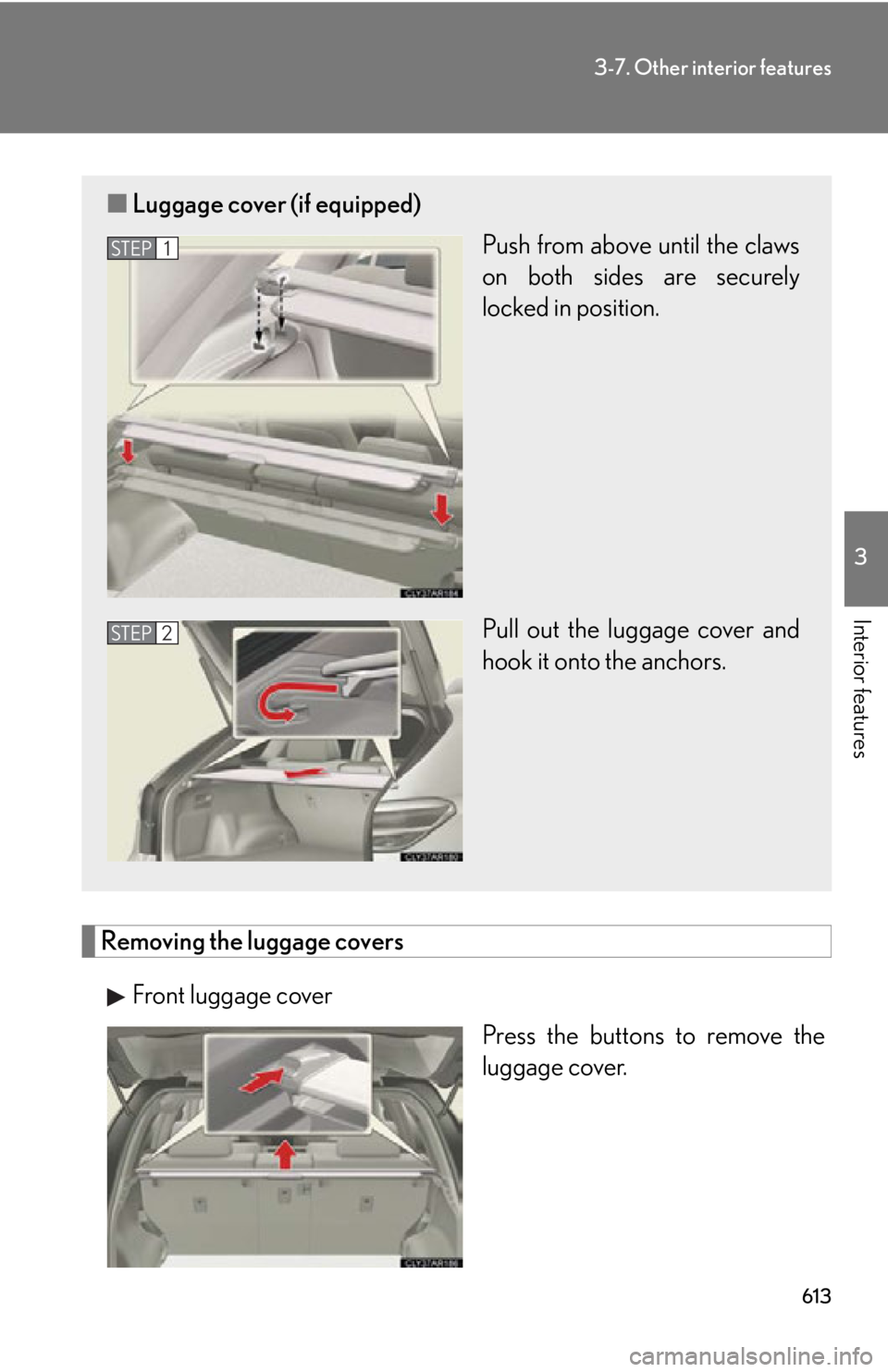
Removing the luggage covers
Front luggage cover
Press the buttons to remove the
luggage cover.■ Luggage cover (if equipped)
Push from above until the claws
on both sides are securely
locked in position.
Pull out the luggage cover and
hook it onto the anchors. STEP 1
STEP 2
Page 616 of 878
6163-7. Other interior features
Garage door opener The garage door opener (HomeLink
Universal Transceiver) is manufactured
under license from HomeLink
.
Programming the HomeLink
(for U.S.A. owners)
The HomeLink
compatible transceiver in your vehicle has 3 buttons
which can be programmed to operate 3 different devices. Refer to the
programming method below appropriate for the device.
Indicator
Buttons
■ Programming the HomeLink
Point the remote control transmit-
ter for the device 1 to 3 in. (25 to
75 mm) from the HomeLink
control buttons.
Keep the HomeLink
indicator
light in view while programming.The garage door opener can be pr ogrammed to operate garage doors,
gates, entry doors, door locks, home lighting systems, security systems, and
other devices.
STEP 1