sensor LEXUS RX450h 2015 Owners Manual
[x] Cancel search | Manufacturer: LEXUS, Model Year: 2015, Model line: RX450h, Model: LEXUS RX450h 2015Pages: 878, PDF Size: 11.62 MB
Page 35 of 878
351-1. Hybrid system
1
Before driving Hybrid battery air vents
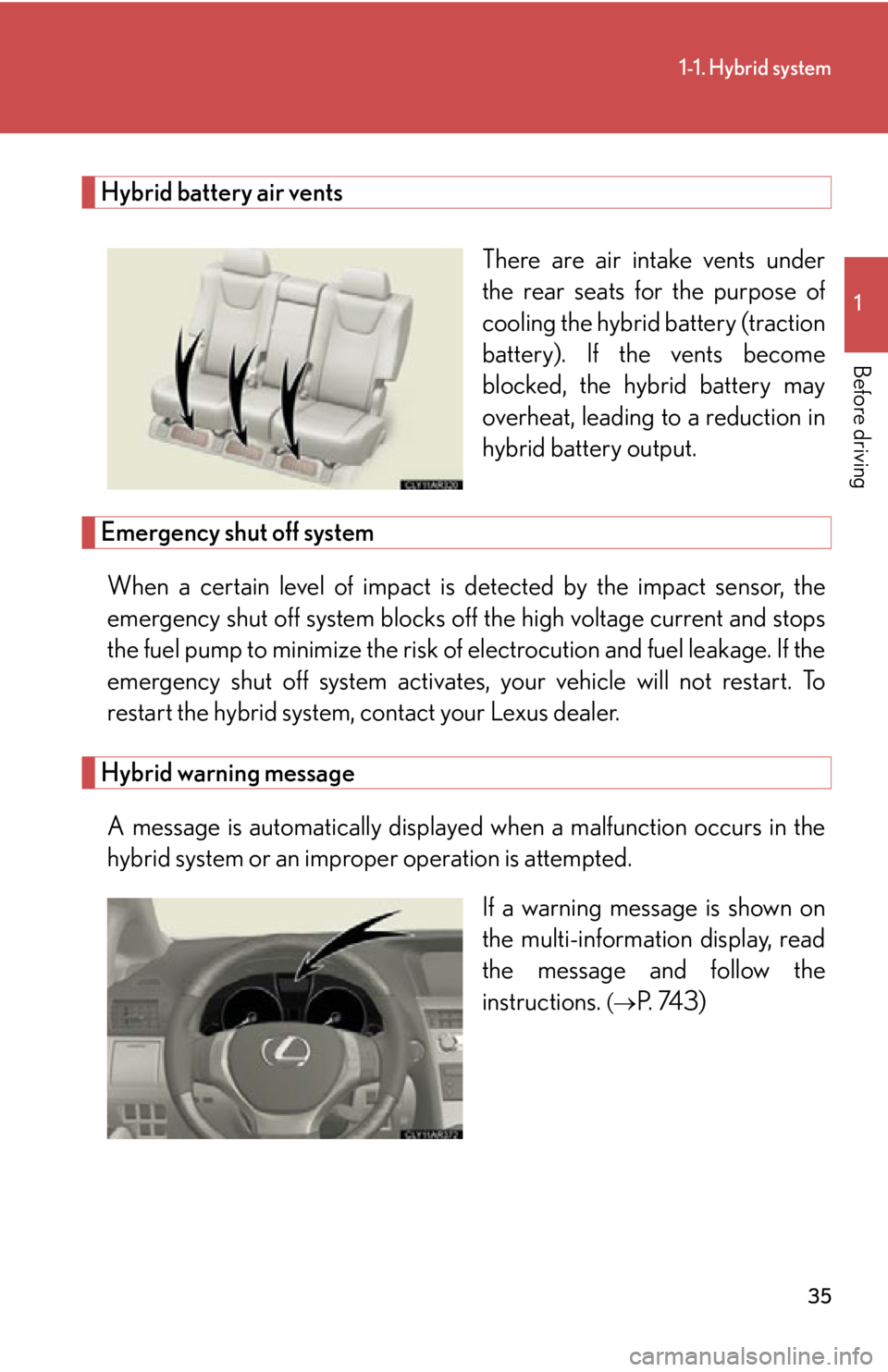
There are air intake vents under
the rear seats for the purpose of
cooling the hybrid battery (traction
battery). If the vents become
blocked, the hybrid battery may
overheat, leading to a reduction in
hybrid battery output.
Emergency shut off system
When a certain level of impact is detected by the impact sensor, the
emergency shut off system blocks off the high voltage current and stops
the fuel pump to minimize the risk of electrocution and fuel leakage. If the
emergency shut off system activates, your vehicle will not restart. To
restart the hybrid system, contact your Lexus dealer.
Hybrid warning message
A message is automatically displayed when a malfunction occurs in the
hybrid system or an impr oper operation is attempted.
If a warning message is shown on
the multi-information display, read
the message and follow the
instructions. (
P. 743)
Page 57 of 878
571-3. Opening, closing and locking the doors
1
Before driving Unlocking and locking the side doors (front door handles only)
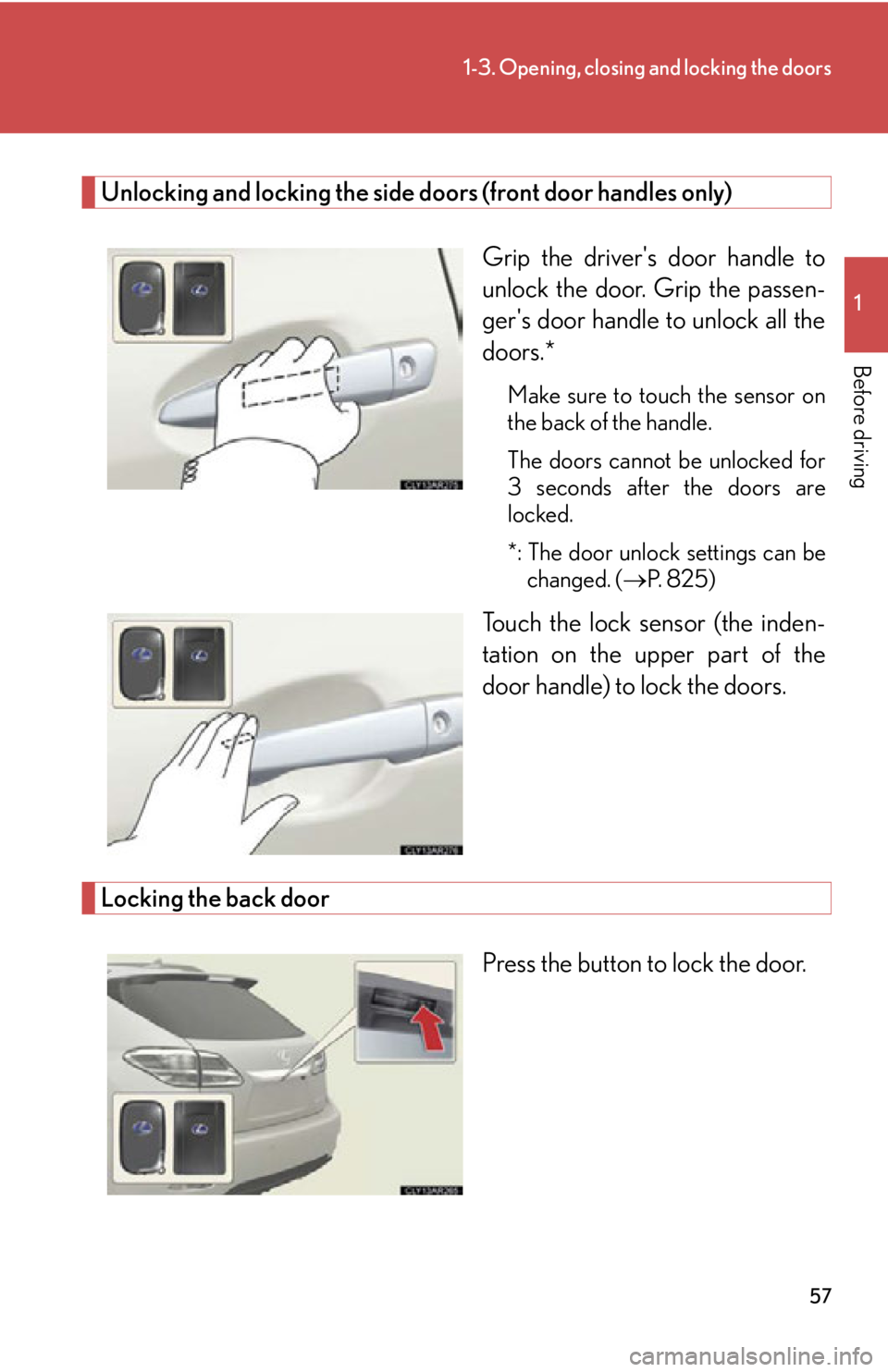
Grip the driver's door handle to
unlock the door. Grip the passen-
ger's door handle to unlock all the
doors.* Make sure to touch the sensor on
the back of the handle.
The doors cannot be unlocked for
3 seconds after the doors are
locked.
*: The door unlock settings can be
changed. ( P. 8 2 5 )
Touch the lock sensor (the inden-
tation on the upper part of the
door handle) to lock the doors.
Locking the back door
Press the button to lock the door.
Page 59 of 878
591-3. Opening, closing and locking the doors
1
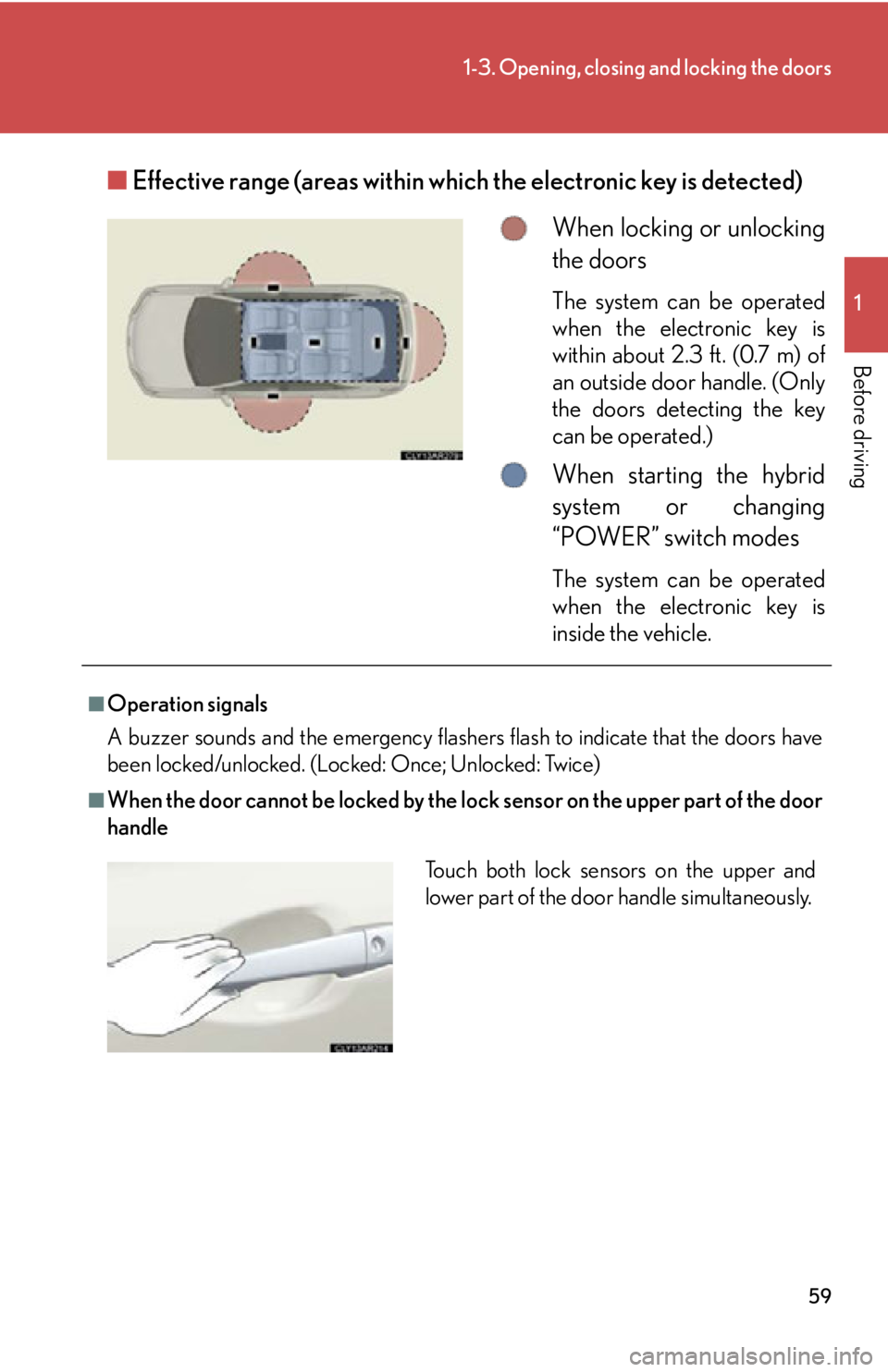
Before driving ■ Effective range (areas within wh ich the electronic key is detected)
When locking or unlocking
the doors The system can be operated
when the electronic key is
within about 2.3 ft. (0.7 m) of
an outside door handle. (Only
the doors detecting the key
can be operated.)
When starting the hybrid
system or changing
“POWER” switch modes The system can be operated
when the electronic key is
inside the vehicle.■
Operation signals
A buzzer sounds and the emergency flashers flash to indicate that the doors have
been locked/unlocked. (Locked: Once; Unlocked: Twice)■
When the door cannot be locked by the lock sensor on the upper part of the door
handle
Touch both lock sensors on the upper and
lower part of the door handle simultaneously.
Page 61 of 878

611-3. Opening, closing and locking the doors
1
Before driving ■
Security feature
If a door is not opened within approx imately 60 seconds after the vehicle is
unlocked, the security feature automatically locks the vehicle again.■
Battery-saving function
If the vehicle is parked for a long period of time, the battery-saving function is acti-
vated in order to prevent the vehicle 12-v olt battery from bein g discharged and the
electronic key battery from being depleted. ●
In the following circumstances, unlock ing the vehicle using the entry function
may take longer than usual:
• When the entry function has not been used for 5 days or more
• When the electronic key has been left within approximately 6 ft. (2 m) of the
vehicle for 10 minutes or more●
If the entry function has not been used for 14 days or more, the vehicle cannot
be unlocked by a door other than the dr iver's door. To unlock the vehicle, grip
the driver's door handle or use the wireless remote control or the mechanical
key.
The system will resume operation when: ●
The vehicle is locked using the lock sensor.●
The vehicle is locked/unlocked using the wireless remote control function.
( P. 6 9 )●
The vehicle is locked/unlocked using the mechanical key. ( P. 7 8 1 )
Page 64 of 878

641-3. Opening, closing and locking the doors
■
Notes for locking the doors ●
Touching the door lock sensor while we aring gloves may delay or prevent lock
operation. Remove the gloves and touch the lock sensor again.●
When the lock operation is performed using the lock sensor, recognition signals
will be shown up to two consecutive times. After this, no recognition signals will
be given. ●
If the door handle becomes wet while the electronic key is within the effective
range, the door may lock and unlock repeatedly. Place the key in a position 6 ft.
(2 m) or more separate from the vehicle while the vehicle is being washed. (Take
care to ensure that the key is not stolen.)●
If the electronic key is inside the vehicle and a door handle becomes wet during
a car wash, a message may be shown on the multi-information display and a
buzzer will sound outside the vehicle. To turn off the alarm, lock all the doors.●
The lock sensor may not work properly if it comes into contact with ice, snow,
mud, etc. Clean the lock sensor and atte mpt to operate it again, or use the lock
sensor on the lower part of the door handle.●
Fingernails may scrape against the door during operation of the door handle.
Be careful not to injure fingernails or damage the surface of the door. ■
Notes for the unlocking function ●
Gripping the door handle when wearing a glove may not unlock the door.●
A sudden approach to the effective range or door handle may prevent the
doors from being unlocked. In this case, return the door handle to the original
position and check that the doors unlock before pulling the door handle again.●
If there is another electronic key in the detection area, it may take slightly longer
to unlock the doors after the door handle is gripped. ■
When the vehicle is not driven for extended periods ●
To prevent theft of the vehicle, do not le ave the electronic key within 6 ft. (2 m)
of the vehicle.
●
The smart access system with push-butto n start can be deactivated in advance.
( P. 8 2 5 )
Page 78 of 878
781-3. Opening, closing and locking the doors
■
Back door closer
In the event that the back door is left sl ightly open, the back door closer will auto-
matically close it to the fully closed position. ●
The back door closer will operate regardless of “POWER” switch mode.●
The back door can be opened while the b ack door closer is operating by press-
ing the back door opener button.■
Power back door operation ●
A buzzer sounds and the emergency flashers flash twice to indicate that the
back door is opening/closing.●
The back door can still be opened and closed manually, even when the power
back door main switch is off.●
Pressing the back door opener button while the power back door system is
operating will cause the back door to switch to manual operation.●
If anything obstructs the power back door while it is closing/opening, a buzzer
will sound and the back door will automatically operate in the opposite direc-
tion.●
If two or more successive attempts are made to close the back door, a buzzer
will sound and the back door wi ll switch to manual operation.■
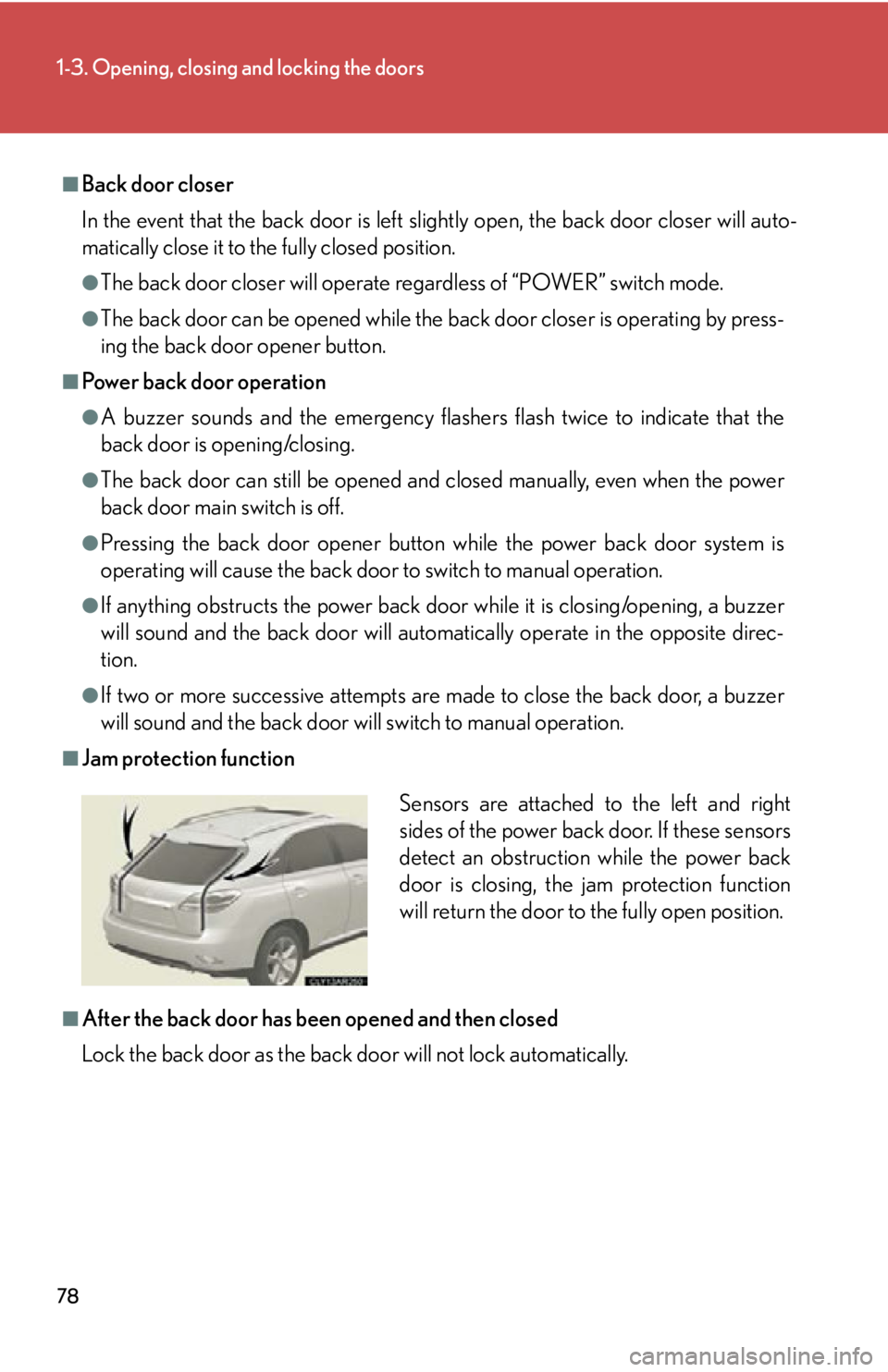
Jam protection function
■
After the back door has been opened and then closed
Lock the back door as the back door will not lock automatically. Sensors are attached to the left and right
sides of the power back door. If these sensors
detect an obstruction while the power back
door is closing, the jam protection function
will return the door to the fully open position.
Page 84 of 878
841-3. Opening, closing and locking the doors
CAUTION●
The jam protection function may not work depending on the shape of the object
that is caught. Be careful not to catch fingers or anything else.●
The sensors located on the right and left sides of the power back door detect
obstructions and prevent them from becoming jammed in the door. Some objects
may not be detected depending on their shape or how they are jammed. Be care-
ful not to get fingers or other body parts caught in the back door while it is oper-
ating as this may result in a serious injury.
NOTICE■
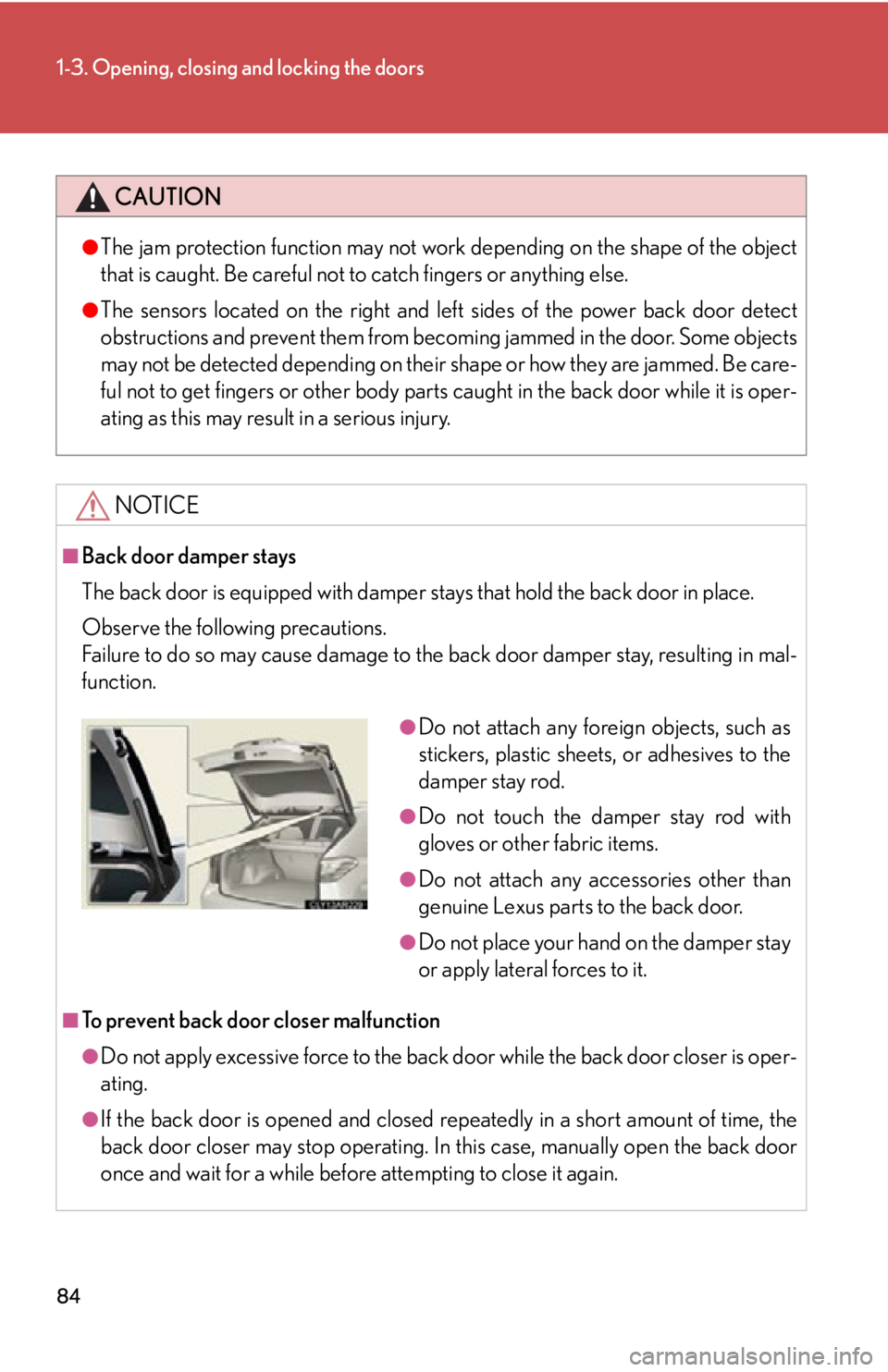
Back door damper stays
The back door is equipped with damper stays that hold the back door in place.
Observe the following precautions.
Failure to do so may cause damage to the back door damper stay, resulting in mal-
function.
■
To prevent back door closer malfunction
●
Do not apply excessive force to the back d oor while the back door closer is oper-
ating.
●
If the back door is opened and closed repeatedly in a short amount of time, the
back door closer may stop operating. In this case, manually open the back door
once and wait for a while before attempting to close it again. ●
Do not attach any foreign objects, such as
stickers, plastic sheets, or adhesives to the
damper stay rod. ●
Do not touch the damper stay rod with
gloves or other fabric items. ●
Do not attach any accessories other than
genuine Lexus parts to the back door. ●
Do not place your hand on the damper stay
or apply lateral forces to it.
Page 85 of 878
851-3. Opening, closing and locking the doors
1
Before driving NOTICE■
To prevent damage to the power back door ●
Make sure that there is no ice between the back door and frame that would pre-
vent movement of the back door. Operating the power back door when exces-
sive load is present on the back door may cause a malfunction.●
Do not apply excessive force to the back door while the power back door is oper-
ating.●
Take care not to damage the sensors (installed on the right and left edges of the
power back door) with a knife or other sharp object. If the sensor is disconnected,
the power back door will not operate in automatic operation.●
When manually closing the back door immediately after the power back door
has been automatically opened full y, some resistan ce may be felt.
Page 103 of 878
1031-4. Adjustable components (seats, mirrors, steering wheel)
1
Before driving CAUTION■
People suffering illness
Obtain medical advice and wear the seat belt in the proper way.■
When children are in the vehicle
Do not allow children to play with the seat belt. If the seat belt becomes twisted
around a child’s neck, it may lead to choking or other serious injuries that could
result in death.
If this occurs and the buckle cannot be un fastened, scissors shou ld be used to cut
the belt.■
Seat belt pretensioners ●
Do not place anything, such as a cushion, on the front passenger's seat. Doing so
will disperse the passenger's weight, wh ich prevents the sensor from detecting
the passenger's weight properly. As a resu lt, the seat belt pretensioner for the
front passenger's seat may not activate in the event of a collision.●
If the pretensioner has activated, the SRS warning light will come on. In that case,
the seat belt cannot be used again and must be replaced at your Lexus dealer.■
Adjustable shoulder anchor
Always make sure the shoulder belt is positioned across the center of your shoul-
der. The belt should be kept away from yo ur neck, but not falling off your shoulder.
Failure to do so could reduce the amount of protection in an accident and cause
death or serious injuries in the event of a sudden stop, sudden swerve or accident.
( P. 100)
Page 108 of 878
1081-4. Adjustable components (s eats, mirrors, steering wheel)
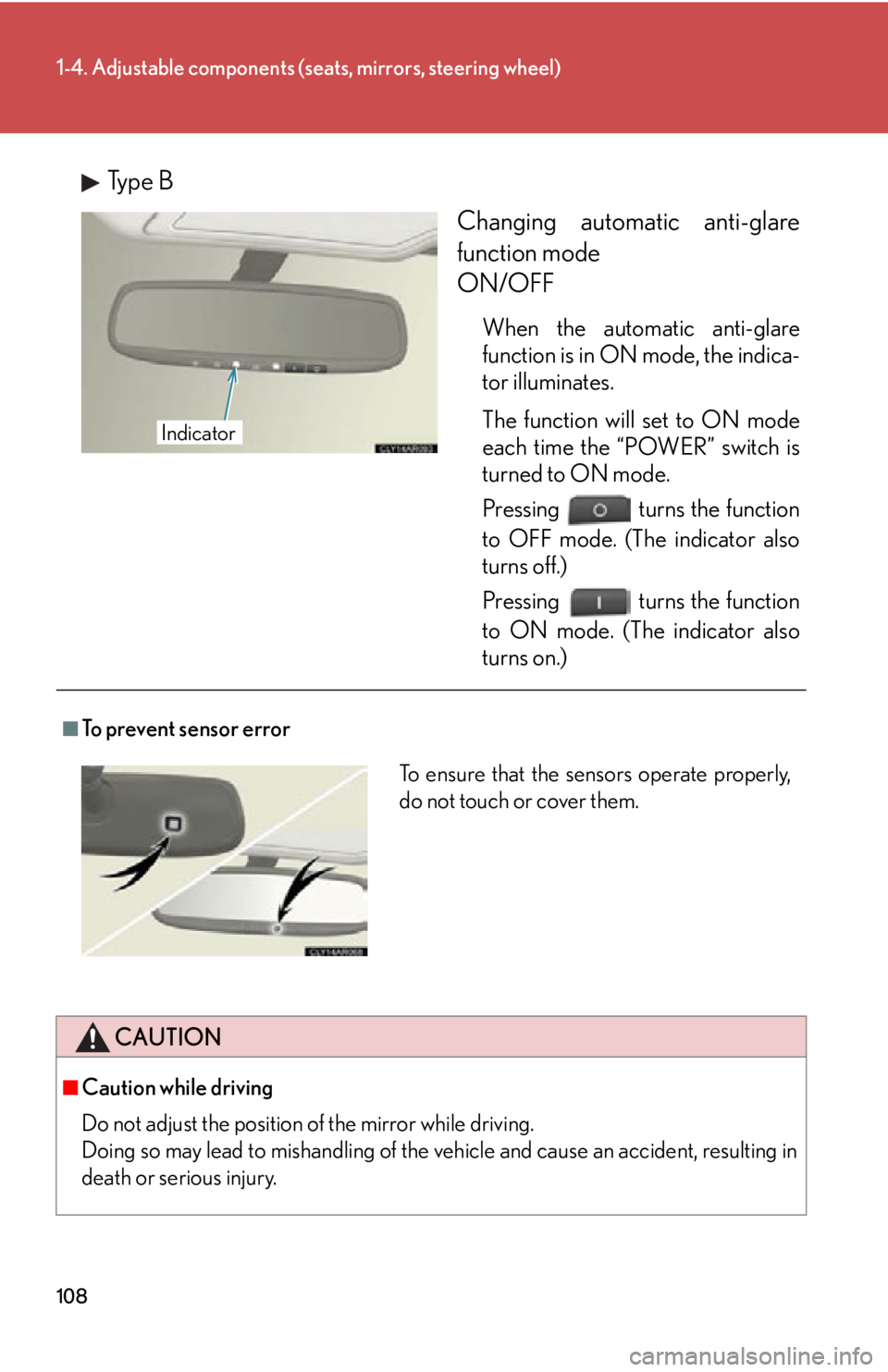
Type B
Changing automatic anti-glare
function mode
ON/OFF When the automatic anti-glare
function is in ON mode, the indica-
tor illuminates.
The function will set to ON mode
each time the “POWER” switch is
turned to ON mode.
Pressing turns the function
to OFF mode. (The indicator also
turns off.)
Pressing turns the function
to ON mode. (The indicator also
turns on.)Indicator
■
To prevent sensor error
CAUTION
■
Caution while driving
Do not adjust the position of the mirror while driving.
Doing so may lead to mishandling of the vehicle and cause an accident, resulting in
death or serious injury. To ensure that the sensors operate properly,
do not touch or cover them.