automatic LEXUS RX450H 2016 Owners Manual
[x] Cancel search | Manufacturer: LEXUS, Model Year: 2016, Model line: RX450H, Model: LEXUS RX450H 2016Pages: 660, PDF Size: 14.85 MB
Page 391 of 660
3914-6. Driving tips
4
Driving
RX450h_U_OM0E013U
Accelerate the vehicle slowly, keep a safe distance between you and the vehicle
ahead, and drive at a reduced spee d suitable to road conditions.
Park the vehicle and move the shift lever to P without setting the parking brake.
The parking brake may freeze up, preventing it from being released. If necessary,
block the wheels to prevent in advertent sliding or creeping.
When the parking brake is in automatic mo de, release the parking brake after shifting
the shift lever to P. ( P. 245)
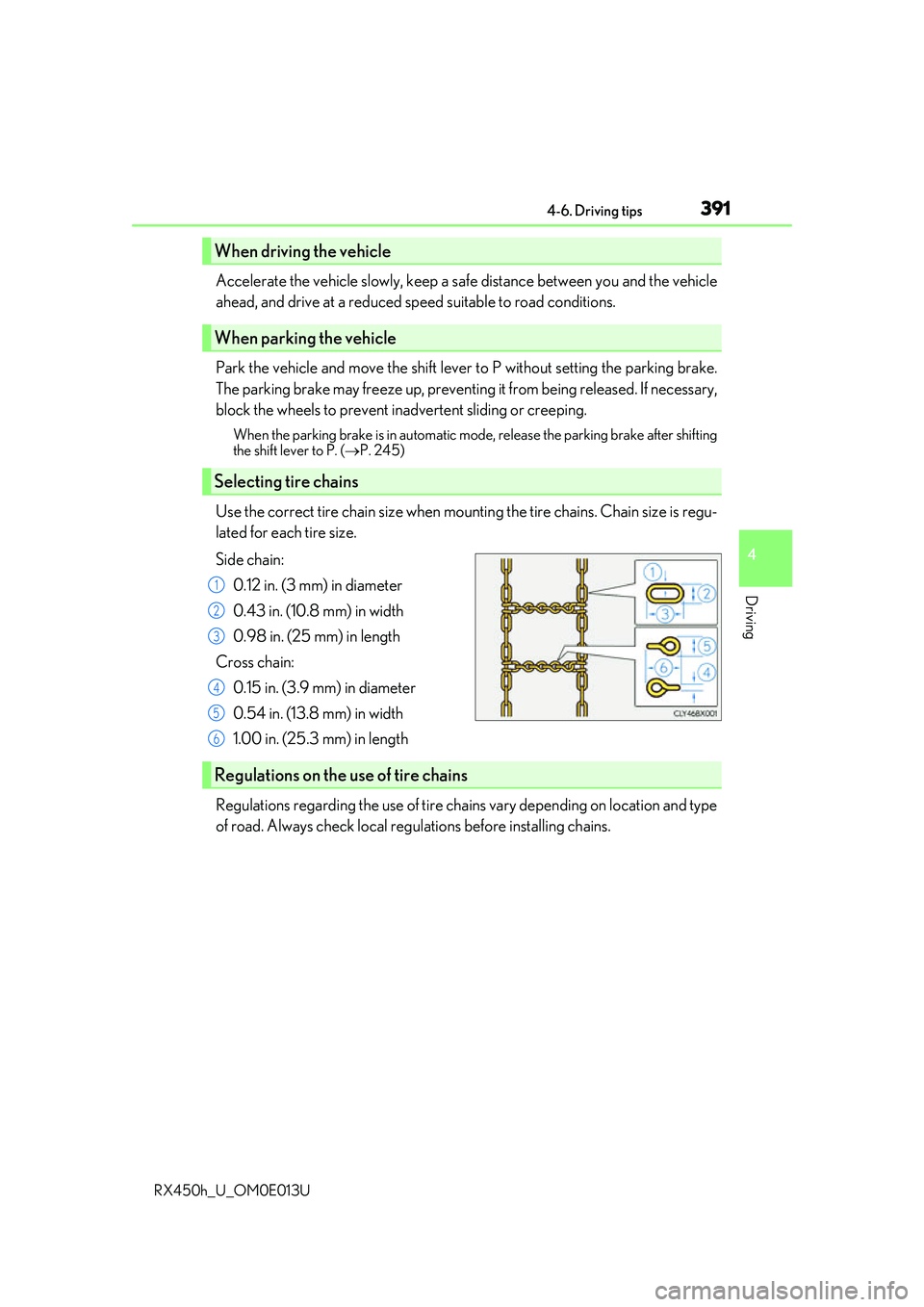
Use the correct tire chain size when mounti ng the tire chains. Chain size is regu-
lated for each tire size.
Side chain:
0.12 in. (3 mm) in diameter
0.43 in. (10.8 mm) in width
0.98 in. (25 mm) in length
Cross chain: 0.15 in. (3.9 mm) in diameter
0.54 in. (13.8 mm) in width
1.00 in. (25.3 mm) in length
Regulations regarding the use of tire chains vary depending on location and type
of road. Always check local regu lations before installing chains.
When driving the vehicle
When parking the vehicle
Selecting tire chains
1
2
3
4
5
6
Regulations on the use of tire chains
Page 397 of 660
397
5Interior features
RX450h_U_OM0E013U
5-1. Basic operation of the Remote Touch screen
Remote Touch ............................ 398
12.3-inch displa y.........................402
5-2. Using the air conditioning system and defogger
Lexus Climate Concierge ..... 404
Automatic air conditioning system ......................................... 405
Heated steering wheel/ seat heaters/
seat ventilators .......................... 414
5-3. Using the interior lights Interior lights list........................... 417
• Interior lights ........................... 418
• Personal lights ........................ 419
5-4. Using the storage features List of storage features.............. 421
• Glove box ............................... 422
• Console box ........................... 422
• Cup holders............................423
• Door pockets ......................... 424
• Bottle holders ........................425
• Coin box ..................................425
• Auxiliary boxes......................426
Luggage compartment features........................................ 427 5-5. Using the other interior
features
Other interior features ............ 432
• Sun visors ................................ 432
• Vanity mirrors ....................... 432
• Clock ........................................ 433
• Wireless charger ................. 433
• Power outlets (12 VDC) ................................. 440
• Power outlet (120 VAC)................................441
• Front passenger footwell hooks......................................... 442
• Rear door sunshades ......... 443
• Armrest .................................... 443
• Assist grips.............................. 444
• Coat hooks ............................. 444
Garage door opener ............... 445
LEXUS Enform Safety Connect ...................................... 452
Page 403 of 660
4035-1. Basic operation of the Remote Touch screen
5
Interior features
RX450h_U_OM0E013U
■Selecting the operation screen
When selecting the main display, move the Remote Touch knob to the left.
When selecting the side display, move the Remote Touch knob to the right.
■Main display
For details about the functions and operation of the main display, refer to the
respective section and “NAVIGATION SYSTEM OWNER’S MANUAL”.
■Side display
Basic screens
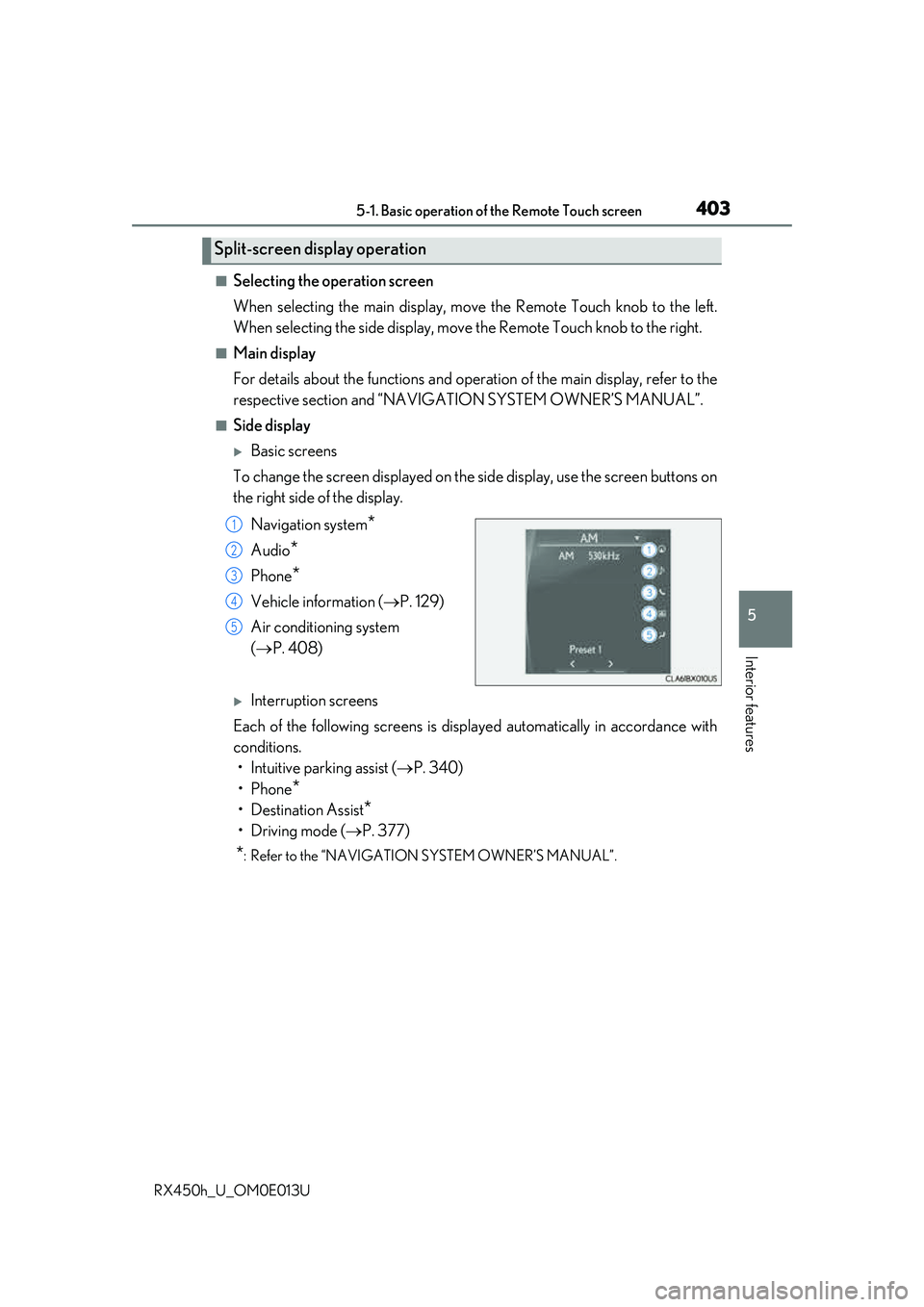
To change the screen displayed on the side display, use the screen buttons on
the right side of the display.
Navigation system
*
Audio*
Phone*
Vehicle information ( P. 129)
Air conditioning system
( P. 408)
Interruption screens
Each of the following screens is displayed automatically in accordance with
conditions. • Intuitive parking assist ( P. 340)
•Phone
*
• Destination Assist*
•Driving mode ( P. 377)
*: Refer to the “NAVIGATION SYSTEM OWNER’S MANUAL”.
Split-screen display operation
1
2
3
4
5
Page 404 of 660
404
RX450h_U_OM0E013U5-2. Using the air conditio
ning system and defogger
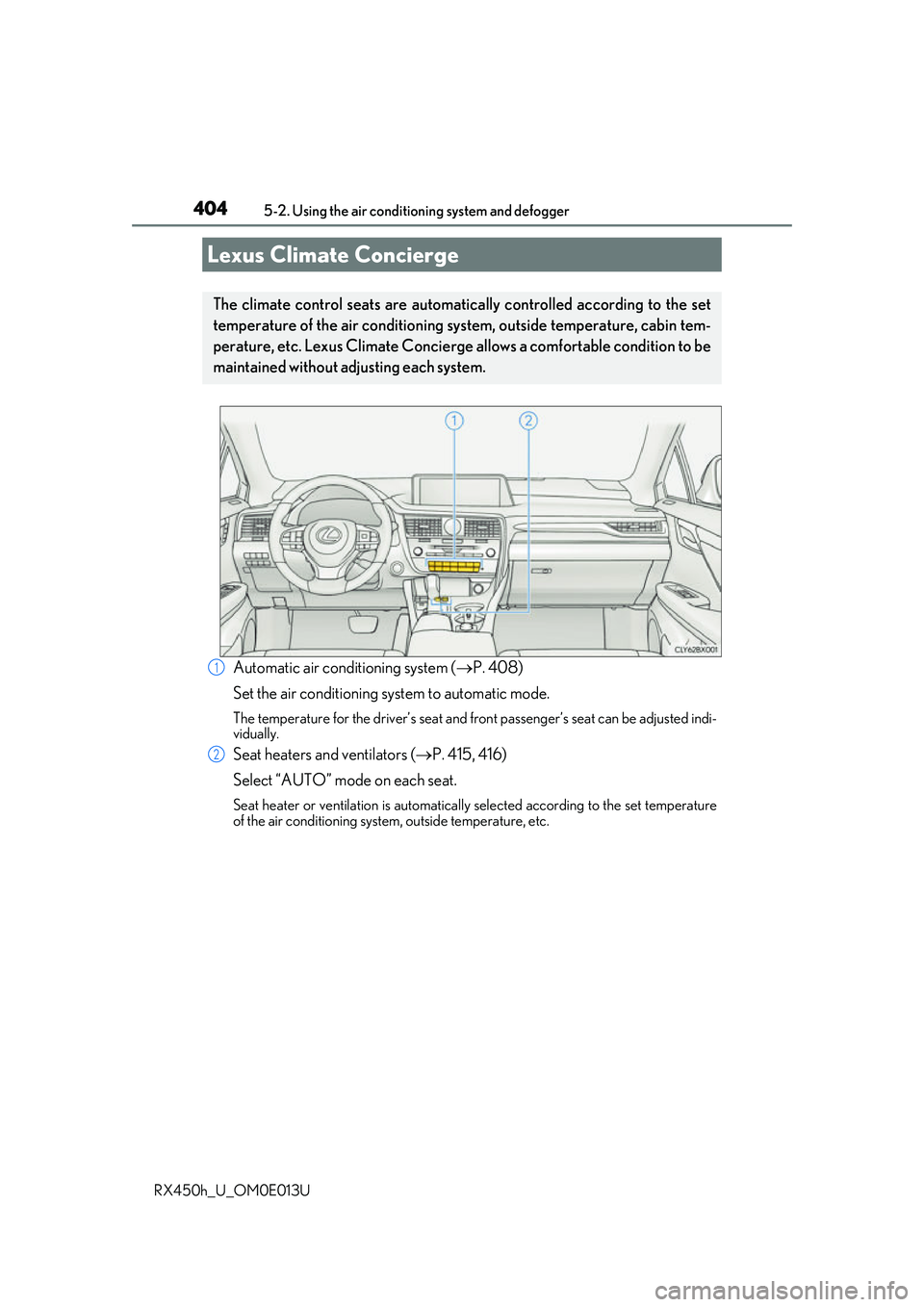
Automatic air conditioning system ( P. 408)
Set the air conditioning system to automatic mode.
The temperature for the driver’s seat and front passenger’s seat can be adjusted indi-
vidually.
Seat heaters and ventilators ( P. 415, 416)
Select “AUTO” mode on each seat.
Seat heater or ventilation is automatically selected according to the set temperature
of the air conditioning system, outside temperature, etc.
Lexus Climate Concierge
The climate control seats are automatica lly controlled according to the set
temperature of the air conditioning sy stem, outside temperature, cabin tem-
perature, etc. Lexus Climate Concierge allows a comfortable condition to be
maintained without adjusting each system.
1
2
Page 405 of 660
4055-2. Using the air conditioning system and defogger
5
Interior features
RX450h_U_OM0E013U
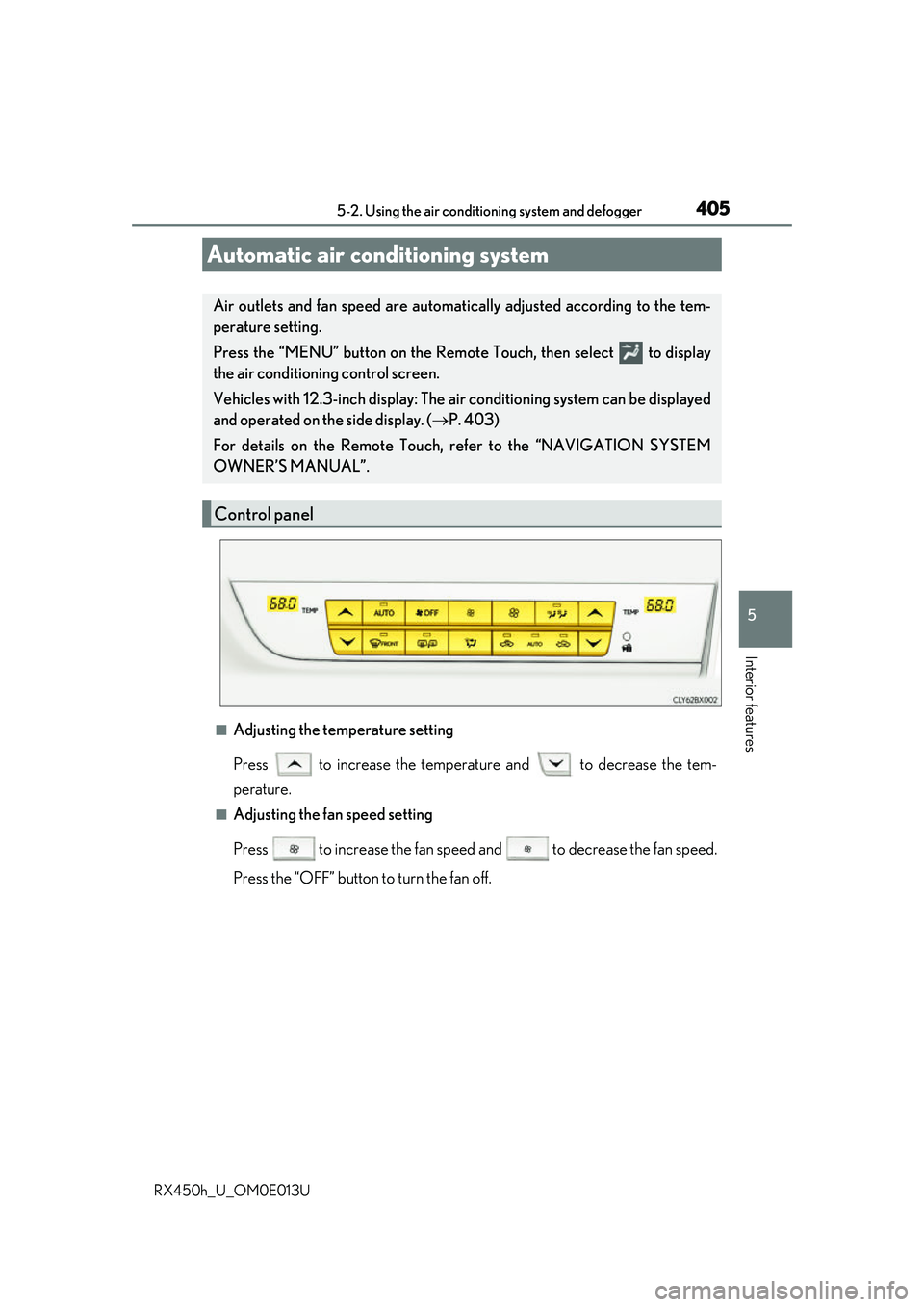
■Adjusting the temperature setting
Press to increase the temperature and to decrease the tem-
perature.
■Adjusting the fan speed setting
Press to increase the fan speed and to decrease the fan speed.
Press the “OFF” button to turn the fan off.
Automatic air conditioning system
Air outlets and fan speed are automati cally adjusted according to the tem-
perature setting.
Press the “MENU” button on the Remote Touch, then select to display
the air conditioning control screen.
Vehicles with 12.3-inch display: The ai r conditioning system can be displayed
and operated on the side display. ( P. 403)
For details on the Remote Touch, refer to the “NAVIGATION SYSTEM
OWNER’S MANUAL”.
Control panel
Page 407 of 660
4075-2. Using the air conditioning system and defogger
5
Interior features
RX450h_U_OM0E013U
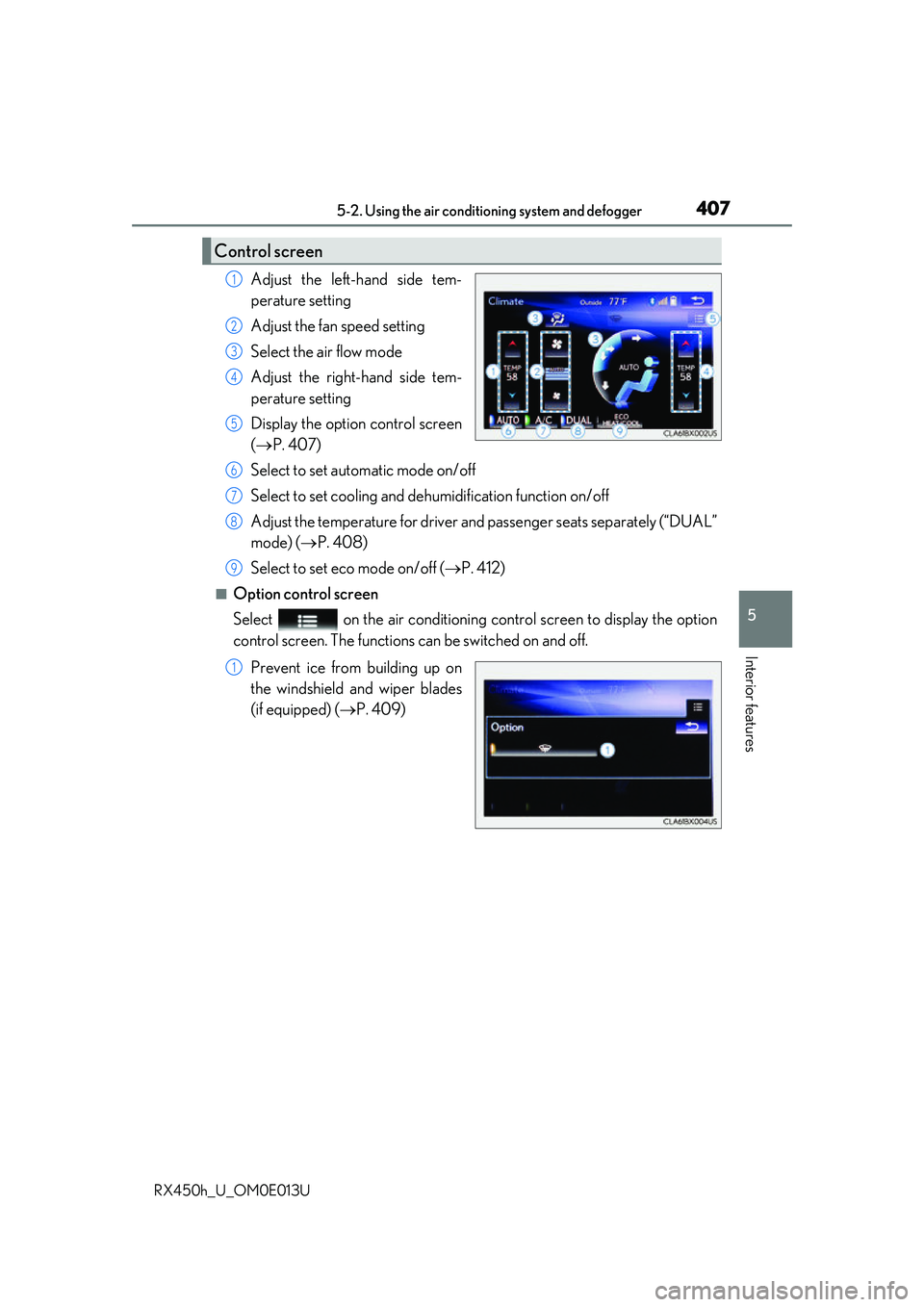
Adjust the left-hand side tem-
perature setting
Adjust the fan speed setting
Select the air flow mode
Adjust the right-hand side tem-
perature setting
Display the option control screen
(P. 407)
Select to set automatic mode on/off
Select to set cooling and dehumidification function on/off
Adjust the temperature for driver an d passenger seats separately (“DUAL”
mode) ( P. 408)
Select to set eco mode on/off ( P. 412)
■Option control screen
Select on the air conditioning control screen to display the option
control screen. The functions can be switched on and off.
Prevent ice from building up on
the windshield and wiper blades
(if equipped) ( P. 409)
Control screen
1
2
3
4
5
6
7
8
9
1
Page 408 of 660
4085-2. Using the air conditioning system and defogger
RX450h_U_OM0E013U
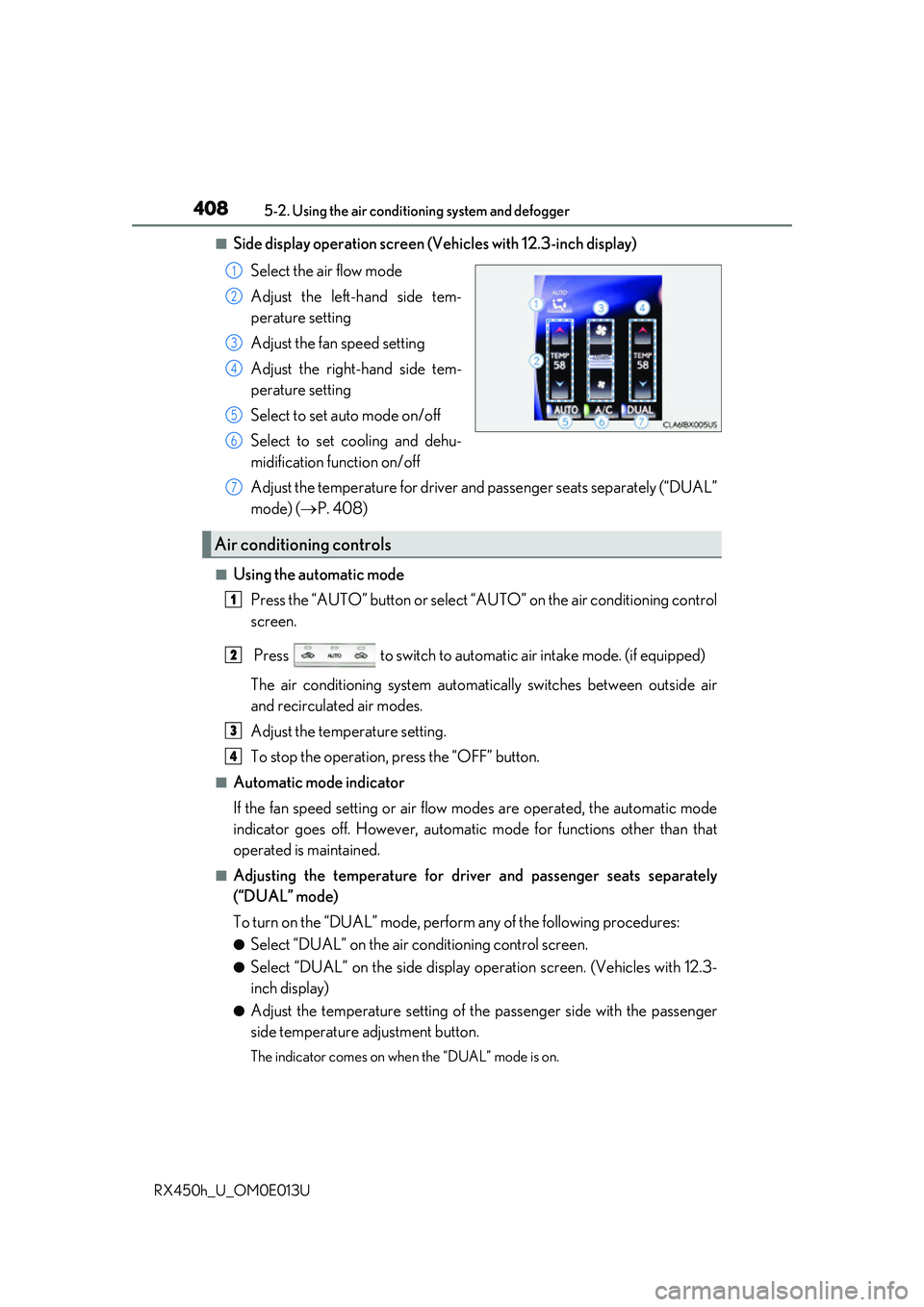
■Side display operation screen (V ehicles with 12.3-inch display)
Select the air flow mode
Adjust the left-hand side tem-
perature setting
Adjust the fan speed setting
Adjust the right-hand side tem-
perature setting
Select to set auto mode on/off
Select to set cooling and dehu-
midification function on/off
Adjust the temperature for driver an d passenger seats separately (“DUAL”
mode) ( P. 408)
■Using the automatic mode
Press the “AUTO” button or select “A UTO” on the air conditioning control
screen.
Press to switch to automatic air intake mode. (if equipped)
The air conditioning system automati cally switches between outside air
and recirculated air modes.
Adjust the temperature setting.
To stop the operation, press the “OFF” button.
■Automatic mode indicator
If the fan speed setting or air flow modes are operated, the automatic mode
indicator goes off. However, automati c mode for functions other than that
operated is maintained.
■Adjusting the temperature for driv er and passenger seats separately
(“DUAL” mode)
To turn on the “DUAL” mode, perfor m any of the following procedures:
●Select “DUAL” on the air conditioning control screen.
●Select “DUAL” on the side display op eration screen. (Vehicles with 12.3-
inch display)
●Adjust the temperature setting of th e passenger side with the passenger
side temperature adjustment button.
The indicator comes on when the “DUAL” mode is on.
1
2
3
4
5
6
Air conditioning controls
7
1
2
3
4
Page 409 of 660
4095-2. Using the air conditioning system and defogger
5
Interior features
RX450h_U_OM0E013U
■Switching between outside air and recirculated air modes
Press .
The mode switches between (recir culated air mode), automatic and
(outside air mode) modes each time the button is pressed.
When the system is switched to automatic mode, the air conditioning system oper-
ates automatically.
■Defogging the windshield
Defoggers are used to defog the wi ndshield and front side windows.
Press .
Set the outside/recirculated air mode button to outside air mode if the recirculated
air mode is used. (It may switch automatically.)
To defog the windshield and the side wind ows early, turn the air flow and tempera-
ture up.
To return to the previous mode, press again when the windshield is
defogged.
■Defogging the rear window and outside rear view mirrors
Defoggers are used to defog the rear window and to remove raindrops, dew
and frost from the outside rear view mirrors.
Press .
The defoggers will automatically turn off after a period of time.
■Windshield wiper de-icer (if equipped)
This feature is used to prevent ice fr om building up on the windshield and
wiper blades.
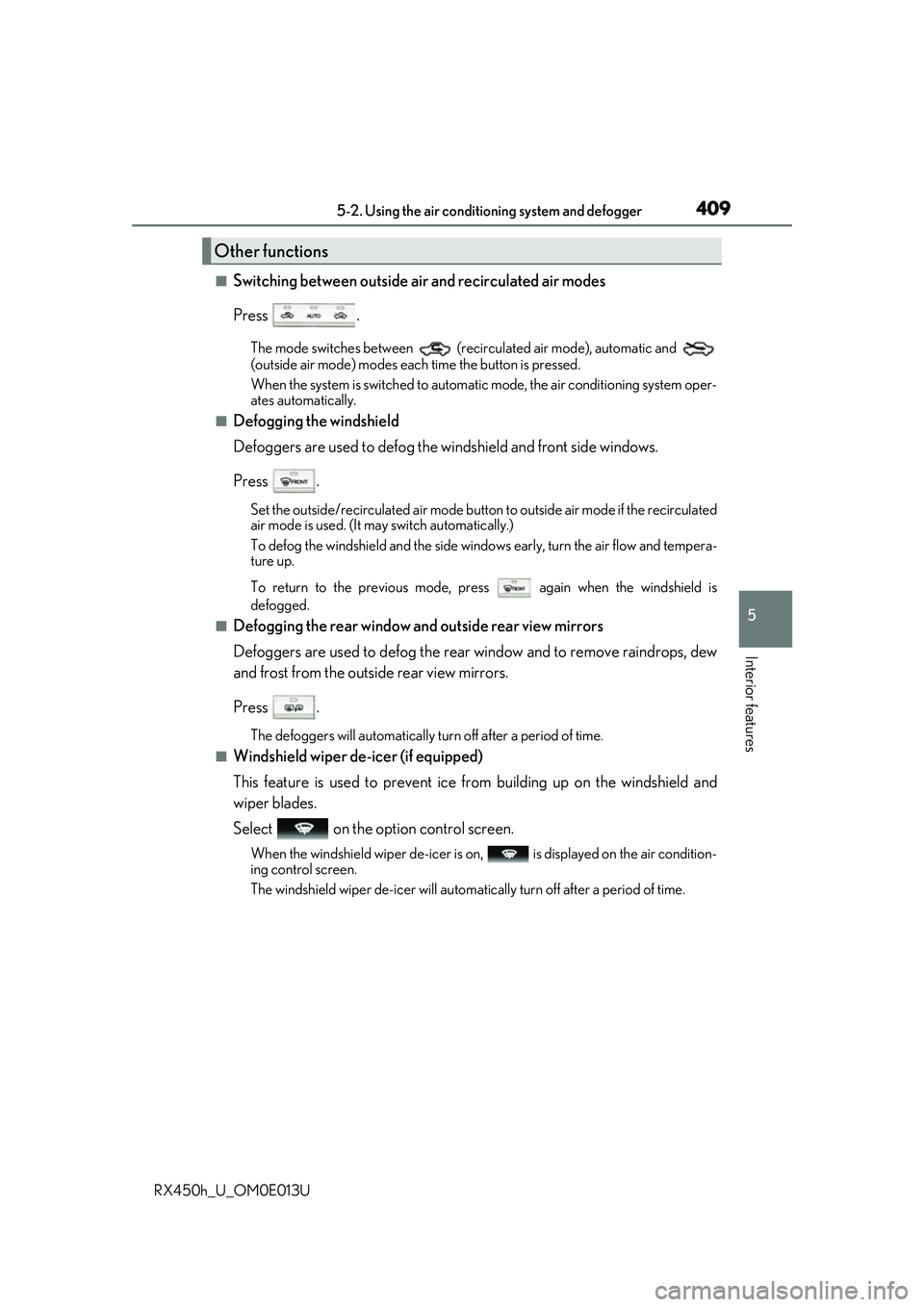
Select on the option control screen.
When the windshield wiper de-icer is on , is displayed on the air condition-
ing control screen.
The windshield wiper de-icer will automati cally turn off after a period of time.
Other functions
Page 411 of 660
4115-2. Using the air conditioning system and defogger
5
Interior features
RX450h_U_OM0E013U
■Registering air conditioning settings to electronic keys
●Unlocking the vehicle using an electronic key and turning the power switch to ON
mode will recall that ke y’s registered air conditioning settings.
●When the power switch is turned off, the cu rrent air conditioning settings will automati-
cally be registered to the electronic key that was used to unlock the vehicle.
●The system may not operate correctly if more th an one electronic key is in the vicinity or
if the smart access system with push-button start is used to unlock a passenger door.
●The doors that can recall the air conditioning setting when unlocked using the smart
access system with push-button start can be changed.
* For details, contact your Lexus
dealer.
*: The doors that can recall the driving positi on memory are changed at the same time.
■Using automatic mode
Fan speed is adjusted automatically according to the temperature setting and the ambi-
ent conditions.
Therefore, the fan may stop for a while until wa rm or cool air is ready to flow immediately
after the “AUTO” button is pressed or “AUTO” is selected.
■Operation of S-FLOW mode
In automatic mode, S-FLOW mode will be turned off if a rear door has been opened and
closed. To activate S-FLOW mode again, press .
■Using the voice command system
Air conditioning system can be operated using voice commands. For details, refer to the
“NAVIGATION SYSTEM OWNER’S MANUAL”.
■When the outside temperature exceeds 75 F (24 C) and the air conditioning system
is on
●In order to reduce the air co nditioning power consumption, the air conditioning system
may switch to recirculated air mode automatically.
This may also reduce fuel consumption.
●Recirculated air mode is selected as a default mode when the power switch is turned to
ON mode.
●It is possible to switch to outside air mode at any time by pressing the outside/recircu-
lated air mode button.
■Automatic mode for air intake control
In automatic mode, the system detects exhaust gas and other pollutants and automati-
cally switches between outside air and recirculated air modes.
When the dehumidification function is off, and the fan is operating, turning automatic
mode on will activate the dehumidification function.
■Fogging up of the windows
●The windows will easily fog up when the humidity in the vehicle is high. Selecting “A/C”
will dehumidify the air from the outlets and defog the windshield effectively.
●If you turn “A/C” off, the windows may fog up more easily.
●The windows may fog up if the recirculated air mode is used.
Page 412 of 660
4125-2. Using the air conditioning system and defogger
RX450h_U_OM0E013U
■Windshield fog detection function
When automatic mode is set, the humidity sensor ( P. 413) detects fog on the wind-
shield and controls the air cond itioning system to prevent fog.
■Outside/recirculated air mode
●When driving on dusty roads such as tunnels or in heavy traffic, set the outside/recircu-
lated air mode button to the recirculated air mode. This is effective in preventing out-
side air from enteri ng the vehicle interior. During cooling operation, setting the
recirculated air mode will also cool the vehicle interior effectively.
●Outside/recirculated air mode may automa tically switch depending on the tempera-
ture setting or the inside temperature.
■When the outside temperature is low
The dehumidification function may not operate even when “A/C” is selected.
■Operation of the air conditioning system in Eco drive mode
●In the Eco drive mode, the air conditioning sy stem is controlled as follows to prioritize
fuel efficiency
• Engine speed and compressor operation controlled to restrict heating/cooling
capacity
• Fan speed restricted when automatic mode is selected
●To improve air conditioning performa nce, perform the following operations
• Adjust the fan speed
• Turn off Eco drive mode
■Ventilation and air conditioning odors
●To let fresh air in, set the air conditioning system to the outside air mode.
●During use, various odors from inside and outside the vehicle may enter into and accu-
mulate in the air conditioning system. This may then cause odor to be emitted from the
vents.
●To reduce potential odors from occurring:
• It is recommended that the air conditioning system be set to outside air mode prior
to turning the vehicle off.
• The start timing of the blower may be dela yed for a short period of time immediately
after the air conditioning system is started in automatic mode.
■Air conditioning filter
P. 501
■Customization
Some functions can be customized ( P. 607)