reset LEXUS RX450H 2016 User Guide
[x] Cancel search | Manufacturer: LEXUS, Model Year: 2016, Model line: RX450H, Model: LEXUS RX450H 2016Pages: 660, PDF Size: 14.85 MB
Page 127 of 660
1272. Instrument cluster
2
Instrument cluster
RX450h_U_OM0E013U
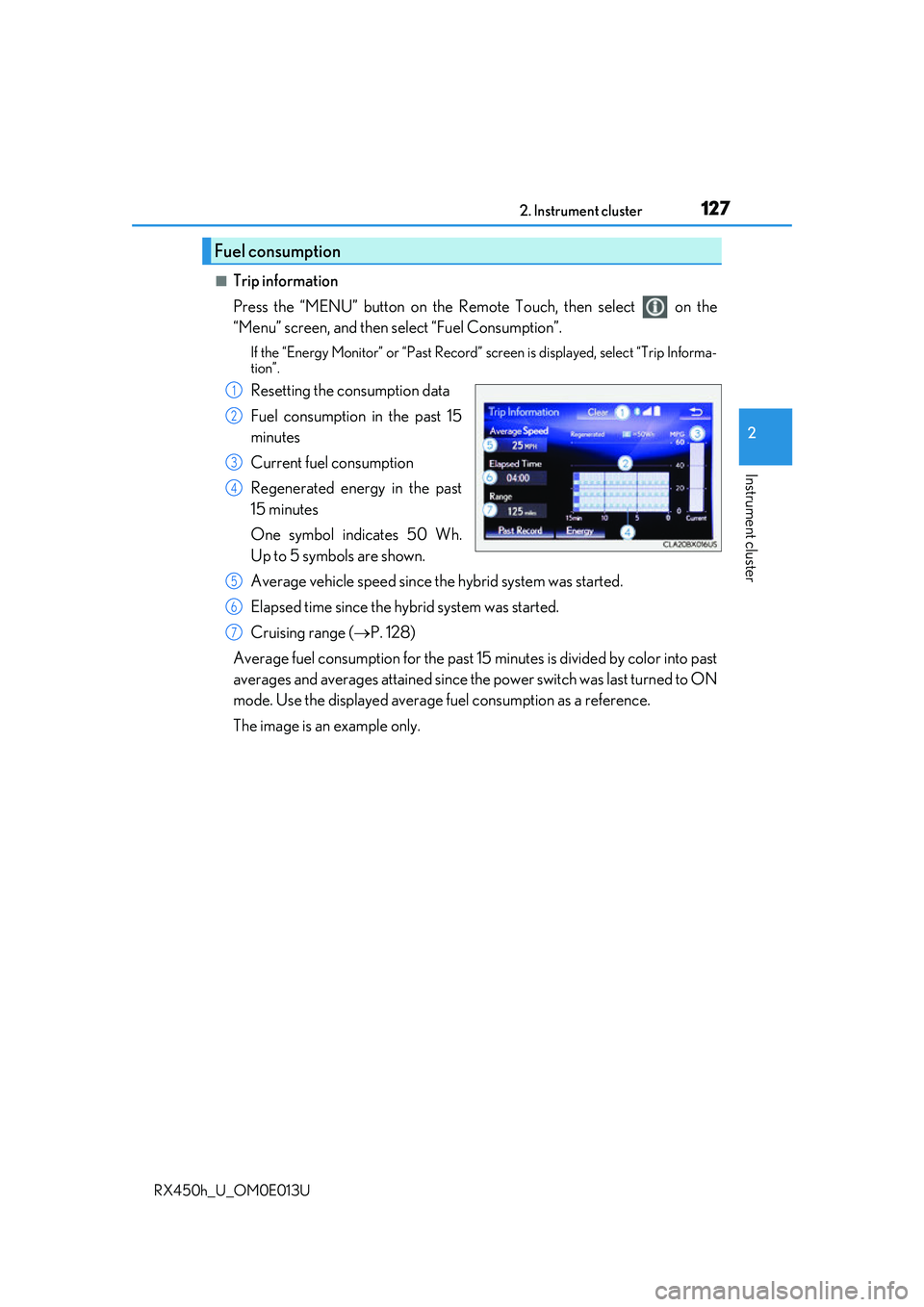
■Trip information
Press the “MENU” button on the Remote Touch, then select on the
“Menu” screen, and then select “Fuel Consumption”.
If the “Energy Monitor” or “Past Record” screen is displayed, select “Trip Informa-
tion”.
Resetting the consumption data
Fuel consumption in the past 15
minutes
Current fuel consumption
Regenerated energy in the past
15 minutes
One symbol indicates 50 Wh.
Up to 5 symbols are shown.
Average vehicle speed since the hybrid system was started.
Elapsed time since the hybrid system was started.
Cruising range ( P. 128)
Average fuel consumption for the past 15 minutes is divided by color into past
averages and averages atta ined since the power switch was last turned to ON
mode. Use the displayed average fuel consumption as a reference.
The image is an example only.
Fuel consumption
1
2
3
4
5
6
7
Page 128 of 660
1282. Instrument cluster
RX450h_U_OM0E013U
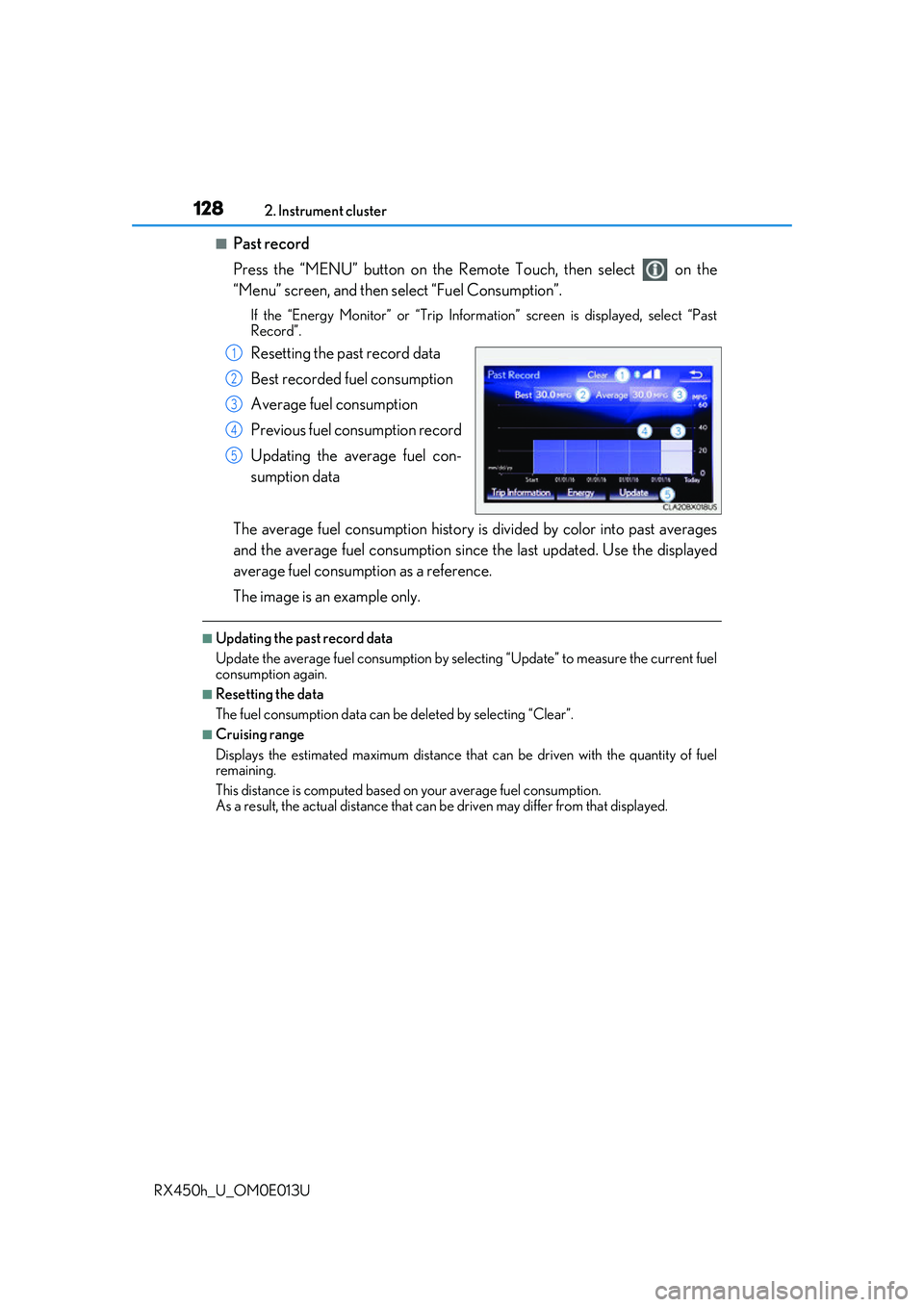
■Past record
Press the “MENU” button on the Remo te Touch, then select on the
“Menu” screen, and then select “Fuel Consumption”.
If the “Energy Monitor” or “Trip Informat ion” screen is displayed, select “Past
Record”.
Resetting the past record data
Best recorded fuel consumption
Average fuel consumption
Previous fuel consumption record
Updating the average fuel con-
sumption data
The average fuel consumption history is divided by color into past averages
and the average fuel consumption since the last updated. Use the displayed
average fuel consumption as a reference.
The image is an example only.
■Updating the past record data
Update the average fuel cons umption by selecting “Update” to measure the current fuel
consumption again.
■Resetting the data
The fuel consumption data can be deleted by selecting “Clear”.
■Cruising range
Displays the estimated maximum distance that can be driven with the quantity of fuel
remaining.
This distance is computed based on your average fuel consumption.
As a result, the actual distance that can be driven may differ from that displayed.
1
2
3
4
5
Page 175 of 660
1753-3. Adjusting the seats
3
Operation of each component
RX450h_U_OM0E013U
Your preferred driving position (the position of the driver’s seat, steering wheel
and outside rear view mirrors) can be recorded and recalled by pressing a but-
ton.
Three different driving positions can be recorded into memory.
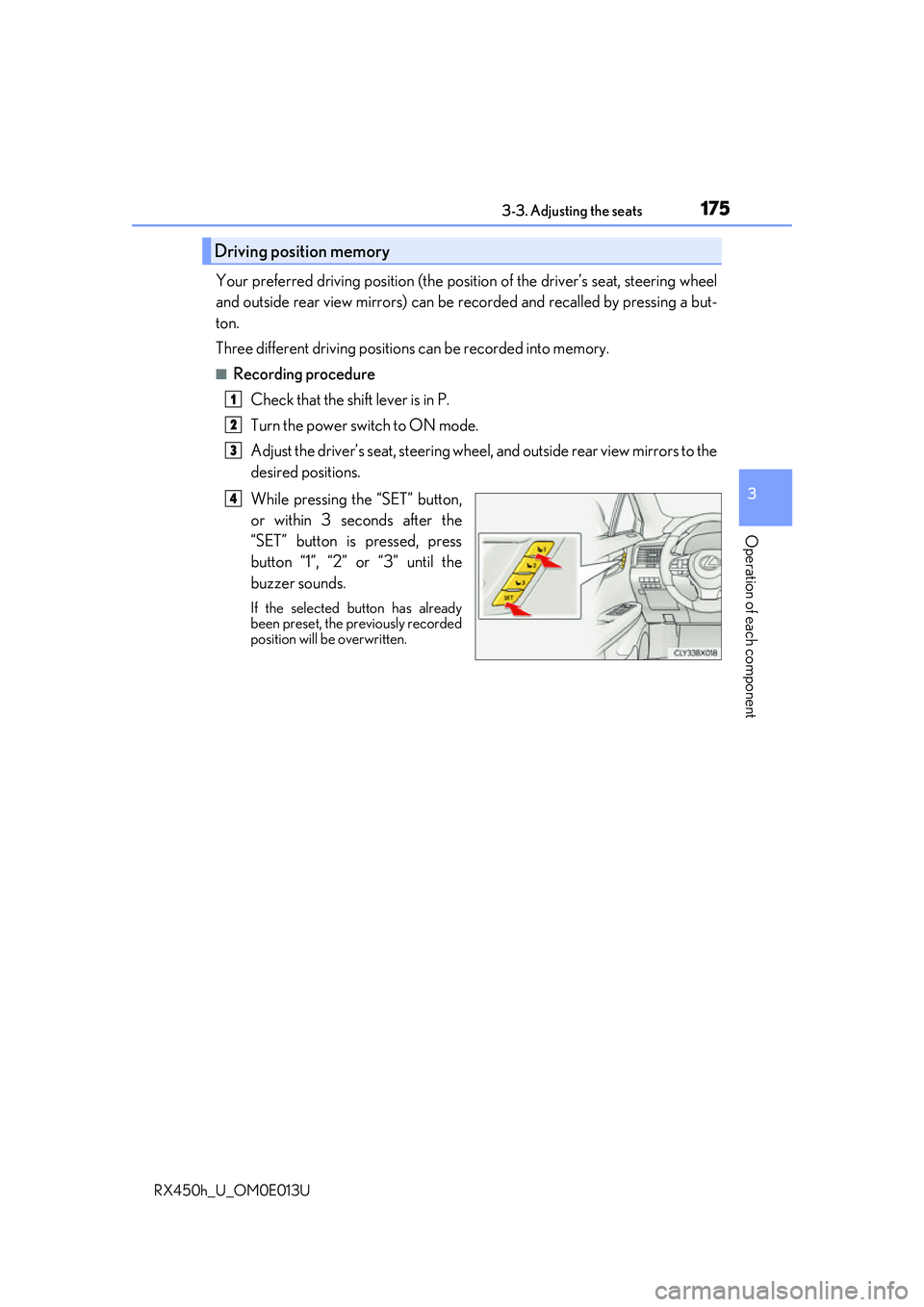
■Recording procedure
Check that the shift lever is in P.
Turn the power switch to ON mode.
Adjust the driver’s seat, steering wheel, and outside rear view mirrors to the
desired positions.
While pressing the “SET” button,
or within 3 seconds after the
“SET” button is pressed, press
button “1”, “2” or “3” until the
buzzer sounds.
If the selected button has already
been preset, the previously recorded
position will be overwritten.
Driving position memory
1
2
3
4
Page 223 of 660
2234-1. Before driving
4
Driving
RX450h_U_OM0E013U
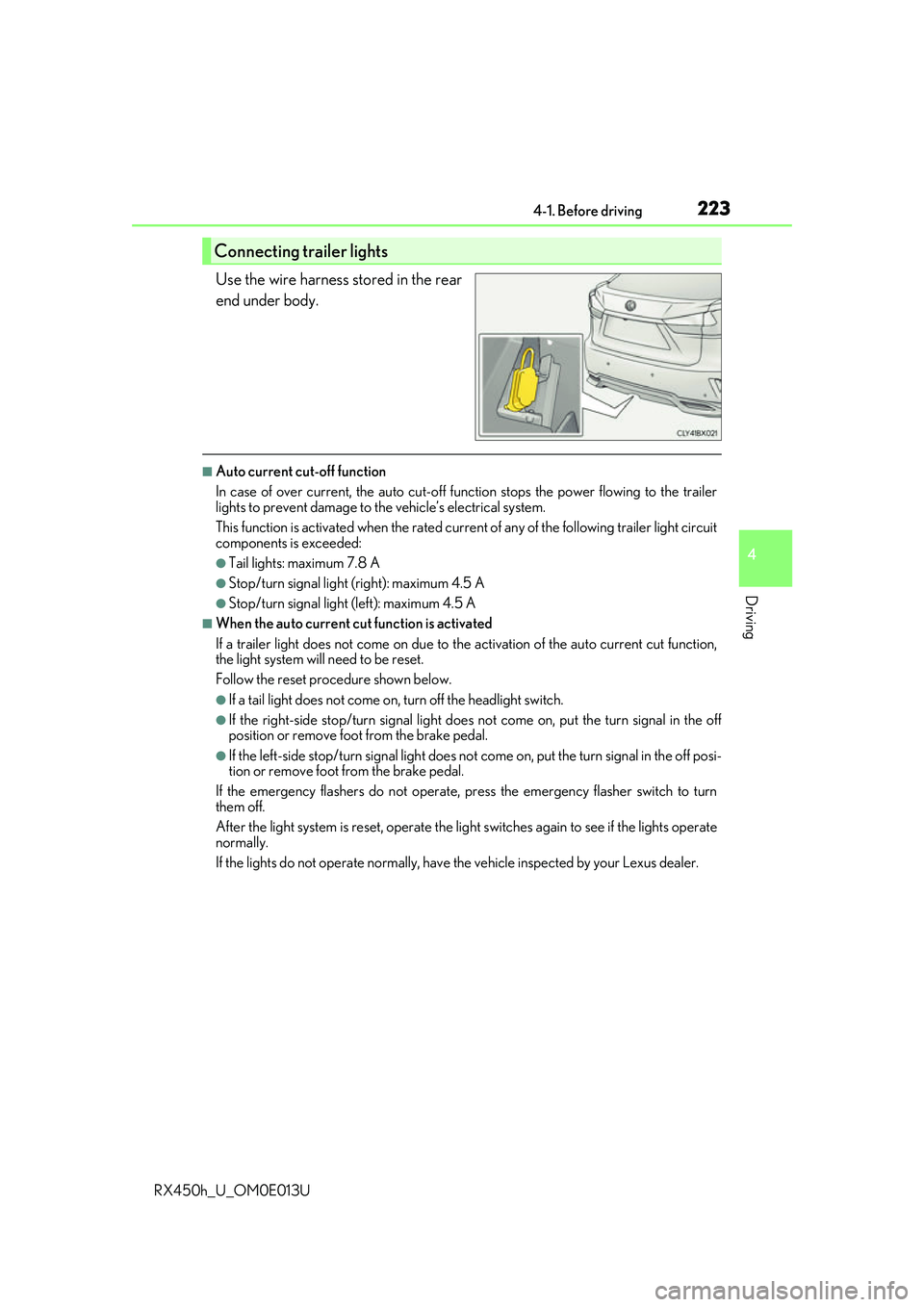
Use the wire harness stored in the rear
end under body.
■Auto current cut-off function
In case of over current, the auto cut-off function stops the power flowing to the trailer
lights to prevent damage to the vehicle’s electrical system.
This function is activated when the rated current of any of the following trailer light circuit
components is exceeded:
●Tail lights: maximum 7.8 A
●Stop/turn signal light (right): maximum 4.5 A
●Stop/turn signal light (left): maximum 4.5 A
■When the auto current cu t function is activated
If a trailer light does not come on due to th e activation of the auto current cut function,
the light system will need to be reset.
Follow the reset procedure shown below.
●If a tail light does not come on, turn off the headlight switch.
●If the right-side stop/turn signal light does not come on, put the turn signal in the off
position or remove foot from the brake pedal.
●If the left-side stop/turn signal light does not come on, put the turn signal in the off posi-
tion or remove foot from the brake pedal.
If the emergency flashers do not operate, press the emergency flasher switch to turn
them off.
After the light system is reset, operate the lig ht switches again to see if the lights operate
normally.
If the lights do not operate normally, have the vehicle inspected by your Lexus dealer.
Connecting trailer lights
Page 466 of 660
4666-2. Maintenance
RX450h_U_OM0E013U
■Repair and replacement
It is recommended that genuine Lexus parts be used for repairs to ensure performance
of each system. If non-Lexus parts are used in replacement or if a repair shop other than
a Lexus dealer performs repairs, confirm the warranty coverage.
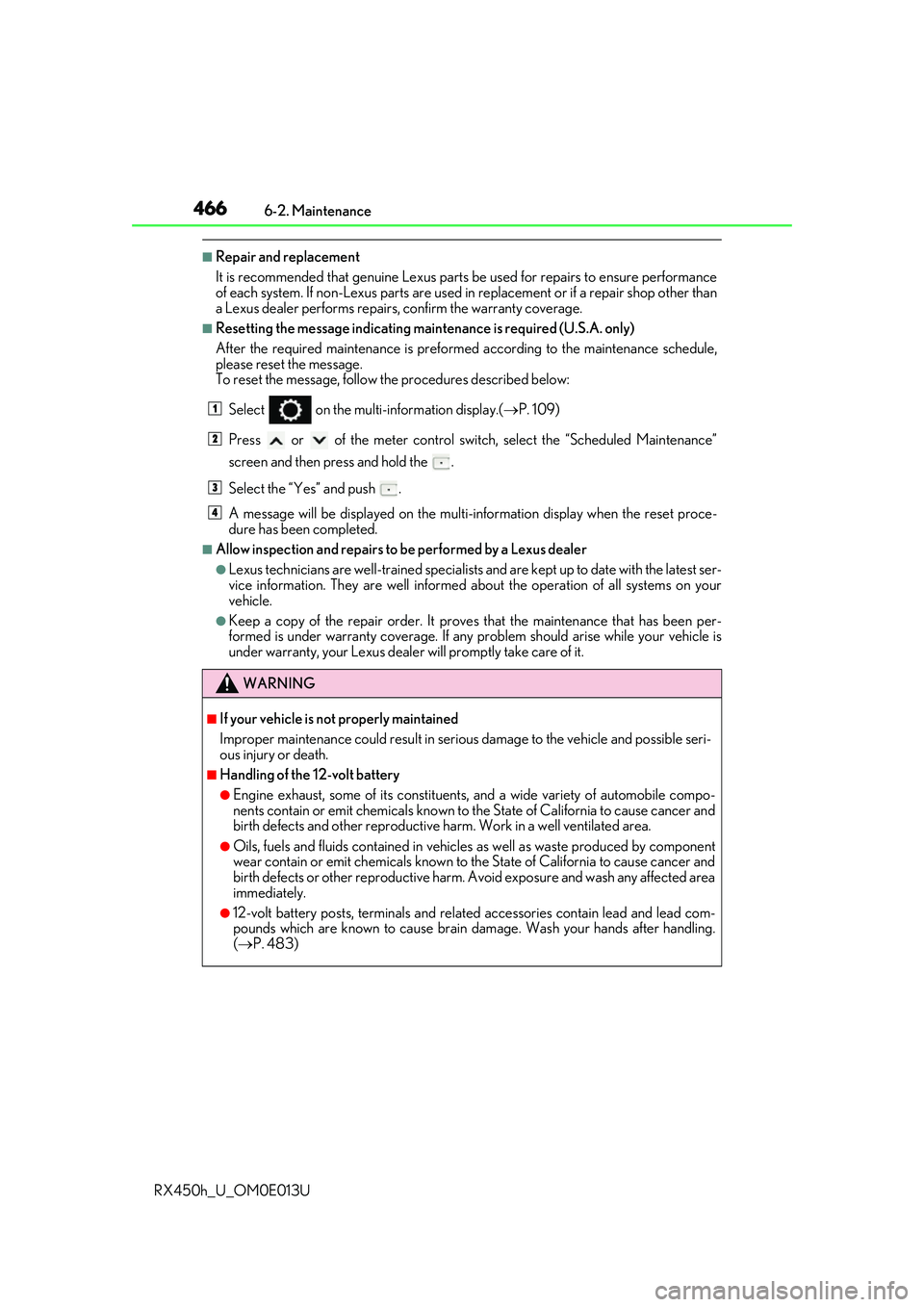
■Resetting the message indicating main tenance is required (U.S.A. only)
After the required maintenanc e is preformed according to the maintenance schedule,
please reset the message.
To reset the message, follow the procedures described below:
Select on the multi-information display.( P. 109)
Press or of the meter control switch, select the “Scheduled Maintenance”
screen and then press and hold the .
Select the “Yes” and push .
A message will be displayed on the multi-information display when the reset proce-
dure has been completed.
■Allow inspection and repairs to be performed by a Lexus dealer
●Lexus technicians are well-trained specialists and are kept up to date with the latest ser-
vice information. They are well informed about the operat ion of all systems on your
vehicle.
●Keep a copy of the repair order. It proves that the maintenance that has been per-
formed is under warranty co verage. If any problem should arise while your vehicle is
under warranty, your Lexus dealer will promptly take care of it.
WARNING
■If your vehicle is not properly maintained
Improper maintenance could result in seriou s damage to the vehicle and possible seri-
ous injury or death.
■Handling of the 12-volt battery
●Engine exhaust, some of its constituents, and a wide variety of automobile compo-
nents contain or emit chemicals known to th e State of California to cause cancer and
birth defects and other reproductive ha rm. Work in a well ventilated area.
●Oils, fuels and fluids contained in vehicles as well as waste produced by component
wear contain or emit chemicals known to the State of California to cause cancer and
birth defects or other reproductive harm. Avoid exposure and wash any affected area
immediately.
●12-volt battery posts, terminals and related accessories contain lead and lead com-
pounds which are known to cause brain damage. Wash your hands after handling.
( P. 483)
1
2
3
4
Page 478 of 660
4786-3. Do-it-yourself maintenance
RX450h_U_OM0E013U
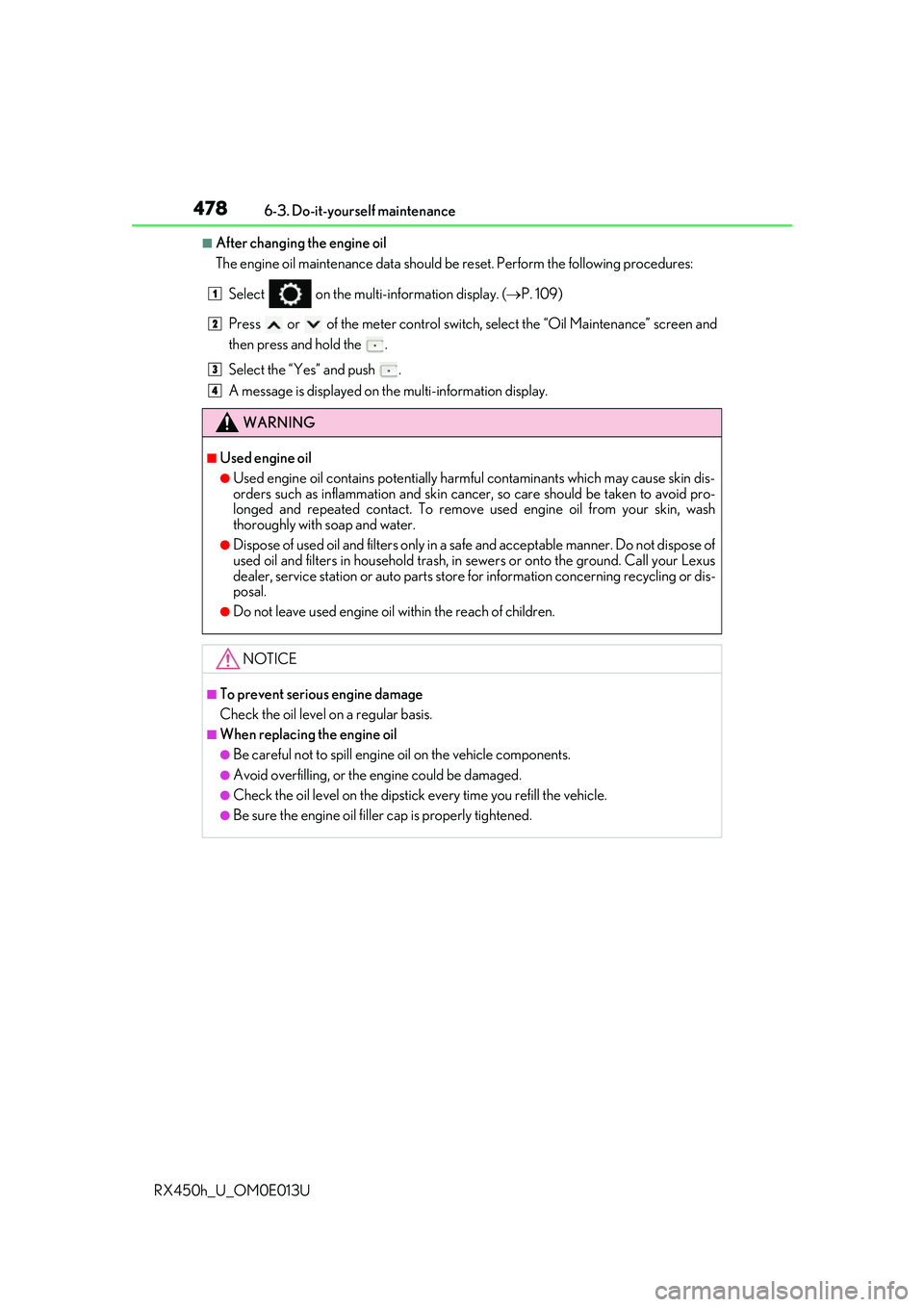
■After changing the engine oil
The engine oil maintenance data should be reset. Perform the following procedures:
Select on the multi-information display. ( P. 109)
Press or of the meter control switch, select the “Oil Maintenance” screen and
then press and hold the .
Select the “Yes” and push .
A message is displayed on th e multi-information display.
WARNING
■Used engine oil
●Used engine oil contains potentially harm ful contaminants which may cause skin dis-
orders such as inflammation and skin cance r, so care should be taken to avoid pro-
longed and repeated contact. To remove used engine oil from your skin, wash
thoroughly with soap and water.
●Dispose of used oil and filters only in a sa fe and acceptable manner. Do not dispose of
used oil and filters in household trash, in sewers or onto the ground. Call your Lexus
dealer, service station or auto parts store for information concerning recycling or dis-
posal.
●Do not leave used engine oil within the reach of children.
NOTICE
■To prevent serious engine damage
Check the oil level on a regular basis.
■When replacing the engine oil
●Be careful not to spill engine oil on the vehicle components.
●Avoid overfilling, or the engine could be damaged.
●Check the oil level on the dipstick every time you refill the vehicle.
●Be sure the engine oil filler cap is properly tightened.
1
2
3
4
Page 491 of 660
4916-3. Do-it-yourself maintenance
6
Maintenance and care
RX450h_U_OM0E013U
■Tire types
●Summer tires
Summer tires are high-speed performance tires best suited to highway driving under
dry conditions. Since summer tires do not have the same traction performance as
snow tires, summer tires are inadequate for driving on snow-covered or icy roads. For
driving on snow-covered roads or icy road s, the use of snow tires is recommended.
When installing snow tires, be sure to replace all four tires.
●All season tires
All season tires are designed to provide better traction in snow and to be adequate for
driving in most winter conditions as well as for use year-round. All season tires, how-
ever, do not have adequate traction perfor mance compared with snow tires in heavy
or loose snow. Also, all season tires fall short in acceleration and handling perfor-
mance compared with summer tires in highway driving.
●Snow tires
For driving on snow-covered roads or icy roads, we recommend using snow tires. If
you need snow tires, select ti res of the same size, construction and load capacity as the
originally installed tires. Since your vehicle has radial tires as original equipment, make
sure your snow tires also have radial cons truction. Do not install studded tires without
first checking local regulations for possible restrictions. Snow tires should be installed
on all wheels. ( P. 390)
■Initializing the tire pressure warning system
Initialize the system with the tire inflation pressure adjusted to the specified level.
■If the tread on snow tires wears down below 0.16 in. (4 mm)
The effectiveness of the tires as snow tires is lost.
■If you press the tire pressure warning reset switch accidentally
If initialization is performed, adjust the tire inflation pressure to the specified level and ini-
tialize the tire pressure warning system again.
Page 492 of 660
4926-3. Do-it-yourself maintenance
RX450h_U_OM0E013U
■Situations in which the tire pressure warning system may not operate properly
●In the following cases, the tire pressure warning system may not operate properly.
• If non-genuine Lexus wheels are used.
• A tire has been replaced with a tire that is not an OE (Original Equipment) tire.
• A tire has been replaced with a tire that is not of the specified size.
• Tire chains etc. are equipped.
• If a window tint that affects th e radio wave signals is installed.
• If there is a lot of snow or ice on the vehi cle, particularly around the wheels or wheel
housings.
• If the tire inflation pressure is extr emely higher than the specified level.
• If wheel without the tire pressure warning valve and transmitter is used.
• If the ID code on the tire pressure warning valves and transmitters is not registered in the tire pressure warning computer.
●Performance may be affected in the following situations.
• Near a TV tower, electric power plant, gas station, radio station, large display, air-
port or other facility that generates st rong radio waves or electrical noise.
• When carrying a portable radio, cellular phone, cordless phone or other wireless
communication device.
If tire position information is not correctl y displayed due to the radio wave conditions,
the display may be corrected by driving and changing the radio wave conditions.
●When the vehicle is parked, the time taken for the warning to start or go off could be
extended.
●When tire inflation pressure declines rapidly for example when a tire has burst, the
warning may not function.
■The initialization operation
●Make sure to carry out initialization afte r adjusting the tire inflation pressure.
Also, make sure the tires are cold before carryi ng out initialization or tire inflation pres-
sure adjustment.
●If you have accidentally turned the power switch off during initialization, it is not neces-
sary to press the reset switch again as initialization will restart automatically when the
power switch has been turned to ON mode for the next time.
●If you accidentally press the re set switch when initialization is not necessary, adjust the
tire inflation pressure to the specified leve l when the tires are cold, and conduct initial-
ization again.
●While the position of each tire is being de termined and the inflation pressures are not
being displayed on the multi-info rmation display, if the inflation pressure of a tire drops,
the tire pressure warning light will come on.
Page 493 of 660
4936-3. Do-it-yourself maintenance
6
Maintenance and care
RX450h_U_OM0E013U
■Warning performance of the tire pressure warning system
The warning of the tire pressure warning system will change in accordance with the con-
ditions under which it was init ialized. For this reason, the system may give a warning even
if the tire pressure does not reach a low enough level, or if the pressure is higher than the
pressure that was adjusted to when the system was initialized.
■When initialization of the tire pressure warning system has failed
Initialization may take longer to complete if the vehicle is driven on an unpaved road.
When performing initialization, drive on a pa ved road if possible. Depending on the driv-
ing environment and condition of the tires, initialization will be completed in approxi-
mately 10 to 30 minutes. If initialization is not complete after driving approximately 10 to
30 minutes, continue driving for a while.
If the inflation pressure of each tire is not displayed after driving for approximately 1 hour,
perform the following procedure.
●Park the vehicle in a safe place for approxim ately 20 minutes. Then drive straight (with
occasional left and right turns) at appr oximately 25 mph (40 km/h) or more for
approximately 10 to 30 minutes.
However, in the following situations, the tire inflation pressure will not be recorded and
the system will not operate proper ly. Perform initialization again.
●When operating the tire pressure warning reset switch, the tire pressure warning light
does not blink 3 times.
●After performing initia lization, the tire pressure warning light blinks for 1 minute then
stays on while driving.
If the inflation pressure of each tire is still not displayed, have the vehicle inspected by
your Lexus dealer.
Page 547 of 660
5477-2. Steps to take in an emergency
7
When trouble arises
RX450h_U_OM0E013U
■If “Forward Camera System Unavailable” or “Forward Camera System
Unavailable Clean Windshield” is displayed (if equipped)
The following systems may be suspended until the problem shown in the mes-
sage is resolved.
●PCS (Pre-Collision System)
●LKA (Lane-Keeping Assist)
●LDA (Lane Departure Alert with steering control)
●Dynamic radar cruise control with full-speed range
●Dynamic radar cruise control
●Automatic High Beam
■If “Oil Maintenance Required Soon” is shown
Indicates that the engine oil is schedule d to be changed. (The indicator will not
work properly unless the message has been reset.)
Check the engine oil, and change if necessary. After changing the engine oil,
the message should be reset. ( P. 478)
■If “Oil Maintenance Required” is shown
Indicates that the engine oil should be changed. (After the engine oil is
changed and the message has been reset.)
Check and change the engine oil, and o il filter by your Lexus dealer. After
changing the engine oil, the message should be reset. ( P. 478)
■If “Maintenance Required Soon” is displayed (U.S.A. only)
Indicates that all maintenance according to the driven distance on the mainte-
nance schedule
* should be performed soon.
Comes on approximately 4500 miles (7200 km) after the message has been
reset.
If necessary, perform maintenance. Plea se reset the message after the main-
tenance is performed. ( P. 466)
*: Refer to the separate “Scheduled Mainte nance” or “Owner’s Manual Supplement”
for the maintenance interval applicable to your vehicle.