start LEXUS RX450H 2016 User Guide
[x] Cancel search | Manufacturer: LEXUS, Model Year: 2016, Model line: RX450H, Model: LEXUS RX450H 2016Pages: 660, PDF Size: 14.85 MB
Page 82 of 660
821-3. Hybrid system
RX450h_U_OM0E013U
■If a warning light comes on, a warning message is displayed, or the 12-volt battery is dis-
connected
The hybrid system may not start. In this case, try to start the system again. If the “READY”
indicator does not come on, contact your Lexus dealer.
■Running out of fuel
When the vehicle has run out of fuel and the hybrid system cannot be started, refuel the
vehicle with at least enough gasoline to make the low fuel level warning light (P. 538)
go off. If there is only a small amount of fu el, the hybrid system may not be able to start.
(The standard amount of fuel is about 2.9 gal. [11.0 L, 2.4 Imp.gal.], when the vehicle is on
a level surface. This value may vary when the vehicle is on a slope. Add extra fuel when
the vehicle is inclined.)
■Electromagnetic waves
●High voltage parts and cables on hybrid ve hicles incorporate electromagnetic shield-
ing, and therefore emit approximately the same amount of electromagnetic waves as
conventional gasoline powered vehicles or home electronic appliances.
●Your vehicle may cause sound interference in some third party-produced radio parts.
■Hybrid battery (traction battery)
The hybrid battery (traction battery) has a li mited service life. The lifespan of the hybrid
battery (traction battery) can change in acco rdance with driving style and driving condi-
tions.
WARNING
■High voltage precautions
This vehicle has high voltage DC and AC sy stems as well as a 12-volt system. DC and
AC high voltage is very dangerous and can cause severe burns and electric shock that
may result in death or serious injury.
●Never touch, disassemble, remove or replace the high voltage parts, cables or their
connectors.
●The hybrid system will become hot after starting as the system uses high voltage. Be
careful of both the high voltage and the high temperature, and always obey the warn-
ing labels attached to the vehicle.
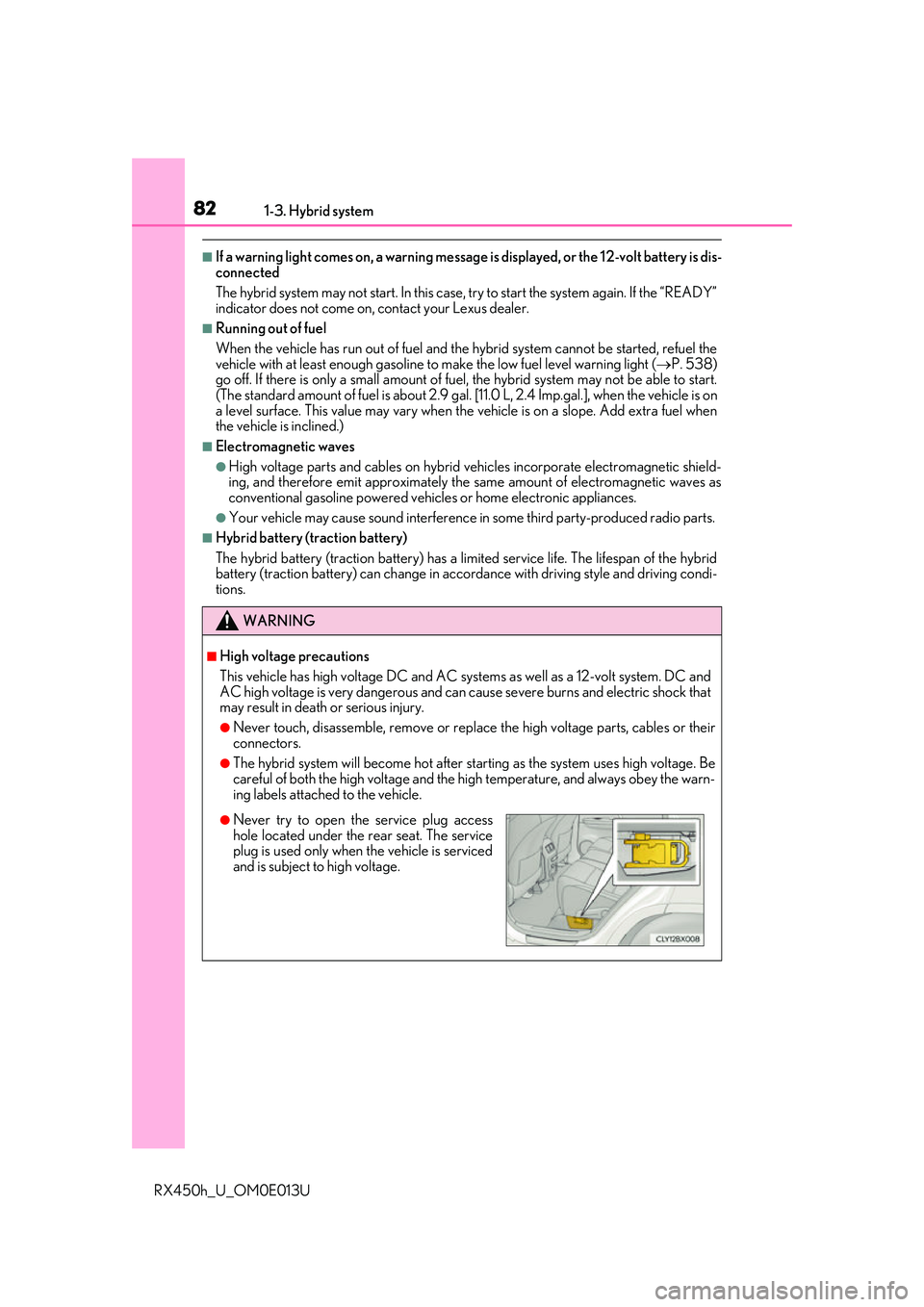
●Never try to open the service plug accesshole located under the rear seat. The service
plug is used only when the vehicle is serviced
and is subject to high voltage.
Page 85 of 660
85
1
For safety and security
RX450h_U_OM0E013U1-4. Theft deterrent system
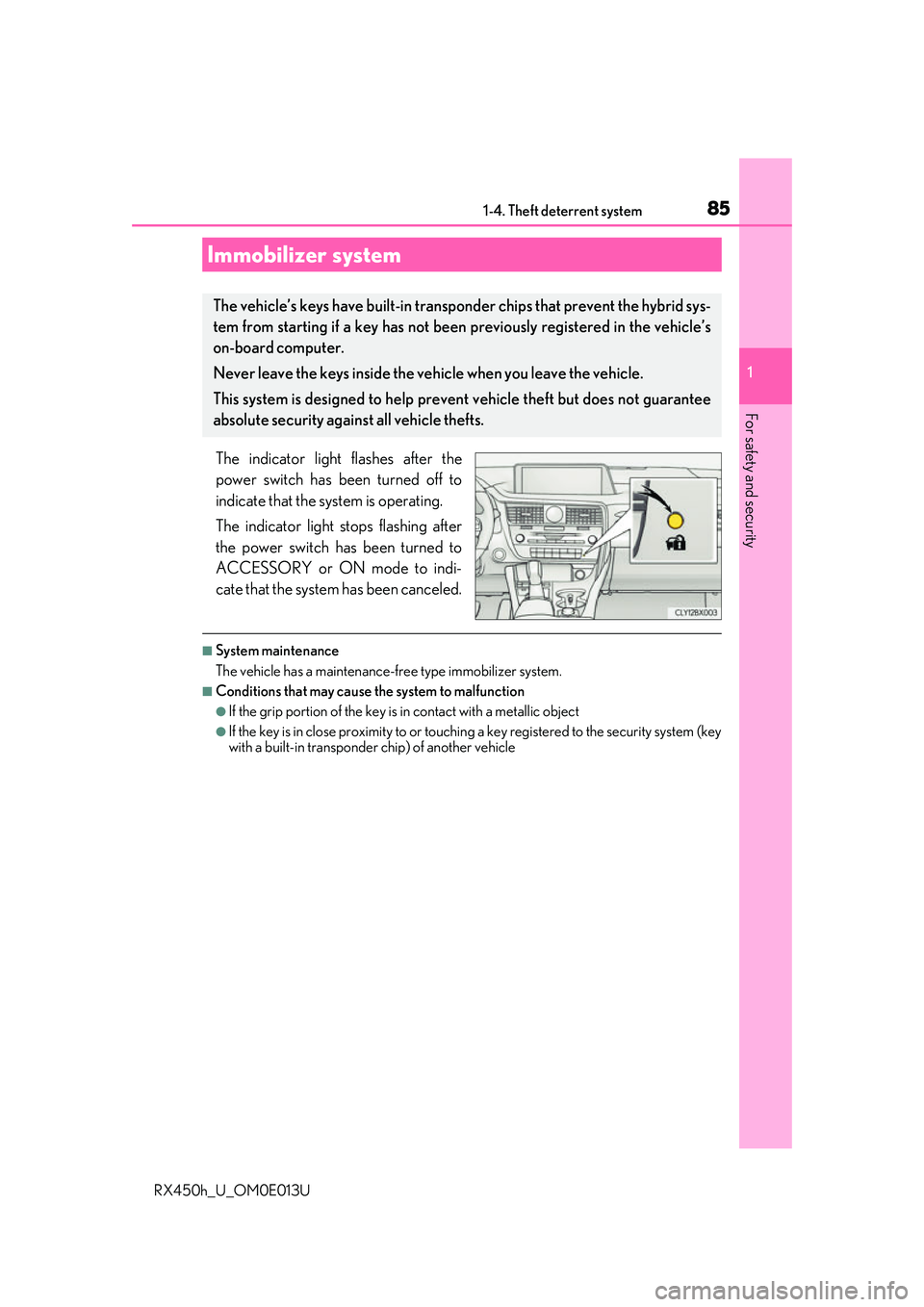
The indicator light flashes after the
power switch has been turned off to
indicate that the system is operating.
The indicator light stops flashing after
the power switch has been turned to
ACCESSORY or ON mode to indi-
cate that the system has been canceled.
■System maintenance
The vehicle has a maintenance-fr
ee type immobilizer system.
■Conditions that may cause the system to malfunction
●If the grip portion of the key is in contact with a metallic object
●If the key is in close proximity to or touching a key registered to the security system (key
with a built-in transponder chip) of another vehicle
Immobilizer system
The vehicle’s keys have built-in transp onder chips that prevent the hybrid sys-
tem from starting if a key has not been previously registered in the vehicle’s
on-board computer.
Never leave the keys inside the vehicle when you leave the vehicle.
This system is designed to help preven t vehicle theft but does not guarantee
absolute security agai nst all vehicle thefts.
Page 87 of 660
871-4. Theft deterrent system
1
For safety and security
RX450h_U_OM0E013U
The alarm uses light and sound to give an alert when an intrusion is detected.
The alarm is triggered in the following situations when the alarm is set:
●A locked door is unlocked or opened in any way other than using the entry
function, wireless remote control or mech anical key. (The doors will lock again
automatically.)
●The hood is opened.
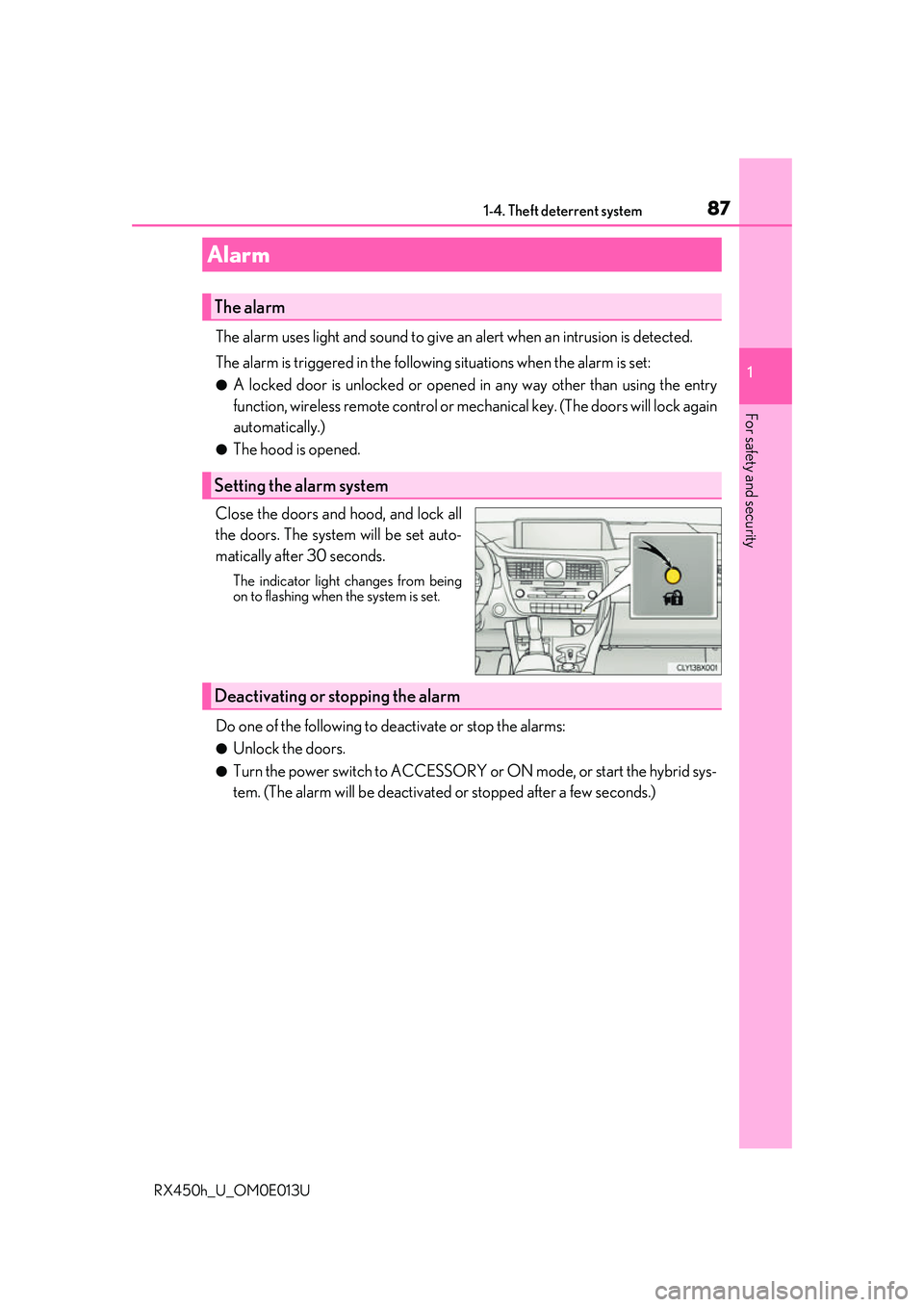
Close the doors and hood, and lock all
the doors. The system will be set auto-
matically after 30 seconds.
The indicator light changes from being
on to flashing when the system is set.
Do one of the following to de activate or stop the alarms:
●Unlock the doors.
●Turn the power switch to ACCESSORY or ON mode, or start the hybrid sys-
tem. (The alarm will be deactivated or stopped after a few seconds.)
Alarm
The alarm
Setting the alarm system
Deactivating or stopping the alarm
Page 96 of 660
962. Instrument cluster
RX450h_U_OM0E013U
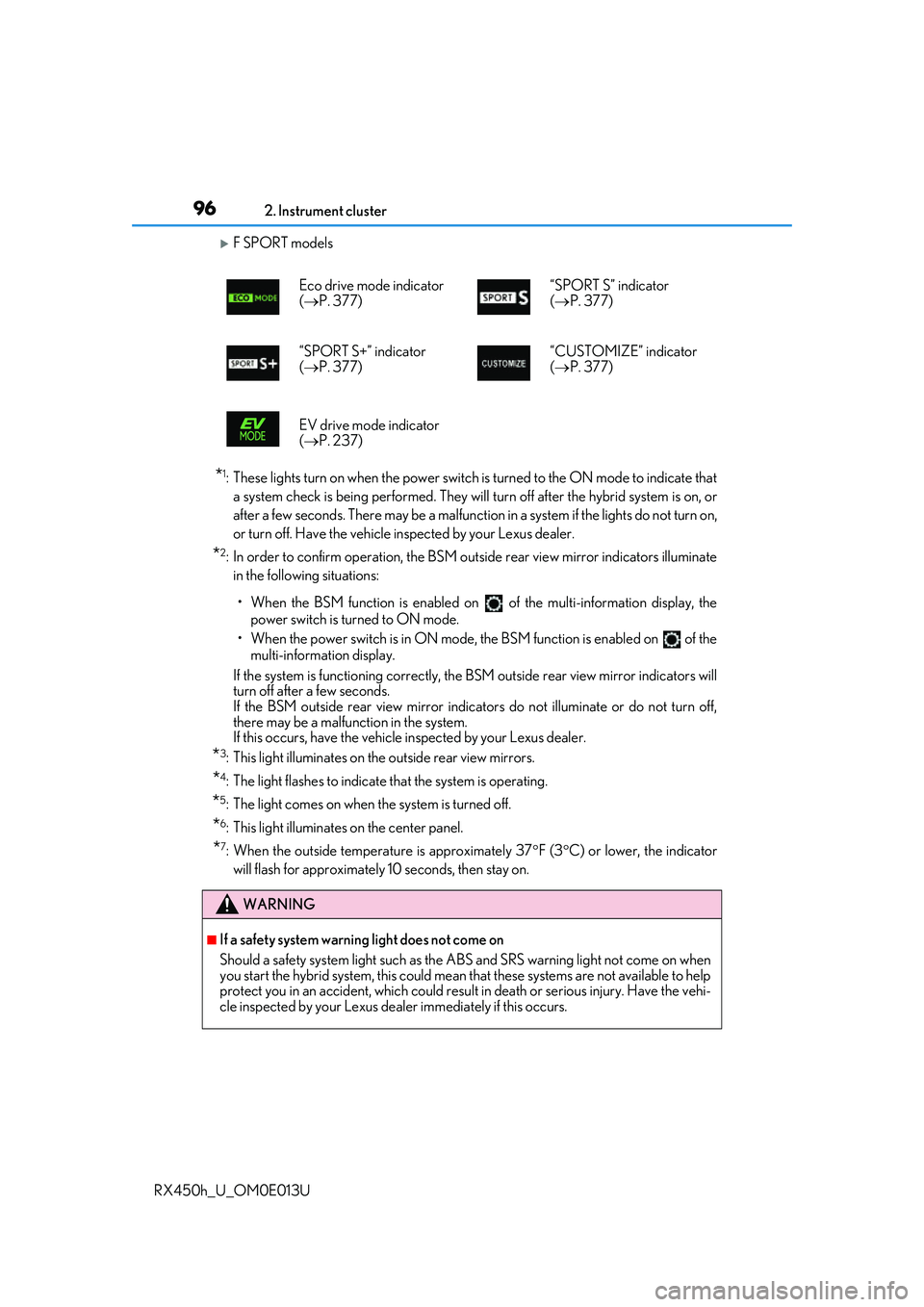
F SPORT models
*1: These lights turn on when the power switch is turned to the ON mode to indicate that a system check is being performed. They will turn off after the hybrid system is on, or
after a few seconds. There may be a malfunction in a system if the lights do not turn on,
or turn off. Have the vehicle inspected by your Lexus dealer.
*2: In order to confirm operation, the BSM ou tside rear view mirror indicators illuminate
in the following situations:
• When the BSM function is enabled on of the multi-information display, the
power switch is turned to ON mode.
• When the power switch is in ON mode, the BSM function is enabled on of the multi-information display.
If the system is functioning correctly, the BSM outside rear view mirror indicators will
turn off after a few seconds.
If the BSM outside rear view mirror indicators do not illuminate or do not turn off,
there may be a malfunction in the system.
If this occurs, have the vehicle inspected by your Lexus dealer.
*3: This light illuminates on the outside rear view mirrors.
*4: The light flashes to indicate that the system is operating.
*5: The light comes on when the system is turned off.
*6: This light illuminates on the center panel.
*7: When the outside temperature is approximately 37 F (3 C) or lower, the indicator
will flash for approximately 10 seconds, then stay on. Eco drive mode indicator
(
P. 377) “SPORT S” indicator
(
P. 377)
“SPORT S+” indicator
( P. 377) “CUSTOMIZE” indicator
(
P. 377)
EV drive mode indicator
( P. 237)
WARNING
■If a safety system warning light does not come on
Should a safety system light such as the ABS and SRS warning light not come on when
you start the hybrid system, this could mean that these systems are not available to help
protect you in an accident, which could result in death or serious injury. Have the vehi-
cle inspected by your Lexus dealer immediately if this occurs.
Page 100 of 660
1002. Instrument cluster
RX450h_U_OM0E013U
■The meters and display illuminate when
The power switch is in ON mode.
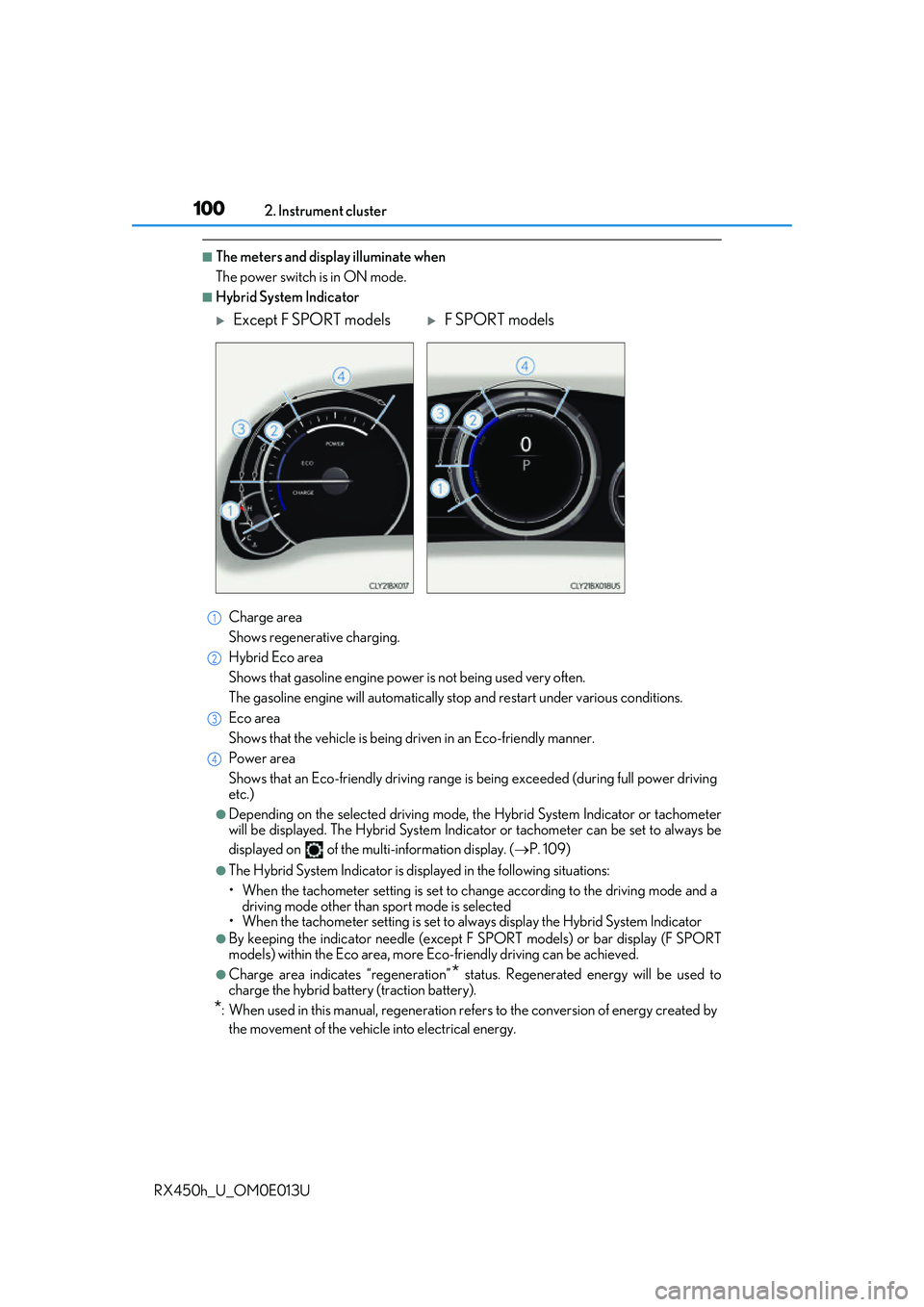
■Hybrid System Indicator Charge area
Shows regenerative charging.
Hybrid Eco area
Shows that gasoline en gine power is not being used very often.
The gasoline engine will automatically stop and restart under various conditions.
Eco area
Shows that the vehicle is being dr iven in an Eco-friendly manner.
Power area
Shows that an Eco-friendly driving range is being exceeded (during full power driving
etc.)
●Depending on the selected driving mode, th e Hybrid System Indicator or tachometer
will be displayed. The Hybrid System Indica tor or tachometer can be set to always be
displayed on of the mult i-information display. (P. 109)
●The Hybrid System Indicator is disp layed in the following situations:
• When the tachometer setting is set to ch ange according to the driving mode and a
driving mode other than sport mode is selected
• When the tachometer setting is set to al ways display the Hybrid System Indicator
●By keeping the indicator needle (except F SPORT models) or bar display (F SPORT
models) within the Eco area, more Eco-friendly driving can be achieved.
●Charge area indicates “regeneration”* status. Regenerated energy will be used to
charge the hybrid battery (traction battery).
*: When used in this manual, re generation refers to the conversion of energy created by
the movement of the vehicle into electrical energy.
Except F SPORT modelsF SPORT models
1
2
3
4
Page 106 of 660
1062. Instrument cluster
RX450h_U_OM0E013U
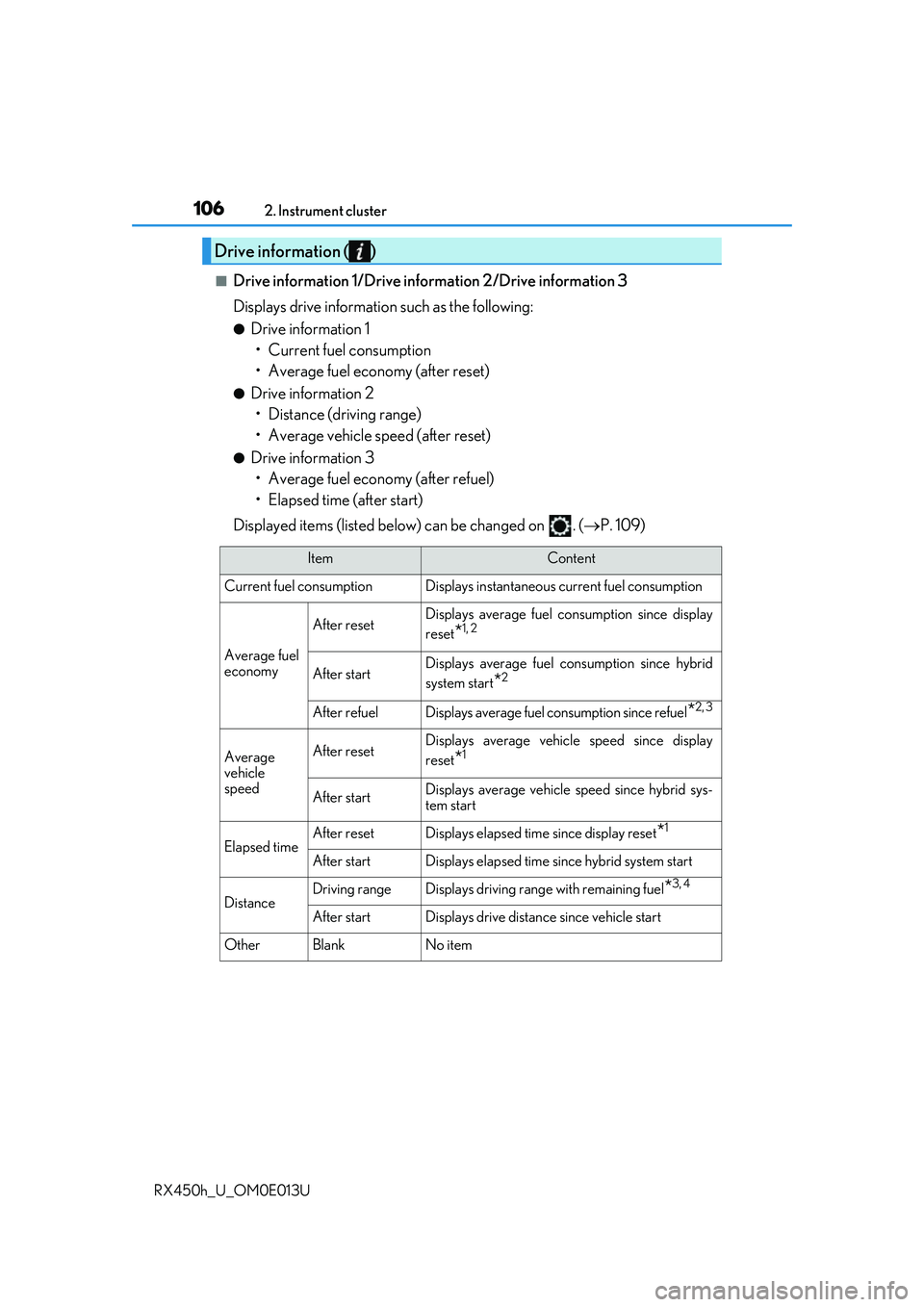
■Drive information 1/Drive information 2/Drive information 3
Displays drive informatio n such as the following:
●Drive information 1
• Current fuel consumption
• Average fuel economy (after reset)
●Drive information 2• Distance (driving range)
• Average vehicle speed (after reset)
●Drive information 3• Average fuel economy (after refuel)
• Elapsed time (after start)
Displayed items (listed below) can be changed on . ( P. 109)
Drive information ( )
ItemContent
Current fuel consumption Displays in stantaneous current fuel consumption
Average fuel
economy
After resetDisplays average fuel consumption since display
reset
*1, 2
After startDisplays average fuel consumption since hybrid
system start
*2
After refuelDisplays average fuel consumption since refuel*2, 3
Average
vehicle
speedAfter resetDisplays average vehicle speed since display
reset
*1
After startDisplays average vehicle speed since hybrid sys-
tem start
Elapsed timeAfter resetDisplays elapsed time since display reset*1
After startDisplays elapsed time since hybrid system start
DistanceDriving rangeDisplays driving range with remaining fuel*3, 4
After startDisplays drive distance since vehicle start
OtherBlankNo item
Page 127 of 660
1272. Instrument cluster
2
Instrument cluster
RX450h_U_OM0E013U
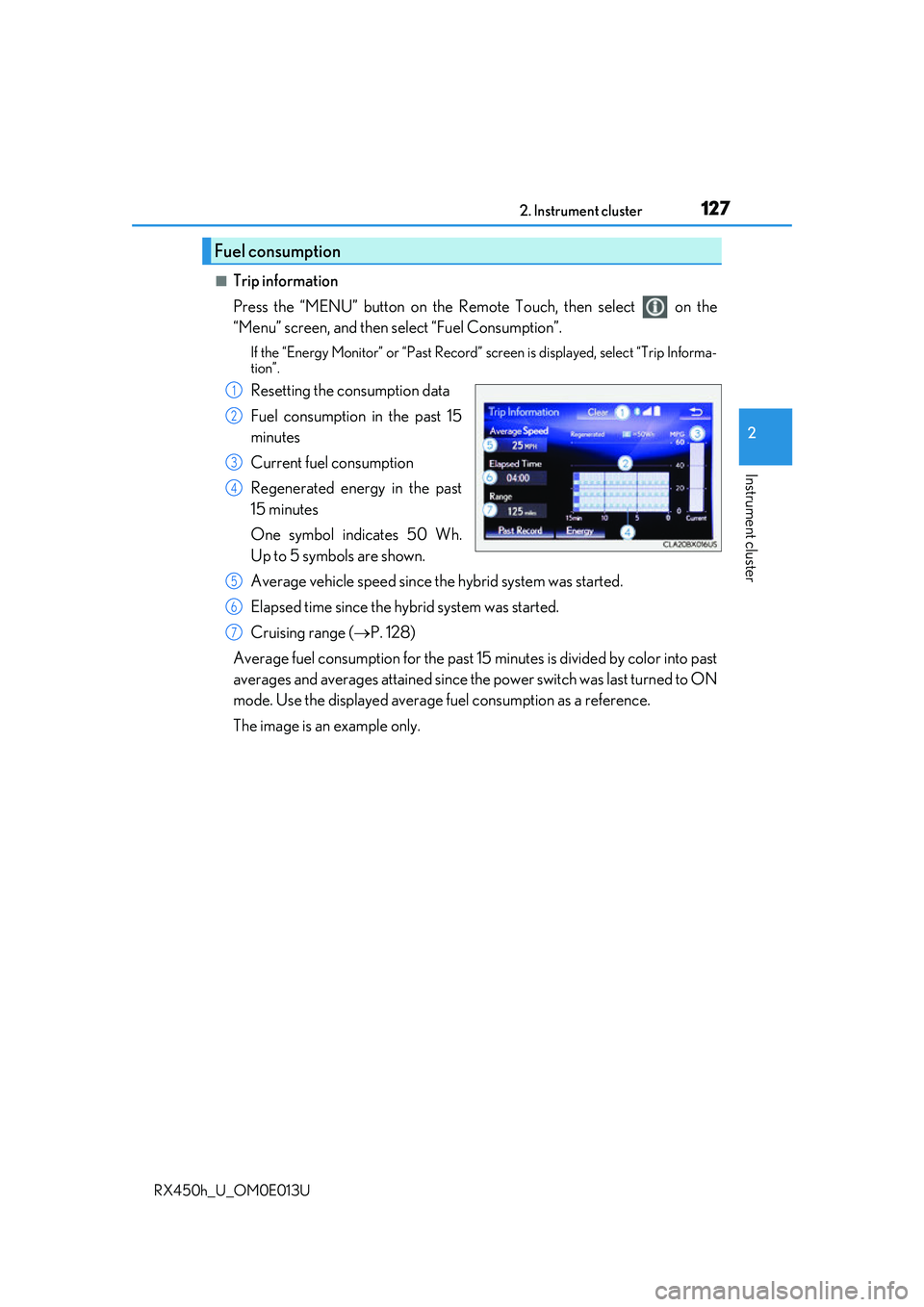
■Trip information
Press the “MENU” button on the Remote Touch, then select on the
“Menu” screen, and then select “Fuel Consumption”.
If the “Energy Monitor” or “Past Record” screen is displayed, select “Trip Informa-
tion”.
Resetting the consumption data
Fuel consumption in the past 15
minutes
Current fuel consumption
Regenerated energy in the past
15 minutes
One symbol indicates 50 Wh.
Up to 5 symbols are shown.
Average vehicle speed since the hybrid system was started.
Elapsed time since the hybrid system was started.
Cruising range ( P. 128)
Average fuel consumption for the past 15 minutes is divided by color into past
averages and averages atta ined since the power switch was last turned to ON
mode. Use the displayed average fuel consumption as a reference.
The image is an example only.
Fuel consumption
1
2
3
4
5
6
7
Page 129 of 660
1292. Instrument cluster
2
Instrument cluster
RX450h_U_OM0E013U
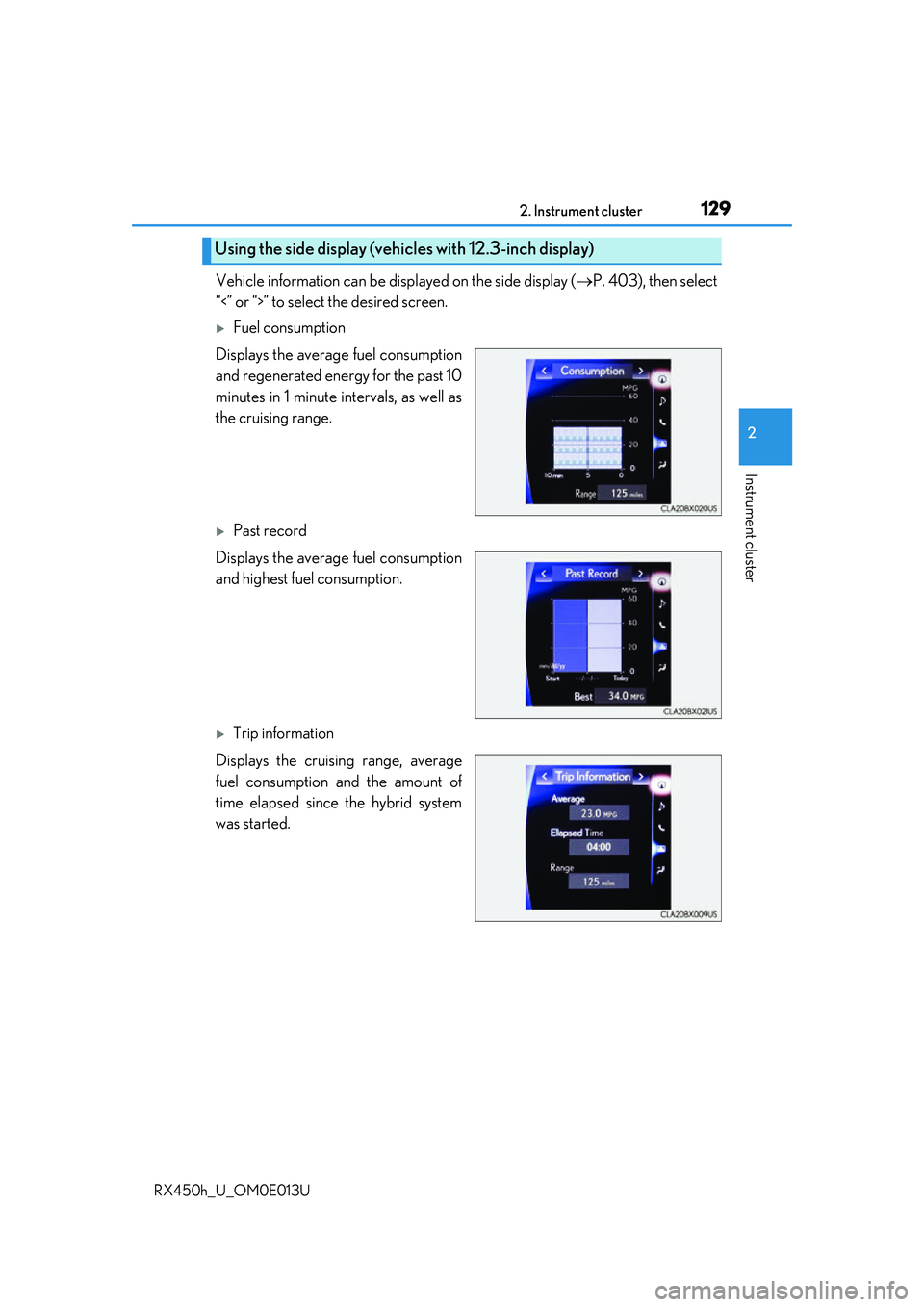
Vehicle information can be displayed on the side display (P. 403), then select
“<” or “>” to select the desired screen.
Fuel consumption
Displays the average fuel consumption
and regenerated energy for the past 10
minutes in 1 minute intervals, as well as
the cruising range.
Past record
Displays the average fuel consumption
and highest fuel consumption.
Trip information
Displays the cruising range, average
fuel consumption and the amount of
time elapsed since the hybrid system
was started.
Using the side display (vehicles with 12.3-inch display)
Page 131 of 660
131
3
Operation of
each component
RX450h_U_OM0E013U
3-1. Key information
Keys .................................................. 132
3-2. Opening, closing and locking the doors
Side doors ...................................... 136
Power back door .........................142
Smart access system with push-button start ...................... 158
3-3. Adjusting the seats Front seats...................................... 164
Rear seats....................................... 165
Driving position memory ..........174
Head restraints .............................179
3-4. Adjusting the steering wheel and mirrors
Steering wheel ...............................181
Inside rear view mirror ............. 183
Outside rear view mirrors....... 185
3-5. Opening, closing the windows and
moon roof
Power windows ........................... 189
Moon roof ...................................... 193
Panoramic moon roof ................197
Page 132 of 660
132
RX450h_U_OM0E013U3-1. Key information
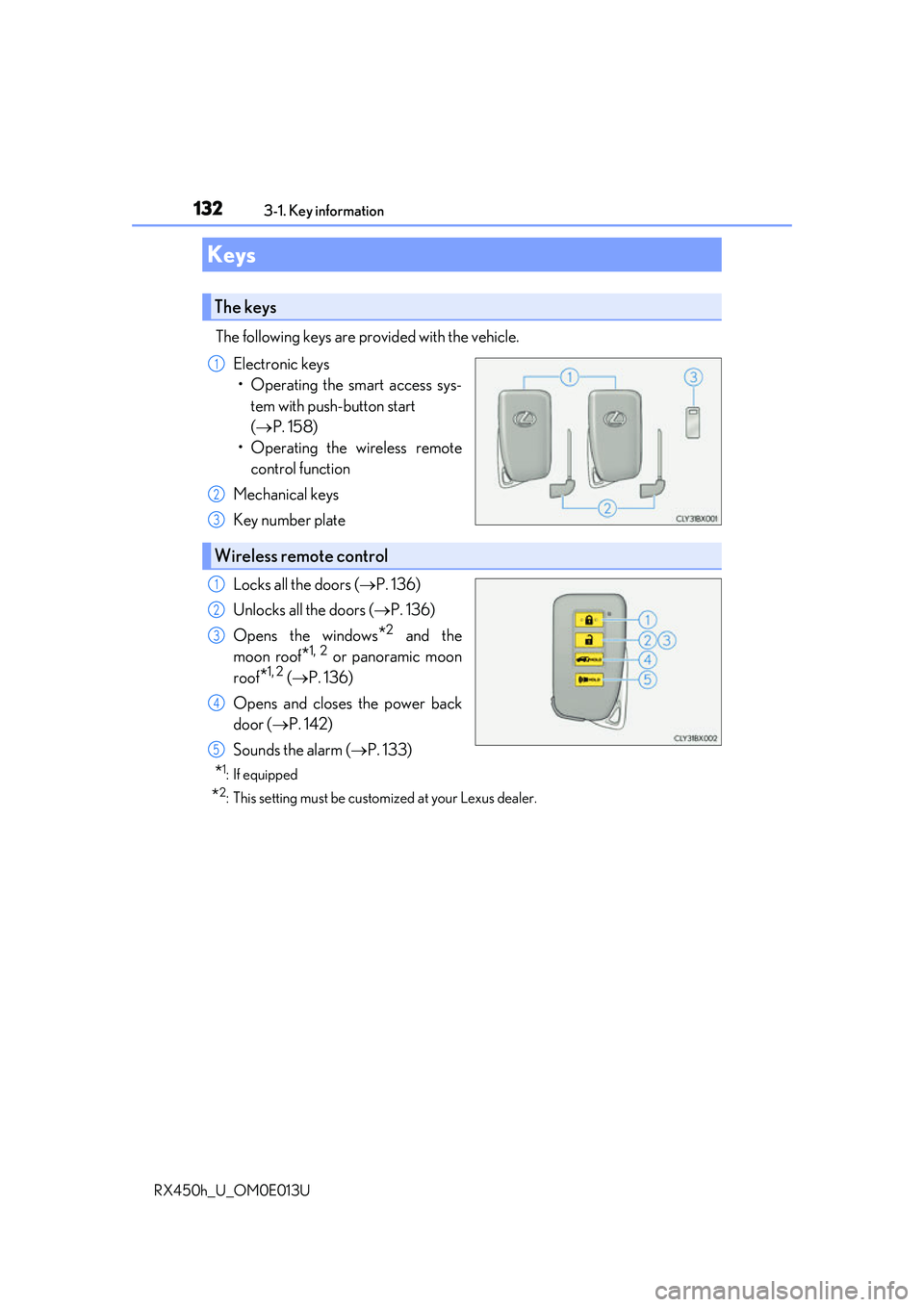
The following keys are provided with the vehicle.
Electronic keys• Operating the smart access sys- tem with push-button start
( P. 158)
• Operating the wireless remote control function
Mechanical keys
Key number plate
Locks all the doors ( P. 136)
Unlocks all the doors ( P. 136)
Opens the windows
*2 and the
moon roof
*1, 2 or panoramic moon
roof
*1, 2 ( P. 136)
Opens and closes the power back
door ( P. 142)
Sounds the alarm ( P. 133)
*1: If equipped
*2: This setting must be custom ized at your Lexus dealer.
Keys
The keys
1
2
3
Wireless remote control
1
2
3
4
5