oil LEXUS RX450H 2016 Owners Manual
[x] Cancel search | Manufacturer: LEXUS, Model Year: 2016, Model line: RX450H, Model: LEXUS RX450H 2016Pages: 660, PDF Size: 14.85 MB
Page 6 of 660
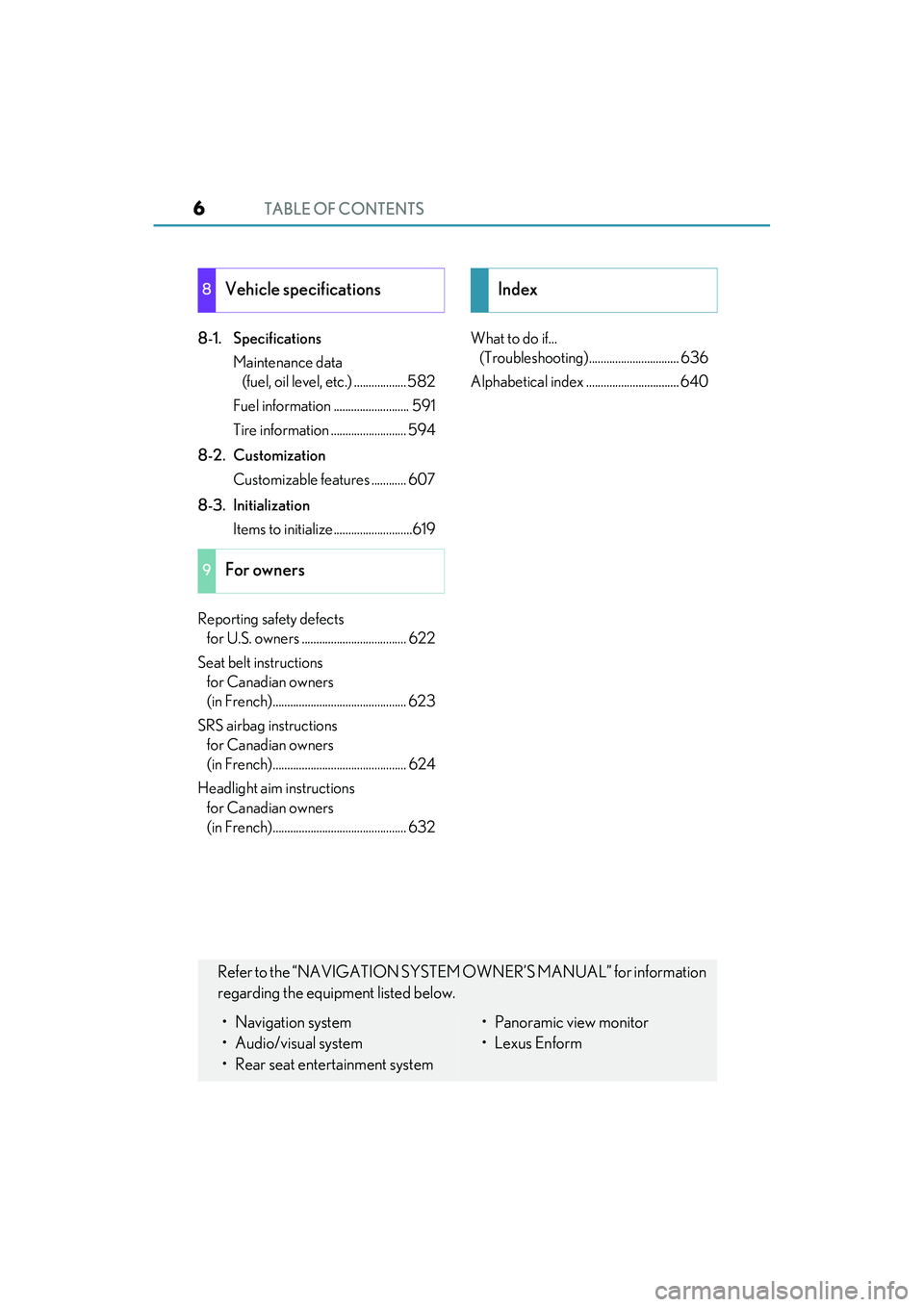
TABLE OF CONTENTS6
RX450h_U_OM0E013U
8-1. SpecificationsMaintenance data (fuel, oil level, etc.) .................. 582
Fuel information .......................... 591
Tire information .......................... 594
8-2. Customization Customizable features ............ 607
8-3. Initialization Items to initialize...........................619
Reporting safety defects for U.S. owners .................................... 622
Seat belt instructions for Canadian owners
(in French).............................................. 623
SRS airbag instructions for Canadian owners
(in French).............................................. 624
Headlight aim instructions for Canadian owners
(in French).............................................. 632 What to do if...
(Troubleshooting)............................... 636
Alphabetical inde x ................................ 640
8Vehicle specifications
9For owners
Index
Refer to the “NAVIGATION SYSTEM OWNER’S MANUAL” for information
regarding the equipment listed below.
• Navigation system
• Audio/visual system
• Rear seat entertainment system• Panoramic view monitor
•Lexus Enform
Page 17 of 660
17Pictorial index
RX450h_U_OM0E013U
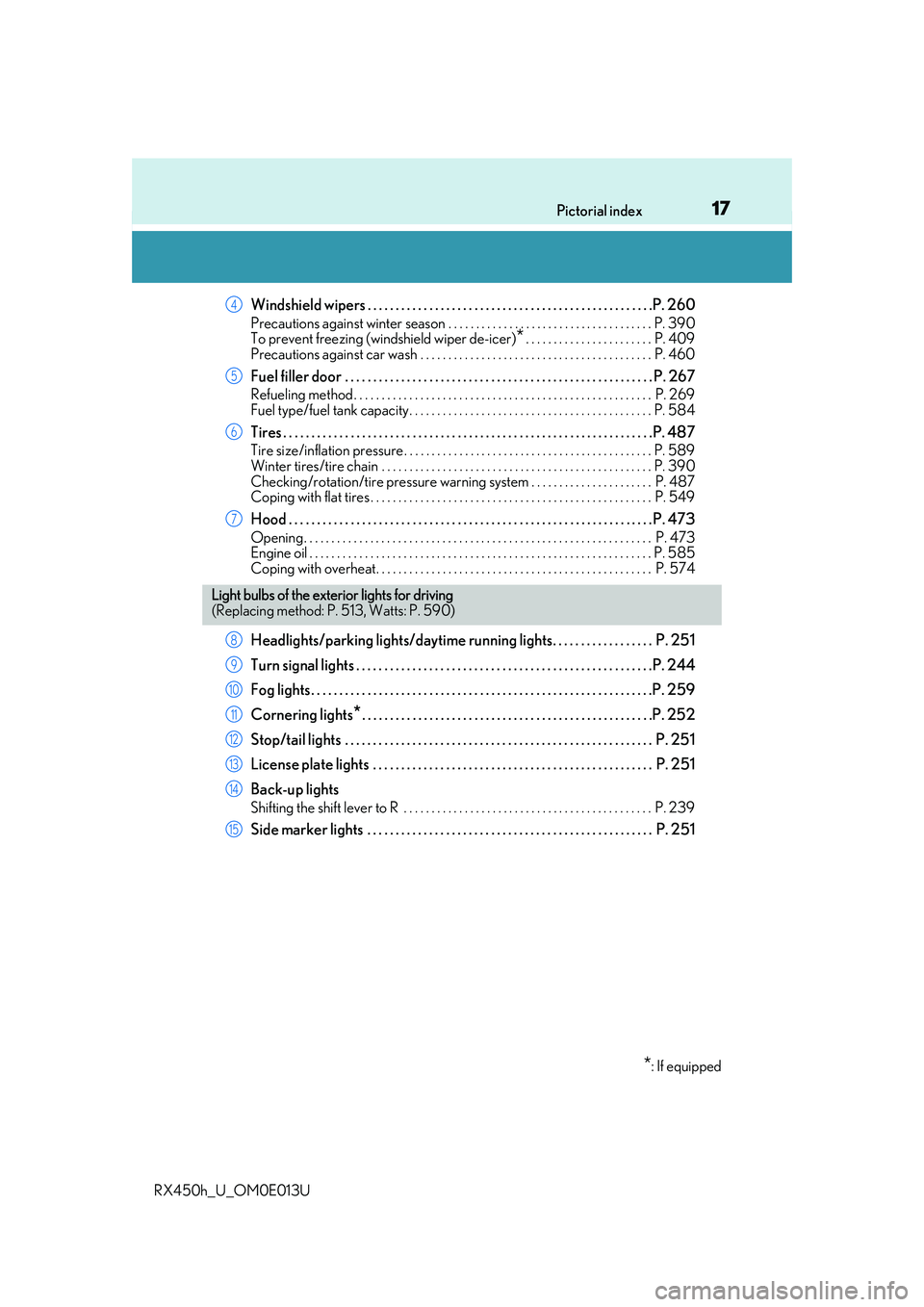
Windshield wipers . . . . . . . . . . . . . . . . . . . . . . . . . . . . . . . . . . . . . . . . . . . . . . . . . . .P. 260
Precautions against winter season . . . . . . . . . . . . . . . . . . . . . . . . . . . . . . . . . . . . . P. 390
To prevent freezing (windshield wiper de-icer)
*. . . . . . . . . . . . . . . . . . . . . . . P. 409
Precautions against car wash . . . . . . . . . . . . . . . . . . . . . . . . . . . . . . . . . . . . . . . . . . P. 460
Fuel filler door . . . . . . . . . . . . . . . . . . . . . . . . . . . . . . . . . . . . . . . . . . . . . . . . . . . . . . . P. 267
Refueling method . . . . . . . . . . . . . . . . . . . . . . . . . . . . . . . . . . . . . . . . . . . . . . . . . . . . . . P. 269
Fuel type/fuel tank capacity . . . . . . . . . . . . . . . . . . . . . . . . . . . . . . . . . . . . . . . . . . . . P. 584
Tires . . . . . . . . . . . . . . . . . . . . . . . . . . . . . . . . . . . . . . . . . . . . . . . . . . . . . . . . . . . . . . . . . .P. 487
Tire size/inflation pressure . . . . . . . . . . . . . . . . . . . . . . . . . . . . . . . . . . . . . . . . . . . . . P. 589
Winter tires/tire chain . . . . . . . . . . . . . . . . . . . . . . . . . . . . . . . . . . . . . . . . . . . . . . . . . P. 39 0
Checking/rotation/tire pressure warning system . . . . . . . . . . . . . . . . . . . . . . P. 487
Coping with flat tires . . . . . . . . . . . . . . . . . . . . . . . . . . . . . . . . . . . . . . . . . . . . . . . . . . . P. 549
Hood . . . . . . . . . . . . . . . . . . . . . . . . . . . . . . . . . . . . . . . . . . . . . . . . . . . . . . . . . . . . . . . . . P. 473
Opening. . . . . . . . . . . . . . . . . . . . . . . . . . . . . . . . . . . . . . . . . . . . . . . . . . . . . . . . . . . . . . . P. 473
Engine oil . . . . . . . . . . . . . . . . . . . . . . . . . . . . . . . . . . . . . . . . . . . . . . . . . . . . . . . . . . . . . . P. 585
Coping with overheat. . . . . . . . . . . . . . . . . . . . . . . . . . . . . . . . . . . . . . . . . . . . . . . . . . P. 574
Headlights/parking lights/daytime running lights. . . . . . . . . . . . . . . . . . P. 251
Turn signal lights . . . . . . . . . . . . . . . . . . . . . . . . . . . . . . . . . . . . . . . . . . . . . . . . . . . . .P. 2 44
Fog lights. . . . . . . . . . . . . . . . . . . . . . . . . . . . . . . . . . . . . . . . . . . . . . . . . . . . . . . . . . . . .P. 259
Cornering lights
*. . . . . . . . . . . . . . . . . . . . . . . . . . . . . . . . . . . . . . . . . . . . . . . . . . . .P. 252
Stop/tail lights . . . . . . . . . . . . . . . . . . . . . . . . . . . . . . . . . . . . . . . . . . . . . . . . . . . . . . . P. 251
License plate lights . . . . . . . . . . . . . . . . . . . . . . . . . . . . . . . . . . . . . . . . . . . . . . . . . . P. 251
Back-up lights
Shifting the shift lever to R . . . . . . . . . . . . . . . . . . . . . . . . . . . . . . . . . . . . . . . . . . . . . P. 239
Side marker lights . . . . . . . . . . . . . . . . . . . . . . . . . . . . . . . . . . . . . . . . . . . . . . . . . . . P. 251
4
5
6
7
Light bulbs of the exte rior lights for driving
(Replacing method: P. 513, Watts: P. 590)
*: If equipped
8
9
10
11
12
13
14
15
Page 103 of 660
1032. Instrument cluster
2
Instrument cluster
RX450h_U_OM0E013U
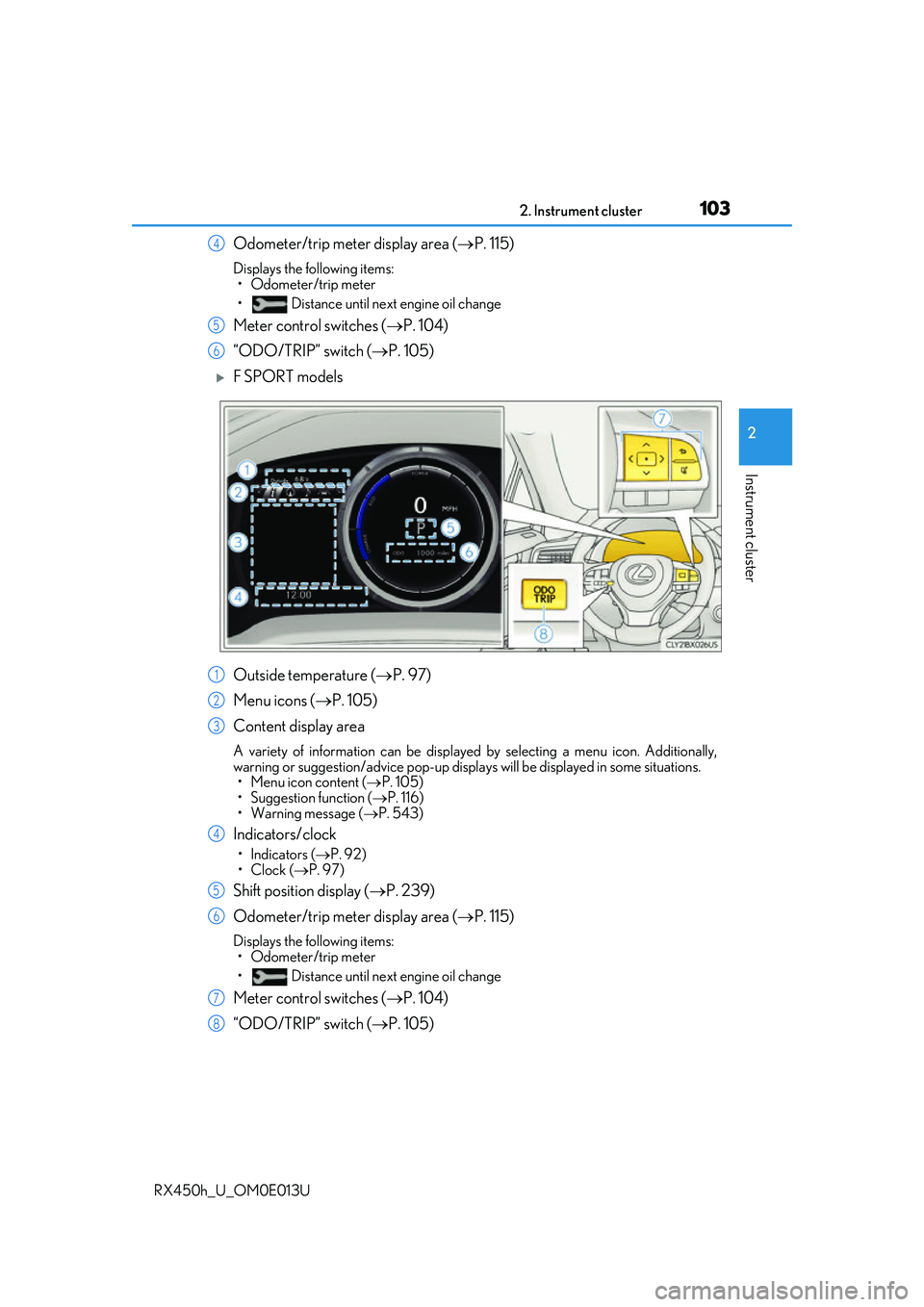
Odometer/trip meter display area (P. 115)
Displays the following items:
• Odometer/trip meter
• Distance until next engine oil change
Meter control switches ( P. 104)
“ODO/TRIP” switch ( P. 105)
F SPORT models
Outside temperature ( P. 97)
Menu icons ( P. 105)
Content display area
A variety of information can be displayed by selecting a menu icon. Additionally,
warning or suggestion/advice pop-up displa ys will be displayed in some situations.
• Menu icon content ( P. 105)
• Suggestion function ( P. 116)
• Warning message ( P. 543)
Indicators/clock
•Indicators ( P. 92)
•Clock ( P. 97)
Shift position display ( P. 239)
Odometer/trip meter display area ( P. 115)
Displays the following items:
• Odometer/trip meter
• Distance until next engine oil change
Meter control switches ( P. 104)
“ODO/TRIP” switch ( P. 105)
4
5
6
1
2
3
4
5
6
7
8
Page 113 of 660
1132. Instrument cluster
2
Instrument cluster
RX450h_U_OM0E013U
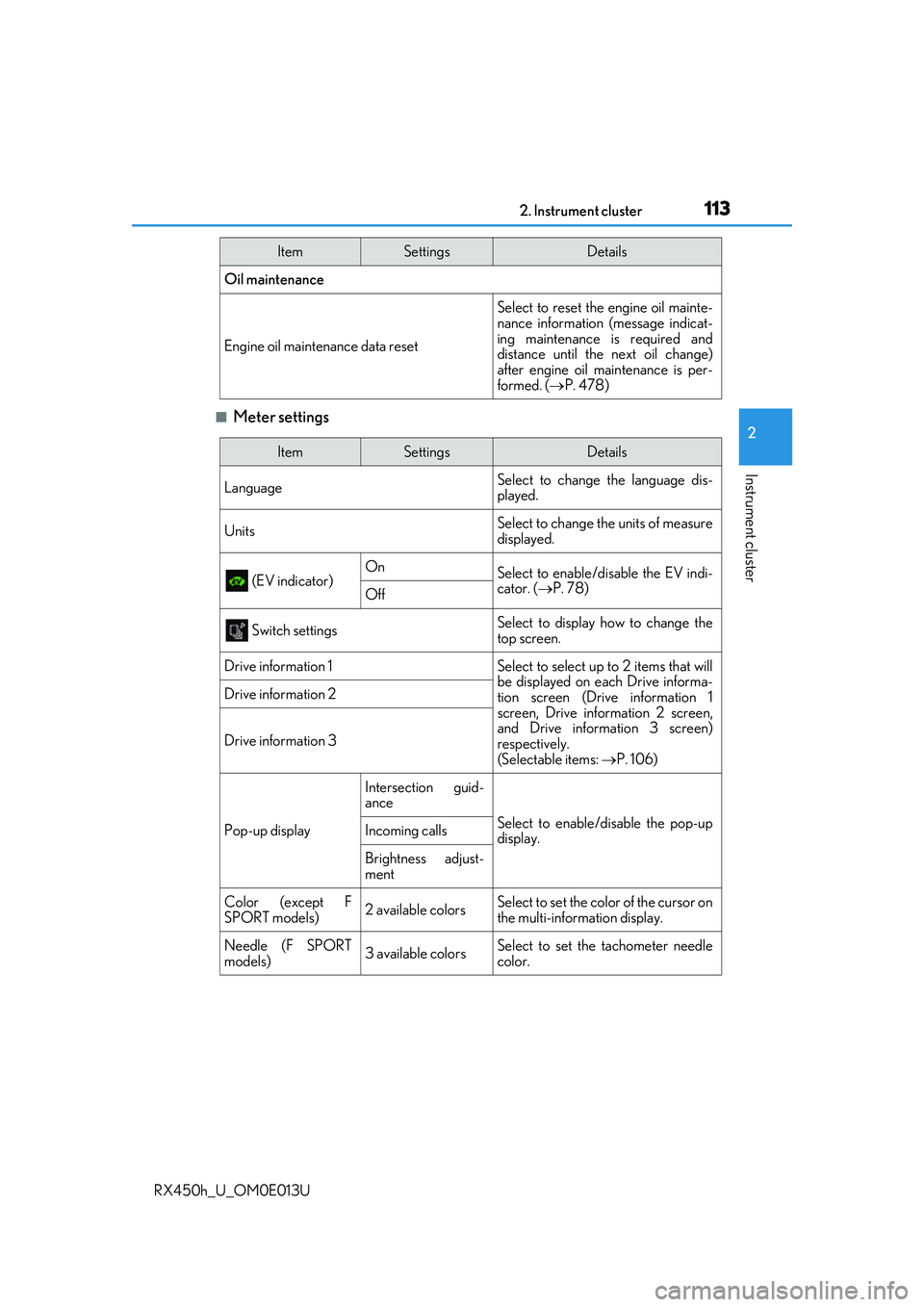
■Meter settings
Oil maintenance
Engine oil maintenance data reset
Select to reset the engine oil mainte-
nance information (message indicat-
ing maintenance is required and
distance until the next oil change)
after engine oil maintenance is per-
formed. (P. 478)
ItemSettingsDetails
ItemSettingsDetails
Language Select to change the language dis-
played.
UnitsSelect to change the units of measure
displayed.
(EV indicator) OnSelect to enable/dis
able the EV indi-
cator. ( P. 78)
Off
Switch settingsSelect to display how to change the
top screen.
Drive information 1Select to select up to 2 items that will
be displayed on ea ch Drive informa-
tion screen (Drive information 1
screen, Drive information 2 screen,
and Drive inform ation 3 screen)
respectively.
(Selectable items: P. 106)
Drive information 2
Drive information 3
Pop-up display
Intersection guid-
ance
Select to enable/disable the pop-up
display.Incoming calls
Brightness adjust-
ment
Color (except F
SPORT models)2 available colorsSelect to set the color of the cursor on
the multi-information display.
Needle (F SPORT
models)3 available colorsSelect to set the tachometer needle
color.
Page 115 of 660
1152. Instrument cluster
2
Instrument cluster
RX450h_U_OM0E013U
◆Display items
■Odometer
Displays the total distance the vehicle has been driven.
■Trip meter A/trip meter B
Displays the distance the vehicle has been driven since the meter was last
reset. Trip meters A and B can be used to record and display different dis-
tances independently.
To reset, display the desired trip meter and press and hold the “ODO/TRIP”
switch.
■Distance until next engine oil change
Displays the distance the vehicle can be driven until an oil change is neces-
sary.
◆Pop-up display
In some situations the following will be temporarily displayed:
■Distance until next engine oil change
Displays the distance until the next engi ne oil change. This display will be dis-
played in the following situations:
• When the power switch is turned to ON mode.
• When a warning message indicating that oil maintenance should be performed
soon or is required is displayed.
Odometer/trip meter display area
Page 160 of 660
1603-2. Opening, closing and locking the doors
RX450h_U_OM0E013U
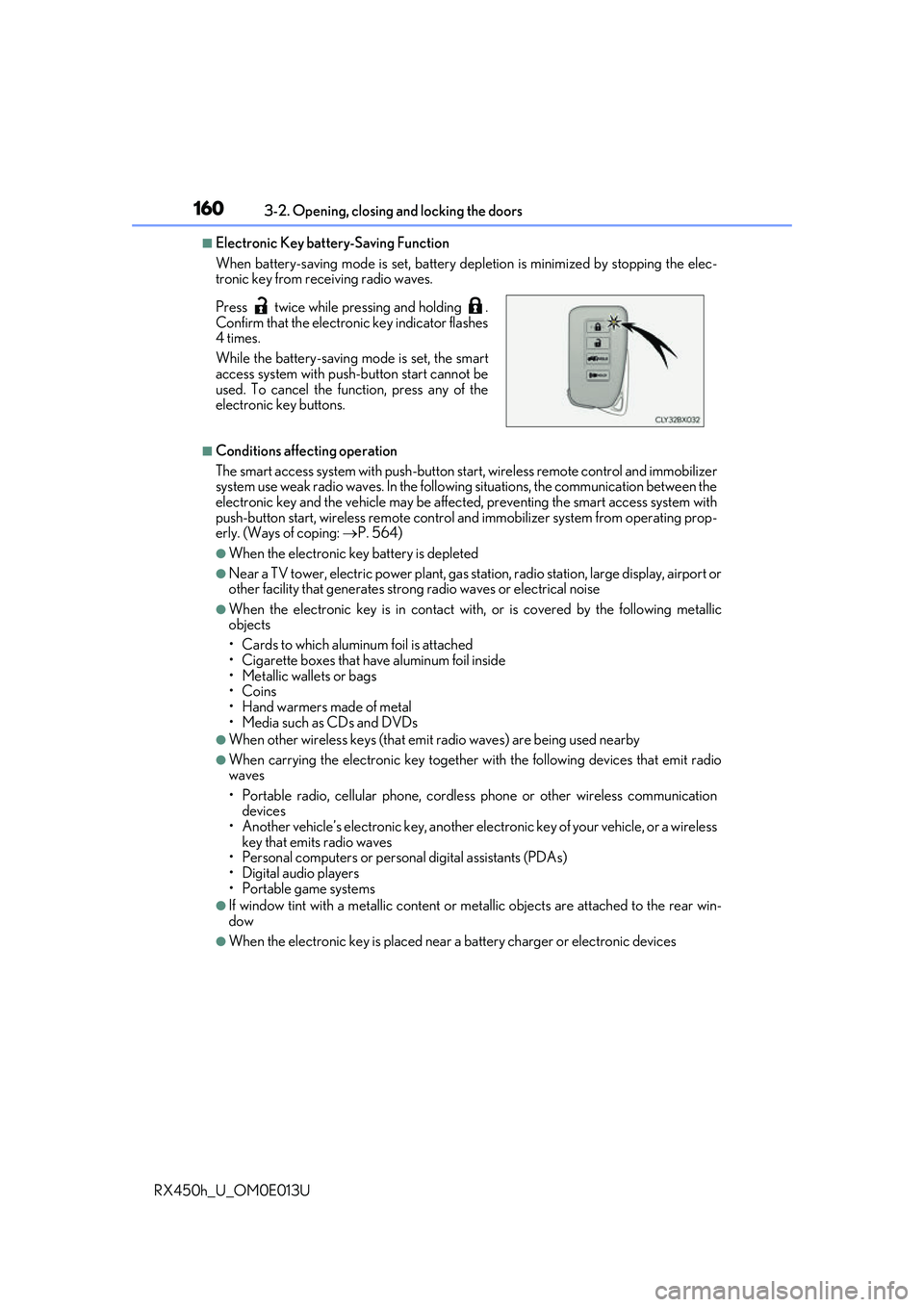
■Electronic Key battery-Saving Function
When battery-saving mode is set, battery depletion is minimized by stopping the elec-
tronic key from re ceiving radio waves.
■Conditions affecting operation
The smart access system with push-button st art, wireless remote control and immobilizer
system use weak radio waves. In the following situations, the communication between the
electronic key and the vehicle may be affect ed, preventing the smart access system with
push-button start, wireless remote control an d immobilizer system from operating prop-
erly. (Ways of coping: P. 564)
●When the electronic key battery is depleted
●Near a TV tower, electric power plant, gas st ation, radio station, large display, airport or
other facility that generates strong radio wave s or electrical noise
●When the electronic key is in contact with, or is covered by the following metallic
objects
• Cards to which aluminum foil is attached
• Cigarette boxes that have aluminum foil inside
• Metallic wallets or bags
•Coins
• Hand warmers made of metal
• Media such as CDs and DVDs
●When other wireless keys (that emit radio waves) are being used nearby
●When carrying the electronic key together with the following devices that emit radio
waves
• Portable radio, cellular phone, cordle ss phone or other wireless communication
devices
• Another vehicle’s electronic key, another electronic key of your vehicle, or a wireless
key that emits radio waves
• Personal computers or person al digital assistants (PDAs)
• Digital audio players
• Portable game systems
●If window tint with a metallic content or me tallic objects are attached to the rear win-
dow
●When the electronic key is placed near a battery charger or electronic devices
Press twice while pressing and holding .
Confirm that the electronic key indicator flashes
4 times.
While the battery-saving mode is set, the smart
access system with push
-button start cannot be
used. To cancel the function, press any of the
electronic key buttons.
Page 211 of 660
2114-1. Before driving
4
Driving
RX450h_U_OM0E013U
NOTICE
■When driving the vehicle
●Do not depress the accelerator and brake pedals at the same time during driving, as
this may restrain driving torque.
●Do not use the accelerator pedal or depress the accelerator and brake pedals at the
same time to hold the vehicle on a hill.
■When parking the vehicle
Always shift the shift lever to P, set the pa rking brake. Failure to do so may cause the
vehicle to move or the vehicle may accelerate suddenly if the accelerator pedal is acci-
dentally depressed.
■Avoiding damage to vehicle parts
●Do not turn the steering wheel fully in either direction and hold it there for an
extended period of time.
Doing so may damage the power steering motor.
●When driving over bumps in the road, drive as slowly as possible to avoid damaging
the wheels, underside of the vehicle, etc.
■If you get a flat tire while driving
A flat or damaged tire may cause the following situations . Hold the steering wheel
firmly and gradually depress the brake pedal to slow down the vehicle.
●It may be difficult to control your vehicle.
●The vehicle will make abnormal sounds or vibrations.
●The vehicle will lean abnormally.
Information on what to do in case of a flat tire ( P. 549)
■When encountering flooded roads
Do not drive on a road that has flooded after heavy rain, etc. Doing so may cause the
following serious damage to the vehicle:
●Engine stalling
●Short in electrical components
●Engine damage caused by water immersion
In the event that you drive on a flooded road and the vehicle is flooded, be sure to have
your Lexus dealer check the following:
●Brake function
●Changes in quantity and quality of oil and fluid used for the engine, hybrid transmis-
sion, rear differential (AWD models), etc.
●Lubricant condition for the bearings and su spension joints (where possible), and the
function of all joints, bearings, etc.
Page 275 of 660
2754-5. Using the driving support systems
4
Driving
RX450h_U_OM0E013U
WARNING
■To avoid malfunction of the camera sensor
Observe the following precautions.
Otherwise, the camera sensor may not operate properly, possibly leading to an acci-
dent resulting in death or serious injury.
●Keep the windshield clean at all times.
• If the windshield is dirty or covered with an oily film, water droplets, snow, etc.,
clear the windshield.
• If a glass coating agent is applied to the wi ndshield, it will still be necessary to use
the windshield wipers to re move water droplets from th e area of the windshield in
front of the camera sensor.
• If the inner side of the windshield where th e camera sensor is installed is dirty, con-
tact your Lexus dealer.
●If the part of the windshield in front of the camera sensor is fogged up or covered with
condensation or ice, use the windshield de fogger to remove the fog, condensation or
ice. ( P. 409)
●If water droplets cannot be properly removed from the area of the windshield in front
of the camera sensor by the windshield wipers, replace the wiper insert or wiper blade.
• To replace the wiper insert: P. 504
• If the wiper blades need to be re placed, contact your Lexus dealer.
●Do not attach window tinting to the windshield.
●Replace the windshield if it is damaged or cracked.
If the windshield needs to be re placed, contact your Lexus dealer.
●Do not get the camera sensor wet.
●Do not allow bright lights to shine into the camera sensor.
●Do not dirty or damage the camera sensor.
When cleaning the inside of the windshield , do not allow glass cleaner to contact the
lens. Also, do not touch the lens.
If the lens is dirty or damaged, contact your Lexus dealer.
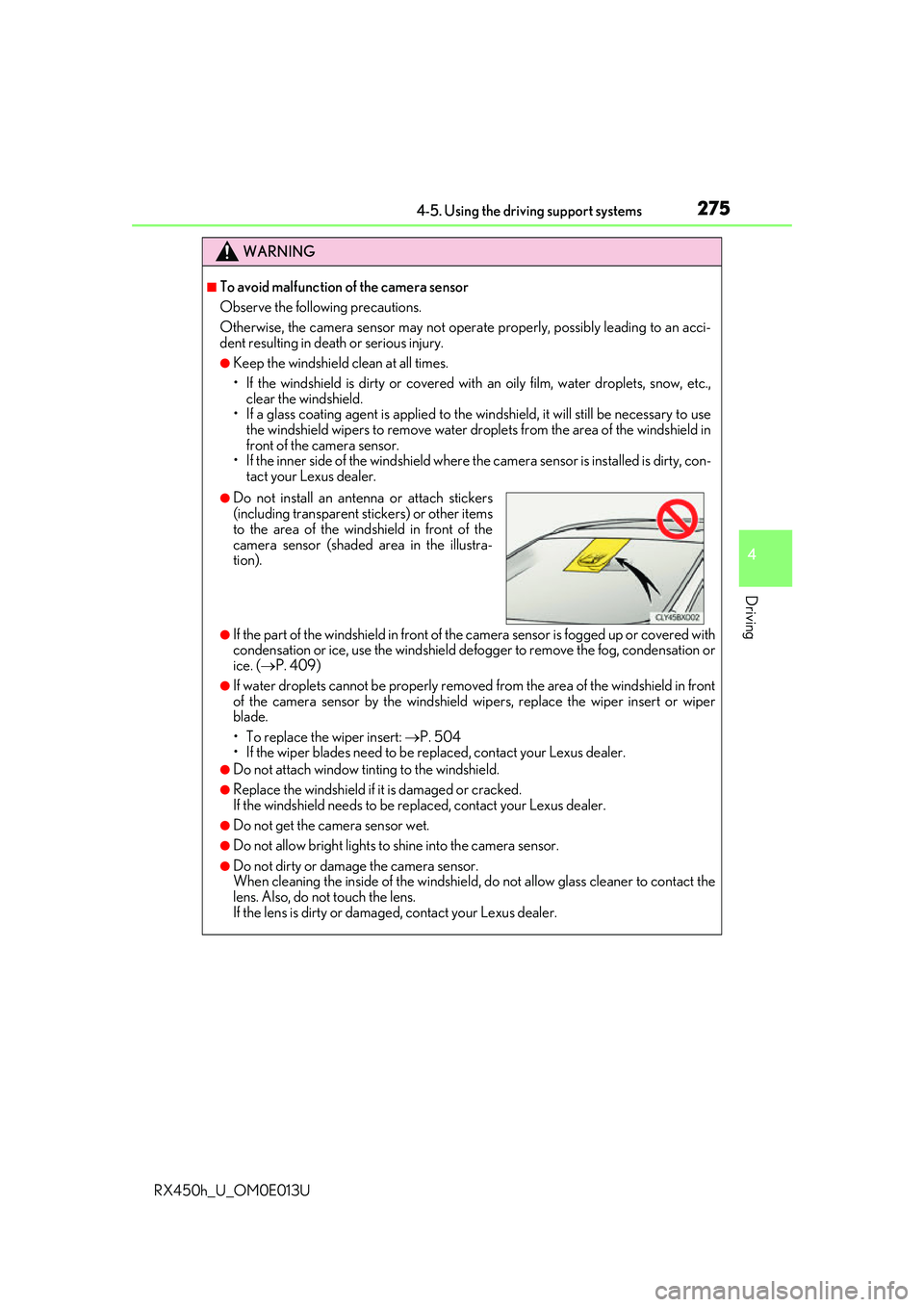
●Do not install an ante nna or attach stickers
(including transparent st ickers) or other items
to the area of the wind shield in front of the
camera sensor (shaded area in the illustra-
tion).
Page 390 of 660
3904-6. Driving tips
RX450h_U_OM0E013U
●Use fluids that are appropriate to the prevailing outside temperatures.
•Engine oil
• Engine/power cont rol unit coolant
• Washer fluid
●Have a service technician inspect the condition of the 12-volt battery.
●Have the vehicle fitted with four snow tires or purchase a set of tire chains for
the front tires.
Ensure that all tires are of the specified size and the same brand, and that chains
match the size of the tires.
Perform the following according to the driving conditions:
●Do not try to forcibly open a window or move a wiper that is frozen. Pour
warm water over the frozen area to me lt the ice. Wipe away the water imme-
diately to prevent it from freezing.
●To ensure proper operation of the c limate control system fan, remove any
snow that has accumulated on the air inlet vents in front of the windshield.
●Check for and remove any excess ice or snow that may have accumulated on
the exterior lights, vehicle’s roof, chassi s, around the tires or on the brakes.
●Remove any snow or mud from the bottom of your shoes before getting in the
vehicle.
Winter driving tips
Carry out the necessary preparations an d inspections before driving the vehi-
cle in winter. Always drive the vehicle in a manner appropriate to the prevail-
ing weather conditions.
Pre-winter preparations
Before driving the vehicle
Page 396 of 660
3964-6. Driving tips
RX450h_U_OM0E013U
WARNING
■Off-road driving precautions
Always observe the following precautions to minimize the risk of death, serious injury
or damage to your vehicle:
●Drive carefully when off the road. Do not ta ke unnecessary risks by driving in danger-
ous places.
●Do not grip the steering wheel spokes when driving off-road. A bad bump could jerk
the wheel and injure your hands. Keep both hands and especially your thumbs on the
outside of the rim.
●Always check your brakes for effectiveness immediately after driving in sand, mud,
water or snow.
●After driving through tall grass, mud, rock , sand, rivers, etc., check that there is no
grass, bush, paper, rags, stone, sand, etc. adhering or trapped on the underbody.
Clear off any such matter from the underbody. If the vehicle is used with these materi-
als trapped or adhering to the underbody, a breakdown or fire could occur.
●When driving off-road or in rugged terrain , do not drive at excessive speeds, jump,
make sharp turns, strike obje cts, etc. This may cause loss of control or vehicle rollover
causing death or serious injury. You are also risking expensive damage to your vehi-
cle’s suspension and chassis.
NOTICE
■To prevent water damage
Take all necessary safety measures to ensure that water damage to the hybrid battery
(traction battery), hybrid system or other components does not occur.
●Water entering the engine compartment may cause severe damage to the hybrid
system. Water entering the interior may cause the hybrid battery (traction battery)
stowed under the rear seats to short circuit.
●Water entering the hybrid transmission and rear electric motor (traction motor)
(AWD models only) will cause deterioration in transmission quality. The malfunction
indicator may come on, and the vehicle may not be drivable.
●Water can wash the grease from wheel be arings, causing rusting and premature fail-
ure, and may also enter the hybrid transmissi on case, reducing the gear oil’s lubricat-
ing qualities.
■When you drive through water
If driving through water, such as when cro ssing shallow streams, first check the depth of
the water and the bottom of the riverbed for firmness. Drive slowly and avoid deep
water.
■Inspection after off-road driving
●Sand and mud that has accumulated around brake discs may affect braking efficiency
and may damage brake system components.
●Always perform a maintenance inspection afte r each day of off-road driving that has
taken you through rough terrain, sand, mud, or water. For scheduled maintenance
information, refer to the “Warranty and Services Guide/Owner’s Manual Supple-
ment/Scheduled Maintenance”.