audio LEXUS RX450h 2018 Owners Manual
[x] Cancel search | Manufacturer: LEXUS, Model Year: 2018, Model line: RX450h, Model: LEXUS RX450h 2018Pages: 792, PDF Size: 12.5 MB
Page 475 of 792
4755-10. Phonebook
5
Lexus Display Audio system
RX450h_RX450hL _U_OM48F85U■
Return to the default settings
Move the controller to the left and select “Default”.
You can transfer the phone numbers in your Bluetooth ®
phone to the system.
Operation methods differ between PBAP compatible and PBAP incompatible
Bluetooth ®
phones. If your cellular phone does not support either PBAP or
OPP services, you canno t transfer contacts.
For PBAP compatible Bluetooth ®
phones
Go to “Automatic Transfer”: “MENU” button → “Setup” → “Phone” → “Con-
tacts/Call History” → “Automatic Transfer”
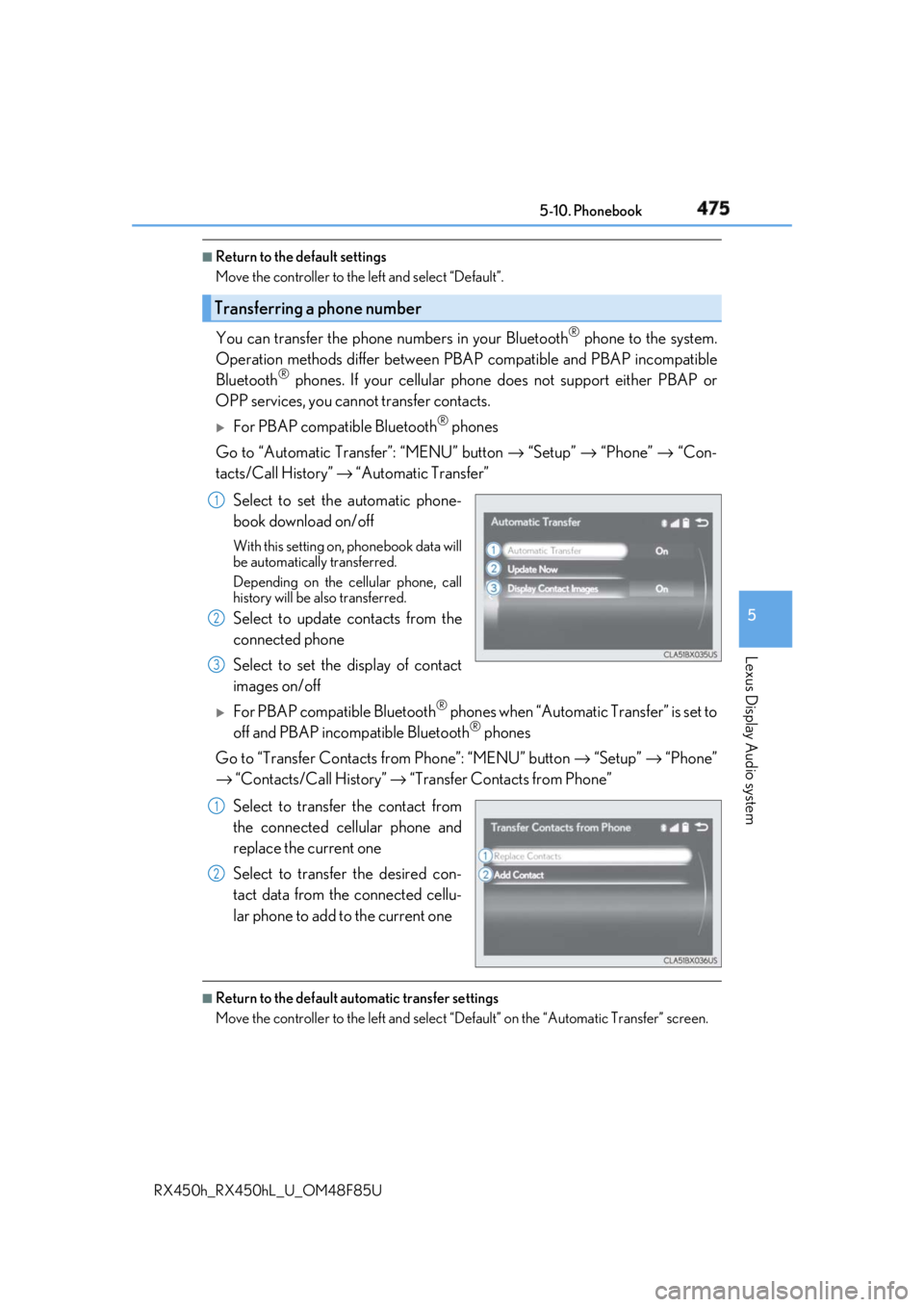
Select to set the automatic phone-
book download on/off With this setting on, phonebook data will
be automatically transferred.
Depending on the cellular phone, call
history will be also transferred.
Select to update contacts from the
connected phone
Select to set the display of contact
images on/off
For PBAP compatible Bluetooth ®
phones when “Automatic Transfer” is set to
off and PBAP incompatible Bluetooth ®
phones
Go to “Transfer Contacts from Phone”: “MENU” button → “Setup” → “Phone”
→ “Contacts/Call History” → “Transfer Contacts from Phone”
Select to transfer the contact from
the connected cellular phone and
replace the current one
Select to transfer the desired con-
tact data from the connected cellu-
lar phone to add to the current one ■
Return to the default automatic transfer settings
Move the controller to the left and select “D efault” on the “Automatic Transfer” screen.Transferring a phone number 1
2
3
1
2
Page 476 of 792
476 5-10. Phonebook
RX450h_RX450hL _U_OM48F85UYou can register the desired contact from the phonebook. Up to 15 contacts per
phone can be registered.
Go to “Add Favorite”: “MENU” button → “Setup” → “Phone” → “Contacts/
Call History” → “Add Favorite”
Choose the contact to register.
Go to “Remove Favorite”: “MENU” button → “Setup” → “Phone” → “Con-
tacts/Call History” → “Remove Favorite”
Select the desired contacts. You can select all contacts by selecting “Select All”.
Move the controller to the left and select “Remove”.
Go to “Delete Contact ”: “MENU” button → “Setup” → “Phone” → “Con-
tacts/Call History” → “Delete Contact”
Select the desired contacts. You can select all contacts by selecting “Select All”.
Move the controller to the left and select “Delete”.■
Phonebook data
Phonebook data is managed separately for every registered phone. When one phone is
connected, you cannot read the registered data of the other phones. ■
When transferring contacts
Transfer contacts while the engine is running.
If the cellular phone is OPP or PBAP compatible, you may need to input “1234” on the
cellular phone for OB EX certification.■
When you have selected “Replace Contacts” or “Add Contact” to transfer contacts
If the cellular phone does not support OPP service, you cannot use these functions. You
can transfer the phonebook data only by operating your phone. ■
Transferring contacts while Bluetooth ®
audio is playing
Bluetooth ®
audio will disconnect. It will reconnect automatically when data transfer fin-
ishes. It may not reconnect dependin g on the phone which is connected.Registering favorites 1
2
Removing favorites
Deleting the contacts data 1
2
3
1
2
3
Page 477 of 792
4775-10. Phonebook
5
Lexus Display Audio system
RX450h_RX450hL _U_OM48F85UGo to “Messaging”: “MENU” button → “Setup” → “Phone” → “Messaging”
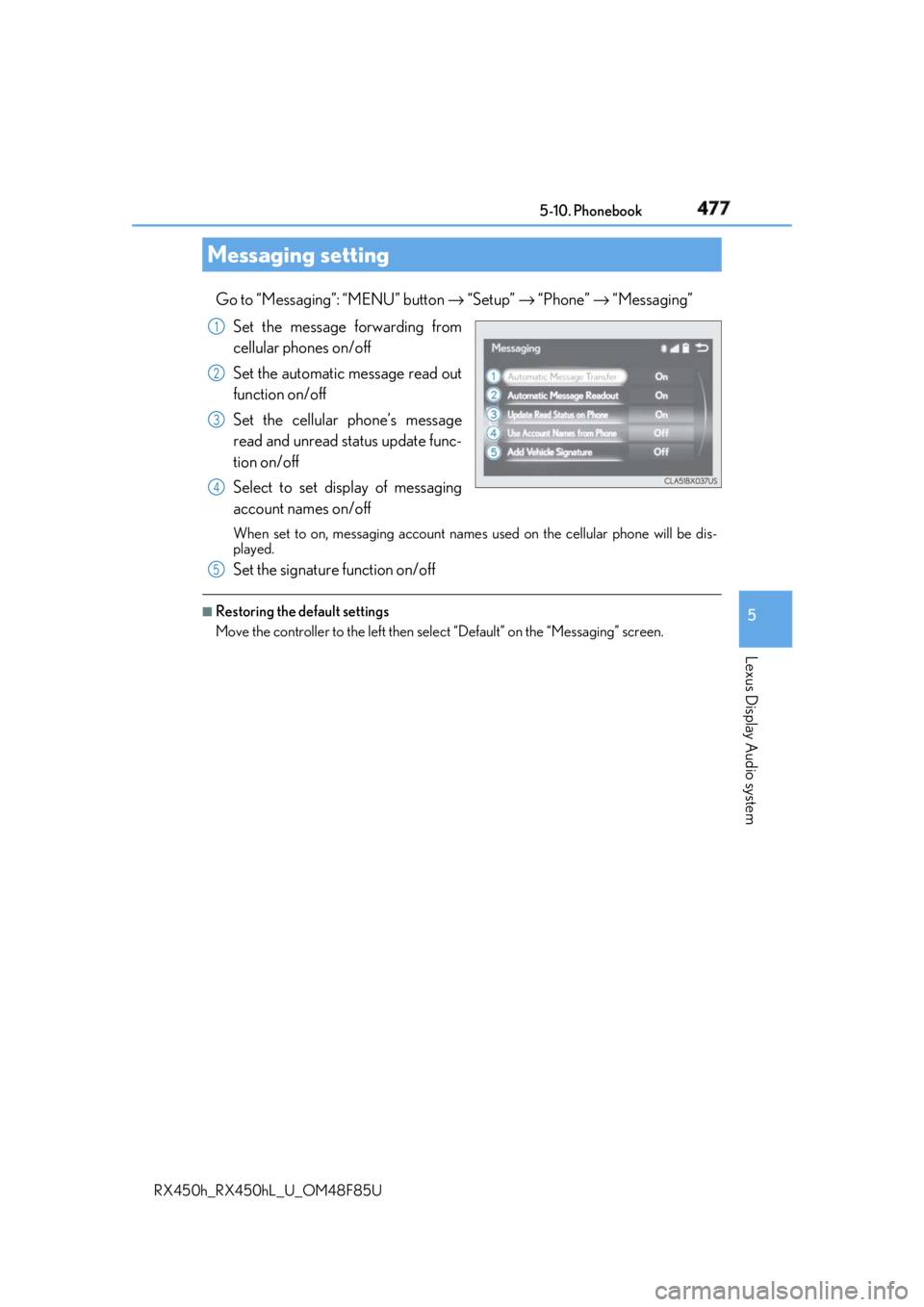
Set the message forwarding from
cellular phones on/off
Set the automatic message read out
function on/off
Set the cellular phone’s message
read and unread st atus update func-
tion on/off
Select to set display of messaging
account names on/off When set to on, messaging account names used on the cellular phone will be dis-
played.
Set the signature function on/off ■
Restoring the default settings
Move the controller to the left then select “Default” on the “Messaging” screen.Messaging setting 1
2
3
4
5
Page 479 of 792
4795-11. Bluetooth ®
5
Lexus Display Audio system
RX450h_RX450hL _U_OM48F85U
When registering/connecting a cellular phone
When making/receiving a call A cellular phone cannot be registered.
An incorrect passcod e was entered on the cellular phone.
→ Enter the correct passcode on the cellular phone.
The registration operation has not been completed on the cellular phone side.
→ Complete the registration operation on the cellular phone (approve registration
on the phone).
Old registration information remains on either this system or the cellular phone.
→ Delete the existing registration informat ion from both this system and the cellu-
lar phone, then register the cellular phone you wish to connect to this system.
( → P. 451)
A Bluetooth ®
connection cannot be made.
Another Bluetooth ®
device is already connected.
→ Manually connect the cellular phone you wish to use to this system. ( → P. 454)
Bluetooth ®
function is not enabled on the cellular phone.
→ Enable the Bluetooth ®
function on the cellular phone.
A call cannot be made/received.
Your vehicle is in a “No Service” area.
→ Move to where “No Service” no longer appears on the display.
Page 481 of 792
4815-11. Bluetooth ®
5
Lexus Display Audio system
RX450h_RX450hL _U_OM48F85U
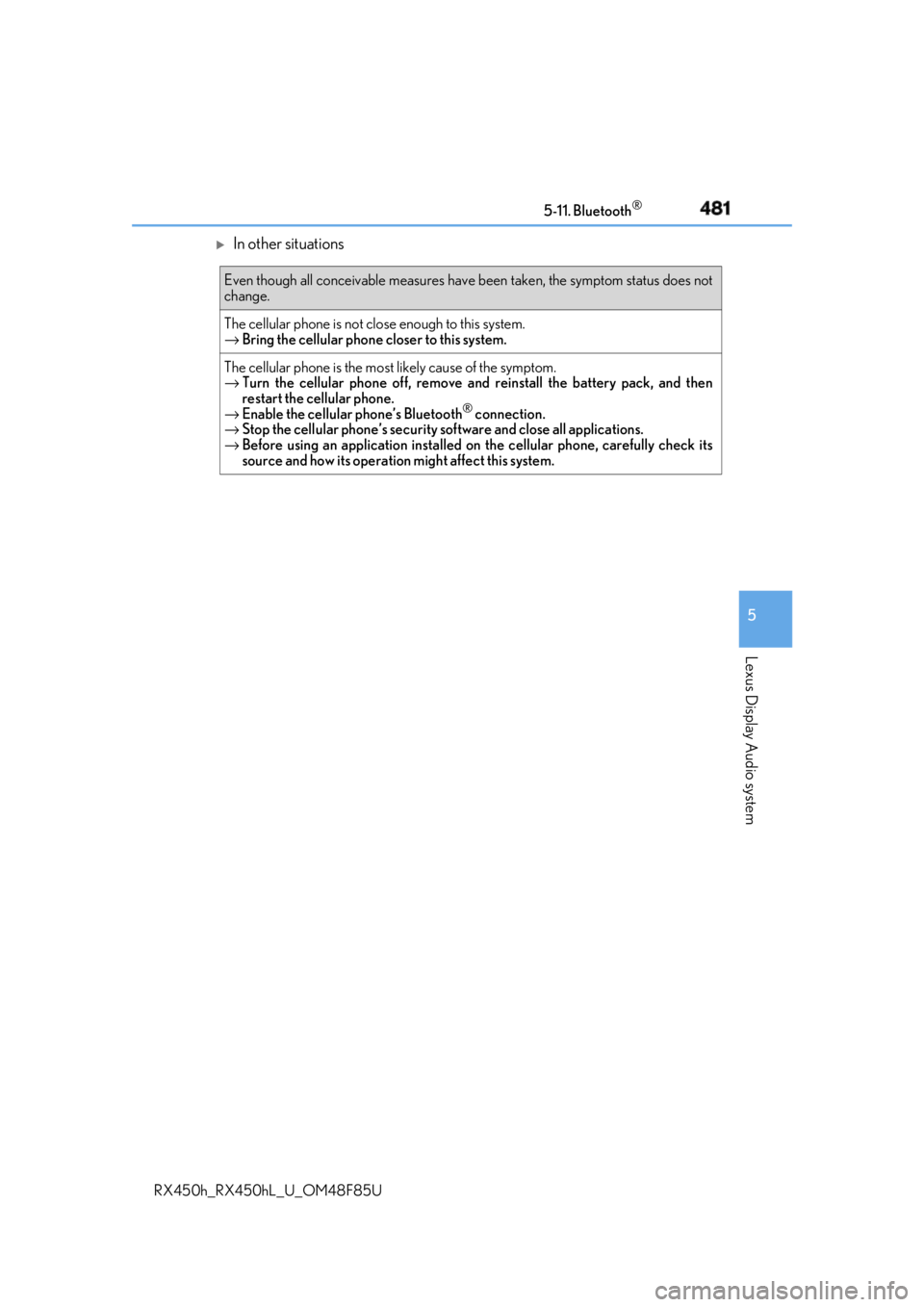
In other situations Even though all conceivable measures have been taken, the symptom status does not
change.
The cellular phone is not clos e enough to this system.
→ Bring the cellular phone closer to this system.
The cellular phone is the most likely cause of the symptom.
→ Turn the cellular phone off, remove and reinstall the battery pack, and then
restart the cellular phone.
→ Enable the cellular phone’s Bluetooth ®
connection.
→ Stop the cellular phone’s security software and close all applications.
→ Before using an application installed on the cellular phone, carefully check its
source and how its operation might affect this system.
Page 482 of 792
482 5-11. Bluetooth ®
RX450h_RX450hL _U_OM48F85U■
When using the Bluetooth ®
audio system●
In the following situations, the system may not function.
• If the portable audio player is turned off
• If the portable audio player is not connected
• If the portable audio player’s battery is low ●
There may be a delay if a cellular phon e connection is made during Bluetooth ®
audio
play. ●
Depending on the type of portable audio play er that is connected to the system, opera-
tion may differ slight ly and certain functions may not be available.■
When using the hands-free system ●
The audio system is mu ted when making a call.●
If both parties speak at the same time, it may be difficult to hear.●
If the received call volume is over ly loud, an echo may be heard.
If the Bluetooth ®
phone is too close to the system, quality of the sound may deteriorate
and connection status may deteriorate. ●
In the following situations, it may be difficult to hear the other party:
• When driving on unpaved roads
• When driving at high speeds
• If a window is open
• If the air conditioning is blow ing directly on the microphone
• If there is interference from the network of the cellular phone●
Depending on the type phone, certain functions may not be available. ■
Conditions under which th e system will not operate●
If using a cellular phone that does not support Bluetooth ®
●
If the cellular phone is turned off ●
If you are outside of cellular phone service coverage ●
If the cellular phone is not connected ●
If the cellular phone’s battery is low ●
When outgoing calls are controlled, due to heavy traffic on phone lines, etc. ●
When the cellular phone itself cannot be used ●
When transferring phonebook da ta from the cellular phoneBluetooth ®
Page 483 of 792
4835-11. Bluetooth ®
5
Lexus Display Audio system
RX450h_RX450hL _U_OM48F85U■
Bluetooth ®
antenna
The antenna is built into the display.
If the portable audio player is behind the se at or in the glove box or console box, or is
touching or covered by metal objects, the connection status may deteriorate.
If the cellular phone is behind the seat or in the console box, or touching or covered by
metal objects, the connection status may deteriorate. ■
Battery charge/signal status ●
This display may not correspond exactly wi th the portable audio player or cellular
phone itself. ●
This system does not have a charging function. ●
The portable audio player or cellular phone battery will be deplet ed quickly when the
device is connected to Bluetooth ®
.■
When using the Bluetooth ®
audio and hands-free system at the same time
The following problems may occur. ●
The Bluetooth ®
audio connection may be interrupted.●
Noise may be heard during Bluetooth ®
audio playback.■
About the contact in this system
The following data is stored for every registered cellular phone. When another phone is
connecting, you cannot read the registered data. ●
Contact data ●
Call history ●
Favorite ●
Message
When removing a Bluetooth ®
phone from the system, the above-mentioned data is also
deleted. ■
About Bluetooth ®
Page 484 of 792

484 5-11. Bluetooth ®
RX450h_RX450hL _U_OM48F85U■
Compatible models
The Bluetooth ®
audio system supports portable audi o players with the following specifi-
cations ●
Bluetooth ®
specifications:
Ver. 2.0 or higher (Recommend ed: Ver. 3.0 +EDR or higher)●
Profiles:
• A2DP (Advanced Audio Distribution Profile) Ver. 1.0, or higher
(Recommended: Ver. 1.3 or higher)
This is a profile to transmit stereo audio or high quality sound to the audio system.
• AVRCP (Audio/Video Remote Cont rol Profile) Ver. 1.0 or higher
(Recommended: Ver. 1.5 or higher)
This is a profile to allow re mote control the A/V equipment.
However, please note that some functions may be limited depending on the type of por-
table audio player connected.
The hands-free system supports cellular ph ones with the following specifications.●
Bluetooth ®
specification:
Ver. 2.0 or higher (Recommend ed: Ver. 3.0 +EDR or higher)●
Profiles:
• HFP (Hands Free Profile) Ver. 1.0 or higher (Recommended: Ver. 1.6 or higher)
This is a profile to allow hands-free phone calls using a cellular phone or head set. It
has outgoing and incoming call functions.
• OPP (Object Push Profile) Ver. 1.1 or higher (Recommended: Ver. 1.2)
This is a profile to transfer phonebook data. When a Bluetooth ®
compatible cellular
phone has both PBAP and OPP, OPP cannot be used.
• PBAP (Phone Book Access Profile) Ver. 1.0 or higher (Recommended: Ver. 1.1)
This is a profile to transfer phonebook data.
• MAP (Message Access Pr ofile) Ver.1.0 or higher
This is a profile to using phone message.
If the cellular phone does not support HFP, yo u cannot register it wi th the hands-free sys-
tem. OPP, PBAP or MAP services must be selected individually.■
Reconnecting the portable audio player
If the portable audio player is disconnected due to poor reception when the power
switch is in ACCESSORY or ON mode, the system automatically reconnects the porta-
ble audio player.
If you have switched off the portable audio pl ayer yourself, follow the instructions below
to reconnect: ●
Select the portable audio player again ●
Enter the portable audio player ■
When you sell your car
Be sure to delete your personal data. ( → P. 415)
Page 485 of 792
4855-11. Bluetooth ®
5
Lexus Display Audio system
RX450h_RX450hL _U_OM48F85U■
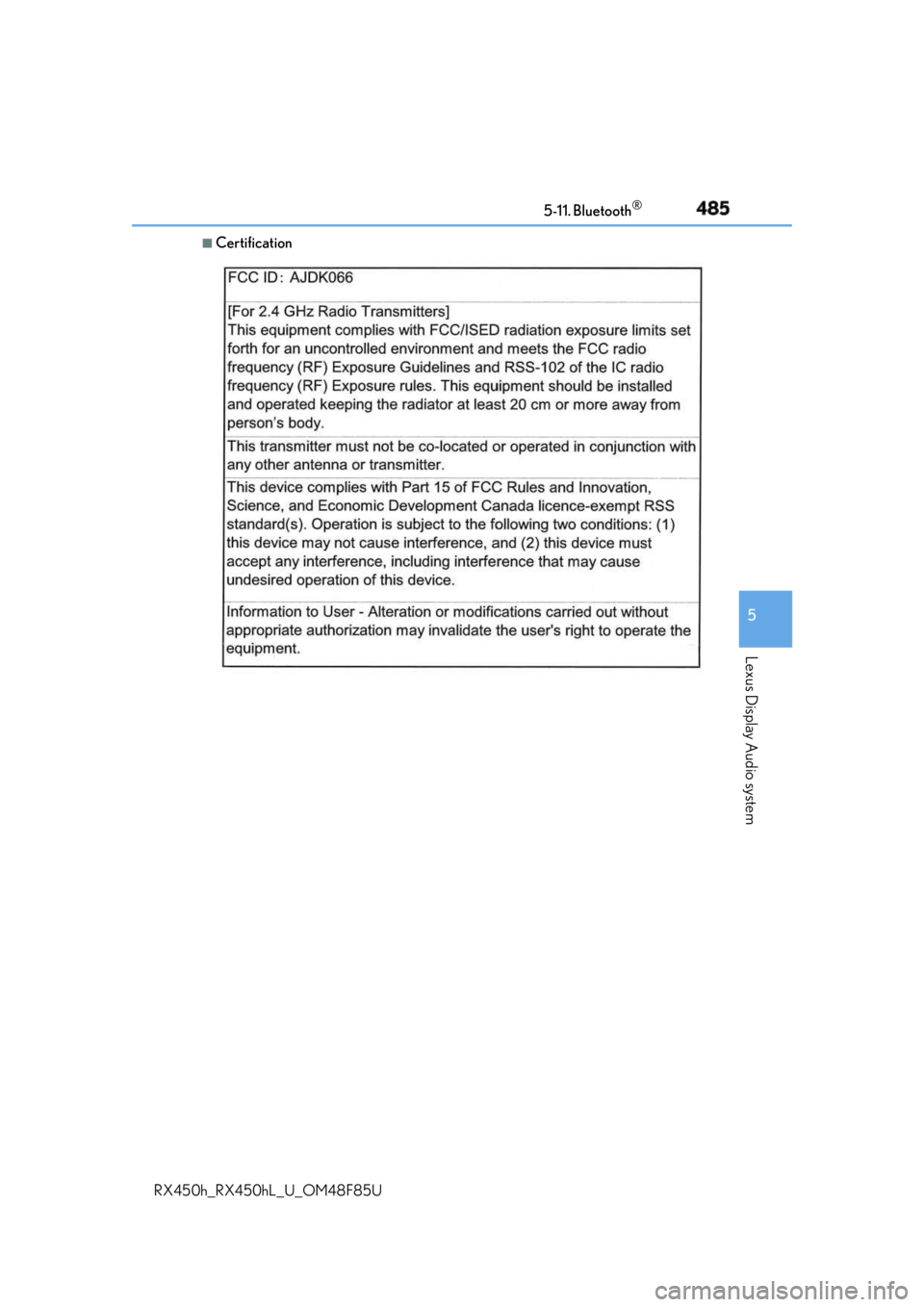
Certification
Page 487 of 792
4875-11. Bluetooth ®
5
Lexus Display Audio system
RX450h_RX450hL _U_OM48F85UWARNING ■
While driving
Do not operate the portable audio player, ce llular phone or connect a device to the
Bluetooth ®
system.■
Caution regarding interference with electronic devices●
Your audio unit is fitted with Bluetooth ®
antennas. People with implantable cardiac
pacemakers, cardiac resynchronization ther apy-pacemakers or implantable cardio-
verter defibrillators should maintain a re asonable distance between themselves and
the Bluetooth ®
antennas. The radio waves may affe ct the operation of such devices.●
Before using Bluetooth ®
devices, users of any electrical medical device other than
implantable cardiac pacemakers, cardiac resynchronization therapy-pacemakers or
implantable cardioverter defi brillators should consult the manufacturer of the device
for information about its operation under th e influence of radio waves. Radio waves
could have unexpected effects on the operation of such medical devices.
NOTICE ■
When leaving the vehicle
Do not leave your portable au dio player or cellular phone in the vehicle. The inside of
the vehicle may become hot, causing damage to the portable audio player or cellular
phone.