power steering LEXUS RX450h 2018 Owner's Manual
[x] Cancel search | Manufacturer: LEXUS, Model Year: 2018, Model line: RX450h, Model: LEXUS RX450h 2018Pages: 792, PDF Size: 12.5 MB
Page 243 of 792

2434-2. Driving procedures
4
Driving
RX450h_RX450hL _U_OM48F85UWARNING ■
When starting the hybrid system
Always start the hybrid system while sittin g in the driver’s seat. Do not depress the
accelerator pedal while starting the hy brid system under any circumstances.
Doing so may cause an accident resu lting in death or serious injury.■
Caution while driving
If hybrid system failure occurs while the ve hicle is moving, do not lock or open the
doors until the vehicle reaches a safe and complete stop. Activation of the steering lock
in this circumstance may lead to an acci dent, resulting in death or serious injury.■
Stopping the hybrid system in an emergency
If you want to stop the hybrid system in an emergency while driving the vehicle, press
and hold the power switch for more than 2 se conds, or press it briefly 3 times or more
in succession. ( → P. 653)
However, do not touch the power switch while driving except in an emergency. Turning
the hybrid system off while driving will not cause loss of steering or braking control,
however, power assist to the steering will be lost. This will make it more difficult to steer
smoothly, so you should pull over and stop the vehicle as soon as it is safe to do so.
NOTICE ■
To prevent 12-volt battery discharge ●
Do not leave the power swit ch in ACCESSORY or ON mode for long periods of
time without the hybrid system on. ●
If “ACCESSORY” or “IGNITION ON” is di splayed on the meters while the hybrid
system is not operating, the power switch is not off. Exit the vehicle after turning the
power switch off. ●
Do not stop the hybrid system when the shift lever is in a position other than P. If the
hybrid system is stopped in another shift lever position , the power switch will not be
turned off but instead be turned to ACCESSORY mode. If the vehicle is left in
ACCESSORY mode, 12-volt ba ttery discharge may occur.■
When starting the hybrid system
If the hybrid system becomes difficult to star t, have your vehicle checked by your Lexus
dealer immediately. ■
Symptoms indicating a malfun ction with the power switch
If the power switch seems to be operating somewhat differen tly than usual, such as the
switch sticking slightly, ther e may be a malfunction. Contact your Lexus dealer immedi-
ately.
Page 364 of 792
364 4-5. Using the driving support systems
RX450h_RX450hL _U_OM48F85U■
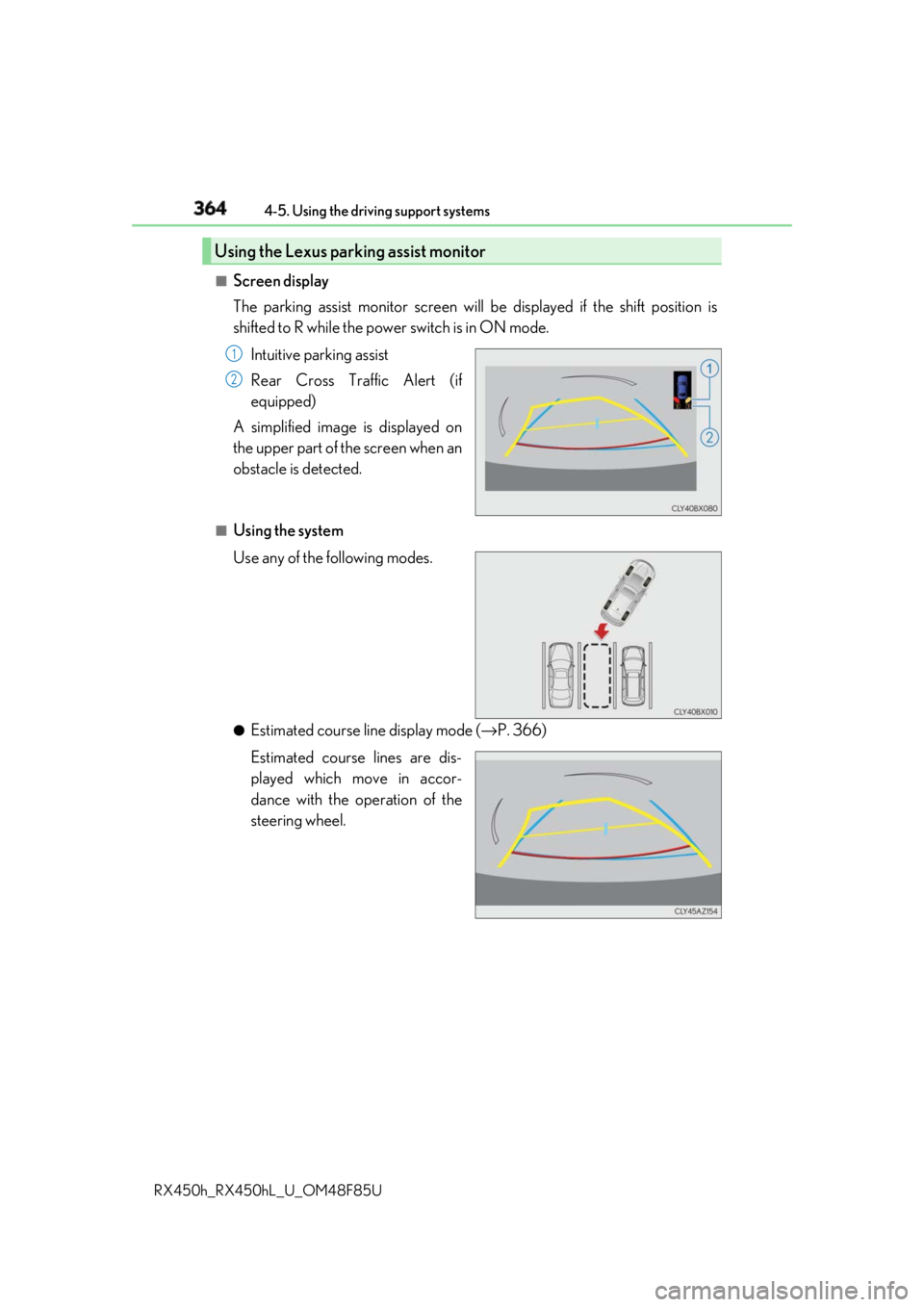
Screen display
The parking assist monitor screen will be displayed if the shift position is
shifted to R while the power switch is in ON mode.
Intuitive parking assist
Rear Cross Traffic Alert (if
equipped)
A simplified image is displayed on
the upper part of the screen when an
obstacle is detected. ■
Using the system
Use any of the following modes.
●
Estimated course line display mode ( → P. 366)
Estimated course lines are dis-
played which move in accor-
dance with the operation of the
steering wheel.Using the Lexus parking assist monitor 1
2
Page 376 of 792
376 4-5. Using the driving support systems
RX450h_RX450hL _U_OM48F85U The estimated course lines move even though the steering wheel is straight
There is a malfunction in the signals being
output by the steering sensor. Have the vehicle inspected by your Lexus
dealer.
Guide lines are not displayed
The back door is open. Close the back door.
If this does not resolve the symptom, have
the vehicle inspected by your Lexus
dealer.
The estimated course lines are not displayed
• The steering wheel has been moved
while the 12-volt battery was being
reinstalled.
• 12-volt battery power is low.
• The steering sensor has been rein-
stalled.
• There is a malfunction in the signals
being output by the steering sensor. Stop the vehicle, and turn the steering
wheel as far as it will go to the left and
right.
If this does not resolve the symptom, have
the vehicle inspected by your Lexus
dealer.Likely cause Solution
Page 379 of 792
3794-5. Using the driving support systems
4
Driving
RX450h_RX450hL _U_OM48F85U
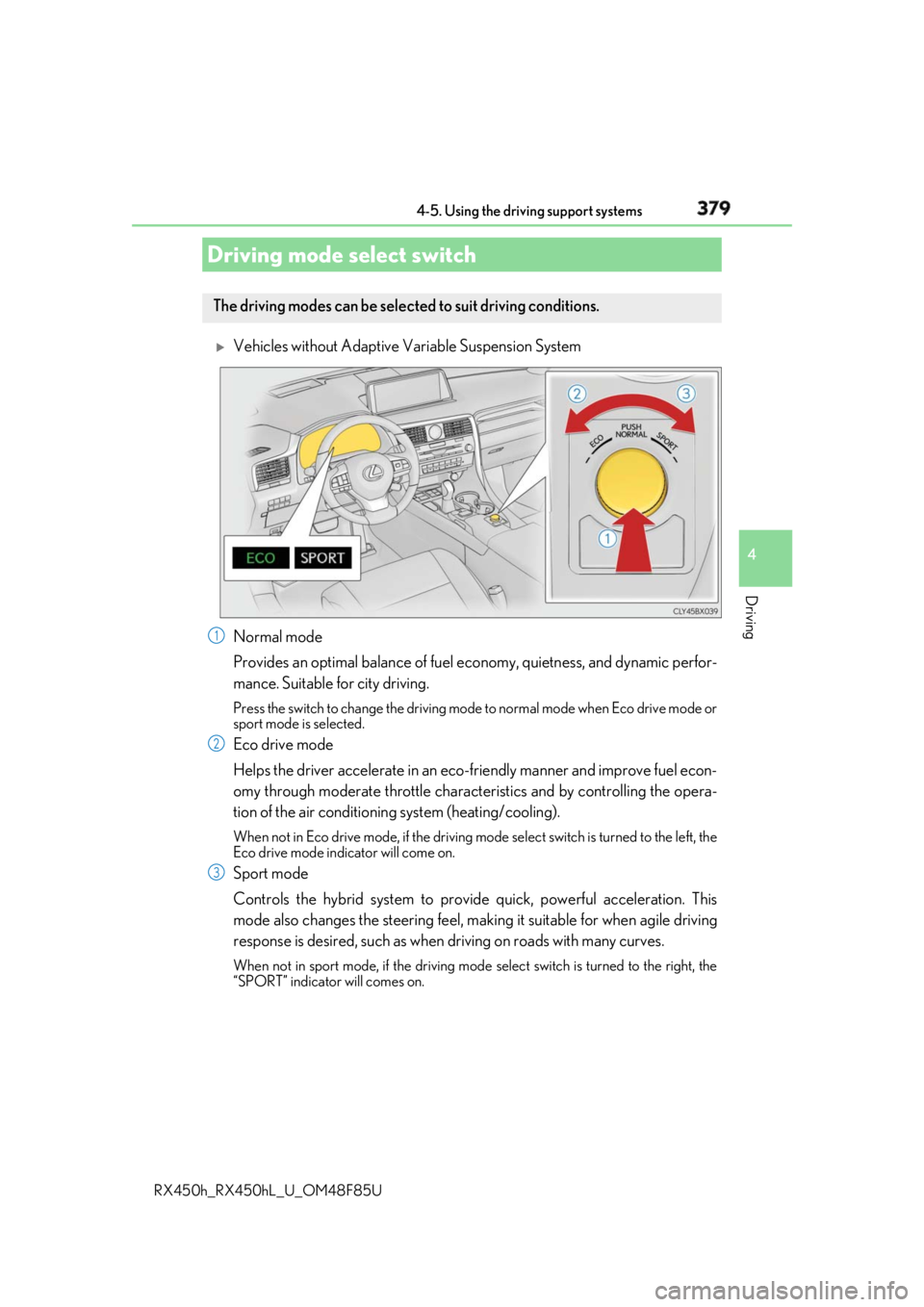
Vehicles without Adaptive Variable Suspension System
Normal mode
Provides an optimal balance of fuel ec onomy, quietness, and dynamic perfor-
mance. Suitable for city driving. Press the switch to change the driving mode to normal mode when Eco drive mode or
sport mode is selected.
Eco drive mode
Helps the driver accelerate in an eco-fr iendly manner and improve fuel econ-
omy through moderate throttle charact eristics and by controlling the opera-
tion of the air conditioning system (heating/cooling). When not in Eco drive mode, if the driving mode select switch is tu rned to the left, the
Eco drive mode indicator will come on.
Sport mode
Controls the hybrid system to prov ide quick, powerful acceleration. This
mode also changes the steering feel, maki ng it suitable for when agile driving
response is desired, such as when driving on roads with many curves. When not in sport mode, if the driving mode select switch is turned to the right, the
“SPORT” indicator will comes on.Driving mode select switch The driving modes can be selected to suit driving conditions.
1
2
3
Page 381 of 792
3814-5. Using the driving support systems
4
Driving
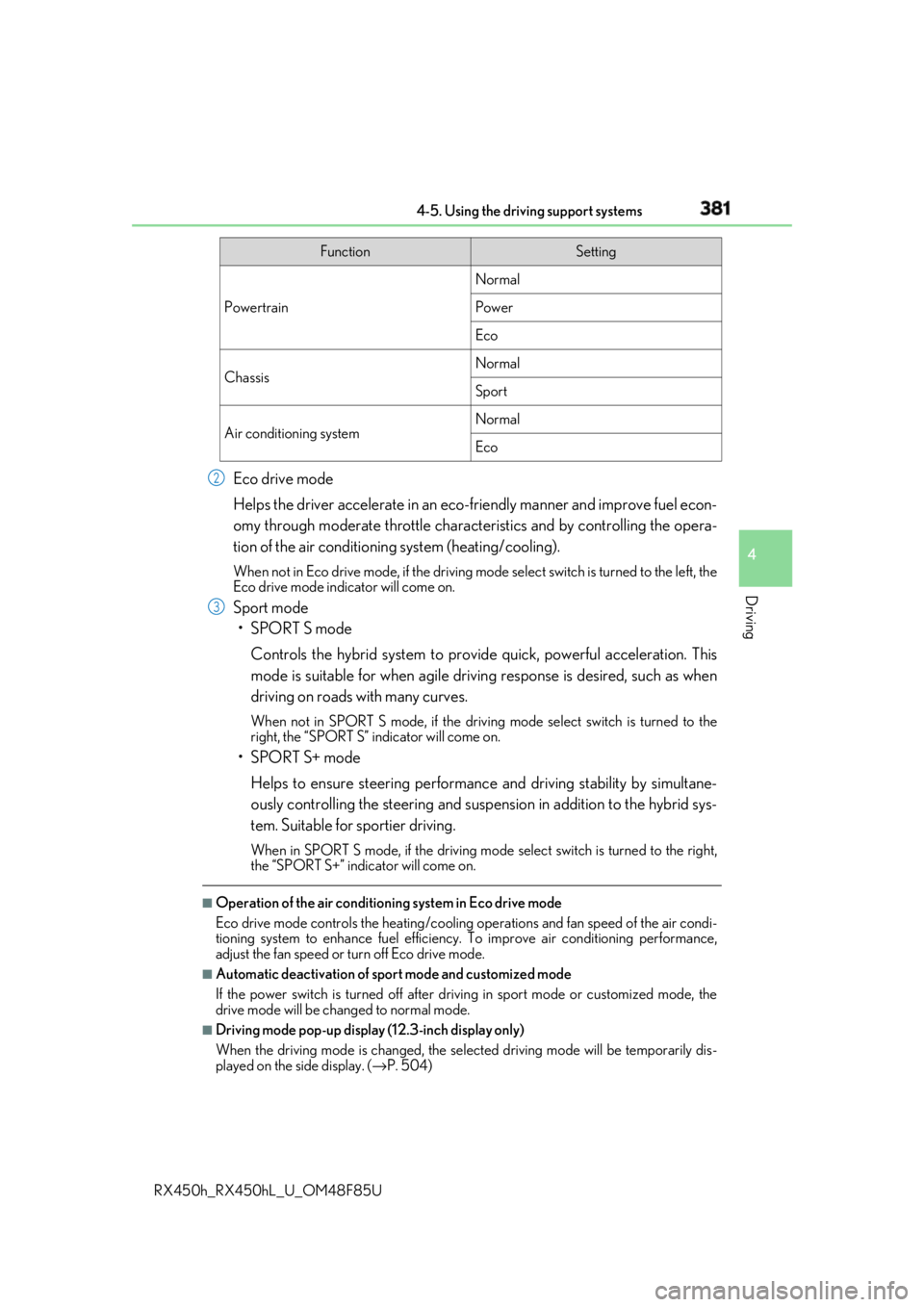
RX450h_RX450hL _U_OM48F85UEco drive mode
Helps the driver accelerate in an eco-fr iendly manner and improve fuel econ-
omy through moderate throttle charact eristics and by controlling the opera-
tion of the air conditioning system (heating/cooling). When not in Eco drive mode, if the driving mode select switch is tu rned to the left, the
Eco drive mode indicator will come on.
Sport mode
•SPORT S mode
Controls the hybrid system to prov ide quick, powerful acceleration. This
mode is suitable for when agile drivin g response is desired, such as when
driving on roads with many curves. When not in SPORT S mode, if the driving mode select switch is turned to the
right, the “SPORT S” indicator will come on.
•SPORT S+ mode
Helps to ensure steering performanc e and driving stability by simultane-
ously controlling the steering and suspension in addition to the hybrid sys-
tem. Suitable for sportier driving. When in SPORT S mode, if the driving mode select switch is turned to the right,
the “SPORT S+” indicator will come on.■
Operation of the air conditioning system in Eco drive mode
Eco drive mode controls the heating/cooling operations and fan speed of the air condi-
tioning system to enhance fuel efficiency. To improve air conditioning performance,
adjust the fan speed or turn off Eco drive mode. ■
Automatic deactivation of sport mode and customized mode
If the power switch is turned off after driv ing in sport mode or customized mode, the
drive mode will be changed to normal mode. ■
Driving mode pop-up display (12.3-inch display only)
When the driving mode is changed, the sele cted driving mode will be temporarily dis-
played on the side display. ( → P. 504)Function Setting
Powertrain Normal
Power
Eco
Chassis Normal
Sport
Air conditioning system Normal
Eco2
3
Page 382 of 792

382 4-5. Using the driving support systems
RX450h_RX450hL _U_OM48F85U◆ ECB (Electronically Controlled Brake System)
The electronically controlled system generates braking force corresponding
to the brake operation
◆ ABS (Anti-lock Brake System)
Helps to prevent wheel lock when the br akes are applied suddenly, or if the
brakes are applied while drivin g on a slippery road surface
◆ Brake assist
Generates an increased level of br aking force after the brake pedal is
depressed when the system detects a panic stop situation
◆ VSC (Vehicle Stability Control)
Helps the driver to contro l skidding when swerving suddenly or turning on
slippery road surfaces.
◆ Enhanced VSC (Enhanced Vehicle Stability Control)
Provides cooperative control of the ABS, TRAC, VSC and EPS.
Helps to maintain directional stability when swerving on slippery road sur-
faces by controlling steering performance.
◆ Trailer Sway Control (if equipped)
Helps the driver to control trailer sway by selectively applying brake pressure
for individual wheels and reducing dr iving torque when trailer sway is
detected.
◆ TRAC (Traction Control)
Helps to maintain drive power and pr event the drive wheels from spinning
when starting the vehicle or accelerating on slippery roads
◆ Hill-start assist control
Helps to reduce the backward movement of the vehicle when starting on an
uphillDriving assist systems To keep driving safety and performance, the following systems operate auto-
matically in response to various drivin g situations. Be aware, however, that
these systems are supplementary and shou ld not be relied upon too heavily
when operating the vehicle.
Page 383 of 792

3834-5. Using the driving support systems
4
Driving
RX450h_RX450hL _U_OM48F85U◆ EPS (Electric Power Steering)
Employs an electric motor to reduce the amount of effort needed to turn the
steering wheel
◆ E-Four
Electronic On-Demand AWD system. Automatically switches from front-
wheel drive to all-wheel drive (AWD) according to the driving conditions,
helping to ensure reliable handling and st ability. Examples of conditions where
the system will switch to AWD are when cornering, going uph ill, starting off or
accelerating, and when the road surface is slippery due to snow, rain, etc.
◆ Adaptive Variable Suspen sion System (if equipped)
Controls the damping force of the shock absorber of each wheel according to
the road and driving conditions, helpin g achieve a comfortable ride, excellent
driveability and a high level of stability.
If SPORT S+ mode is selected using the driving mode select switch, the
damping force will become more su itable for sporty driving. ( → P. 380)
◆ VDIM (Vehicle Dynamics Integrated Management)
Provides integrated control of the ABS, brake assist, TRAC, VSC, hill-start
assist control and EPS systems
Helps to maintain vehicle stability when swerving on slippery road surfaces by
controlling the brakes and hybrid system output
Page 386 of 792

386 4-5. Using the driving support systems
RX450h_RX450hL _U_OM48F85U■
ECB operating sound
ECB operating sound may be heard in the followi ng cases, but it does not indicate that a
malfunction has occurred. ●
Operating sound heard from the engine compartment when the brake pedal is oper-
ated. ●
Motor sound of the brake system heard from the front part of the vehicle when the
driver’s door is opened. ●
Operating sound heard from the engine compartment when one or two minutes
passed after the stop of the hybrid system. ■
EPS operation sound
When the steering wheel is operated, a motor sound (whirring sound) may be heard.
This does not indicate a malfunction. ■
Automatic reactivation of TRAC, Tr ailer Sway Control and VSC systems
After turning the TRAC, Trailer Sway Contro l and VSC systems off, the systems will be
automatically re-enabled in the following situations: ●
When the power switch is turned off ●
If only the TRAC system is turned off, the TRAC will turn on when vehicle speed
increases
If both the TRAC and VSC systems are turned off, au tomatic re-enabling will not
occur when vehicle speed increases. ■
Reduced effectiveness of the EPS system
The effectiveness of the EPS system is reduced to prevent the system from overheating
when there is frequent steering input over an extended period of time. The steering
wheel may feel heavy as a result . Should this occur, refrain from excessive steering input
or stop the vehicle and turn the hybrid system off. The EPS system should return to nor-
mal within 10 minutes.
WARNING ■
The ABS does not operate effectively when ●
The limits of tire gripping performance have been exceeded (such as excessively
worn tires on a snow covered road). ●
The vehicle hydroplanes while driving at high speed on wet or slick roads.■
Stopping distance when the ABS is operating may exceed that of normal conditions
The ABS is not designed to shorten the vehi cle’s stopping distance . Always maintain a
safe distance from the vehicle in front of you, especially in the following situations: ●
When driving on dirt, grav el or snow-covered roads●
When driving with tire chains ●
When driving over bumps on the road ●
When driving over roads with potholes or uneven surfaces■
TRAC/VSC may not operate effectively when
Directional control an d power may not be achievable wh ile driving on slippery road
surfaces, even if the TRAC/VSC system is op erating. Drive the vehi cle carefully in con-
ditions where stability and power may be lost.
Page 406 of 792
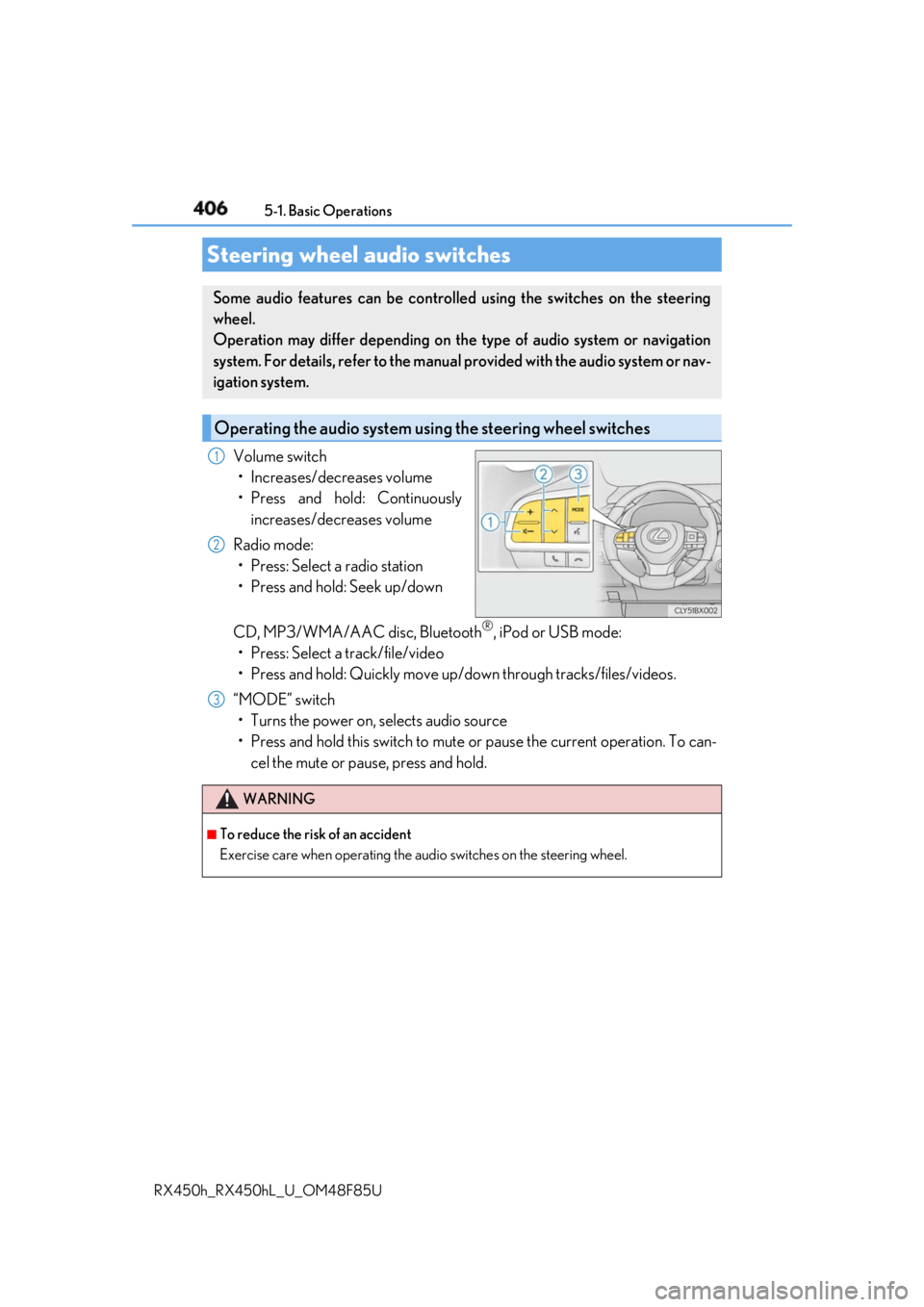
406 5-1. Basic Operations
RX450h_RX450hL _U_OM48F85UVolume switch
• Increases/decreases volume
• Press and hold: Continuously
increases/decreases volume
Radio mode:
• Press: Select a radio station
• Press and hold: Seek up/down
CD, MP3/WMA/AAC disc, Bluetooth ®
, iPod or USB mode:
• Press: Select a track/file/video
• Press and hold: Quickly move up/d own through tracks/files/videos.
“MODE” switch
• Turns the power on, selects audio source
• Press and hold this switch to mute or pause the current operation. To can-
cel the mute or pause, press and hold.Steering wheel audio switches Some audio features can be controlled using the switches on the steering
wheel.
Operation may differ depending on th e type of audio system or navigation
system. For details, refer to the manual provided with the audio system or nav-
igation system.
Operating the audio system us ing the steering wheel switches1
2
WARNING ■
To reduce the risk of an accident
Exercise care when operating the audio switches on the steering wheel. 3
Page 499 of 792

499
6Interior features
RX450h_RX450hL _U_OM48F85U6-1. Basic operation of the
Remote Touch screen
Remote Touch ............................ 500
12.3-inch display........................ 504
6-2. Using the air conditioning
system and defogger
Lexus Climate
Concierge ................................. 506
Front automatic air
conditioning system ...............507
Rear automatic air
conditioning system ...............522
Heated steering wheel/
seat heaters/
seat ventilators .........................525
6-3. Using the interior lights
Interior lights list......................... 528
• Interior lights ..........................529
• Personal lights ...................... 530
6-4. Using the storage features
List of storage features.............532
• Glove box ...............................534
• Console box ...........................534
• Cup holders........................... 535
• Door pockets .........................537 • Bottle holders ........................ 537
• Coin box ..................................538
• Auxiliary boxes .....................539
Luggage compartment
features .......................................540
6-5. Using the other interior
features
Other interior features ............ 547
• Sun visors ................................ 547
• Vanity mirrors ....................... 547
• Clock ........................................548
• Wireless charger .................548
• Power outlets.........................555
• Front passenger
footwell hooks ....................... 557
• Rear door sunshades ......... 557
• Armrest ................................... 558
• Assist grips..............................559
• Coat hooks .............................559
Garage door opener ...............560
Compass ....................................... 567
LEXUS Enform Safety
Connect ........................................571
LEXUS Enform Remote ......... 576
LEXUS Enform Service
Connect ...................................... 577