warning LEXUS RX450h 2018 Workshop Manual
[x] Cancel search | Manufacturer: LEXUS, Model Year: 2018, Model line: RX450h, Model: LEXUS RX450h 2018Pages: 792, PDF Size: 12.5 MB
Page 112 of 792
112 2. Instrument cluster
RX450h_RX450hL _U_OM48F85U■
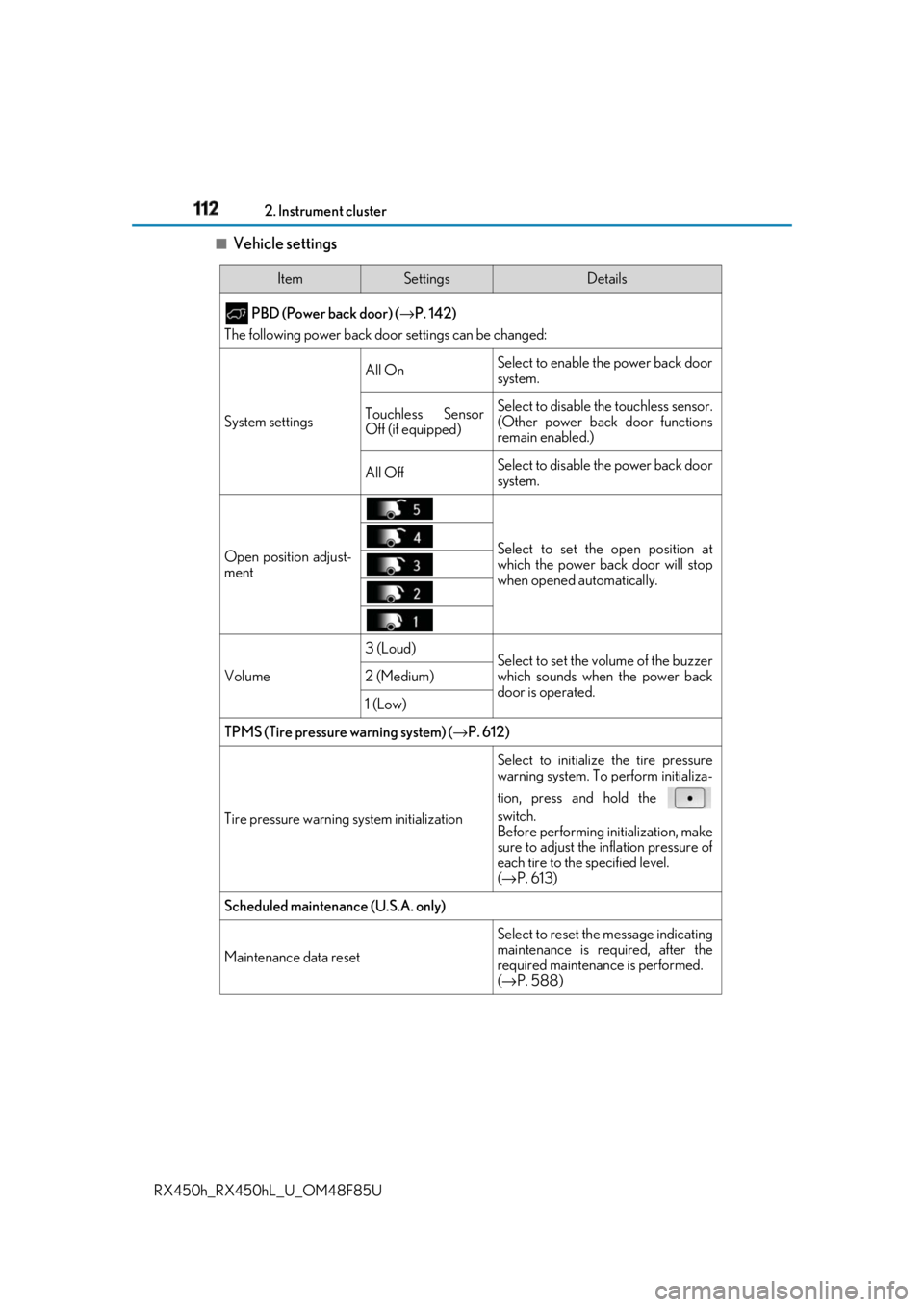
Vehicle settings Item Settings Details
PBD (Power back door) ( → P. 142)
The following power back door settings can be changed:
System settings All On Select to enable the power back door
system.
Touchless Sensor
Off (if equipped) Select to disable the touchless sensor.
(Other power back door functions
remain enabled.)
All Off Select to disable the power back door
system.
Open position adjust-
ment Select to set the open position at
which the power back door will stop
when opened automatically.
Volume 3 (Loud)
Select to set the volume of the buzzer
which sounds when the power back
door is operated.2 (Medium)
1 (Low)
TPMS (Tire pressure warning system) ( → P. 612)
Tire pressure warning system initialization Select to initializ e the tire pressure
warning system. To perform initializa-
tion, press and hold the
switch.
Before performing initialization, make
sure to adjust the inflation pressure of
each tire to the specified level.
( → P. 613)
Scheduled maintenance (U.S.A. only)
Maintenance data reset Select to reset the message indicating
maintenance is re quired, after the
required maintenanc e is performed.
( → P. 588)
Page 115 of 792
1152. Instrument cluster
2
Instrument cluster
RX450h_RX450hL _U_OM48F85U◆ Display items ■
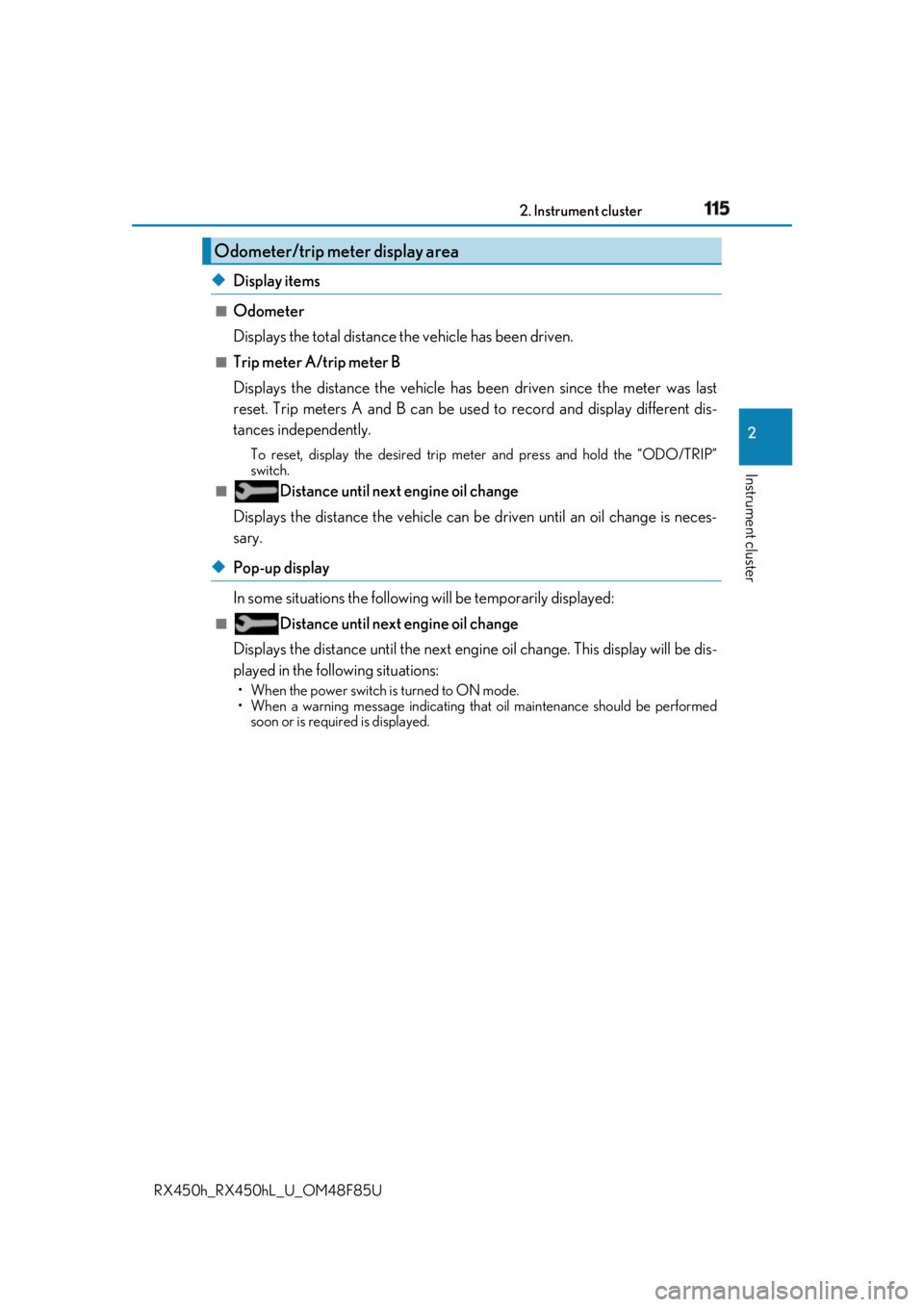
Odometer
Displays the total distance the vehicle has been driven. ■
Trip meter A/trip meter B
Displays the distance the vehicle has been driven since the meter was last
reset. Trip meters A and B can be used to record and display different dis-
tances independently. To reset, display the desired trip meter and press and hold the “ODO/TRIP”
switch.■
Distance until next engine oil change
Displays the distance the vehicle can be driven until an oil change is neces-
sary.
◆ Pop-up display
In some situations the following will be temporarily displayed:■
Distance until next engine oil change
Displays the distance until the next engi ne oil change. This display will be dis-
played in the following situations: • When the power switch is turned to ON mode.
• When a warning message indicating that oil maintenance shou ld be performed
soon or is required is displayed.Odometer/trip meter display area
Page 116 of 792
116 2. Instrument cluster
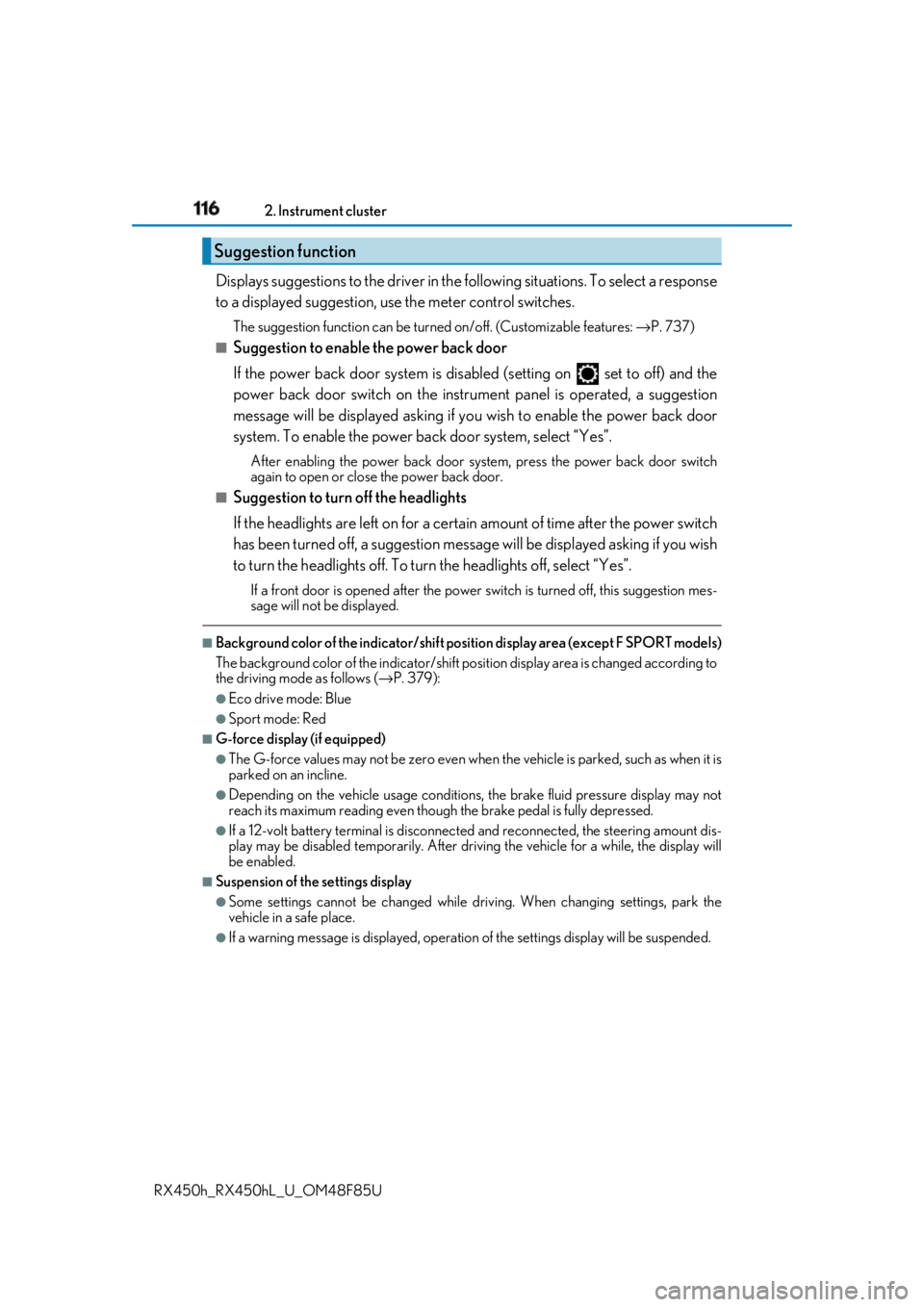
RX450h_RX450hL _U_OM48F85UDisplays suggestions to the driver in the following situations. To select a response
to a displayed suggestion, use the meter control switches. The suggestion function can be turned on/off. (Customizable features: → P. 737)■
Suggestion to enable the power back door
If the power back door system is disabled (setting on set to off) and the
power back door switch on the instru ment panel is operated, a suggestion
message will be displayed asking if yo u wish to enable the power back door
system. To enable the power back door system, select “Yes”. After enabling the power back door syst em, press the power back door switch
again to open or close the power back door.■
Suggestion to turn off the headlights
If the headlights are left on for a certai n amount of time af ter the power switch
has been turned off, a su ggestion message will be displayed asking if you wish
to turn the headlights off. To turn the headlights off, select “Yes”.If a front door is opened after the power switch is turned off, this suggestion mes-
sage will not be displayed.■
Background color of the indicator/shift posi tion display area (except F SPORT models)
The background color of the indicator/shift po sition display area is changed according to
the driving mode as follows ( → P. 379):●
Eco drive mode: Blue ●
Sport mode: Red ■
G-force display (if equipped) ●
The G-force values may not be zero even when the vehicle is parked, such as when it is
parked on an incline. ●
Depending on the vehicle usage conditions, the brake fluid pressure display may not
reach its maximum reading even though the brake pedal is fully depressed. ●
If a 12-volt battery terminal is disconnect ed and reconnected, the steering amount dis-
play may be disabled temporarily. After driv ing the vehicle for a while, the display will
be enabled. ■
Suspension of the settings display ●
Some settings cannot be changed while driv ing. When changing settings, park the
vehicle in a safe place. ●
If a warning message is displa yed, operation of the settin gs display will be suspended.Suggestion function
Page 117 of 792
1172. Instrument cluster
2
Instrument cluster
RX450h_RX450hL _U_OM48F85U■
Tire pressure ●
It may take a few minutes to display the tire inflation pressure after the power switch is
turned to ON mode. It may also take a few minutes to display the tire inflation pressure
after inflation pressure has been adjusted.●
“---” may be displayed if the tire position information cannot be determined due to
unfavorable radio wave conditions. ●
Tire inflation pressure changes with temperat ure. The displayed values may also be dif-
ferent from the values measured using a tire pressure gauge. ■
Liquid crystal display
Small spots or light spots may appear on the display. This phenomenon is characteristic
of liquid crystal displays, and there is no problem continuing to use the display.■
Customization
Some functions can be customized. ( → P. 108, 736)
WARNING ■
Caution for use while driving ●
When operating the multi-information display while driving, pay extra attention to the
safety of the area around the vehicle. ●
Do not look continuously at the multi-info rmation display while dr iving as you may fail
to see pedestrians, objects on the road, etc. ahead of the vehicle. ■
The information display at low temperatures
Allow the interior of the vehicle to warm up before using the liquid crystal information
display. At extremely low temperatures, th e information display monitor may respond
slowly, and display changes may be delayed.
For example, there is a lag between the dr iver’s shifting and the new gear number
appearing on the display. This lag could ca use the driver to downshift again, causing
rapid and excessive engine braking and possibly an accident resulting in death or
injury. ■
Cautions during setting up the display
As the hybrid system needs to be operating during setting up the display, ensure that
the vehicle is parked in a place with adequa te ventilation. In a closed area such as a
garage, exhaust gases including harmful carbon monoxide (CO) may collect and enter
the vehicle. This may lead to dea th or a serious health hazard.
NOTICE ■
While setting up the display
To prevent 12-volt battery discharge, ensure that the hybrid syst em is operating while
setting up the display features.
Page 118 of 792
118 2. Instrument cluster
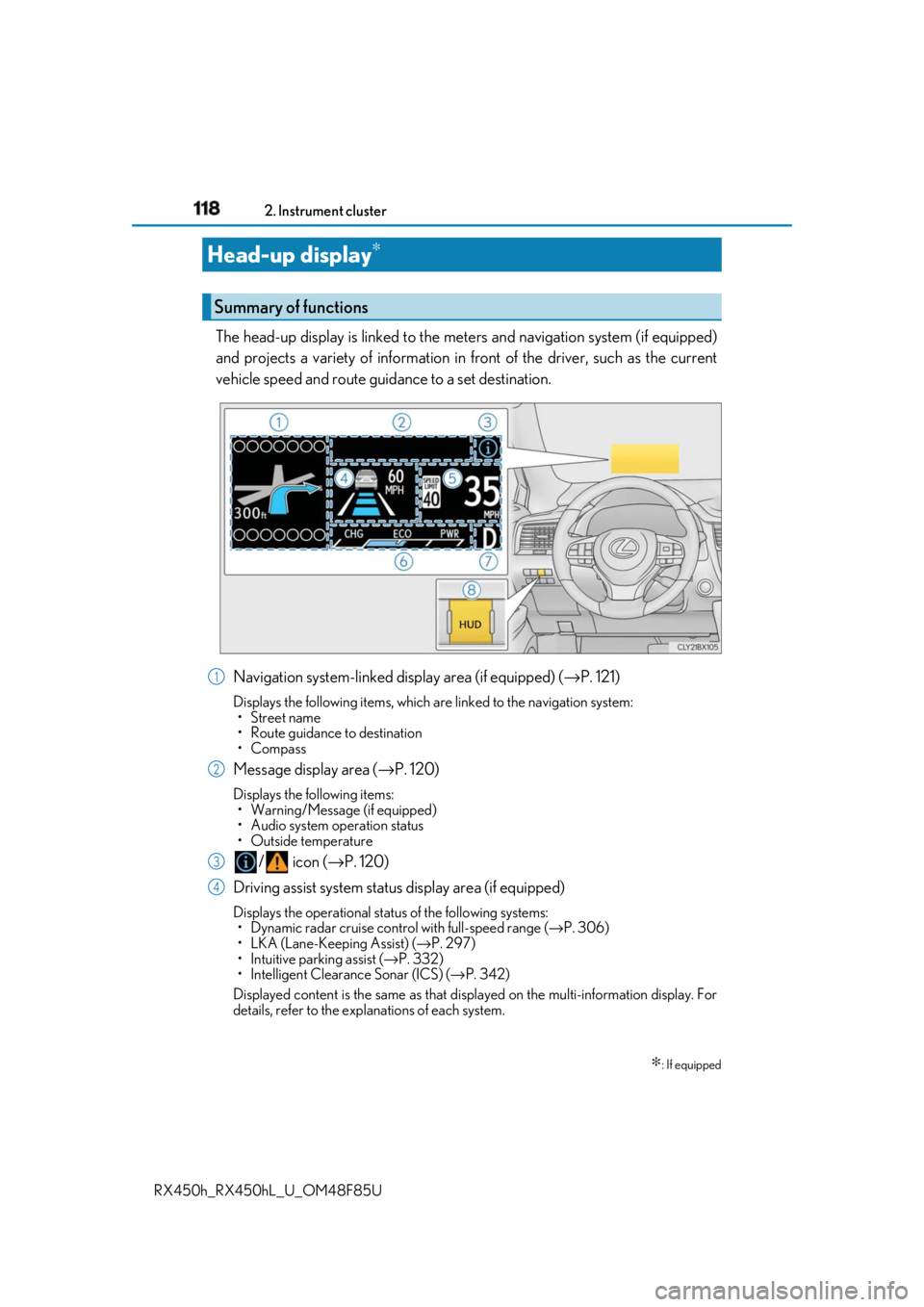
RX450h_RX450hL _U_OM48F85UThe head-up display is linked to the meters and navigation system (if equipped)
and projects a variety of information in front of the driver, such as the current
vehicle speed and route guid ance to a set destination.
Navigation system-linked display area (if equipped) ( → P. 121)Displays the following items, which are linked to the navigation system:
•Street name
• Route guidance to destination
•Compass
Message display area ( → P. 120)Displays the following items:
• Warning/Message (if equipped)
• Audio system operation status
• Outside temperature
/ icon ( → P. 120)
Driving assist system status display area (if equipped) Displays the operational stat us of the following systems:
• Dynamic radar cruise control with full-speed range ( → P. 306)
• LKA (Lane-Keeping Assist) ( → P. 297)
• Intuitive parking assist ( → P. 332)
• Intelligent Clearance Sonar (ICS) ( → P. 342)
Displayed content is the same as that disp layed on the multi-information display. For
details, refer to the explanations of each system.Head-up display ∗
∗ : If equippedSummary of functions
1
2
3
4
Page 120 of 792
120 2. Instrument cluster
RX450h_RX450hL _U_OM48F85UDisplays the following multi-in formation display linked icons:
: Master warning icon
Displayed when a warning message is displayed on the multi-information
display. ( → P. 667)
: Information icon
Displayed when a suggestion/advice po p-up display is displayed on the
multi-information display. ( → P. 116)
Displays the following items in the appropriate situation: ■
Warning/Message (if equipped)
Displays the following system warning/messages: • Pre-collision warning (pre-collision system)
• Alert from the Intelligent Clearance Sonar system
• Notification message (Dynamic radar cruise control with full-speed range)■
Audio system operation status
Displayed when the audio system is operated. ■
Outside temperature
Displayed in the following situations: • When the power switch is turned to ON mode
• When the low outside temperature indicator is flashing
Displayed content is the same as that disp layed on the multi-information display. For
details, refer to the explanation of the outs ide temperature displa y on the multi-infor-
mation display. ( → P. 96)/ icons
Message display area
Page 122 of 792
122 2. Instrument cluster
RX450h_RX450hL _U_OM48F85U■
Head-up display
The head-up display may seem dark or hard to see when viewed through sunglasses,
especially pola rized sunglasses.
Adjust the brightness of the head-up display or remove your sunglasses.■
When the 12-volt battery is disconnected
The customize settings of the head-up display will be reset.■
Display brightness
The brightness of the head-up display can be adjusted on of the multi-information
display. Also, it is automatically adju sted according to th e ambient brightness.■
Enabling/disabling of the head-up display
If the head-up display is disabled, it will remain disabled when the power switch is turned
off then back to ON mode. ■
Automatic adjustment of the head-up display position
A desired head-up display position can be entered to memory and recalled automati-
cally by the driving position memory system. ( → P. 181)■
Street name display (vehicle s with a navigation system)
Only street names which are included in the map data will be displayed.
WARNING ■
Before using the head-up display ●
Check that the position and brightness of the head-up display image does not inter-
fere with safe driving. Inco rrect adjustment of the image’s position or brightness may
obstruct the driver’s view and lead to an acc ident, resulting in de ath or serious injury.●
Do not continuously look at the head-up di splay while driving as you may fail to see
pedestrians, objects on the road, etc. ahead of the vehicle. ■
Caution for changing settings of the head-up display
As the hybrid system needs to be operating while changing the settings of the head-up
display, ensure that the vehicle is parked in a place with adequate ventilation. In a
closed area such as a garage, exhaust gases including harmful carbon monoxide (CO)
may collect and enter the vehicle. This may lead to death or a serious health hazard.
Page 140 of 792
140 3-2. Opening, closing and locking the doors
RX450h_RX450hL _U_OM48F85U■
Switching the door unlock function
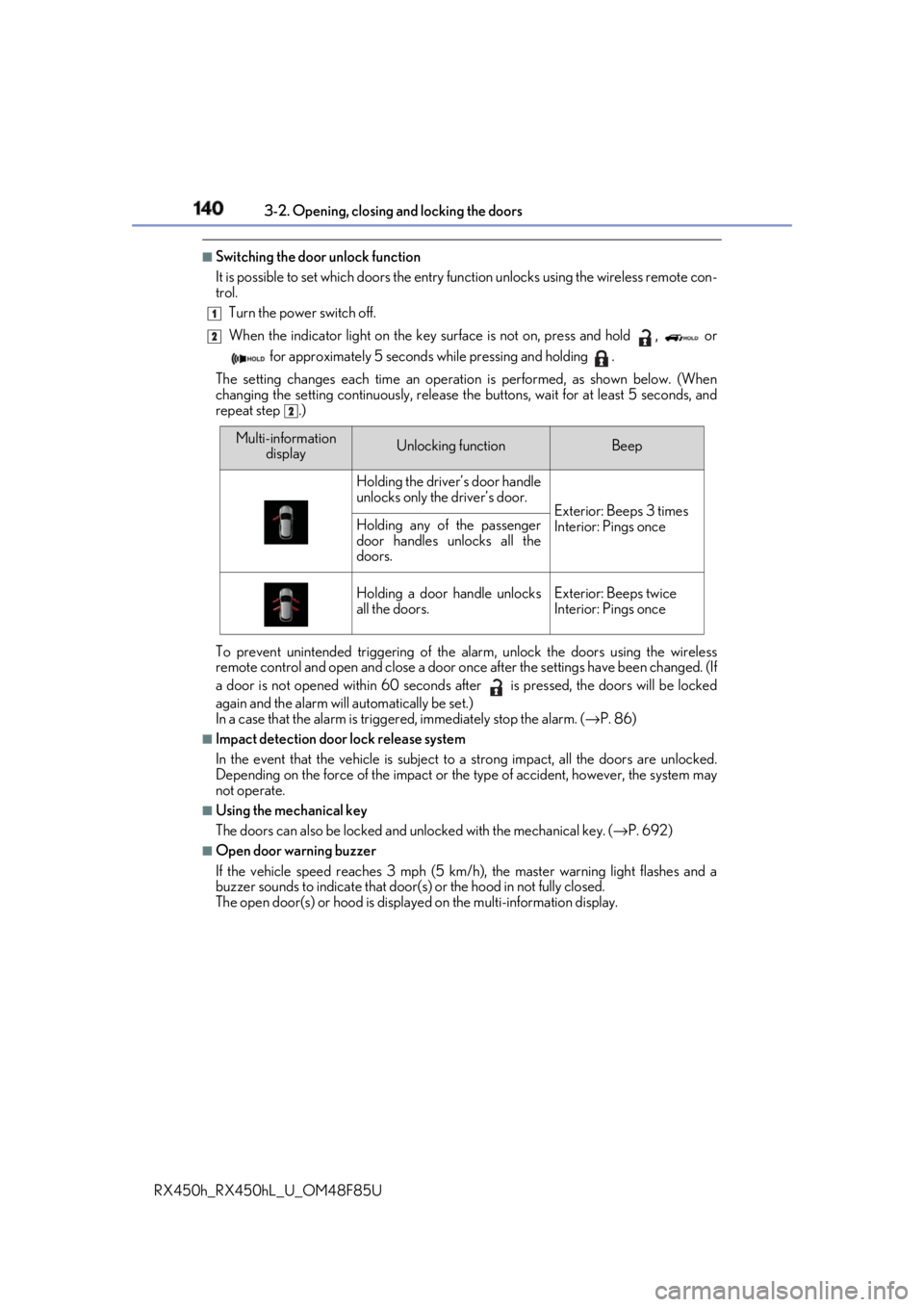
It is possible to set which doors the entry function unlock s using the wireless remote con-
trol.
Turn the power switch off.
When the indicator light on the key su rface is not on, press and hold , or
for approximately 5 seconds while pressing and holding .
The setting changes each time an operation is performed, as shown below. (When
changing the setting continuously, release the buttons, wait for at least 5 seconds, and
repeat step .)
To prevent unintended triggering of the alarm, unlock the doors using the wireless
remote control and open and close a door once after the settings have been changed. (If
a door is not opened within 60 seconds af ter is pressed, the doors will be locked
again and the alarm will automatically be set.)
In a case that the alarm is triggered, immediately stop the alarm. ( → P. 86)■
Impact detection door lock release system
In the event that the vehicle is subject to a strong impact, all the doors are unlocked.
Depending on the force of the impact or the type of accident, however, the system may
not operate. ■
Using the mechanical key
The doors can also be locked and unlocked with the mechanical key. ( → P. 692)■
Open door warning buzzer
If the vehicle speed reaches 3 mph (5 km/h), the master warning light flashes and a
buzzer sounds to indicate that door (s) or the hood in not fully closed.
The open door(s) or hood is displa yed on the multi-information display.1
2
2
Multi-information
display Unlocking function Beep
Holding the driver’s door handle
unlocks only the driver’s door.
Exterior: Beeps 3 times
Interior: Pings onceHolding any of the passenger
door handles unlocks all the
doors.
Holding a door handle unlocks
all the doors. Exterior: Beeps twice
Interior: Pings once
Page 141 of 792
1413-2. Opening, closing and locking the doors
3
Operation of each component
RX450h_RX450hL _U_OM48F85U■
Conditions affecting the oper ation of the smart access sy stem with push-button start
or wireless remote control
→ P. 160 ■
Customization
Some functions can be customized. ( → P. 736)
WARNING ■
To prevent an accident
Observe the following precautions while driving the vehicle.
Failure to do so may result in a door open ing and an occupant falling out, resulting in
death or serious injury. ●
Ensure that all doors are properly closed and locked. ●
Do not pull the inside handle of the doors while driving.
Be especially careful for the front doors, as the doors may be opened even if the
inside lock buttons are in locked position. ●
Set the rear door child-protector locks wh en children are seated in the rear seats.■
When opening or closing a door
Check the surroundings of the vehicle such as whether the vehicle is on an incline,
whether there is enough space for a door to open and whether a strong wind is blow-
ing. When opening or closing the door, hold the door handle tightly to prepare for any
unpredictable movement.
Page 152 of 792
152 3-2. Opening, closing and locking the doors
RX450h_RX450hL _U_OM48F85UWARNING
Observe the following precautions.
Failure to do so may cause parts of the body to be caught, resulting in death or serious
injury. ■
Before driving the vehicle
Before driving the vehicle, ma ke sure that the power back door is fully closed. If the
power back door is not fully closed, it may open unexpectedly while driving, causing an
accident. ■
Caution while driving ●
Keep the power back door closed while driving.
If the power back door is left open, it ma y hit nearby objects while driving or luggage
may be unexpectedly thrown out, causing an accident.
In addition, exhaust gases may enter the ve hicle, causing death or a serious health
hazard. Make sure to close the po wer back door before driving. ●
Never let anyone sit in the luggage compartment.
In the event of sudden braking, sudden swerving or a collision, they are susceptible to
death or serious injury. ■
When children are in the vehicle
Observe the following precautions.
Failure to do so may result in death or serious injury.●
Do not allow children to play in the luggage compartment.
If a child is accidentally lo cked in the luggage compartment, they could have heat
exhaustion or other injuries. ●
Do not allow a child to open or close the power back door.
Doing so may cause the power back door to move unexpectedly, or cause the child’s
hands, arms, head, or neck to be caught by the closing power back door. (The power
back door will not operate when it is disabled: → P. 112)