deactivate LEXUS RX450H 2019 User Guide
[x] Cancel search | Manufacturer: LEXUS, Model Year: 2019, Model line: RX450H, Model: LEXUS RX450H 2019Pages: 792, PDF Size: 13.48 MB
Page 249 of 792

2494-2. Driving procedures
4
Driving
RX450h_RX450hL_U
■When the “-” paddle shift switch is operated with the shift lever in the D position (vehi-
cles with paddle shift switches)
The shift range is downshifted to a range that enables engine braking force that is suit-
able to driving conditions.
■Automatic deactivation of shif t range selection in the D position (vehicles with paddle
shift switches)
Shift range selection in the D position will be deactivated in the following situations:
●When the vehicle comes to a stop
●If the accelerator pedal is depressed fo r more than a certain period of time
●When the shift lever is shifted to a position other than D
■S mode
●When the shift range is S4 or lower, holding the shift lever toward “+” sets the shift
range to S6.
●Automatically selects a higher shift range before the engine speed becomes too high.
■Downshifting restriction warning buzzer
To help ensure safety and driving performance, downshifti ng operation may sometimes
be restricted. In some circum stances, downshifting may not be possible even when the
shift lever or paddle shift sw itch (if equipped) is operated . (A buzzer will sound twice.)
■When driving with dynamic radar cruise control with full-speed range activated
Even when performing the following actions with the intent of enabling engine braking,
engine braking will not occur because dynamic radar cruise control with full-speed
range will not be canceled.
●Vehicles without paddle shift switches: While driving in S mode, downshifting to 5 or 4.
( P. 306)
●Vehicles with paddle shift sw itches: While driving in D or S mode, downshifting to 5 or
4. ( P. 306)
●When switching the driving mode to spor t mode while driving in the D position
( P. 379)
■Restraining sudden start (Drive-Start Control)
When the following unusual operation is performed, the hybrid system output may be
restrained.
●When the shift lever is shifted from R to D, D to R, N to R, P to D, or P to R (D includes S)
with the accelerator pedal depressed, a wa rning message appears on the multi-infor-
mation display. If a warning message is shown on the multi- information display, read the
message and follow the instructions.
●When the accelerator pedal is depressed too while the vehicle is in reverse.
■Shift lock system
The shift lock system is a system to prevent ac cidental operation of the shift lever in start-
ing.
The shift lever can be shifted from P only wh en the power switch is in ON mode and the
brake pedal is being depressed.
Page 310 of 792

3104-5. Using the driving support systems
RX450h_RX450hL_U
Press the “ON/OFF” button to acti-
vate the cruise control.
Radar cruise control indicator will come
on and a message will be displayed on
the multi-information display.
Press the button again to deactivate the
cruise control.
If the “ON/OFF” button is pressed and
held for 1.5 seconds or more, the system
turns on in constant speed control
mode. ( P. 315)
Accelerate or decelerate, with
accelerator pedal operation, to the
desired vehicle speed (at or above
approximately 30 mph [50 km/h])
and push the lever down to set the
speed.
Cruise control “SET” indicator will come
on.
The vehicle speed at the moment the
lever is released becomes the set speed.
If the lever is operated while the vehicl e speed is below approximately 30 mph (50
km/h) and a preceding vehicle is present, the set speed will be adjusted to approxi-
mately 30 mph (50 km/h).
Setting the vehicle speed (vehicle-to-vehicle distance control mode)
1
2
Page 363 of 792
3634-5. Using the driving support systems
4
Driving
RX450h_RX450hL_U
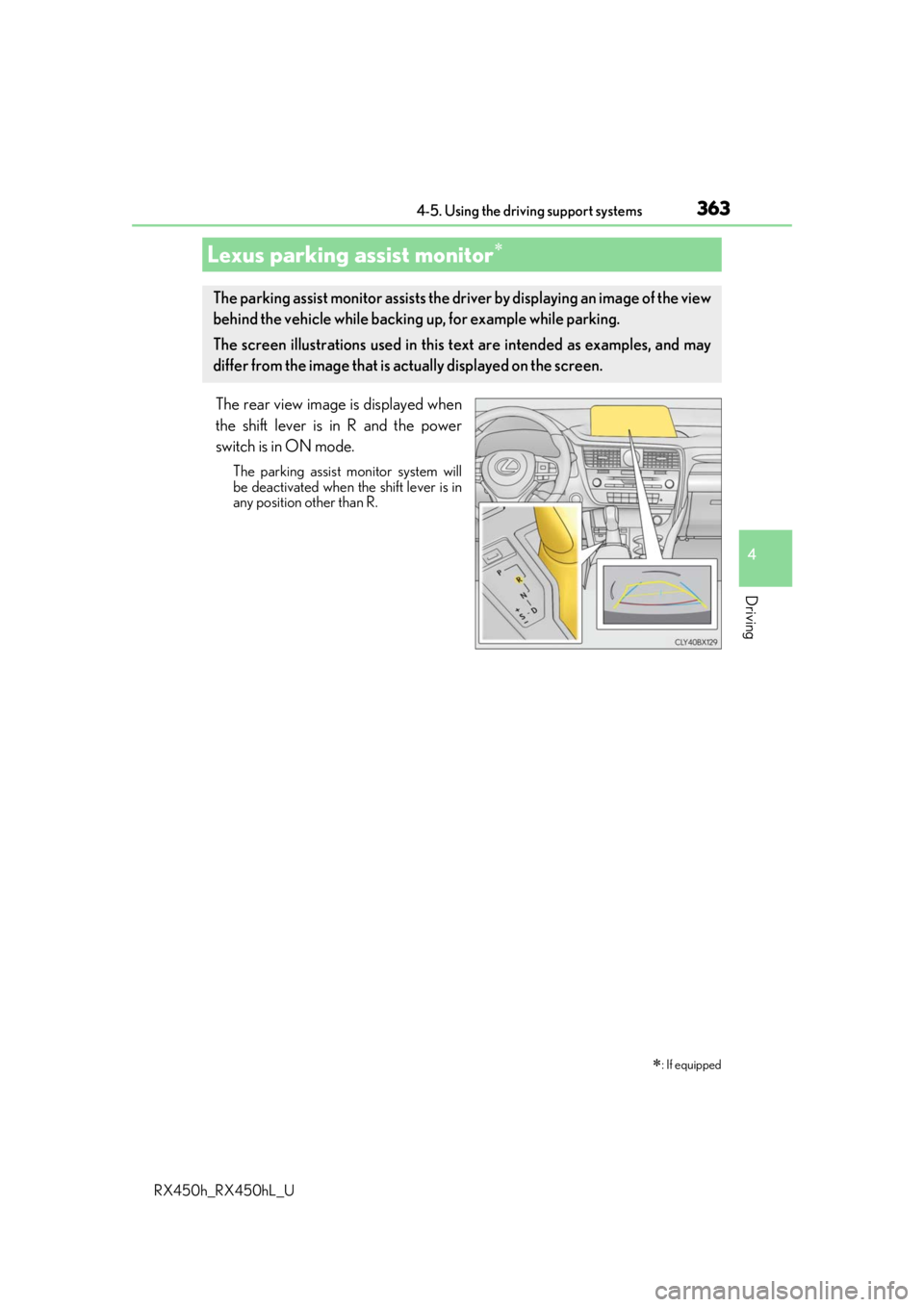
The rear view image is displayed when
the shift lever is in R and the power
switch is in ON mode.
The parking assist monitor system will
be deactivated when the shift lever is in
any position other than R.
Lexus parking assist monitor
: If equipped
The parking assist monitor assists the driv er by displaying an image of the view
behind the vehicle while backing up, for example while parking.
The screen illustrations used in this text are intended as examples, and may
differ from the image that is ac tually displayed on the screen.
Page 693 of 792
6938-2. Steps to take in an emergency
8
When trouble arises
RX450h_RX450hL_U
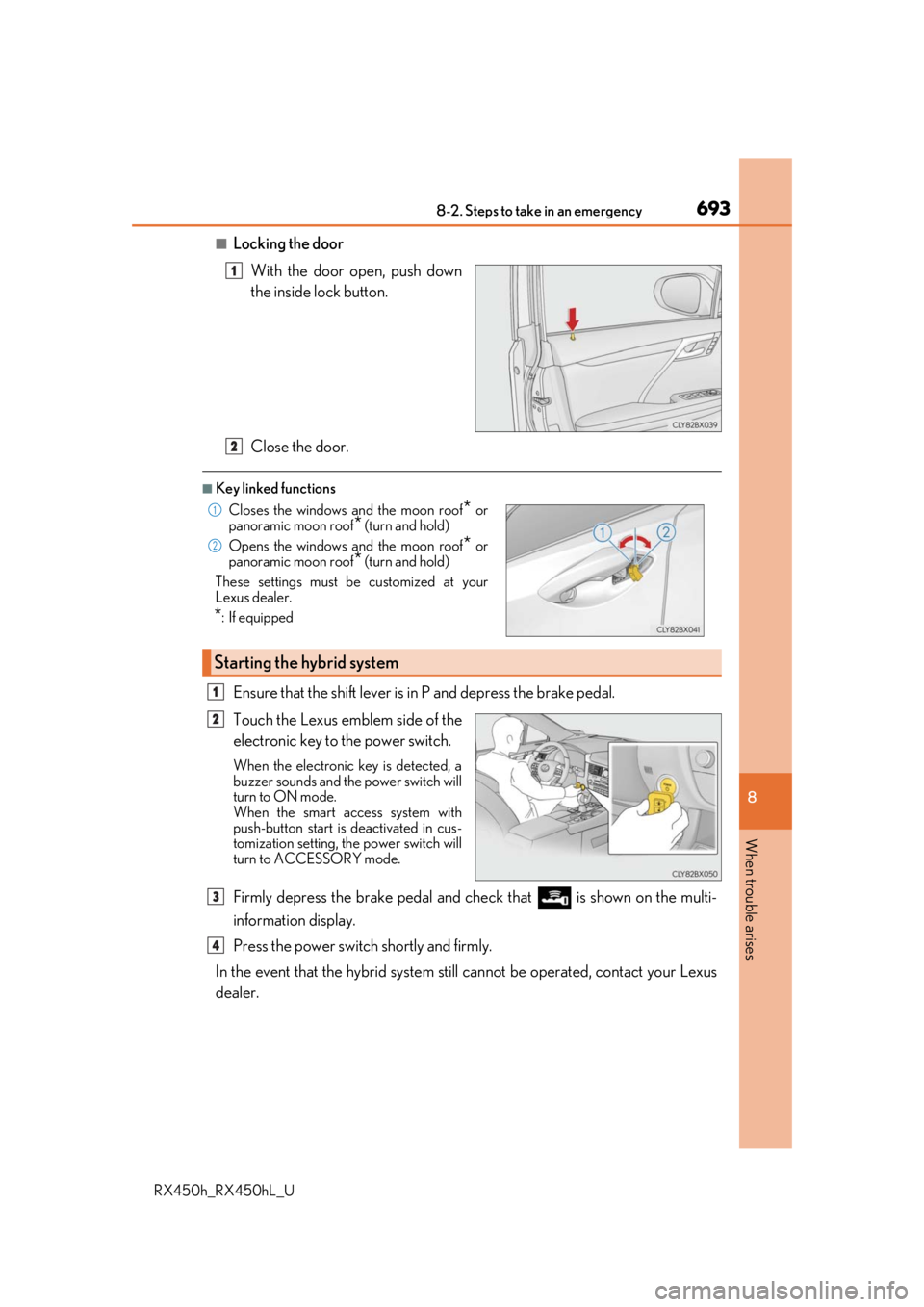
■Locking the doorWith the door open, push down
the inside lock button.
Close the door.
■Key linked functions
Ensure that the shift lever is in P and depress the brake pedal.
Touch the Lexus emblem side of the
electronic key to the power switch.
When the electronic key is detected, a
buzzer sounds and the power switch will
turn to ON mode.
When the smart access system with
push-button start is deactivated in cus-
tomization setting, the power switch will
turn to ACCESSORY mode.
Firmly depress the brake pedal and check that is shown on the multi-
information display.
Press the power switch shortly and firmly.
In the event that the hybrid system still cannot be operated, contact your Lexus
dealer.
1
Closes the windows and the moon roof* or
panoramic moon roof* (turn and hold)
Opens the windows and the moon roof
* or
panoramic moon roof
* (turn and hold)
These settings must be customized at your
Lexus dealer.
*: If equipped
Starting the hybrid system
2
1
2
1
2
3
4