radio LEXUS RX450H 2019 User Guide
[x] Cancel search | Manufacturer: LEXUS, Model Year: 2019, Model line: RX450H, Model: LEXUS RX450H 2019Pages: 792, PDF Size: 13.48 MB
Page 166 of 792

1663-2. Opening, closing and locking the doors
RX450h_RX450hL_U
WARNING
■Caution regarding interference with electronic devices
●People with implantable cardiac pacema kers, cardiac resynchronization therapy-
pacemakers or implantable cardioverter de fibrillators should keep away from the
smart access system with push-button start antennas. ( P. 158)
The radio waves may affect the operation of such devices. If necessary, the entry
function can be disabled. Ask your Lexus dealer for details, such as the frequency of
radio waves and timing of the emitted radio waves. Then, consult your doctor to see if
you should disable the entry function.
●Users of any electrical medical device ot her than implantable cardiac pacemakers,
cardiac resynchronization th erapy-pacemakers or implantable cardioverter defibril-
lators should consult the manufacturer of the device for information about its opera-
tion under the influence of radio waves.
Radio waves could have unexpected effects on the operation of such medical
devices.
Ask your Lexus dealer for details on disabling the entry function.
Page 293 of 792
2934-5. Using the driving support systems
4
Driving
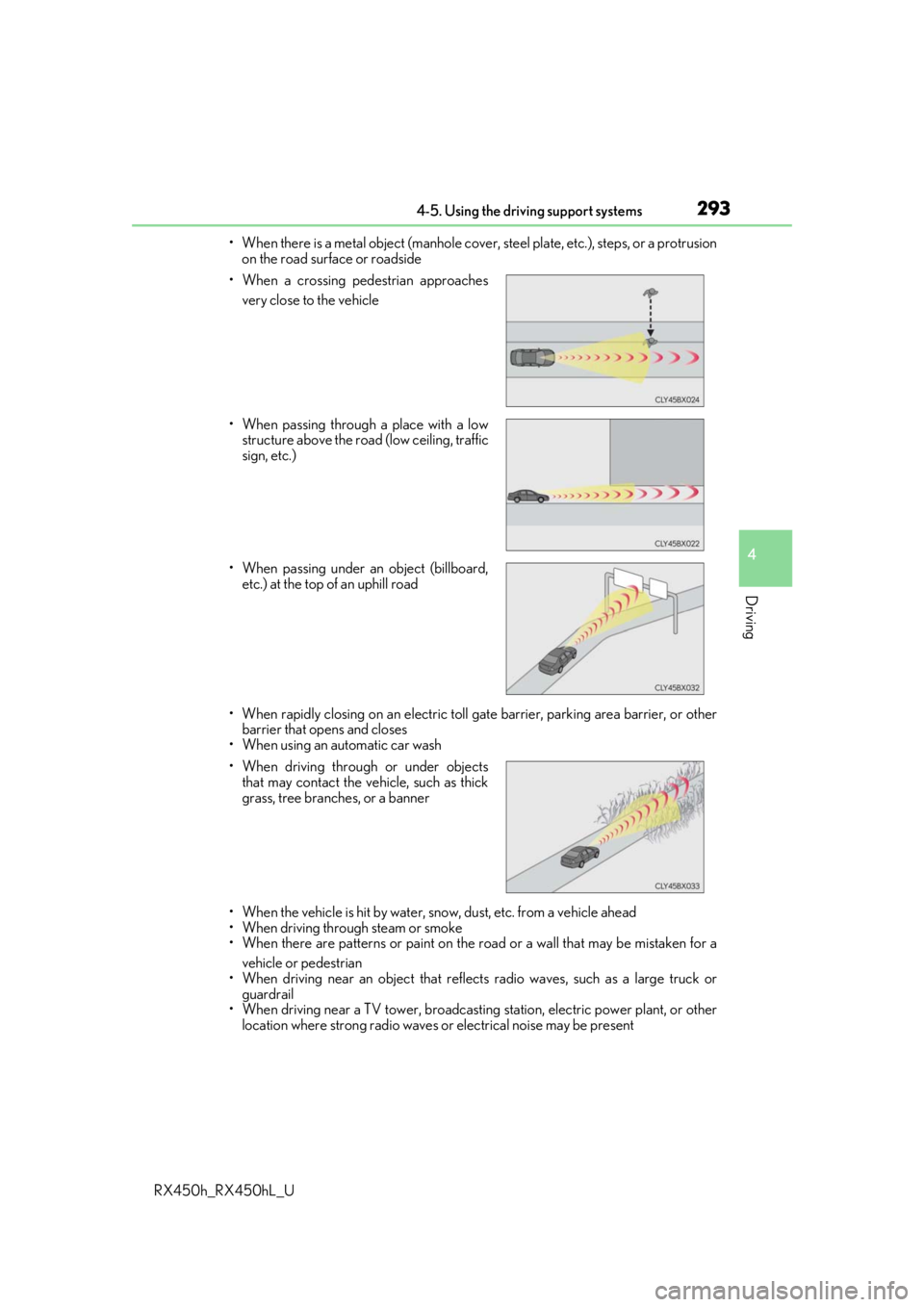
RX450h_RX450hL_U• When there is a metal object (manhole cover, steel plate, etc.), steps, or a protrusion
on the road surface or roadside
• When rapidly closing on an electric toll ga te barrier, parking area barrier, or other
barrier that opens and closes
• When using an automatic car wash
• When the vehicle is hit by water, sn ow, dust, etc. from a vehicle ahead
• When driving through steam or smoke
• When there are patterns or paint on the road or a wall that may be mistaken for a
vehicle or pedestrian
• When driving near an object that reflects radio waves, such as a large truck or
guardrail
• When driving near a TV tower, broadcasting station, electric power plant, or other
location where strong radio waves or electrical noise may be present
• When a crossing pedestrian approaches
very close to the vehicle
• When passing through a place with a low structure above the road (low ceiling, traffic
sign, etc.)
• When passing under an object (billboard, etc.) at the top of an uphill road
• When driving through or under objects that may contact the vehicle, such as thick
grass, tree branches, or a banner
Page 398 of 792
398
RX450h_RX450hL_U
5-1. Basic OperationsLexus Display Audio system ......................................... 400
Steering wheel audio switches.......................................406
Mobile Assistant......................... 407
USB/AUX ports ........................409
5-2. Setup Setup menu ....................................412
General settings .......................... 413
Voice settings ............................... 416
Display settings .............................417
5-3. Using the audio system Selecting the audio source ........................................... 418
Optimal use of the audio system ........................................... 419
Audio settings ............................. 420
Audio menu screen operation .................................... 423
5-4. Using the radio Radio operation.......................... 426
5-5. Playing an audio CD and MP3/WMA/AAC discs
CD player operation ................ 433
5
Lexus Display Audio system
Page 400 of 792
400
RX450h_RX450hL_U5-1. Basic Operations
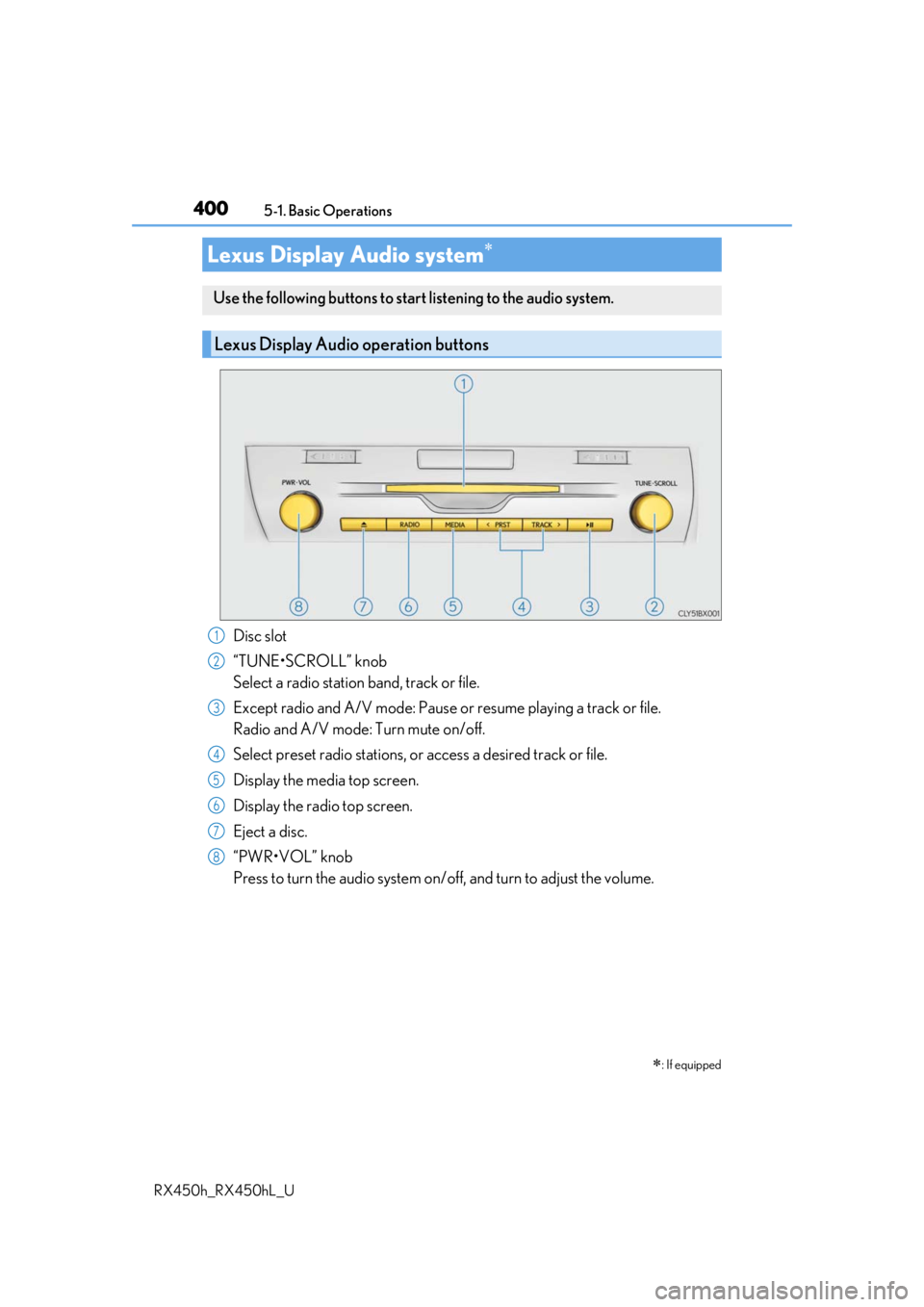
Disc slot
“TUNE•SCROLL” knob
Select a radio station band, track or file.
Except radio and A/V mode: Pause or
resume playing a track or file.
Radio and A/V mode: Turn mute on/off.
Select preset radio stations, or access a desired track or file.
Display the media top screen.
Display the radio top screen.
Eject a disc.
“PWR•VOL” knob
Press to turn the audio system on/o ff, and turn to adjust the volume.
Lexus Display Audio system
: If equipped
Use the following buttons to star t listening to the audio system.
Lexus Display Audio operation buttons
1
2
3
4
5
6
7
8
Page 401 of 792
4015-1. Basic Operations
5
Lexus Display Audio system
RX450h_RX450hL_U
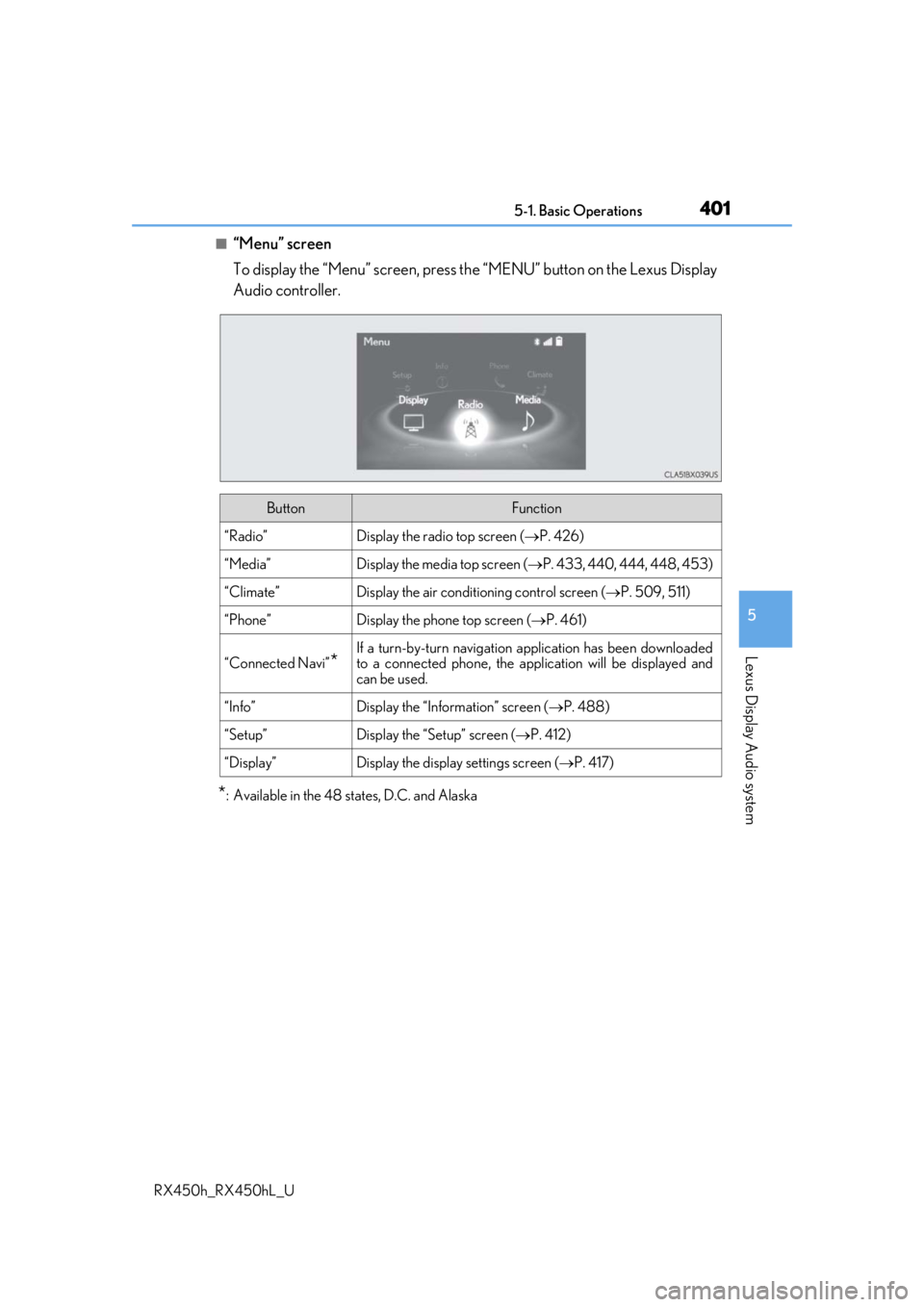
■“Menu” screen
To display the “Menu” screen, press the “MENU” button on the Lexus Display
Audio controller.
*: Available in the 48 states, D.C. and Alaska
ButtonFunction
“Radio”Display the radio top screen ( P. 426)
“Media”Display the media top screen ( P. 433, 440, 444, 448, 453)
“Climate”Display the air conditioning control screen ( P. 509, 511)
“Phone”Display the phone top screen ( P. 461)
“Connected Navi”*
If a turn-by-turn navigation application has been downloaded
to a connected phone, the appl ication will be displayed and
can be used.
“Info”Display the “Information” screen ( P. 488)
“Setup”Display the “Setup” screen ( P. 412)
“Display”Display the display settings screen ( P. 417)
Page 406 of 792
4065-1. Basic Operations
RX450h_RX450hL_U
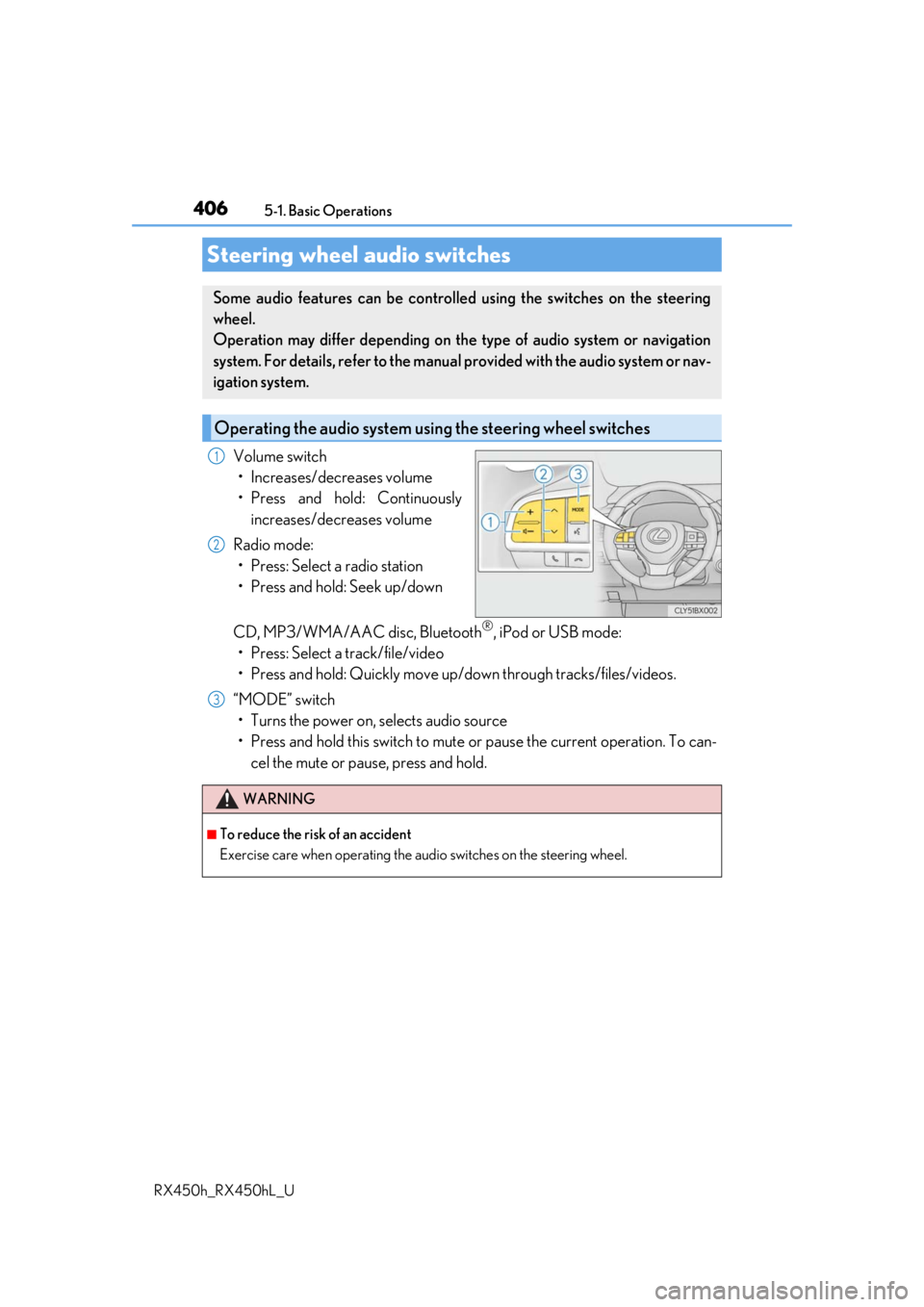
Volume switch • Increases/decreases volume
• Press and hold: Continuously increases/decreases volume
Radio mode: • Press: Select a radio station
• Press and hold: Seek up/down
CD, MP3/WMA/AAC disc, Bluetooth
®, iPod or USB mode:
• Press: Select a track/file/video
• Press and hold: Quickly move up/d own through tracks/files/videos.
“MODE” switch • Turns the power on, selects audio source
• Press and hold this switch to mute or pause the current operation. To can- cel the mute or pause, press and hold.
Steering wheel audio switches
Some audio features can be controlled using the switches on the steering
wheel.
Operation may differ depending on th e type of audio system or navigation
system. For details, refer to the manual provided with the audio system or nav-
igation system.
Operating the audio system us ing the steering wheel switches
1
2
WARNING
■To reduce the risk of an accident
Exercise care when operating the audio switches on the steering wheel.
3
Page 412 of 792
412
RX450h_RX450hL_U5-2. Setup
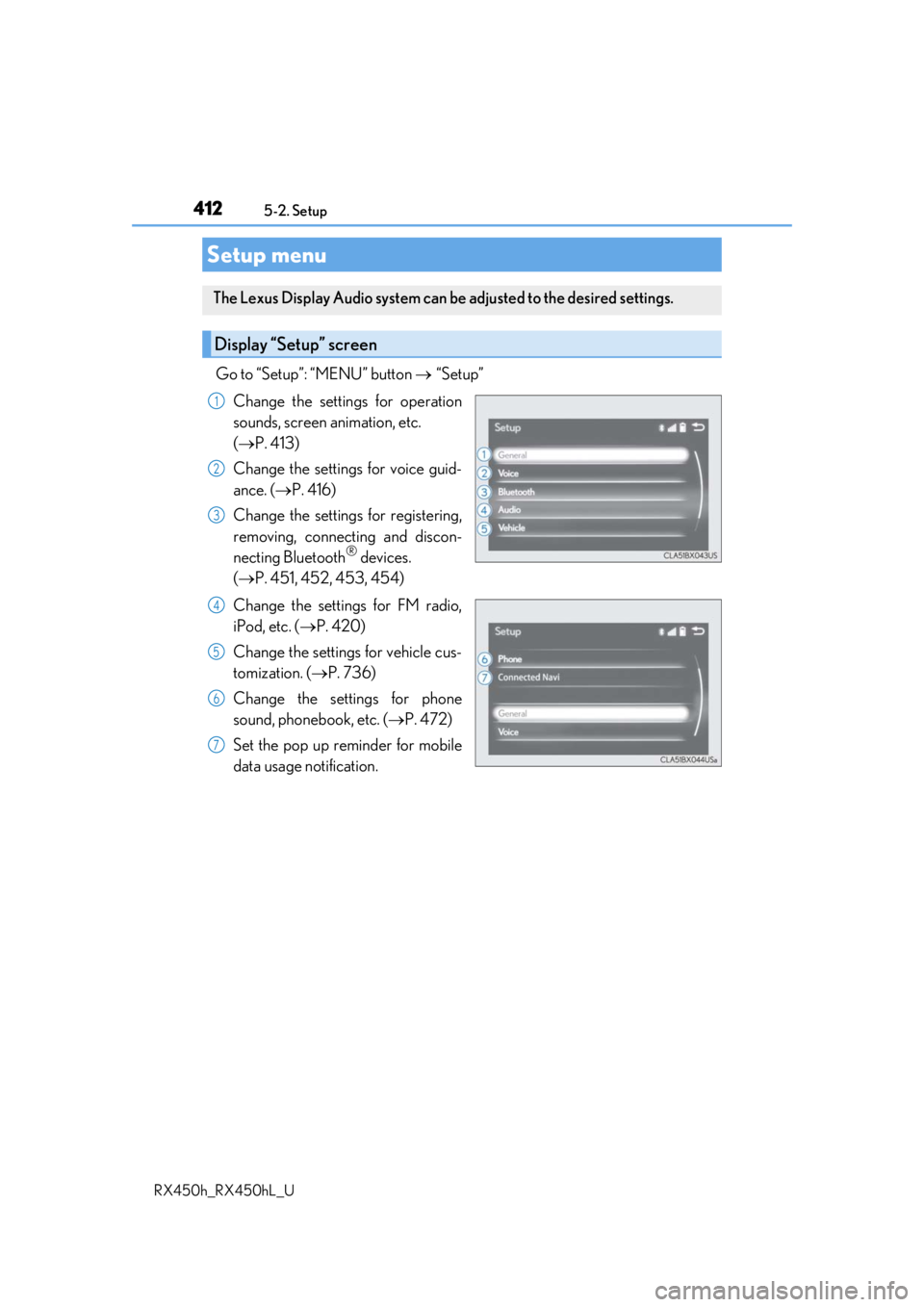
Go to “Setup”: “MENU” button
“Setup”
Change the settings for operation
sounds, screen animation, etc.
( P. 413)
Change the settings for voice guid-
ance. ( P. 416)
Change the settings for registering,
removing, connecting and discon-
necting Bluetooth
® devices.
( P. 451, 452, 453, 454)
Change the settings for FM radio,
iPod, etc. ( P. 420)
Change the settings for vehicle cus-
tomization. ( P. 736)
Change the settings for phone
sound, phonebook, etc. ( P. 472)
Set the pop up reminder for mobile
data usage notification.
Setup menu
The Lexus Display Audio system can be adjusted to the desired settings.
Display “Setup” screen
1
2
3
4
5
6
7
Page 418 of 792
418
RX450h_RX450hL_U5-3. Using the audio system
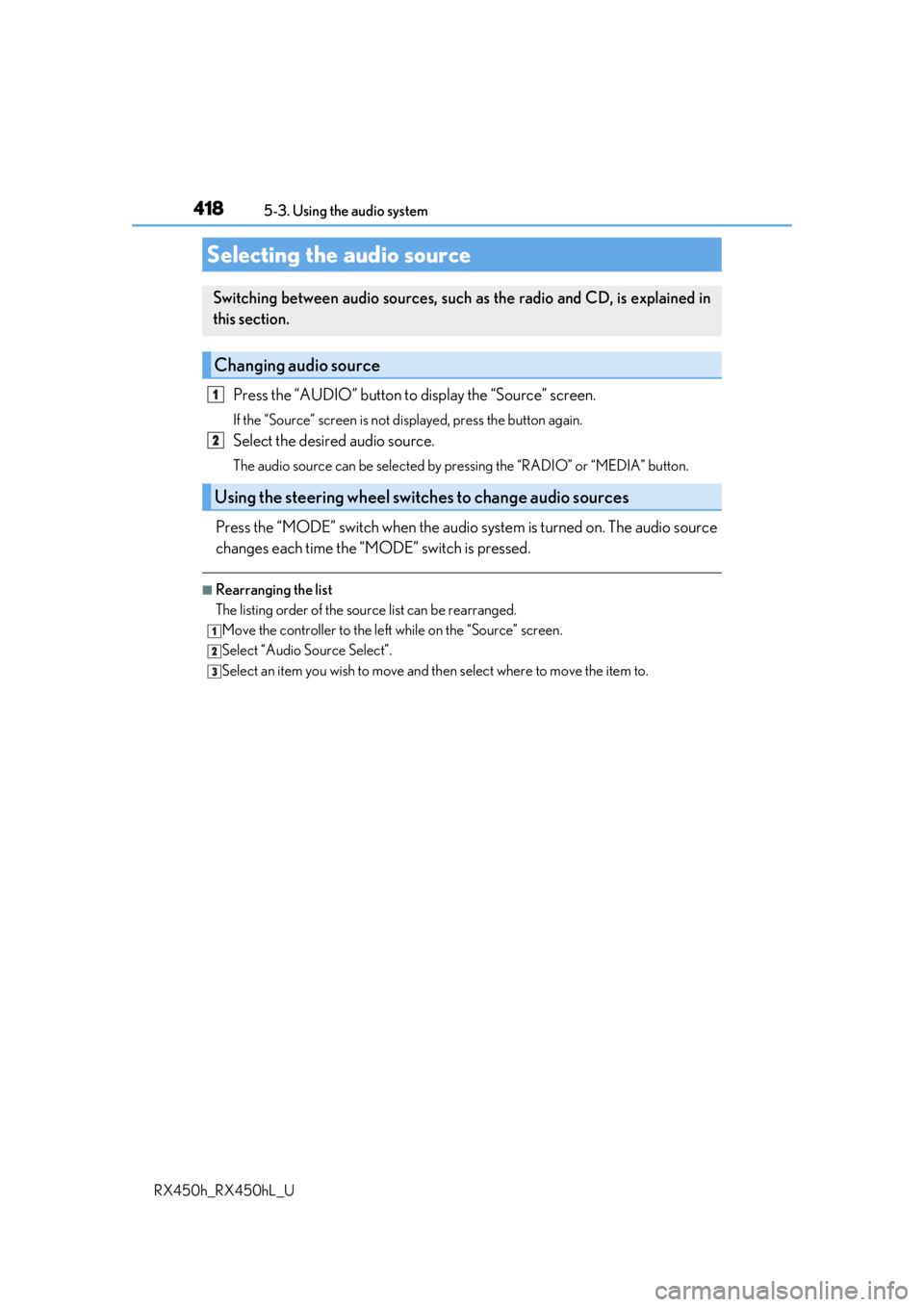
Press the “AUDIO” button to
display the “Source” screen.
If the “Source” screen is not displayed, press the button again.
Select the desired audio source.
The audio source can be selected by pressing the “RADIO” or “MEDIA” button.
Press the “MODE” switch when the audio system is turned on. The audio source
changes each time the “MODE” switch is pressed.
■Rearranging the list
The listing order of the sour ce list can be rearranged.
Move the controller to the left while on the “Source” screen.
Select “Audio Source Select”.
Select an item you wish to move and th en select where to move the item to.
Selecting the audio source
Switching between audio sources, such as the radio and CD, is explained in
this section.
Changing audio source
Using the steering wheel switches to change audio sources
1
2
1
2
3
Page 420 of 792
4205-3. Using the audio system
RX450h_RX450hL_U
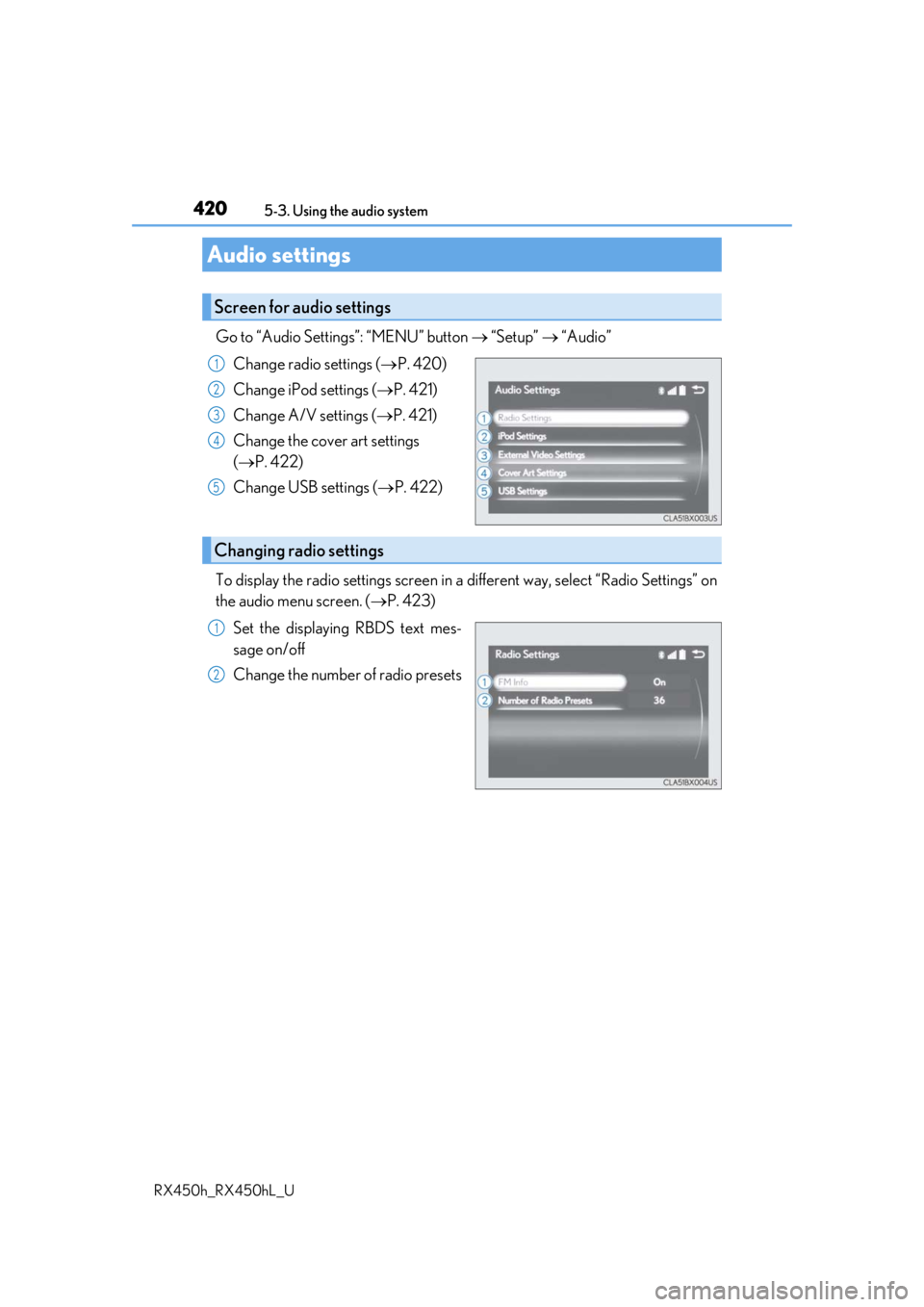
Go to “Audio Settings”: “MENU” button “Setup” “Audio”
Change radio settings ( P. 420)
Change iPod settings ( P. 421)
Change A/V settings ( P. 421)
Change the cover art settings
( P. 422)
Change USB settings ( P. 422)
To display the radio settings screen in a different way, select “Radio Settings” on
the audio menu screen. ( P. 423)
Set the displaying RBDS text mes-
sage on/off
Change the number of radio presets
Audio settings
Screen for audio settings
1
2
3
4
5
Changing radio settings
1
2
Page 423 of 792
4235-3. Using the audio system
5
Lexus Display Audio system
RX450h_RX450hL_U
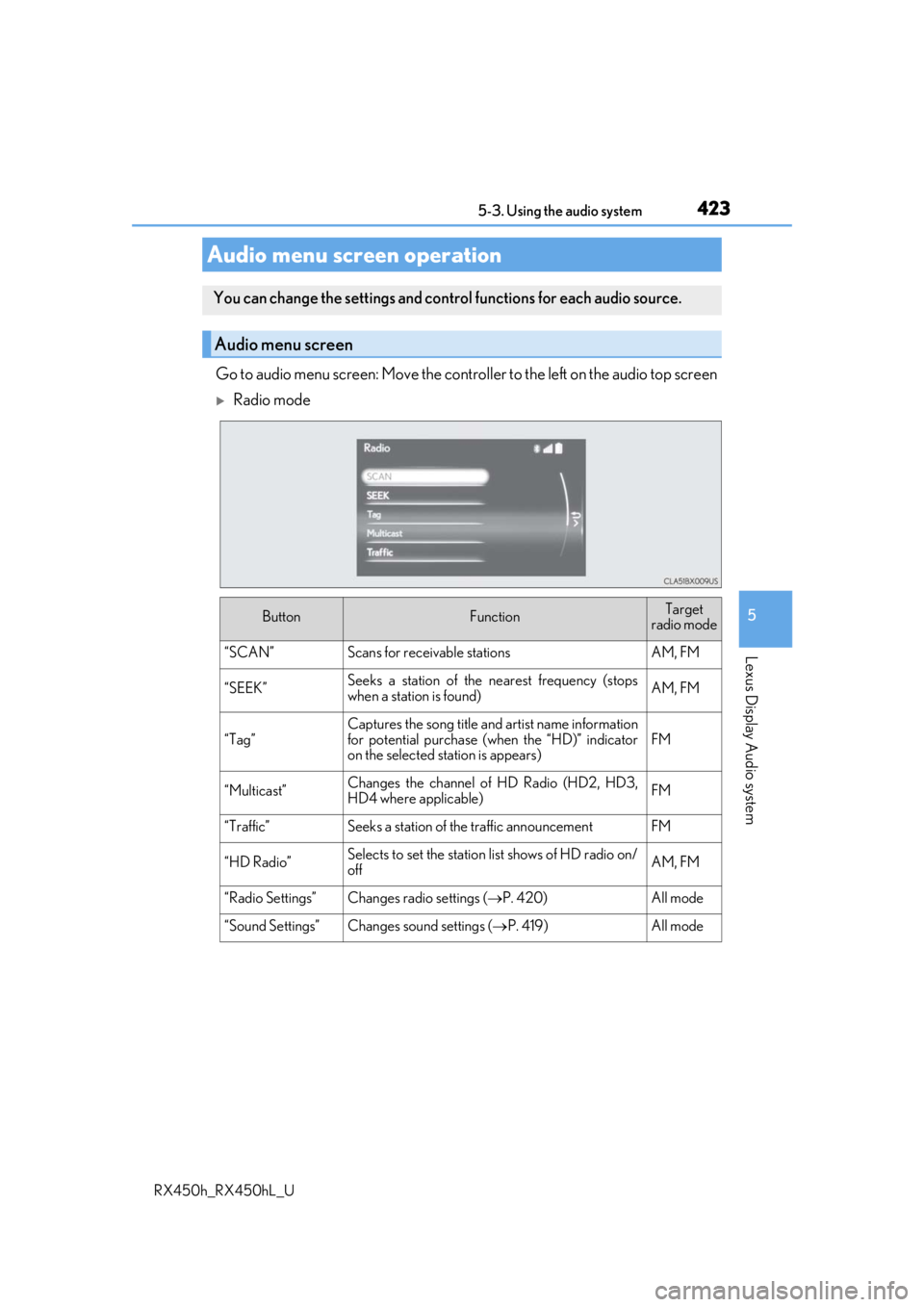
Go to audio menu screen: Move the controller to the left on the audio top screen
Radio mode
Audio menu screen operation
You can change the settings and control functions for each audio source.
Audio menu screen
ButtonFunctionTarget
radio mode
“SCAN”Scans for receivable stationsAM, FM
“SEEK”Seeks a station of the nearest frequency (stops
when a station is found)AM, FM
“Tag”
Captures the song title and artist name information
for potential purchase (when the “HD)” indicator
on the selected st ation is appears)
FM
“Multicast”Changes the channel of HD Radio (HD2, HD3,
HD4 where applicable)FM
“Traffic”Seeks a station of th e traffic announcementFM
“HD Radio”Selects to set the station list shows of HD radio on/
offAM, FM
“Radio Settings”Changes radio settings ( P. 420)All mode
“Sound Settings”Changes sound settings (P. 419)All mode