power LEXUS RX450H 2019 Repair Manual
[x] Cancel search | Manufacturer: LEXUS, Model Year: 2019, Model line: RX450H, Model: LEXUS RX450H 2019Pages: 792, PDF Size: 13.48 MB
Page 178 of 792
1783-3. Adjusting the seats
RX450h_RX450hL_U
■Precautions for power seats (if equipped)
If a seat cover or seat cushion is used on a power seat, the power seat may not operate
properly.
Before folding the seatback of a power seat, make sure that the seat and area around the
seat is free of obstructions which may interfere the operation.
■Rear seatback jam protection function (power seat)
When folding or returning the seatback of a power seat, if an object is detected between
the seatback and seat cushion or behind the seatback, the seatback may stop or move in
the opposite direction slightly.
A buzzer will sound continuously when the se atback stops and intermittently when mov-
ing in the opposite direction.
■If a buzzer sounds continuous ly after a third-row seat seatback is completely folded
(RX450hL)
The power seat system may be malfunctioning or it may need to be initialized. To initialize
the system, perform the following procedure. (It is necessary to perform this procedure
with two people.)
Check that the seat is free of obstructions.
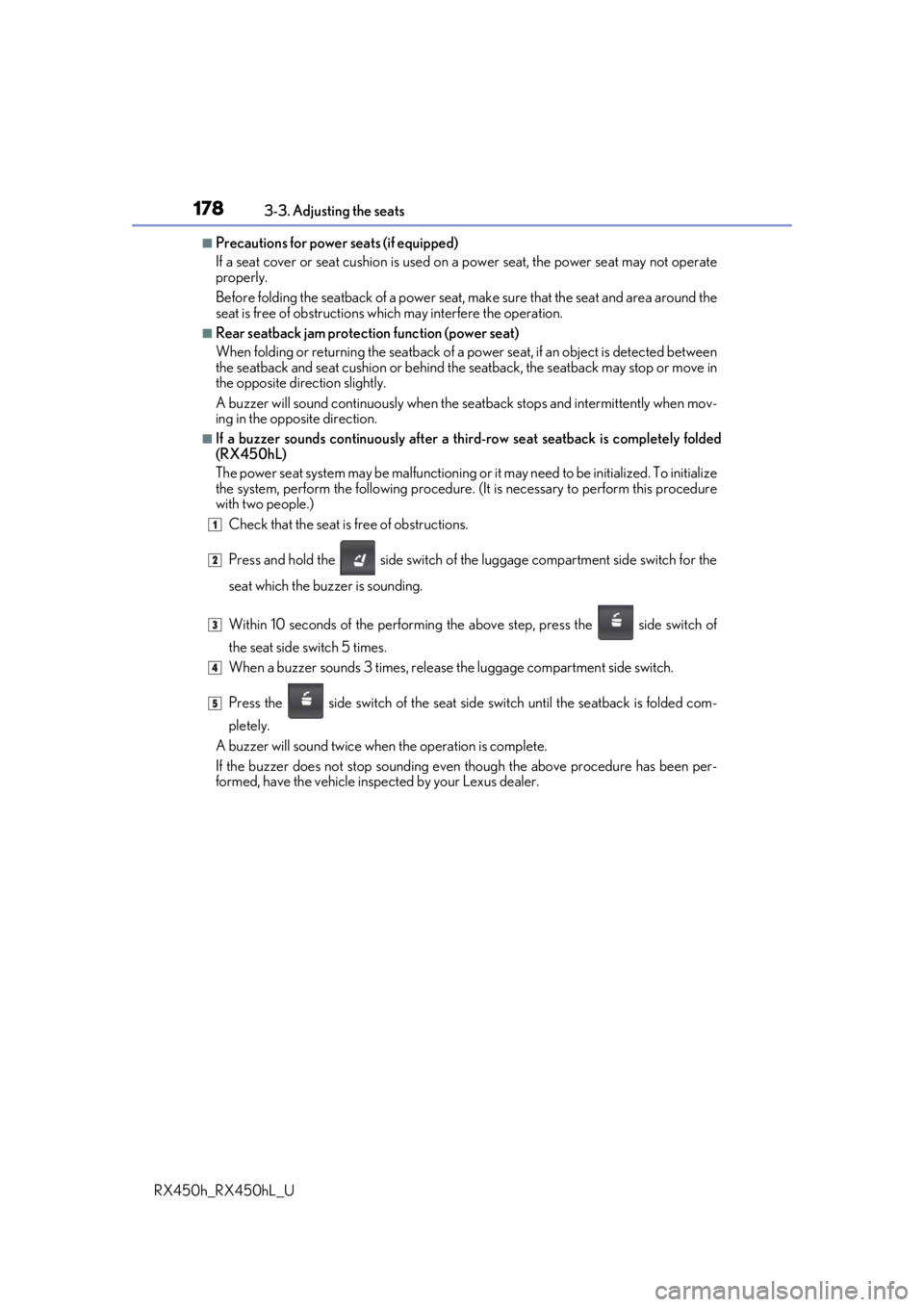
Press and hold the side switch of the luggage compartment side switch for the
seat which the buzzer is sounding.
Within 10 seconds of the performing th e above step, press the side switch of
the seat side switch 5 times.
When a buzzer sounds 3 times, release the luggage compartment side switch.
Press the side switch of the seat side switch until the seatback is folded com-
pletely.
A buzzer will sound twice when the operation is complete.
If the buzzer does not stop sounding even though the above procedure has been per-
formed, have the vehicle inspected by your Lexus dealer.
1
2
3
4
5
Page 179 of 792
1793-3. Adjusting the seats
3
Operation of each component
RX450h_RX450hL_U
WARNING
■When a rear seatback is folded
Observe the following precautions.
Failure to do so may result in death or serious injury.
●Do not fold down the rear seatbacks while driving.
●Stop the vehicle on level grou nd, apply the parking brake and shift the shift lever to P.
●Do not allow anyone to sit on a folded rear seatback or in th e luggage compartment
while driving.
●Do not allow children to enter the luggage compartment.
■When operating the rear seatback
Observe the following precautions.
Failure to do so may result in death or serious injury.
●Make sure that passengers are clear of the rear seatback before operating it.
●To prevent hands and other body parts from being caught, keep them away from the
gaps in the seats and the moving parts of the seats when operating a rear seatback.
●Power seat: Do not let children operate th e rear seatback. Other passengers may get
caught in the seat.
●Power seat: Make sure that a ll passengers are clear of a seat before folding it. Do not
let passengers sit in the seat while it is being folded.
■Seat adjustment
●Second-row seats: To reduce the risk of sliding under the lap belt during a collision,
do not recline the seat more than necessary.
If the seat is reclined excessively, the la p belt may slide past the hips and apply
restraint forces directly to the abdomen, or your neck may contact the shoulder belt,
increasing the risk of de ath or serious injury in the event of an accident.
●Adjustments should not be made while dr iving as the seat may unexpectedly move
and cause the driver to lose control of the vehicle.
■After adjusting the rear seats
Observe the following precautions.
Failure to do so may result in death or serious injury.
●Manual seats: Make sure that the rear se atback is securely locked in position by
lightly pushing it back and forth.
●Check that the seat belts are not twisted or caught between or behind in the rear
seatback.
Page 180 of 792
1803-3. Adjusting the seats
RX450h_RX450hL_U
WARNING
■Jam protection function (power seats)
Observe the following precautions.
Failure to do so may result in death or serious injury.
●Never use any part of your body to intentionally activate the jam protection function.
●The jam protection function may not operate if something is caught just before the
fully folded position. Be careful so th at fingers, etc. do not get caught.
●The jam protection function may not operat e depending on the shape or position of
the obstruction. Be careful so that fingers, etc. do not get caught.
■Precautions for third-row seat (RX450hL)
When operating a third-row seat, make sure to press and hold the switch until the third-
row seat seatback is complete ly folded/upright. Do not use a third-row seat in a posi-
tion other than the completely upright position, as doing so may lead to death or seri-
ous injury in an accident. (If the switch is released while the seatback is still moving, a
buzzer will sound continuously until the seatback is completely folded/upright.)
NOTICE
■Before folding a rear seat seatback
●Second-row seats: Make sure to stow the center seat seat belt buckle and armrest
before folding the second-row seat seatbacks. ( P. 558)
●Third-row seats: Make sure th at the third-row seats and trays are free of obstructions
before folding the seatbacks. Otherwise the seat or tray may be damaged.
■When moving the second-row seat for third-row seat access (RX450hL)
Do not slide the second-row se at forward if an electronic device is connected to the
power outlet on the rear console. Otherwise, the second-row seat may contact the
electronic device, possibly resu lting in damage to the device.
■Before returning the third-row seat seatbacks to the upright position (RX450hL)
If the luggage cover is installed in the luggage compartmen t, make sure to remove it
before returning the third-row seat seatbacks. ( P. 541) Otherwise, the luggage
cover may be damaged.
Page 181 of 792
1813-3. Adjusting the seats
3
Operation of each component
RX450h_RX450hL_U
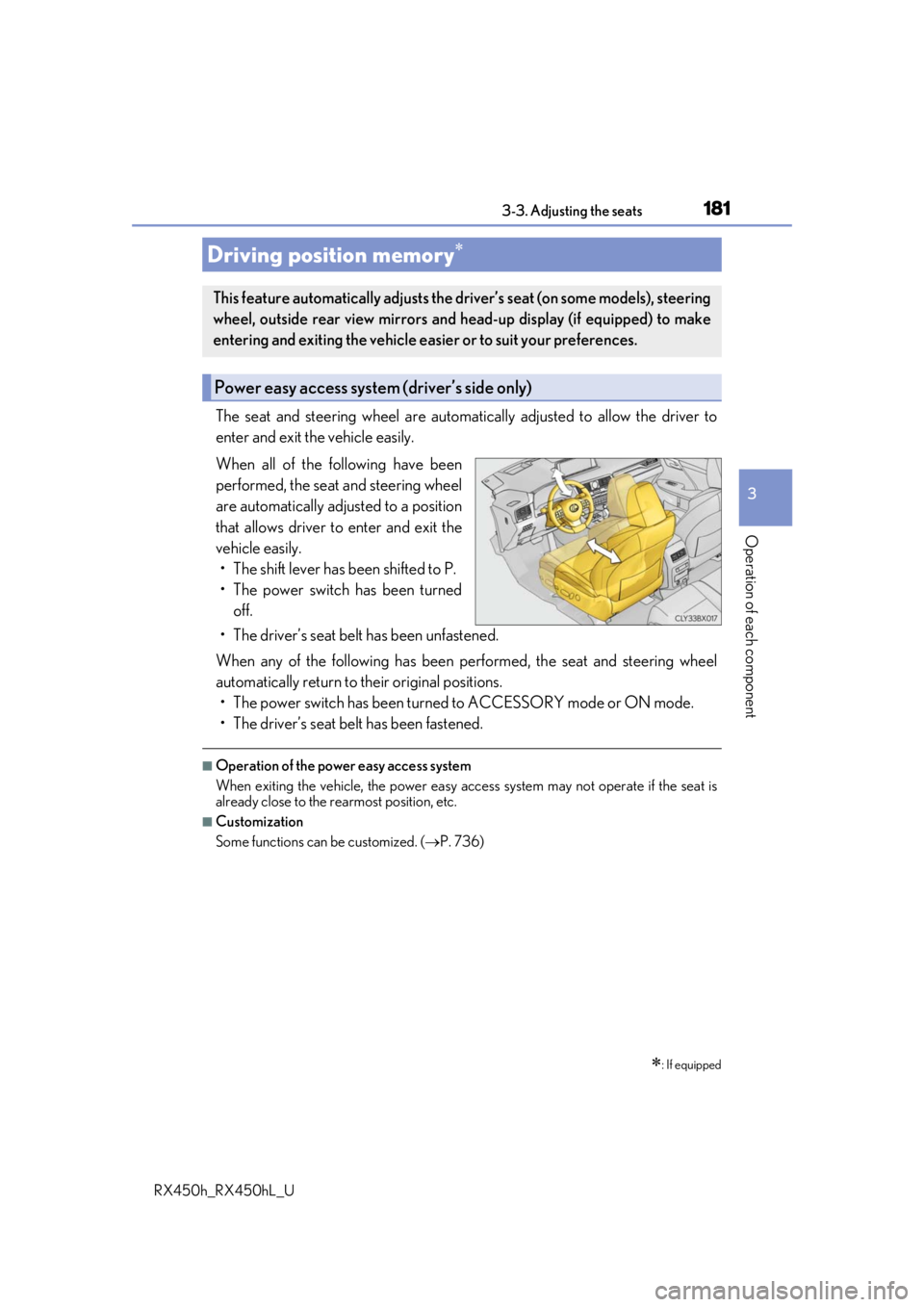
The seat and steering wheel are automatically adjusted to allow the driver to
enter and exit the vehicle easily.
When all of the following have been
performed, the seat and steering wheel
are automatically adjusted to a position
that allows driver to enter and exit the
vehicle easily. • The shift lever has been shifted to P.
• The power switch has been turned off.
• The driver’s seat belt has been unfastened.
When any of the following has been performed, the seat and steering wheel
automatically return to their original positions. • The power switch has been turned to ACCESSORY mode or ON mode.
• The driver’s seat belt has been fastened.
■Operation of the power easy access system
When exiting the vehicle, the power easy ac cess system may not operate if the seat is
already close to the rearmost position, etc.
■Customization
Some functions can be customized. ( P. 736)
Driving position memory
: If equipped
This feature automatically adjusts the driver’s seat (on some models), steering
wheel, outside rear view mirrors and head-up display (if equipped) to make
entering and exiting the vehicle easi er or to suit your preferences.
Power easy access system (driver’s side only)
Page 182 of 792
1823-3. Adjusting the seats
RX450h_RX450hL_U
Your preferred driving position (the positi on of the driver’s seat, steering wheel,
outside rear view mirrors and head-up display
*) can be recorded and recalled
by pressing a button.
Three different driving positions can be recorded into memory.
*: If equipped
■Recording procedure
Check that the shift lever is in P.
Turn the power switch to ON mode.
Adjust the driver’s seat, steering wh eel, outside rear view mirrors and
head-up display (if equipped) to the desired positions.
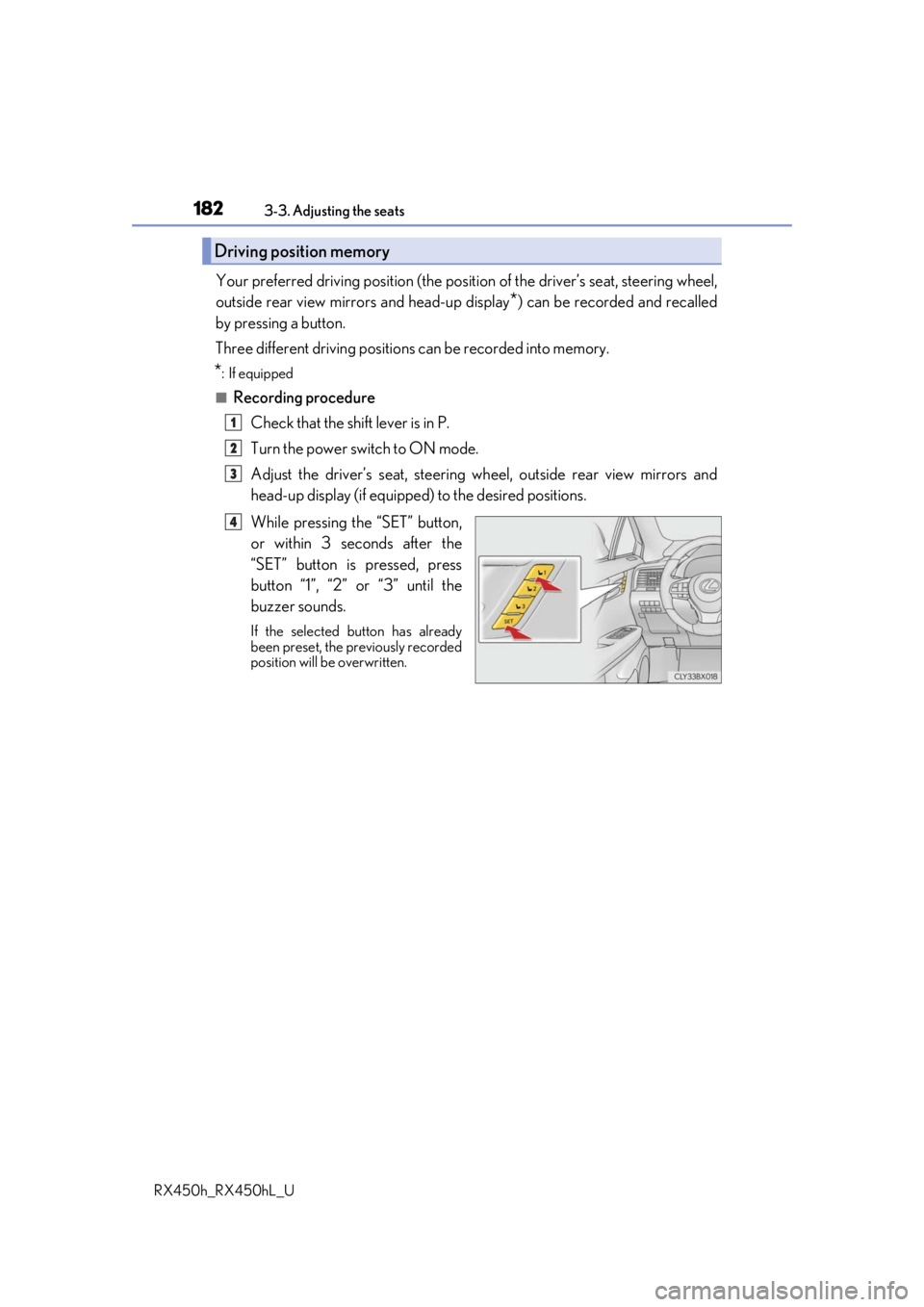
While pressing the “SET” button,
or within 3 seconds after the
“SET” button is pressed, press
button “1”, “2” or “3” until the
buzzer sounds.
If the selected button has already
been preset, the previously recorded
position will be overwritten.
Driving position memory
1
2
3
4
Page 183 of 792
1833-3. Adjusting the seats
3
Operation of each component
RX450h_RX450hL_U
■Recall procedureCheck that the shift lever is in P.
Turn the power switch to ON mode.
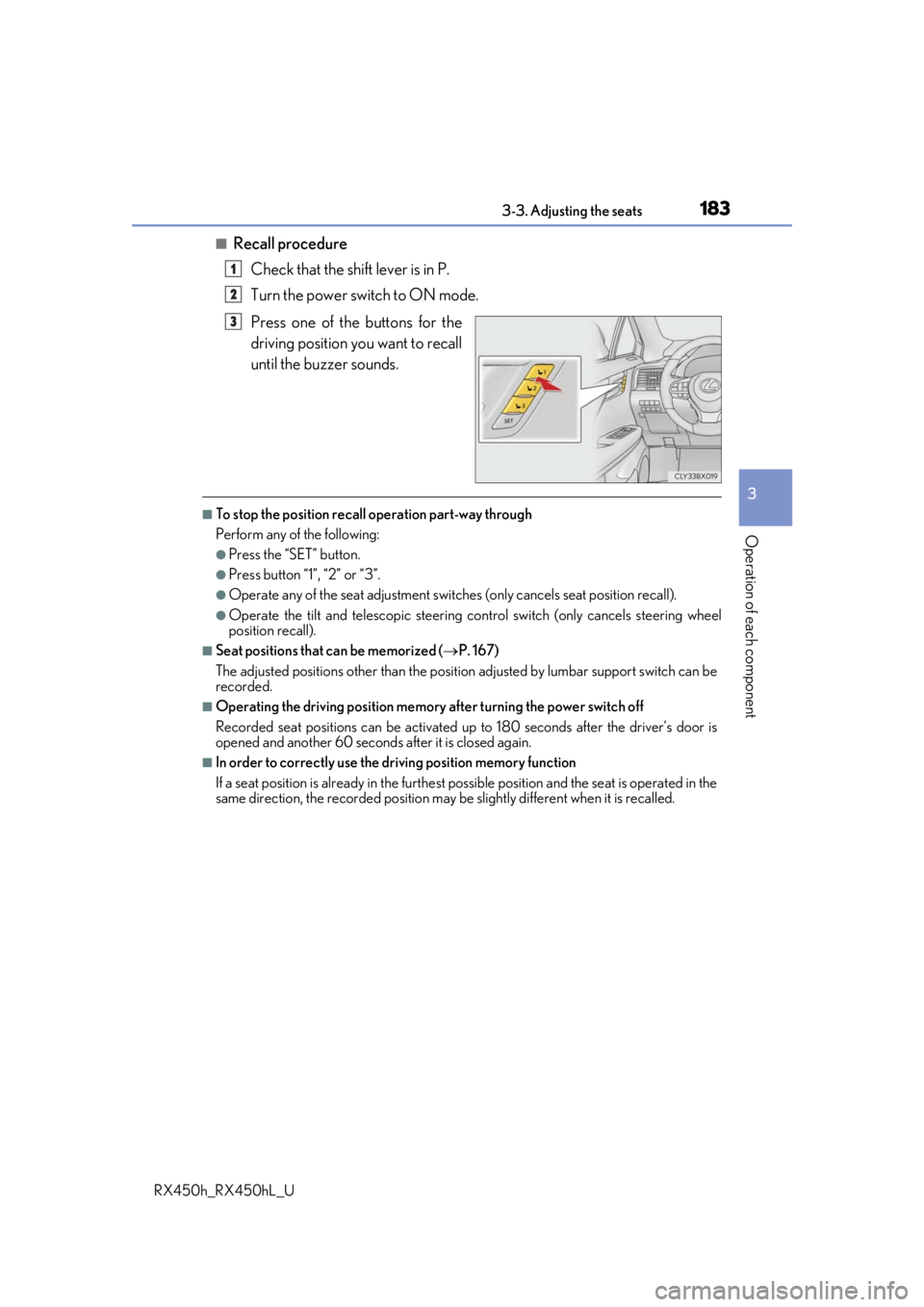
Press one of the buttons for the
driving position you want to recall
until the buzzer sounds.
■To stop the position recall operation part-way through
Perform any of the following:
●Press the “SET” button.
●Press button “1”, “2” or “3”.
●Operate any of the seat adjustment switches (only cancels seat position recall).
●Operate the tilt and telescopic steering control switch (only cancels steering wheel
position recall).
■Seat positions that can be memorized ( P. 167)
The adjusted positions other than the position adjusted by lumbar support switch can be
recorded.
■Operating the driving position memory after turning the power switch off
Recorded seat positions can be activated up to 180 seconds after the driver’s door is
opened and another 60 seconds after it is closed again.
■In order to correctly use the driving position memory function
If a seat position is already in the furthest po ssible position and the seat is operated in the
same direction, the recorded position may be slightly different when it is recalled.
1
2
3
Page 184 of 792
1843-3. Adjusting the seats
RX450h_RX450hL_U
Each electronic key can be registered to recall your preferred driving position.
■Registering procedure
Record your driving position to button “1”, “2” or “3” before performing the
following:
Carry only the key you want to regist er, and then close the driver’s door.
If 2 or more keys are in the vehicle, the driving position cannot be recorded
properly.
Check that the shift lever is in P.
Turn the power switch to ON mode.
Recall the driving position that you want to record.
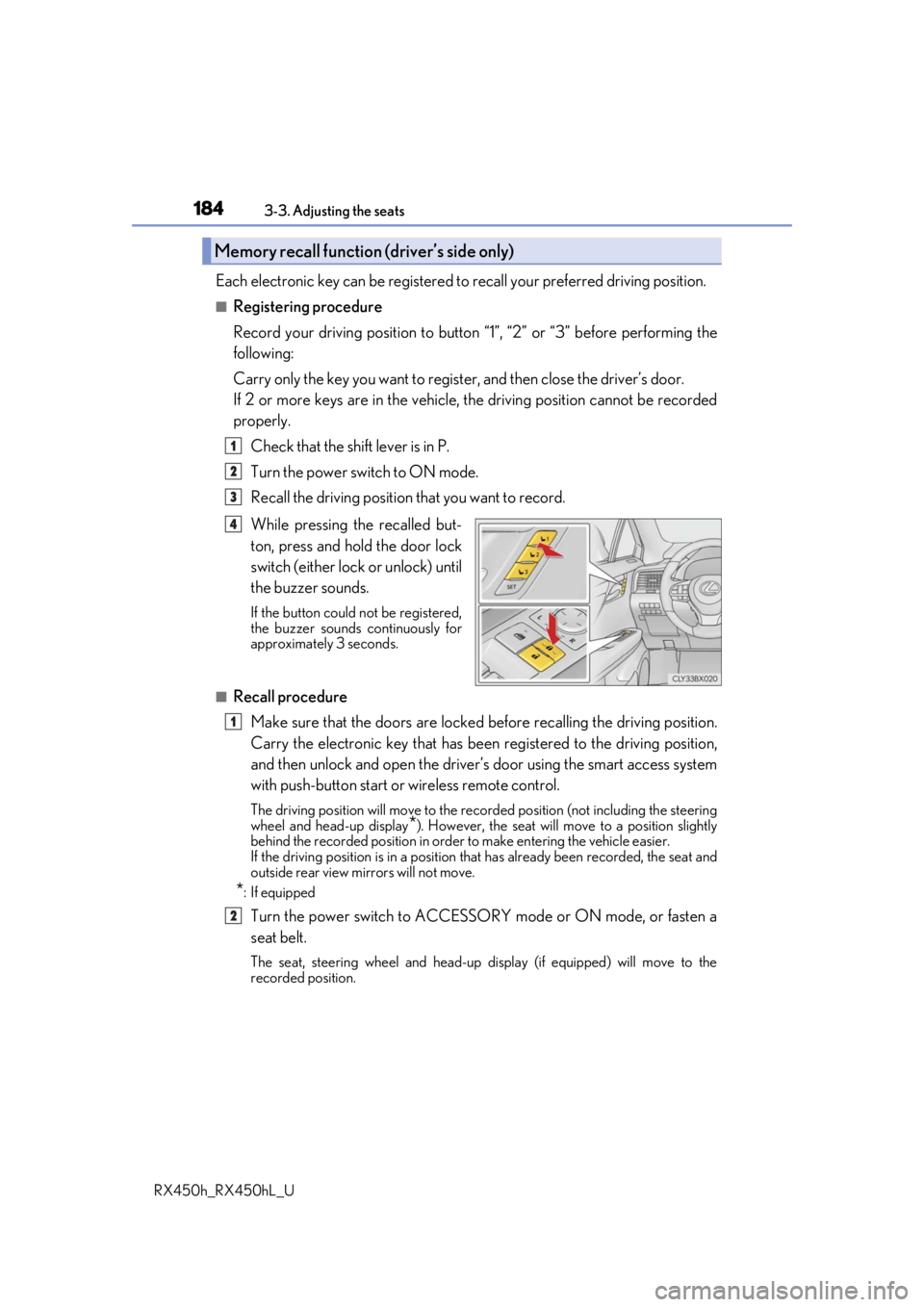
While pressing the recalled but-
ton, press and hold the door lock
switch (either lock or unlock) until
the buzzer sounds.
If the button could not be registered,
the buzzer sounds continuously for
approximately 3 seconds.
■Recall procedureMake sure that the doors are locked before recalling the driving position.
Carry the electronic key that has been registered to the driving position,
and then unlock and open the driver’s door using the smart access system
with push-button start or wireless remote control.
The driving position will move to the recorded position (not including the steering
wheel and head-up display
*). However, the seat will move to a position slightly
behind the recorded position in order to make entering the vehicle easier.
If the driving position is in a position th at has already been recorded, the seat and
outside rear view mirrors will not move.
*: If equipped
Turn the power switch to ACCESSORY mode or ON mode, or fasten a
seat belt.
The seat, steering wheel and head-up display (if equipped) will move to the
recorded position.
Memory recall function (driver’s side only)
1
2
3
4
1
2
Page 185 of 792
1853-3. Adjusting the seats
3
Operation of each component
RX450h_RX450hL_U
■Cancelation procedure
Carry only the key you want to cancel and then close the driver’s door.
If 2 or more keys are in the vehicle, the driving position cannot be canceled
properly.
Turn the power switch to ON mode.
While pressing the “SET” button, pr ess and hold the door lock switch
(either lock or unlock) un til the buzzer sounds twice.
If it button could not be canceled, the buzzer sounds continuously for approxi-
mately 3 seconds.
■Recalling the driving position using the memory recall function
●Different driving positions can be registered for each electronic key. Therefore, the
driving position that is recalled may be di fferent depending on the key being carried.
●If a door other than the driver’s door is unlocked with the smart access system with
push-button start, the driving position cannot be recalled. In this case, press the driving
position button which has been set.
■Customization
Some functions can be customized. ( P. 736)
WARNING
■Seat adjustment caution
Take care during seat adjustment so that th e seat does not strike the rear passenger or
squeeze your body against the steering wheel.
1
2
Page 189 of 792
189
3
Operation of each component
RX450h_RX450hL_U3-4. Adjusting the steering wheel and mirrors
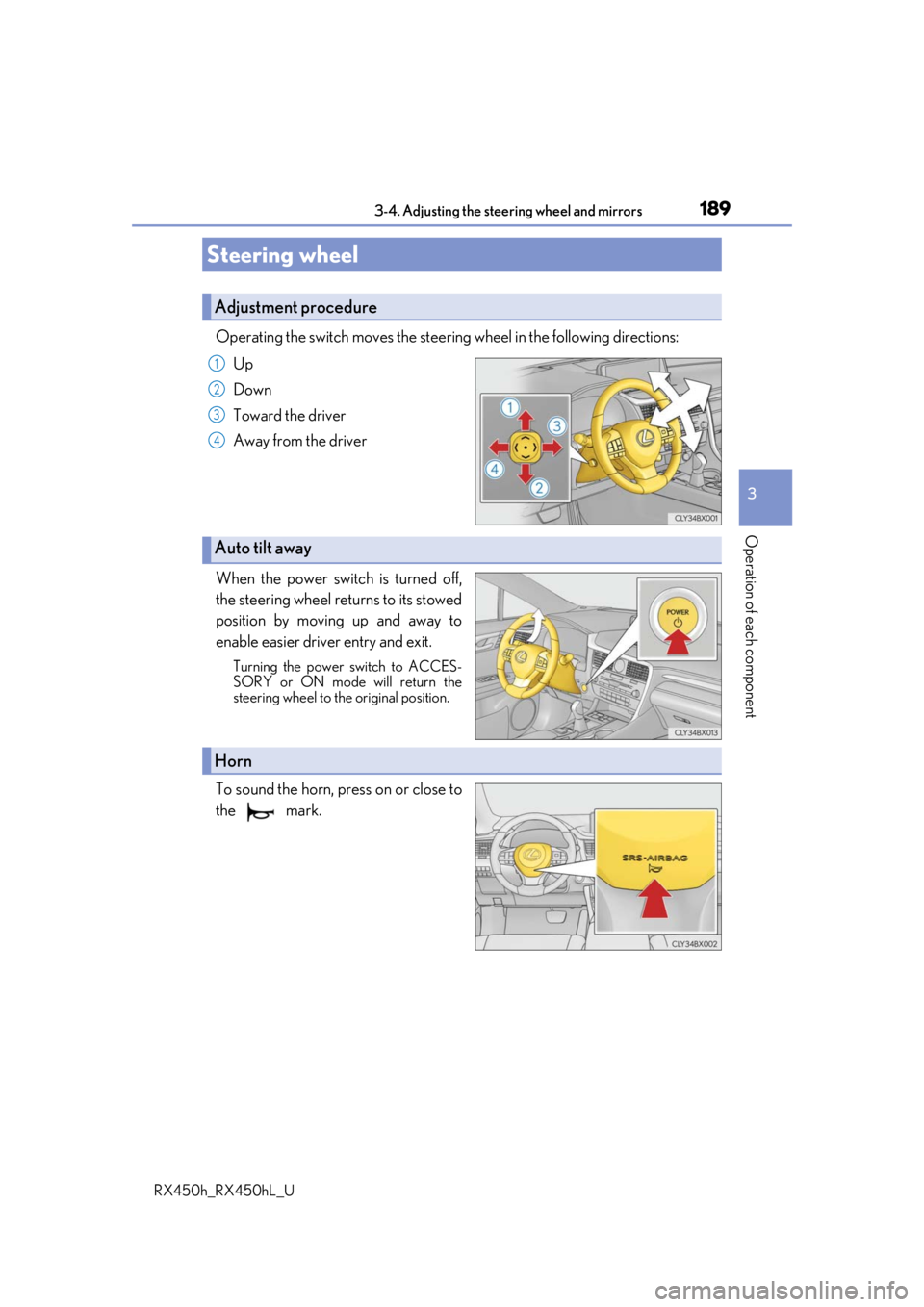
Operating the switch moves the steering wheel in the following directions:
Up
Down
Toward the driver
Away from the driver
When the power switch is turned off,
the steering wheel returns to its stowed
position by moving up and away to
enable easier driv er entry and exit.
Turning the power switch to ACCES-
SORY or ON mode will return the
steering wheel to the original position.
To sound the horn, press on or close to
the mark.
Steering wheel
Adjustment procedure
1
2
3
4
Auto tilt away
Horn
Page 190 of 792
1903-4. Adjusting the steering wheel and mirrors
RX450h_RX450hL_U
■The steering wheel can be adjusted when
The power switch is in ACCESSORY or ON mode
*.
*: If the driver’s seat belt is fastened, the steering wheel can be adjusted regardless of power switch mode.
■Automatic adjustment of the steering position (if equipped)
A desired steering position ca n be entered to memory and recalled automatically by the
driving position memory system. ( P. 181)
■Power easy access system
The steering wheel and driver’s seat (on so me models) move in accordance with power
switch mode and the driver’s seat belt condition. ( P. 181)
■Customization
Some functions can be customized. ( P. 736)
WARNING
Do not adjust the steeri ng wheel while driving.
Doing so may cause the driver to mishandle the vehicle and cause an accident, result-
ing in death or serious injury.