trailer LEXUS RX450h 2021 User Guide
[x] Cancel search | Manufacturer: LEXUS, Model Year: 2021, Model line: RX450h, Model: LEXUS RX450h 2021Pages: 528, PDF Size: 10.73 MB
Page 177 of 528
1774-1. Before driving
4
Driving
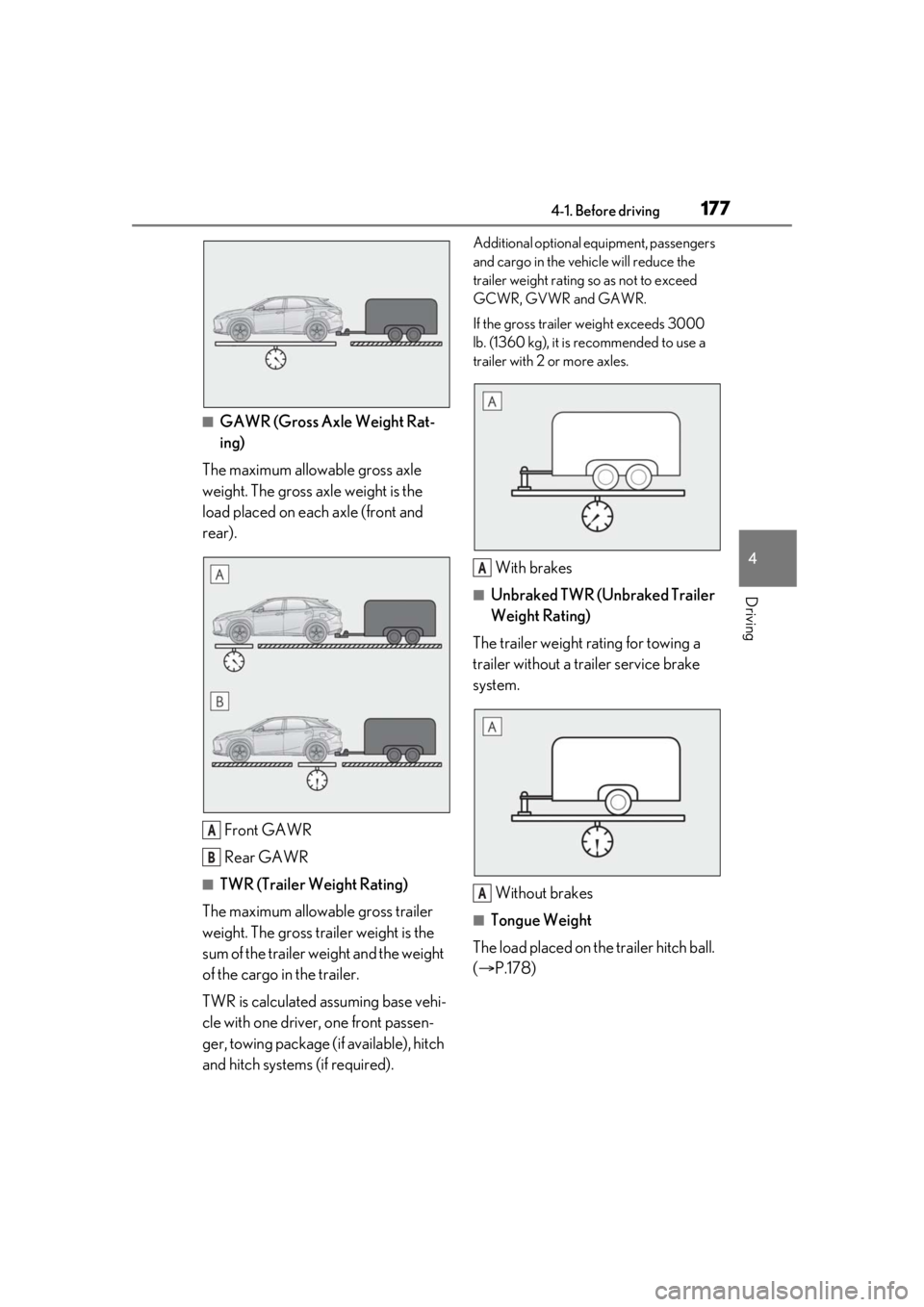
■GAWR (Gross Axle Weight Rat-
ing)
The maximum allowable gross axle
weight. The gross axle weight is the
load placed on each axle (front and
rear).
Front GAWR
Rear GAWR
■TWR (Trailer Weight Rating)
The maximum allowable gross trailer
weight. The gross trailer weight is the
sum of the trailer weight and the weight
of the cargo in the trailer.
TWR is calculated assuming base vehi-
cle with one driver, one front passen-
ger, towing package (if available), hitch
and hitch systems (if required).
Additional optional equipment, passengers
and cargo in the vehicle will reduce the
trailer weight rating so as not to exceed
GCWR, GVWR and GAWR.
If the gross trailer weight exceeds 3000
lb. (1360 kg), it is recommended to use a
trailer with 2 or more axles.
With brakes
■Unbraked TWR (Unbraked Trailer
Weight Rating)
The trailer weight rating for towing a
trailer without a trailer service brake
system.
Without brakes
■Tongue Weight
The load placed on the trailer hitch ball.
( P.178)
A
B
A
A
Page 178 of 528
1784-1. Before driving
The gross trailer weight must never
exceed 3500 lb. (1585 kg).
The gross combinat ion weight must
never exceed 9500 lb. (4309 kg).
The gross vehicle weight must never
exceed the GVWR indicated on the
Certification Label. ( P.460)
The gross axle weight on each axle
must never exceed the GAWR indi-
cated on the Certification Label.
( P.460)
If the gross trailer weight is over the
unbraked TWR, trailer service
brakes are required.
If the gross trailer weight is over
2000 lb. (907 kg), a sway control
device with sufficient capacity is
required.
Confirm that the gross trailer weight,
gross combination weight, gross vehi-
cle weight, gross axle weight and
tongue weight are all within the limits.
■GCWR*
9500 lb. (4309 kg)
■TWR*
3500 lb. (1585 kg)
■Unbraked TWR*
1000 lb. (453 kg)
*: This models meet the tow-vehicle traile- ring requirement of SAE International
per SAE J2807.
A recommended tongue weight
varies in accordance with the types
of trailers or towing as described
below.
To ensure the recommended values
shown below, the trailer must be
loaded by referring to the following
instructions.
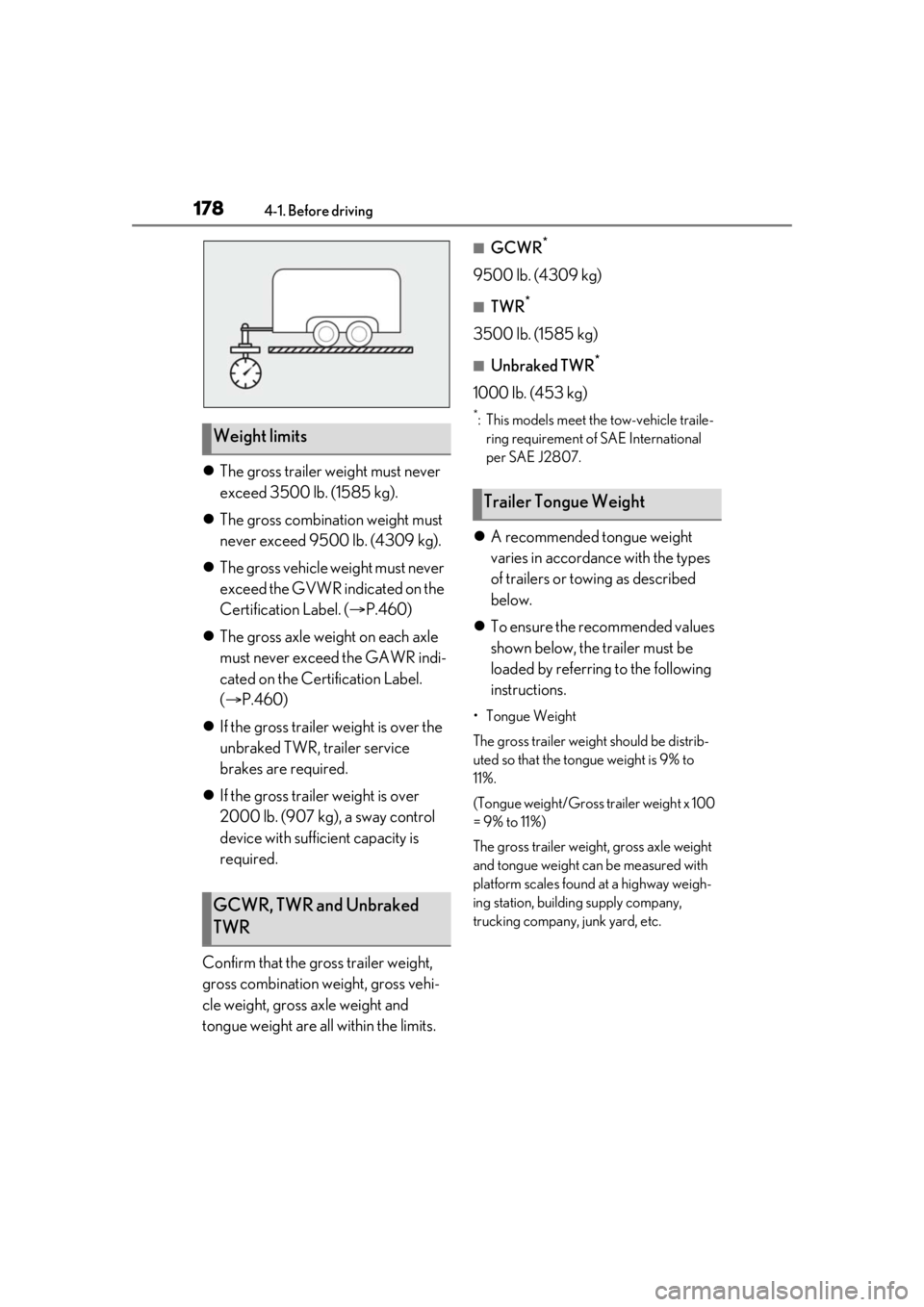
•Tongue Weight
The gross trailer weight should be distrib-
uted so that the tongue weight is 9% to
11%.
(Tongue weight/Gross trailer weight x 100
= 9% to 11%)
The gross trailer weight , gross axle weight
and tongue weight can be measured with
platform scales found at a highway weigh-
ing station, building supply company,
trucking company, junk yard, etc.
Weight limits
GCWR, TWR and Unbraked
TWR
Trailer Tongue Weight
Page 179 of 528
1794-1. Before driving
4
Driving
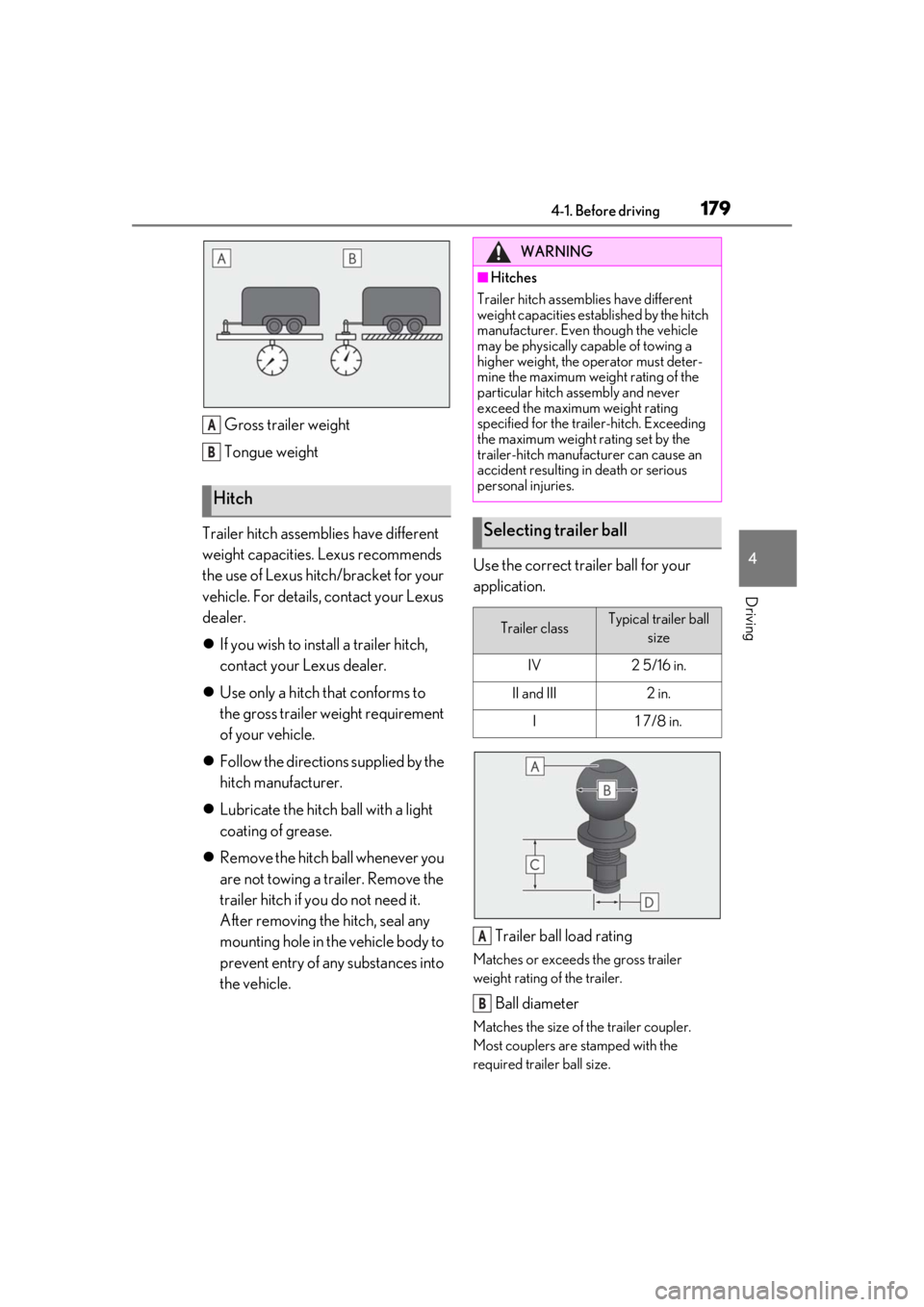
Gross trailer weight
Tongue weight
Trailer hitch assemblies have different
weight capacities. Lexus recommends
the use of Lexus hitch/bracket for your
vehicle. For details, contact your Lexus
dealer.
If you wish to install a trailer hitch,
contact your Lexus dealer.
Use only a hitch that conforms to
the gross trailer weight requirement
of your vehicle.
Follow the directions supplied by the
hitch manufacturer.
Lubricate the hitch ball with a light
coating of grease.
Remove the hitch ball whenever you
are not towing a trailer. Remove the
trailer hitch if you do not need it.
After removing the hitch, seal any
mounting hole in the vehicle body to
prevent entry of any substances into
the vehicle. Use the correct trailer ball for your
application.
Trailer ball load rating
Matches or exceeds the gross trailer
weight rating of the trailer.
Ball diameter
Matches the size of the trailer coupler.
Most couplers are stamped with the
required trailer ball size.
Hitch
A
B
WARNING
■Hitches
Trailer hitch assemblies have different
weight capacities established by the hitch
manufacturer. Even though the vehicle
may be physically capable of towing a
higher weight, the operator must deter-
mine the maximum weight rating of the
particular hitch assembly and never
exceed the maximum weight rating
specified for the trailer-hitch. Exceeding
the maximum weight rating set by the
trailer-hitch manufacturer can cause an
accident resulting in death or serious
personal injuries.
Selecting trailer ball
Trailer classTypical trailer ball size
IV2 5/16 in.
II and III2 in.
I1 7/8 in.
A
B
Page 180 of 528
1804-1. Before driving
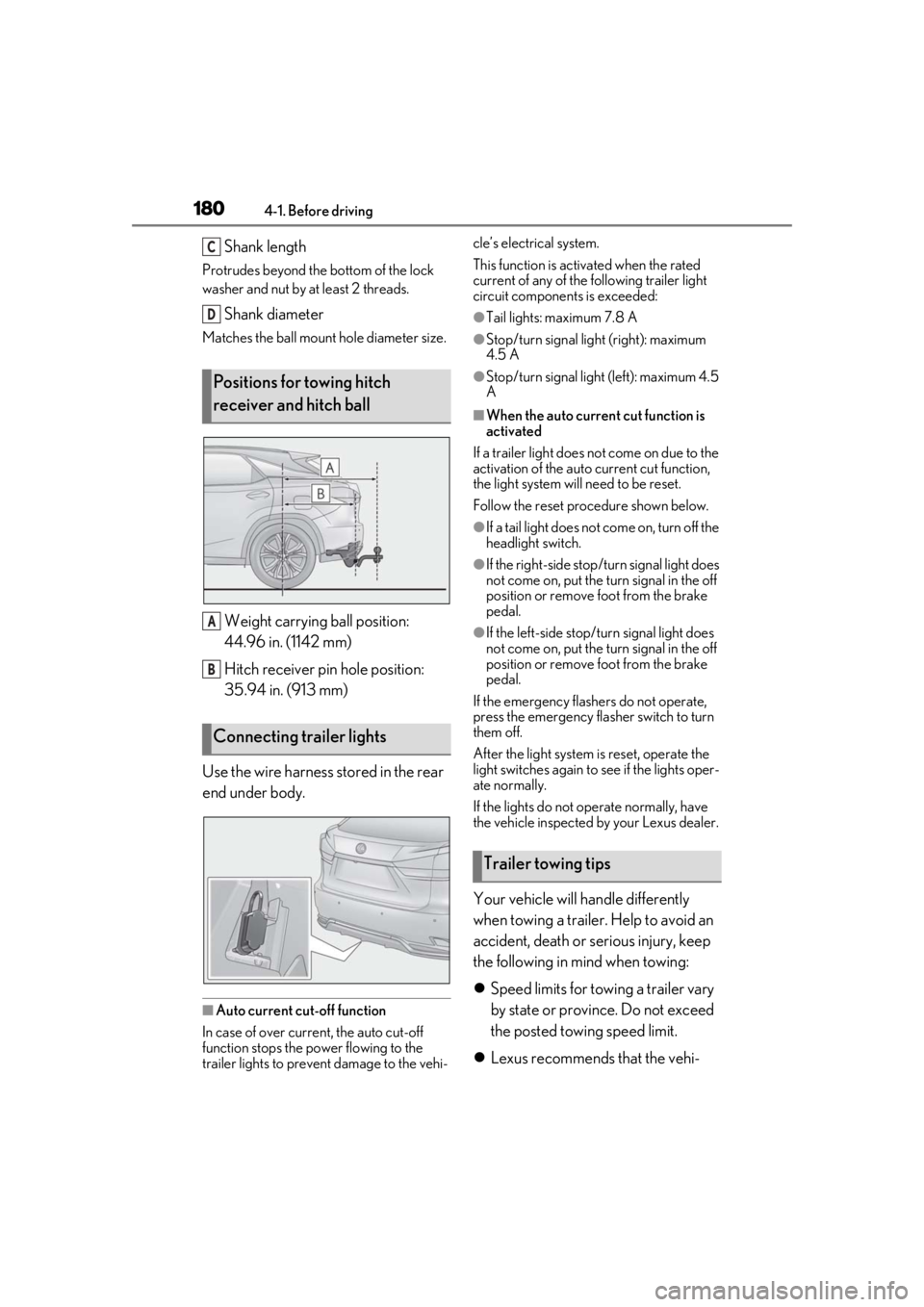
Shank length
Protrudes beyond the bottom of the lock
washer and nut by at least 2 threads.
Shank diameter
Matches the ball mount hole diameter size.
Weight carrying ball position:
44.96 in. (1142 mm)
Hitch receiver pin hole position:
35.94 in. (913 mm)
Use the wire harness stored in the rear
end under body.
■Auto current cut-off function
In case of over current, the auto cut-off
function stops the power flowing to the
trailer lights to prevent damage to the vehi- cle’s electrical system.
This function is activ
ated when the rated
current of any of the following trailer light
circuit components is exceeded:
●Tail lights: maximum 7.8 A
●Stop/turn signal light (right): maximum
4.5 A
●Stop/turn signal light (left): maximum 4.5
A
■When the auto current cut function is
activated
If a trailer light does not come on due to the
activation of the auto current cut function,
the light system will need to be reset.
Follow the reset procedure shown below.
●If a tail light does not come on, turn off the
headlight switch.
●If the right-side stop/turn signal light does
not come on, put the turn signal in the off
position or remove foot from the brake
pedal.
●If the left-side stop/t urn signal light does
not come on, put the turn signal in the off
position or remove foot from the brake
pedal.
If the emergency flashers do not operate,
press the emergency flasher switch to turn
them off.
After the light system is reset, operate the
light switches again to see if the lights oper-
ate normally.
If the lights do not operate normally, have
the vehicle inspected by your Lexus dealer.
Your vehicle will handle differently
when towing a trailer. Help to avoid an
accident, death or se rious injury, keep
the following in mind when towing:
Speed limits for towing a trailer vary
by state or province. Do not exceed
the posted towing speed limit.
Lexus recommends that the vehi-
Positions for towing hitch
receiver and hitch ball
Connecting trailer lights
C
D
A
B
Trailer towing tips
Page 181 of 528

1814-1. Before driving
4
Driving
cle-trailer speed limit is 65 mph
(104 km/h) on a flat, straight, dry
road. Do not exceed this limit, the
posted towing speed limit or the
speed limit for your trailer as set
forth in your trailer owner’s manual,
whichever is lowest. Instability of the
towing vehicle-trailer combination
(trailer sway) increases as speed
increases. Exceeding speed limits
may cause loss of control.
Before starting out, check the trailer
lights, tires and the vehicle-trailer
connections. Recheck after driving
a short distance.
Practice turning, stopping and
reversing with the trailer attached in
an area away from traffic until you
become accustomed to the feel of
the vehicle-trailer combination.
Reversing with a tr ailer attached is
difficult and requires practice. Grip
the bottom of the steering wheel
and move your hand to the left to
move the trailer to the left. Move
your hand to the right to move the
trailer to right. (This is generally
opposite to reversing without a
trailer attached.) Avoid sharp or
prolonged turning. Have someone
guide you when reversing to reduce
the risk of an accident.
As stopping distance is increased
when towing a trailer, vehicle-to
vehicle distance should be
increased. For each 10 mph (16
km/h) of speed, allow at least one
vehicle and trailer length.
Avoid sudden braking as you may skid, resulting in the trailer jackknif-
ing and a loss of vehicle control. This
is especially true on wet or slippery
surfaces.
Avoid jerky starts or sudden accel-
eration.
Avoid jerky steering and sharp
turns, and slow down before making
turn.
Note that when making a turn, the
trailer wheels will be closer than the
vehicle wheels to the inside of the
turn. Compensate by making a
wider than normal turning radius.
Slow down before making a turn, in
cross winds, on wet or slippery sur-
faces, etc. Increasing vehicle speed
can destabilize the trailer.
Take care when passing other vehi-
cles. Passing requires considerable
distance. After pass ing a vehicle, do
not forget the length of your trailer,
and be sure you have plenty of room
before changing lanes.
To maintain engine braking effi-
ciency and charging system perfor-
mance when using engine braking,
do not put the transmission in D.
( P.191)
Instability happens more frequently
when descending steep or long
downhill grades. Before descend-
ing, slow down and downshift. Do
not make sudden downshifts while
descending steep or long downhill
grades.
Avoid holding the brake pedal down
too long or applying the brakes too
Page 182 of 528

1824-1. Before driving
frequently. This could cause the
brakes to overheat and result in
reduced braking efficiency.
Due to the added load of the trailer,
your vehicle’s engine may overheat
on hot days (at temperatures over
85°F [30°C]) when driving up a
long or steep grade. If the engine
coolant temperature gauge indi-
cates overheating, immediately turn
off the air conditioning (if in use),
pull your vehicle off the road and
stop in a safe spot. ( P.454)
Always place wheel blocks under
both the vehicle’s and the trailer’s
wheels when parking. Put the trans-
mission in P and apply the parking
brake. Avoid parking on a slope, but
if unavoidable, do so only after per-
forming the following:
1 Apply the brakes and keep them
applied.
2 Have someone place wheel blocks
under both the vehicle’s and trailer’s
wheels.
3 When the wheel blocks are in
place, release the brakes slowly
until the blocks absorb the load.
4 Shift into P and apply the parking
brake.
5 Turn off the hybrid system.
When restarting after parking on a
slope:
1 With the transmission in P, start the
hybrid system. Be sure to keep the
brake pedal depressed. 2
Shift into a forward gear. If revers-
ing, shift into R.
3 If the parking brake is in manual
mode, release the parking brake.
(P.195)
4 Release the brake pedal, and slowly
pull or back away from the wheel
blocks. Stop and apply the brakes.
5 Have someone retrieve the blocks.
Page 204 of 528
2044-3. Operating the lights and wipers
out its headlights turned on is detected.
●House lights, street lights, traffic signals,
and illuminated billboards or signs and
other reflective objects may cause the
high beams to change to the low beams,
or the low beams to remain on.
●The following factors may affect the
amount of time taken for the high beams
to turn on or off:
• The brightness of the headlights, fog
lights, and tail lights of vehicles ahead
• The movement and direction of vehicles ahead
• When a vehicle ahead only has opera- tional lights on one side
• When a vehicle ahead is a two-wheeled
vehicle
• The condition of the road (gradient, curve, condition of th e road surface, etc.)
• The number of passengers and amount of luggage in the vehicle
●The high beams may turn on or off unex-
pectedly.
●Bicycles or similar vehicles may not be
detected.
●In the following situations the system may
not be able to correctly detect the sur-
rounding brightness le vel. This may cause
the low beams to remain on or the high
beams to flash or dazzle pedestrians or
vehicles ahead. In such a case, it is neces-
sary to manually switch between the high
and low beams.
• When driving in inclement weather
(heavy rain, snow, fog, sandstorms, etc.)
• When the windshield is obscured by fog, mist, ice, dirt, etc.
• When the windshield is cracked or dam- aged
• When the camera sensor is deformed or
dirty
• When the temperature of the camera sensor is extremely high
• When the surrounding brightness level is equal to that of head lights, tail lights or
fog lights
• When headlights or tail lights of vehicles
ahead are turned off, dirty, changing
color, or not aimed properly
• When the vehicle is hit by water, snow,
dust, etc. from a preceding vehicle
• When driving through an area of inter-mittently changing brightness and dark-
ness
• When frequently and repeatedly driving
ascending/descending roads, or roads
with rough, bumpy or uneven surfaces
(such as stone-paved roads, gravel roads,
etc.)
• When frequently and repeatedly taking curves or driving on a winding road
• When there is a highly reflective object ahead of the vehicle, such as a sign or
mirror
• When the back of a preceding vehicle is highly reflective, such as a container on a
truck
• When the vehicle’s headlights are dam- aged or dirty, or are not aimed properly
• When the vehicle is listing or titling due to
a flat tire, a trailer being towed, etc.
• When the headlights are changed between the high beams and low beams
repeatedly in an abnormal manner
• When the driver believes that the high beams may be flashing or dazzling
pedestrians or other drivers
■Temporarily lowering sensor sensitivity
The sensitivity of the sensor can be tempo-
rarily lowered.
1 Turn the power switch off while the fol-
lowing conditions are met.
●The headlight switch is in or .
●The headlight switch lever is in high beam
position.
●Automatic High Beam switch is on.
2 Turn the power switch to ON mode.
3 Within 60 seconds after step 2 , repeat
pulling the headlight switch lever to the
original position then pushing it to the
high beam position quickly 10 times,
then leave the lever in high beam posi-
tion.
4 If the sensitivity is changed, the Auto-
matic High Beam indicator is turn on
and off 3 times.
Automatic High Beam (headlights) may
turn on even when the vehicle is stopped.
Page 225 of 528
2254-5. Using the driving support systems
4
Driving
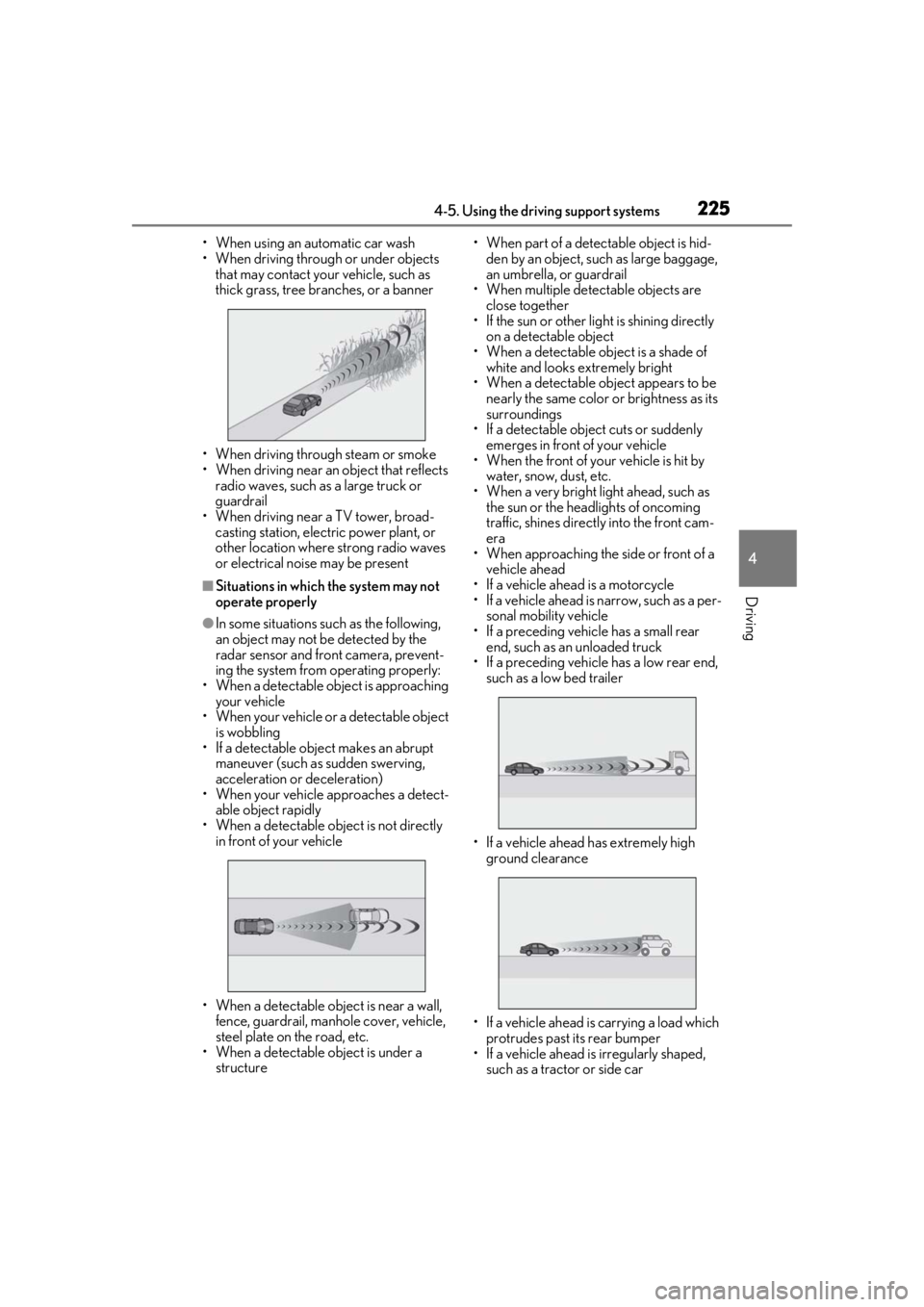
• When using an automatic car wash
• When driving through or under objects that may contact your vehicle, such as
thick grass, tree branches, or a banner
• When driving through steam or smoke
• When driving near an object that reflects
radio waves, such as a large truck or
guardrail
• When driving near a TV tower, broad- casting station, electric power plant, or
other location where strong radio waves
or electrical noise may be present
■Situations in which the system may not
operate properly
●In some situations such as the following,
an object may not be detected by the
radar sensor and front camera, prevent-
ing the system from operating properly:
• When a detectable object is approaching your vehicle
• When your vehicle or a detectable object
is wobbling
• If a detectable object makes an abrupt
maneuver (such as sudden swerving,
acceleration or deceleration)
• When your vehicle approaches a detect-
able object rapidly
• When a detectable object is not directly in front of your vehicle
• When a detectable object is near a wall, fence, guardrail, manhole cover, vehicle,
steel plate on the road, etc.
• When a detectable object is under a structure • When part of a detect
able object is hid-
den by an object, such as large baggage,
an umbrella, or guardrail
• When multiple dete ctable objects are
close together
• If the sun or other light is shining directly
on a detectable object
• When a detectable object is a shade of white and looks extremely bright
• When a detectable ob ject appears to be
nearly the same color or brightness as its
surroundings
• If a detectable object cuts or suddenly emerges in front of your vehicle
• When the front of your vehicle is hit by
water, snow, dust, etc.
• When a very bright light ahead, such as the sun or the head lights of oncoming
traffic, shines direct ly into the front cam-
era
• When approaching the side or front of a
vehicle ahead
• If a vehicle ahead is a motorcycle
• If a vehicle ahead is narrow, such as a per- sonal mobility vehicle
• If a preceding vehicle has a small rear end, such as an unloaded truck
• If a preceding vehicle has a low rear end, such as a low bed trailer
• If a vehicle ahead has extremely high ground clearance
• If a vehicle ahead is carrying a load which protrudes past its rear bumper
• If a vehicle ahead is irregularly shaped, such as a tractor or side car
Page 228 of 528
2284-5. Using the driving support systems
WARNING
●When your vehicle is towing a trailer
(vehicles with towing package) or
during emergency towing.
■Preventing LTA system malfunctions
and operations performed by mistake
●Do not modify the headlights or place
stickers, etc. on the surface of the
lights.
●Do not modify the suspension etc. If
the suspension etc. needs to be
replaced, contact your Lexus dealer.
●Do not install or place anything on the
hood or grille. Also, do not install a
grille guard (bull bars, kangaroo bar,
etc.).
●If your windshield needs repairs, con-
tact your Lexus dealer.
■Conditions in which functions may
not operate properly
In the following situations, the functions
may not operate properly and the vehicle
may depart from its lane. Drive safely by
always paying careful attention to your
surroundings and operate the steering
wheel to correct the path of the vehicle
without relying solely on the functions.
●When the follow-up cruising display is
displayed (
P.232) and the preced-
ing vehicle changes lanes. (Your vehi-
cle may follow the preceding vehicle
and also change lanes.)
●When the follow-up cruising display is
displayed (
P.232) and the preced-
ing vehicle is swaying. (Your vehicle
may sway accordingly and depart from
the lane.)
●When the follow-up cruising display is
displayed (P.232) and the preced-
ing vehicle departs from its lane. (Your
vehicle may follow the preceding vehi-
cle and depart from the lane.)
●When the follow-up cruising display is
displayed (
P.232) and the preced-
ing vehicle is being driven extremely
close to the left/right lane line. (Your
vehicle may follow the preceding vehi-
cle and depart from the lane.)
●Vehicle is being driven around a sharp
curve.
●Objects or patterns that could be mis-
taken for white (yellow) lines are pres-
ent on the side of the road (guardrails,
reflective poles, etc.).
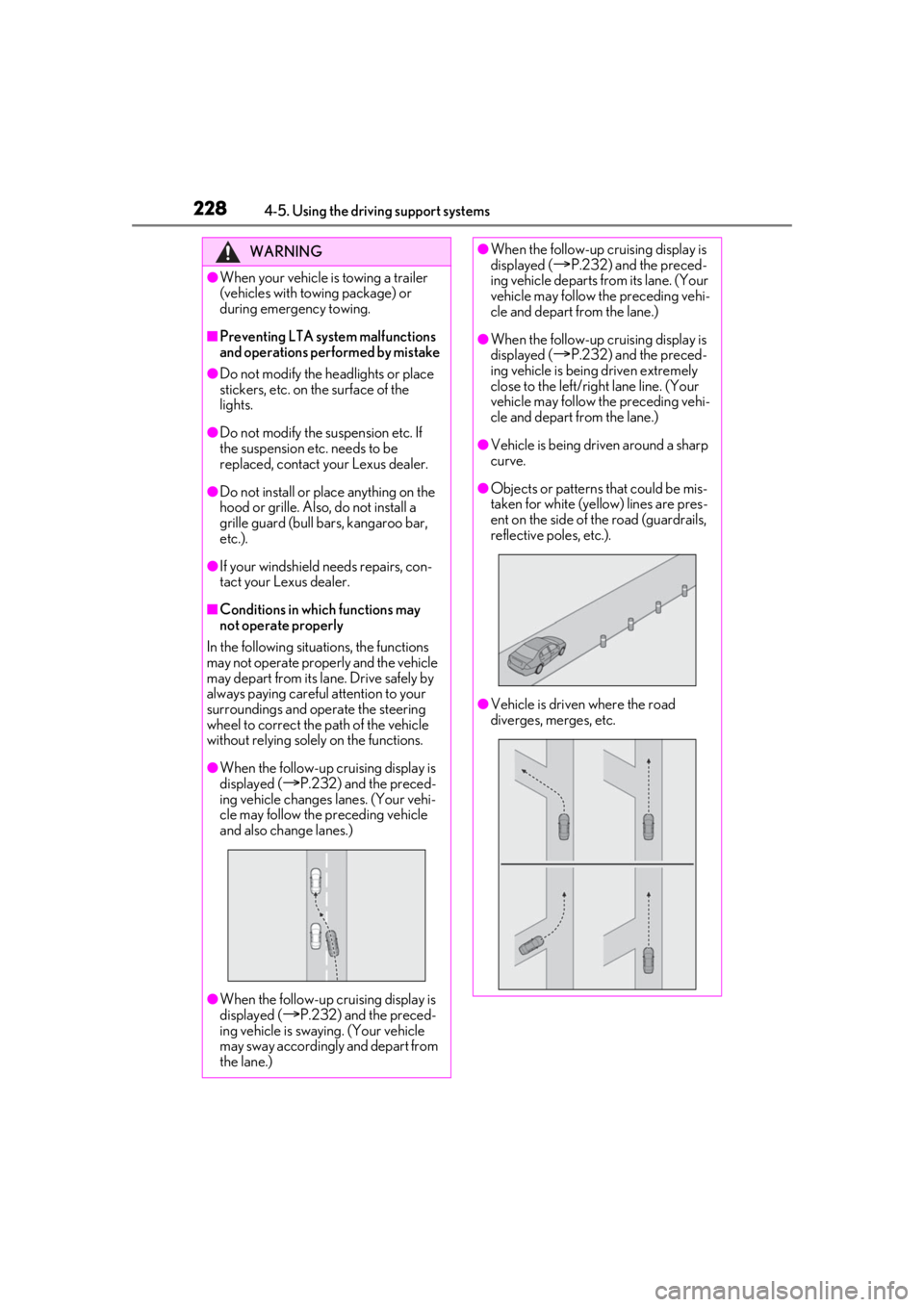
●Vehicle is driven where the road
diverges, merges, etc.
Page 240 of 528
2404-5. Using the driving support systems
This mode employs a radar to detect the presence of vehicles up to approximately
WARNING
■Situations unsuitable for dynamic
radar cruise control with full-speed
range
Do not use dynamic radar cruise control
with full-speed range in any of the follow-
ing situations. Doing so may result in
inappropriate speed control and could
cause an accident re sulting in death or
serious injury.
●Roads where there are pedestrians,
cyclists, etc.
●In heavy traffic
●On roads with sharp bends
●On winding roads
●On slippery roads, such as those cov-
ered with rain, ice or snow
●On steep downhills , or where there
are sudden changes between sharp up
and down gradients
Vehicle speed may exceed the set
speed when driving down a steep hill.
●At entrances to freeways and highways
●When weather conditions are bad
enough that they may prevent the sen-
sors from detectin g correctly (fog,
snow, sandstorm, heavy rain, etc.)
●When there is rain, snow, etc. on the
front surface of the radar or front cam-
era
●In traffic conditions that require fre-
quent repeated acceleration and
deceleration
●When your vehicle is towing a trailer
or during emergency towing
●When an approach warning buzzer is
heard often
Driving in vehicle-to-vehicle distance control mode