LEXUS SC300 1991 Service Repair Manual
SC300 1991
LEXUS
LEXUS
https://www.carmanualsonline.info/img/36/57052/w960_57052-0.png
LEXUS SC300 1991 Service Repair Manual
Page 583 of 4087
MAINTENANCE OF TAPE PLAYER
Head Cleaning
Using a moist±type cleaning tape, clean the head surface, pinch rolle\
rs and capstans.
COMPACT DISC PLAYER
Compact Disc (hereafter called ºCDº) players use a laser beam pick±up\
to read the digital signals recorded
on the CD and reproduce analog signals of the music, etc. There are 4.7 in\
. (12 cm) and 3.2 in. (8 cm) CD
available, but it is recommended that you do not use 3.2 in. (8 cm) discs in the\
CD auto changer.
HINT: Never attempt to disassemble or oil any part of the player unit. Do not\
insert any object other than
a disc into the magagine.
NOTICE: CD players use on invisible laser laser beam which could cause hazardou\
s radiation expo-
sure. Be sure to operate the player correctly as instructed.
±
BODY ELECTRICAL SYSTEM Audio SystemBE±197
WhereEverybodyKnowsYourName
Page 584 of 4087
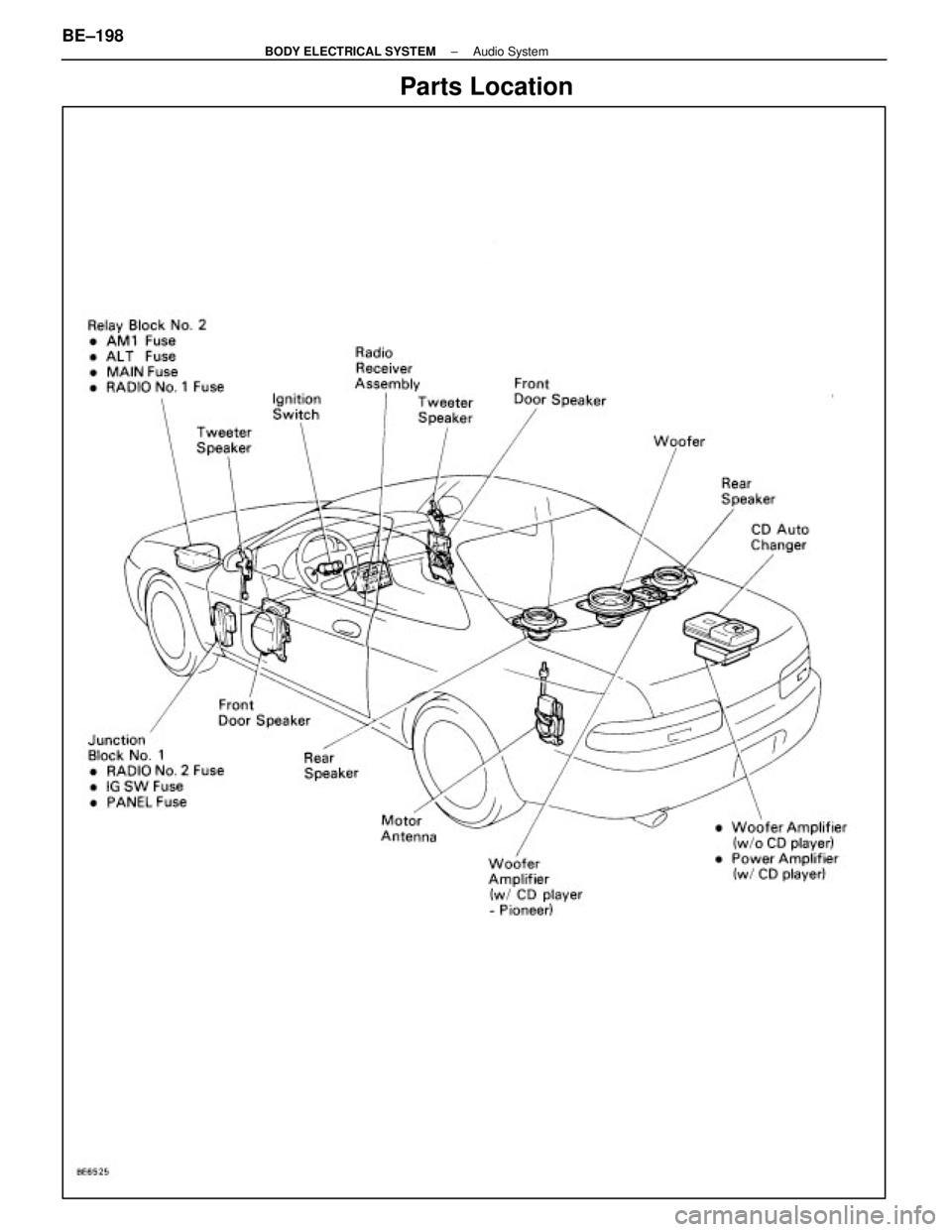
Parts Location
BE±198±
BODY ELECTRICAL SYSTEM Audio System
WhereEverybodyKnowsYourName
Page 585 of 4087
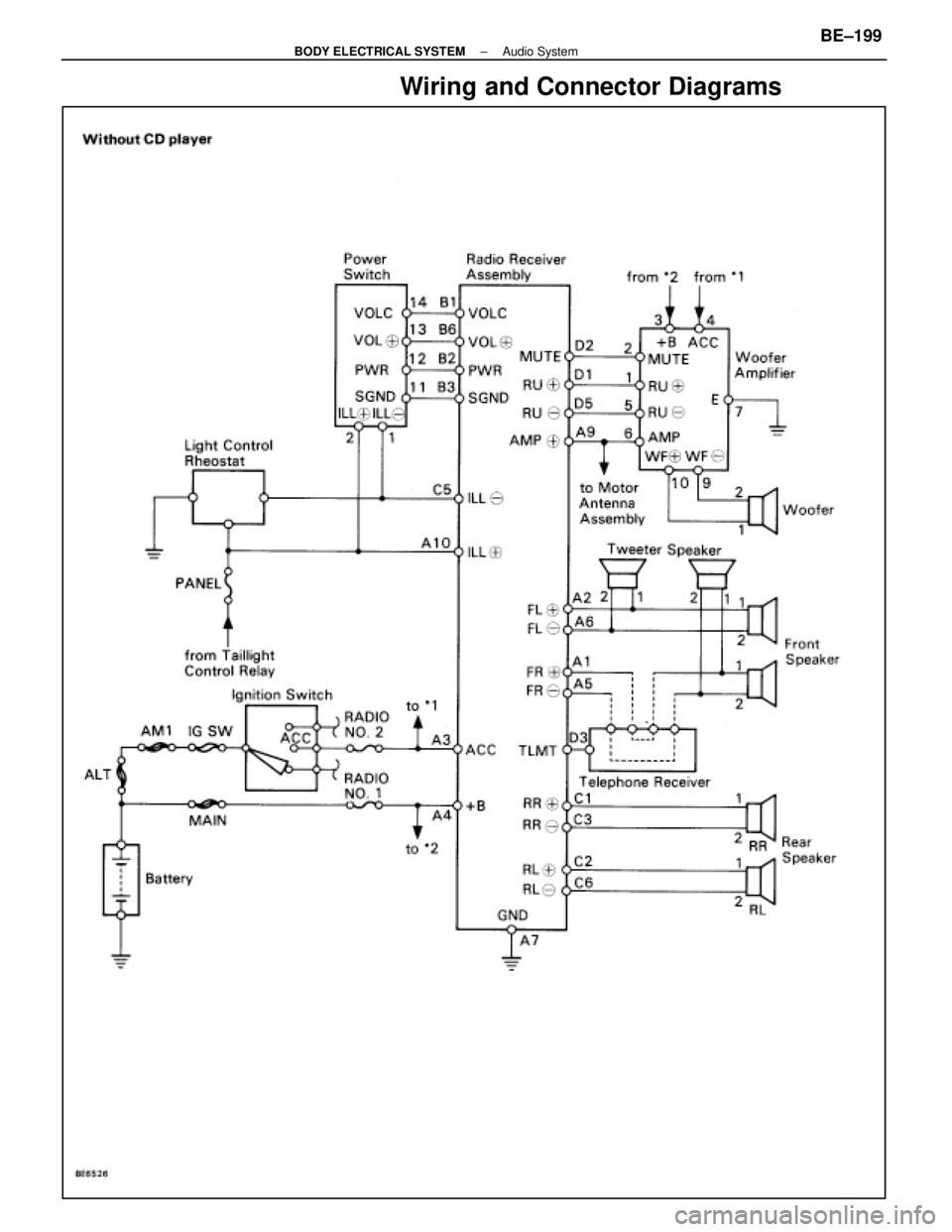
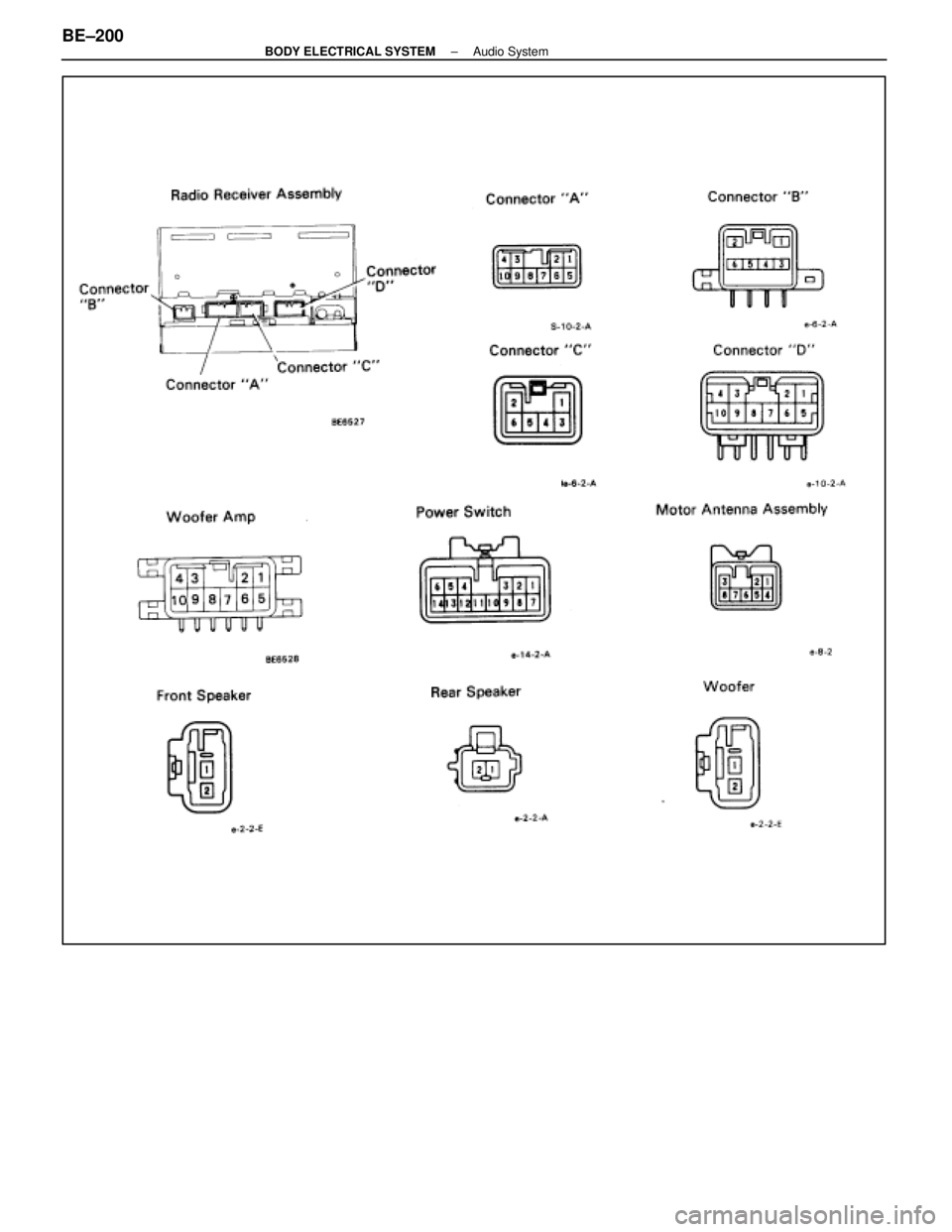
Wiring and Connector Diagrams
±
BODY ELECTRICAL SYSTEM Audio SystemBE±199
WhereEverybodyKnowsYourName
Page 586 of 4087
BE±200±
BODY ELECTRICAL SYSTEM Audio System
WhereEverybodyKnowsYourName
Page 587 of 4087
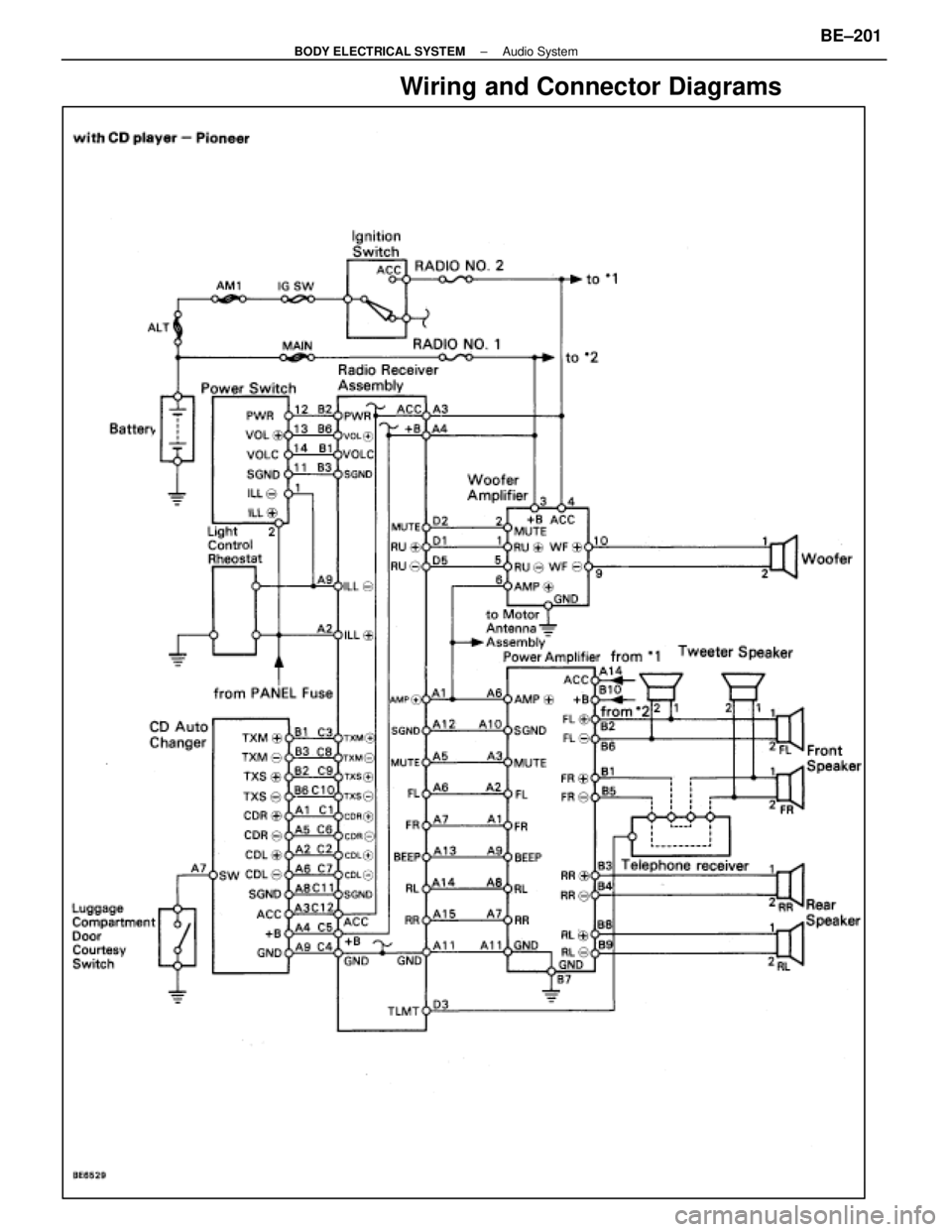
Wiring and Connector Diagrams
±
BODY ELECTRICAL SYSTEM Audio SystemBE±201
WhereEverybodyKnowsYourName
Page 588 of 4087
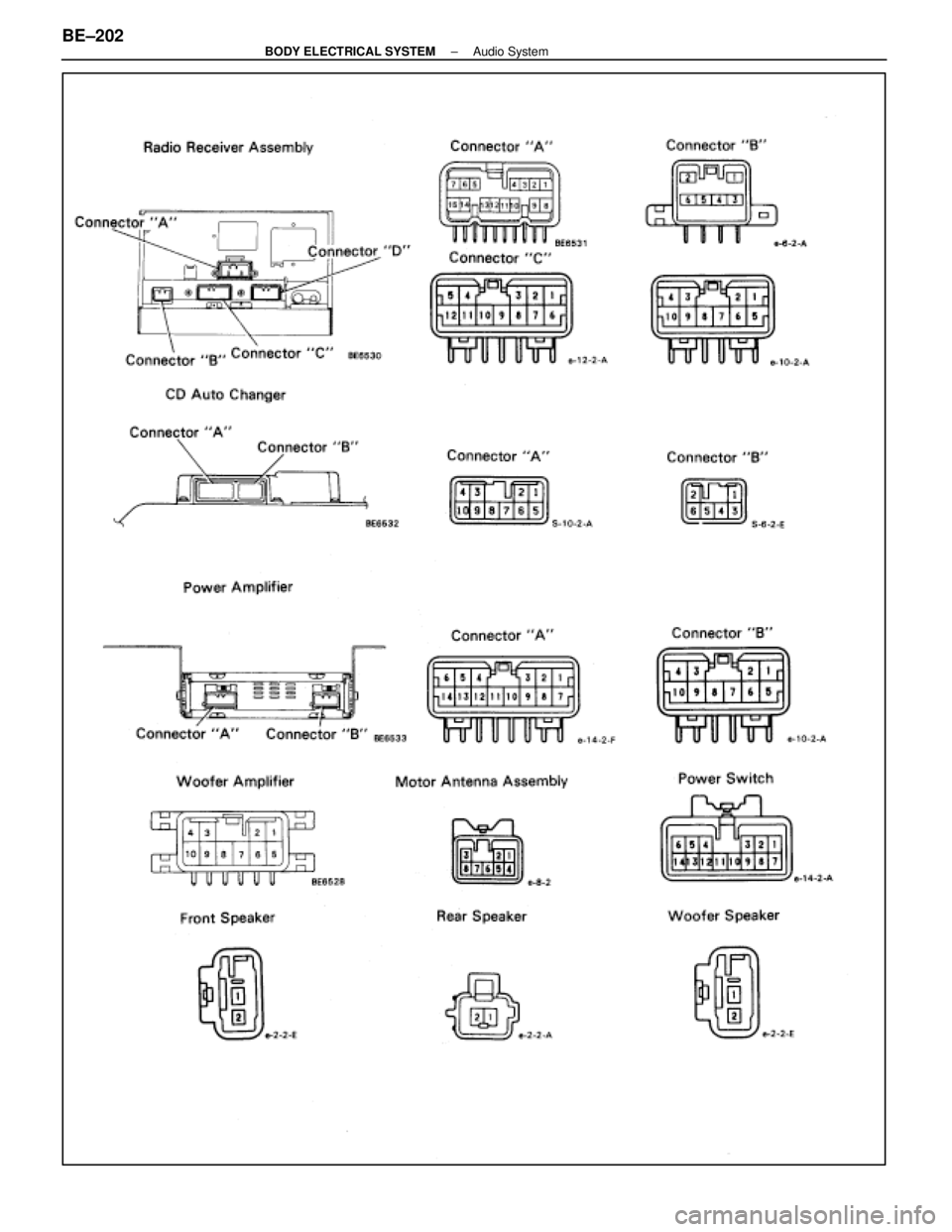
BE±202±
BODY ELECTRICAL SYSTEM Audio System
WhereEverybodyKnowsYourName
Page 589 of 4087
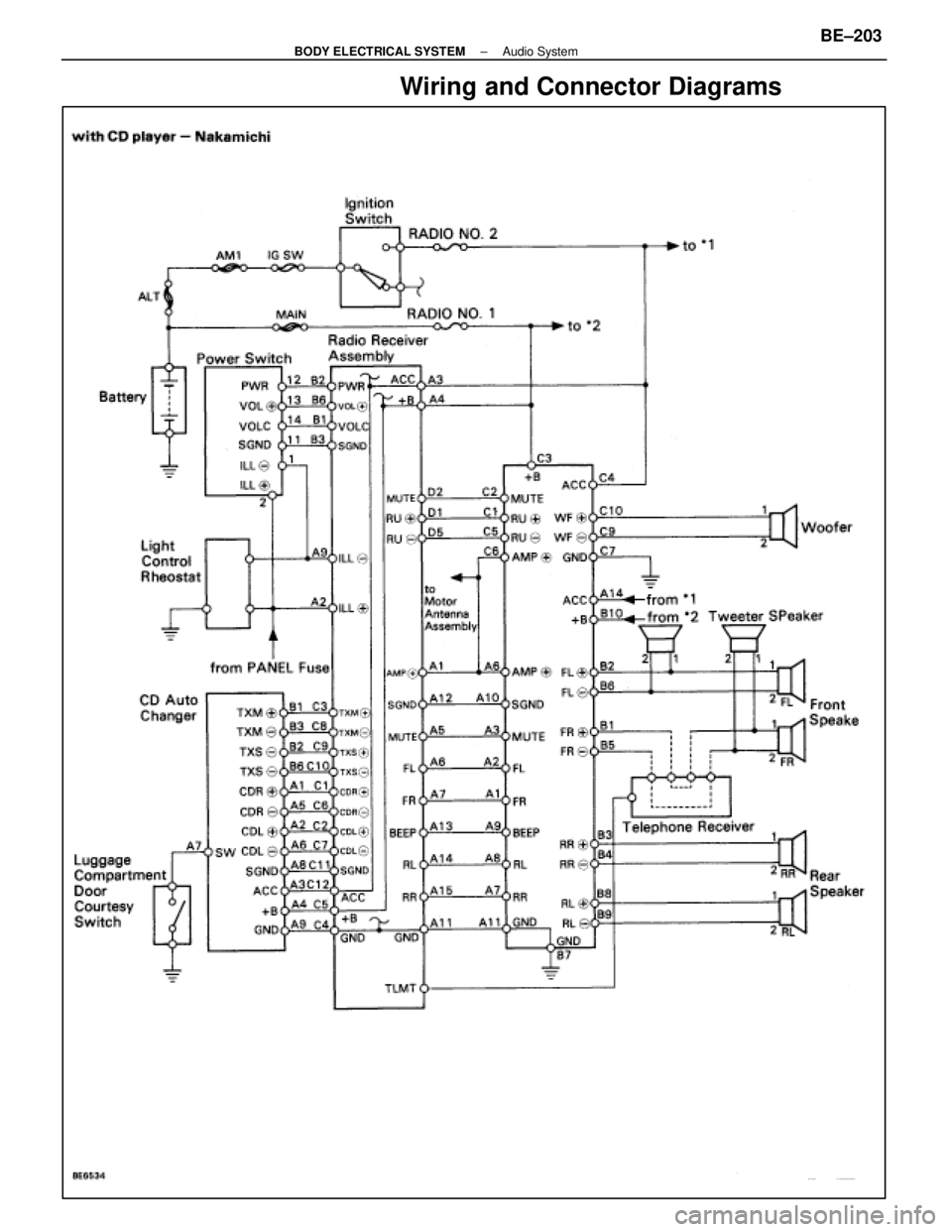
Wiring and Connector Diagrams
±
BODY ELECTRICAL SYSTEM Audio SystemBE±203
WhereEverybodyKnowsYourName
Page 590 of 4087
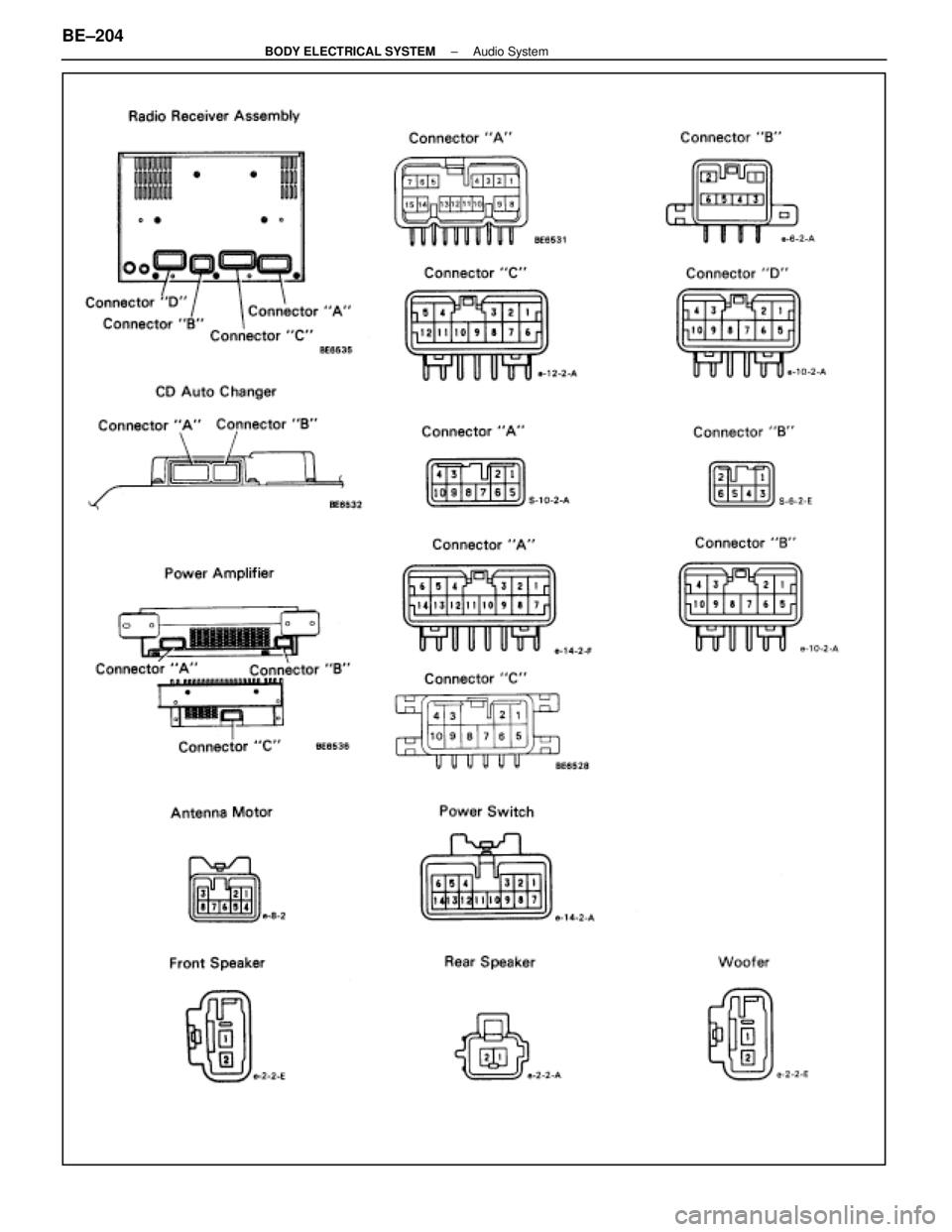
BE±204±
BODY ELECTRICAL SYSTEM Audio System
WhereEverybodyKnowsYourName
Page 591 of 4087
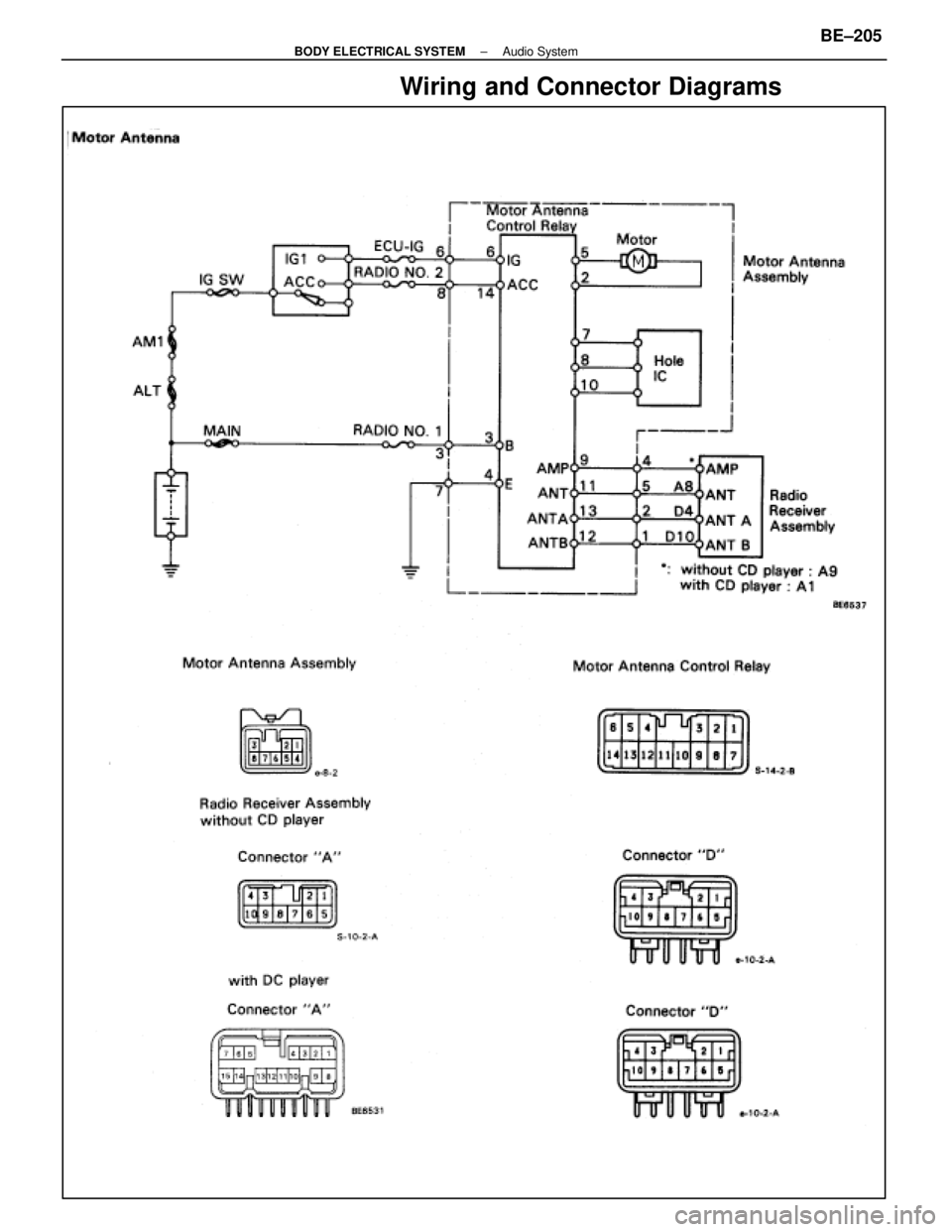
Wiring and Connector Diagrams
±
BODY ELECTRICAL SYSTEM Audio SystemBE±205
WhereEverybodyKnowsYourName
Page 592 of 4087
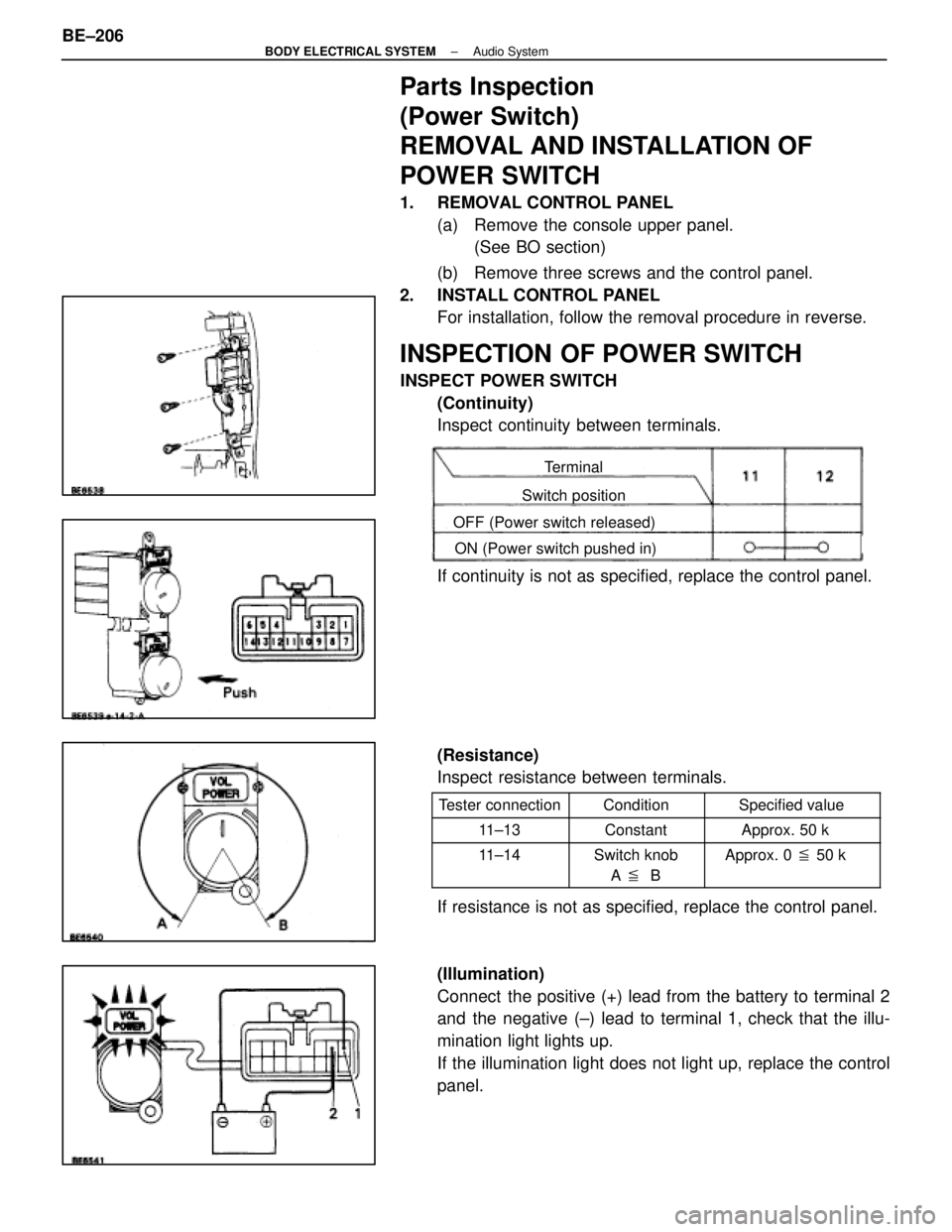
Parts Inspection
(Power Switch)
REMOVAL AND INSTALLATION OF
POWER SWITCH
1. REMOVAL CONTROL PANEL(a) Remove the console upper panel.(See BO section)
(b) Remove three screws and the control panel.
2. INSTALL CONTROL PANEL For installation, follow the removal procedure in reverse.
INSPECTION OF POWER SWITCH
INSPECT POWER SWITCH
(Continuity)
Inspect continuity between terminals.
Terminal
Switch position
OFF (Power switch released) ON (Power switch pushed in)
If continuity is not as specified, replace the control panel.
(Resistance)
Inspect resistance between terminals.
Tester connectionConditionSpecified value
11±13ConstantApprox. 50 k �
11±14Switch knob
A � BApprox. 0 � 50 k �
If resistance is not as specified, replace the control panel.
(Illumination)
Connect the positive (+) lead from the battery to terminal 2
and the negative (±) lead to terminal 1, check that the illu-
mination light lights up.
If the illumination light does not light up, replace the control
panel.
BE±206
±
BODY ELECTRICAL SYSTEM Audio System
WhereEverybodyKnowsYourName
 players us")