check LEXUS UX200 2019 Owner's Manual
[x] Cancel search | Manufacturer: LEXUS, Model Year: 2019, Model line: UX200, Model: LEXUS UX200 2019Pages: 452, PDF Size: 10.06 MB
Page 100 of 452
1003-2. Opening, closing and locking the doors
■If the smart access system with push-
button start or the wireless remote con-
trol does not operate properly
●Use the mechanical key to lock and
unlock the doors. (P.380)
●Replace the key battery with a new one if
it is depleted. (P.341)
■If the battery is discharged
The doors cannot be locked and unlocked
using the smart access system with push-
button start or wireless remote control.
Lock or unlock the doors using the
mechanical key. ( P.380)
■Customization
Settings (e.g. unlocking function using a
key) can be changed. (Customizable fea-
tures: P.410)
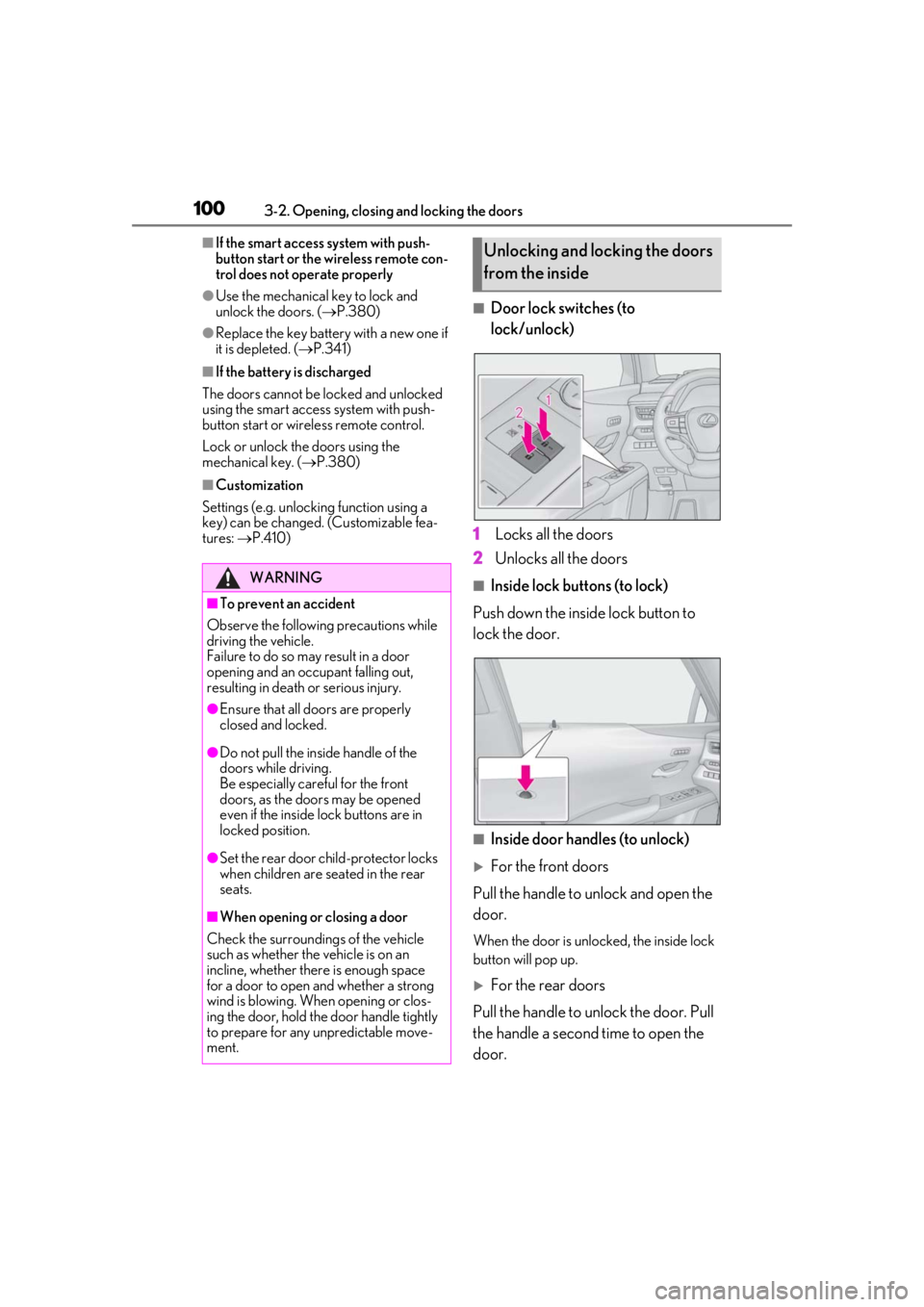
■Door lock switches (to
lock/unlock)
1
Locks all the doors
2
Unlocks all the doors
■Inside lock buttons (to lock)
Push down the inside lock button to
lock the door.
■Inside door handles (to unlock)
For the front doors
Pull the handle to unlock and open the
door.
When the door is unlo cked, the inside lock
button will pop up.
For the rear doors
Pull the handle to unlock the door. Pull
the handle a second time to open the
door.
WARNING
■To prevent an accident
Observe the following precautions while
driving the vehicle.
Failure to do so may result in a door
opening and an occupant falling out,
resulting in death or serious injury.
●Ensure that all doors are properly
closed and locked.
●Do not pull the inside handle of the
doors while driving.
Be especially careful for the front
doors, as the doors may be opened
even if the inside lock buttons are in
locked position.
●Set the rear door ch ild-protector locks
when children are seated in the rear
seats.
■When opening or closing a door
Check the surroundings of the vehicle
such as whether the vehicle is on an
incline, whether ther e is enough space
for a door to open and whether a strong
wind is blowing. When opening or clos-
ing the door, hold the door handle tightly
to prepare for any unpredictable move-
ment.
Unlocking and locking the doors
from the inside
Page 102 of 452
1023-2. Opening, closing and locking the doors
Back door
The back door can be
locked/unlocked and
opened/closed by the following
procedures.
WARNING
Observe the following precautions.
Failure to do so may cause parts of the
body to be caught, resulting in death or
serious injury.
■Before driving the vehicle
Before driving the vehicle, make sure
that the back door is fully closed. If the
back door is not fully closed, it may open
unexpectedly while driving, causing an
accident.
■Caution while driving
●Keep the back door closed while driv-
ing.
If the back door is left open, it may hit
nearby objects while driving or lug-
gage may be unexpectedly thrown out,
causing an accident.
In addition, exhaust gases may enter
the vehicle, causing death or a serious
health hazard. Make sure to close the
back door before driving.
●Never let anyone sit in the luggage
compartment. In the event of sudden
braking, sudden swerving or a colli-
sion, they are susceptible to death or
serious injury.
■When children are in the vehicle
Observe the following precautions.
Failure to do so may result in death or
serious injury.
●Do not allow children to play in the lug-
gage compartment.
If a child is accidentally locked in the
luggage compartment, they could
have heat exhaustion or other injuries.
●Do not allow a child to open or close
the back door.
Doing so may cause the back door to
move unexpectedly, or cause the
child’s hands, arms, head, or neck to be
caught by the closing back door.
■Operating the back door
Observe the following precautions.
Failure to do so may cause parts of the
body to be caught, resulting in death or
serious injury.
●Remove any heavy loads, such as snow
and ice, from the back door before
opening it. Failure to do so may cause
the back door to suddenly shut again
after it is opened.
●When opening or closing the back
door, thoroughly check to make sure
the surrounding area is safe.
●If anyone is in the vicinity, make sure
they are safe and let them know that
the back door is about to open or
close.
●Use caution when opening or closing
the back door in windy weather as it
may move abruptly in strong wind.
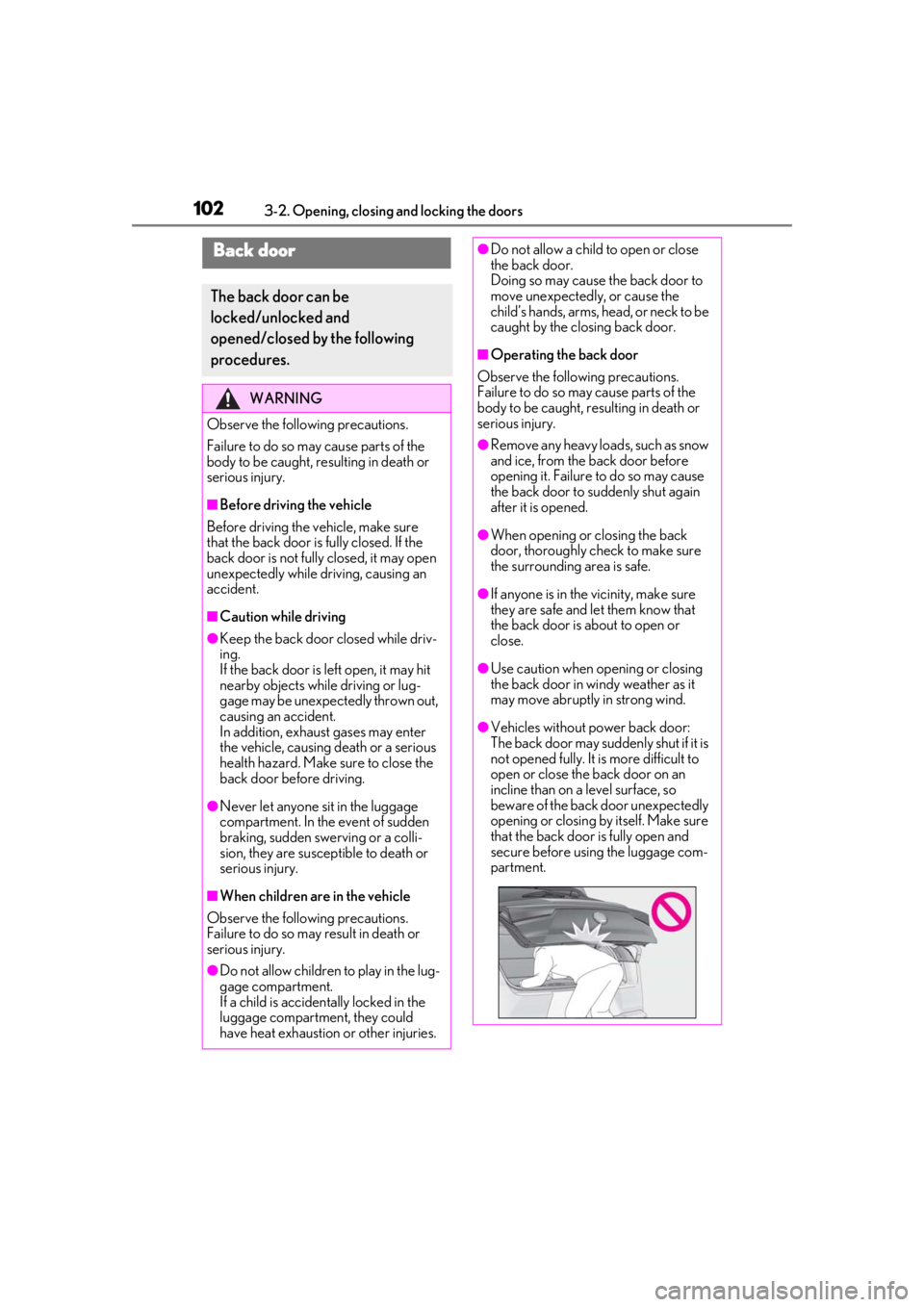
●Vehicles without power back door:
The back door may suddenly shut if it is
not opened fully. It is more difficult to
open or close the back door on an
incline than on a level surface, so
beware of the back door unexpectedly
opening or closing by itself. Make sure
that the back door is fully open and
secure before using the luggage com-
partment.
Page 103 of 452
1033-2. Opening, closing and locking the doors
3
Before driving
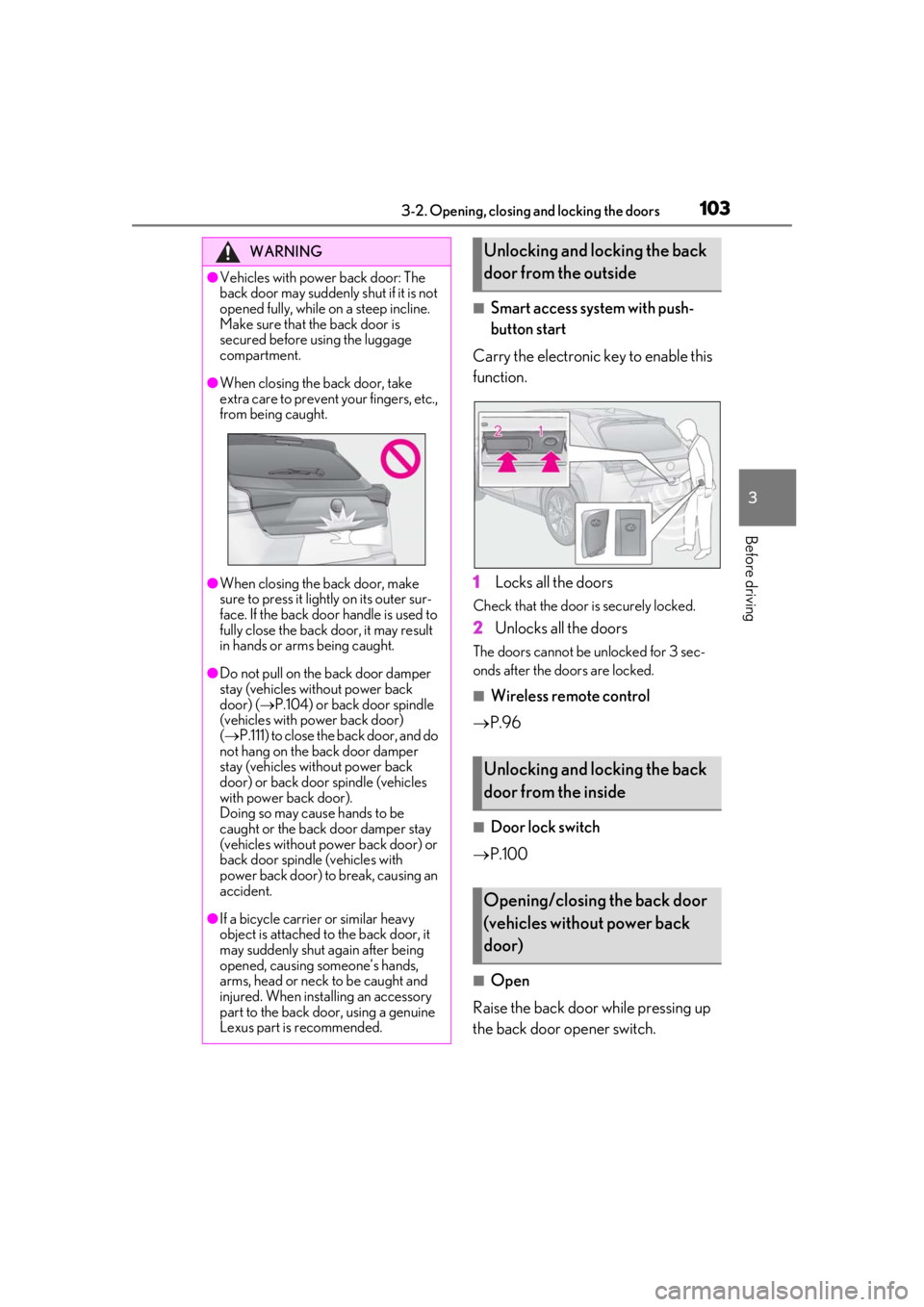
■Smart access system with push-
button start
Carry the electronic key to enable this
function.
1
Locks all the doors
Check that the door is securely locked.
2Unlocks all the doors
The doors cannot be unlocked for 3 sec-
onds after the doors are locked.
■Wireless remote control
P.96
■Door lock switch
P.100
■Open
Raise the back door while pressing up
the back door opener switch.
WARNING
●Vehicles with power back door: The
back door may suddenly shut if it is not
opened fully, while on a steep incline.
Make sure that the back door is
secured before using the luggage
compartment.
●When closing the back door, take
extra care to prevent your fingers, etc.,
from being caught.
●When closing the back door, make
sure to press it lightly on its outer sur-
face. If the back door handle is used to
fully close the back door, it may result
in hands or arms being caught.
●Do not pull on the back door damper
stay (vehicles without power back
door) ( P.104) or back door spindle
(vehicles with power back door)
( P.111) to close the back door, and do
not hang on the back door damper
stay (vehicles without power back
door) or back door spindle (vehicles
with power back door).
Doing so may cause hands to be
caught or the back door damper stay
(vehicles without power back door) or
back door spindle (vehicles with
power back door) to break, causing an
accident.
●If a bicycle carrier or similar heavy
object is attached to the back door, it
may suddenly shut again after being
opened, causing someone’s hands,
arms, head or neck to be caught and
injured. When installing an accessory
part to the back door, using a genuine
Lexus part is recommended.
Unlocking and locking the back
door from the outside
Unlocking and locking the back
door from the inside
Opening/closing the back door
(vehicles without power back
door)
Page 110 of 452
1103-2. Opening, closing and locking the doors
WARNING
■Back door closer
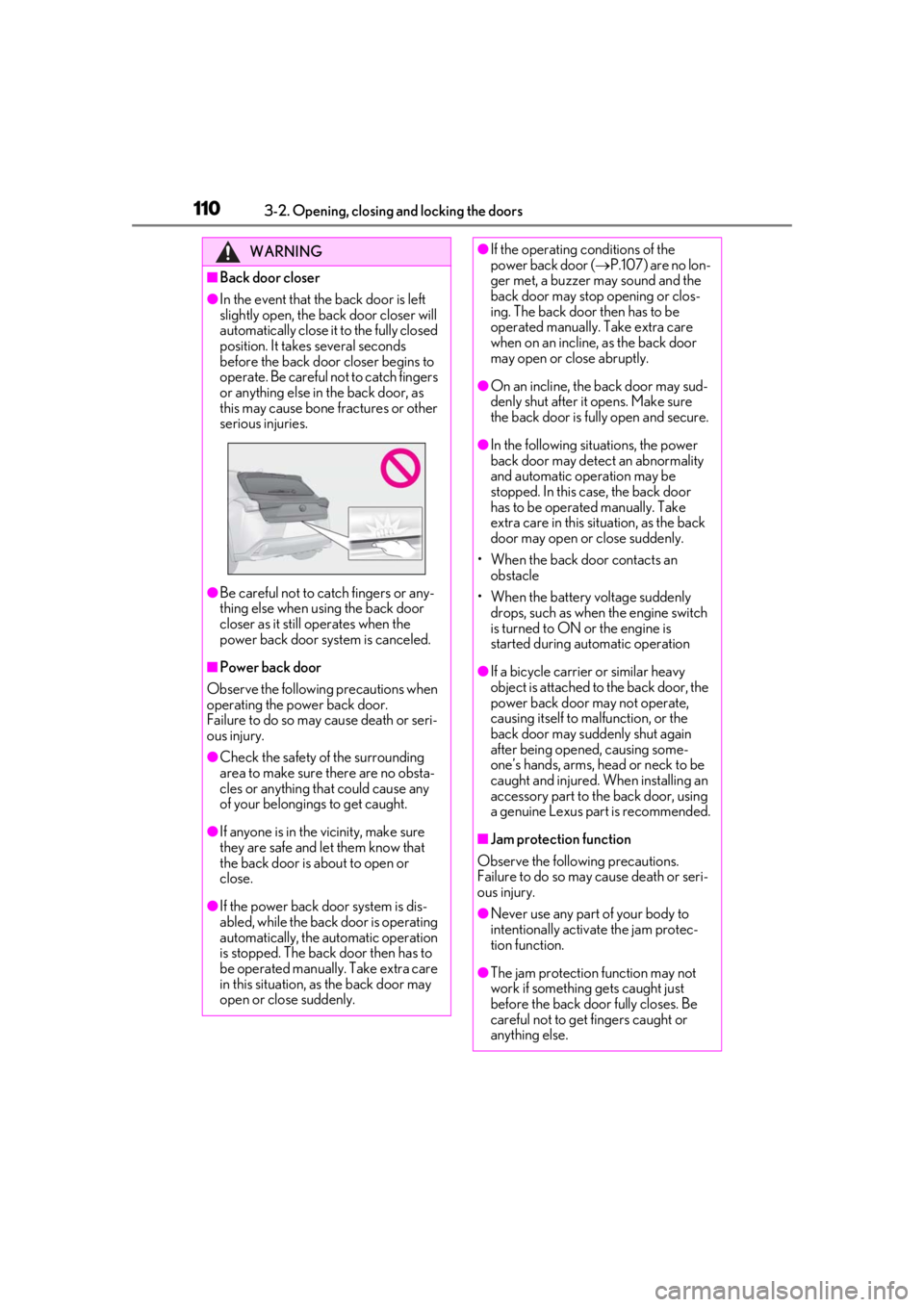
●In the event that the back door is left
slightly open, the back door closer will
automatically close it to the fully closed
position. It takes several seconds
before the back door closer begins to
operate. Be careful not to catch fingers
or anything else in the back door, as
this may cause bone fractures or other
serious injuries.
●Be careful not to catch fingers or any-
thing else when using the back door
closer as it still operates when the
power back door system is canceled.
■Power back door
Observe the following precautions when
operating the power back door.
Failure to do so may cause death or seri-
ous injury.
●Check the safety of the surrounding
area to make sure there are no obsta-
cles or anything that could cause any
of your belongings to get caught.
●If anyone is in the vicinity, make sure
they are safe and let them know that
the back door is about to open or
close.
●If the power back door system is dis-
abled, while the back door is operating
automatically, the automatic operation
is stopped. The back door then has to
be operated manually. Take extra care
in this situation, as the back door may
open or close suddenly.
●If the operating conditions of the
power back door ( P.107) are no lon-
ger met, a buzzer may sound and the
back door may stop opening or clos-
ing. The back door then has to be
operated manually. Take extra care
when on an incline, as the back door
may open or close abruptly.
●On an incline, the back door may sud-
denly shut after it opens. Make sure
the back door is fully open and secure.
●In the following situations, the power
back door may detect an abnormality
and automatic operation may be
stopped. In this case, the back door
has to be operated manually. Take
extra care in this situation, as the back
door may open or close suddenly.
• When the back door contacts an obstacle
• When the battery voltage suddenly drops, such as when the engine switch
is turned to ON or the engine is
started during automatic operation
●If a bicycle carrier or similar heavy
object is attached to the back door, the
power back door may not operate,
causing itself to malfunction, or the
back door may suddenly shut again
after being opened, causing some-
one’s hands, arms, head or neck to be
caught and injured. When installing an
accessory part to the back door, using
a genuine Lexus part is recommended.
■Jam protection function
Observe the following precautions.
Failure to do so may cause death or seri-
ous injury.
●Never use any part of your body to
intentionally activa te the jam protec-
tion function.
●The jam protection function may not
work if something gets caught just
before the back door fully closes. Be
careful not to get fingers caught or
anything else.
Page 111 of 452

1113-2. Opening, closing and locking the doors
3
Before driving
WARNING
●The jam protection function may not
work depending on the shape of the
object that is caught. Be careful not to
catch fingers or anything else.
■Hands Free Power Back Door
Observe the following precautions.
Failure to do so may cause death or seri-
ous injury.
●Check the safety of the surrounding
area to make sure there are no obsta-
cles or anything that could cause any
of your belongings to get caught.
●Exhaust gases cause the exhaust pipes
to become quite hot. When operating
the Hands Free Power Back Door, be
careful not to touch the exhaust pipe.
●Do not operate the Hands Free Power
Back Door if there is little space under
the rear bumper.
NOTICE
■Back door spindles
The back door is equipped with spindles
that hold the ba ck door in place.
Observe the following precautions.
Failure to do so may cause damage to
the back door spindle , resulting in
malfunction.
●Do not attach any foreign objects, such
as stickers, plastic sheets, or adhesives
to the spindle rod.
●Do not touch the spindle rod with
gloves or other fabric items.
A
A
●Do not attach any accessories other
than genuine Lexus parts to the power
back door.
●Do not place your hand on the spindle
or apply lateral forces to it.
■To prevent back door closer malfunc-
tion
Do not apply excessive force to the back
door while the back door closer is oper-
ating. Applying excessive force may
cause the back door closer to malfunc-
tion.
■To prevent damage to the power back
door
●Make sure that there is no ice between
the back door and frame that would
prevent movement of the back door.
Operating the power back door when
excessive load is present on the back
door may cause a malfunction.
●Do not apply excessive force to the
back door while the power back door
is operating.
●Take care not to damage the sensors
(installed on the right and left edges of
the power back door) ( P.109) with a
knife or other sharp object. If the sen-
sor is disconnected, the power back
door will not close automatically.
■Close & lock function
When closing the power back door using
the close & lock function, a different
buzzer than the normal one will sound
before the operation begins.
To check that the operation has started
correctly, check that a different buzzer
than the normal one has sounded.
Additionally, when the power back door
is fully closed and locked, operation sig-
nals will indicate that all of the doors have
been locked.
Before leaving the vehicle, make sure
that the operation signals have operated
and that all of the doors are locked.
Page 117 of 452
1173-2. Opening, closing and locking the doors
3
Before driving
etc. Clean the lock sensor and attempt to
operate it again.
●A sudden approach to the effective
range or door handle may prevent the
doors from being unlocked. In this case,
return the door handle to the original
position and check that the doors unlock
before pulling the door handle again.
●If there is another electronic key in the
detection area, it may take slightly longer
to unlock the doors after the door handle
is gripped.
■When the vehicle is not driven for
extended periods
●To prevent theft of the vehicle, do not
leave the electronic key within 6 ft. (2 m)
of the vehicle.
●The smart access syst em with push-but-
ton start can be deactivated in advance.
●Setting the electronic key to battery-sav-
ing mode helps to reduce key battery
depletion. ( P.115)
■To operate the system properly
Make sure to carry the electronic key when
operating the system. Do not get the elec-
tronic key too close to the vehicle when
operating the system from the outside of the
vehicle.
Depending on the position and holding
condition of the electronic key, the key may
not be detected correctly and the system
may not operate properly. (The alarm may
go off accidentally, or the door lock preven-
tion may not operate.)
■If the smart access system with push-
button start does not operate properly
●Locking and unlocking the doors: Use
the mechanical key. ( P.380)
●Starting the engine: P.381
■Customization
Settings (e.g. smart access system with
push-button start) can be changed. (Cus-
tomizable features: P.411)
If the smart access sy stem with push-button
start has been deactivated by a customized
setting, refer to the explanations for the fol-
lowing operations.
●Locking and unlo cking the doors:
Use the wireless remote control or
mechanical key. ( P.98, 380)
●Starting the engine and changing engine
switch modes: P.381
●Stopping the engine: P.153
Page 123 of 452
1233-3. Adjusting the seats
3
Before driving
*: If equipped
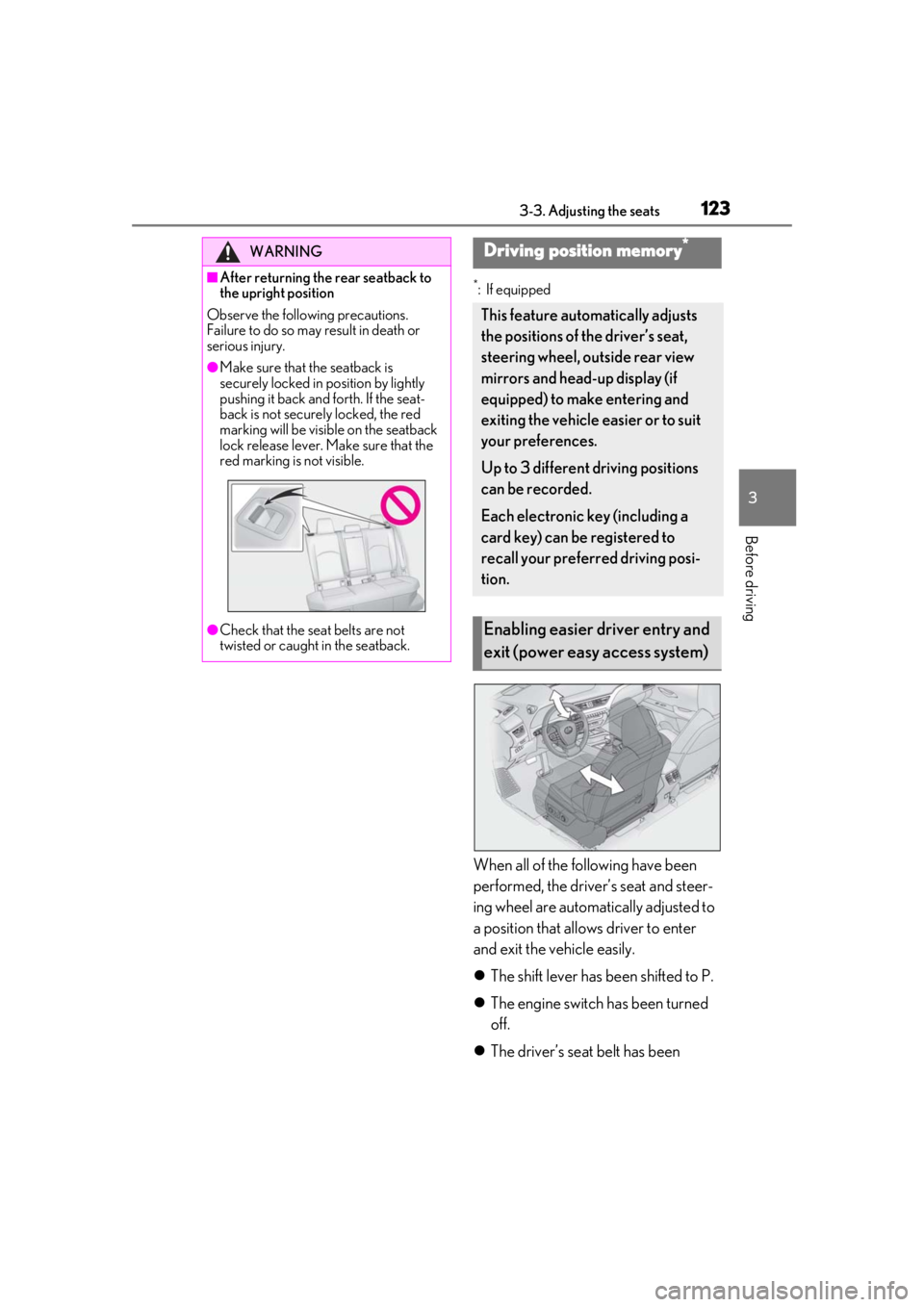
When all of the following have been
performed, the driver’s seat and steer-
ing wheel are automatically adjusted to
a position that allows driver to enter
and exit the vehicle easily.
The shift lever has been shifted to P.
The engine switch has been turned
off.
The driver’s seat belt has been
WARNING
■After returning the rear seatback to
the upright position
Observe the following precautions.
Failure to do so may result in death or
serious injury.
●Make sure that the seatback is
securely locked in position by lightly
pushing it back and forth. If the seat-
back is not securely locked, the red
marking will be visible on the seatback
lock release lever. Make sure that the
red marking is not visible.
●Check that the seat belts are not
twisted or caught in the seatback.
Driving position memory*
This feature automatically adjusts
the positions of the driver’s seat,
steering wheel, outside rear view
mirrors and head-up display (if
equipped) to make entering and
exiting the vehicle easier or to suit
your preferences.
Up to 3 different driving positions
can be recorded.
Each electronic key (including a
card key) can be registered to
recall your preferred driving posi-
tion.
Enabling easier driver entry and
exit (power easy access system)
Page 124 of 452
1243-3. Adjusting the seats
unfastened.
When any of the following has been
performed, the driver’s seat and steer-
ing wheel automatically return to their
original positions.
The engine switch has been turned
to ACC or ON.
The driver’s seat belt has been fas-
tened.
■Operation of the power easy access sys-
tem
When exiting the vehicle, the power easy
access system may not operate if the seat is
already close to the rearmost position, etc.
■Customization
The seat movement amou nt settings of the
power easy access sy stem can be custom-
ized. (Customizable features: P.413)
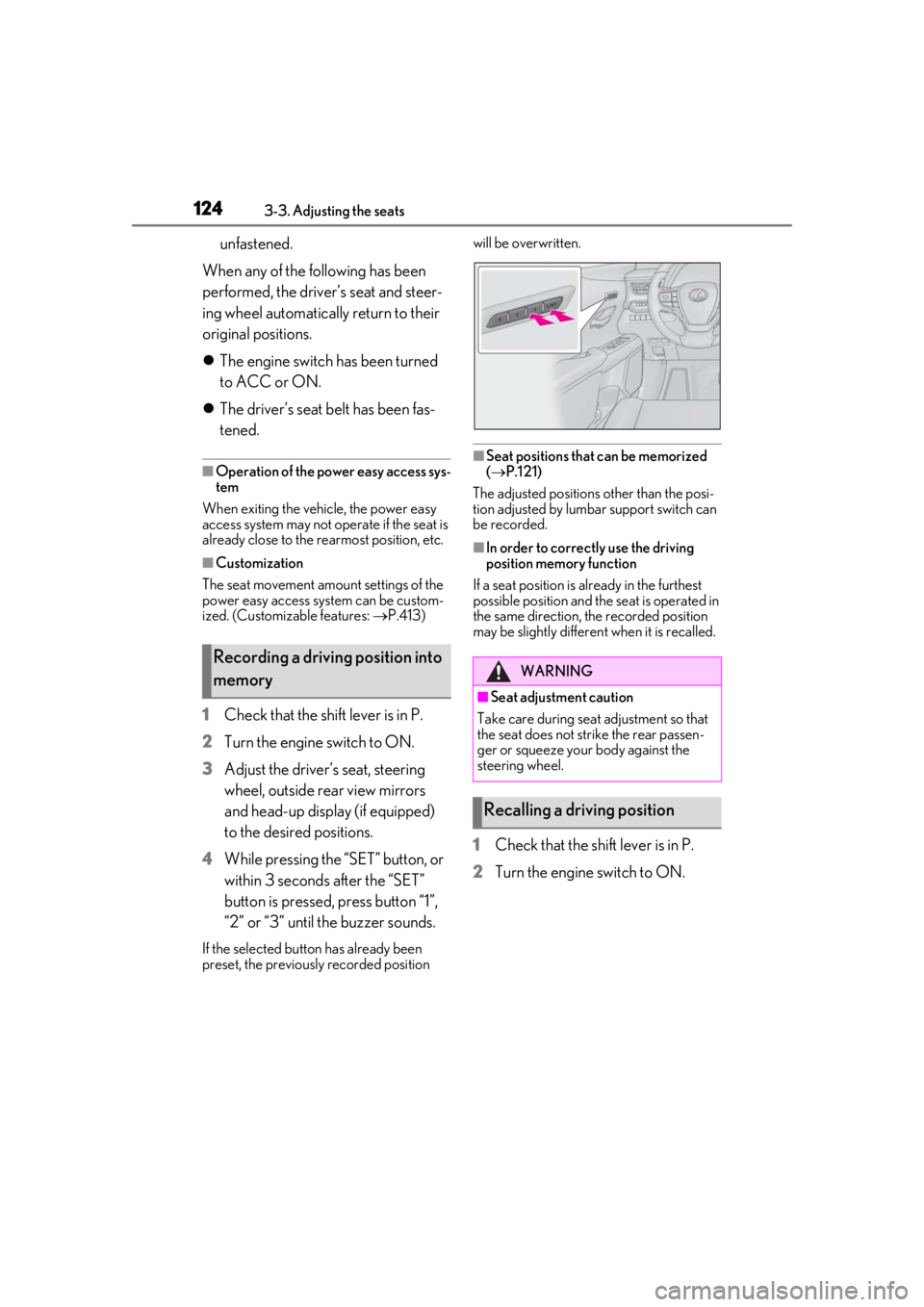
1Check that the shift lever is in P.
2
Turn the engine switch to ON.
3
Adjust the driver’s seat, steering
wheel, outside rear view mirrors
and head-up display (if equipped)
to the desired positions.
4
While pressing the “SET” button, or
within 3 seconds after the “SET”
button is pressed, press button “1”,
“2” or “3” until the buzzer sounds.
If the selected button has already been
preset, the previously recorded position will be overwritten.
■Seat positions that can be memorized
(
P.121)
The adjusted positions other than the posi-
tion adjusted by lumbar support switch can
be recorded.
■In order to correctly use the driving
position memory function
If a seat position is already in the furthest
possible position and the seat is operated in
the same direction, the recorded position
may be slightly differen t when it is recalled.
1Check that the shift lever is in P.
2
Turn the engine switch to ON.
Recording a driving position into
memoryWARNING
■Seat adjustme nt caution
Take care during seat adjustment so that
the seat does not strike the rear passen-
ger or squeeze your body against the
steering wheel.
Recalling a driving position
Page 125 of 452
1253-3. Adjusting the seats
3
Before driving
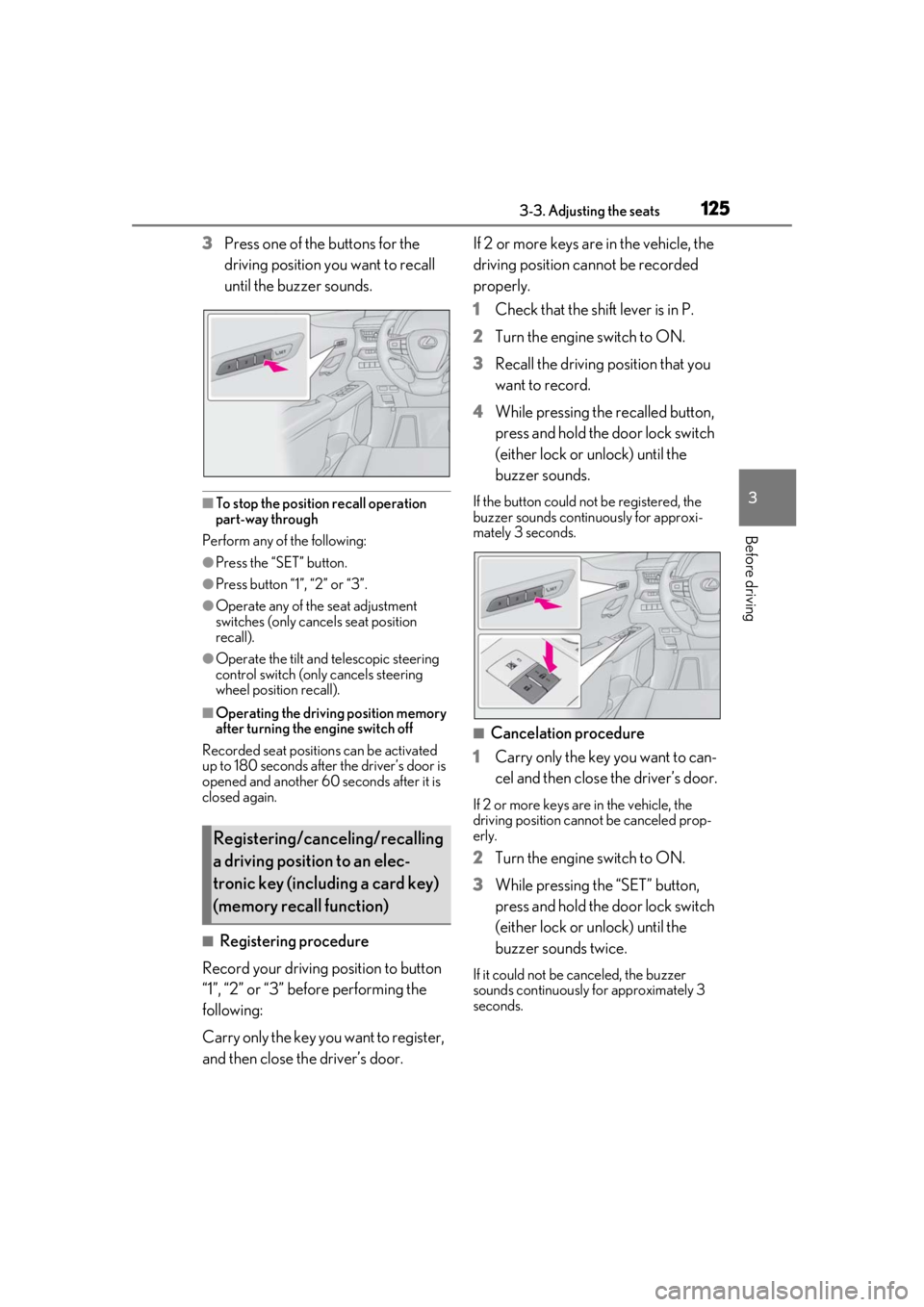
3Press one of the buttons for the
driving position you want to recall
until the buzzer sounds.
■To stop the position recall operation
part-way through
Perform any of the following:
●Press the “SET” button.
●Press button “1”, “2” or “3”.
●Operate any of the seat adjustment
switches (only cancels seat position
recall).
●Operate the tilt and telescopic steering
control switch (only cancels steering
wheel position recall).
■Operating the driving position memory
after turning the engine switch off
Recorded seat positions can be activated
up to 180 seconds after the driver’s door is
opened and another 60 seconds after it is
closed again.
■Registering procedure
Record your driving position to button
“1”, “2” or “3” before performing the
following:
Carry only the key you want to register,
and then close the driver’s door. If 2 or more keys are in the vehicle, the
driving position cannot be recorded
properly.
1
Check that the shift lever is in P.
2 Turn the engine switch to ON.
3 Recall the driving position that you
want to record.
4 While pressing the recalled button,
press and hold the door lock switch
(either lock or unlock) until the
buzzer sounds.
If the button could not be registered, the
buzzer sounds continuously for approxi-
mately 3 seconds.
■Cancelation procedure
1 Carry only the key you want to can-
cel and then close the driver’s door.
If 2 or more keys are in the vehicle, the
driving position cannot be canceled prop-
erly.
2Turn the engine switch to ON.
3 While pressing the “SET” button,
press and hold the door lock switch
(either lock or unlock) until the
buzzer sounds twice.
If it could not be canceled, the buzzer
sounds continuously for approximately 3
seconds.
Registering/canceling/recalling
a driving position to an elec-
tronic key (including a card key)
(memory recall function)
Page 136 of 452
1363-5. Opening, closing the windows and moon roof
■Door lock linked window operation
●The power windows can be opened and
closed using the mechanical key.*
( P.381)
●The power windows can be opened using
the wireless remote control.* ( P.98)
*: These settings must be customized at
your Lexus dealer.
■Power windows open warning buzzer
The buzzer sounds and “Window Open” is
shown on the multi-information display in
the instrument cluster when the engine
switch is turned off and the driver’s door is
opened with the power windows open.
■Customization
Setting (e.g. linked door lock operation) can
be changed.
(Customizable features: P.413)
This function is designed to prevent
children from accidentally opening or
closing a passenger window.
Press the switch.
WARNING
Observe the following precautions.
Failing to do so may result in death or
serious injury.
■Closing the windows
●The driver is responsible for all the
power window operations, including
the operation for the passengers. In
order to prevent accidental operation,
especially by a child, do not let a child
operate the power windows. It is possi-
ble for children and other passengers
to have body parts caught in the power
window. Also, when riding with a child,
it is recommended to use the window
lock switch. ( P.136)
●Check to make sure that all passen-
gers do not have any part of their body
in a position where it could be caught
when a window is being operated.
●When using the wireless remote con-
trol or mechanical key and operating
the power windows, operate the
power window after checking to make
sure that there is no possibility of any
passenger having any of their body
parts caught in the window. Also do
not let a child operate window by the
wireless remote control or mechanical
key. It is possible for children and other
passengers to get caught in the power
window.
●When exiting the vehicle, turn the
engine switch off, carry the key and
exit the vehicle along with the child.
There may be accidental operation,
due to mischief, etc., that may possibly
lead to an accident.
■Jam protection function
●Never use any part of your body to
intentionally activa te the jam protec-
tion function.
●The jam protection function may not
work if something gets jammed just
before the window is fully closed. Be
careful not to get any part of your body
jammed in the window.
■Catch protection function
●Never use any part of your body or
clothing to intentionally activate the
catch protection function.
●The catch protection function may not
work if something gets caught just
before the window is fully opened. Be
careful not to get any part of your body
or clothing caught in the window.
Preventing accidental operation
(window lock switch)