gas LEXUS UX200 2019 Owners Manual
[x] Cancel search | Manufacturer: LEXUS, Model Year: 2019, Model line: UX200, Model: LEXUS UX200 2019Pages: 452, PDF Size: 10.06 MB
Page 2 of 452
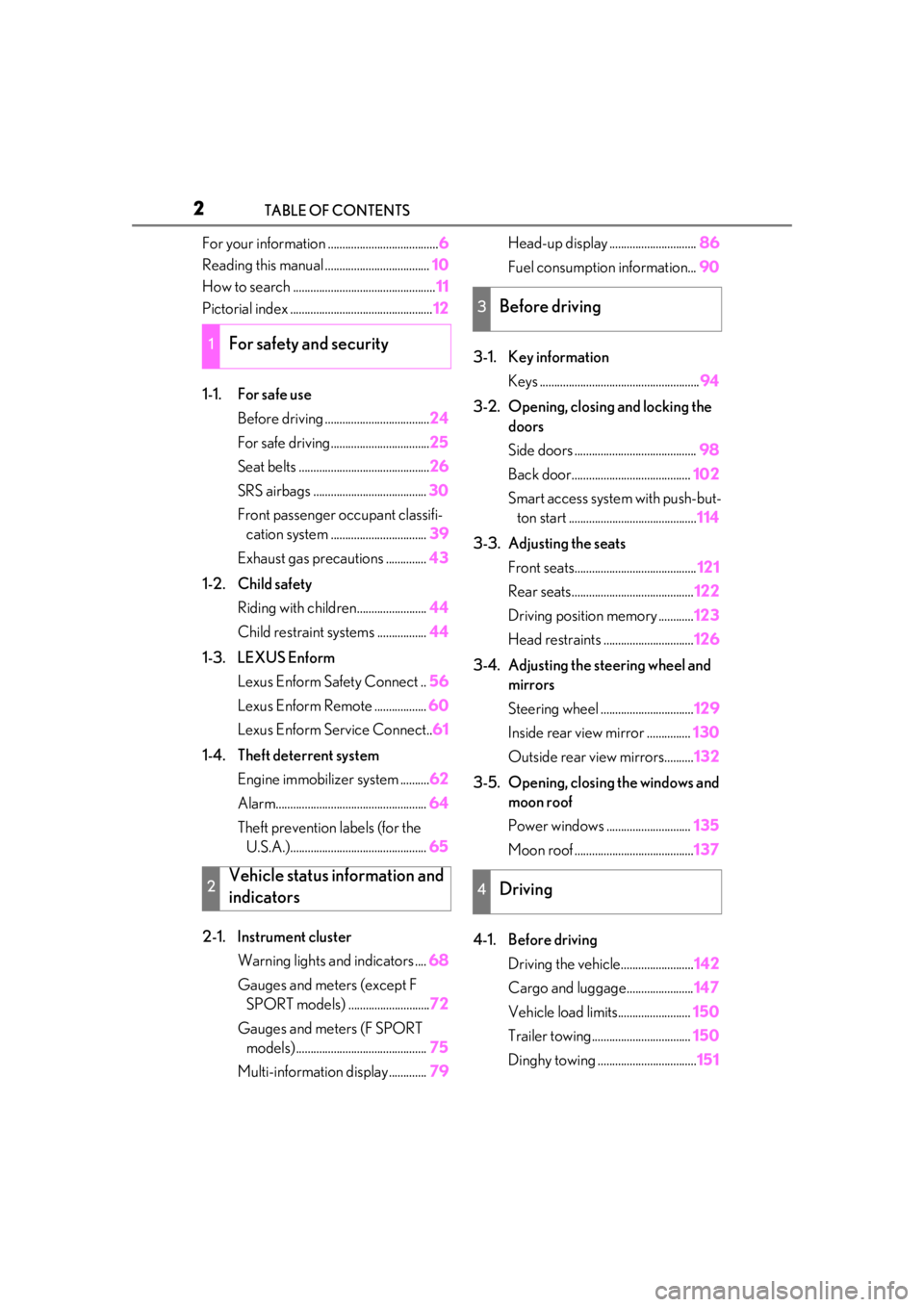
2TABLE OF CONTENTS
For your information ......................................6
Reading this manual .................................... 10
How to search ................................................. 11
Pictorial index ................................................. 12
1-1. For safe use Before driving .................................... 24
For safe driving.................................. 25
Seat belts ............................................. 26
SRS airbags ....................................... 30
Front passenger occupant classifi- cation system ................................. 39
Exhaust gas precautions .............. 43
1-2. Child safety Riding with children........................ 44
Child restraint systems ................. 44
1-3. LEXUS Enform Lexus Enform Safety Connect .. 56
Lexus Enform Remote .................. 60
Lexus Enform Service Connect.. 61
1-4. Theft deterrent system Engine immobilizer system .......... 62
Alarm.................................................... 64
Theft prevention labels (for the U.S.A.)............................................... 65
2-1. Instrument cluster Warning lights and indicators .... 68
Gauges and meters (except F SPORT models) ............................ 72
Gauges and meters (F SPORT models) ............................................. 75
Multi-information display............. 79Head-up display ..............................
86
Fuel consumption information... 90
3-1. Key information Keys ....................................................... 94
3-2. Opening, closing and locking the doors
Side doors .......................................... 98
Back door......................................... 102
Smart access system with push-but- ton start ............................................ 114
3-3. Adjusting the seats Front seats.......................................... 121
Rear seats.......................................... 122
Driving position memory ............ 123
Head restraints ............................... 126
3-4. Adjusting the steering wheel and mirrors
Steering wheel ................................ 129
Inside rear view mirror ............... 130
Outside rear view mirrors.......... 132
3-5. Opening, closing the windows and moon roof
Power windows ............................. 135
Moon roof ......................................... 137
4-1. Before driving Driving the vehicle......................... 142
Cargo and luggage....................... 147
Vehicle load limits......................... 150
Trailer towing.................................. 150
Dinghy towing .................................. 151
1For safety and security
2Vehicle status information and
indicators
3Before driving
4Driving
Page 23 of 452
23
1
1
For safety and security
For safety and security
1-1. For safe useBefore driving ................................. 24
For safe driving.............................. 25
Seat belts ......................................... 26
SRS airbags .................................... 30
Front passenger occupant classifi- cation system .............................. 39
Exhaust gas precautions ........... 43
1-2. Child safety Riding with children..................... 44
Child restraint systems .............. 44
1-3. LEXUS Enform Lexus Enform Safety Connect 56
Lexus Enform Remote ............... 60
Lexus Enform Service Connect.... ............................................................ 61
1-4. Theft deterrent system Engine immobilizer system ...... 62
Alarm................................................. 64
Theft prevention labels (for the U.S.A.)............................................ 65
Page 32 of 452
321-1. For safe use
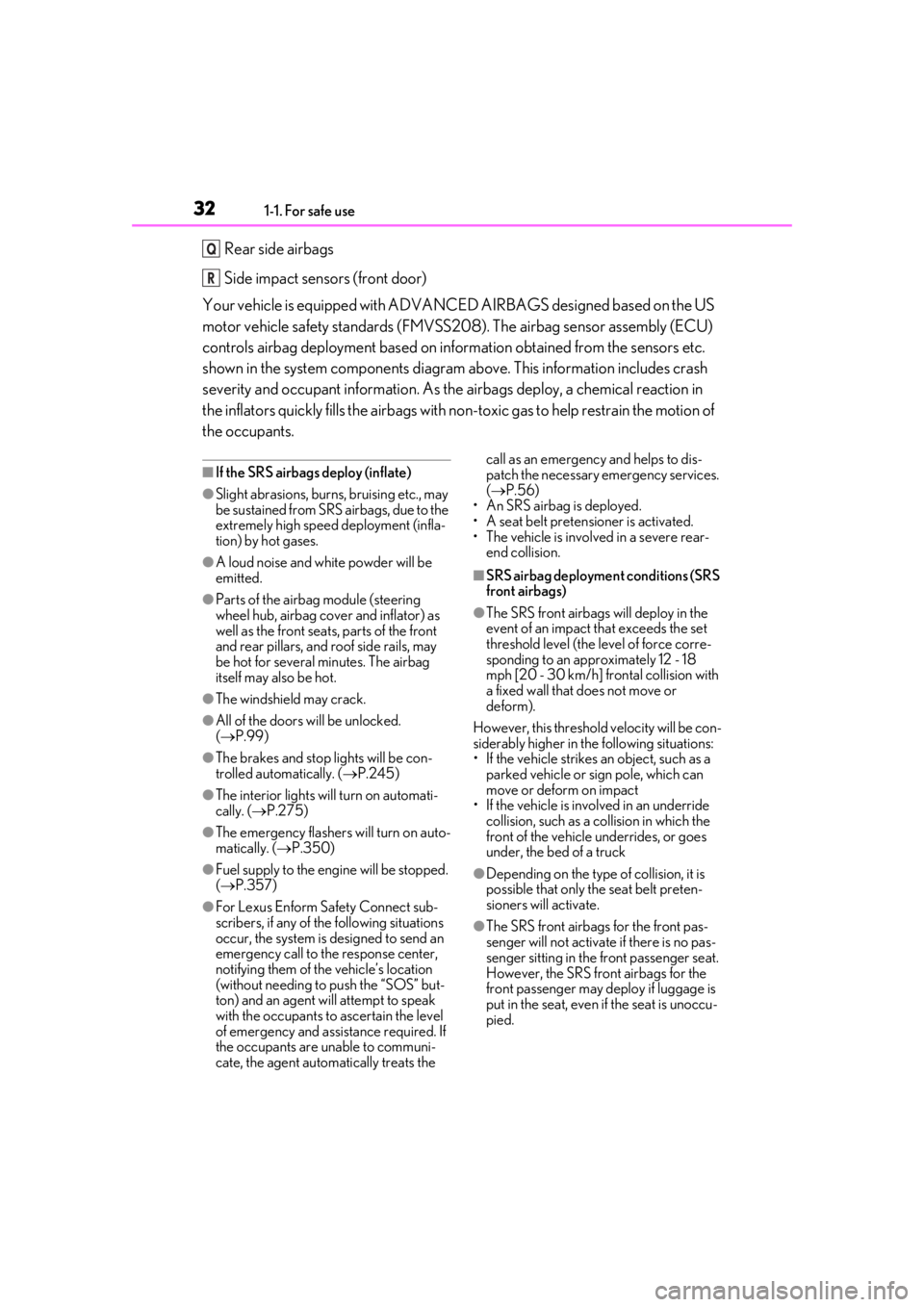
Rear side airbags
Side impact sensors (front door)
Your vehicle is equipped with ADVANCED AIRBAGS designed based on the US
motor vehicle safety standards (FMVSS208). The airbag sensor assembly (ECU)
controls airbag deployment based on information obtained from the sensors etc.
shown in the system components diagram above. This information includes crash
severity and occupant information. As the airbags deploy, a chemical reaction in
the inflators quickly fills the airbags with no n-toxic gas to help restrain the motion of
the occupants.
■If the SRS airbags deploy (inflate)
●Slight abrasions, burns, bruising etc., may
be sustained from SRS airbags, due to the
extremely high speed deployment (infla-
tion) by hot gases.
●A loud noise and white powder will be
emitted.
●Parts of the airbag module (steering
wheel hub, airbag cover and inflator) as
well as the front seat s, parts of the front
and rear pillars, and roof side rails, may
be hot for several minutes. The airbag
itself may also be hot.
●The windshield may crack.
●All of the doors will be unlocked.
( P.99)
●The brakes and stop lights will be con-
trolled automatically. ( P.245)
●The interior lights will turn on automati-
cally. ( P.275)
●The emergency flashers will turn on auto-
matically. ( P.350)
●Fuel supply to the engine will be stopped.
( P.357)
●For Lexus Enform Safety Connect sub-
scribers, if any of the following situations
occur, the system is designed to send an
emergency call to the response center,
notifying them of the vehicle’s location
(without needing to push the “SOS” but-
ton) and an agent will attempt to speak
with the occupants to ascertain the level
of emergency and assi stance required. If
the occupants are unable to communi-
cate, the agent automatically treats the call as an emergency and helps to dis-
patch the necessary emergency services.
(
P.56)
• An SRS airbag is deployed.
• A seat belt pretensioner is activated.
• The vehicle is involved in a severe rear- end collision.
■SRS airbag deployment conditions (SRS
front airbags)
●The SRS front airbags will deploy in the
event of an impact that exceeds the set
threshold level (the level of force corre-
sponding to an approximately 12 - 18
mph [20 - 30 km/h] frontal collision with
a fixed wall that does not move or
deform).
However, this threshold velocity will be con-
siderably higher in the following situations:
• If the vehicle strikes an object, such as a parked vehicle or sign pole, which can
move or deform on impact
• If the vehicle is involved in an underride
collision, such as a collision in which the
front of the vehicle underrides, or goes
under, the bed of a truck
●Depending on the type of collision, it is
possible that only the seat belt preten-
sioners will activate.
●The SRS front airbags for the front pas-
senger will not activate if there is no pas-
senger sitting in the front passenger seat.
However, the SRS front airbags for the
front passenger may deploy if luggage is
put in the seat, even if the seat is unoccu-
pied.
Q
R
Page 43 of 452
431-1. For safe use
1
For safety and security
Exhaust gas precautions
Harmful substances to the human
body are contained in exhaust
gases if inhaled.
WARNING
Exhaust gases contain harmful carbon
monoxide (CO), which is colorless and
odorless. Observe the following precau-
tions.
Failure to do so may cause exhaust gases
enter the vehicle and may lead to an
accident caused by light-deadness, or
may lead to death or a serious health
hazard.
■Important points while driving
●Keep the back door closed.
●If you smell exhaust gases in the vehi-
cle even when the back door is closed,
open the windows and have the vehi-
cle inspected at your Lexus dealer as
soon as possible.
■When parking
●If the vehicle is in a poorly ventilated
area or a closed area, such as a
garage, stop the engine.
●Do not leave the vehicle with the
engine running for a long time. If such
a situation cannot be avoided, park the
vehicle in an open space and ensure
that exhaust fumes do not enter the
vehicle interior.
●Do not leave the engine running in an
area with snow build-up, or where it is
snowing. If snowbanks build up around
the vehicle while the engine is running,
exhaust gases may collect and enter
the vehicle.
■Exhaust pipe
The exhaust system needs to be checked
periodically. If there is a hole or crack
caused by corrosion, damage to a joint
or abnormal exhaust noise, be sure to
have the vehicle inspected and repaired
by your Lexus dealer.
Page 84 of 452
842-1. Instrument cluster
Dynamic radar cruise control with
full-speed range ( P.204)
RSA (Road Sign Assist) (if
equipped) ( P.202)
Select to display warning messages
and measures to be taken if a malfunc-
tion is detected. ( P.367)
■Meter display settings that can be
changed
Language
Select to change th e language displayed.
Units
Select to change the units of measure dis-
played.
Speedometer display (except F
SPORT models)
Select to set the display of the speedome-
ter to digital/analog.
Drive information 1/Drive informa-
tion 2
Select to select up to 2 items ( P.81) that
will be displayed on ea ch Drive information
screen (Drive information 1 screen and
Drive information 2 screen) respectively.
Clock
Select to switch be tween 12-hour display
and 24-hour display.
Pop-up display
Select to enable/disable some pop-up dis-
plays for each relevant system.
Accent color
Select to change the accent color on the
screen, such as the cursor color.
Rev indicator (F SPORT models)
• Select to enable/disable the rev indica-
tor.
• Select to set the engine speed at which the rev indicator (amber) will begin to be
displayed.
Rev peak (F SPORT models)
Select to enable/disable the rev peak.
Eco Driving Indicator Light
Select to enable/disable the Eco Driving
Indicator Light.
Default setting
Select to reset the meter display settings to
the default setting.
■Suspension of the settings display
●Some settings cannot be changed while
driving. When changing settings, park
the vehicle in a safe place.
●If a warning message is displayed, opera-
tion of the settings display will be sus-
pended.
Warning message display
Settings display
WARNING
■Cautions during setting up the dis-
play
As the engine needs to be running
during setting up the display, en sure that
the vehicle is parked in a place with ade-
quate ventilation. In a closed area such as
a garage, exhaust gases including harm-
ful carbon monoxide (CO) may collect
and enter the vehicle. This may lead to
death or a serious health hazard.
Page 88 of 452
882-1. Instrument cluster
Select to adjust the angle of the head-up
display.
■Enabling/disabling of the head-up dis-
play
If the head-up display is disabled, it will
remain disabled when the engine switch is
turned off then back to ON.
■Display brightness
The brightness of the head-up display can
be adjusted on of the multi-information
display. Also, it is automatically adjusted
according to the ambient brightness.
■Head-up display automatic position
adjustment (vehicles with driving posi-
tion memory)
If the display position is recorded into mem-
ory, the head-up display will be automati-
cally adjusted to the desired position.
( P.123)
■When the battery is disconnected
The customize settings of the head-up dis-
play will be reset.
Displays the operational status of the
following systems:
LTA (Lane Tracing Assist) ( P.193)
Dynamic radar cruise control with
full-speed range ( P.204)
Details of content displayed on the head-
up display may differ from that displayed
on the multi-inform ation display. For
details, refer to the explanation of each sys-
tem.
Pop-up displays for the following sys-
tems will be displayed when necessary.
■Driving support systems
Displays a warning/suggestion/advice
message or the operating state of a rel-
evant system.
PCS (Pre-Collision System)
( P.186)
Intuitive parking assist (if equipped)
( P.220)
Parking Support Brake function (for
static objects) (if equipped)
( P.235)
Brake Override System ( P.143)
Drive-Start Control ( P.143)
Details of content displayed on the head-
up display may differ from that displayed
on the multi-inform ation display. For
details, refer to the explanation of each sys-
tem.
WARNING
■Caution for changing settings of the
head-up display
As the engine needs to be running while
changing the settings of the head-up dis-
play, ensure that the vehicle is parked in a
place with adequate ventilation. In a
closed area such as a garage, exhaust
gases including harmful carbon monox-
ide (CO) may collect and enter the vehi-
cle. This may lead to death or a serious
health hazard.
NOTICE
■When changing the settings of the
head-up display
To prevent battery discharge, ensure that
the engine is running while changing the
settings of the head-up display.
Driving support system display
area
Pop-up display
Page 102 of 452
1023-2. Opening, closing and locking the doors
Back door
The back door can be
locked/unlocked and
opened/closed by the following
procedures.
WARNING
Observe the following precautions.
Failure to do so may cause parts of the
body to be caught, resulting in death or
serious injury.
■Before driving the vehicle
Before driving the vehicle, make sure
that the back door is fully closed. If the
back door is not fully closed, it may open
unexpectedly while driving, causing an
accident.
■Caution while driving
●Keep the back door closed while driv-
ing.
If the back door is left open, it may hit
nearby objects while driving or lug-
gage may be unexpectedly thrown out,
causing an accident.
In addition, exhaust gases may enter
the vehicle, causing death or a serious
health hazard. Make sure to close the
back door before driving.
●Never let anyone sit in the luggage
compartment. In the event of sudden
braking, sudden swerving or a colli-
sion, they are susceptible to death or
serious injury.
■When children are in the vehicle
Observe the following precautions.
Failure to do so may result in death or
serious injury.
●Do not allow children to play in the lug-
gage compartment.
If a child is accidentally locked in the
luggage compartment, they could
have heat exhaustion or other injuries.
●Do not allow a child to open or close
the back door.
Doing so may cause the back door to
move unexpectedly, or cause the
child’s hands, arms, head, or neck to be
caught by the closing back door.
■Operating the back door
Observe the following precautions.
Failure to do so may cause parts of the
body to be caught, resulting in death or
serious injury.
●Remove any heavy loads, such as snow
and ice, from the back door before
opening it. Failure to do so may cause
the back door to suddenly shut again
after it is opened.
●When opening or closing the back
door, thoroughly check to make sure
the surrounding area is safe.
●If anyone is in the vicinity, make sure
they are safe and let them know that
the back door is about to open or
close.
●Use caution when opening or closing
the back door in windy weather as it
may move abruptly in strong wind.
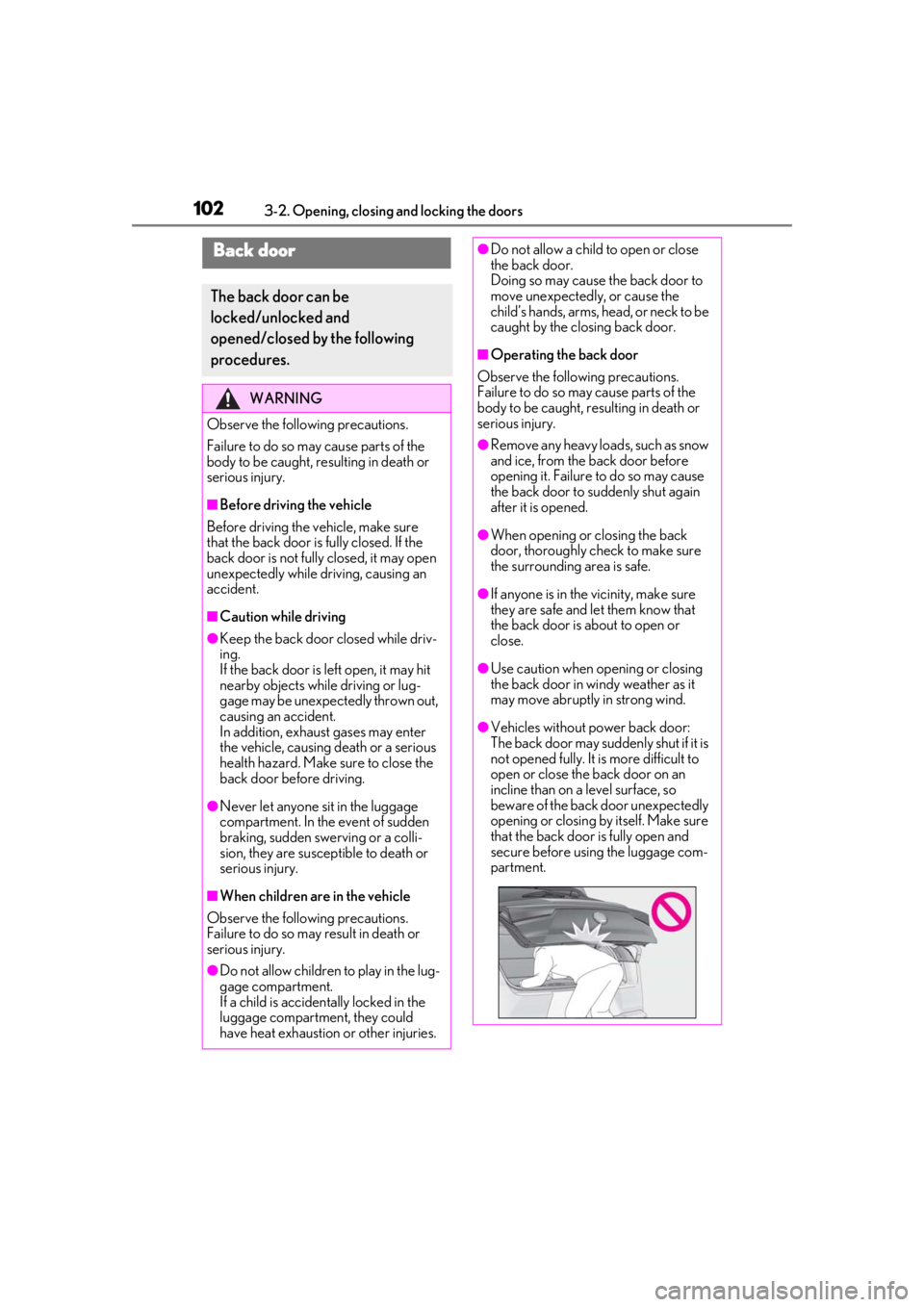
●Vehicles without power back door:
The back door may suddenly shut if it is
not opened fully. It is more difficult to
open or close the back door on an
incline than on a level surface, so
beware of the back door unexpectedly
opening or closing by itself. Make sure
that the back door is fully open and
secure before using the luggage com-
partment.
Page 108 of 452
1083-2. Opening, closing and locking the doors
smart access system with push-button
start (P.98) or the wireless remote
control. ( P.96)
A buzzer sounds and the emergency flash-
ers flash to indicate that all the doors have
been closed and locked.
Before leaving the vehicle, make sure that
all the doors are closed and locked. The
doors may not be locked due to the jam
protection function or door lock prevention
function.
■Close & lock function
When the power back door is open, this
function closes the power back door and
then locks all of the doors simultaneously.
When the following procedures are per-
formed and there are no electronic keys for
the vehicle within the vehicle, all of the
doors will lock when th e power back door is
completely closed.
1 Close all of the doors except the power
back door.
2 While carrying an electronic key, press
the switch on the lower part of
the power back door ( P.105).
A different buzzer than the normal one will
sound and then the power back door will
begin closing automatically. When the
power back door is closed, all of the doors
will lock simultaneously and operation sig-
nals will indicate that all of the doors have
been locked.
■Situations in which the close & lock
function may not operate properly
In the following situations, the close & lock
function may not operate properly:
●If the switch on the lower part of
the power back door ( P.105) is
pressed by a hand which is holding an
electronic key
●If the switch on the lower part of
the power back door ( P.105) is
pressed when the electronic key is in a
bag, etc. that is placed on the ground
●If the switch on the lower part of
the power back door ( P.105) is pressed with the electronic key not near
the vehicle
■Situations in which the Hands Free
Power Back Door may not operate
properly
In the following situations, the Hands Free
Power Back Door may not operate prop-
erly:
●When a foot remain s under the rear
bumper
●If the rear bumper is strongly hit with a
foot or is touched for a while
If the rear bumper has been touched for a
while, wait for a short time before
attempting to operate the Hands Free
Power Back Door again.
●When operated while a person is too
close to the rear bumper
●When an external radio wave source
interferes with the communication
between the electronic key and the vehi-
cle ( P.115)
●When the vehicle is parked near an elec-
trical noise source which affects the sen-
sitivity of the Hands Free Power Back
Door, such as a pay parking spot, gas sta-
tion, electrically heated road, or fluores-
cent light
●When the vehicle is near a TV tower,
electric power plant, radio station, large
display, airport or ot her facility that gen-
erates strong radio waves or electrical
noise
●When a large amount of water is applied
to the rear bumper, such as when the
vehicle is being washed or in heavy rain
●When mud, snow, ice, etc. is attached to
the rear bumper
●When the vehicle has been parked for a
while near objects that may move and
contact the rear bumper, such as plants
●When an accessory is installed to the rear
bumper
If an accessory has been installed, turn
the Hands Free Power Back Door opera-
tion setting off.
Page 109 of 452
1093-2. Opening, closing and locking the doors
3
Before driving
■Preventing unintentional operation of
the Hands Free Power Back Door
When an electronic ke y is in the operation
range, the Hands Free Power Back Door
may operate unintentiona lly, so be careful in
the following situations.
●When a large amount of water is applied
to the rear bumper, such as when the
vehicle is being washed or in heavy rain
●When dirt is wiped off the rear bumper
●When a small animal or small object, such
as a ball, moves under the rear bumper
●When an object is moved from under the
rear bumper
●If someone is swinging their legs while sit-
ting on the rear bumper
●If the legs or another part of someone’s
body contacts the rear bumper while
passing by the vehicle
●When the vehicle is parked near an elec-
trical noise source which affects the sen-
sitivity of the Hands Free Power Back
Door, such as a pay parking spot, gas sta-
tion, electrically heated road, or fluores-
cent light
●When the vehicle is near a TV tower,
electric power plant, radio station, large
display, airport or other facility that gen-
erates strong radio waves or electrical
noise
●When the vehicle is parked in a place
where objects such as plants are near the
rear bumper
●If luggage, etc. is set near the rear
bumper
●If accessories or a vehicle cover is
installed/removed near the rear bumper
●When the vehicle is being towed
To prevent unintentional operation, turn the
Hands Free Power Back Door operation
setting off.
■When reconnecting the battery
To enable the power back door to operate
properly, close the back door manually.
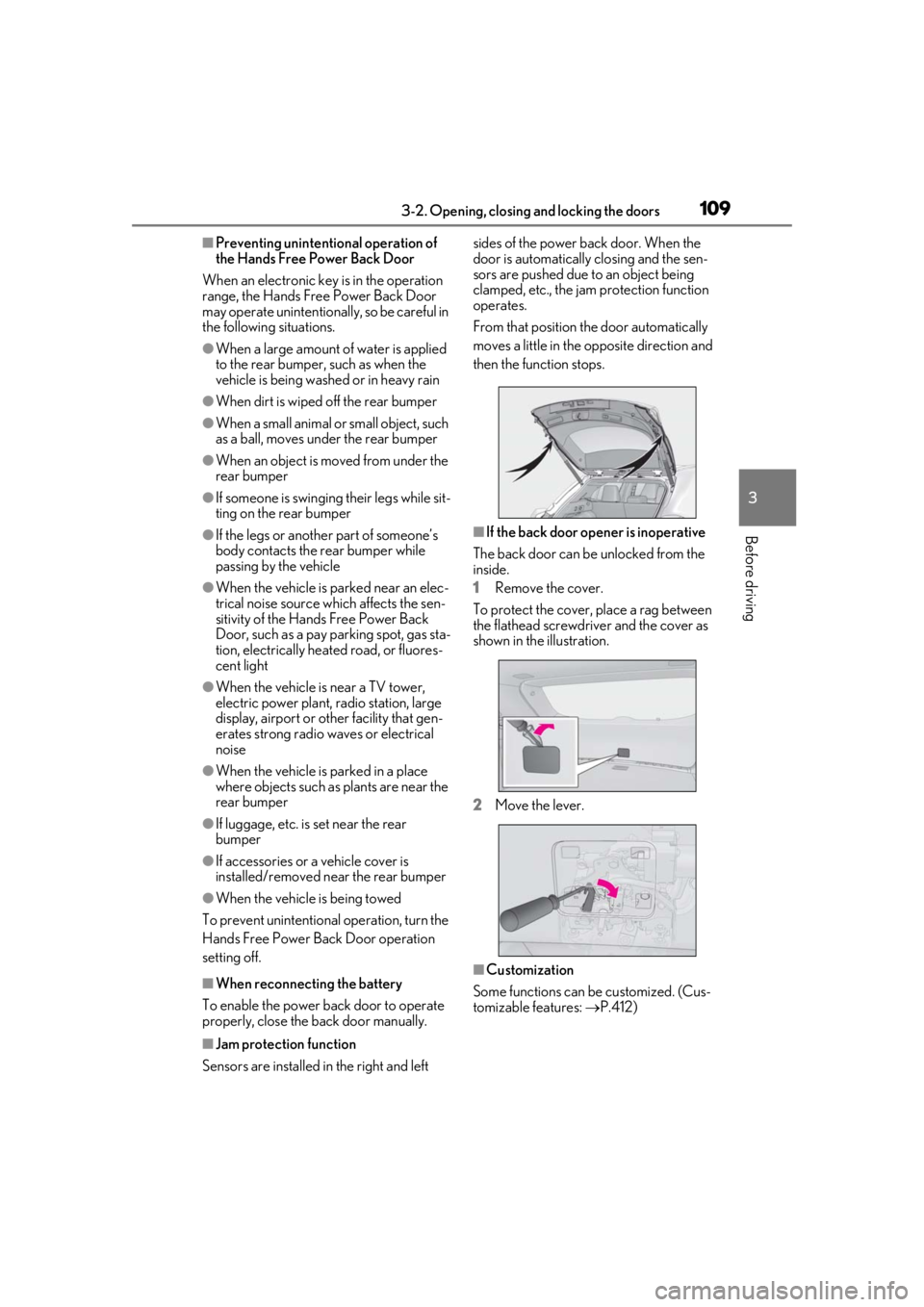
■Jam protection function
Sensors are installed in the right and left sides of the power back door. When the
door is automatically closing and the sen-
sors are pushed due to an object being
clamped, etc., the jam protection function
operates.
From that position the door automatically
moves a little in the opposite direction and
then the function stops.
■If the back door opener is inoperative
The back door can be unlocked from the
inside.
1 Remove the cover.
To protect the cover, place a rag between
the flathead screwdri ver and the cover as
shown in the illustration.
2 Move the lever.
■Customization
Some functions can be customized. (Cus-
tomizable features: P.412)
Page 111 of 452

1113-2. Opening, closing and locking the doors
3
Before driving
WARNING
●The jam protection function may not
work depending on the shape of the
object that is caught. Be careful not to
catch fingers or anything else.
■Hands Free Power Back Door
Observe the following precautions.
Failure to do so may cause death or seri-
ous injury.
●Check the safety of the surrounding
area to make sure there are no obsta-
cles or anything that could cause any
of your belongings to get caught.
●Exhaust gases cause the exhaust pipes
to become quite hot. When operating
the Hands Free Power Back Door, be
careful not to touch the exhaust pipe.
●Do not operate the Hands Free Power
Back Door if there is little space under
the rear bumper.
NOTICE
■Back door spindles
The back door is equipped with spindles
that hold the ba ck door in place.
Observe the following precautions.
Failure to do so may cause damage to
the back door spindle , resulting in
malfunction.
●Do not attach any foreign objects, such
as stickers, plastic sheets, or adhesives
to the spindle rod.
●Do not touch the spindle rod with
gloves or other fabric items.
A
A
●Do not attach any accessories other
than genuine Lexus parts to the power
back door.
●Do not place your hand on the spindle
or apply lateral forces to it.
■To prevent back door closer malfunc-
tion
Do not apply excessive force to the back
door while the back door closer is oper-
ating. Applying excessive force may
cause the back door closer to malfunc-
tion.
■To prevent damage to the power back
door
●Make sure that there is no ice between
the back door and frame that would
prevent movement of the back door.
Operating the power back door when
excessive load is present on the back
door may cause a malfunction.
●Do not apply excessive force to the
back door while the power back door
is operating.
●Take care not to damage the sensors
(installed on the right and left edges of
the power back door) ( P.109) with a
knife or other sharp object. If the sen-
sor is disconnected, the power back
door will not close automatically.
■Close & lock function
When closing the power back door using
the close & lock function, a different
buzzer than the normal one will sound
before the operation begins.
To check that the operation has started
correctly, check that a different buzzer
than the normal one has sounded.
Additionally, when the power back door
is fully closed and locked, operation sig-
nals will indicate that all of the doors have
been locked.
Before leaving the vehicle, make sure
that the operation signals have operated
and that all of the doors are locked.