charging LEXUS UX250H 2019 User Guide
[x] Cancel search | Manufacturer: LEXUS, Model Year: 2019, Model line: UX250H, Model: LEXUS UX250H 2019Pages: 476, PDF Size: 10.51 MB
Page 306 of 476
3065-6. Using the other interior features
the noise is reduced. If noise is reduced,
press and hold the power supply switch of
the wireless charger for 2 seconds. The fre-
quency of the wireless charger is changed
and noise may be reduced. When the fre-
quency is changed, the operation indicator
light will blink (orange) 2 times.
■Charging precautions
●If the electronic key cannot be detected
in the cabin, charging cannot be per-
formed. When a door is opened and
closed, charging may be temporarily sus-
pended.
●While charging, the wireless charger and
the portable device will become warm.
This is not a malfunction.
If a portable device becomes warm while
charging and charging stops due to the
protection function of the portable
device, wait until the portable device
cools down and charge it again.
■Sound generated during operation
When the power supply switch is turned on
or while a portable de vice is being identi-
fied, operation sounds may be heard. This is
not a malfunction.
■Cleaning the wireless charger
P.325
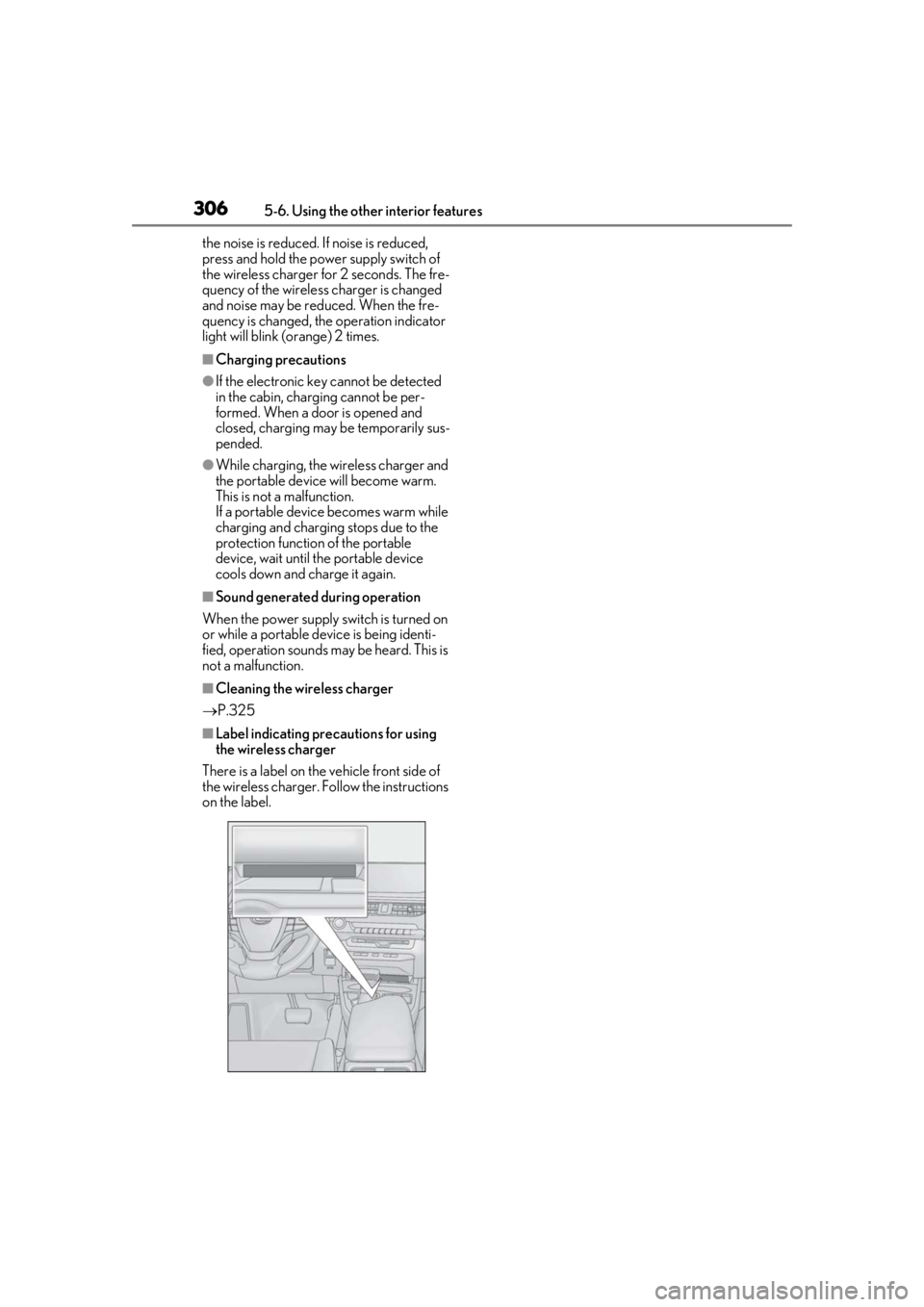
■Label indicating precautions for using
the wireless charger
There is a label on the vehicle front side of
the wireless charger. Follow the instructions
on the label.
Page 309 of 476
3095-6. Using the other interior features
5
Interior features
WARNING
■Caution while driving
When charging a portable device while
driving, for safety reasons, the driver
should not operate the portable device.
■Caution regarding interference with
electronic devices
People who use ca rdiac pacemakers
should use the wireless charger sepa-
rated from the installation part of the car-
diac pacemaker by 8.7 in. (22 cm) or
more.
■To prevent damage or burns
Observe the following precautions.
Failure to do so may result in the possibil-
ity of fire, equipment failure or damage,
or burns due to heat.
●Do not put any metallic objects
between the charging area and the
portable device while charging.
●Do not place containers with liquid
such as water on the wireless charger.
●Do not attach metallic objects, such as
aluminum stickers, to the charging
area.
●Do not cover the wireless charger with
a cloth or other obje ct while charging.
●Do not attempt to charge portable
devices which are not compatible with
the Qi wireless charging standard.
●Do not disassemble, modify or remove
the wireless charger.
●Do not apply force or impact to the
wireless charger.
NOTICE
■Conditions in which the wireless
charger may not operate correctly
In the following situations, the wireless
charger may not operate correctly:
●When a portable device is fully
charged
●When there is a foreign object
between the charging area and porta-
ble device
●When a portable device becomes hot
while charging
●When a portable device is placed on
the charging area with its charging sur-
face facing up
Page 310 of 476
3105-6. Using the other interior features
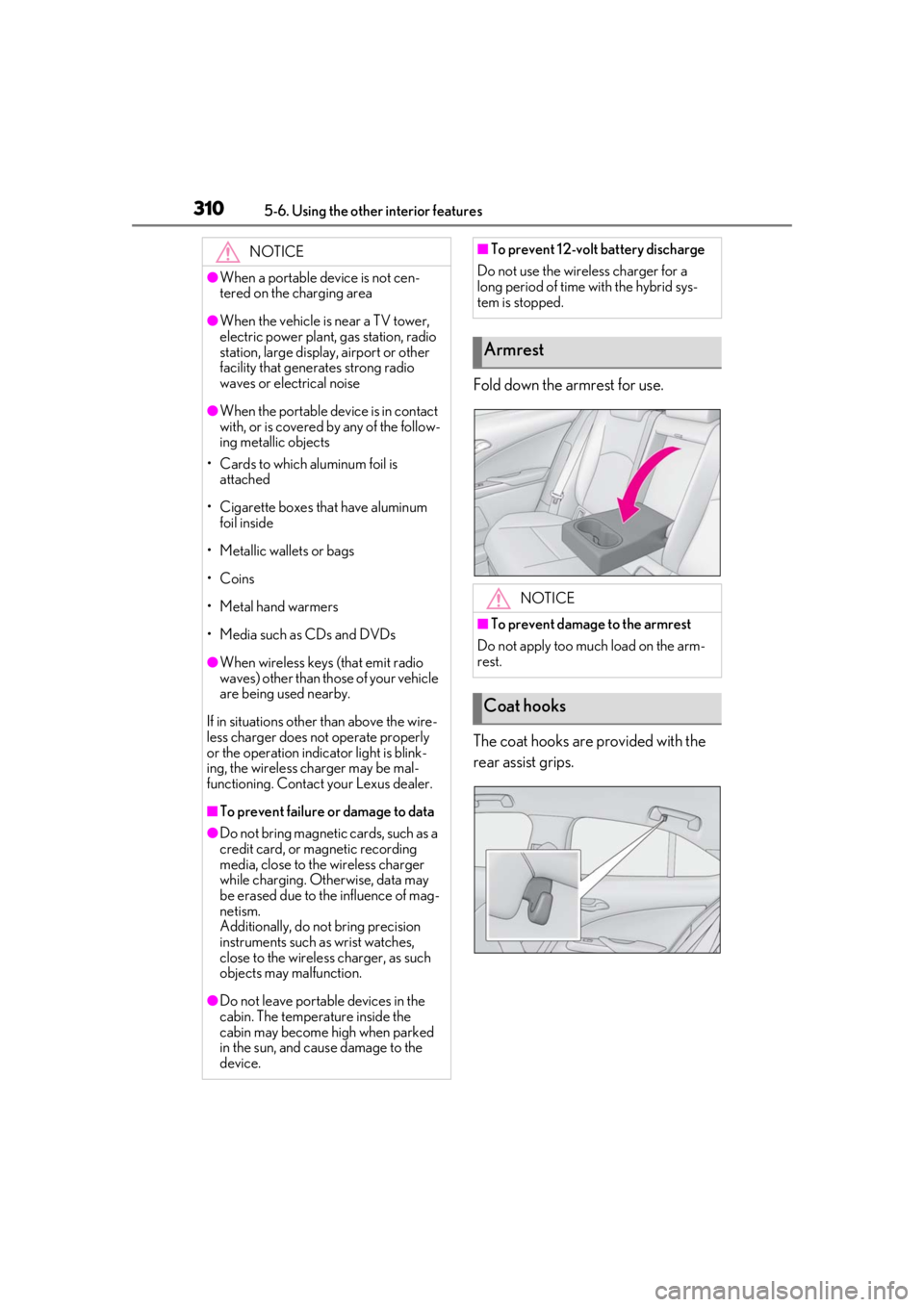
Fold down the armrest for use.
The coat hooks are provided with the
rear assist grips.
NOTICE
●When a portable device is not cen-
tered on the charging area
●When the vehicle is near a TV tower,
electric power plant, gas station, radio
station, large display, airport or other
facility that generates strong radio
waves or electrical noise
●When the portable device is in contact
with, or is covered by any of the follow-
ing metallic objects
• Cards to which aluminum foil is attached
• Cigarette boxes that have aluminum foil inside
• Metallic wallets or bags
• Coins
• Metal hand warmers
• Media such as CDs and DVDs
●When wireless keys (that emit radio
waves) other than those of your vehicle
are being used nearby.
If in situations other than above the wire-
less charger does not operate properly
or the operation indicator light is blink-
ing, the wireless charger may be mal-
functioning. Contact your Lexus dealer.
■To prevent failure or damage to data
●Do not bring magnetic cards, such as a
credit card, or magnetic recording
media, close to the wireless charger
while charging. Otherwise, data may
be erased due to the influence of mag-
netism.
Additionally, do not bring precision
instruments such as wrist watches,
close to the wireless charger, as such
objects may malfunction.
●Do not leave portab le devices in the
cabin. The temperature inside the
cabin may become high when parked
in the sun, and cause damage to the
device.
■To prevent 12-volt battery discharge
Do not use the wireless charger for a
long period of time with the hybrid sys-
tem is stopped.
Armrest
NOTICE
■To prevent damage to the armrest
Do not apply too much load on the arm-
rest.
Coat hooks
Page 342 of 476
3426-3. Do-it-yourself maintenance
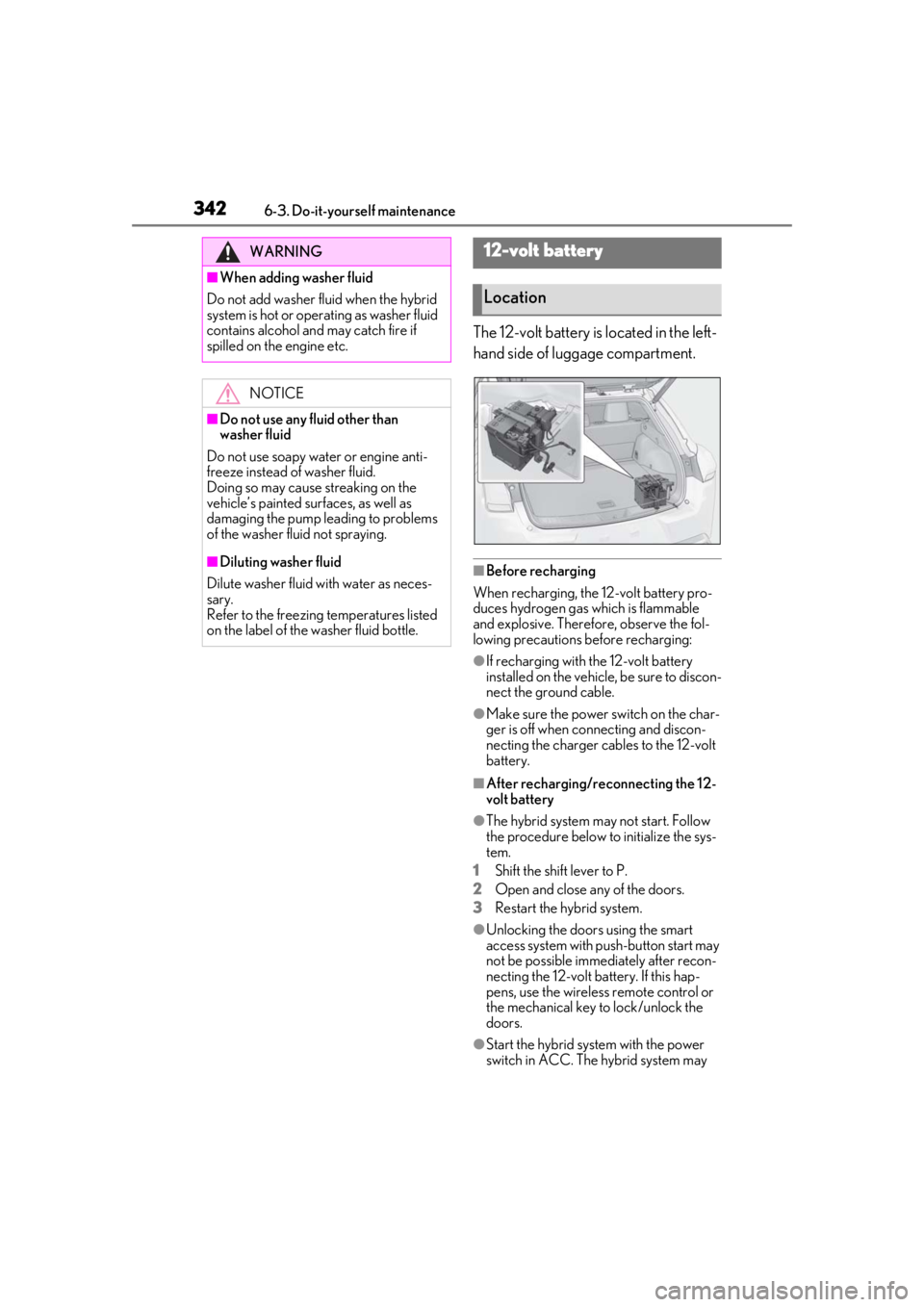
The 12-volt battery is located in the left-
hand side of luggage compartment.
■Before recharging
When recharging, the 12-volt battery pro-
duces hydrogen gas which is flammable
and explosive. Therefore, observe the fol-
lowing precautions before recharging:
●If recharging with the 12-volt battery
installed on the vehicle, be sure to discon-
nect the ground cable.
●Make sure the power switch on the char-
ger is off when connecting and discon-
necting the charger cables to the 12-volt
battery.
■After recharging/reconnecting the 12-
volt battery
●The hybrid system may not start. Follow
the procedure below to initialize the sys-
tem.
1
Shift the shift lever to P.
2
Open and close any of the doors.
3
Restart the hybrid system.
●Unlocking the doors using the smart
access system with pu sh-button start may
not be possible immediately after recon-
necting the 12-volt battery. If this hap-
pens, use the wireless remote control or
the mechanical key to lock/unlock the
doors.
●Start the hybrid system with the power
switch in ACC. The hybrid system may
WARNING
■When adding washer fluid
Do not add washer fluid when the hybrid
system is hot or operating as washer fluid
contains alcohol and may catch fire if
spilled on the engine etc.
NOTICE
■Do not use any fluid other than
washer fluid
Do not use soapy water or engine anti-
freeze instead of washer fluid.
Doing so may cause streaking on the
vehicle’s painted surfaces, as well as
damaging the pump leading to problems
of the washer fluid not spraying.
■Diluting washer fluid
Dilute washer fluid with water as neces-
sary.
Refer to the freezing temperatures listed
on the label of the washer fluid bottle.
12-volt battery
Location
Page 343 of 476
3436-3. Do-it-yourself maintenance
6
Maintenance and care
not start with the power switch turned off.
However, the hybrid system will operate
normally from the second attempt.
●The power switch mode is recorded by
the vehicle. If the 12-volt battery is recon-
nected, the vehicle will return the power
switch mode to the status it was in before
the 12-volt battery was disconnected.
Make sure to turn off the power before
disconnect the 12- volt battery. Take extra
care when connecting the 12-volt battery
if the power switch mode prior to dis-
charge is unknown.
If the system will not st art even after multiple
attempts at all methods above, contact your
Lexus dealer.
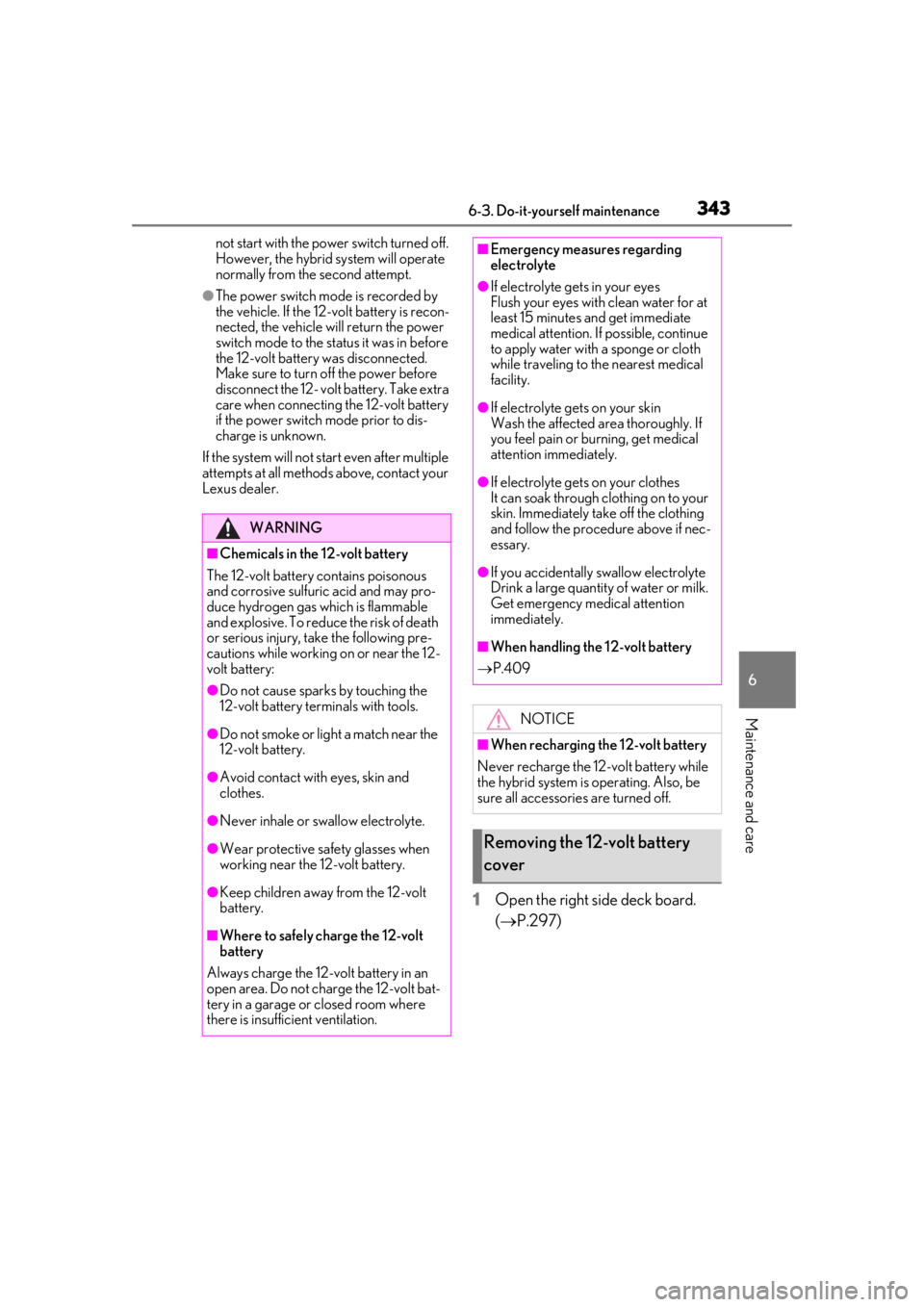
1Open the right side deck board.
( P.297)
WARNING
■Chemicals in the 12-volt battery
The 12-volt battery contains poisonous
and corrosive sulfuric acid and may pro-
duce hydrogen gas which is flammable
and explosive. To reduce the risk of death
or serious injury, take the following pre-
cautions while working on or near the 12-
volt battery:
●Do not cause sparks by touching the
12-volt battery terminals with tools.
●Do not smoke or light a match near the
12-volt battery.
●Avoid contact with eyes, skin and
clothes.
●Never inhale or swallow electrolyte.
●Wear protective safety glasses when
working near the 12-volt battery.
●Keep children away from the 12-volt
battery.
■Where to safely charge the 12-volt
battery
Always charge the 12-volt battery in an
open area. Do not charge the 12-volt bat-
tery in a garage or closed room where
there is insufficient ventilation.
■Emergency measures regarding
electrolyte
●If electrolyte gets in your eyes
Flush your eyes with clean water for at
least 15 minutes and get immediate
medical attention. If possible, continue
to apply water with a sponge or cloth
while traveling to the nearest medical
facility.
●If electrolyte gets on your skin
Wash the affected area thoroughly. If
you feel pain or burning, get medical
attention immediately.
●If electrolyte gets on your clothes
It can soak through clothing on to your
skin. Immediately take off the clothing
and follow the procedure above if nec-
essary.
●If you accidentally swallow electrolyte
Drink a large quantity of water or milk.
Get emergency medical attention
immediately.
■When handling the 12-volt battery
P.409
NOTICE
■When recharging the 12-volt battery
Never recharge the 12-volt battery while
the hybrid system is operating. Also, be
sure all accessories are turned off.
Removing the 12-volt battery
cover
Page 344 of 476
3446-3. Do-it-yourself maintenance
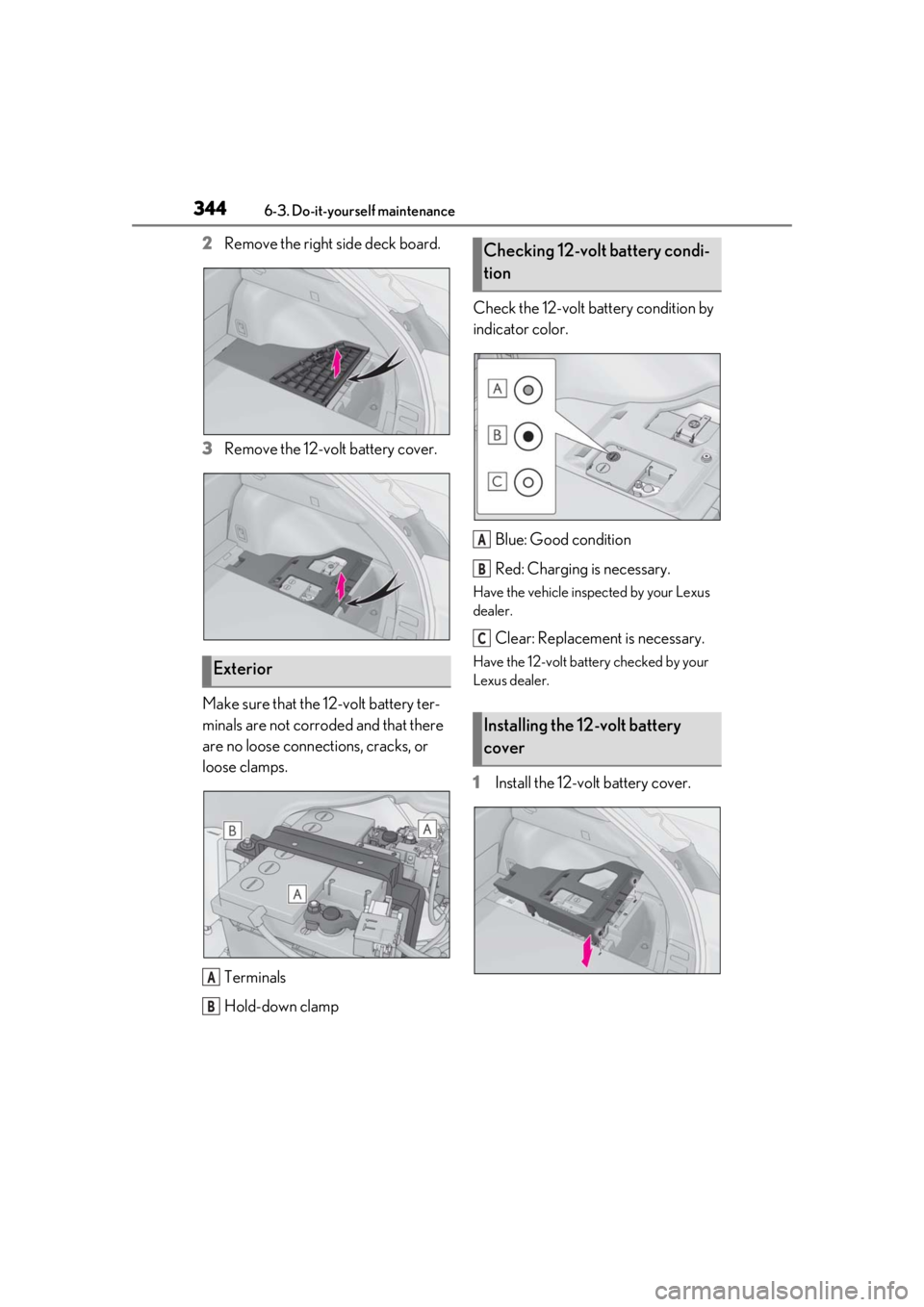
2Remove the right side deck board.
3 Remove the 12-volt battery cover.
Make sure that the 12-volt battery ter-
minals are not corroded and that there
are no loose connections, cracks, or
loose clamps. Terminals
Hold-down clamp Check the 12-volt battery condition by
indicator color.
Blue: Good condition
Red: Charging is necessary.
Have the vehicle inspected by your Lexus
dealer.
Clear: Replacement is necessary.
Have the 12-volt battery checked by your
Lexus dealer.
1Install the 12-volt battery cover.
Exterior
A
B
Checking 12-volt battery condi-
tion
Installing the 12-volt battery
cover
A
B
C
Page 367 of 476
3676-3. Do-it-yourself maintenance
6
Maintenance and care
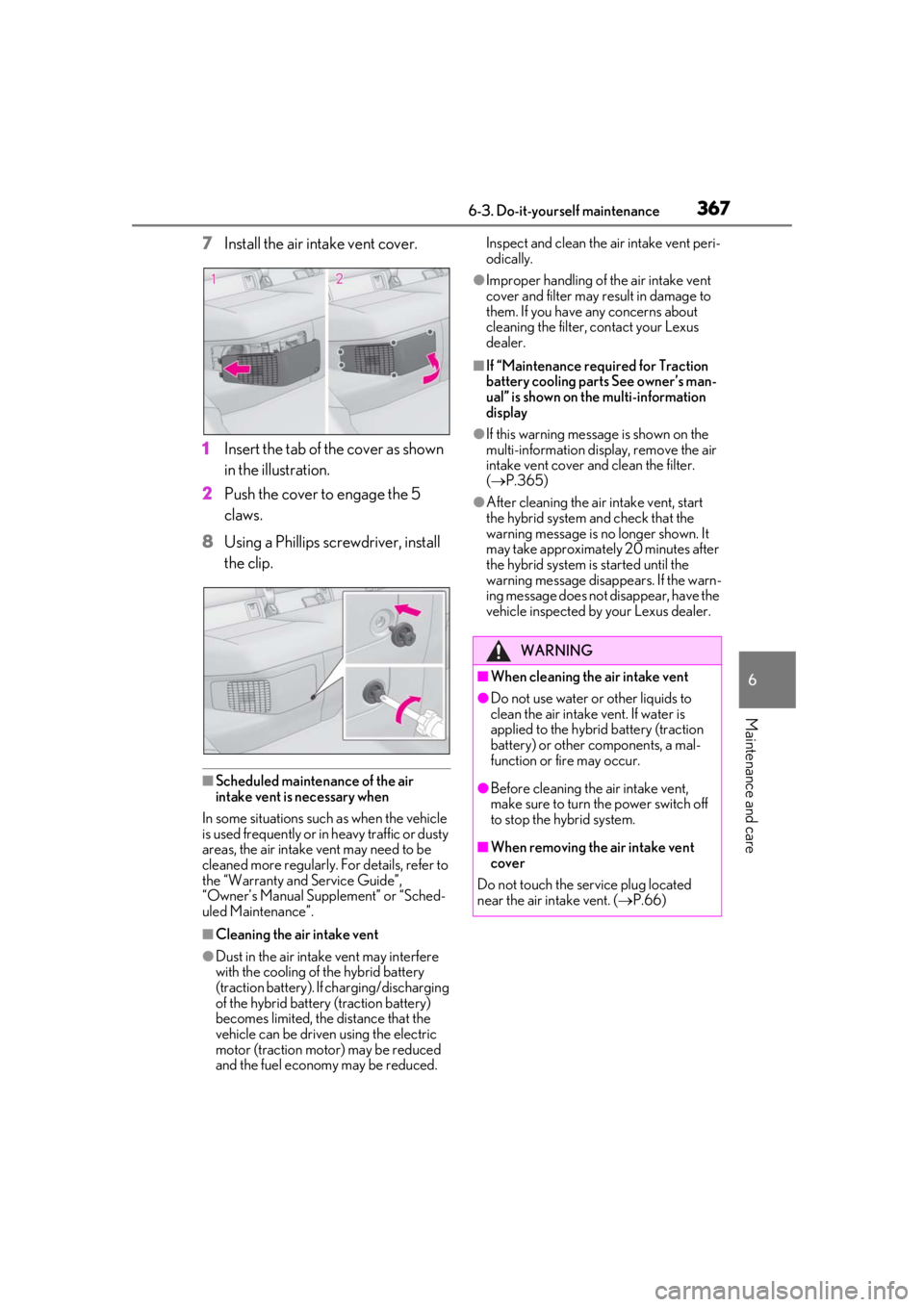
7Install the air intake vent cover.
1
Insert the tab of the cover as shown
in the illustration.
2
Push the cover to engage the 5
claws.
8
Using a Phillips screwdriver, install
the clip.
■Scheduled maintenance of the air
intake vent is necessary when
In some situations such as when the vehicle
is used frequently or in heavy traffic or dusty
areas, the air intake vent may need to be
cleaned more regularly. For details, refer to
the “Warranty and Service Guide”,
“Owner’s Manual Supplement” or “Sched-
uled Maintenance”.
■Cleaning the air intake vent
●Dust in the air intake vent may interfere
with the cooling of the hybrid battery
(traction battery). If charging/discharging
of the hybrid battery (traction battery)
becomes limited, the distance that the
vehicle can be driven using the electric
motor (traction motor) may be reduced
and the fuel economy may be reduced. Inspect and clean the air intake vent peri-
odically.
●Improper handling of the air intake vent
cover and filter may result in damage to
them. If you have any concerns about
cleaning the filter, contact your Lexus
dealer.
■If “Maintenance required for Traction
battery cooling parts See owner’s man-
ual” is shown on the multi-information
display
●If this warning message is shown on the
multi-information display, remove the air
intake vent cover and clean the filter.
(
P.365)
●After cleaning the air intake vent, start
the hybrid system and check that the
warning message is no longer shown. It
may take approximately 20 minutes after
the hybrid system is started until the
warning message disappears. If the warn-
ing message does not disappear, have the
vehicle inspected by your Lexus dealer.
WARNING
■When cleaning the air intake vent
●Do not use water or other liquids to
clean the air intake vent. If water is
applied to the hybrid battery (traction
battery) or other components, a mal-
function or fire may occur.
●Before cleaning the air intake vent,
make sure to turn the power switch off
to stop the hybrid system.
■When removing the air intake vent
cover
Do not touch the service plug located
near the air intake vent. ( P.66)
Page 368 of 476
3686-3. Do-it-yourself maintenance
■If the electronic key battery is depleted
The following symptoms may occur:
●The smart access system with push-but-
ton start and wireless remote control will
not function properly.
●The operational range will be reduced.
■When the card key battery needs to be
replaced (if equipped)
The battery for the card key is available only
at Lexus dealers. Your Lexus dealer can
replace the battery for you.
Prepare the following before replacing
the battery:
Flathead screwdriver
Small flathead screwdriver
Lithium battery CR2032
■Use a CR2032 lithium battery
●Batteries can be purchased at your Lexus
dealer, local electrical appliance shops or
camera stores.
●Replace only with the same or equivalent
type recommended by the manufacturer.
●Dispose of used batteries according to
the local laws.
NOTICE
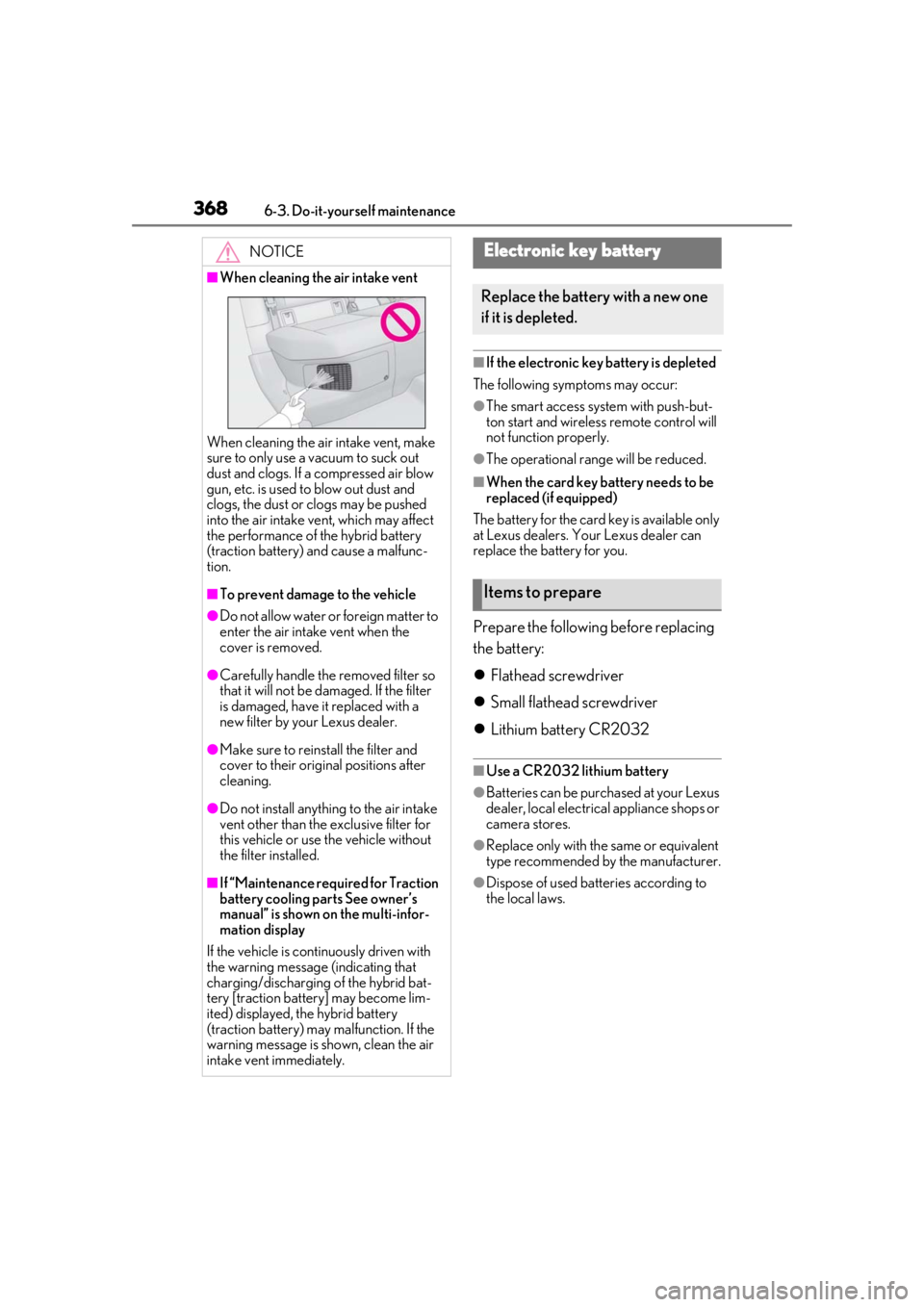
■When cleaning the air intake vent
When cleaning the air intake vent, make
sure to only use a vacuum to suck out
dust and clogs. If a compressed air blow
gun, etc. is used to blow out dust and
clogs, the dust or clogs may be pushed
into the air intake ve nt, which may affect
the performance of the hybrid battery
(traction battery) and cause a malfunc-
tion.
■To prevent damage to the vehicle
●Do not allow water or foreign matter to
enter the air intake vent when the
cover is removed.
●Carefully handle the removed filter so
that it will not be damaged. If the filter
is damaged, have it replaced with a
new filter by your Lexus dealer.
●Make sure to reinstall the filter and
cover to their original positions after
cleaning.
●Do not install anything to the air intake
vent other than the exclusive filter for
this vehicle or use the vehicle without
the filter installed.
■If “Maintenance required for Traction
battery cooling parts See owner’s
manual” is shown on the multi-infor-
mation display
If the vehicle is continuously driven with
the warning message (indicating that
charging/discharging of the hybrid bat-
tery [traction battery] may become lim-
ited) displayed, the hybrid battery
(traction battery) may malfunction. If the
warning message is shown, clean the air
intake vent immediately.
Electronic key battery
Replace the battery with a new one
if it is depleted.
Items to prepare
Page 386 of 476
3867-2. Steps to take in an emergency
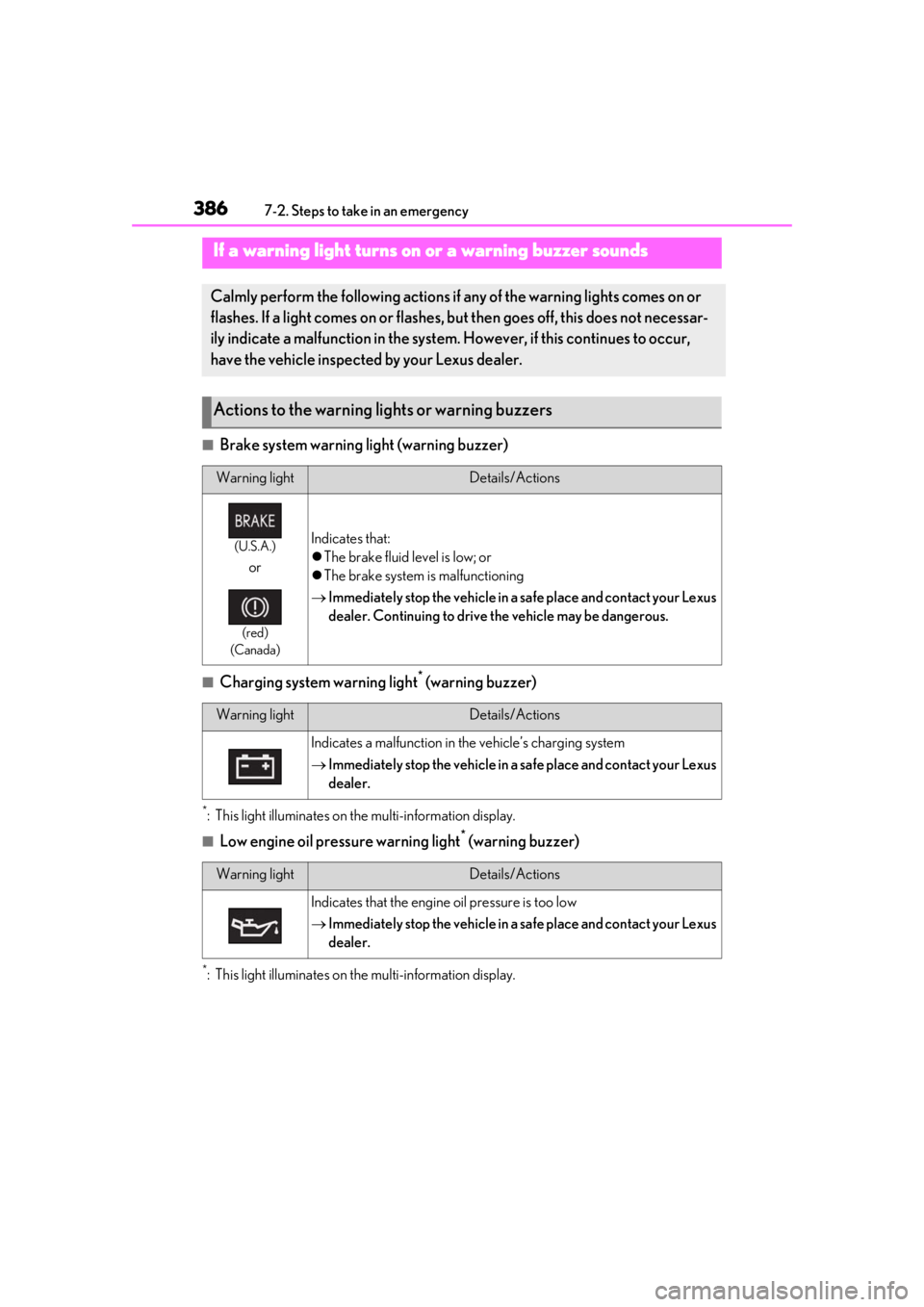
■Brake system warning light (warning buzzer)
■Charging system warning light* (warning buzzer)
*: This light illuminates on the multi-information display.
■Low engine oil pressure warning light* (warning buzzer)
*: This light illuminates on the multi-information display.
If a warning light turns on or a warning buzzer sounds
Calmly perform the following actions if any of the warning lights comes on or
flashes. If a light comes on or flashes, bu t then goes off, this does not necessar-
ily indicate a malfunction in the system. However, if this continues to occur,
have the vehicle inspected by your Lexus dealer.
Actions to the warning lights or warning buzzers
Warning lightDetails/Actions
(U.S.A.)
or
(red)
(Canada)
Indicates that:
The brake fluid level is low; or
The brake system is malfunctioning
Immediately stop the vehicle in a safe place and contact your Lexus
dealer. Continuing to drive the vehicle may be dangerous.
Warning lightDetails/Actions
Indicates a malfunction in the vehicle’s charging system
Immediately stop the vehicle in a safe place and contact your Lexus
dealer.
Warning lightDetails/Actions
Indicates that the engine oil pressure is too low
Immediately stop the vehicle in a safe place and contact your Lexus
dealer.
Page 398 of 476

3987-2. Steps to take in an emergency
reset. If necessary, perform maintenance.
Please reset the message after the mainte-
nance is performed. (P.328)
*: Refer to the separa te “Scheduled Main-
tenance” or “Owner’s Manual Supple-
ment” for the maintenance interval
applicable to your vehicle.
■If “Maintenance Required Visit Your
Dealer” is displayed
Indicates that all maintenance is required to
correspond to the driven distance on the
maintenance schedule
*.
Comes on approximately 5000 miles
(8000 km) after the message has been
reset. (The indicator will not work properly
unless the message ha s been reset.) Per-
form the necessary maintenance. Please
reset the message after the maintenance is
performed. ( P.328)
*: Refer to the separa te “Scheduled Main-
tenance” or “Owner’s Manual Supple-
ment” for the maintenance interval
applicable to your vehicle.
■If “Oil Maintenance Required Soon” is
displayed
Indicates that the engine oil should be
scheduled to be changed.
Check the engine oil and change it if neces-
sary. After changing the engine oil, make
sure to reset the message. ( P.339)
■If “Oil Maintenance Required” is dis-
played
Indicates that the engine oil should be
changed.
Check and change the en gine oil, and oil fil-
ter by your Lexus deal er. After changing the
engine oil, make sure to reset the message.
( P.339)
■If a message that in dicates the need for
visiting your Lexus dealer is displayed
The system or part shown on the multi-
information display is malfunctioning. Have
the vehicle inspected by your Lexus dealer
immediately.
■If a message that indicates the need for
referring to Owner’ s Manual is dis-
played
●If any of the following messages are
shown on the multi-information display,
follow the instructions.
• “Engine Coolant Temp High” ( P.410)
• “Front Camera Unavailable” ( P.196)
• “Radar Cruise Control Unavailable” ( P.196)
●If any of the following messages are
shown on the multi-info rmation display, it
may indicate a malf unction. Have the
vehicle inspected by your Lexus dealer
immediately.
• “Access System with Elec. Key Malfunc-
tion”
• “Hybrid system malfunction”
•“Check Engine”
• “Hybrid battery system malfunction”
• “Accelerator system malfunction”
●If any of the following messages are
shown on the multi-info rmation display, it
may indicate a malfun ction. Immediately
stop the vehicle and contact your Lexus
dealer.
• “Braking Power Low”
• “Charging System Malfunction”
• “Oil Pressure Low”
●If “Low Auxiliary Battery See Owner’s
Manual” is shown
• When the display goes off after several
seconds
*:
Maintain the hybrid system operation for
more than 15 minutes and charge the 12-
volt battery.
• When the display does not go off:
Start up the hybrid system using the proce-
dures for “If the 12-volt battery is dis-
charged” ( P.405)
*: Displays for about 6 seconds
●If “Maintenance required for Traction bat-
tery cooling parts See owner’s manual” is
shown, the filter may be clogged, the air
intake vent may be blocked, or there may
be a gap in the duct. Therefore, perform
the following correction procedure.
• If the air intake vent and filter of the hybrid battery (traction battery) are dirty, per-