key LEXUS UX250H 2019 Owner's Guide
[x] Cancel search | Manufacturer: LEXUS, Model Year: 2019, Model line: UX250H, Model: LEXUS UX250H 2019Pages: 476, PDF Size: 10.51 MB
Page 149 of 476
1493-5. Opening, closing the windows and moon roof
3
Before driving
WARNING
■Opening and closing the moon roof
●The driver is responsible for moon roof
opening and closing operations.
In order to prevent accidental opera-
tion, especially by a child, do not let a
child operate the moon roof. It is possi-
ble for children and other passengers
to have body parts caught in the moon
roof.
●Check to make sure that all passen-
gers do not have any part of their body
in a position where it could be caught
when the moon roof is being operated.
●When using the wireless remote con-
trol or mechanical key and operating
the moon roof, operate the moon roof
after checking to make sure that there
is no possibility of any passenger hav-
ing any of their body parts caught in
the moon roof. Also, do not let a child
operate moon roof by the wireless
remote control or mechanical key. It is
possible for children and other passen-
gers to get caught in the moon roof.
●When exiting the vehicle, turn the
power switch off, carry the key and exit
the vehicle along with the child. There
may be accidental operation, due to
mischief, etc., that may possibly lead to
an accident.
■Jam protection function
●Never use any part of your body to
intentionally activate the jam protec-
tion function.
●The jam protection function may not
work if something gets caught just
before the moon roof is fully closed.
Also, the jam protection function is not
designed to operate while the moon
roof switch is being pressed. Take care
so that your fingers, etc. do not get
caught.
Page 152 of 476

1524-1. Before driving
4-1.Before driving
■Starting the hybrid system
P.162
■Driving
1 With the brake pedal depressed,
shift the shift lever to D. ( P.167)
2 If the parking brake is in manual
mode, release the parking brake.
(P.172)
3 Gradually release the brake pedal
and gently depress the accelerator
pedal to accelerate the vehicle.
■Stopping
1 With the shift lever in D, depress the
brake pedal.
2 If necessary, set the parking brake.
(P.172)
If the vehicle is to be stopped for an
extended period of time, shift the shift lever
to P. ( P.167)
■Parking the vehicle
1 With the shift lever in D, depress the
brake pedal.
2 If the parking brake is in manual
mode, set the parking brake
(P.172), and shift the shift lever to
P ( P.167).
3 Press the power switch to stop the
hybrid system. 4
Lock the door, making sure that you
have the electronic key on your
person.
If parking on a hill, block the wheels as
needed.
■Starting off on a steep uphill
1 Make sure that the parking brake is
set with the brake pedal depressed,
and then shift the shift lever to D.
2 Release the brake pedal and gently
depress the accelerator pedal.
3 Release the parking brake.
■When starting off on a uphill
The hill-start assist control will be activated.
( P.257)
■For fuel-efficient driving
Keep in mind that hybr id vehicles are similar
to conventional vehicles, and it is necessary
to refrain from activi ties such as sudden
acceleration. ( P.261)
■Driving in the rain
●Drive carefully when it is raining, because
visibility will be reduced, the windows
may become fogged-up, and the road
will be slippery.
●Drive carefully when it starts to rain,
because the road surface will be espe-
cially slippery.
●Refrain from high speeds when driving on
an expressway in the rain, because there
may be a layer of wa ter between the tires
and the road surface, preventing the
steering and brakes from operating prop-
erly.
■Restraining the hybrid system output
(Brake Override System)
●When the accelerato r and brake pedals
are depressed at the same time, the
hybrid system output may be restrained.
●A warning message is displayed on the
multi-information display and head-up
display (if equipped) while the system is
operating. ( P.391)
Driving the vehicle
The specified procedures should be
observed to ensure safe driving:
Driving procedure
Page 162 of 476
1624-2. Driving procedures
4-2.Driving procedures
1Press the parking brake switch to
check that the parking brake is set.
(P.172)
Parking brake indicator will come on.
2 Check that the shift lever is in P.
3 Firmly depress the brake pedal.
and a message will be displayed on the
multi-information display.
If it is not displayed, the hybrid system can-
not be started.
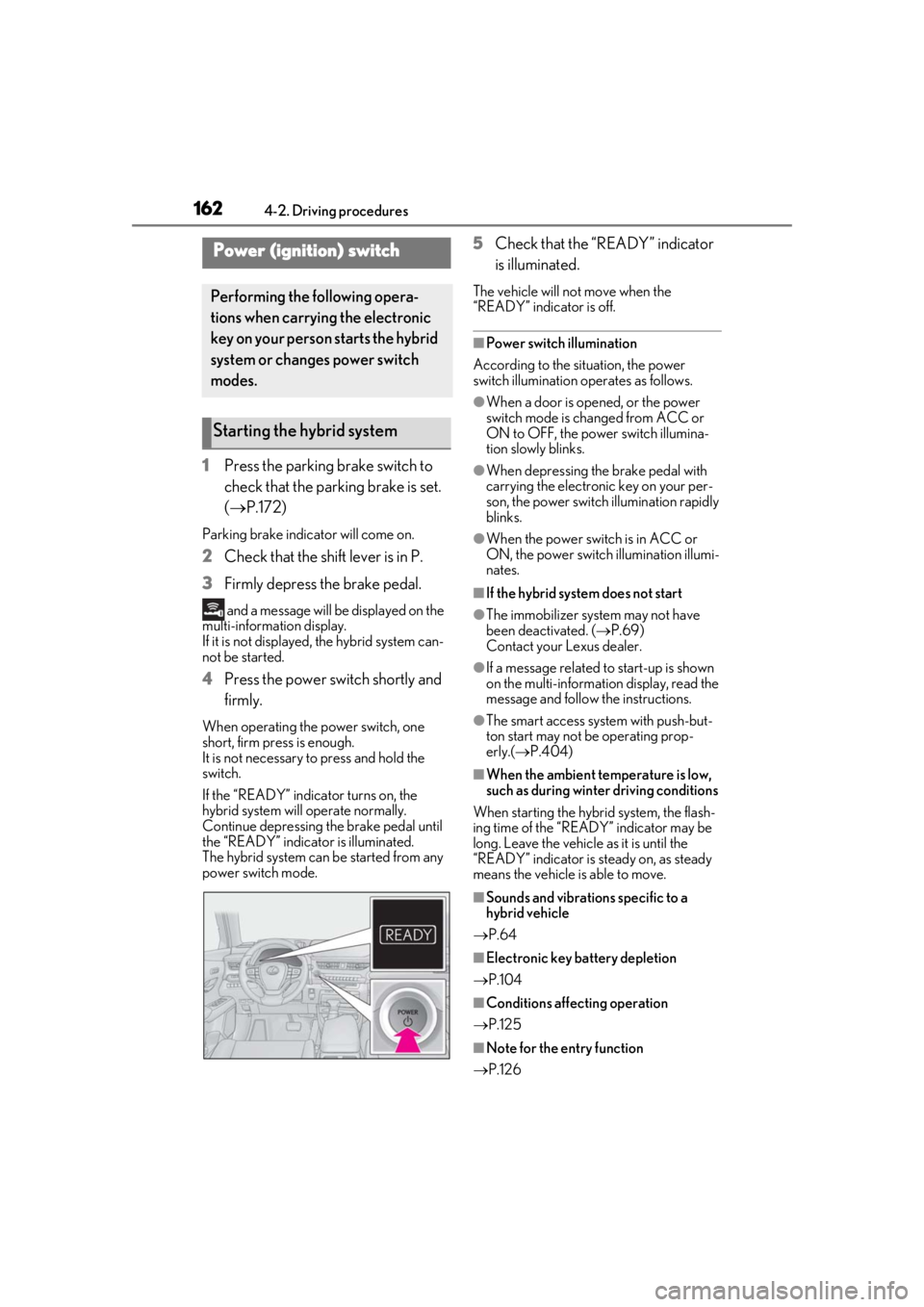
4 Press the power switch shortly and
firmly.
When operating the power switch, one
short, firm press is enough.
It is not necessary to press and hold the
switch.
If the “READY” indicator turns on, the
hybrid system will operate normally.
Continue depressing the brake pedal until
the “READY” indicator is illuminated.
The hybrid system can be started from any
power switch mode.
5Check that the “READY” indicator
is illuminated.
The vehicle will not move when the
“READY” indicator is off.
■Power switch illumination
According to the situation, the power
switch illumination operates as follows.
●When a door is opened, or the power
switch mode is changed from ACC or
ON to OFF, the power switch illumina-
tion slowly blinks.
●When depressing the brake pedal with
carrying the electronic key on your per-
son, the power switch illumination rapidly
blinks.
●When the power switch is in ACC or
ON, the power switch illumination illumi-
nates.
■If the hybrid system does not start
●The immobilizer system may not have
been deactivated. ( P.69)
Contact your Lexus dealer.
●If a message related to start-up is shown
on the multi-information display, read the
message and follow the instructions.
●The smart access system with push-but-
ton start may not be operating prop-
erly.( P.404)
■When the ambient temperature is low,
such as during winter driving conditions
When starting the hybrid system, the flash-
ing time of the “READY” indicator may be
long. Leave the vehicle as it is until the
“READY” indicator is steady on, as steady
means the vehicle is able to move.
■Sounds and vibrations specific to a
hybrid vehicle
P.64
■Electronic key battery depletion
P.104
■Conditions affecting operation
P.125
■Note for the entry function
P.126
Power (ignition) switch
Performing the following opera-
tions when carryin g the electronic
key on your person starts the hybrid
system or changes power switch
modes.
Starting the hybrid system
Page 163 of 476
1634-2. Driving procedures
4
Driving
■Steering lock function
●After turning the power switch off and
opening and closing the doors, the steer-
ing wheel will be locked due to the steer-
ing lock function. Operating the power
switch again automatically cancels the
steering lock.
●When the steering lock cannot be
released, “Push Power Switch while Turn-
ing Steering Wheel in Either Direction”
will be displayed on the multi-information
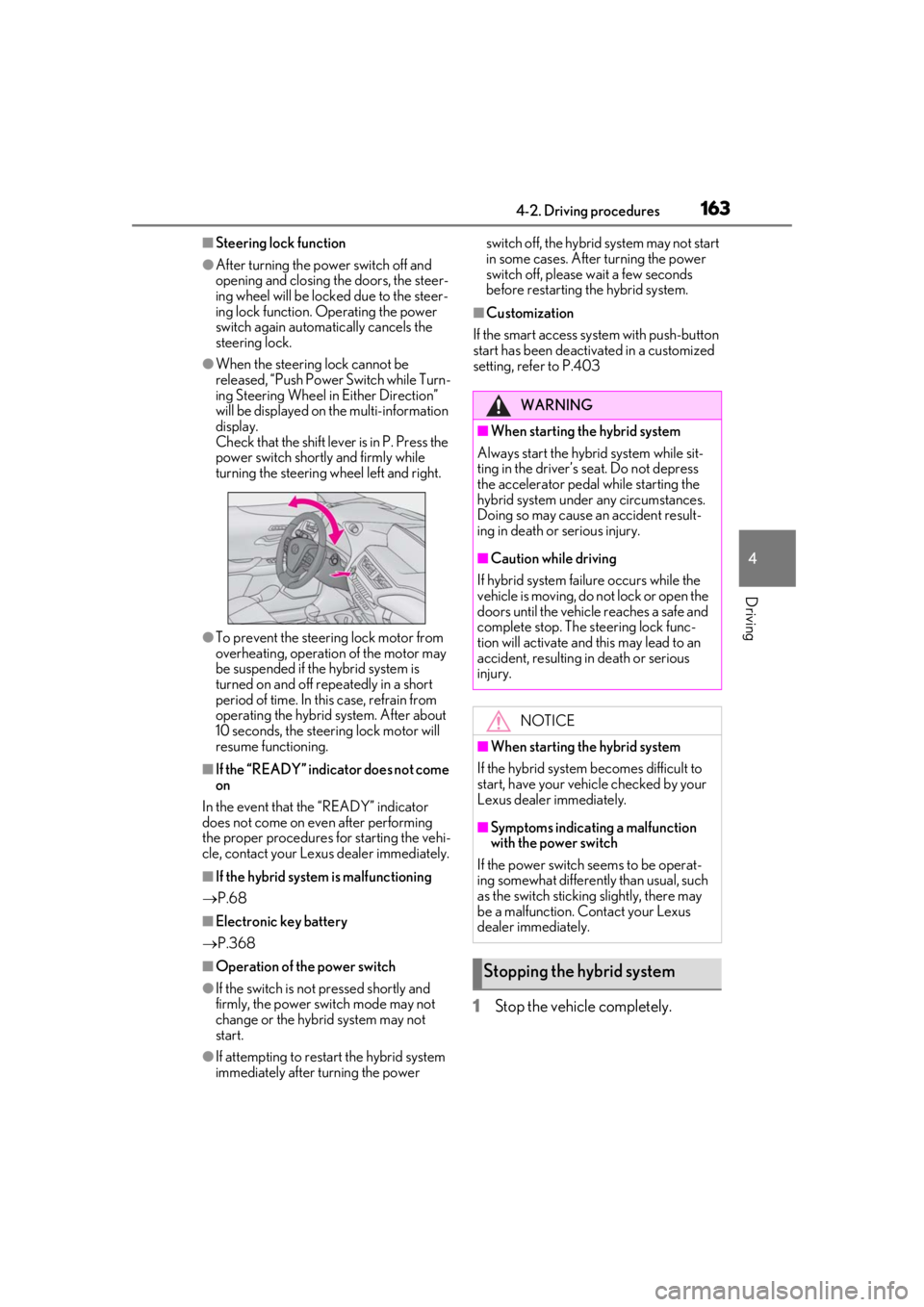
display.
Check that the shift lever is in P. Press the
power switch shortly and firmly while
turning the steering wheel left and right.
●To prevent the steering lock motor from
overheating, operation of the motor may
be suspended if the hybrid system is
turned on and off repeatedly in a short
period of time. In this case, refrain from
operating the hybrid system. After about
10 seconds, the steering lock motor will
resume functioning.
■If the “READY” indicator does not come
on
In the event that the “READY” indicator
does not come on even after performing
the proper procedures for starting the vehi-
cle, contact your Lexus dealer immediately.
■If the hybrid system is malfunctioning
P.68
■Electronic key battery
P.368
■Operation of the power switch
●If the switch is not pressed shortly and
firmly, the power switch mode may not
change or the hybrid system may not
start.
●If attempting to restart the hybrid system
immediately after turning the power switch off, the hybrid system may not start
in some cases. After turning the power
switch off, please wait a few seconds
before restarting the hybrid system.
■Customization
If the smart access system with push-button
start has been deactivated in a customized
setting, refe r to P.403
1Stop the vehicle completely.
WARNING
■When starting the hybrid system
Always start the hybrid system while sit-
ting in the driver’s seat. Do not depress
the accelerator pedal while starting the
hybrid system under any circumstances.
Doing so may cause an accident result-
ing in death or serious injury.
■Caution while driving
If hybrid system failure occurs while the
vehicle is moving, do not lock or open the
doors until the vehicle reaches a safe and
complete stop. The steering lock func-
tion will activate and this may lead to an
accident, resulting in death or serious
injury.
NOTICE
■When starting the hybrid system
If the hybrid system becomes difficult to
start, have your vehicle checked by your
Lexus dealer immediately.
■Symptoms indicating a malfunction
with the power switch
If the power switch seems to be operat-
ing somewhat differently than usual, such
as the switch sticking slightly, there may
be a malfunction. Contact your Lexus
dealer immediately.
Stopping the hybrid system
Page 178 of 476
1784-3. Operating the lights and wipers
■Automatic light off system
●When the headlights come on: The head-
lights and tail lights turn off 30 seconds
after a driver’s door is opened and closed
if the power switch is turned to ACC or
OFF. (The lights turn off immediately if on the key is pressed after all the
doors are locked.)
●When only the tail lights come on: The tail
lights turn off automatically if the power
switch is turned to ACC or OFF. and the
driver’s door is opened.
To turn the lights on again, turn the power
switch to ON, or turn the light switch off
once and then back to or .
■Automatic headlight leveling system (if
equipped)
The level of the headlights is automatically
adjusted according to the number of pas-
sengers and the loading condition of the
vehicle to ensure that the headlights do not
interfere with other road users.
■Windshield wiper linked headlight illu-
mination
When driving during daytime with the
headlight switch turned to position, if
the windshield wipers are used, the head-
lights will turn on auto matically after several
seconds to help enha nce the visibility of
your vehicle.
■12-volt battery-saving function
In order to prevent the 12-volt battery of the
vehicle from discharging, if the headlights
and/or tail lights are on when the power
switch is turned off the 12-volt battery sav-
ing function will operate and automatically
turn off all the lights after approximately 20 minutes. When the power switch is turned
to ON, the 12-volt battery-saving function
will be disabled.
When any of the following are performed,
the 12-volt battery-saving function is can-
celed once and then reactivated. All the
lights will turn off automatically 20 minutes
after the 12-volt battery-saving function has
been reactivated:
●When the headlight switch is operated
●When a door is opened or closed
■Welcome light illumination control
The parking and tail lights automatically
turn on at night when the doors are
unlocked using the entry function or wire-
less remote control if the light switch is in
the position.
■Customization
Settings (e.g. light sensor sensitivity) can be
changed. (Customizable features:
P.440)
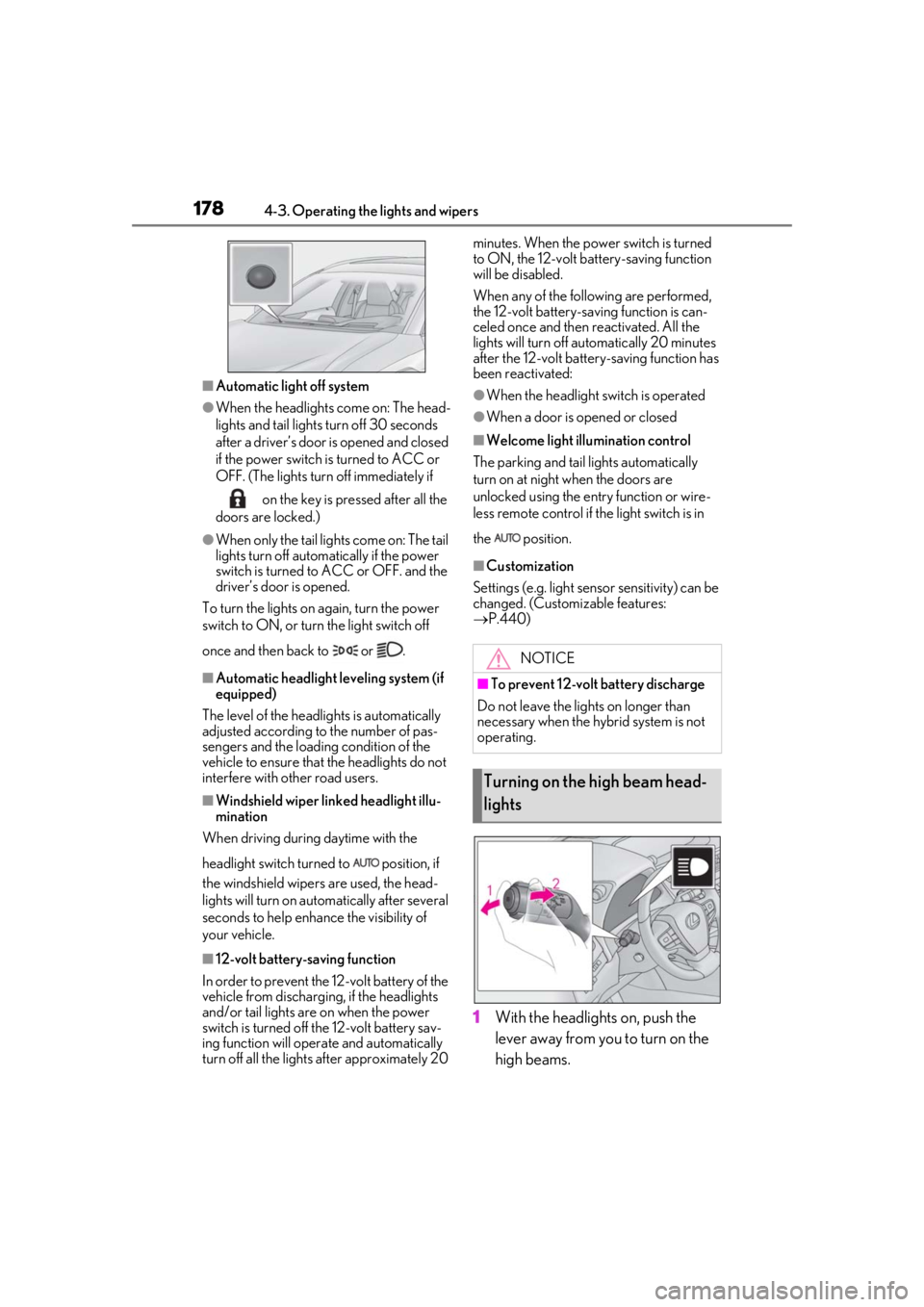
1With the headlights on, push the
lever away from you to turn on the
high beams.
NOTICE
■To prevent 12-volt battery discharge
Do not leave the lights on longer than
necessary when the hybrid system is not
operating.
Turning on the high beam head-
lights
Page 278 of 476

2785-3. Using the air conditioning system and defogger
■When the outside temperature exceeds
75°F (24°C) and the air conditioning
system is on
●In order to reduce the air conditioning
power consumption, the air conditioning
system may switch to recirculated air
mode automatically.
This may also reduce fuel consumption.
●Recirculated air mode is selected as a
default mode when the power switch is
turned to ON.
●It is possible to switch to outside air mode
at any time by pressing the outside/recir-
culated air mode switch.
■Fogging up of the windows
●The windows will easily fog up when the
humidity in the vehicle is high. Pressing
“A/C” button or selecting “A/C” will
dehumidify the air from the outlets and
defog the windshield effectively.
●If you turn “A/C” off, the windows may fog
up more easily.
●The windows may fog up if the recircu-
lated air mode is used.
■Outside/recirculated air mode
●When driving on dusty roads such as tun-
nels or in heavy traffic, set the out-
side/recirculated air mode switch to the
recirculated air mode. This is effective in
preventing outside air from entering the
vehicle interior. During cooling opera-
tion, setting the recirculated air mode will
also cool the vehicle interior effectively.
●Outside/recirculated air mode may auto-
matically switch de pending on the tem-
perature setting or the inside
temperature.
■Registering air condit ioning settings to
electronic keys (vehicles with driving
position memory)
●Unlocking the vehicle using an electronic
key and turning the power switch to ON
will recall that key’s registered air condi-
tioning settings.
●When the power switch is turned off, the
current air conditioning settings will auto-
matically be registered to the electronic
key that was used to unlock the vehicle.
●The system may not operate correctly if
more than one electr onic key is in the
vicinity or if the smart access system with
push-button start is used to unlock a pas-
senger door.
●The doors that can recall the air condi-
tioning setting when unlocked using the
smart access system with push-button
start can be changed.
* For details, con-
tact your Lexus dealer.
*: The doors that can recall the driving posi-
tion memory are changed at the same
time.
■Operation of the air conditioning sys-
tem in Eco drive mode
●In Eco drive mode, the air conditioning
system is controlled as follows to priori-
tize fuel efficiency
• Engine speed and compressor operation controlled to restrict heating/cooling
capacity
• Fan speed restricted when automatic mode is selected
●To improve air conditioning performance,
perform the following operations
• Turn off eco air conditioning mode ( P.279)
• Adjust the fan speed
•Turn off Eco drive mode
■When the outside temperature is low
The dehumidification function may not
operate even when “A/C” is pressed or
“A/C” is selected.
■Ventilation and air conditioning odors
●To let fresh air in, set the air conditioning
system to the outside air mode.
●During use, various odors from inside and
outside the vehicle may enter into and
accumulate in the air conditioning sys-
tem. This may then cause odor to be
emitted from the vents.
●To reduce potential odors from occur-
ring:
• It is recommended that the air condition- ing system be set to outside air mode
prior to turning the vehicle off.
• The start timing of the blower may be delayed for a short pe riod of time imme-
Page 290 of 476
2905-4. Using the interior lights
5-4.Using the interior lights
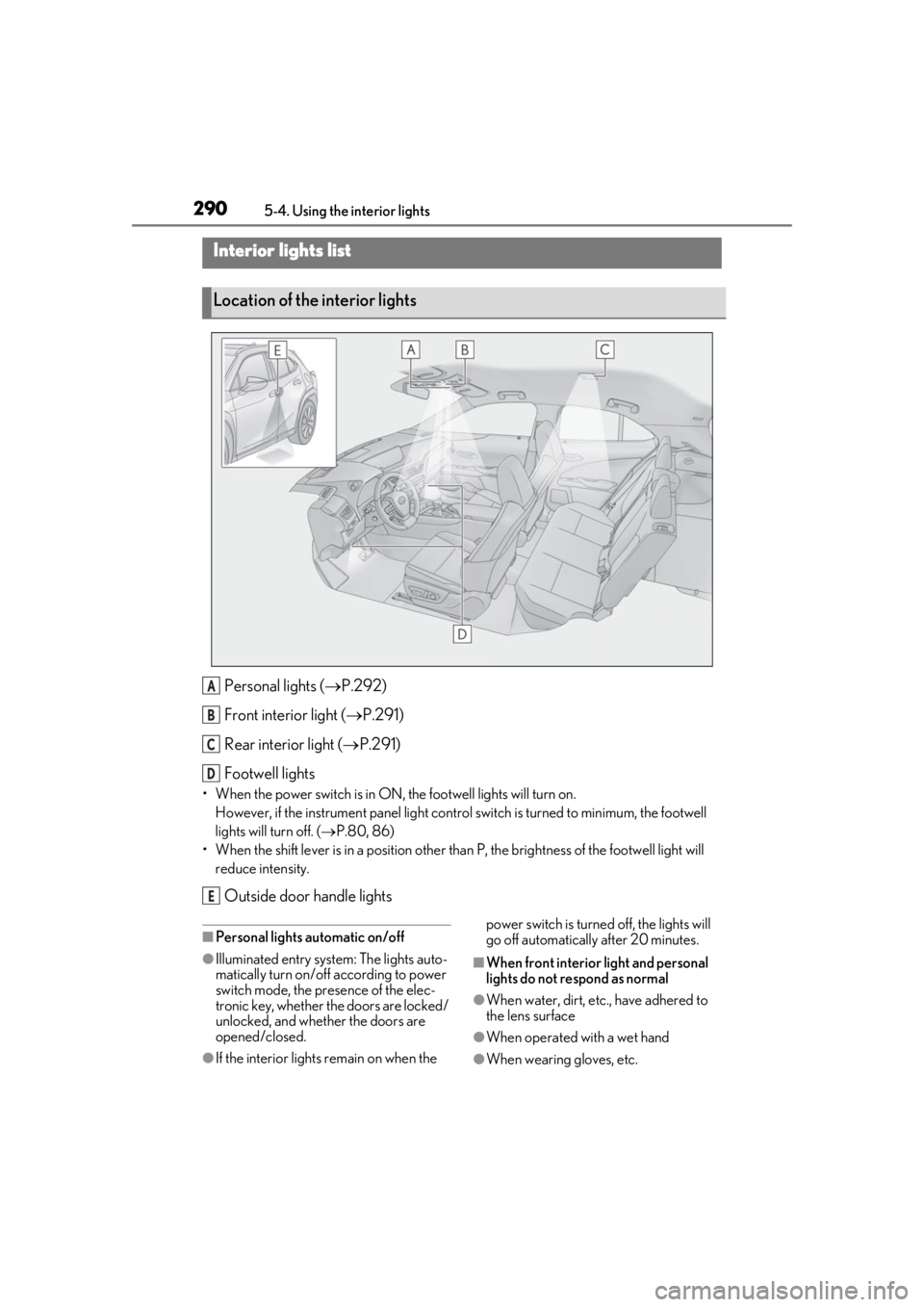
Personal lights ( P.292)
Front interi or light (P.291)
Rear interior light ( P.291)
Footwell lights
• When the power switch is in ON, the footwell lights will turn on.
However, if the instrume nt panel light control switch is turned to minimum, the footwell
lights will turn off. ( P.80, 86)
• When the shift lever is in a position other th an P, the brightness of the footwell light will
reduce intensity.
Outside door handle lights
■Personal lights automatic on/off
●Illuminated entry system: The lights auto-
matically turn on/off according to power
switch mode, the presence of the elec-
tronic key, whether the doors are locked/
unlocked, and whether the doors are
opened/closed.
●If the interior lights remain on when the power switch is turned off, the lights will
go off automatically after 20 minutes.
■When front interior light and personal
lights do not respond as normal
●When water, dirt, etc., have adhered to
the lens surface
●When operated with a wet hand
●When wearing gloves, etc.
Interior lights list
Location of the interior lights
A
B
C
D
E
Page 294 of 476
2945-5. Using the storage features
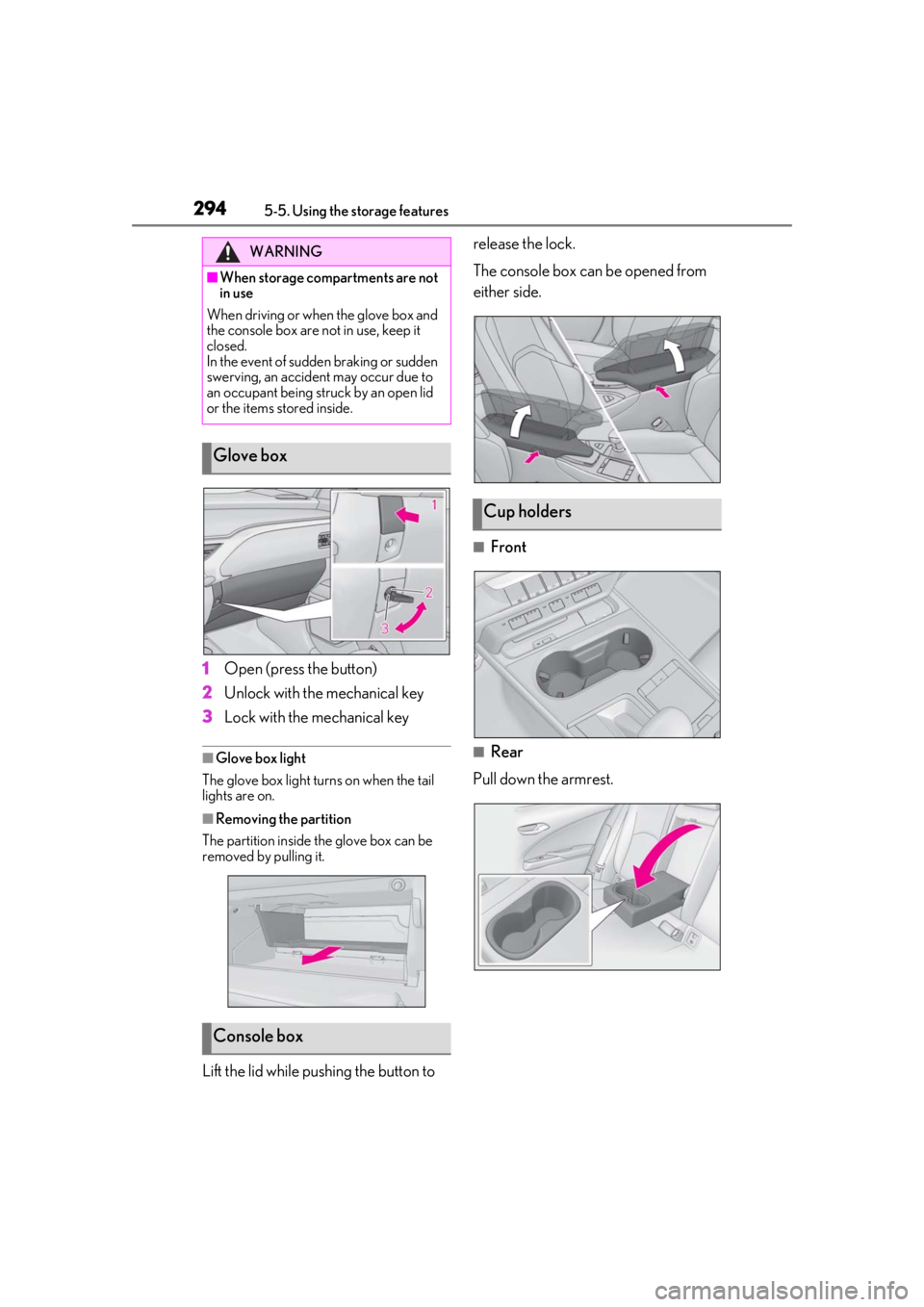
1Open (press the button)
2
Unlock with the mechanical key
3
Lock with the mechanical key
■Glove box light
The glove box light turns on when the tail
lights are on.
■Removing the partition
The partition inside the glove box can be
removed by pulling it.
Lift the lid while pushing the button to release the lock.
The console box can be opened from
either side.
■Front
■Rear
Pull down the armrest.
WARNING
■When storage compartments are not
in use
When driving or when the glove box and
the console box are not in use, keep it
closed.
In the event of sudden braking or sudden
swerving, an accident may occur due to
an occupant being struck by an open lid
or the items stored inside.
Glove box
Console box
Cup holders
Page 306 of 476
3065-6. Using the other interior features
the noise is reduced. If noise is reduced,
press and hold the power supply switch of
the wireless charger for 2 seconds. The fre-
quency of the wireless charger is changed
and noise may be reduced. When the fre-
quency is changed, the operation indicator
light will blink (orange) 2 times.
■Charging precautions
●If the electronic key cannot be detected
in the cabin, charging cannot be per-
formed. When a door is opened and
closed, charging may be temporarily sus-
pended.
●While charging, the wireless charger and
the portable device will become warm.
This is not a malfunction.
If a portable device becomes warm while
charging and charging stops due to the
protection function of the portable
device, wait until the portable device
cools down and charge it again.
■Sound generated during operation
When the power supply switch is turned on
or while a portable de vice is being identi-
fied, operation sounds may be heard. This is
not a malfunction.
■Cleaning the wireless charger
P.325
■Label indicating precautions for using
the wireless charger
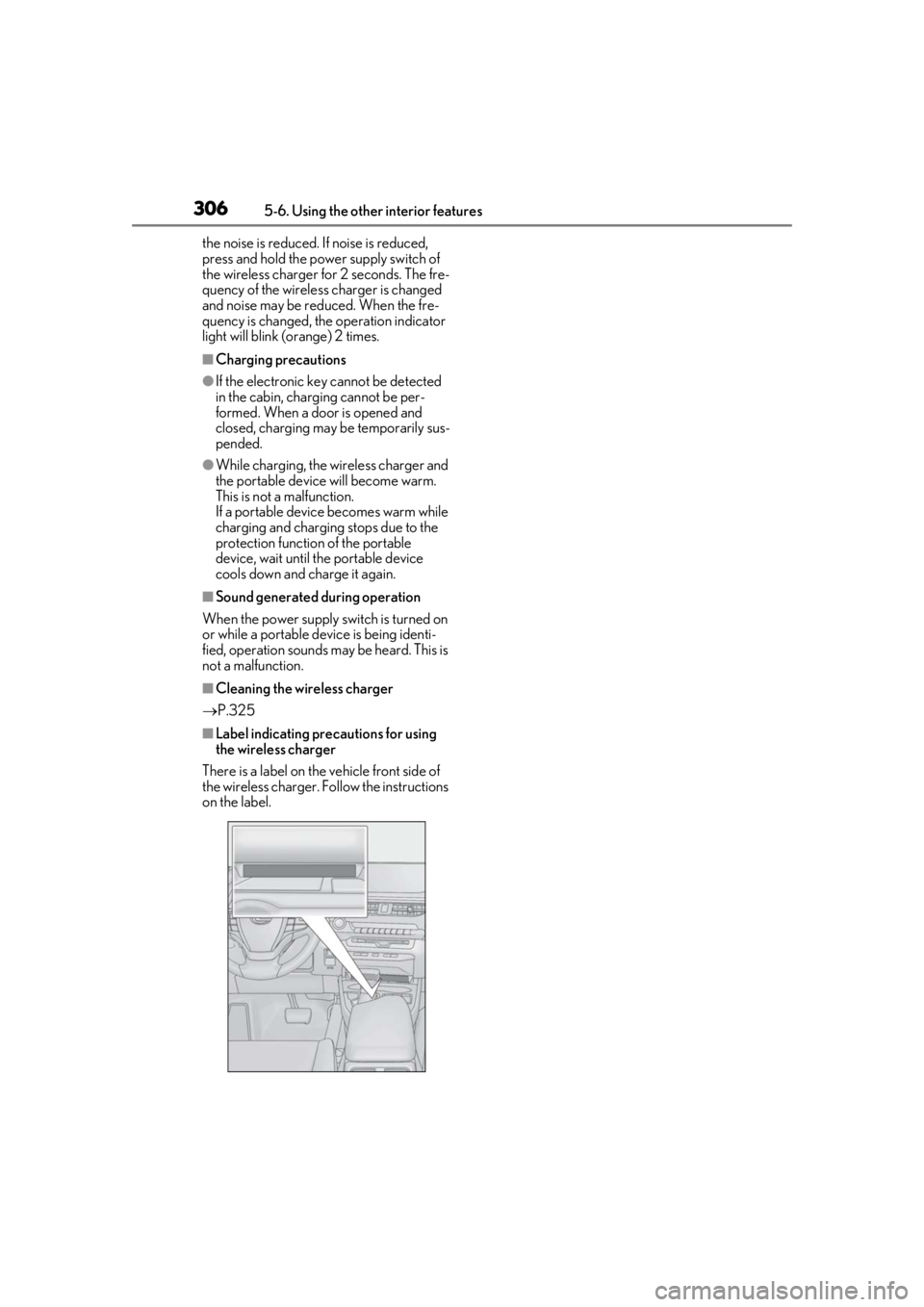
There is a label on the vehicle front side of
the wireless charger. Follow the instructions
on the label.
Page 310 of 476
3105-6. Using the other interior features
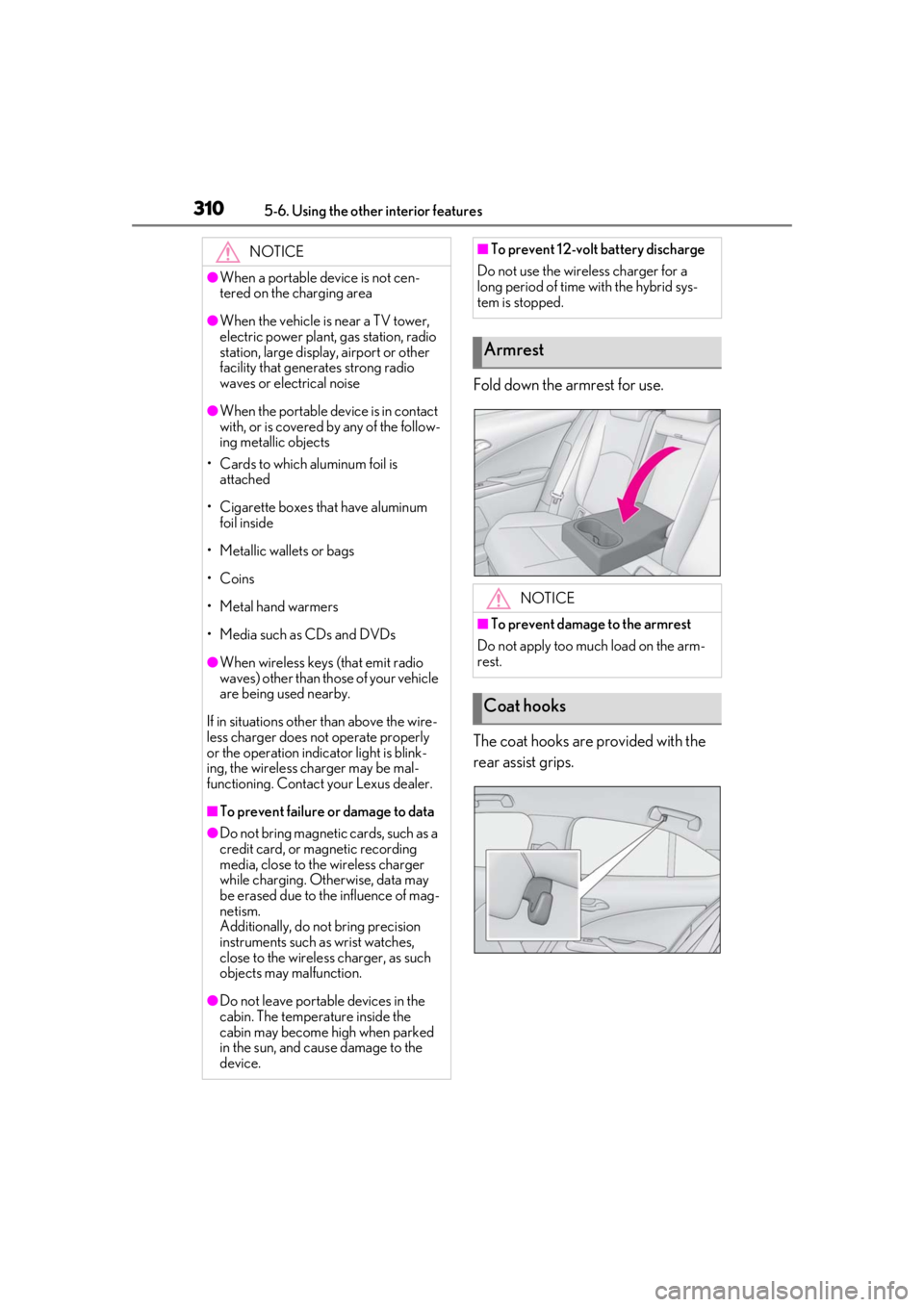
Fold down the armrest for use.
The coat hooks are provided with the
rear assist grips.
NOTICE
●When a portable device is not cen-
tered on the charging area
●When the vehicle is near a TV tower,
electric power plant, gas station, radio
station, large display, airport or other
facility that generates strong radio
waves or electrical noise
●When the portable device is in contact
with, or is covered by any of the follow-
ing metallic objects
• Cards to which aluminum foil is attached
• Cigarette boxes that have aluminum foil inside
• Metallic wallets or bags
• Coins
• Metal hand warmers
• Media such as CDs and DVDs
●When wireless keys (that emit radio
waves) other than those of your vehicle
are being used nearby.
If in situations other than above the wire-
less charger does not operate properly
or the operation indicator light is blink-
ing, the wireless charger may be mal-
functioning. Contact your Lexus dealer.
■To prevent failure or damage to data
●Do not bring magnetic cards, such as a
credit card, or magnetic recording
media, close to the wireless charger
while charging. Otherwise, data may
be erased due to the influence of mag-
netism.
Additionally, do not bring precision
instruments such as wrist watches,
close to the wireless charger, as such
objects may malfunction.
●Do not leave portab le devices in the
cabin. The temperature inside the
cabin may become high when parked
in the sun, and cause damage to the
device.
■To prevent 12-volt battery discharge
Do not use the wireless charger for a
long period of time with the hybrid sys-
tem is stopped.
Armrest
NOTICE
■To prevent damage to the armrest
Do not apply too much load on the arm-
rest.
Coat hooks