remote start LEXUS UX250H 2019 Owners Manual
[x] Cancel search | Manufacturer: LEXUS, Model Year: 2019, Model line: UX250H, Model: LEXUS UX250H 2019Pages: 476, PDF Size: 10.51 MB
Page 2 of 476
2TABLE OF CONTENTS
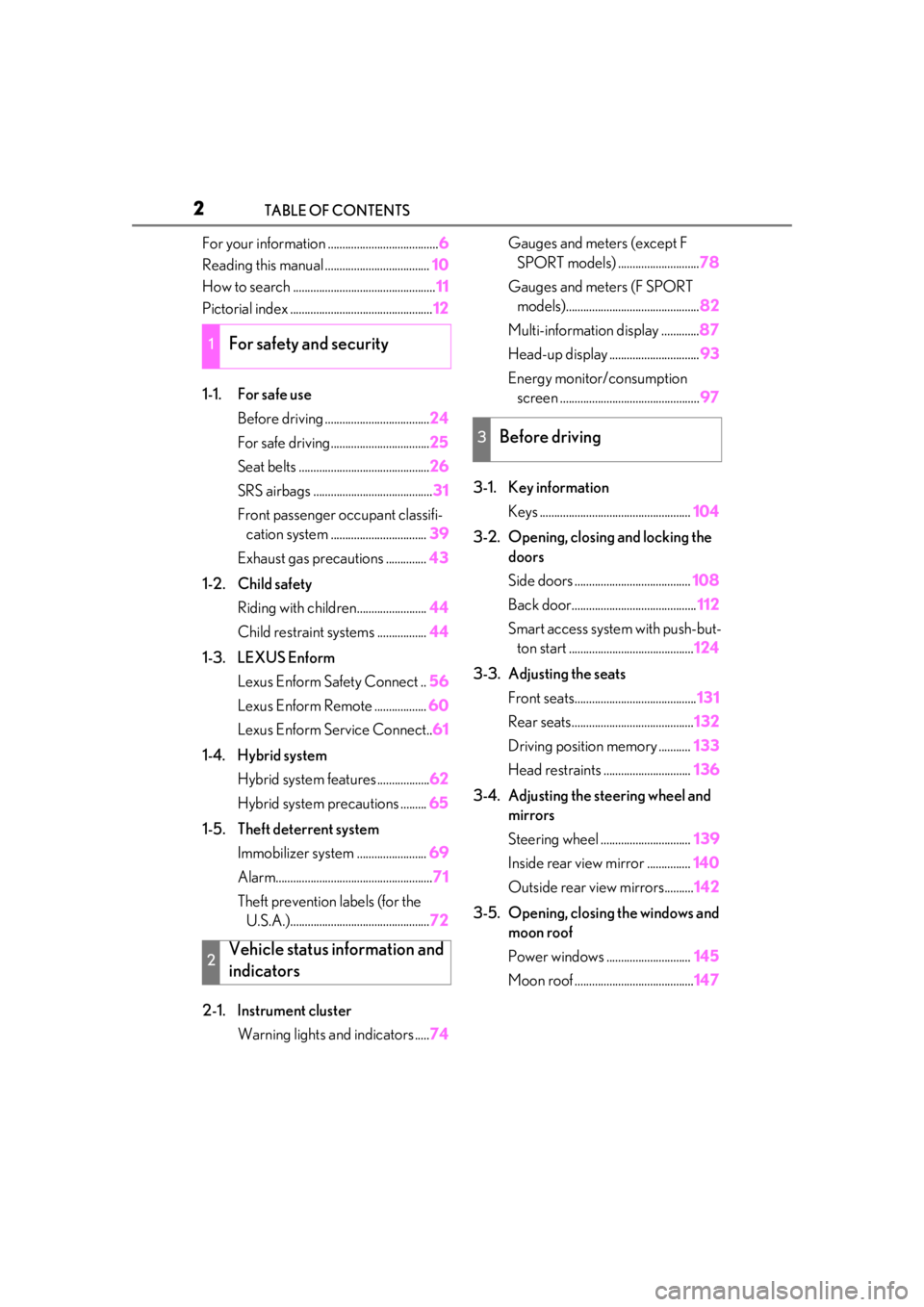
For your information ......................................6
Reading this manual .................................... 10
How to search ................................................. 11
Pictorial index ................................................. 12
1-1. For safe use Before driving .................................... 24
For safe driving.................................. 25
Seat belts ............................................. 26
SRS airbags ......................................... 31
Front passenger occupant classifi- cation system ................................. 39
Exhaust gas precautions .............. 43
1-2. Child safety Riding with children........................ 44
Child restraint systems ................. 44
1-3. LEXUS Enform Lexus Enform Safety Connect .. 56
Lexus Enform Remote .................. 60
Lexus Enform Service Connect.. 61
1-4. Hybrid system Hybrid system features .................. 62
Hybrid system precautions ......... 65
1-5. Theft deterrent system Immobilizer sy stem ........................ 69
Alarm...................................................... 71
Theft prevention labels (for the U.S.A.)................................................ 72
2-1. Instrument cluster Warning lights and indicators ..... 74Gauges and meters (except F
SPORT models) ............................ 78
Gauges and meters (F SPORT models).............................................. 82
Multi-information display ............. 87
Head-up display ............................... 93
Energy monitor/consumption screen ................................................ 97
3-1. Key information Keys .................................................... 104
3-2. Opening, closing and locking the doors
Side doors ........................................ 108
Back door........................................... 112
Smart access system with push-but- ton start ........................................... 124
3-3. Adjusting the seats Front seats.......................................... 131
Rear seats.......................................... 132
Driving position memory ........... 133
Head restraints .............................. 136
3-4. Adjusting the steering wheel and mirrors
Steering wheel ............................... 139
Inside rear view mirror ............... 140
Outside rear view mirrors.......... 142
3-5. Opening, closing the windows and moon roof
Power windows ............................. 145
Moon roof ......................................... 147
1For safety and security
2Vehicle status information and
indicators
3Before driving
Page 71 of 476
711-5. Theft deterrent system
1
For safety and security
■Items to check before locking the
vehicle
To prevent unexpected triggering of
the alarm and vehicle theft, make sure
of the following:
Nobody is in the vehicle.
The windows and moon roof (if
equipped) are closed before the
alarm is set.
No valuables or other personal
items are left in the vehicle.
■Setting
Close the doors and hood, and lock all
the doors. The system will be set auto-
matically after 30 seconds.
The security indicator changes from being
on to flashing when the system is set.
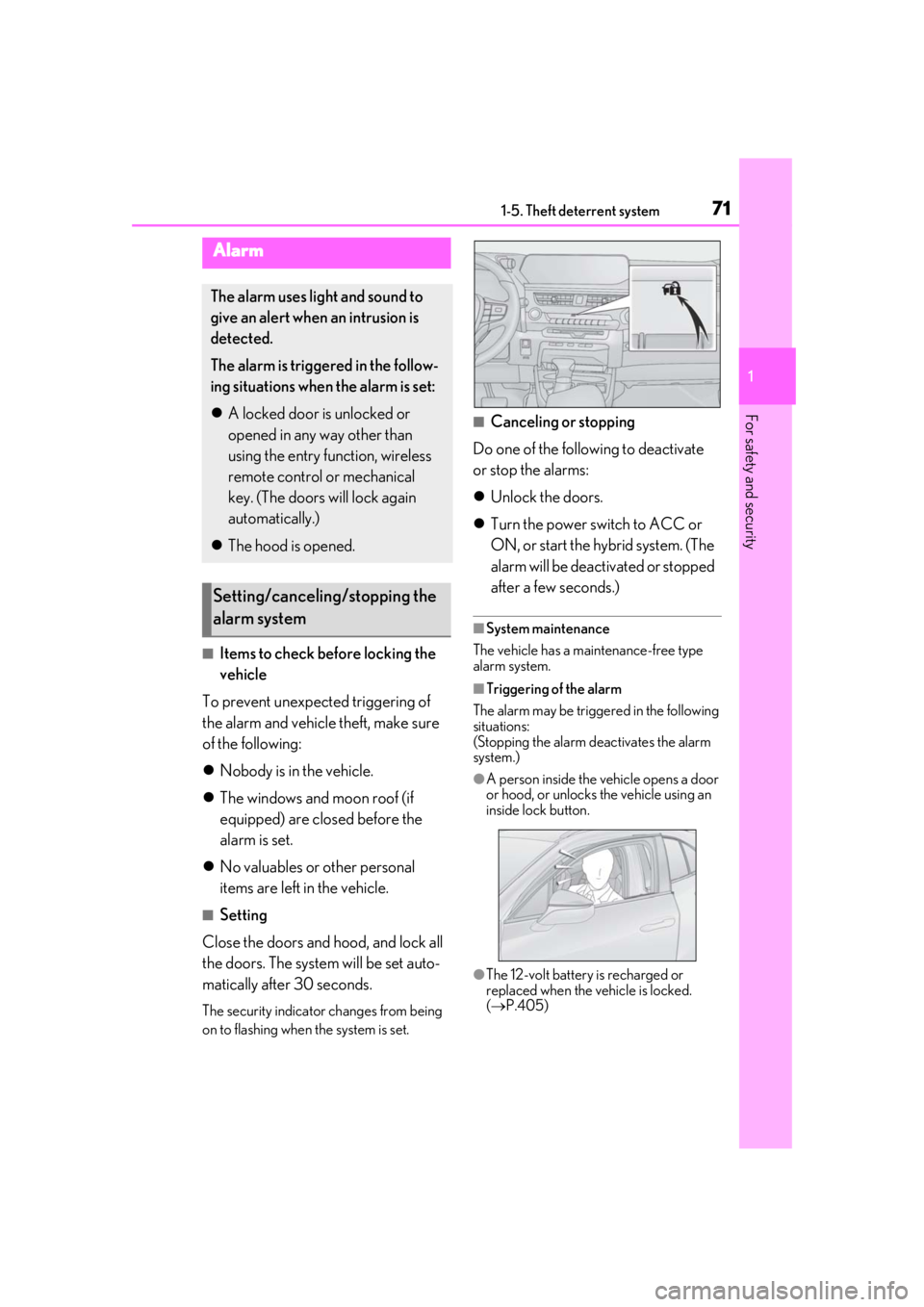
■Canceling or stopping
Do one of the following to deactivate
or stop the alarms:
Unlock the doors.
Turn the power switch to ACC or
ON, or start the hybrid system. (The
alarm will be deactivated or stopped
after a few seconds.)
■System maintenance
The vehicle has a maintenance-free type
alarm system.
■Triggering of the alarm
The alarm may be triggered in the following
situations:
(Stopping the alarm deactivates the alarm
system.)
●A person inside the vehicle opens a door
or hood, or unlocks the vehicle using an
inside lock button.
●The 12-volt battery is recharged or
replaced when the vehicle is locked.
( P.405)
Alarm
The alarm uses light and sound to
give an alert when an intrusion is
detected.
The alarm is triggered in the follow-
ing situations when the alarm is set:
A locked door is unlocked or
opened in any way other than
using the entry function, wireless
remote control or mechanical
key. (The doors will lock again
automatically.)
The hood is opened.
Setting/canceling/stopping the
alarm system
Page 96 of 476
962-1. Instrument cluster
Drive-Start Control ( P.153)
Details of content di splayed on the head-
up display may differ from that displayed
on the multi-information display. For
details, refer to the explanation of each sys-
tem.
■/ icons
These icons are linked to the multi-
information display
: Master warning icon
Displayed when a warning message is dis-
played on the multi-information display.
( P.395)
: Information icon
Displayed when a suggestion pop-up dis-
play ( P.92) or advice pop-up display is
displayed on the multi-information display.
■Warning message
Some warning messages are displayed
when necessary, according to certain
conditions.
Details of content di splayed on the head-
up display may differ from that displayed
on the multi-information display.
■Audio system operation status
Displayed when an audio remote con-
trol switch on the steering wheel is
operated.
■Hands-free system status
Displayed when the hands-free system
is operated.
■When a pop-up display is displayed
When a pop-up display is displayed, a cur-
rent display may no longer be displayed. In
this case, the display will return after the
pop-up display disappears.
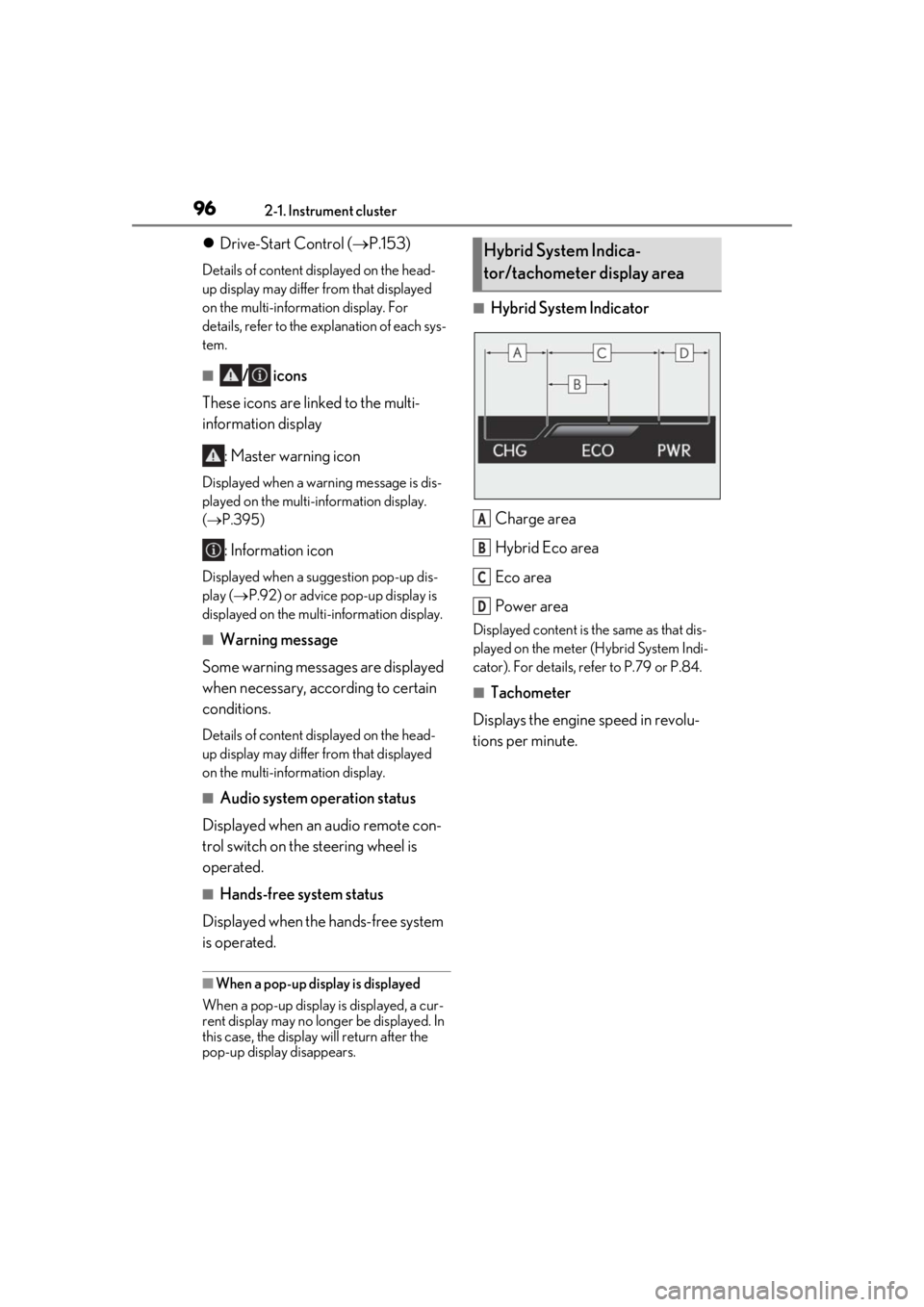
■Hybrid System Indicator
Charge area
Hybrid Eco area
Eco area
Power area
Displayed content is th e same as that dis-
played on the meter (Hybrid System Indi-
cator). For details, refe r to P.79 or P.84.
■Tachometer
Displays the engine speed in revolu-
tions per minute.
Hybrid System Indica-
tor/tachometer display area
A
B
C
D
Page 100 of 476
1002-1. Instrument cluster
High
Multi-information displayLow
High
These images are examples only, and may
vary slightly from actual conditions.
Press the “MENU” button on the
Remote Touch, and then select on
the screen.
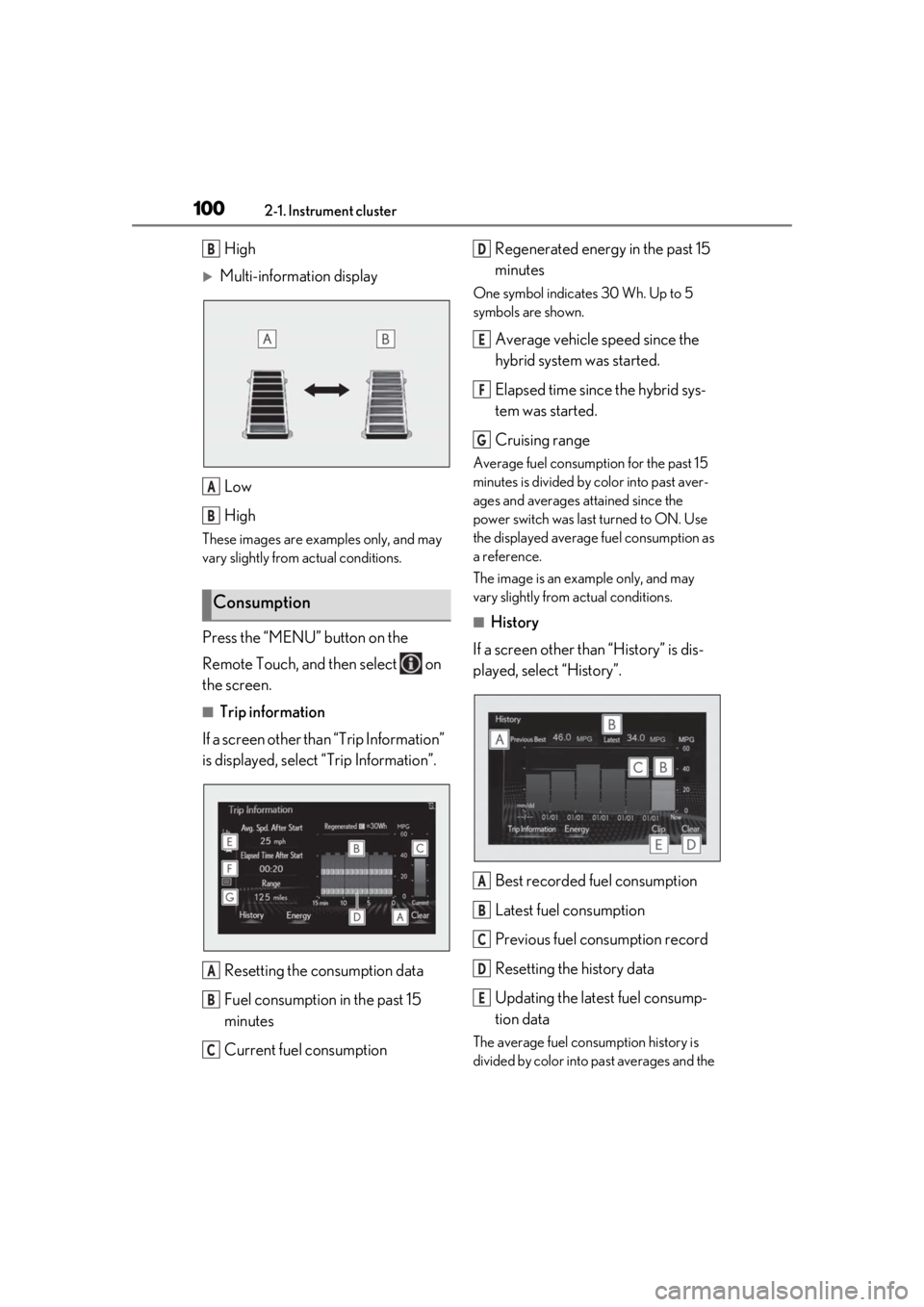
■Trip information
If a screen other than “Trip Information”
is displayed, select “Trip Information”.
Resetting the consumption data
Fuel consumption in the past 15
minutes
Current fuel consumption Regenerated energy in the past 15
minutes
One symbol indicates 30 Wh. Up to 5
symbols are shown.
Average vehicle speed since the
hybrid system was started.
Elapsed time since the hybrid sys-
tem was started.
Cruising range
Average fuel consumption for the past 15
minutes is divided by color into past aver-
ages and averages attained since the
power switch was last turned to ON. Use
the displayed average fuel consumption as
a reference.
The image is an example only, and may
vary slightly from actual conditions.
■History
If a screen other than “History” is dis-
played, select “History”.
Best recorded fuel consumption
Latest fuel consumption
Previous fuel consumption record
Resetting the history data
Updating the latest fuel consump-
tion data
The average fuel consumption history is
divided by color into past averages and the
Consumption
B
A
B
A
B
C
D
E
F
G
A
B
C
D
E
Page 104 of 476
1043-1. Key information
3-1.Key information
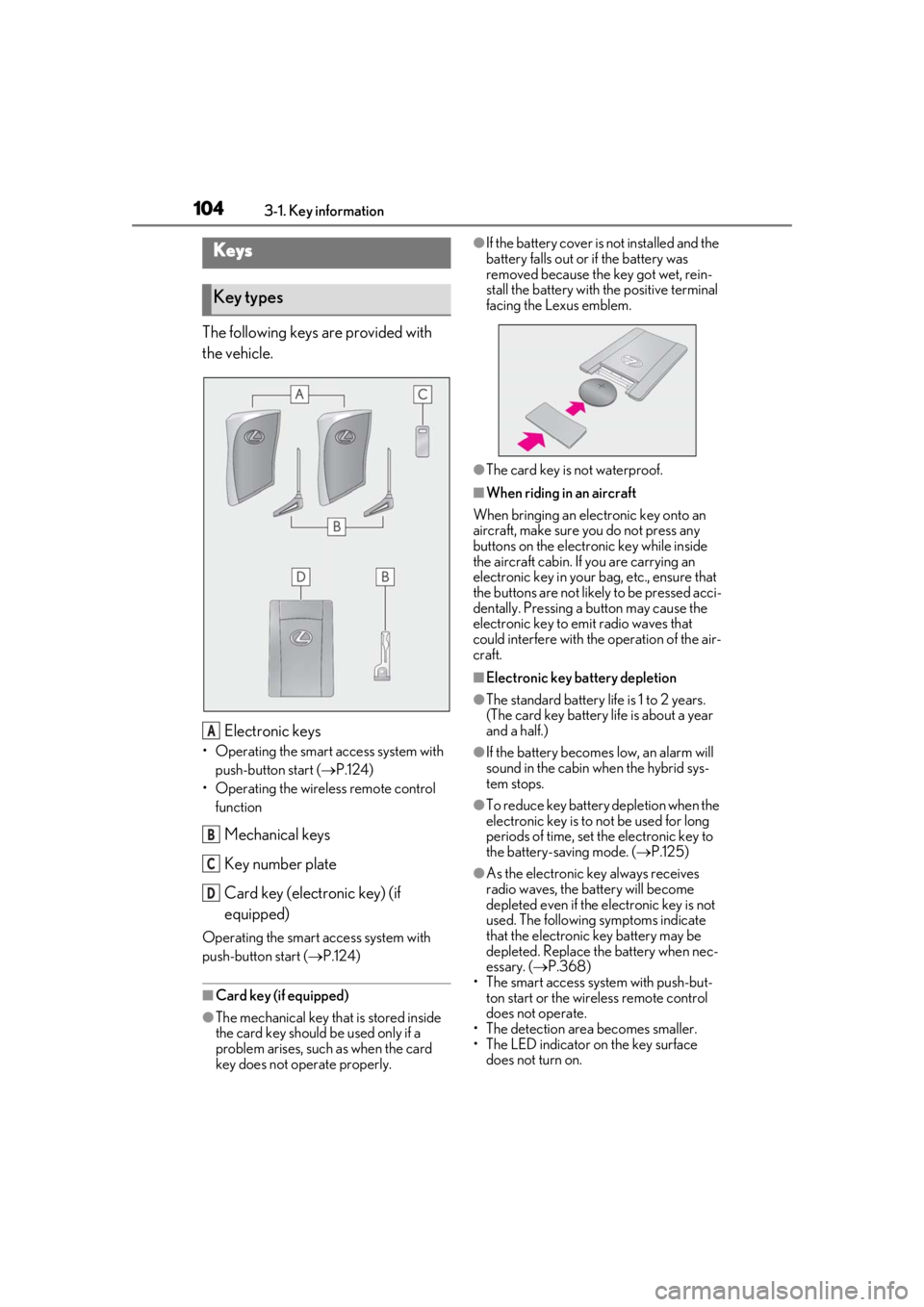
The following keys are provided with
the vehicle.
Electronic keys
• Operating the smart access system with push-button start ( P.124)
• Operating the wireless remote control function
Mechanical keys
Key number plate
Card key (electronic key) (if
equipped)
Operating the smart access system with
push-button start ( P.124)
■Card key (if equipped)
●The mechanical key that is stored inside
the card key should be used only if a
problem arises, such as when the card
key does not operate properly.
●If the battery cover is not installed and the
battery falls out or if the battery was
removed because the key got wet, rein-
stall the battery with the positive terminal
facing the Lexus emblem.
●The card key is not waterproof.
■When riding in an aircraft
When bringing an electronic key onto an
aircraft, make sure you do not press any
buttons on the electronic key while inside
the aircraft cabin. If you are carrying an
electronic key in your bag, etc., ensure that
the buttons are not likely to be pressed acci-
dentally. Pressing a button may cause the
electronic key to emit radio waves that
could interfere with the operation of the air-
craft.
■Electronic key battery depletion
●The standard battery life is 1 to 2 years.
(The card key battery life is about a year
and a half.)
●If the battery becomes low, an alarm will
sound in the cabin wh en the hybrid sys-
tem stops.
●To reduce key battery depletion when the
electronic key is to not be used for long
periods of time, set the electronic key to
the battery-saving mode. ( P.125)
●As the electronic key always receives
radio waves, the battery will become
depleted even if the electronic key is not
used. The following symptoms indicate
that the electronic key battery may be
depleted. Replace the battery when nec-
essary. ( P.368)
• The smart access system with push-but-
ton start or the wireless remote control
does not operate.
• The detection area becomes smaller.
• The LED indicator on the key surface
does not turn on.
Keys
Key types
A
B
C
D
Page 108 of 476
1083-2. Opening, closing and locking the doors
3-2.Opening, closing and locking the doors
■Smart access system with push-
button start
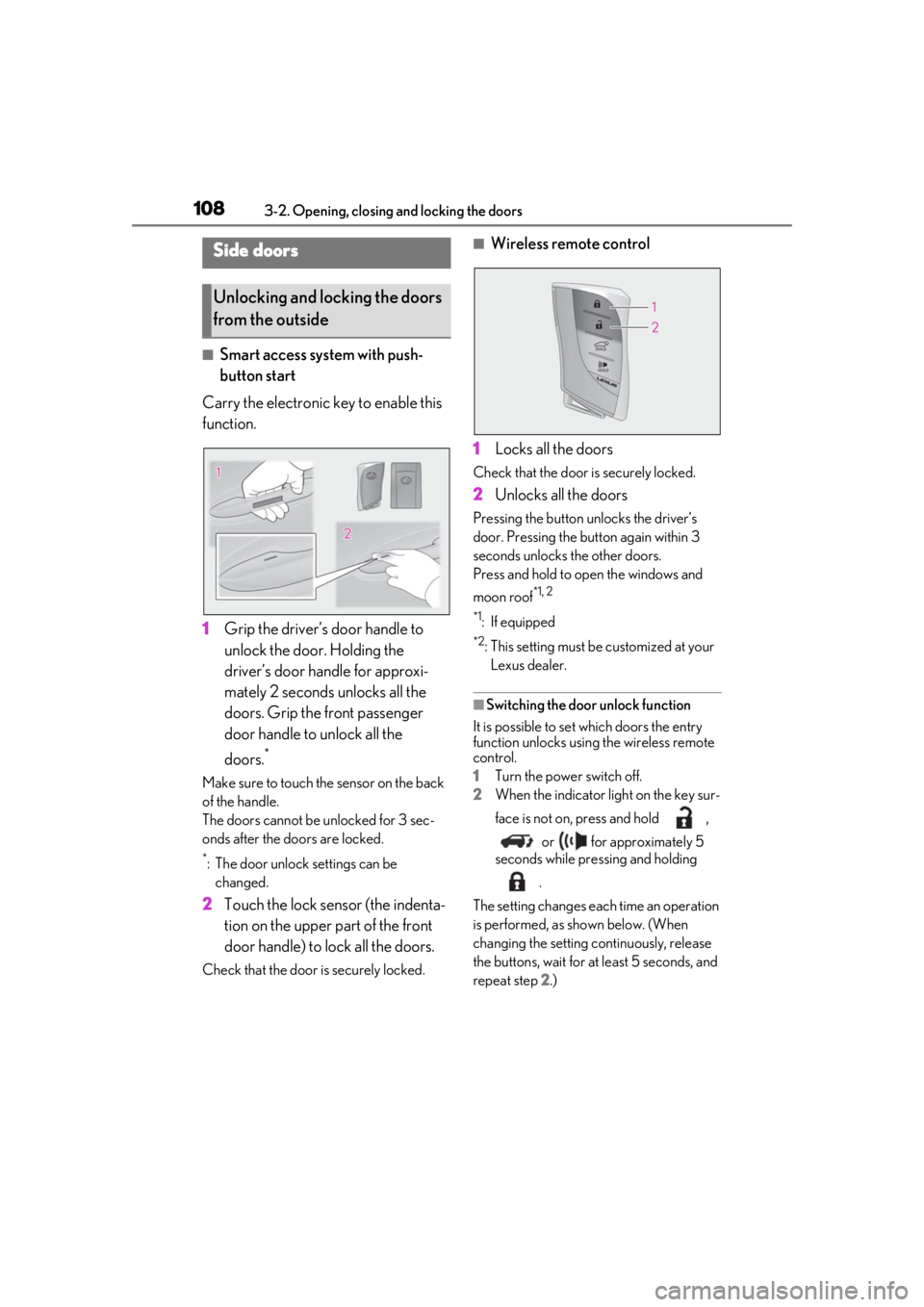
Carry the electronic key to enable this
function.
1 Grip the driver’s door handle to
unlock the door. Holding the
driver’s door ha ndle for approxi-
mately 2 seconds unlocks all the
doors. Grip the front passenger
door handle to unlock all the
doors.
*
Make sure to touch the sensor on the back
of the handle.
The doors cannot be unlocked for 3 sec-
onds after the doors are locked.
*: The door unlock settings can be changed.
2 Touch the lock sensor (the indenta-
tion on the upper part of the front
door handle) to lock all the doors.
Check that the door is securely locked.
■Wireless remote control
1 Locks all the doors
Check that the door is securely locked.
2Unlocks all the doors
Pressing the button unlocks the driver’s
door. Pressing the button again within 3
seconds unlocks the other doors.
Press and hold to open the windows and
moon roof
*1, 2
*1
: If equipped
*2: This setting must be customized at your
Lexus dealer.
■Switching the door unlock function
It is possible to set which doors the entry
function unlocks using the wireless remote
control.
1 Turn the power switch off.
2 When the indicator light on the key sur-
face is not on, press and hold ,
or for approximately 5
seconds while pre ssing and holding
.
The setting changes each time an operation
is performed, as shown below. (When
changing the setting continuously, release
the buttons, wait for at least 5 seconds, and
repeat step 2 .)
Side doors
Unlocking and locking the doors
from the outside
Page 109 of 476
1093-2. Opening, closing and locking the doors
3
Before driving
To prevent unintended triggering of the
alarm, unlock the doors using the wireless
remote control and open and close a door
once after the settings have been changed.
(If a door is not opened within 60 seconds
after is pressed, the doors will be
locked again and the alarm will automati-
cally be set.)
In a case that the alarm is triggered, imme-
diately stop the alarm. (P.71)
■Locking the front doors from the outside
without a key
1 Push down the inside lock button.
( P.110)
2 Close the door.
The door cannot be locked if the power
switch is in ACC or ON, or the electronic
key is left inside the vehicle.
The key may not be detected correctly and
the door may be locked.
■Impact detection door lock release sys-
tem
In the event that the vehicle is subject to a
strong impact, all the doors are unlocked.
Depending on the force of the impact or the
type of accident, however, the system may not operate.
■Operation signals
A buzzer sounds and the emergency flash-
ers flash to indicate that the doors have
been locked/unlocked. (Locked: Once;
Unlocked: Twice)
A buzzer sounds to indicate that all win-
dows are opening.
■Security feature
If a door is not opened within approximately
60 seconds after the vehicle is unlocked,
the security feature automatically locks the
vehicle again.
■When the door cannot be locked by the
lock sensor on the upper part of the
door handle
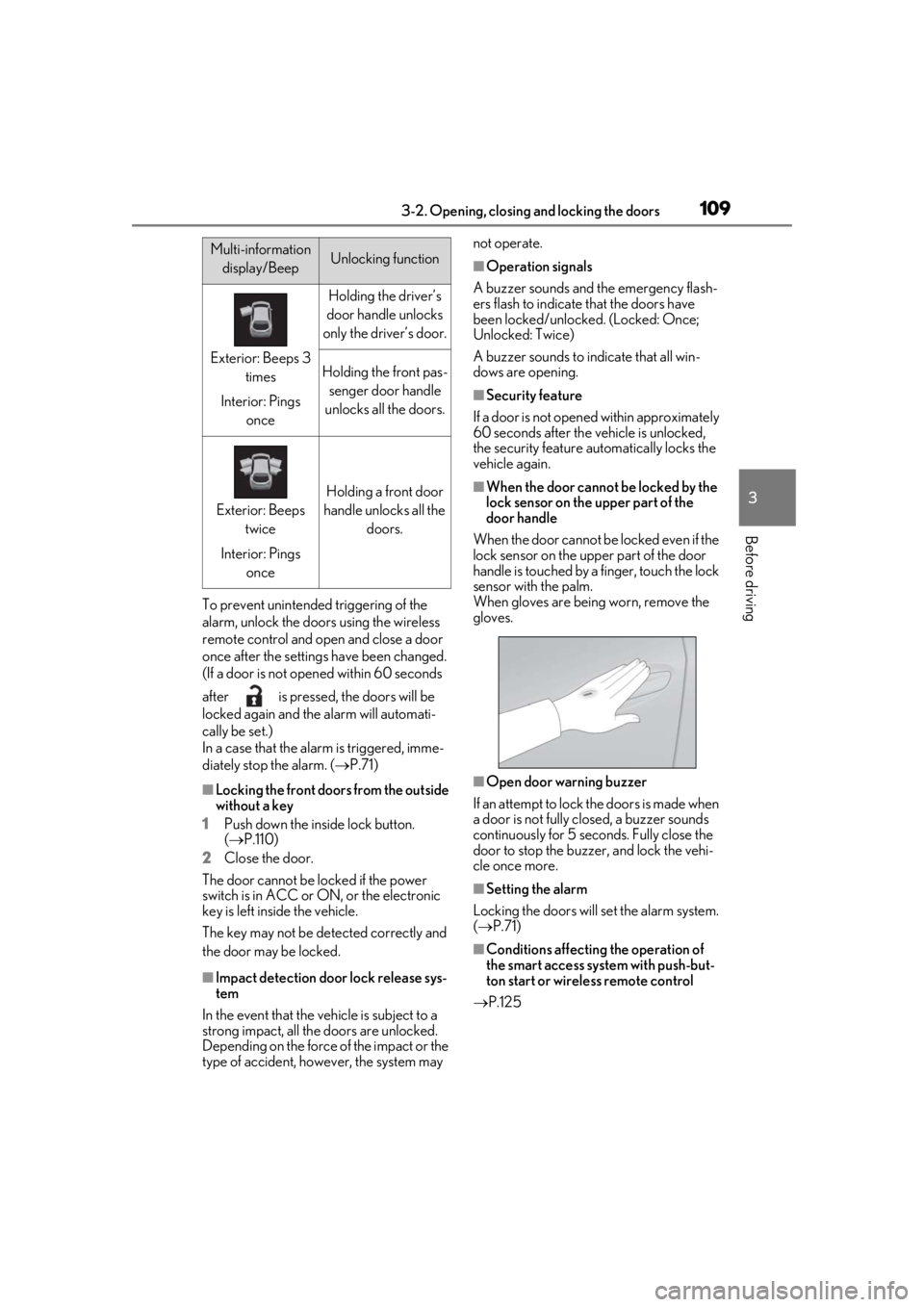
When the door cannot be locked even if the
lock sensor on the upper part of the door
handle is touched by a finger, touch the lock
sensor with the palm.
When gloves are being worn, remove the
gloves.
■Open door warning buzzer
If an attempt to lock the doors is made when
a door is not fully closed, a buzzer sounds
continuously for 5 seconds. Fully close the
door to stop the buzzer, and lock the vehi-
cle once more.
■Setting the alarm
Locking the doors will set the alarm system.
( P.71)
■Conditions affecting the operation of
the smart access system with push-but-
ton start or wireless remote control
P.125
Multi-information
display/BeepUnlocking function
Exterior: Beeps 3 times
Interior: Pings once
Holding the driver’s
door handle unlocks
only the driver’s door.
Holding the front pas- senger door handle
unlocks all the doors.
Exterior: Beeps twice
Interior: Pings once
Holding a front door
handle unlocks all the doors.
Page 110 of 476
1103-2. Opening, closing and locking the doors
■If the smart access system with push-
button start or the wireless remote con-
trol does not operate properly
●Use the mechanical key to lock and
unlock the doors. (P.403)
●Replace the key battery with a new one if
it is depleted. (P.368)
■If the 12-volt battery is discharged
The doors cannot be locked and unlocked
using the smart access system with push-
button start or wireless remote control.
Lock or unlock the doors using the
mechanical key. ( P.403)
■Customization
Settings (e.g. unlocking function using a
key) can be changed. (Customizable fea-
tures: P.437)
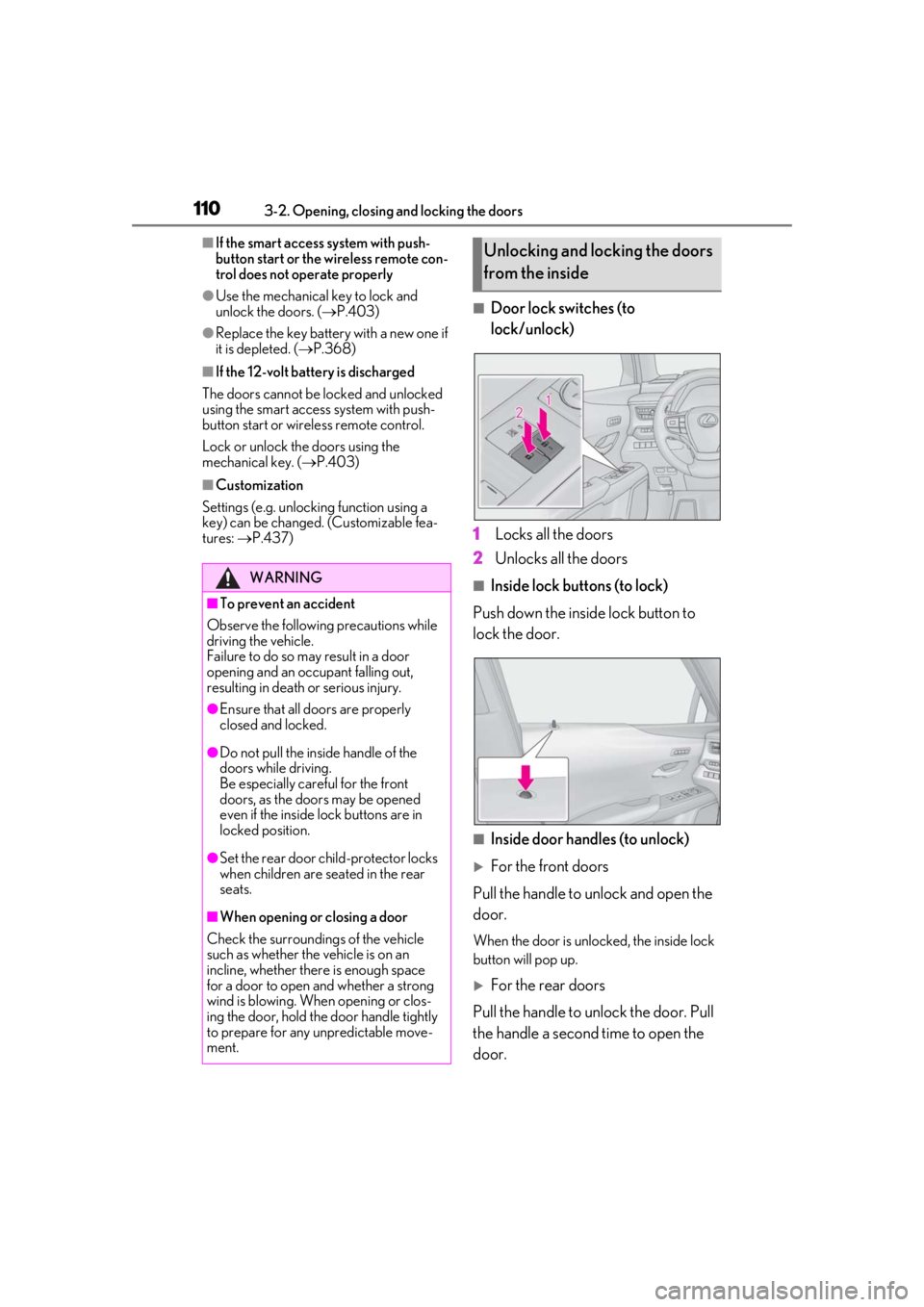
■Door lock switches (to
lock/unlock)
1
Locks all the doors
2
Unlocks all the doors
■Inside lock buttons (to lock)
Push down the inside lock button to
lock the door.
■Inside door handles (to unlock)
For the front doors
Pull the handle to unlock and open the
door.
When the door is unlo cked, the inside lock
button will pop up.
For the rear doors
Pull the handle to unlock the door. Pull
the handle a second time to open the
door.
WARNING
■To prevent an accident
Observe the following precautions while
driving the vehicle.
Failure to do so may result in a door
opening and an occupant falling out,
resulting in death or serious injury.
●Ensure that all doors are properly
closed and locked.
●Do not pull the inside handle of the
doors while driving.
Be especially careful for the front
doors, as the doors may be opened
even if the inside lock buttons are in
locked position.
●Set the rear door ch ild-protector locks
when children are seated in the rear
seats.
■When opening or closing a door
Check the surroundings of the vehicle
such as whether the vehicle is on an
incline, whether ther e is enough space
for a door to open and whether a strong
wind is blowing. When opening or clos-
ing the door, hold the door handle tightly
to prepare for any unpredictable move-
ment.
Unlocking and locking the doors
from the inside
Page 113 of 476
1133-2. Opening, closing and locking the doors
3
Before driving
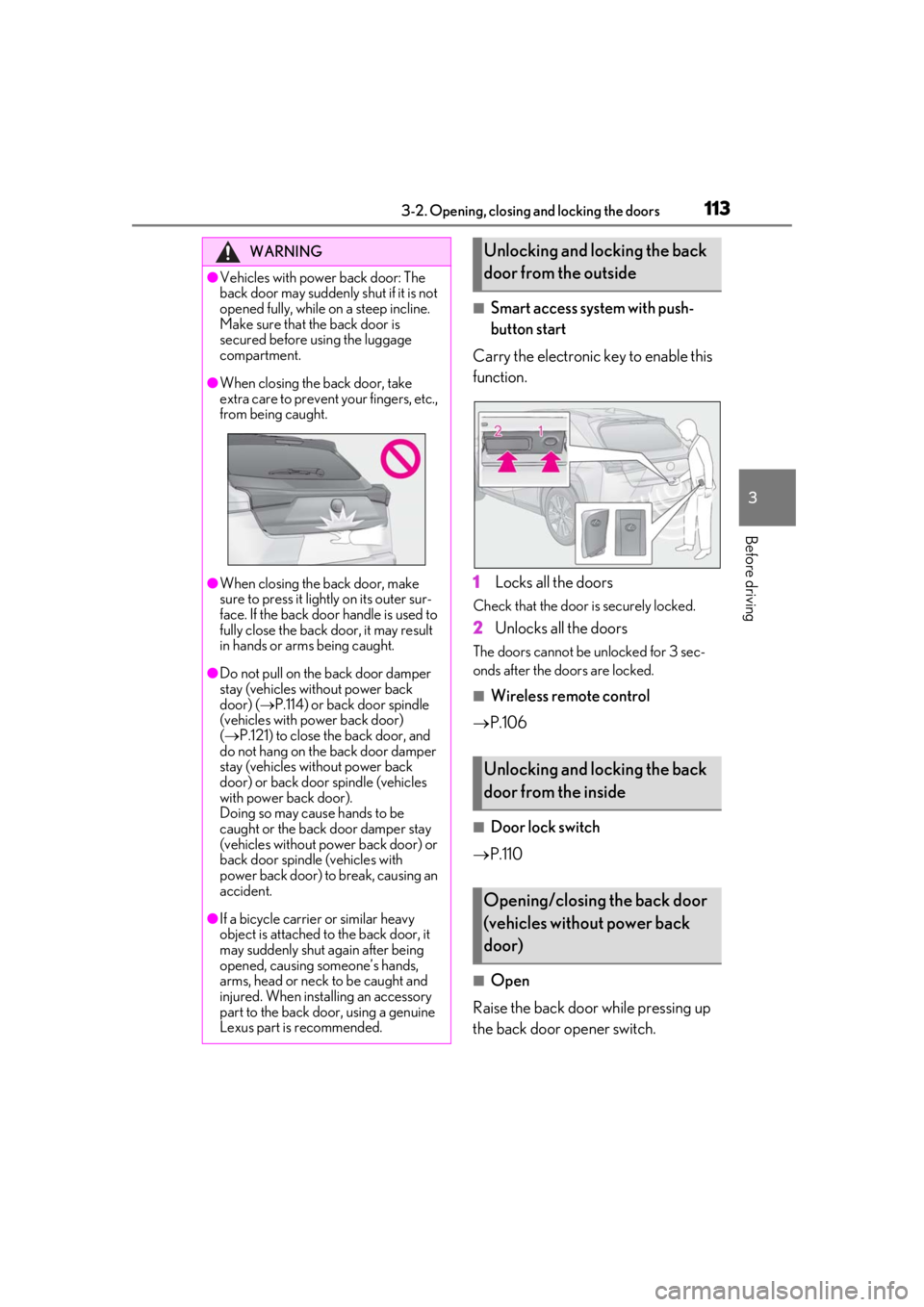
■Smart access system with push-
button start
Carry the electronic key to enable this
function.
1
Locks all the doors
Check that the door is securely locked.
2Unlocks all the doors
The doors cannot be unlocked for 3 sec-
onds after the doors are locked.
■Wireless remote control
P.106
■Door lock switch
P.110
■Open
Raise the back door while pressing up
the back door opener switch.
WARNING
●Vehicles with power back door: The
back door may suddenly shut if it is not
opened fully, while on a steep incline.
Make sure that the back door is
secured before using the luggage
compartment.
●When closing the back door, take
extra care to prevent your fingers, etc.,
from being caught.
●When closing the back door, make
sure to press it lightly on its outer sur-
face. If the back door handle is used to
fully close the back door, it may result
in hands or arms being caught.
●Do not pull on the back door damper
stay (vehicles without power back
door) ( P.114) or back door spindle
(vehicles with power back door)
( P.121) to close the back door, and
do not hang on the back door damper
stay (vehicles without power back
door) or back door spindle (vehicles
with power back door).
Doing so may cause hands to be
caught or the back door damper stay
(vehicles without power back door) or
back door spindle (vehicles with
power back door) to break, causing an
accident.
●If a bicycle carrier or similar heavy
object is attached to the back door, it
may suddenly shut again after being
opened, causing someone’s hands,
arms, head or neck to be caught and
injured. When installing an accessory
part to the back door, using a genuine
Lexus part is recommended.
Unlocking and locking the back
door from the outside
Unlocking and locking the back
door from the inside
Opening/closing the back door
(vehicles without power back
door)
Page 118 of 476
1183-2. Opening, closing and locking the doors
smart access system with push-button
start (P.108) or the wireless remote
control. ( P.106)
A buzzer sounds and the emergency flash-
ers flash to indicate that all the doors have
been closed and locked.
Before leaving the vehicle, make sure that
all the doors are closed and locked. The
doors may not be locked due to the jam
protection function or door lock prevention
function.
■Close & lock function
When the power back door is open, this
function closes the power back door and
then locks all of the doors simultaneously.
When the following procedures are per-
formed and there are no electronic keys for
the vehicle within the vehicle, all of the
doors will lock when th e power back door is
completely closed.
1 Close all of the doors except the power
back door.
2 While carrying an electronic key, press
the switch on the lower part of
the power back door ( P.115).
A different buzzer than the normal one will
sound and then the power back door will
begin closing automatically. When the
power back door is closed, all of the doors
will lock simultaneously and operation sig-
nals will indicate that all of the doors have
been locked.
■Situations in which the close & lock
function may not operate properly
In the following situations, the close & lock
function may not operate properly:
●If the switch on the lower part of
the power back door ( P.115) is pressed
by a hand which is holding an electronic
key
●If the switch on the lower part of
the power back door ( P.115) is pressed
when the electronic key is in a bag, etc.
that is placed on the ground
●If the switch on the lower part of
the power back door ( P.115) is pressed with the electronic key not near the vehi-
cle
■Situations in which the Hands Free
Power Back Door may not operate
properly
In the following situations, the Hands Free
Power Back Door may not operate prop-
erly:
●When a foot remain s under the rear
bumper
●If the rear bumper is strongly hit with a
foot or is touched for a while
If the rear bumper has been touched for a
while, wait for a short time before
attempting to operate the Hands Free
Power Back Door again.
●When operated while a person is too
close to the rear bumper
●When an external radio wave source
interferes with the communication
between the electronic key and the vehi-
cle ( P.125)
●When the vehicle is parked near an elec-
trical noise source which affects the sen-
sitivity of the Hands Free Power Back
Door, such as a pay parking spot, gas sta-
tion, electrically heated road, or fluores-
cent light
●When the vehicle is near a TV tower,
electric power plant, radio station, large
display, airport or ot her facility that gen-
erates strong radio waves or electrical
noise
●When a large amount of water is applied
to the rear bumper, such as when the
vehicle is being washed or in heavy rain
●When mud, snow, ice, etc. is attached to
the rear bumper
●When the vehicle has been parked for a
while near objects that may move and
contact the rear bumper, such as plants
●When an accessory is installed to the rear
bumper
If an accessory has been installed, turn
the Hands Free Power Back Door opera-
tion setting off.