tire pressure LEXUS UX250H 2019 Owners Manual
[x] Cancel search | Manufacturer: LEXUS, Model Year: 2019, Model line: UX250H, Model: LEXUS UX250H 2019Pages: 476, PDF Size: 10.51 MB
Page 1 of 476

UX250h_OM_OM76266U_(U)
1
2
3
4
5
6
7
8
9
Pictorial indexSearch by illustration
For safety
and securityMake sure to read through them
(Main topics: Child seat, theft deterrent system)
Vehicle status
information and
indicatorsReading driving-related information
(Main topics: Meters, multi-information display)
Before drivingOpening and closing the doors and windows,
adjustment before driving
(Main topics: Keys, doors, seats)
DrivingOperations and advice which are necessary for driving
(Main topics: Starting hybrid system, refueling)
Interior featuresUsage of the interior features
(Main topics: Air conditioner, storage features)
Maintenance
and careCaring for your vehicle and maintenance procedures
(Main topics: Interior and exterior, light bulbs)
When trouble
arisesWhat to do in case of malfunction and emergency
(Main topics: 12-volt battery discharge, flat tire)
Vehicle
specificationsVehicle specifications, customizable features
(Main topics: Fuel, oil, tire inflation pressure)
For ownersReporting safety defects for U.S. owners, and seat belt,
SRS airbag and headlight aim instructions for Canadian
owners
IndexSearch by symptom
Search alphabetically
Page 4 of 476
4TABLE OF CONTENTS
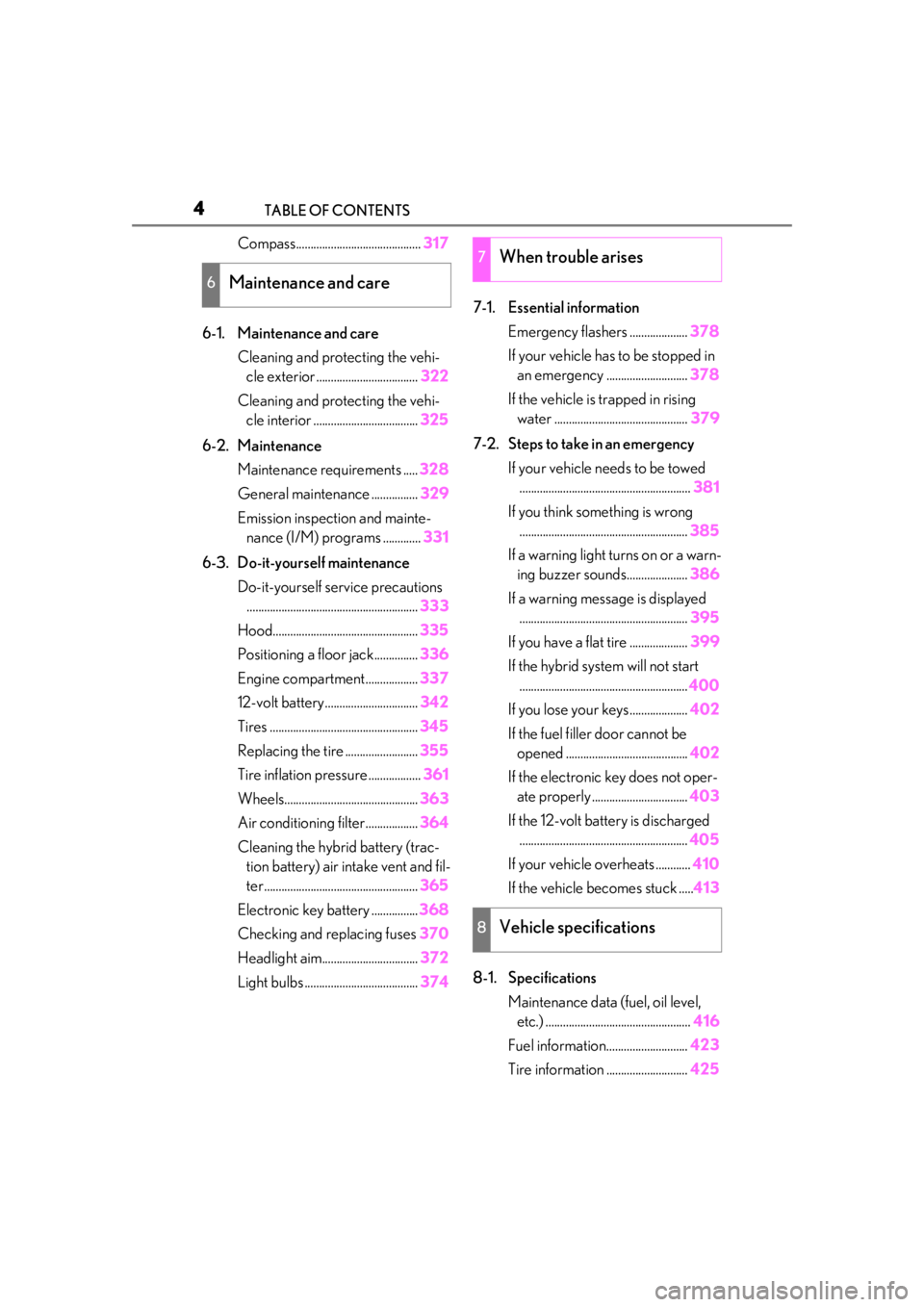
Compass...........................................317
6-1. Maintenance and care Cleaning and protecting the vehi-cle exterior ................................... 322
Cleaning and protecting the vehi- cle interior .................................... 325
6-2. Maintenance Maintenance requirements ..... 328
General maintenance ................ 329
Emission inspection and mainte- nance (I/M) programs ............. 331
6-3. Do-it-yourself maintenance Do-it-yourself service precautions........................................................... 333
Hood.................................................. 335
Positioning a floor jack............... 336
Engine compartment.................. 337
12-volt battery................................ 342
Tires ................................................... 345
Replacing the tire ......................... 355
Tire inflation pressure .................. 361
Wheels.............................................. 363
Air conditioning filter..................364
Cleaning the hybrid battery (trac- tion battery) air intake vent and fil-
ter..................................................... 365
Electronic key battery ................ 368
Checking and replacing fuses 370
Headlight aim................................. 372
Light bulbs ....................................... 3747-1. Essential information
Emergency flashers .................... 378
If your vehicle has to be stopped in an emergency ............................ 378
If the vehicle is trapped in rising water .............................................. 379
7-2. Steps to take in an emergency If your vehicle needs to be towed........................................................... 381
If you think something is wrong .......................................................... 385
If a warning light turns on or a warn- ing buzzer sounds..................... 386
If a warning messa ge is displayed
.......................................................... 395
If you have a flat tire .................... 399
If the hybrid syst em will not start
.......................................................... 400
If you lose your keys.................... 402
If the fuel filler door cannot be opened .......................................... 402
If the electronic key does not oper- ate properly ................................. 403
If the 12-volt battery is discharged .......................................................... 405
If your vehicle overheats ............ 410
If the vehicle becomes stuck ..... 413
8-1. Specifications Maintenance data (fuel, oil level, etc.) .................................................. 416
Fuel information............................ 423
Tire inform
ation ............................ 425
6Maintenance and care
7When trouble arises
8Vehicle specifications
Page 13 of 476
13Pictorial index
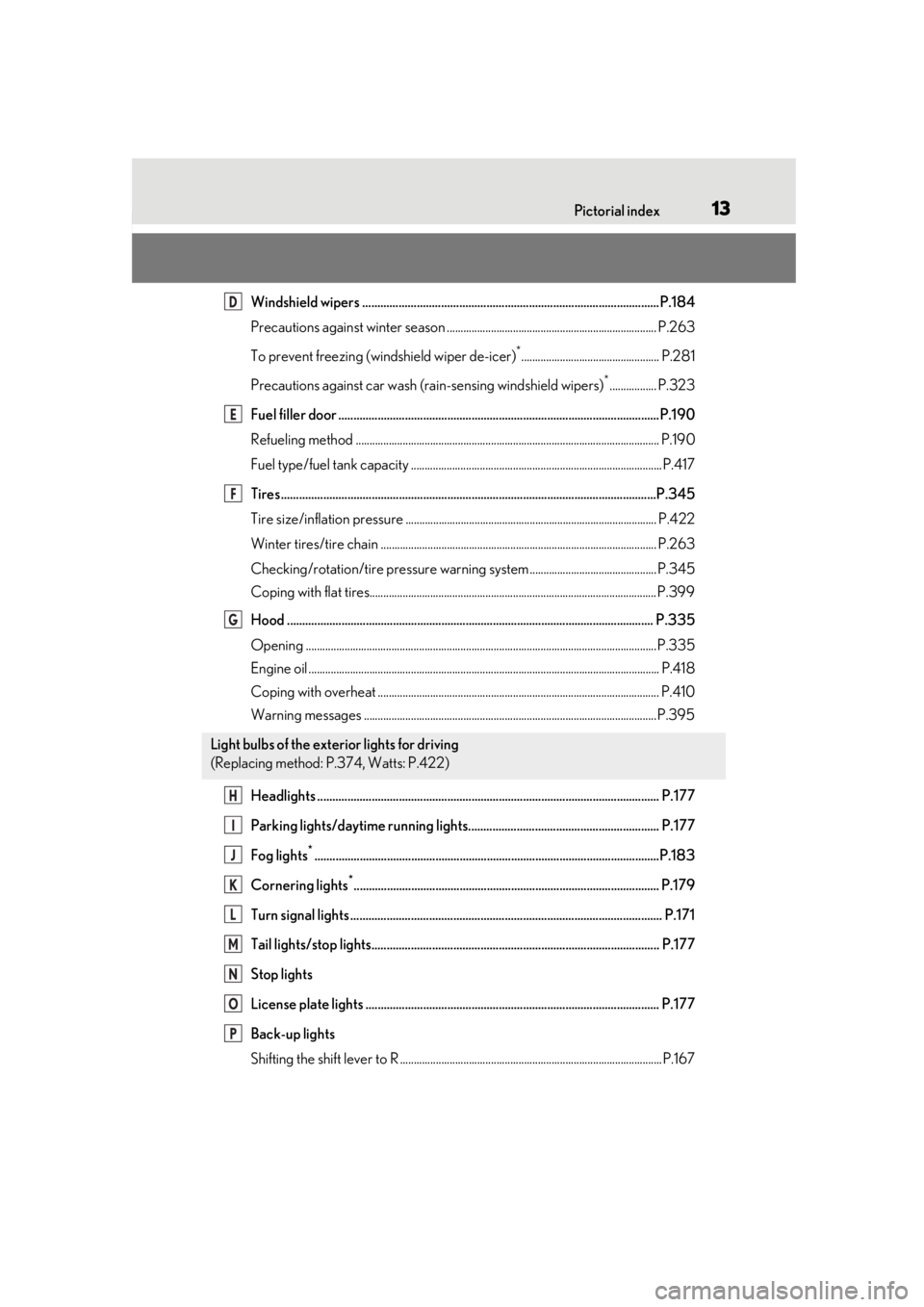
Windshield wipers ..................................................................................................P.184
Precautions against winter season ............................................................................ P.263
To prevent freezing (windshield wiper de-icer)
*.................................................. P.281
Precautions against car wash (r ain-sensing windshield wipers)
*................. P.323
Fuel filler door ..........................................................................................................P.190
Refueling method .............................................................................................................. P .190
Fuel type/fuel tank capacity ......... ..................................................................................P.417
Tires.......................................................................................................................... ..P.345
Tire size/inflation pressure ........................................................................................... P.422
Winter tires/tire chain .................................................................................................... P.26 3
Checking/rotation/tire pressure warning system.............................................. P.345
Coping with flat tires........................................................................................................ P .399
Hood ......................................................................................................................... P. 335
Opening ........................................................................................................................ .......P.335
Engine oil ..................................................................................................................... .......... P.418
Coping with overheat ...................................................................................................... P.410
Warning messages ..........................................................................................................P.395
Headlights ................................................................................................................. P.17 7
Parking lights/daytime running lights............................................................... P.177
Fog lights
*..................................................................................................................P.183
Cornering lights
*..................................................................................................... P.179
Turn signal lights ....................................................................................................... P.171
Tail lights/stop lights............................................................................................... P.177
Stop lights
License plate lights ................................................................................................. P.177
Back-up lights
Shifting the shift lever to R ...............................................................................................P.1 67
Light bulbs of the exterior lights for driving
(Replacing method: P.374, Watts: P.422)
D
E
F
G
H
I
J
K
L
M
N
O
P
Page 75 of 476
752-1. Instrument cluster
2
Vehicle status information and indicators
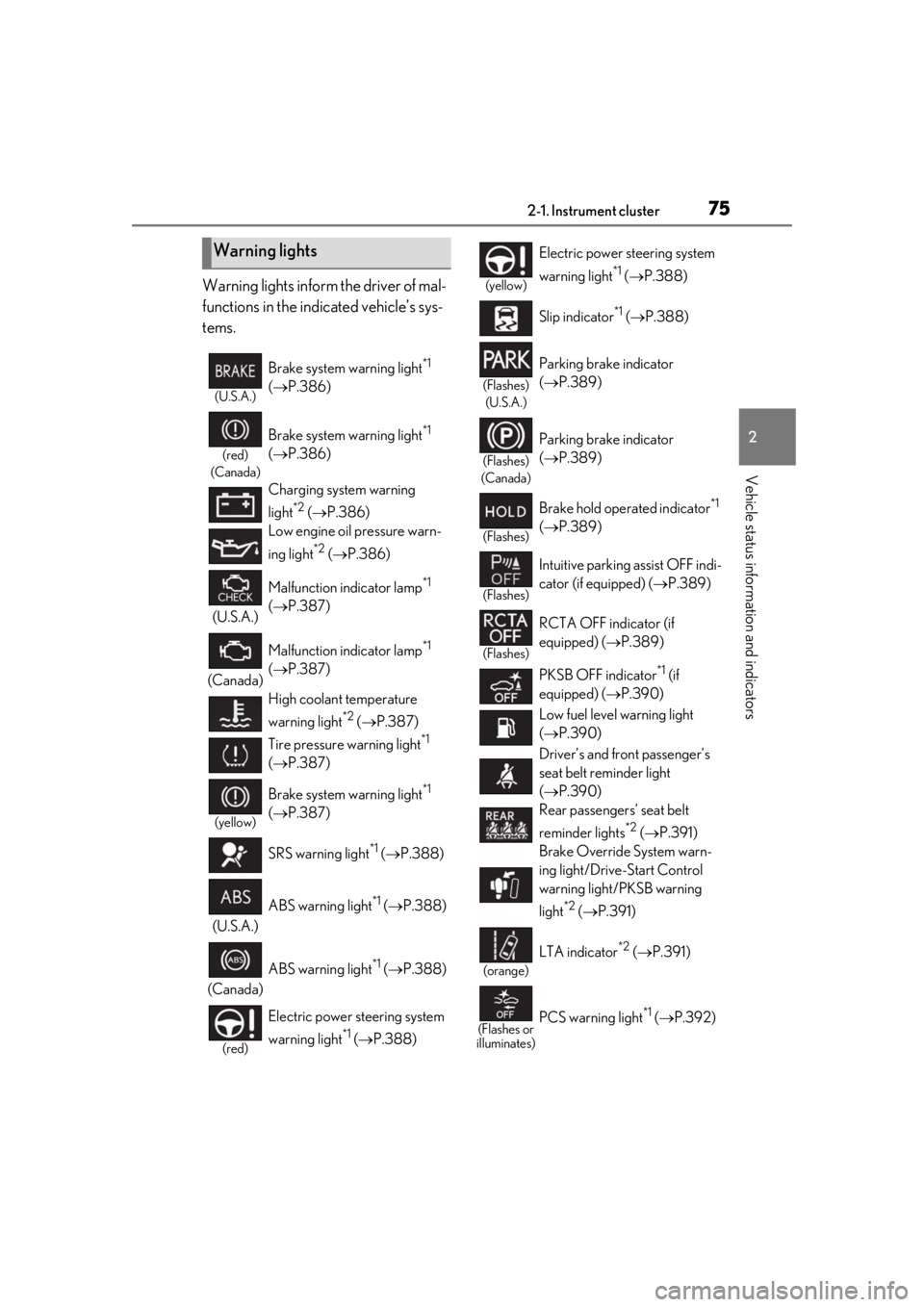
Warning lights inform the driver of mal-
functions in the indicated vehicle’s sys-
tems.
Warning lights
(U.S.A.)
Brake system warning light*1
( P.386)
(red)
(Canada)
Brake system warning light*1
( P.386)
Charging system warning
light
*2 ( P.386)
Low engine oil pressure warn-
ing light
*2 ( P.386)
(U.S.A.) Malfunction indicator lamp
*1
( P.387)
(Canada) Malfunction indicator lamp
*1
( P.387)
High coolant temperature
warning light
*2 ( P.387)
Tire pressure warning light
*1
( P.387)
(yellow)
Brake system warning light*1
( P.387)
SRS warning light
*1 ( P.388)
(U.S.A.) ABS warning light
*1 (
P.388)
(Canada) ABS warning light
*1 (
P.388)
(red)
Electric power st eering system
warning light
*1 ( P.388)
(yellow)
Electric power steering system
warning light
*1 ( P.388)
Slip indicator
*1 ( P.388)
(Flashes)
(U.S.A.)
Parking brake indicator
( P.389)
(Flashes)
(Canada)
Parking brake indicator
( P.389)
(Flashes)
Brake hold operated indicator*1
( P.389)
(Flashes)
Intuitive parking assist OFF indi-
cator (if equipped) ( P.389)
(Flashes)
RCTA OFF indicator (if
equipped) ( P.389)
PKSB OFF indicator
*1 (if
equipped) ( P.390)
Low fuel level warning light
( P.390)
Driver’s and front passenger’s
seat belt re minder light
( P.390)
Rear passengers’ seat belt
reminder lights
*2 ( P.391)
Brake Override System warn-
ing light/Drive-Start Control
warning light/PKSB warning
light
*2 ( P.391)
(orange)
LTA indicator*2 ( P.391)
(Flashes or
illuminates)PCS warning light*1 ( P.392)
Page 88 of 476
882-1. Instrument cluster
■Opening image display
When the power switch is in ACC or ON,
the opening image is di splayed on the multi-
information display.
While the opening image is being dis-
played, the meter display cannot be
changed even if the drive mode is changed.
When the opening image is finished, the
meter display for the currently selected
mode will be displayed.
■Liquid crystal display
Small spots or light spots may appear on the
display. This phenomenon is characteristic
of liquid crystal displays, and there is no
problem continuing to use the display.
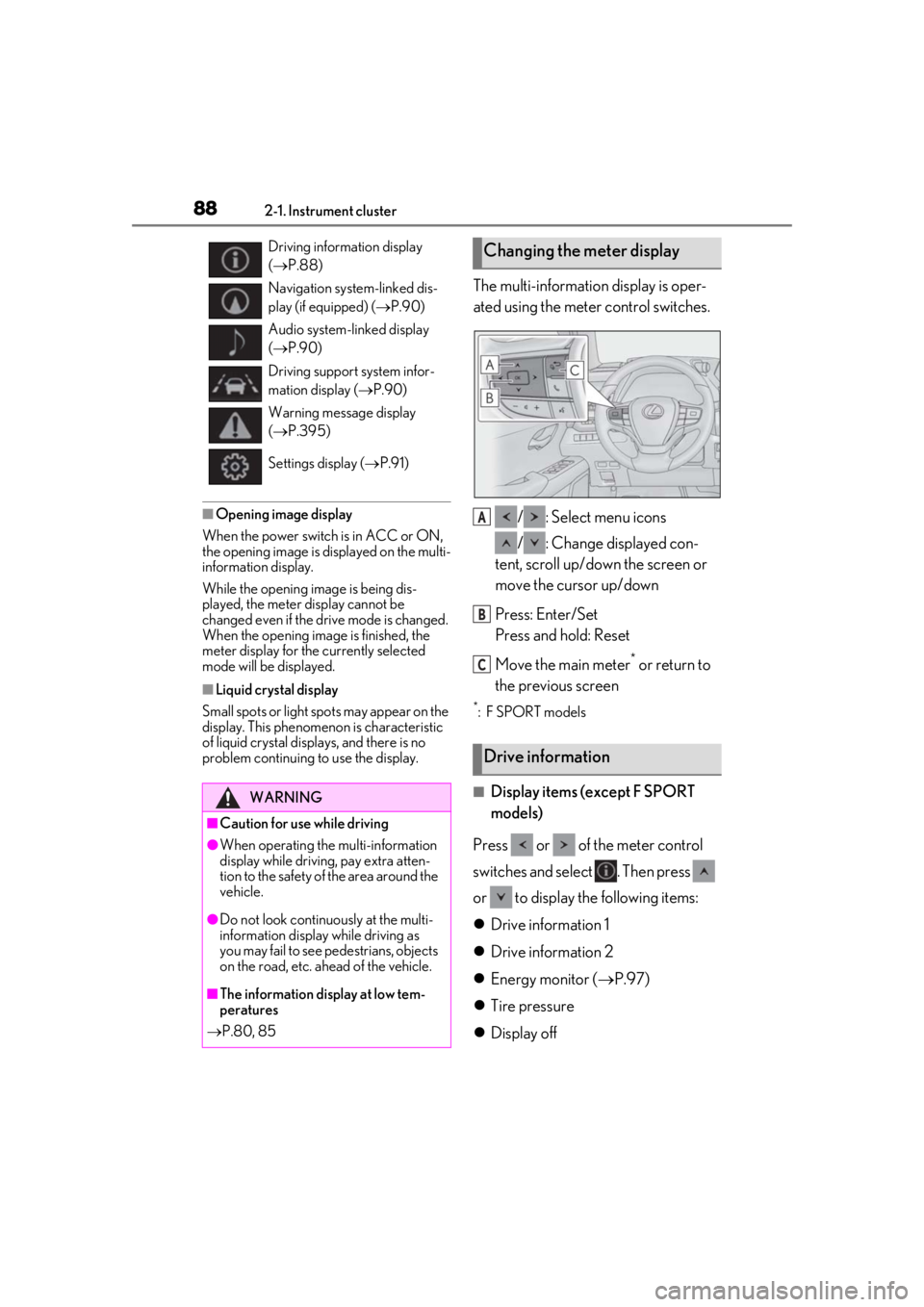
The multi-information display is oper-
ated using the meter control switches.
/ : Select menu icons
/ : Change displayed con-
tent, scroll up/down the screen or
move the cursor up/down
Press: Enter/Set
Press and hold: Reset
Move the main meter
* or return to
the previous screen
*: F SPORT models
■Display items (except F SPORT
models)
Press or of the meter control
switches and select . Then press
or to display the following items:
Drive information 1
Drive information 2
Energy monitor ( P.97)
Tire pressure
Display off
Driving information display
( P.88)
Navigation system-linked dis-
play (if equipped) ( P.90)
Audio system-linked display
( P.90)
Driving support system infor-
mation display ( P.90)
Warning message display
( P.395)
Settings display ( P.91)
WARNING
■Caution for use while driving
●When operating the multi-information
display while driving, pay extra atten-
tion to the safety of the area around the
vehicle.
●Do not look continuously at the multi-
information display while driving as
you may fail to see pedestrians, objects
on the road, etc. ahead of the vehicle.
■The information display at low tem-
peratures
P.80, 85
Changing the meter display
Drive information
A
B
C
Page 89 of 476

892-1. Instrument cluster
2
Vehicle status information and indicators
■Display items (F SPORT models)
When the main meter is in the cen-
ter position
Press or of the meter control
switches to display the following items:
Drive information 1
Drive information 2
Tire pressure
Units
Display off
When the main meter is in the side
position
Press or of the meter control
switches and select . Then press
or to display the following items:
Drive information 1
Drive information 2
Energy monitor ( P.97)
G-force
Tire pressure
Display off
■Drive information 1/Drive infor-
mation 2
2 of the following drive information can
be displayed in each screen.
Displayed items can be changed on . ( P.87)
Use the displayed values as a reference
only.
Current fuel consumption
Displays instantaneous current fuel con-
sumption
Average fuel economy
After reset: Displays average fuel con-
sumption since the display was reset
*1
After start: Displays average fuel con-
sumption since the hybrid system was
started
After refuel: Displays average fuel con-
sumption since refuel
Average vehicle speed
After reset: Displays average vehicle
speed since the display was reset
*1
After start: Displays average vehicle speed
since the hybrid system was started
Driven distance
Displays the distance driven since the
hybrid system was started
Elapsed time
After reset: Displays elapsed time since the
display was reset
*1
After start: Displays elapsed time since the
hybrid system was started
Driving range
Displays driving range with remaining
fuel
*2, 3
Other
No item
*1: To reset, display the desired item and
press and hold “OK” of the meter con-
trol switches.
*2: This distance is computed based on your average fuel consumption. As a
result, the actual distance that can be
driven may differ from that displayed.
*3: When only a small amount of fuel is added to the tank, the display may not
be updated.
When refueling, turn the power switch
off. If the vehicle is refueled without
turning the power switch off, the display
Page 90 of 476
902-1. Instrument cluster
may not be updated.
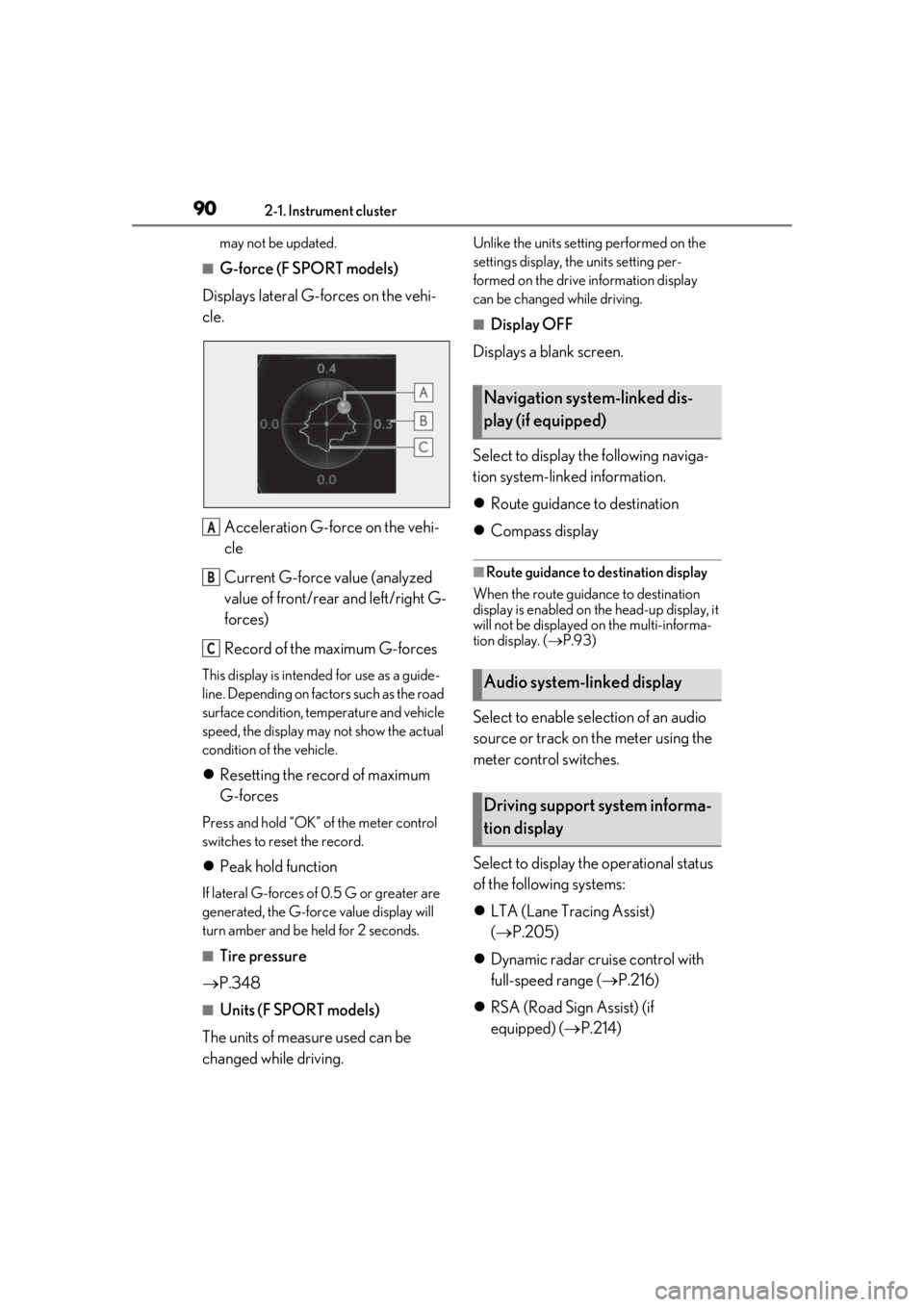
■G-force (F SPORT models)
Displays lateral G-forces on the vehi-
cle.
Acceleration G-force on the vehi-
cle
Current G-force value (analyzed
value of front/rear and left/right G-
forces)
Record of the maximum G-forces
This display is intended for use as a guide-
line. Depending on factors such as the road
surface condition, temperature and vehicle
speed, the display may not show the actual
condition of the vehicle.
Resetting the record of maximum
G-forces
Press and hold “OK” of the meter control
switches to reset the record.
Peak hold function
If lateral G-forces of 0.5 G or greater are
generated, the G-forc e value display will
turn amber and be held for 2 seconds.
■Tire pressure
P.348
■Units (F SPORT models)
The units of measure used can be
changed while driving.
Unlike the units sett ing performed on the
settings display, th e units setting per-
formed on the drive information display
can be changed while driving.
■Display OFF
Displays a blank screen.
Select to display the following naviga-
tion system-linked information.
Route guidance to destination
Compass display
■Route guidance to destination display
When the route guidance to destination
display is enabled on th e head-up display, it
will not be displayed on the multi-informa-
tion display. ( P.93)
Select to enable se lection of an audio
source or track on the meter using the
meter control switches.
Select to display the operational status
of the following systems:
LTA (Lane Tracing Assist)
( P.205)
Dynamic radar cruise control with
full-speed range ( P.216)
RSA (Road Sign Assist) (if
equipped) ( P.214)
A
B
C
Navigation system-linked dis-
play (if equipped)
Audio system-linked display
Driving support system informa-
tion display
Page 204 of 476
2044-5. Using the driving support systems
bicycle ridden by more than one person,
or a uniquely shaped bicycle (bicycle with
a child seat, tandem bicycle, etc.)
• If a pedestrian/or the riding height of a bicyclist ahead is shorter than approxi-
mately 3.2 ft. (1 m) or taller than approxi-
mately 6.5 ft. (2 m)
• If a pedestrian/bicyclist is wearing over- sized clothing (a rain coat, long skirt,
etc.), making their silhouette obscure
• If a pedestrian is bending forward or squatting or bicyclist is bending forward
• If a pedestrian/bicyclist is moving fast
• If a pedestrian is pushing a stroller, wheel- chair, bicycle or other vehicle
• When driving in incl ement weather such
as heavy rain, fog, snow or a sandstorm
• When driving through steam or smoke
• When the surrounding area is dim, such
as at dawn or dusk, or while at night or in
a tunnel, making a detectable object
appear to be nearly the same color as its
surroundings
• When driving in a place where the sur-
rounding brightness changes suddenly,
such as at the entrance or exit of a tunnel
• After the hybrid system has started the
vehicle has not been driven for a certain
amount of time
• While making a left/right turn and for a
few seconds after makin g a left/right turn
• While driving on a curve and for a few seconds after driving on a curve
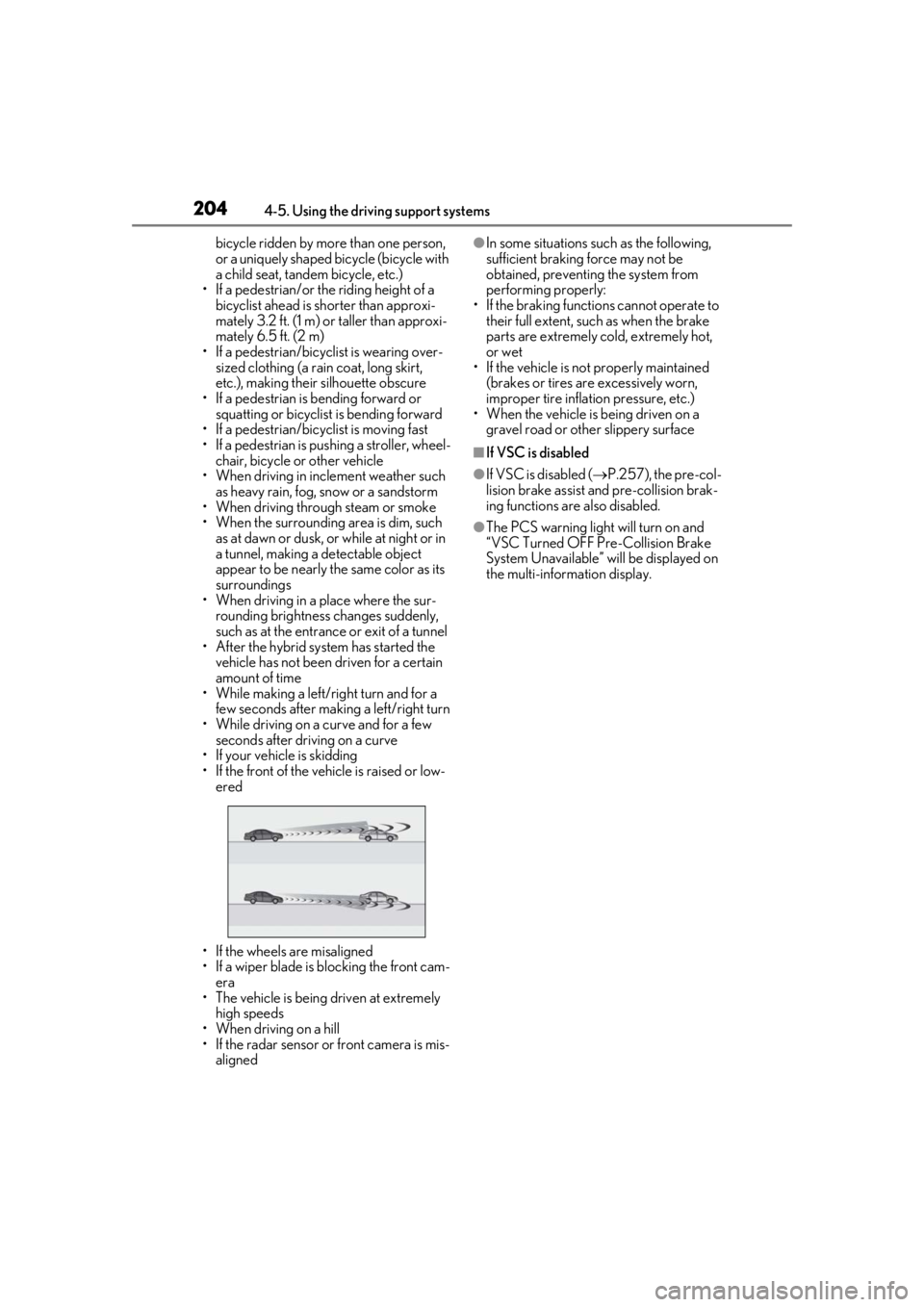
• If your vehicle is skidding
• If the front of the vehicle is raised or low- ered
• If the wheels are misaligned
• If a wiper blade is blocking the front cam- era
• The vehicle is being driven at extremely high speeds
• When driving on a hill
• If the radar sensor or front camera is mis-
aligned●In some situations su ch as the following,
sufficient braking force may not be
obtained, preventing the system from
performing properly:
• If the braking functions cannot operate to their full extent, such as when the brake
parts are extremely cold, extremely hot,
or wet
• If the vehicle is not properly maintained
(brakes or tires are excessively worn,
improper tire inflation pressure, etc.)
• When the vehicle is being driven on a
gravel road or other slippery surface
■If VSC is disabled
●If VSC is disabled ( P.257), the pre-col-
lision brake assist and pre-collision brak-
ing functions are also disabled.
●The PCS warning light will turn on and
“VSC Turned OFF Pre-Collision Brake
System Unavailable” will be displayed on
the multi-information display.
Page 207 of 476
2074-5. Using the driving support systems
4
Driving
WARNING
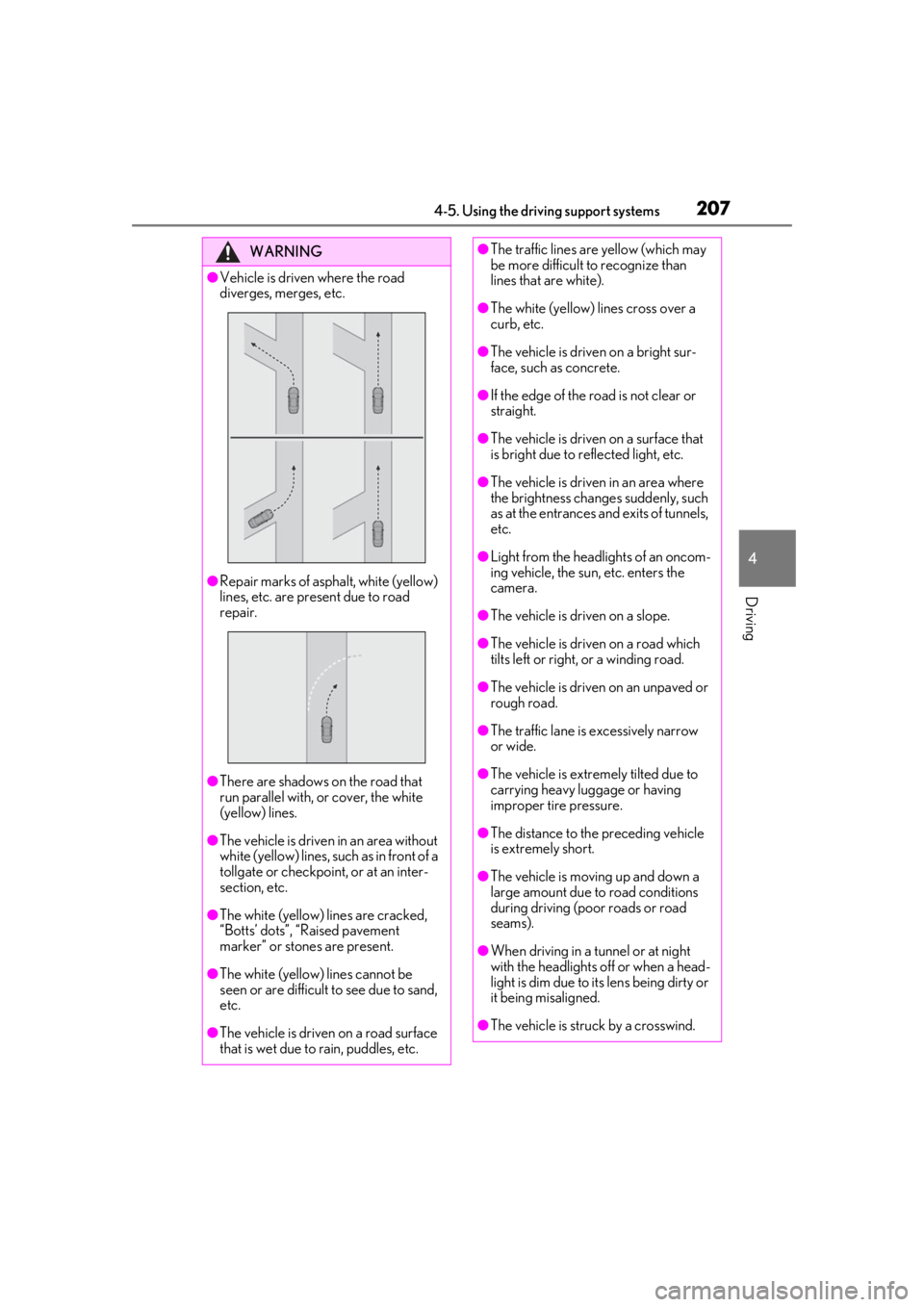
●Vehicle is driven where the road
diverges, merges, etc.
●Repair marks of asphalt, white (yellow)
lines, etc. are present due to road
repair.
●There are shadows on the road that
run parallel with, or cover, the white
(yellow) lines.
●The vehicle is driven in an area without
white (yellow) lines, su ch as in front of a
tollgate or checkpoint, or at an inter-
section, etc.
●The white (yellow) lines are cracked,
“Botts’ dots”, “Raised pavement
marker” or stones are present.
●The white (yellow) lines cannot be
seen or are difficult to see due to sand,
etc.
●The vehicle is driven on a road surface
that is wet due to rain, puddles, etc.
●The traffic lines are yellow (which may
be more difficult to recognize than
lines that are white).
●The white (yellow) lines cross over a
curb, etc.
●The vehicle is driven on a bright sur-
face, such as concrete.
●If the edge of the road is not clear or
straight.
●The vehicle is driven on a surface that
is bright due to reflected light, etc.
●The vehicle is driven in an area where
the brightness change s suddenly, such
as at the entrances and exits of tunnels,
etc.
●Light from the headlights of an oncom-
ing vehicle, the sun, etc. enters the
camera.
●The vehicle is driven on a slope.
●The vehicle is driven on a road which
tilts left or right, or a winding road.
●The vehicle is driven on an unpaved or
rough road.
●The traffic lane is excessively narrow
or wide.
●The vehicle is extremely tilted due to
carrying heavy luggage or having
improper tire pressure.
●The distance to the preceding vehicle
is extremely short.
●The vehicle is moving up and down a
large amount due to road conditions
during driving (poor roads or road
seams).
●When driving in a tunnel or at night
with the headlights off or when a head-
light is dim due to its lens being dirty or
it being misaligned.
●The vehicle is struck by a crosswind.
Page 249 of 476
2494-5. Using the driving support systems
4
Driving
■The Parking Support Brake function
(static object) will operate when
The function will operate when the PKSB
OFF indicator is not illuminated or flashing
( P.75, 76) and all of the following condi-
tions are met:
●Hybrid system output restriction control
• The Parking Support Brake is enabled.
• The vehicle speed is 10 mph (15 km/h) or less.
• There is a static object in the traveling direction of the vehicle and 6 to 13 ft. (2
to 4 m) away.
• The Parking Support Brake determines that a stronger-than-normal brake opera-
tion is necessary to avoid a collision.
●Brake control
• Hybrid system output restriction control
is operating.
• The Parking Support Brake determines that an immediate brake operation is nec-
essary to avoid a collision.
■The Parking Support Brake function
(static objects) will stop operating when
The function will stop operating if any of the
following conditions are met:
●Hybrid system output restriction control
• The Parking Support Brake is disabled.
• The system determines that the collision has become avoidable with normal brake
operation.
• The static object is no longer 6 to 13 ft. (2
to 4 m) away from the vehicle or in the
WARNING
■Handling the suspension
Do not modify the suspension, as
changes to the height or inclination of the
vehicle may prevent the sensors from
detecting objects correctly or cause the
system to not operate or operate unnec-
essarily.
■If the Parking Support Brake function
(static objects) operates unnecessar-
ily, such as at a railroad crossing
In the event that the Parking Support
Brake function (static objects) operates
unnecessarily, such as at a railroad cross-
ing, brake control w ill be canceled after
approximately 2 seconds, allowing you
to proceed forward and leave the area,
brake control can also be canceled by
depressing the brake pedal. Depressing
the accelerator pedal after brake control
is canceled will allow you to proceed for-
ward and leave the area.
■Notes when washing the vehicle
Do not apply intensive bursts of water or
steam to the sensor area.
Doing so may result in the sensor mal-
functioning.
●When using a high pressure washer to
wash the vehicle, do not spray the sen-
sors directly, as doing so may cause a
sensor to malfunction.
●When using steam to clean the vehicle,
do not direct steam too close to the
sensors as doing so may cause a sen-
sor to malfunction.
■When to disable the Parking Support
Brake (static objects)
In the following situations, disable the
Parking Support Brake (static objects) as
the system may operate even though
there is no possibility of a collision.
●When inspecting the vehicle using a
chassis roller, chassis dynamo or free
roller
●When loading the vehicle onto a boat,
truck or other transport vessel
●If the suspension has been modified or
tires of a size other than specified are
installed
●If the front of the vehicle is raised or
lowered due to the carried load
●When equipment that may obstruct a
sensor is installed, such as a towing
eyelet, bumper protector (an addi-
tional trim strip, etc.), bicycle carrier, or
snow plow
●When using an automatic car wash