Button LINCOLN AVIATOR 2003 User Guide
[x] Cancel search | Manufacturer: LINCOLN, Model Year: 2003, Model line: AVIATOR, Model: LINCOLN AVIATOR 2003Pages: 288, PDF Size: 3.32 MB
Page 100 of 288
REAR LIFTGATE
The liftgate area is only intended for cargo, not passengers. You can open
and close the liftgate from outside the vehicle. It cannot be opened from
inside the cargo area.
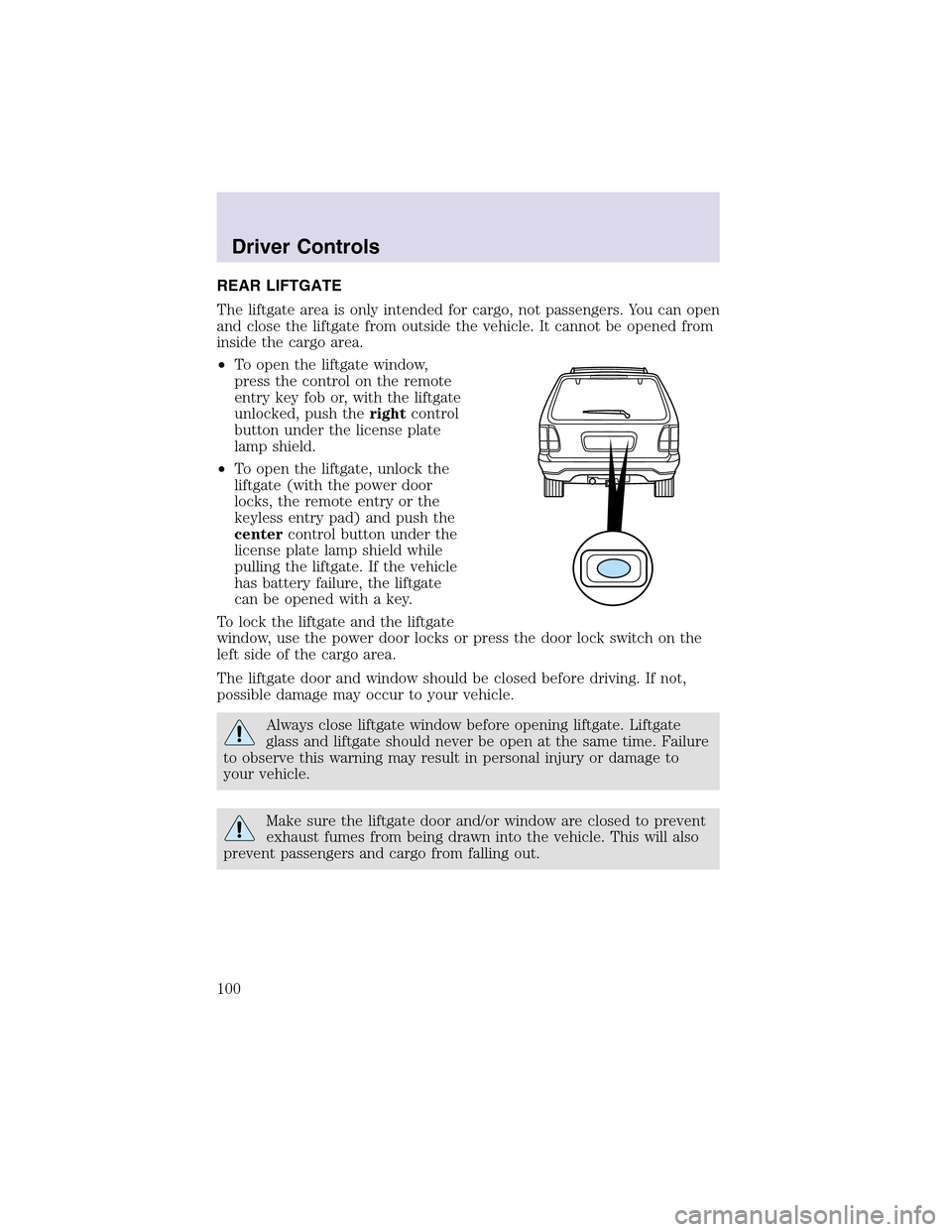
•To open the liftgate window,
press the control on the remote
entry key fob or, with the liftgate
unlocked, push therightcontrol
button under the license plate
lampshield.
•To open the liftgate, unlock the
liftgate (with the power door
locks, the remote entry or the
keyless entry pad) and push the
centercontrol button under the
license plate lamp shield while
pulling the liftgate. If the vehicle
has battery failure, the liftgate
can be opened with a key.
To lock the liftgate and the liftgate
window, use the power door locks or press the door lock switch on the
left side of the cargo area.
The liftgate door and window should be closed before driving. If not,
possible damage may occur to your vehicle.
Always close liftgate window before opening liftgate. Liftgate
glass and liftgate should never be open at the same time. Failure
to observe this warning may result in personal injury or damage to
your vehicle.
Make sure the liftgate door and/or window are closed to prevent
exhaust fumes from being drawn into the vehicle. This will also
prevent passengers and cargo from falling out.
Driver Controls
100
Page 106 of 288
Associating the transmitter with the memory seat feature
To activate this feature:
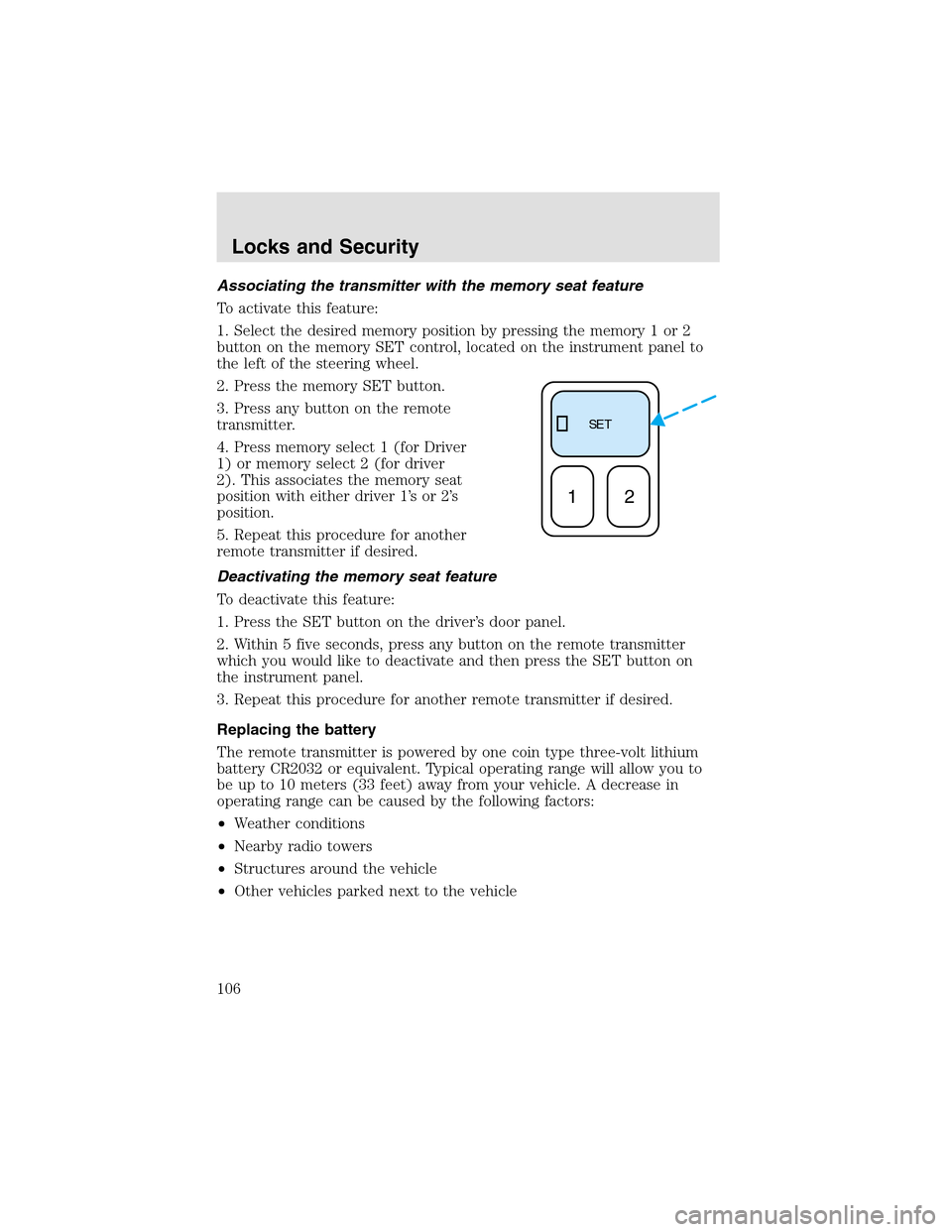
1. Select the desired memory position by pressing the memory 1 or 2
button on the memory SET control, located on the instrument panel to
the left of the steering wheel.
2. Press the memory SET button.
3. Press any button on the remote
transmitter.
4. Press memory select 1 (for Driver
1) or memory select 2 (for driver
2). This associates the memory seat
position with either driver 1’s or 2’s
position.
5. Repeat this procedure for another
remote transmitter if desired.
Deactivating the memory seat feature
To deactivate this feature:
1. Press the SET button on the driver’s door panel.
2. Within 5 five seconds, press any button on the remote transmitter
which you would like to deactivate and then press the SET button on
the instrument panel.
3. Repeat this procedure for another remote transmitter if desired.
Replacing the battery
The remote transmitter is powered by one coin type three-volt lithium
battery CR2032 or equivalent. Typical operating range will allow you to
be upto 10 meters (33 feet) away from your vehicle. A decrease in
operating range can be caused by the following factors:
•Weather conditions
•Nearby radio towers
•Structures around the vehicle
•Other vehicles parked next to the vehicle
SE T
12
Locks and Security
106
Page 108 of 288
To program the transmitters yourself:
1. Ensure the vehicle is
electronically unlocked.
2. Put the key in the ignition.
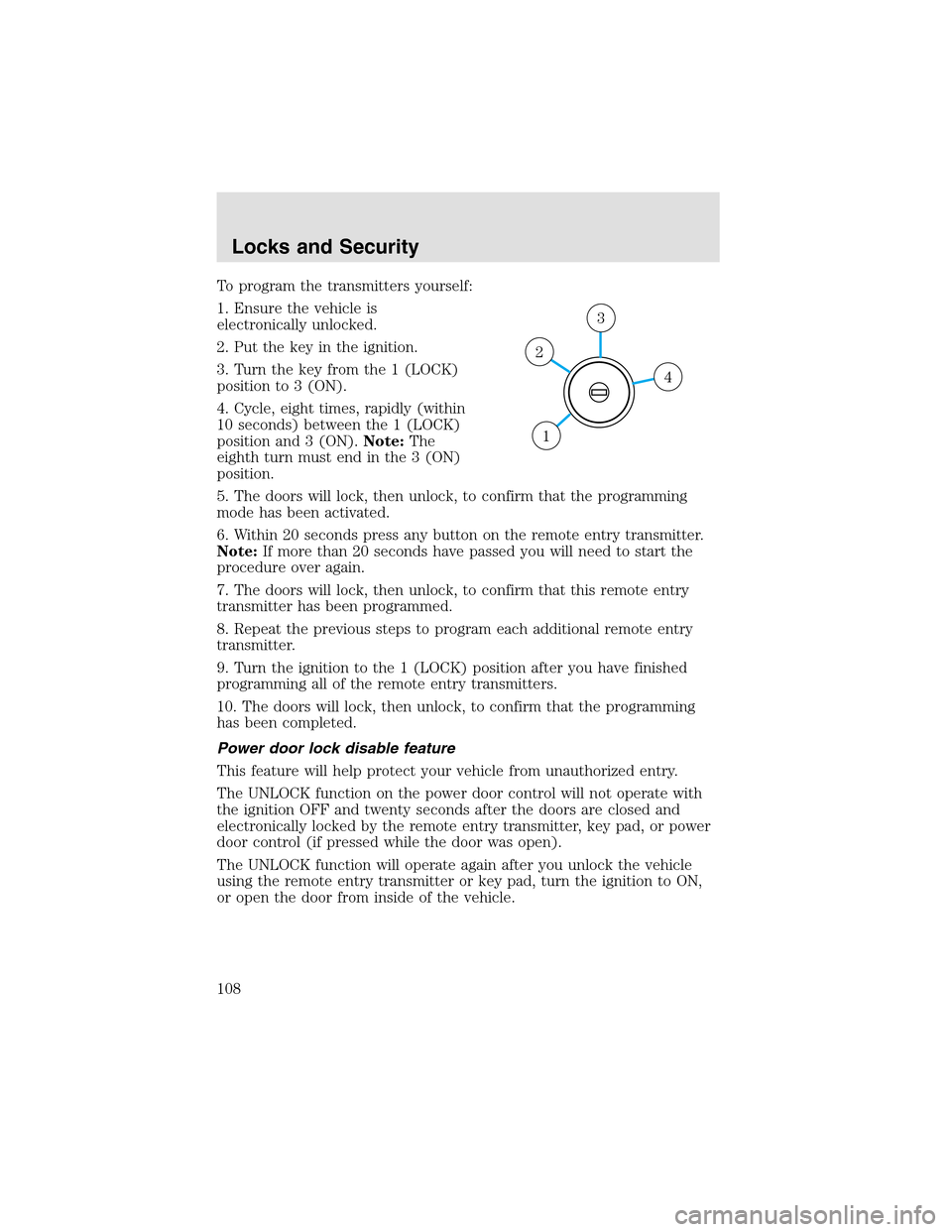
3. Turn the key from the 1 (LOCK)
position to 3 (ON).
4. Cycle, eight times, rapidly (within
10 seconds) between the 1 (LOCK)
position and 3 (ON).Note:The
eighth turn must end in the 3 (ON)
position.
5. The doors will lock, then unlock, to confirm that the programming
mode has been activated.
6. Within 20 seconds press any button on the remote entry transmitter.
Note:If more than 20 seconds have passed you will need to start the
procedure over again.
7. The doors will lock, then unlock, to confirm that this remote entry
transmitter has been programmed.
8. Repeat the previous steps to program each additional remote entry
transmitter.
9. Turn the ignition to the 1 (LOCK) position after you have finished
programming all of the remote entry transmitters.
10. The doors will lock, then unlock, to confirm that the programming
has been completed.
Power door lock disable feature
This feature will helpprotect your vehicle from unauthorized entry.
The UNLOCK function on the power door control will not operate with
the ignition OFF and twenty seconds after the doors are closed and
electronically locked by the remote entry transmitter, key pad, or power
door control (if pressed while the door was open).
The UNLOCK function will operate again after you unlock the vehicle
using the remote entry transmitter or key pad, turn the ignition to ON,
or open the door from inside of the vehicle.
4
3
2
1
Locks and Security
108
Page 110 of 288
The autolock feature may also be deactivated/activated using the keyless
entry keypad. For additional information, refer toKeyless entry system
in this chapter.
Power door unlock disabled
The UNLOCK
feature on your power door locks will not work from
inside the vehicle when:
•the ignition has been turned to the OFF position, and
•20 seconds elapse after all vehicle doors are closed and locked using
the remote entry transmitter, the keypad or the power door unlock
control (while the accompanying door is open).
The UNLOCK
feature will work again after:
•a door has become ajar,
•the ignition is turned to the ON position, or
•using the UNLOCK
control on your remote entry transmitter, or
•using the keyless entry keypad to unlock the vehicle.
This feature can be activated and deactivated by an authorized dealer.
Deactivating/activating power door lock disable feature
1. Turn the ignition to the ON position, then press the UNLOCK button
three times.
2. Turn the ignition to the OFF position, then press the UNLOCK button
three times.
3. Turn the ignition to the ON position. The horn will chirp once,
indicating that the programming mode has been entered. Within five
seconds, press the LOCK button two times. Two horn chirps should be
heard, indicating that the system has been disabled. Conversely, two
horn chirps followed by a honk will indicate that the system is enabled.
4. Pressing the power door LOCK button two times again will turn the
feature ON if it was previously OFF, or OFF if it was previously ON.
Every two consecutive presses of the LOCK button after successfully
entering the configuration mode will change the enable/disable condition
of the feature.
5. Turn the ignition to the OFF position to exit programming.
Locks and Security
110
Page 121 of 288
SEATING
Adjustable head restraints
Your vehicle’s seats may be equipped with head restraints which are
vertically adjustable. The purpose of these head restraints is to help limit
head motion in the event of a rear collision. To properly adjust your head
restraints, lift the head restraint so that it is located directly behind your
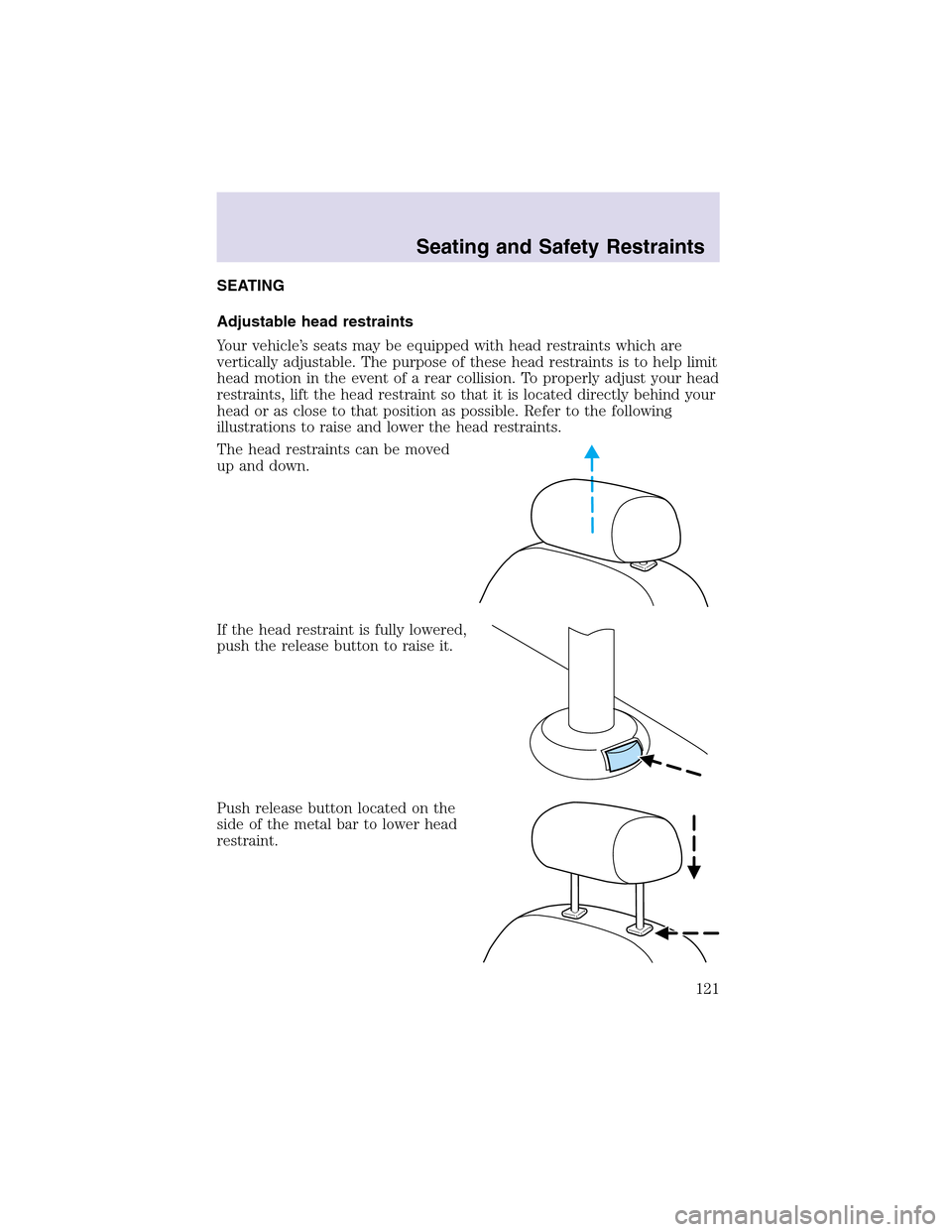
head or as close to that position as possible. Refer to the following
illustrations to raise and lower the head restraints.
The head restraints can be moved
upand down.
If the head restraint is fully lowered,
push the release button to raise it.
Push release button located on the
side of the metal bar to lower head
restraint.
Seating and Safety Restraints
121
Page 125 of 288
Deactivating/activating the easy entry/exit feature
The easy entry/exit feature may also be turned on and off using the
following key sequence. This procedure must be performed within 20
seconds.
1. Remove the key from the ignition (if currently inserted).
2. Insert the ignition key into the ignition switch.
3. Turn the ignition key to the run position.
4. Place the ignition key to the off position.
5. Turn the ignition key to the run position.
6. Place the ignition key to the off position.
7. Turn the ignition key to the run position.
8. Place the ignition key to the off position.
9. Momentarily activate the horizontal seat switch in either the forward
or rearward direction.
10. Remove the ignition key from the ignition switch.
CLIMATE CONTROL SEATS (if equipped)
The climate seat controls are located on the inside of the front doors.
To operate the climate control seats the engine must be running.
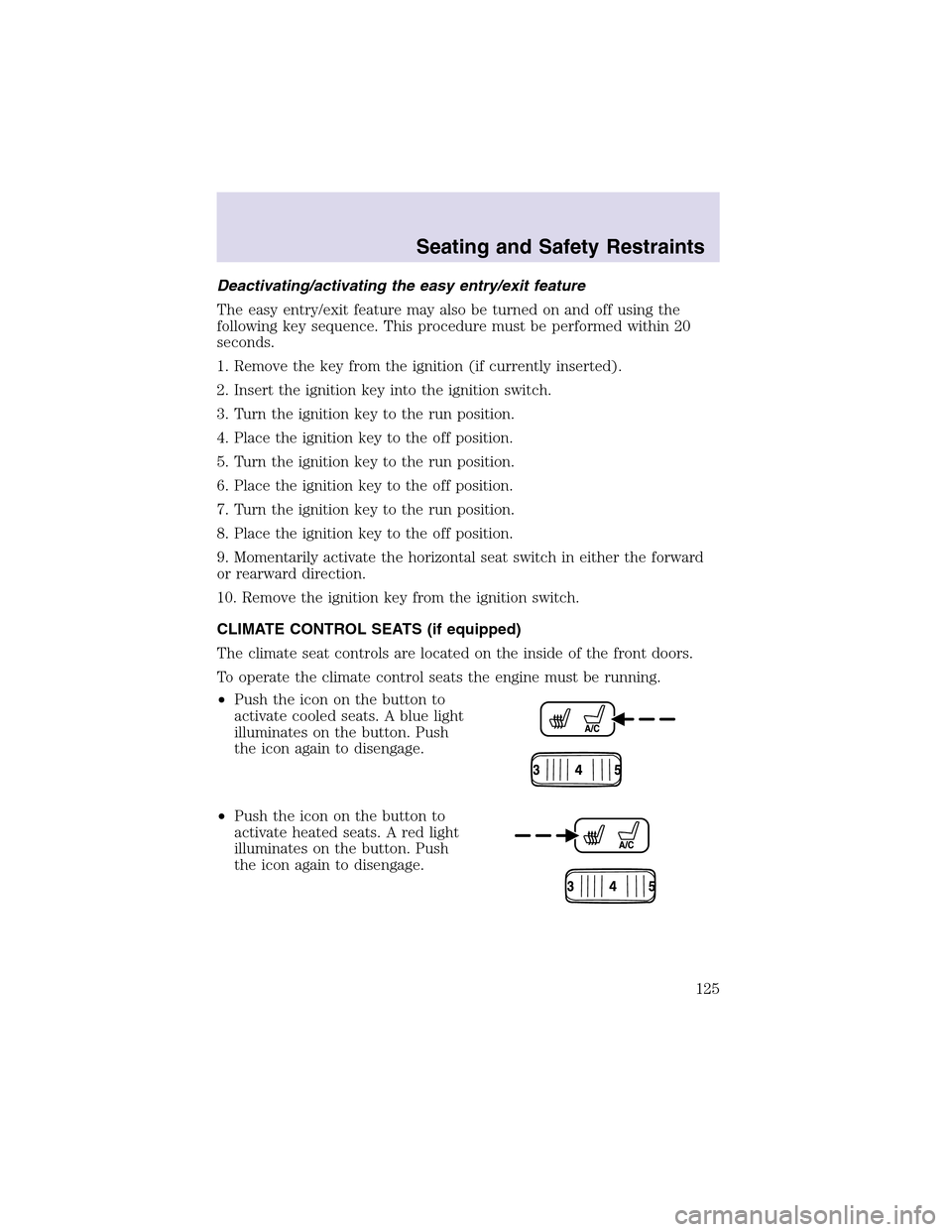
•Push the icon on the button to
activate cooled seats. A blue light
illuminates on the button. Push
the icon again to disengage.
•Push the icon on the button to
activate heated seats. A red light
illuminates on the button. Push
the icon again to disengage.
Seating and Safety Restraints
125
Page 128 of 288
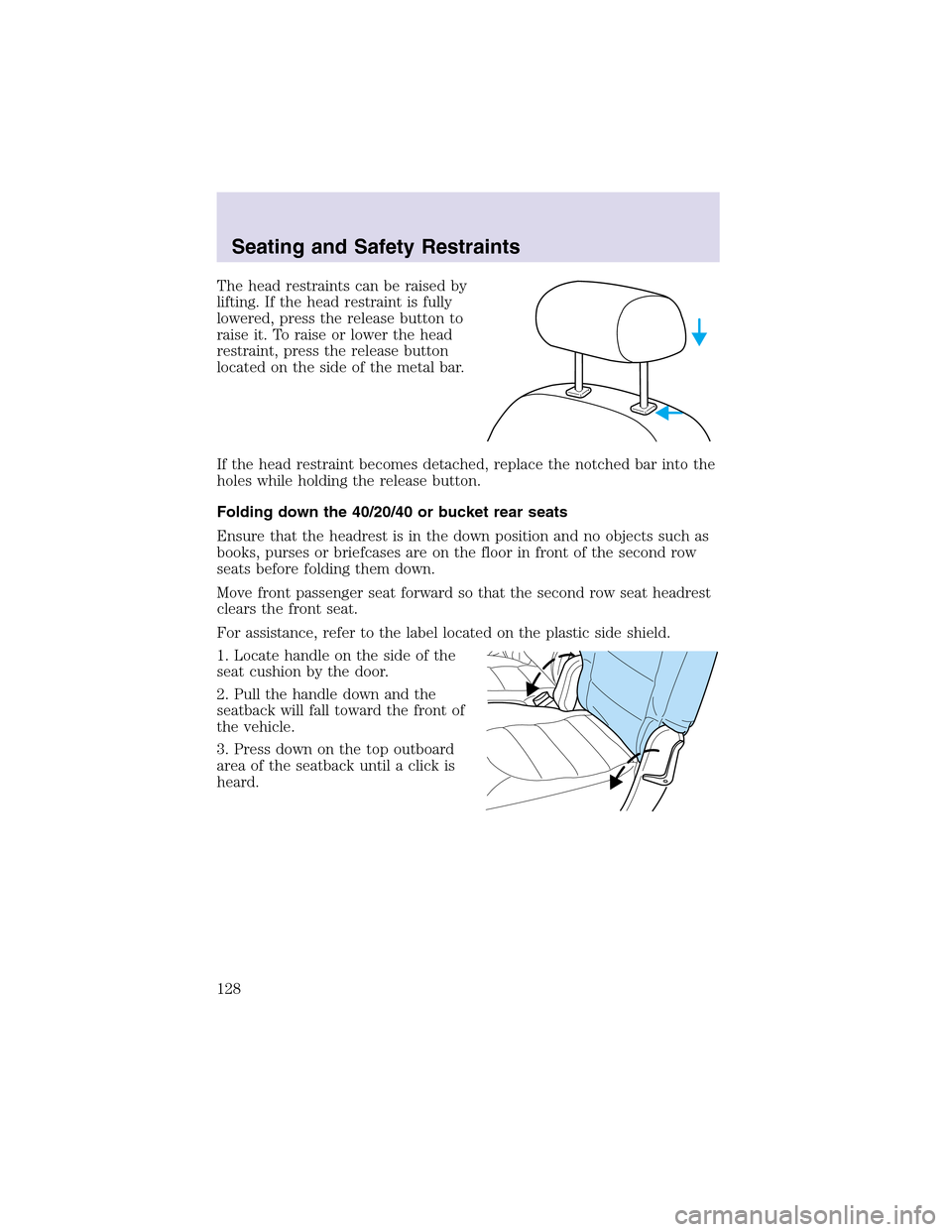
The head restraints can be raised by
lifting. If the head restraint is fully
lowered, press the release button to
raise it. To raise or lower the head
restraint, press the release button
located on the side of the metal bar.
If the head restraint becomes detached, replace the notched bar into the
holes while holding the release button.
Folding down the 40/20/40 or bucket rear seats
Ensure that the headrest is in the down position and no objects such as
books, purses or briefcases are on the floor in front of the second row
seats before folding them down.
Move front passenger seat forward so that the second row seat headrest
clears the front seat.
For assistance, refer to the label located on the plastic side shield.
1. Locate handle on the side of the
seat cushion by the door.
2. Pull the handle down and the
seatback will fall toward the front of
the vehicle.
3. Press down on the topoutboard
area of the seatback until a click is
heard.
Seating and Safety Restraints
128
Page 134 of 288
In a rollover crash, an unbelted person is significantly more likely
to die than a person wearing a safety belt.
Each seating position in your vehicle has a specific safety belt
assembly which is made upof one buckle and one tongue that
are designed to be used as a pair. 1) Use the shoulder belt on the
outside shoulder only. Never wear the shoulder belt under the arm. 2)
Never swing the safety belt around your neck over the inside shoulder.
3) Never use a single belt for more than one person.
Always transport children 12 years old and under in the back
seat and always properly use appropriate child restraints.
Safety belts and seats can become hot in a vehicle that has been
closed upin sunny weather; they could burn a small child. Check
seat covers and buckles before you place a child anywhere near them.
Combination lap and shoulder belts
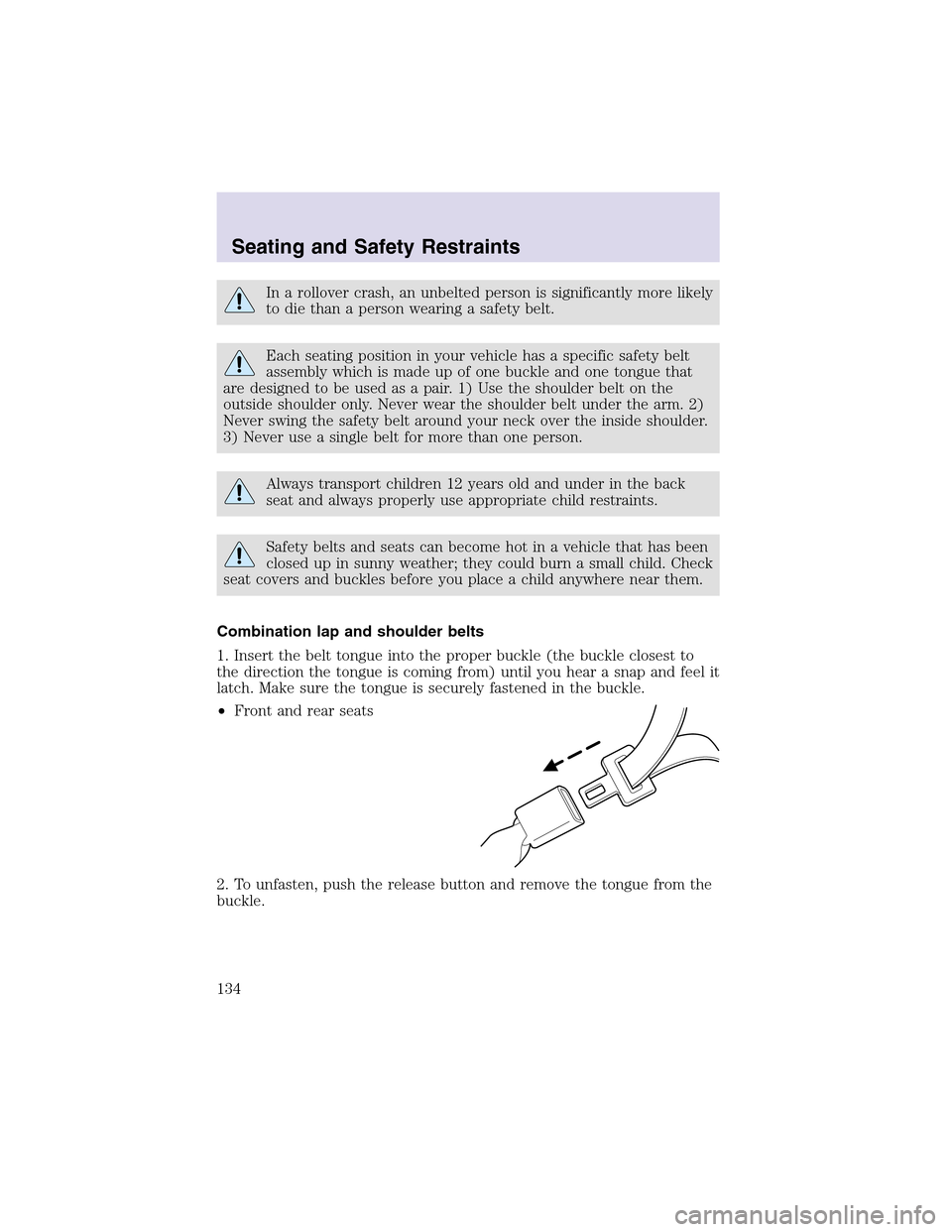
1. Insert the belt tongue into the proper buckle (the buckle closest to
the direction the tongue is coming from) until you hear a snapand feel it
latch. Make sure the tongue is securely fastened in the buckle.
•Front and rear seats
2. To unfasten, push the release button and remove the tongue from the
buckle.
Seating and Safety Restraints
134
Page 138 of 288
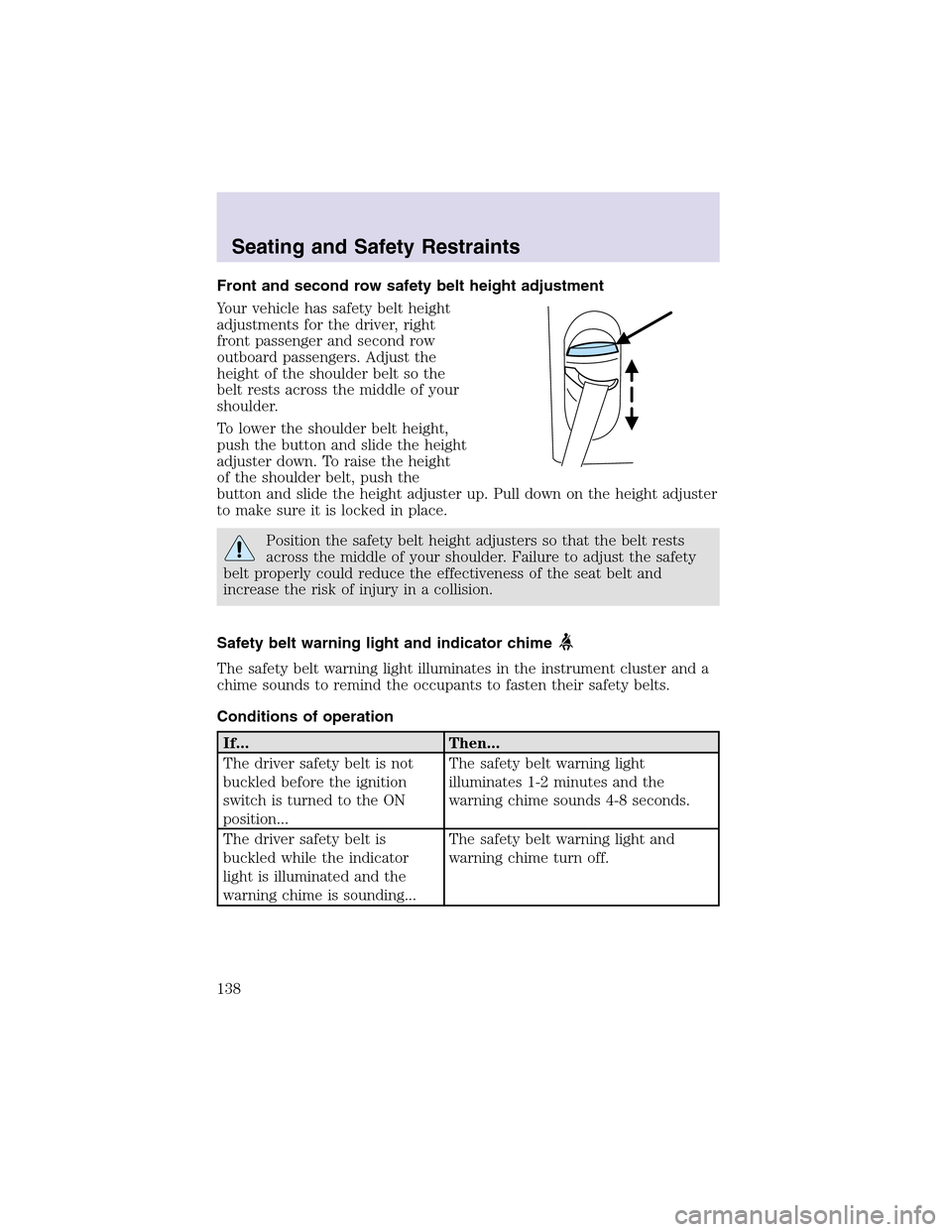
Front and second row safety belt height adjustment
Your vehicle has safety belt height
adjustments for the driver, right
front passenger and second row
outboard passengers. Adjust the
height of the shoulder belt so the
belt rests across the middle of your
shoulder.
To lower the shoulder belt height,
push the button and slide the height
adjuster down. To raise the height
of the shoulder belt, push the
button and slide the height adjuster up. Pull down on the height adjuster
to make sure it is locked in place.
Position the safety belt height adjusters so that the belt rests
across the middle of your shoulder. Failure to adjust the safety
belt properly could reduce the effectiveness of the seat belt and
increase the risk of injury in a collision.
Safety belt warning light and indicator chime
The safety belt warning light illuminates in the instrument cluster and a
chime sounds to remind the occupants to fasten their safety belts.
Conditions of operation
If... Then...
The driver safety belt is not
buckled before the ignition
switch is turned to the ON
position...The safety belt warning light
illuminates 1-2 minutes and the
warning chime sounds 4-8 seconds.
The driver safety belt is
buckled while the indicator
light is illuminated and the
warning chime is sounding...The safety belt warning light and
warning chime turn off.
Seating and Safety Restraints
138
Page 155 of 288
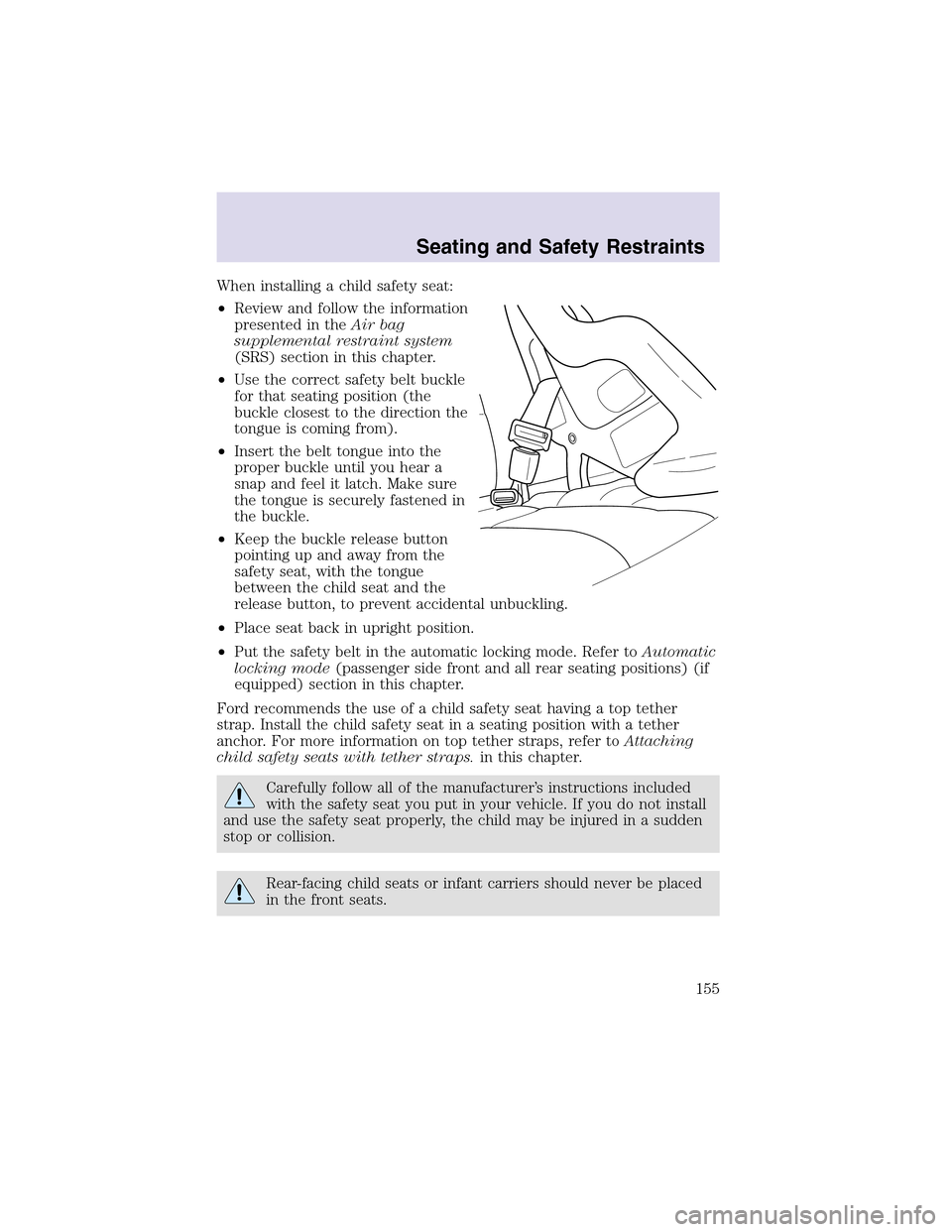
When installing a child safety seat:
•Review and follow the information
presented in theAir bag
supplemental restraint system
(SRS) section in this chapter.
•Use the correct safety belt buckle
for that seating position (the
buckle closest to the direction the
tongue is coming from).
•Insert the belt tongue into the
proper buckle until you hear a
snapand feel it latch. Make sure
the tongue is securely fastened in
the buckle.
•Keepthe buckle release button
pointing up and away from the
safety seat, with the tongue
between the child seat and the
release button, to prevent accidental unbuckling.
•Place seat back in upright position.
•Put the safety belt in the automatic locking mode. Refer toAutomatic
locking mode(passenger side front and all rear seating positions) (if
equipped) section in this chapter.
Ford recommends the use of a child safety seat having a toptether
strap. Install the child safety seat in a seating position with a tether
anchor. For more information on toptether straps, refer toAttaching
child safety seats with tether straps.in this chapter.
Carefully follow all of the manufacturer’s instructions included
with the safety seat you put in your vehicle. If you do not install
and use the safety seat properly, the child may be injured in a sudden
stopor collision.
Rear-facing child seats or infant carriers should never be placed
in the front seats.
Seating and Safety Restraints
155