sat nav LINCOLN AVIATOR 2005 User Guide
[x] Cancel search | Manufacturer: LINCOLN, Model Year: 2005, Model line: AVIATOR, Model: LINCOLN AVIATOR 2005Pages: 368, PDF Size: 5 MB
Page 33 of 368
10.REPEAT:Repeats the current
CD/MP3 track when active (ON).
Press to show repeat status. Press
again to toggle status.
11.SHUFFLE:Plays CD/MP3
tracks in random order when active
(ON). Press to show shuffle status.
Press again to toggle status.
12.FOLDER
: Press to access
the next MP3 directory.
13.FOLDER
: Press to access
the previous MP3 directory
14.FF(Fast forward): In CD mode,
press until desired selection is
reached.
15.REW(Rewind): In CD mode,
press until desired selection is
reached.
16.SAT (if equipped):Your radio
comes equipped with Satellite Ready
capability. The kit to enable the
Satellite reception is available through your dealer. Detailed satellite
instructions are included with the dealer installed kit.Dealer installed
satellite kit only available in the continental United States.
17.BAND:Press to toggle between
AM/FM1/FM2 frequency band.
18.Memory presets:To set a
station: Select a frequency band,
tune to a station, press and hold a
preset button until sound returns.
19.Power/volume:Press to turn
ON/OFF; turn to increase or
decrease volume levels.
REVIEW COPY
2005 Aviator f/k/a Navigator LS(231), Owners Guide (post-2002-fmt)(own2002),
Market:USA_English(fus)
Entertainment Systems
33
Page 34 of 368
20.Load:Press to load a CD. Press
LOAD and a memory preset to load
to a specific disc slot. Press and
hold to load up to six discs.
21.CD:Press to enter CD mode.
CD units are designed to play commercially pressed 4.75 in (12
cm) audio compact discs only. Due to technical incompatibility,
certain recordable and re-recordable compact discs may not
function correctly when used in Ford CD players. Irregular
shaped CDs, CDs with a scratch protection film attached, and CDs
with homemade paper (adhesive) labels should not be inserted
into the CD player. The label may peel and cause the CD to
become jammed. It is recommended that homemade CDs be
identified with permanent felt tip marker rather than adhesive
labels. Ballpoint pens may damage CDs. Please contact your
dealer for further information.
22.Scan:Press SCAN to hear a
brief sampling of radio stations or
CD/MP3 tracks. Press again to stop.
23.Disc/Tune:Press
orto
manually tune down/up the radio frequency band, or to listen to the
previous/next CD.
CAT:CAT is only available when equipped with Satellite Radio. Your
Audiophile radio comes equipped with Satellite ready capability. The kit
to enable Satellite reception is available through your dealer. Detailed
Satellite instructions are included with the dealer installed kit.Dealer
installed satellite kit only available in the continental United States.
For information regarding SIRIUS Satellite Radio, please call toll-free
888-539-SIRIUS (888-539-7474) or visit the SIRIUS website at
www.siriusradio.com
24.CD slot:Insert a CD, label side up.
FAMILY ENTERTAINMENT SYSTEM (IF EQUIPPED)
Your vehicle may be equipped with a Family Entertainment System
(FES). Refer to theDVD Supplement Guidefor further information on
your system.
REVIEW COPY
2005 Aviator f/k/a Navigator LS(231), Owners Guide (post-2002-fmt)(own2002),
Market:USA_English(fus)
Entertainment Systems
34
Page 46 of 368
To adjust the navigation voice output level, select the NAV MENU button
via the map screen.
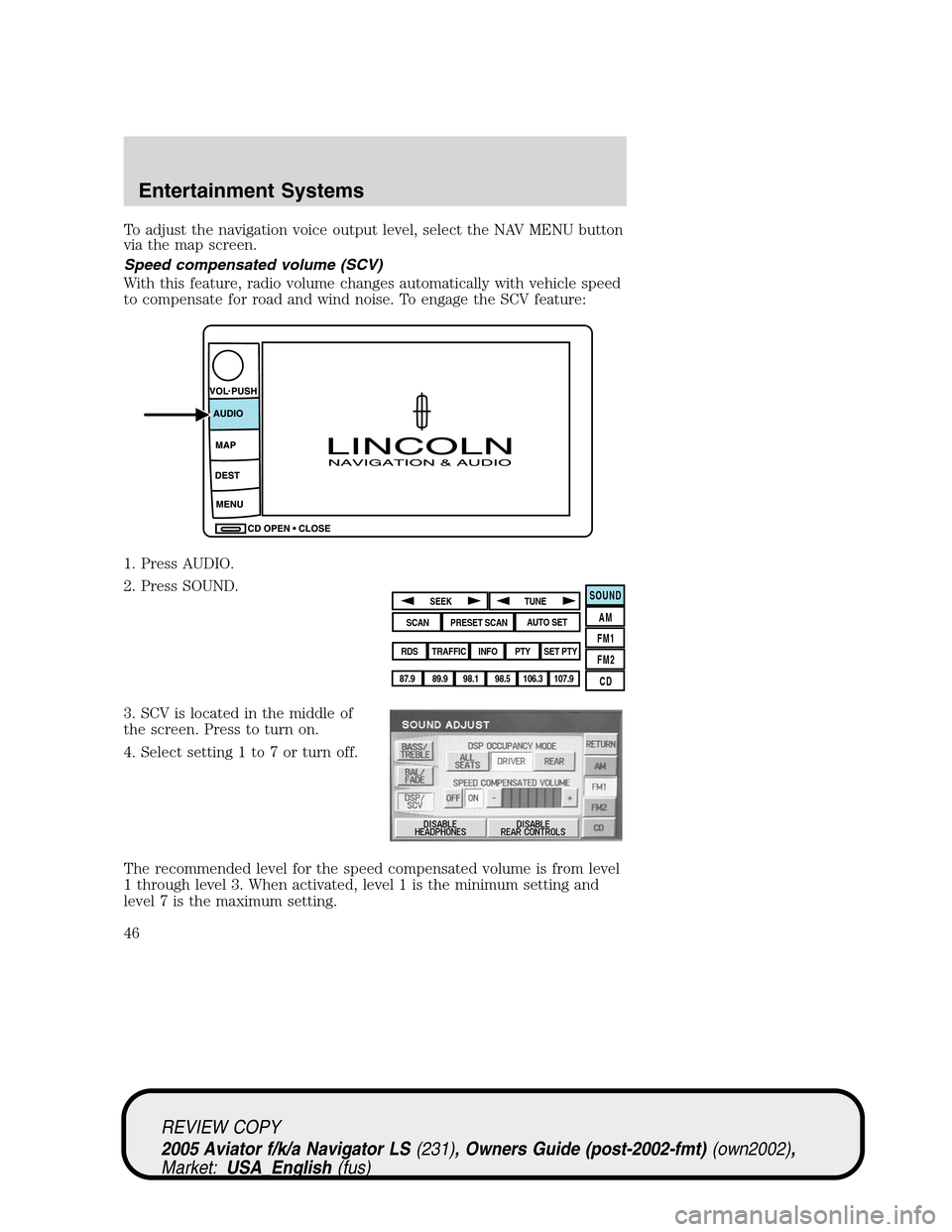
Speed compensated volume (SCV)
With this feature, radio volume changes automatically with vehicle speed
to compensate for road and wind noise. To engage the SCV feature:
1. Press AUDIO.
2. Press SOUND.
3. SCV is located in the middle of
the screen. Press to turn on.
4. Select setting 1 to 7 or turn off.
The recommended level for the speed compensated volume is from level
1 through level 3. When activated, level 1 is the minimum setting and
level 7 is the maximum setting.
SOUND
AM
FM1
FM2
CDSEEK
TUNE
PRESET SCANAUTO SET
SCAN
RDS
TRAFFIC
INFO PTYSET PTY
87.9
89.9 98.1
98.5 106.3 107.9
REVIEW COPY
2005 Aviator f/k/a Navigator LS(231), Owners Guide (post-2002-fmt)(own2002),
Market:USA_English(fus)
Entertainment Systems
46
Page 47 of 368
AM/FM select
The AM/FM control works in radio, CD and navigation modes.
AM/FM select in radio mode
Press AM/FM1/FM2 to switch between AM/FM1/FM2 memory preset
stations.
AM/FM select in CD mode
Press to stop CD play and begin radio play.
AM/FM select in navigation mode
The radio will continue to play in the background of the navigation
screens. To access, press AUDIO then AM/FM1/FM2.
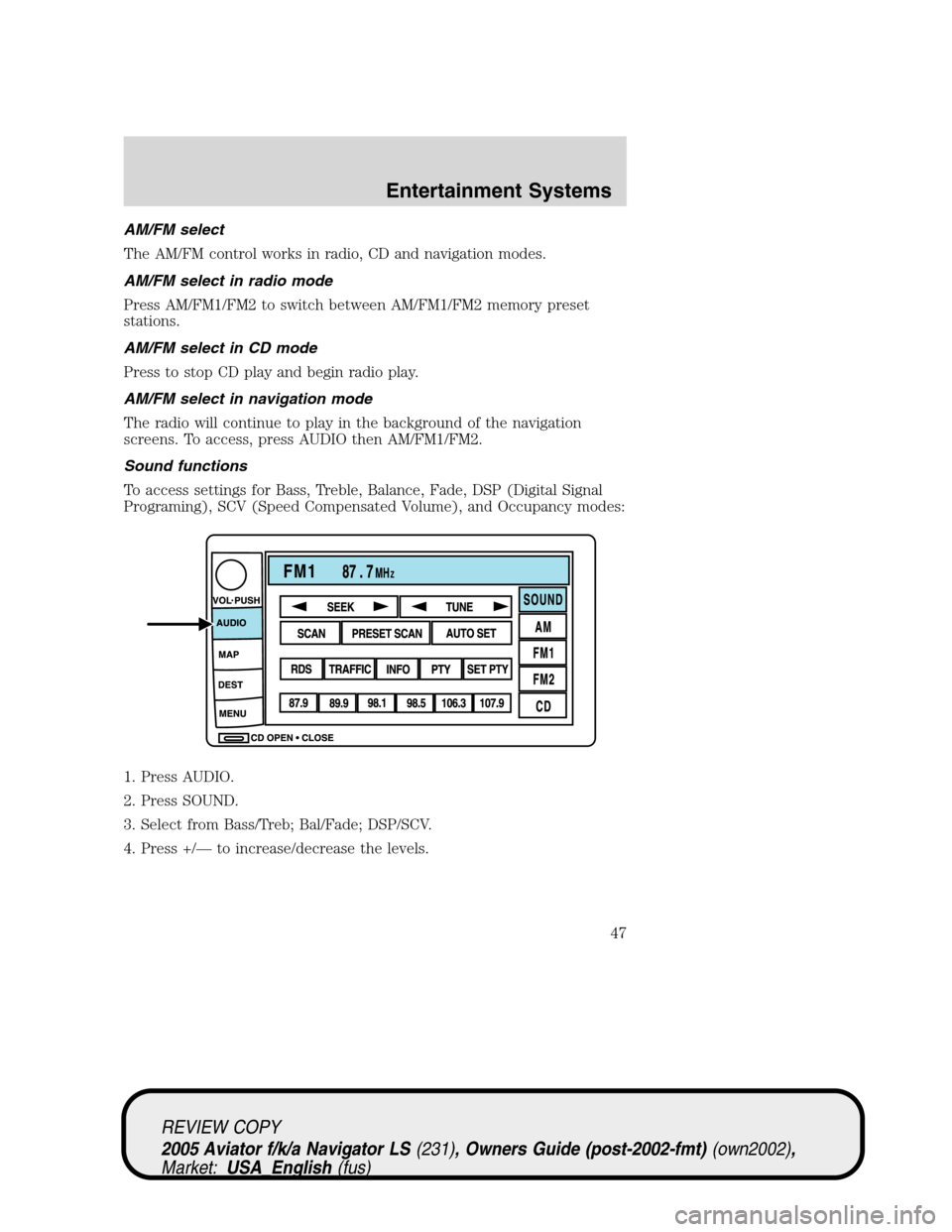
Sound functions
To access settings for Bass, Treble, Balance, Fade, DSP (Digital Signal
Programing), SCV (Speed Compensated Volume), and Occupancy modes:
1. Press AUDIO.
2. Press SOUND.
3. Select from Bass/Treb; Bal/Fade; DSP/SCV.
4. Press +/—to increase/decrease the levels.
REVIEW COPY
2005 Aviator f/k/a Navigator LS(231), Owners Guide (post-2002-fmt)(own2002),
Market:USA_English(fus)
Entertainment Systems
47
Page 48 of 368
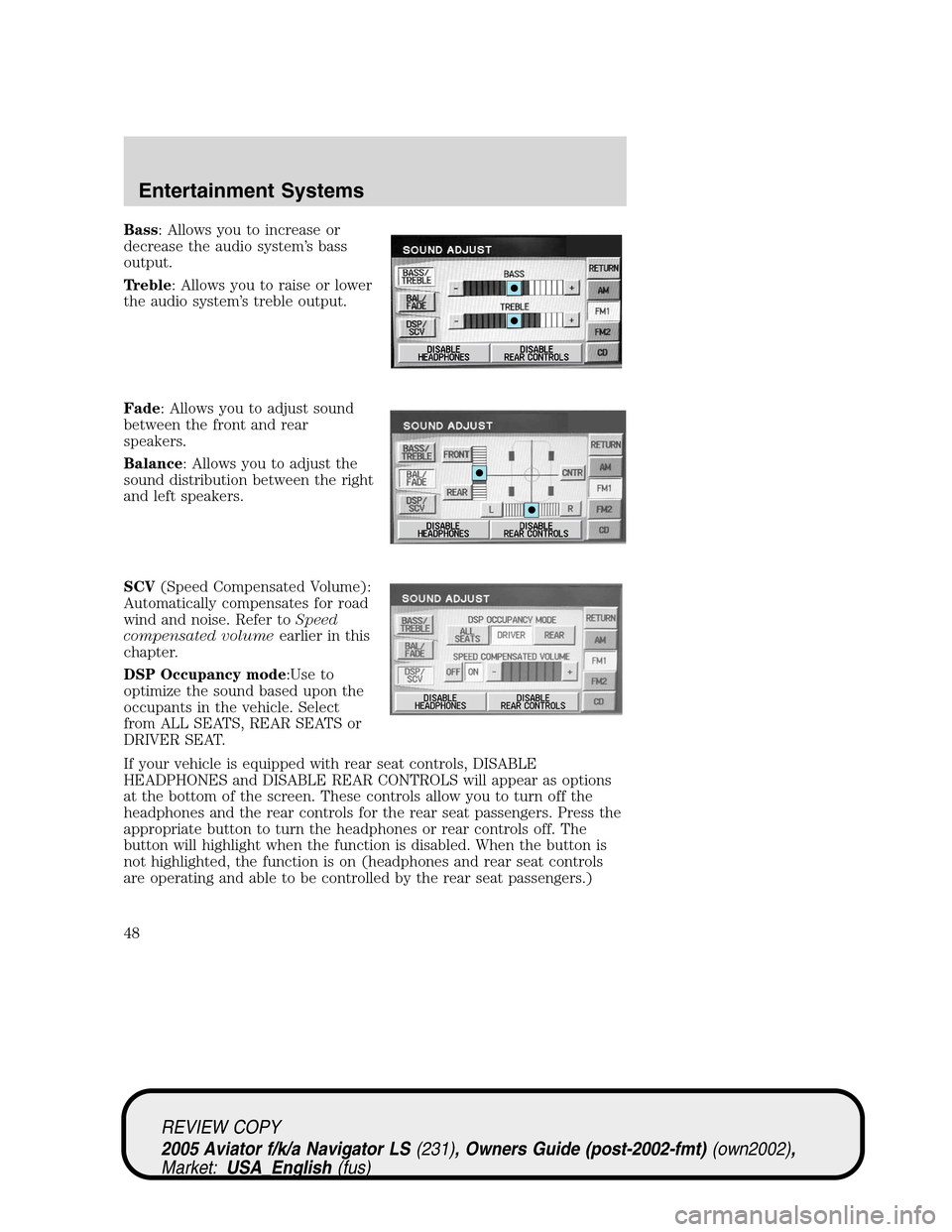
Bass: Allows you to increase or
decrease the audio system’s bass
output.
Treble: Allows you to raise or lower
the audio system’s treble output.
Fade: Allows you to adjust sound
between the front and rear
speakers.
Balance: Allows you to adjust the
sound distribution between the right
and left speakers.
SCV(Speed Compensated Volume):
Automatically compensates for road
wind and noise. Refer toSpeed
compensated volumeearlier in this
chapter.
DSP Occupancy mode:Use to
optimize the sound based upon the
occupants in the vehicle. Select
from ALL SEATS, REAR SEATS or
DRIVER SEAT.
If your vehicle is equipped with rear seat controls, DISABLE
HEADPHONES and DISABLE REAR CONTROLS will appear as options
at the bottom of the screen. These controls allow you to turn off the
headphones and the rear controls for the rear seat passengers. Press the
appropriate button to turn the headphones or rear controls off. The
button will highlight when the function is disabled. When the button is
not highlighted, the function is on (headphones and rear seat controls
are operating and able to be controlled by the rear seat passengers.)
REVIEW COPY
2005 Aviator f/k/a Navigator LS(231), Owners Guide (post-2002-fmt)(own2002),
Market:USA_English(fus)
Entertainment Systems
48
Page 53 of 368
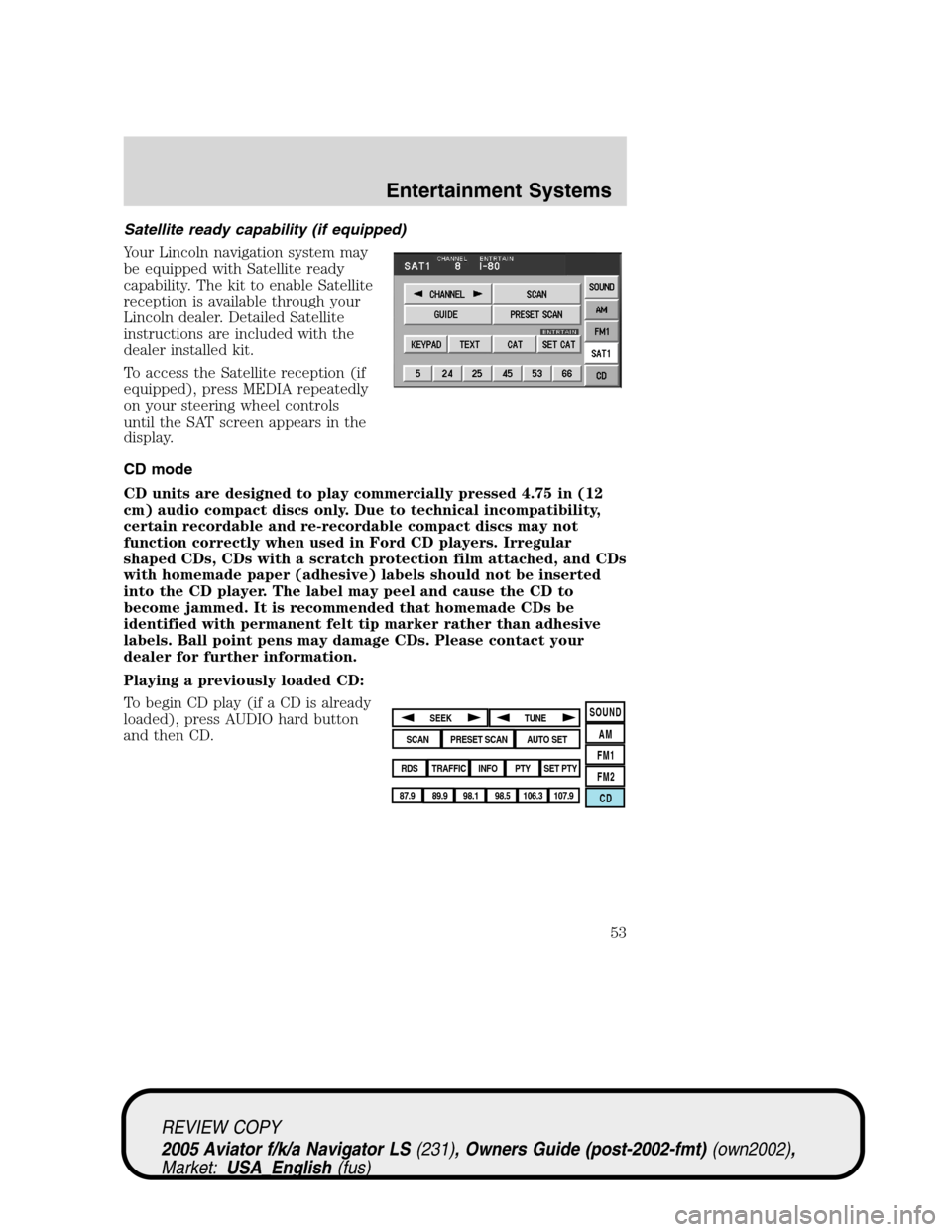
Satellite ready capability (if equipped)
Your Lincoln navigation system may
be equipped with Satellite ready
capability. The kit to enable Satellite
reception is available through your
Lincoln dealer. Detailed Satellite
instructions are included with the
dealer installed kit.
To access the Satellite reception (if
equipped), press MEDIA repeatedly
on your steering wheel controls
until the SAT screen appears in the
display.
CD mode
CD units are designed to play commercially pressed 4.75 in (12
cm) audio compact discs only. Due to technical incompatibility,
certain recordable and re-recordable compact discs may not
function correctly when used in Ford CD players. Irregular
shaped CDs, CDs with a scratch protection film attached, and CDs
with homemade paper (adhesive) labels should not be inserted
into the CD player. The label may peel and cause the CD to
become jammed. It is recommended that homemade CDs be
identified with permanent felt tip marker rather than adhesive
labels. Ball point pens may damage CDs. Please contact your
dealer for further information.
Playing a previously loaded CD:
To begin CD play (if a CD is already
loaded), press AUDIO hard button
and then CD.
SOUND
AM
FM1
FM2
CDSEEK
TUNE
PRESET SCANAUTO SET
SCAN
RDS
TRAFFIC
INFO PTYSET PTY
87.9
89.9 98.1
98.5 106.3 107.9
REVIEW COPY
2005 Aviator f/k/a Navigator LS(231), Owners Guide (post-2002-fmt)(own2002),
Market:USA_English(fus)
Entertainment Systems
53
Page 60 of 368
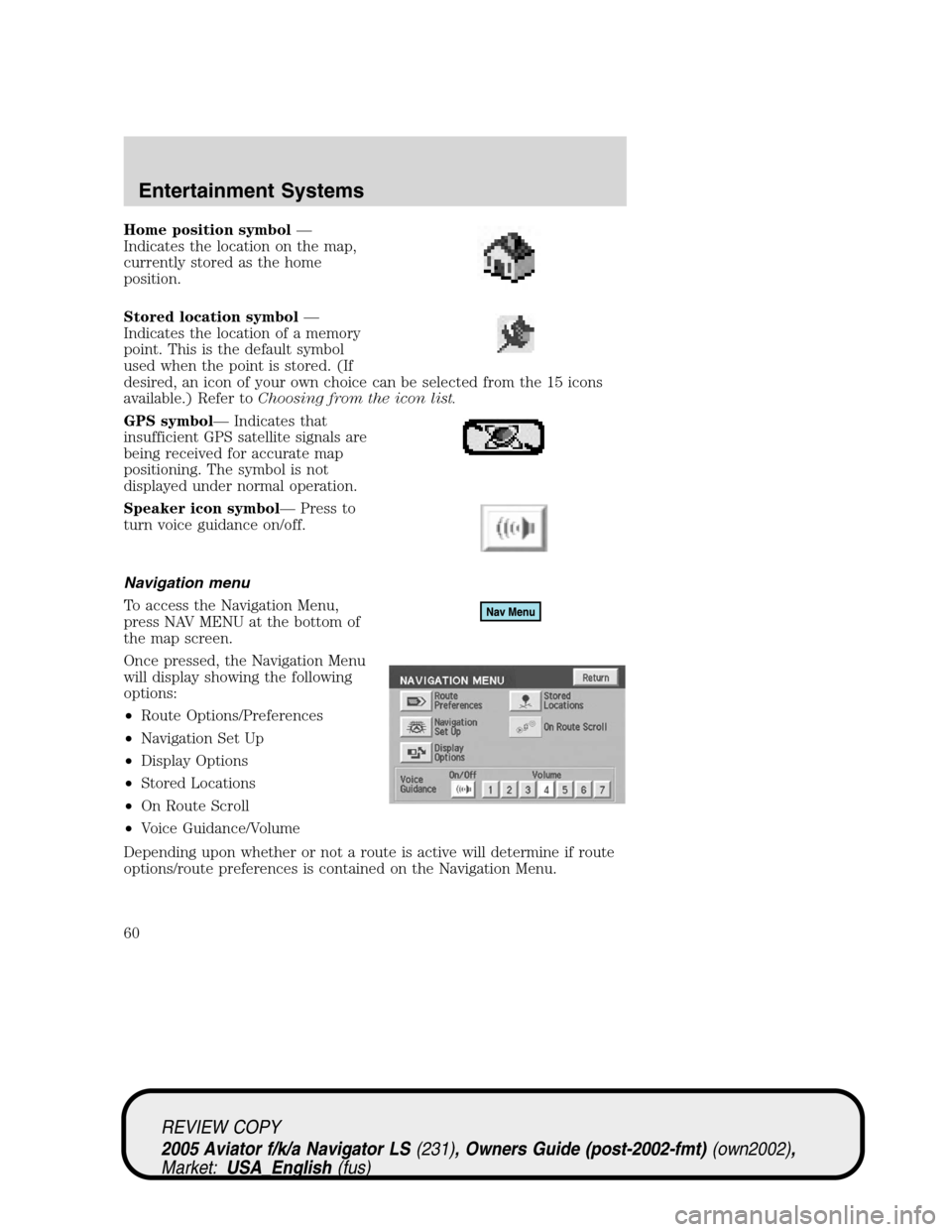
Home position symbol—
Indicates the location on the map,
currently stored as the home
position.
Stored location symbol—
Indicates the location of a memory
point. This is the default symbol
used when the point is stored. (If
desired, an icon of your own choice can be selected from the 15 icons
available.) Refer toChoosing from the icon list.
GPS symbol—Indicates that
insufficient GPS satellite signals are
being received for accurate map
positioning. The symbol is not
displayed under normal operation.
Speaker icon symbol—Press to
turn voice guidance on/off.
Navigation menu
To access the Navigation Menu,
press NAV MENU at the bottom of
the map screen.
Once pressed, the Navigation Menu
will display showing the following
options:
•Route Options/Preferences
•Navigation Set Up
•Display Options
•Stored Locations
•On Route Scroll
•Voice Guidance/Volume
Depending upon whether or not a route is active will determine if route
options/route preferences is contained on the Navigation Menu.
REVIEW COPY
2005 Aviator f/k/a Navigator LS(231), Owners Guide (post-2002-fmt)(own2002),
Market:USA_English(fus)
Entertainment Systems
60
Page 98 of 368
•Terrain.Hills, mountains and tall buildings between your vehicle’s
antenna and the radio station signal can cause FM reception problems.
Static can be caused on AM stations by power lines, electric fences,
traffic lights and thunderstorms. Moving away from an interfering
structure (out of its“shadow”) returns your reception to normal.
•Station overload.Weak signals are sometimes captured by stronger
signals when you pass a broadcast tower. A stronger signal may
temporarily overtake a weaker signal and play while the weak station
frequency is displayed.
Principles of GPS (global positioning system) operation
Your system directs you based on information derived from global
positioning satellites, road maps stored on the DVD, sensors in your
vehicle and the desired destination. The system compiles all necessary
information to guide you to your selected destination. Space satellites
determine the vehicle’s current location and transmit position and time
signals to your car.
If the vehicle has been parked for a long period of time, the navigation
function may be temporarily unresponsive. The navigation system will
operate reliably again once GPS reception is available for a few minutes.
Limited GPS reception
System performance may be adversely affected if GPS reception is
interrupted or interference occurs over a distance of several miles. The
following are possible causes for GPS reception being interrupted. If the
vehicle is:
•in multi-story parking garages
•in tunnels and under bridges
•inside or in between buildings
•by forests or tree-lined avenues
•in heavy rain showers and thunderstorms
•in valleys and in mountainous regions
•roads under cliffs
Ensure that you do not have any metal objects on the rear parcel shelf.
If your windows are tinted, ensure that you use non-metal tinting instead
of metal oxide tinting. Both of these factors can interrupt GPS reception.
Cleaning the display
Do not spray cleaning fluid directly onto the unit. Instead, spray onto a
soft cloth and gently wipe the unit. Only recommended products should
be used.
REVIEW COPY
2005 Aviator f/k/a Navigator LS(231), Owners Guide (post-2002-fmt)(own2002),
Market:USA_English(fus)
Entertainment Systems
98
Page 111 of 368
BULBS
Headlamp Condensation
The headlamps are vented to equalize pressure. When moist air enters
the headlamp(s) through the vents, there is a possibility that
condensation can occur. This condensation is normal and will clear
within 45 minutes of headlamp operation.
Replacing exterior bulbs
Check the operation of all the bulbs frequently.
Using the right bulbs
Replacement bulbs are specified in the chart below. Headlamp bulbs
must be marked with an authorized“D.O.T.”for North America to assure
lamp performance, light brightness and pattern and safe visibility. The
correct bulbs will not damage the lamp assembly or void the lamp
assembly warranty and will provide quality bulb burn time.
Function Number of bulbs Trade number
Park/turn lamps
(front)2
3157 AK (amber)
TH headlamps, low
beam2
H11
HID headlamps, low
beam*2
D2R
Headlamps, high beam 2 9005 (HB3)
Front sidemarker 2 WY5W
Rear stop/turn/tail
lamps4
3057K
Back-up lamps 2 3156K
Fog lamp 2 9140
Liftgate lamp 4 916
High-mount stop lamp 32 LEDS 2C54–13A613**
Rear license plate
lamp2
168
Mirror turn signal
lamp2
906
REVIEW COPY
2005 Aviator f/k/a Navigator LS(231), Owners Guide (post-2002-fmt)(own2002),
Market:USA_English(fus)
Lights
111
Page 157 of 368
Vehicles with a higher center of gravity such as utility and
four-wheel drive vehicles handle differently than vehicles with a
lower center of gravity. Utility and four-wheel drive vehicles are not
designed for cornering at speeds as high as passenger cars any more
than low-slung sport cars are designed to perform satisfactorily under
off-road conditions. Avoid sharp turns, excessive speed and abrupt
maneuvers in these vehicles. Failure to drive cautiously could result in
an increase risk of loss of vehicle control, vehicle rollover, personal
injury and death.
CARGO MANAGEMENT SYSTEM
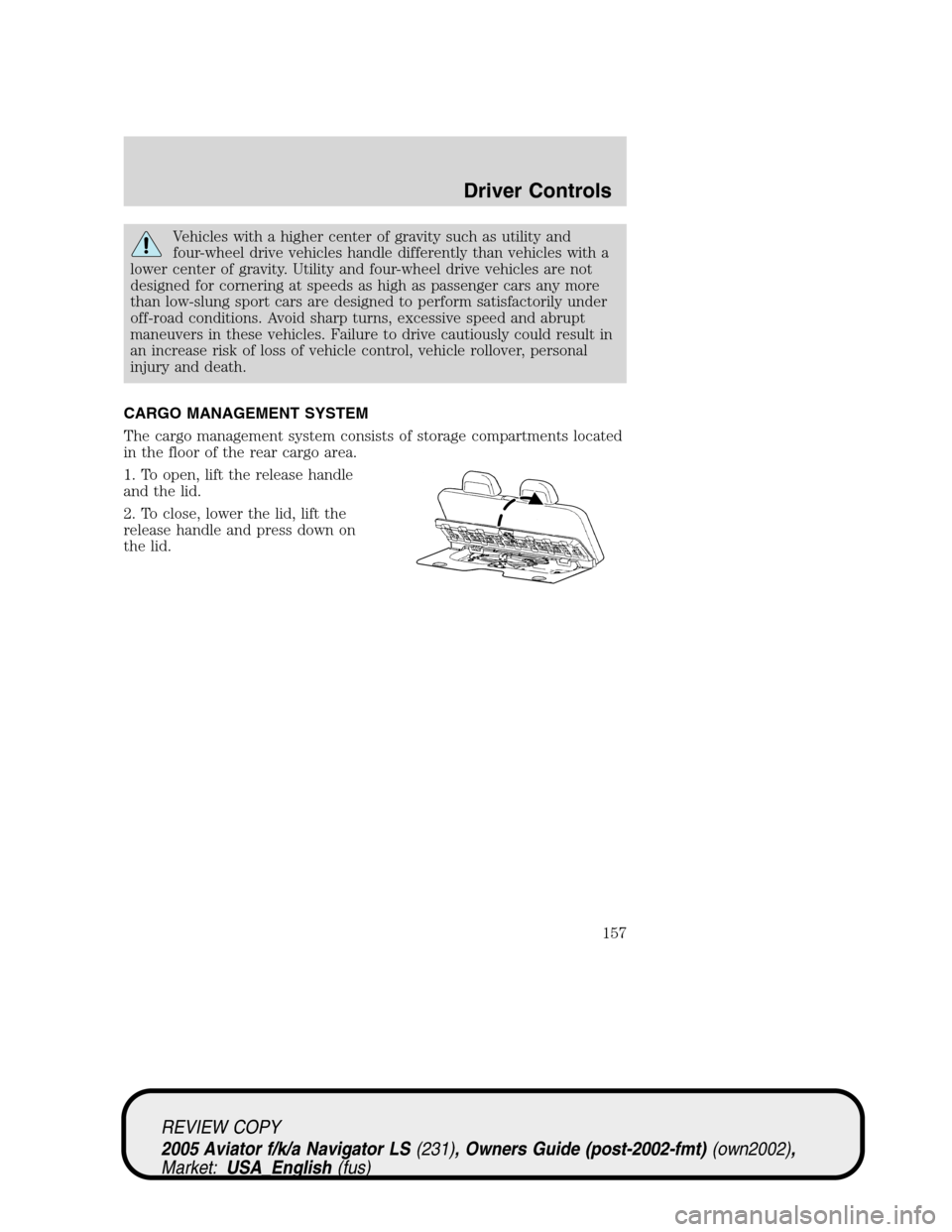
The cargo management system consists of storage compartments located
in the floor of the rear cargo area.
1. To open, lift the release handle
and the lid.
2. To close, lower the lid, lift the
release handle and press down on
the lid.
REVIEW COPY
2005 Aviator f/k/a Navigator LS(231), Owners Guide (post-2002-fmt)(own2002),
Market:USA_English(fus)
Driver Controls
157