entertainment LINCOLN AVIATOR 2005 Service Manual
[x] Cancel search | Manufacturer: LINCOLN, Model Year: 2005, Model line: AVIATOR, Model: LINCOLN AVIATOR 2005Pages: 368, PDF Size: 5 MB
Page 55 of 368
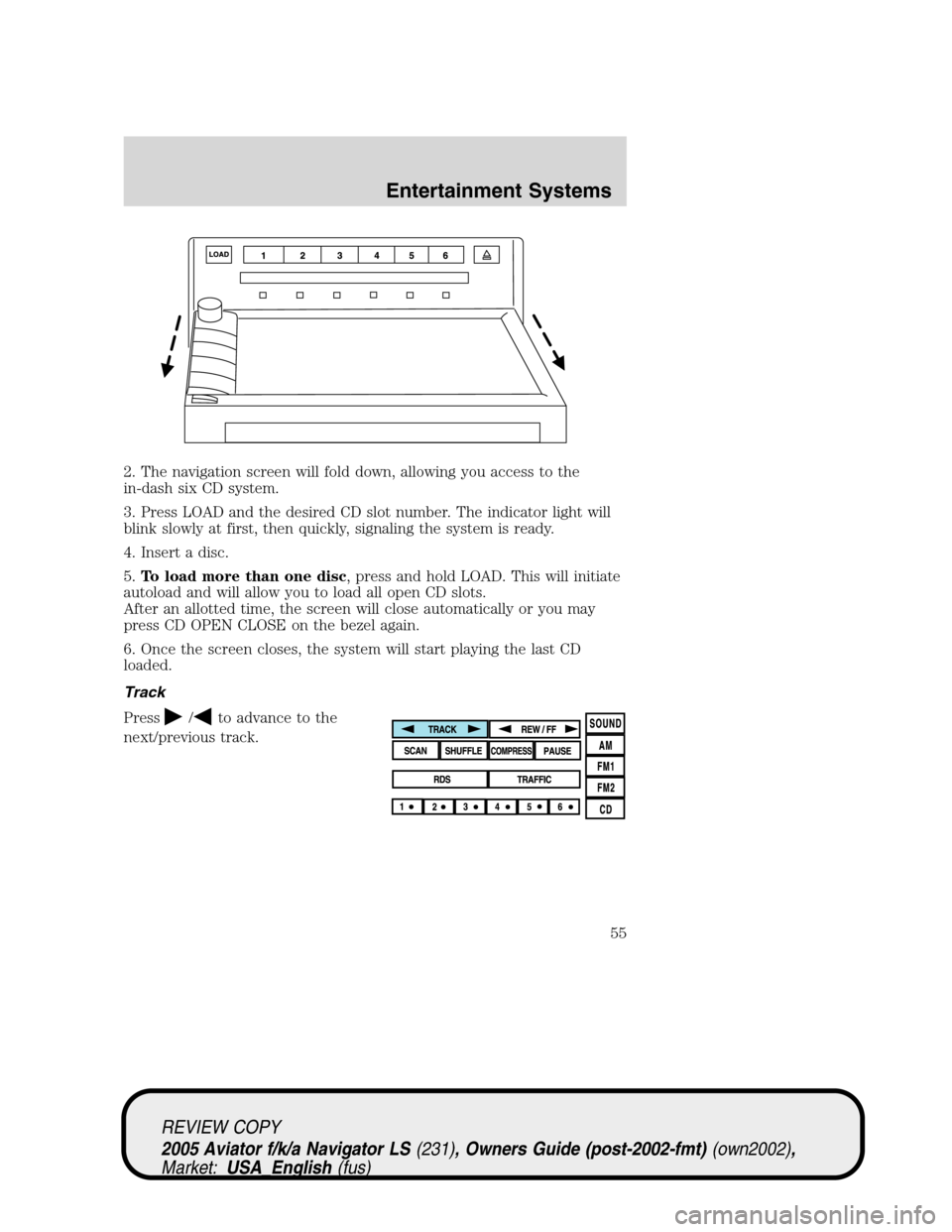
2. The navigation screen will fold down, allowing you access to the
in-dash six CD system.
3. Press LOAD and the desired CD slot number. The indicator light will
blink slowly at first, then quickly, signaling the system is ready.
4. Insert a disc.
5.To load more than one disc, press and hold LOAD. This will initiate
autoload and will allow you to load all open CD slots.
After an allotted time, the screen will close automatically or you may
press CD OPEN CLOSE on the bezel again.
6. Once the screen closes, the system will start playing the last CD
loaded.
Track
Press
/to advance to the
next/previous track.
REVIEW COPY
2005 Aviator f/k/a Navigator LS(231), Owners Guide (post-2002-fmt)(own2002),
Market:USA_English(fus)
Entertainment Systems
55
Page 56 of 368
Rewind/fast forward in CD mode
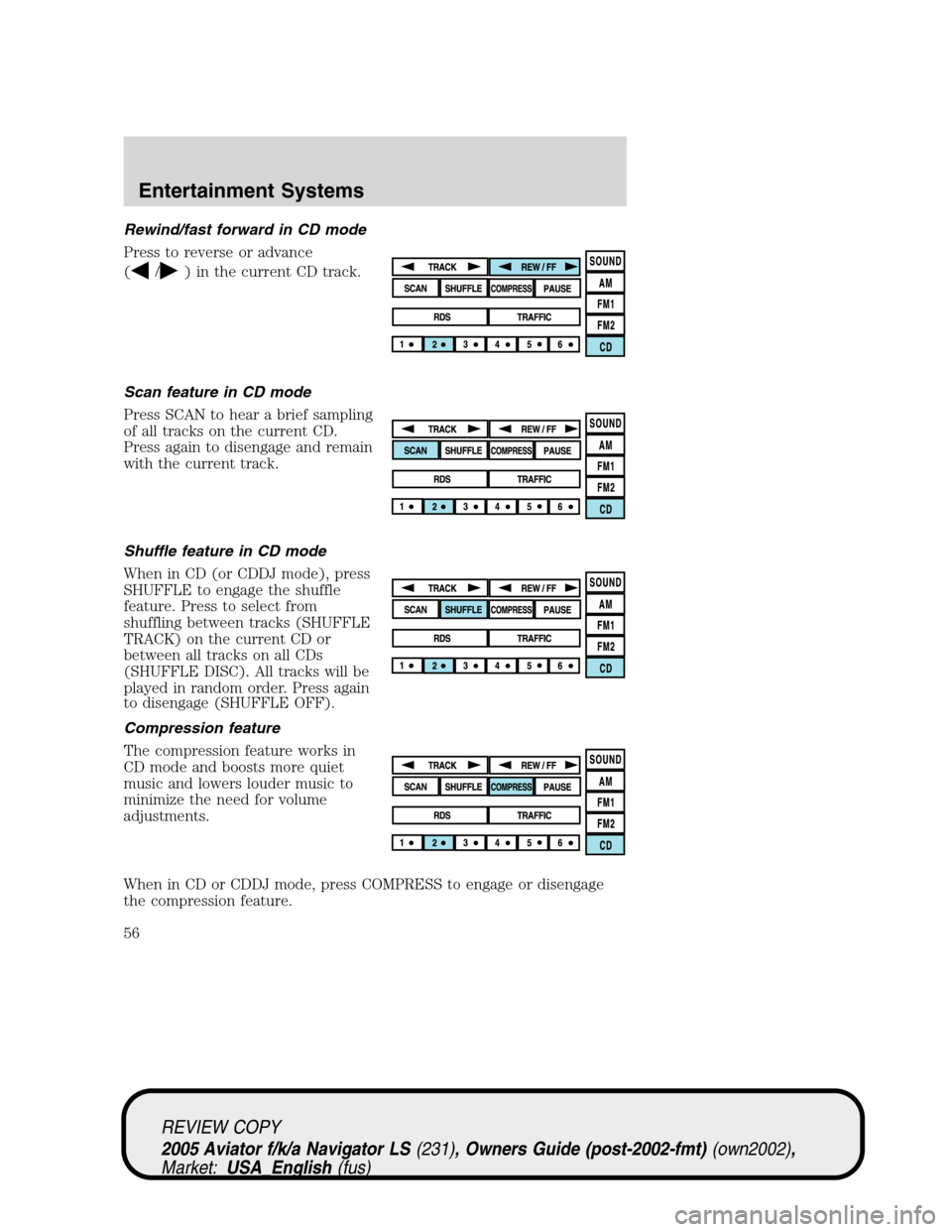
Press to reverse or advance
(
/) in the current CD track.
Scan feature in CD mode
Press SCAN to hear a brief sampling
of all tracks on the current CD.
Press again to disengage and remain
with the current track.
Shuffle feature in CD mode
When in CD (or CDDJ mode), press
SHUFFLE to engage the shuffle
feature. Press to select from
shuffling between tracks (SHUFFLE
TRACK) on the current CD or
between all tracks on all CDs
(SHUFFLE DISC). All tracks will be
played in random order. Press again
to disengage (SHUFFLE OFF).
Compression feature
The compression feature works in
CD mode and boosts more quiet
music and lowers louder music to
minimize the need for volume
adjustments.
When in CD or CDDJ mode, press COMPRESS to engage or disengage
the compression feature.
REVIEW COPY
2005 Aviator f/k/a Navigator LS(231), Owners Guide (post-2002-fmt)(own2002),
Market:USA_English(fus)
Entertainment Systems
56
Page 57 of 368
Pause
In CD mode, press PAUSE to pause
the current track. Press again to
continue playing.
Map mode
Map display information
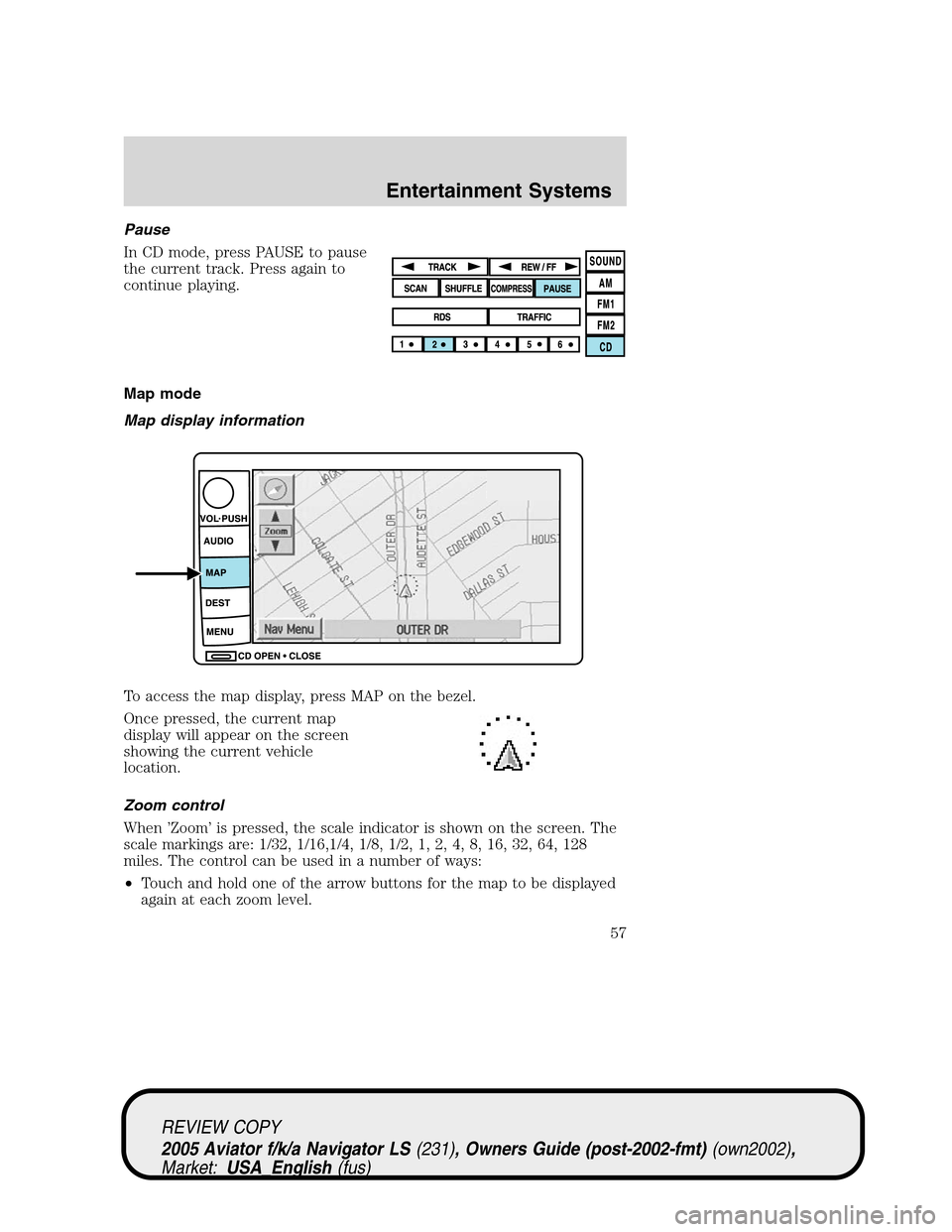
To access the map display, press MAP on the bezel.
Once pressed, the current map
display will appear on the screen
showing the current vehicle
location.
Zoom control
When’Zoom’is pressed, the scale indicator is shown on the screen. The
scale markings are: 1/32, 1/16,1/4, 1/8, 1/2, 1, 2, 4, 8, 16, 32, 64, 128
miles. The control can be used in a number of ways:
•Touch and hold one of the arrow buttons for the map to be displayed
again at each zoom level.
REVIEW COPY
2005 Aviator f/k/a Navigator LS(231), Owners Guide (post-2002-fmt)(own2002),
Market:USA_English(fus)
Entertainment Systems
57
Page 58 of 368
•Touch one of the arrow buttons repeatedly for the map to be
displayed again at the final zoom level.
•Touch one of the segments of the scale indicator for the map to be
displayed at the selected zoom level.
Additional map function buttons
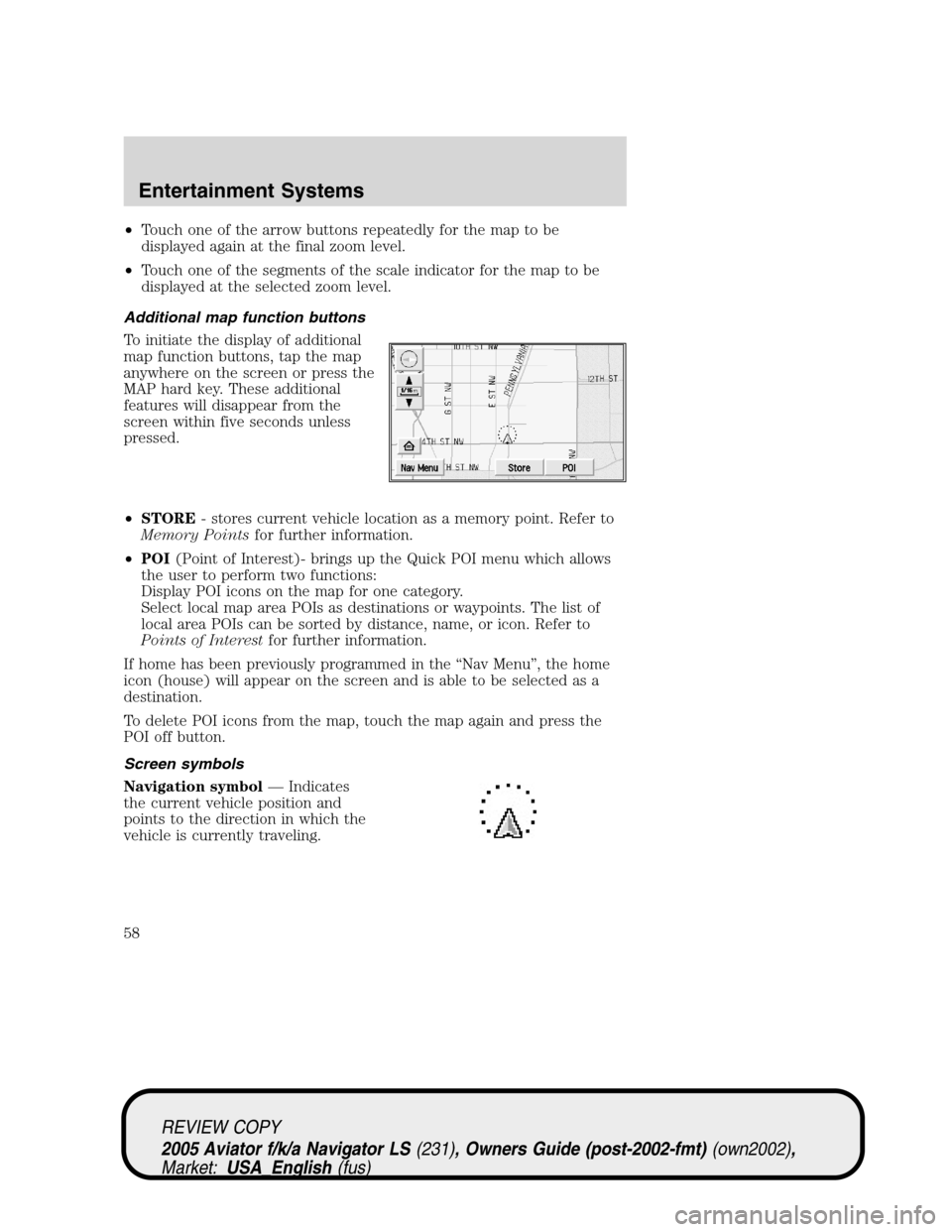
To initiate the display of additional
map function buttons, tap the map
anywhere on the screen or press the
MAP hard key. These additional
features will disappear from the
screen within five seconds unless
pressed.
•STORE- stores current vehicle location as a memory point. Refer to
Memory Pointsfor further information.
•POI(Point of Interest)- brings up the Quick POI menu which allows
the user to perform two functions:
Display POI icons on the map for one category.
Select local map area POIs as destinations or waypoints. The list of
local area POIs can be sorted by distance, name, or icon. Refer to
Points of Interestfor further information.
If home has been previously programmed in the“Nav Menu”, the home
icon (house) will appear on the screen and is able to be selected as a
destination.
To delete POI icons from the map, touch the map again and press the
POI off button.
Screen symbols
Navigation symbol—Indicates
the current vehicle position and
points to the direction in which the
vehicle is currently traveling.
REVIEW COPY
2005 Aviator f/k/a Navigator LS(231), Owners Guide (post-2002-fmt)(own2002),
Market:USA_English(fus)
Entertainment Systems
58
Page 59 of 368
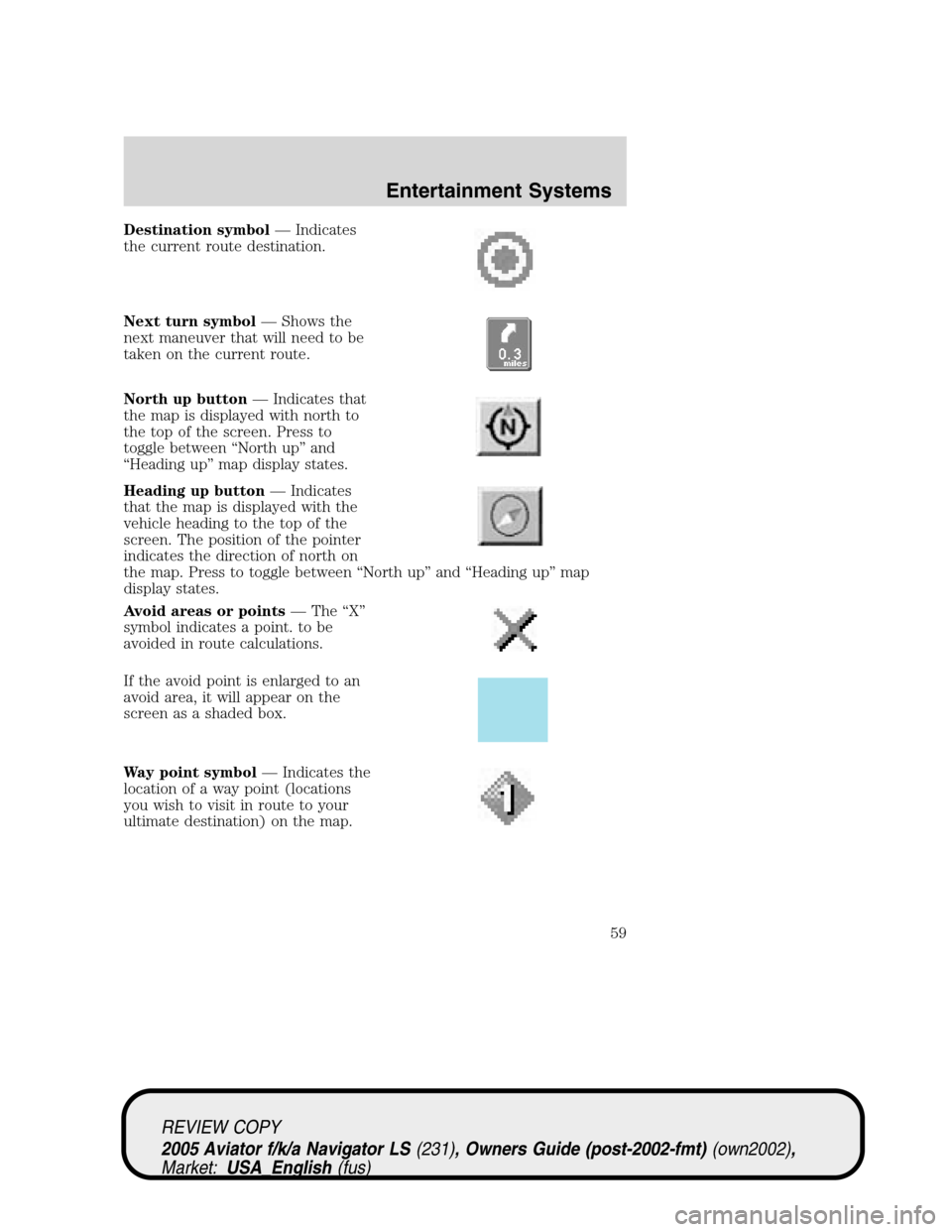
Destination symbol—Indicates
the current route destination.
Next turn symbol—Shows the
next maneuver that will need to be
taken on the current route.
North up button—Indicates that
the map is displayed with north to
the top of the screen. Press to
toggle between“North up”and
“Heading up”map display states.
Heading up button—Indicates
that the map is displayed with the
vehicle heading to the top of the
screen. The position of the pointer
indicates the direction of north on
the map. Press to toggle between“North up”and“Heading up”map
display states.
Avoid areas or points—The“X”
symbol indicates a point. to be
avoided in route calculations.
If the avoid point is enlarged to an
avoid area, it will appear on the
screen as a shaded box.
Way point symbol—Indicates the
location of a way point (locations
you wish to visit in route to your
ultimate destination) on the map.
REVIEW COPY
2005 Aviator f/k/a Navigator LS(231), Owners Guide (post-2002-fmt)(own2002),
Market:USA_English(fus)
Entertainment Systems
59
Page 60 of 368
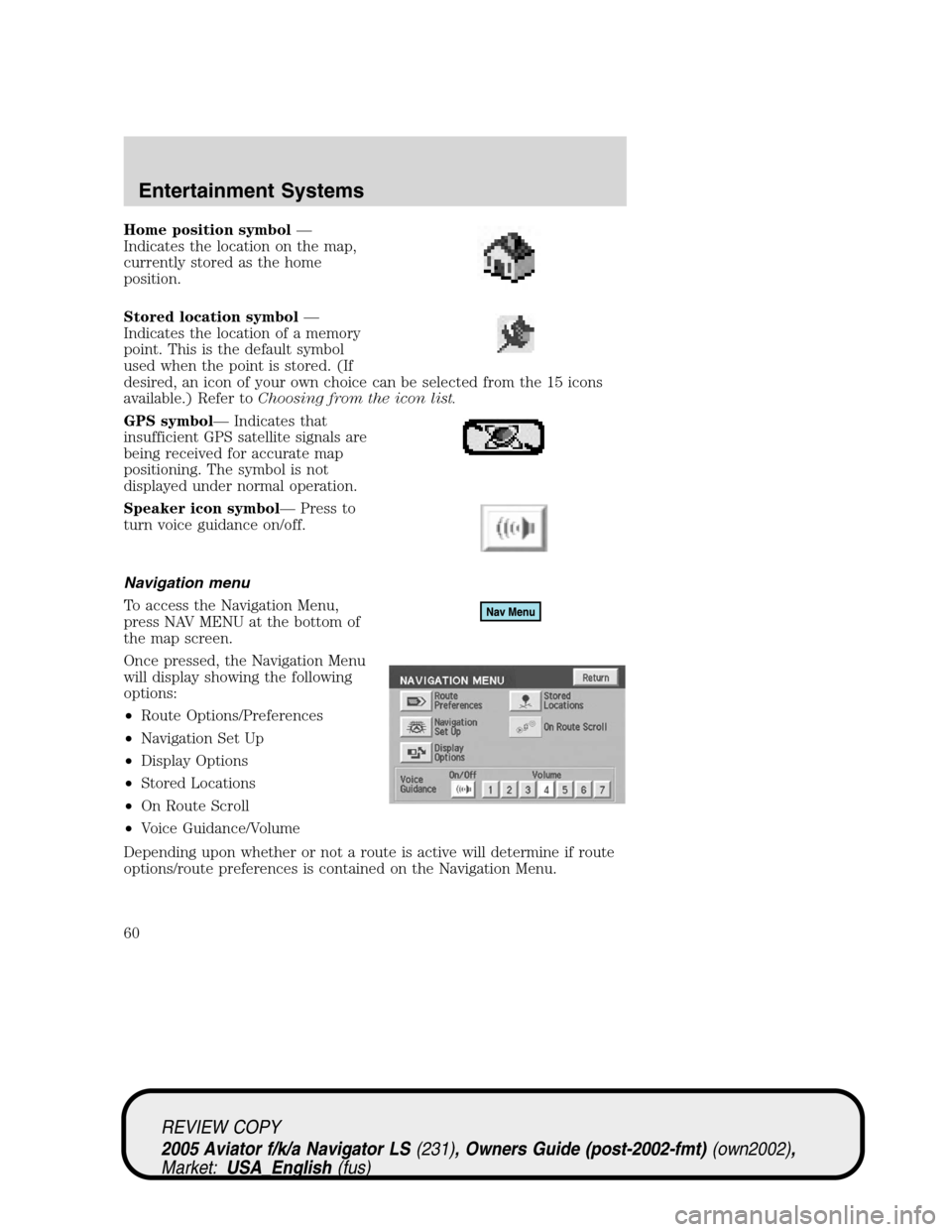
Home position symbol—
Indicates the location on the map,
currently stored as the home
position.
Stored location symbol—
Indicates the location of a memory
point. This is the default symbol
used when the point is stored. (If
desired, an icon of your own choice can be selected from the 15 icons
available.) Refer toChoosing from the icon list.
GPS symbol—Indicates that
insufficient GPS satellite signals are
being received for accurate map
positioning. The symbol is not
displayed under normal operation.
Speaker icon symbol—Press to
turn voice guidance on/off.
Navigation menu
To access the Navigation Menu,
press NAV MENU at the bottom of
the map screen.
Once pressed, the Navigation Menu
will display showing the following
options:
•Route Options/Preferences
•Navigation Set Up
•Display Options
•Stored Locations
•On Route Scroll
•Voice Guidance/Volume
Depending upon whether or not a route is active will determine if route
options/route preferences is contained on the Navigation Menu.
REVIEW COPY
2005 Aviator f/k/a Navigator LS(231), Owners Guide (post-2002-fmt)(own2002),
Market:USA_English(fus)
Entertainment Systems
60
Page 61 of 368
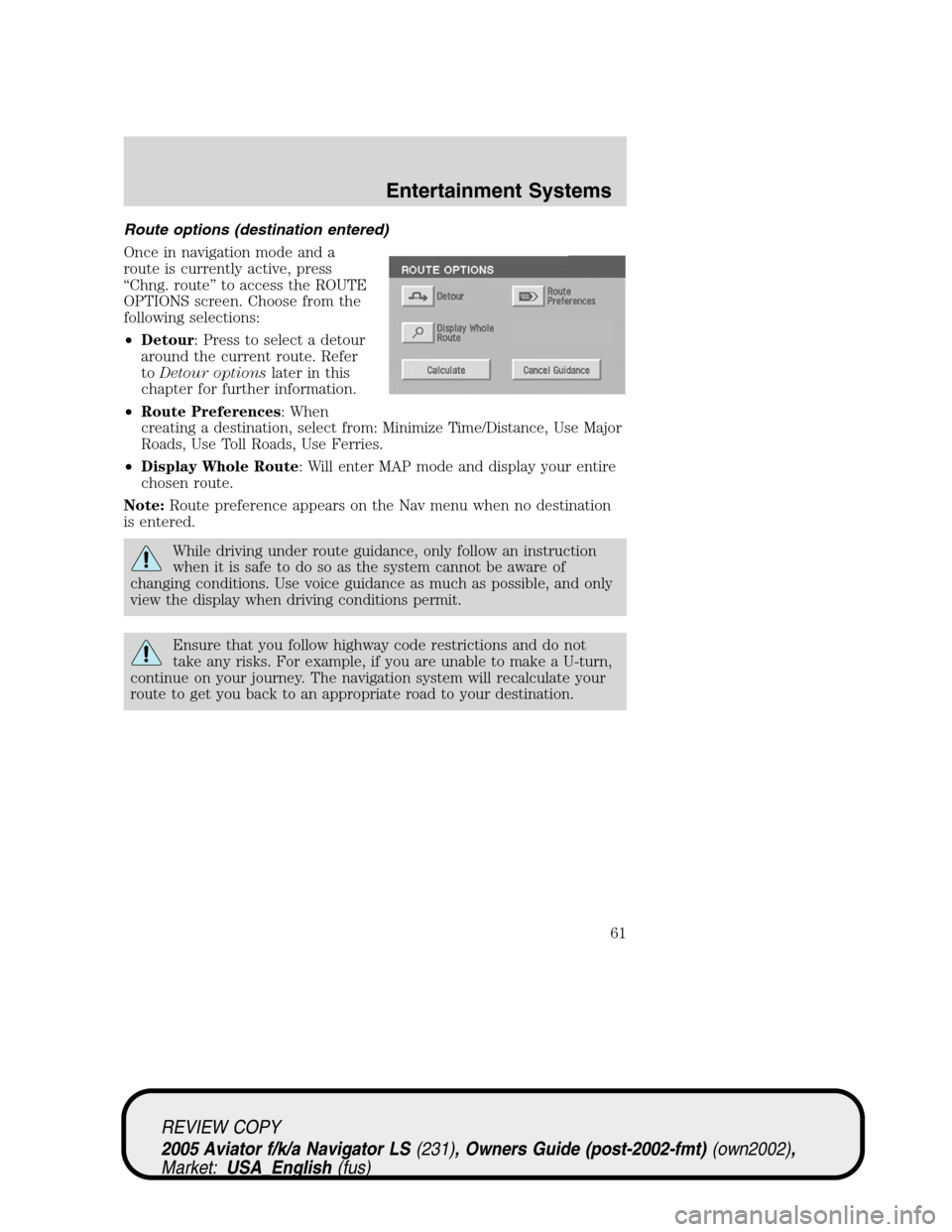
Route options (destination entered)
Once in navigation mode and a
route is currently active, press
“Chng. route”to access the ROUTE
OPTIONS screen. Choose from the
following selections:
•Detour: Press to select a detour
around the current route. Refer
toDetour optionslater in this
chapter for further information.
•Route Preferences: When
creating a destination, select from: Minimize Time/Distance, Use Major
Roads, Use Toll Roads, Use Ferries.
•Display Whole Route: Will enter MAP mode and display your entire
chosen route.
Note:Route preference appears on the Nav menu when no destination
is entered.
While driving under route guidance, only follow an instruction
when it is safe to do so as the system cannot be aware of
changing conditions. Use voice guidance as much as possible, and only
view the display when driving conditions permit.
Ensure that you follow highway code restrictions and do not
take any risks. For example, if you are unable to make a U-turn,
continue on your journey. The navigation system will recalculate your
route to get you back to an appropriate road to your destination.
REVIEW COPY
2005 Aviator f/k/a Navigator LS(231), Owners Guide (post-2002-fmt)(own2002),
Market:USA_English(fus)
Entertainment Systems
61
Page 62 of 368
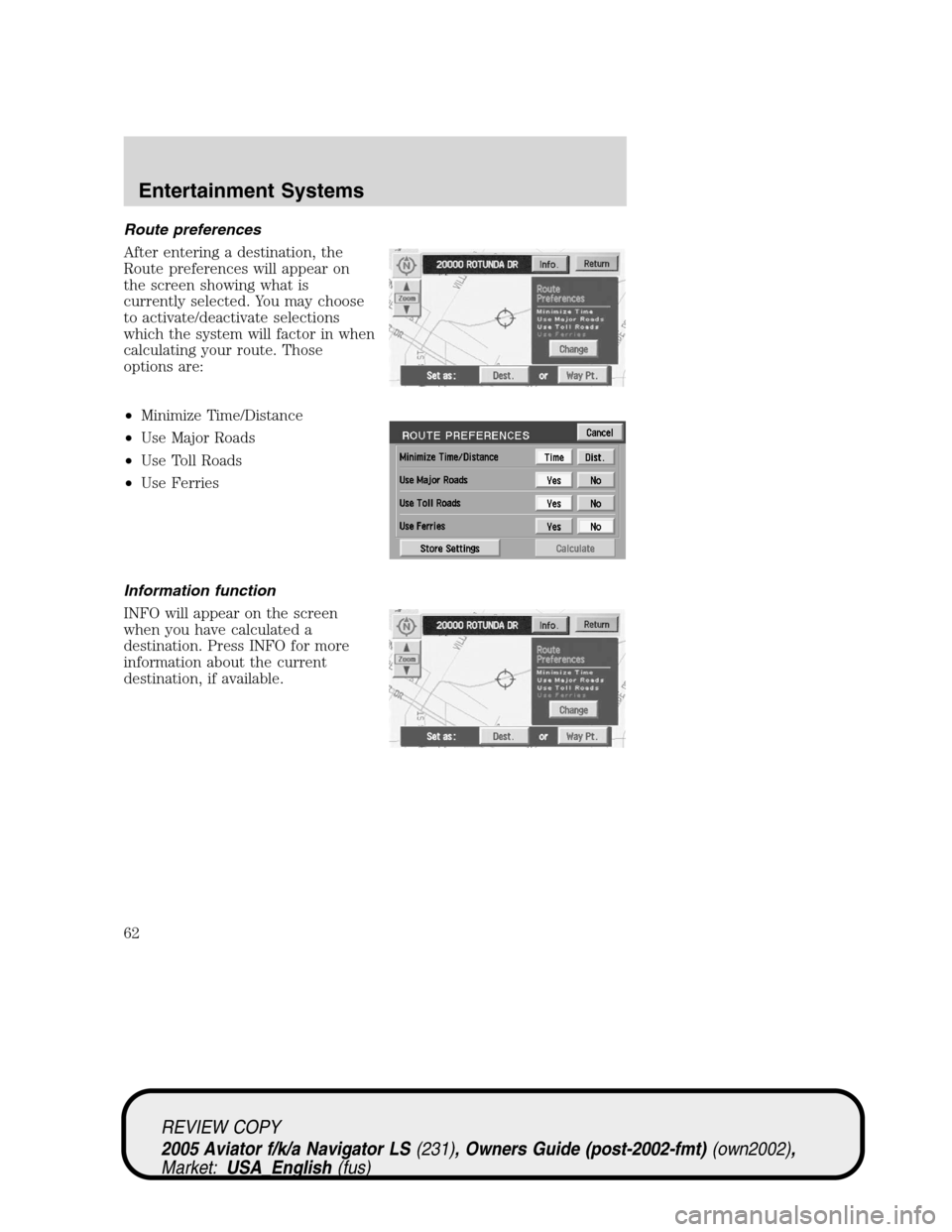
Route preferences
After entering a destination, the
Route preferences will appear on
the screen showing what is
currently selected. You may choose
to activate/deactivate selections
which the system will factor in when
calculating your route. Those
options are:
•Minimize Time/Distance
•Use Major Roads
•Use Toll Roads
•Use Ferries
Information function
INFO will appear on the screen
when you have calculated a
destination. Press INFO for more
information about the current
destination, if available.
REVIEW COPY
2005 Aviator f/k/a Navigator LS(231), Owners Guide (post-2002-fmt)(own2002),
Market:USA_English(fus)
Entertainment Systems
62
Page 63 of 368
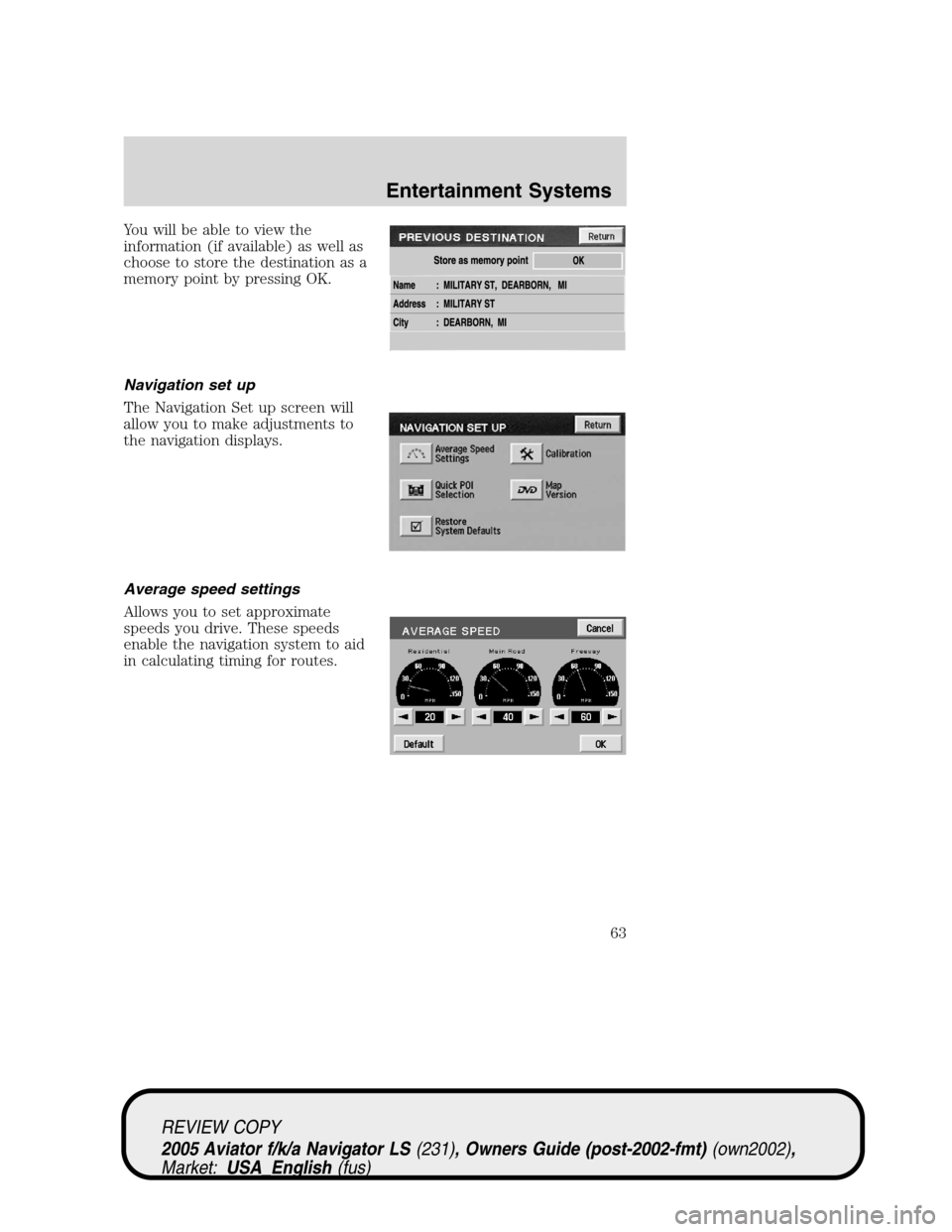
You will be able to view the
information (if available) as well as
choose to store the destination as a
memory point by pressing OK.
Navigation set up
The Navigation Set up screen will
allow you to make adjustments to
the navigation displays.
Average speed settings
Allows you to set approximate
speeds you drive. These speeds
enable the navigation system to aid
in calculating timing for routes.
REVIEW COPY
2005 Aviator f/k/a Navigator LS(231), Owners Guide (post-2002-fmt)(own2002),
Market:USA_English(fus)
Entertainment Systems
63
Page 64 of 368
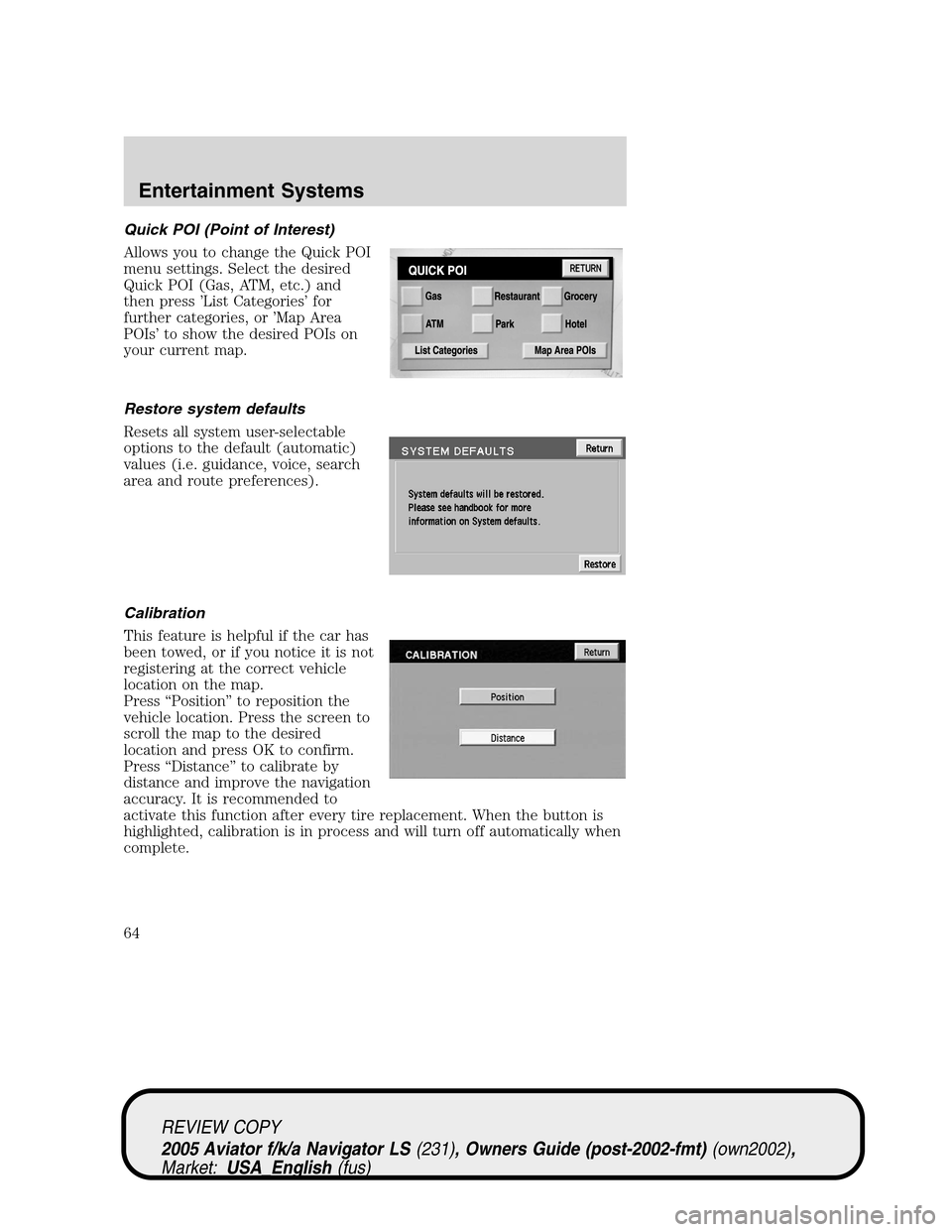
Quick POI (Point of Interest)
Allows you to change the Quick POI
menu settings. Select the desired
Quick POI (Gas, ATM, etc.) and
then press’List Categories’for
further categories, or’Map Area
POIs’to show the desired POIs on
your current map.
Restore system defaults
Resets all system user-selectable
options to the default (automatic)
values (i.e. guidance, voice, search
area and route preferences).
Calibration
This feature is helpful if the car has
been towed, or if you notice it is not
registering at the correct vehicle
location on the map.
Press“Position”to reposition the
vehicle location. Press the screen to
scroll the map to the desired
location and press OK to confirm.
Press“Distance”to calibrate by
distance and improve the navigation
accuracy. It is recommended to
activate this function after every tire replacement. When the button is
highlighted, calibration is in process and will turn off automatically when
complete.
REVIEW COPY
2005 Aviator f/k/a Navigator LS(231), Owners Guide (post-2002-fmt)(own2002),
Market:USA_English(fus)
Entertainment Systems
64