horn LINCOLN AVIATOR 2020 User Guide
[x] Cancel search | Manufacturer: LINCOLN, Model Year: 2020, Model line: AVIATOR, Model: LINCOLN AVIATOR 2020Pages: 609, PDF Size: 5.4 MB
Page 334 of 609
2.
Connect the other end of the positive (+)
cable to the positive (+) terminal of the
booster vehicle battery
3. Connect the negative (-) cable to the negative (-) terminal of the booster
vehicle battery.
4. Make the final connection of the negative
(-) cable to an exposed metal part of the
stalled vehicle's engine, away from the
battery and the fuel injection system, or
connect the negative (-) cable to a ground
connection point if available.
Jump Starting
1. Start the engine of the booster vehicle and rev the engine moderately, or press
the accelerator gently to keep your
engine speed between 2000 and 3000
RPM, as shown in your tachometer.
2. Start the engine of the disabled vehicle.
3. Once the disabled vehicle has been started, run both vehicle engines for an
additional three minutes before
disconnecting the jumper cables. Removing the Jumper Cables
Remove the jumper cables in the reverse
order that they were connected.
1. Remove the negative (-) jumper cable
from the disabled vehicle.
2. Remove the jumper cable on the negative (-) terminal of the booster
vehicle battery.
3. Remove the jumper cable from the positive (+) terminal of the booster vehicle
battery.
4. Remove the jumper cable from the positive (+) terminal of the disabled
vehicle battery.
5. Allow the engine to idle for at least one minute.
POST-CRASH ALERT SYSTEM
The system flashes the direction indicators
and sounds the horn (intermittently) in the
event of a serious impact that deploys an
airbag (front, side, side curtain or Safety
Canopy) or the seatbelt pretensioners. The horn and indicators turn off when:
•
You press the hazard control button.
• You press the panic button on the remote
entry transmitter (if equipped).
• Your vehicle runs out of power.
• Sounding of the horn is only enabled in
specific markets.
331
Aviator (CTV) Canada/United States of America, enUSA, Edition date: 201902, Third-Printing- Roadside Emergencies
Page 413 of 609
more tires are flat, repair as necessary.
Check the air pressure in the road tires. If
any tire is under-inflated, carefully drive the
vehicle to the nearest location where air can
be added to the tires. Inflate all the tires to
the recommended inflation pressure.
Tire Pressure Monitoring System Reset
Procedure
WARNING: To determine the
required pressure(s) for your vehicle, see
the Safety Compliance Certification Label
(on the door hinge pillar, door-latch post
or the door edge that meets the door-latch
post, next to the driver seat) or the Tire
Label on the B-Pillar or the edge of the
driver door.
Note: You need to perform the tire pressure
monitoring system reset procedure after
each tire rotation. To provide the vehicle's load carrying
capability, some vehicles require different
recommended tire pressures in the front tires
as compared to the rear tires. The tire
pressure monitoring system equipped on
these vehicles is designed to illuminate the
low tire pressure warning light at two
different pressures; one for the front tires
and one for the rear tires.
Since tires need to be rotated to provide
consistent performance and maximum tire
life, the tire pressure monitoring system
needs to know when the tires are rotated to
determine which set of tires are on the front
and which are on the rear. With this
information, the system can detect and
properly warn of low tire pressures.
System reset tips:
•
To reduce the chances of interference
from another vehicle, perform the system
reset procedure at least
3 ft (1 m) away
from another Ford Motor Company
vehicle undergoing the system reset
procedure at the same time.
• Do not wait more than two minutes
between resetting each tire sensor or the
system can time-out and you have to
repeat the entire procedure on all four
wheels.
• A double horn sounds indicating the
need to repeat the procedure.
Performing the System Reset Procedure
Read the entire procedure before attempting.
1. Drive the vehicle above
20 mph
(32 km/h) for at least two minutes, then
park in a safe location where you can
easily get to all four tires and have access
to an air pump.
2. Place the ignition in the off position and keep the key in the ignition.
3. Cycle the ignition to the on position with
the engine off.
410
Aviator (CTV) Canada/United States of America, enUSA, Edition date: 201902, Third-Printing- Wheels and Tires
Page 414 of 609
4.
Turn the hazard flashers on then off three
times. You must accomplish this within
10 seconds. If you successfully enter the
reset mode, the horn sounds once, the
system indicator flashes and a message
shows in the information display. If this
does not occur, please try again starting
at step 2. If after repeated attempts to
enter the reset mode, the horn does not
sound, the system indicator does not
flash and no message shows in the
information display, seek service from
your authorized dealer.
5. Train the tire pressure monitoring system
sensors in the tires using the following
system reset sequence starting with the
left front tire in the following clockwise
order: Left front - driver side front tire,
Right front - passenger side front tire,
Right rear - passenger side rear tire, Left
rear - driver side rear tire.
6. Remove the valve cap from the valve stem on the left front tire. Decrease the
air pressure until the horn sounds. Note:
The single horn tone confirms that the
sensor identification code has been learned
by the module for this position. If a double
horn is heard, the reset procedure was
unsuccessful, and you must repeat it.
7. Remove the valve cap from the valve stem on the right front tire. Decrease the
air pressure until the horn sounds.
8. Remove the valve cap from the valve stem on the right rear tire. Decrease the
air pressure until the horn sounds.
9. Remove the valve cap from the valve stem on the left rear tire. Decrease the
air pressure until the horn sounds.
Training is complete after the horn
sounds for the last tire trained, driver side
rear tire, the system indicator stops
flashing, and a message shows in the
information display.
10. Turn the ignition off. If two short horn beeps are heard, the reset procedure
was unsuccessful and you must repeat
it. If after repeating the procedure and
two short beeps are heard when the
ignition is turned to off, seek assistance
from your authorized dealer. 11. Set all four tires to the recommended
air pressure as indicated on the Safety
Compliance Certification Label, affixed
to either the door hinge pillar,
door-latch post, or the door edge that
meets the door-latch post, next to the
driver seating position or Tire Label
located on the B-Pillar or the edge of
the driver door.
CHANGING A ROAD WHEEL WARNING: If the tire pressure
monitor sensor becomes damaged it may
not function.
Note: You should only use tire sealants in
roadside emergencies as they may cause
damage to the tire pressure monitoring
system sensor.
411
Aviator (CTV) Canada/United States of America, enUSA, Edition date: 201902, Third-Printing- Wheels and Tires
Page 528 of 609
Check Every Six Months
Seatbelts and seat latches for wear and function.
Safety warning lamps (brake, ABS, airbag and seatbelt) for operation.
Washer spray and wiper operation. Clean or replace blades as necessary.
Multi-Point Inspection
In order to keep your vehicle running right,
it is important to have the systems on your
vehicle checked regularly. This can help
identify potential issues and prevent major
problems. We recommend having the
following multi-point inspection performed
at every scheduled maintenance interval to
help make sure your vehicle keeps running
great. Multi-Point Inspection
Hazard warning system operation
Accessory drive belt(s)
Horn operation
Battery performance
Radiator, cooler, heater and air conditioning hoses
Engine air filter
Suspension components for leaks or damage
Exhaust system
525
Aviator (CTV) Canada/United States of America, enUSA, Edition date: 201902, Third-Printing- Scheduled Maintenance
Page 601 of 609
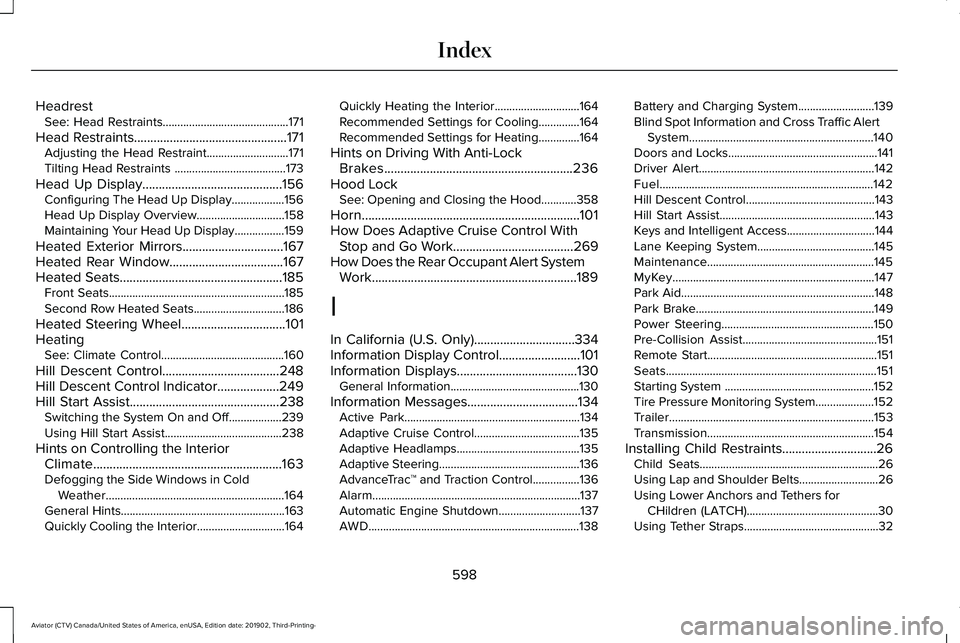
Headrest
See: Head Restraints...........................................171
Head Restraints...............................................171
Adjusting the Head Restraint............................171
Tilting Head Restraints ......................................173
Head Up Display
...........................................156
Configuring The Head Up Display..................156
Head Up Display Overview..............................158
Maintaining Your Head Up Display.................159
Heated Exterior Mirrors
...............................167
Heated Rear Window...................................167
Heated Seats..................................................185 Front Seats............................................................185
Second Row Heated Seats...............................186
Heated Steering Wheel................................101
Heating See: Climate Control..........................................160
Hill Descent Control....................................248
Hill Descent Control Indicator...................249
Hill Start Assist..............................................238 Switching the System On and Off..................239
Using Hill Start Assist........................................238
Hints on Controlling the Interior Climate..........................................................163
Defogging the Side Windows in Cold Weather.............................................................164
General Hints........................................................163
Quickly Cooling the Interior..............................164 Quickly Heating the Interior.............................164
Recommended Settings for Cooling..............
164
Recommended Settings for Heating..............164
Hints on Driving With Anti-Lock Brakes..........................................................236
Hood Lock See: Opening and Closing the Hood............358
Horn...................................................................101
How Does Adaptive Cruise Control With Stop and Go Work.....................................269
How Does the Rear Occupant Alert System Work
...............................................................189
I
In California (U.S. Only)...............................334
Information Display Control.........................101
Information Displays.....................................130 General Information............................................130
Information Messages..................................134 Active Park............................................................134
Adaptive Cruise Control....................................135
Adaptive Headlamps..........................................135
Adaptive Steering................................................136
AdvanceTrac ™ and Traction Control................136
Alarm.......................................................................137
Automatic Engine Shutdown............................137
AWD........................................................................\
138 Battery and Charging System..........................139
Blind Spot Information and Cross Traffic Alert
System...............................................................140
Doors and Locks...................................................141
Driver Alert............................................................142
Fuel........................................................................\
.142
Hill Descent Control............................................143
Hill Start Assist.....................................................143
Keys and Intelligent Access..............................
144
Lane Keeping System........................................145
Maintenance.........................................................145
MyKey.....................................................................147
Park Aid..................................................................148
Park Brake.............................................................149
Power Steering....................................................150
Pre-Collision Assist..............................................151
Remote Start..........................................................151
Seats........................................................................\
151
Starting System ...................................................152
Tire Pressure Monitoring System....................152
Trailer
......................................................................153
Transmission.........................................................154
Installing Child Restraints.............................26 Child Seats.............................................................26
Using Lap and Shoulder Belts...........................26
Using Lower Anchors and Tethers for
CHildren (LATCH).............................................30
Using Tether Straps..............................................32
598
Aviator (CTV) Canada/United States of America, enUSA, Edition date: 201902, Third-Printing- Index