trailer LINCOLN AVIATOR 2020 Service Manual
[x] Cancel search | Manufacturer: LINCOLN, Model Year: 2020, Model line: AVIATOR, Model: LINCOLN AVIATOR 2020Pages: 609, PDF Size: 5.4 MB
Page 357 of 609
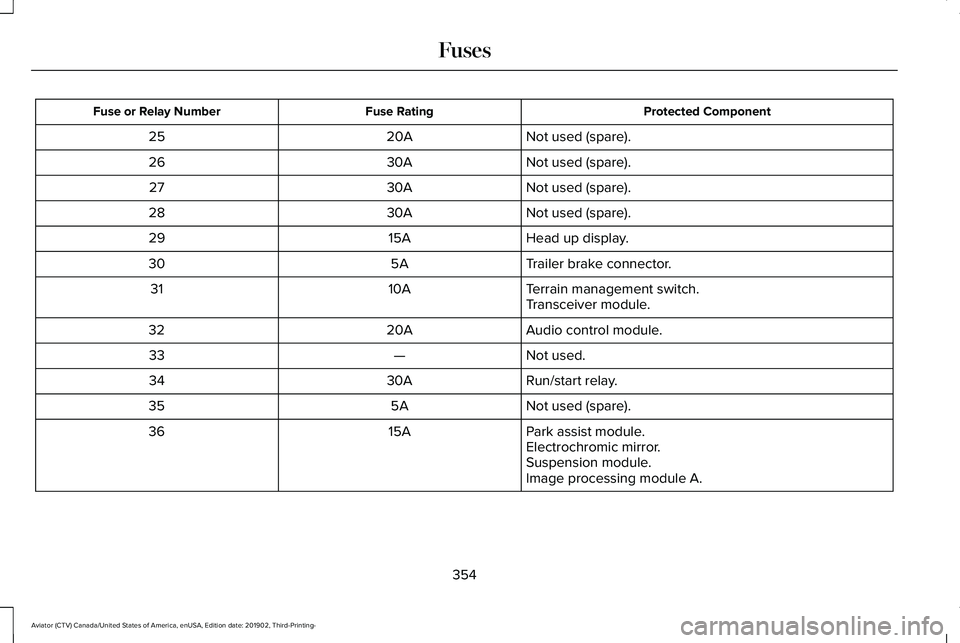
Protected Component
Fuse Rating
Fuse or Relay Number
Not used (spare).
20A
25
Not used (spare).
30A
26
Not used (spare).
30A
27
Not used (spare).
30A
28
Head up display.
15A
29
Trailer brake connector.
5A
30
Terrain management switch.
10A
31
Transceiver module.
Audio control module.
20A
32
Not used.
—
33
Run/start relay.
30A
34
Not used (spare).
5A
35
Park assist module.
15A
36
Electrochromic mirror.
Suspension module.
Image processing module A.
354
Aviator (CTV) Canada/United States of America, enUSA, Edition date: 201902, Third-Printing- Fuses
Page 371 of 609
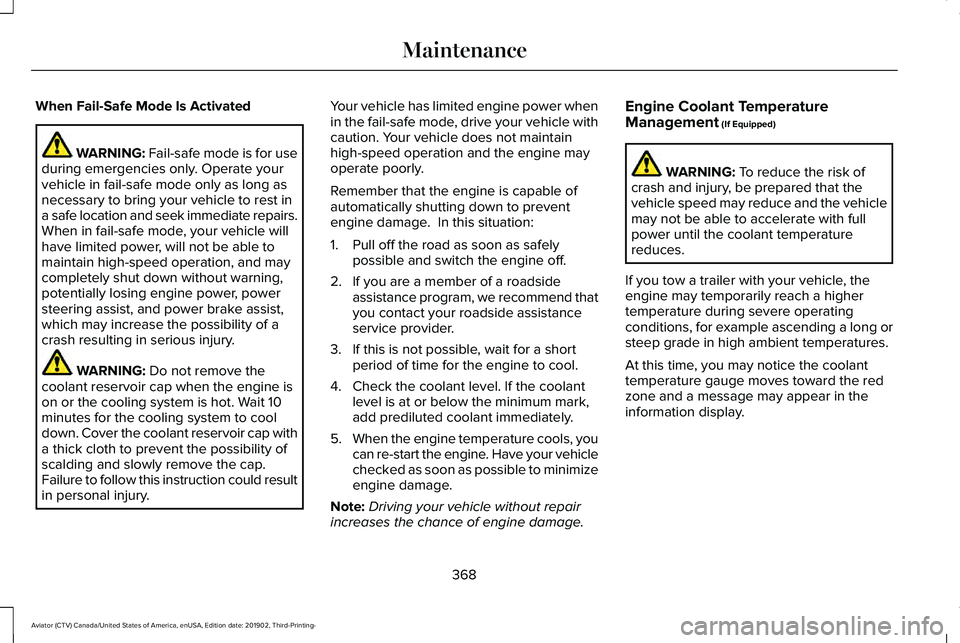
When Fail-Safe Mode Is Activated
WARNING: Fail-safe mode is for use
during emergencies only. Operate your
vehicle in fail-safe mode only as long as
necessary to bring your vehicle to rest in
a safe location and seek immediate repairs.
When in fail-safe mode, your vehicle will
have limited power, will not be able to
maintain high-speed operation, and may
completely shut down without warning,
potentially losing engine power, power
steering assist, and power brake assist,
which may increase the possibility of a
crash resulting in serious injury. WARNING: Do not remove the
coolant reservoir cap when the engine is
on or the cooling system is hot. Wait 10
minutes for the cooling system to cool
down. Cover the coolant reservoir cap with
a thick cloth to prevent the possibility of
scalding and slowly remove the cap.
Failure to follow this instruction could result
in personal injury. Your vehicle has limited engine power when
in the fail-safe mode, drive your vehicle with
caution. Your vehicle does not maintain
high-speed operation and the engine may
operate poorly.
Remember that the engine is capable of
automatically shutting down to prevent
engine damage. In this situation:
1. Pull off the road as soon as safely
possible and switch the engine off.
2. If you are a member of a roadside assistance program, we recommend that
you contact your roadside assistance
service provider.
3. If this is not possible, wait for a short period of time for the engine to cool.
4. Check the coolant level. If the coolant level is at or below the minimum mark,
add prediluted coolant immediately.
5. When the engine temperature cools, you
can re-start the engine. Have your vehicle
checked as soon as possible to minimize
engine damage.
Note: Driving your vehicle without repair
increases the chance of engine damage. Engine Coolant Temperature
Management
(If Equipped) WARNING:
To reduce the risk of
crash and injury, be prepared that the
vehicle speed may reduce and the vehicle
may not be able to accelerate with full
power until the coolant temperature
reduces.
If you tow a trailer with your vehicle, the
engine may temporarily reach a higher
temperature during severe operating
conditions, for example ascending a long or
steep grade in high ambient temperatures.
At this time, you may notice the coolant
temperature gauge moves toward the red
zone and a message may appear in the
information display.
368
Aviator (CTV) Canada/United States of America, enUSA, Edition date: 201902, Third-Printing- Maintenance
Page 415 of 609
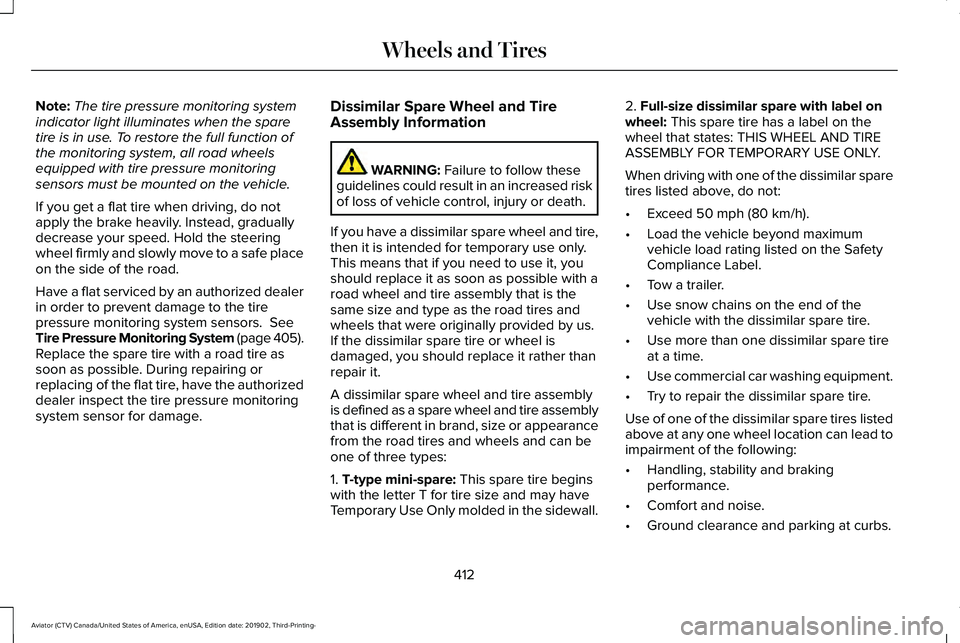
Note:
The tire pressure monitoring system
indicator light illuminates when the spare
tire is in use. To restore the full function of
the monitoring system, all road wheels
equipped with tire pressure monitoring
sensors must be mounted on the vehicle.
If you get a flat tire when driving, do not
apply the brake heavily. Instead, gradually
decrease your speed. Hold the steering
wheel firmly and slowly move to a safe place
on the side of the road.
Have a flat serviced by an authorized dealer
in order to prevent damage to the tire
pressure monitoring system sensors. See
Tire Pressure Monitoring System (page 405).
Replace the spare tire with a road tire as
soon as possible. During repairing or
replacing of the flat tire, have the authorized
dealer inspect the tire pressure monitoring
system sensor for damage. Dissimilar Spare Wheel and Tire
Assembly Information WARNING:
Failure to follow these
guidelines could result in an increased risk
of loss of vehicle control, injury or death.
If you have a dissimilar spare wheel and tire,
then it is intended for temporary use only.
This means that if you need to use it, you
should replace it as soon as possible with a
road wheel and tire assembly that is the
same size and type as the road tires and
wheels that were originally provided by us.
If the dissimilar spare tire or wheel is
damaged, you should replace it rather than
repair it.
A dissimilar spare wheel and tire assembly
is defined as a spare wheel and tire assembly
that is different in brand, size or appearance
from the road tires and wheels and can be
one of three types:
1.
T-type mini-spare: This spare tire begins
with the letter T for tire size and may have
Temporary Use Only molded in the sidewall. 2.
Full-size dissimilar spare with label on
wheel: This spare tire has a label on the
wheel that states: THIS WHEEL AND TIRE
ASSEMBLY FOR TEMPORARY USE ONLY.
When driving with one of the dissimilar spare
tires listed above, do not:
• Exceed
50 mph (80 km/h).
• Load the vehicle beyond maximum
vehicle load rating listed on the Safety
Compliance Label.
• Tow a trailer.
• Use snow chains on the end of the
vehicle with the dissimilar spare tire.
• Use more than one dissimilar spare tire
at a time.
• Use commercial car washing equipment.
• Try to repair the dissimilar spare tire.
Use of one of the dissimilar spare tires listed
above at any one wheel location can lead to
impairment of the following:
• Handling, stability and braking
performance.
• Comfort and noise.
• Ground clearance and parking at curbs.
412
Aviator (CTV) Canada/United States of America, enUSA, Edition date: 201902, Third-Printing- Wheels and Tires
Page 416 of 609
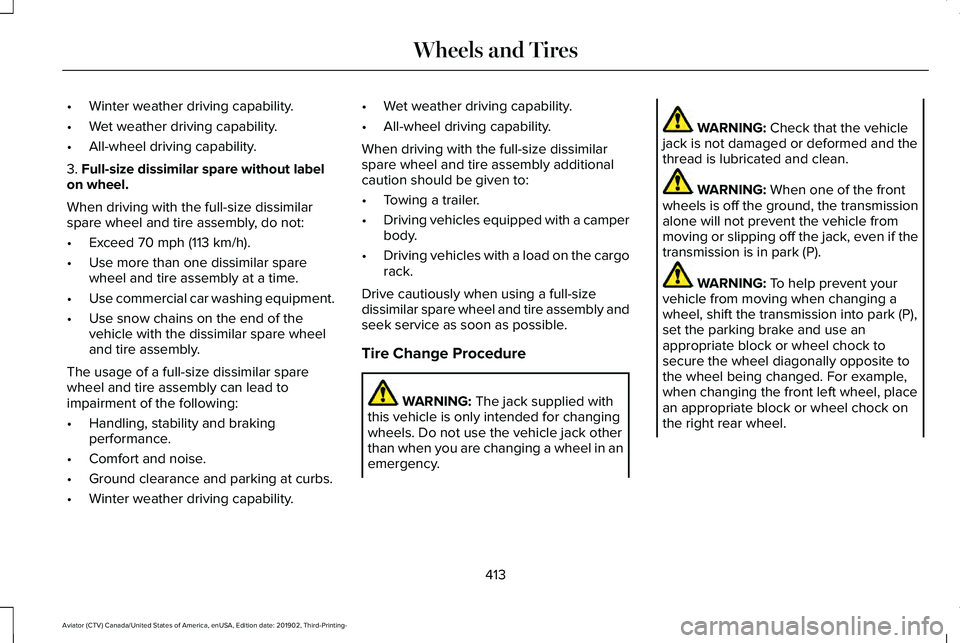
•
Winter weather driving capability.
• Wet weather driving capability.
• All-wheel driving capability.
3. Full-size dissimilar spare without label
on wheel.
When driving with the full-size dissimilar
spare wheel and tire assembly, do not:
• Exceed
70 mph (113 km/h).
• Use more than one dissimilar spare
wheel and tire assembly at a time.
• Use commercial car washing equipment.
• Use snow chains on the end of the
vehicle with the dissimilar spare wheel
and tire assembly.
The usage of a full-size dissimilar spare
wheel and tire assembly can lead to
impairment of the following:
• Handling, stability and braking
performance.
• Comfort and noise.
• Ground clearance and parking at curbs.
• Winter weather driving capability. •
Wet weather driving capability.
• All-wheel driving capability.
When driving with the full-size dissimilar
spare wheel and tire assembly additional
caution should be given to:
• Towing a trailer.
• Driving vehicles equipped with a camper
body.
• Driving vehicles with a load on the cargo
rack.
Drive cautiously when using a full-size
dissimilar spare wheel and tire assembly and
seek service as soon as possible.
Tire Change Procedure WARNING:
The jack supplied with
this vehicle is only intended for changing
wheels. Do not use the vehicle jack other
than when you are changing a wheel in an
emergency. WARNING:
Check that the vehicle
jack is not damaged or deformed and the
thread is lubricated and clean. WARNING:
When one of the front
wheels is off the ground, the transmission
alone will not prevent the vehicle from
moving or slipping off the jack, even if the
transmission is in park (P). WARNING:
To help prevent your
vehicle from moving when changing a
wheel, shift the transmission into park (P),
set the parking brake and use an
appropriate block or wheel chock to
secure the wheel diagonally opposite to
the wheel being changed. For example,
when changing the front left wheel, place
an appropriate block or wheel chock on
the right rear wheel.
413
Aviator (CTV) Canada/United States of America, enUSA, Edition date: 201902, Third-Printing- Wheels and Tires
Page 534 of 609

Towing a Trailer or Using a Car-top Carrier
Change engine oil and filter as indicated by the information display and\
perform services listed in the Normal
Scheduled Maintenance chart.
As required
Inspect front axle.
Inspect frequently, service
as required
Inspect rear axle and U-joints.
Inspect half-shaft boots.
See axle maintenance items under Exceptions.
Replace spark plugs.
Every
60,000 mi
(96,000 km) Extensive Idling or Low-speed Driving for Long Distances, as in Heavy Commercial Use
Change engine oil and filter as indicated by the information display and\
perform services listed in the Normal
Scheduled Maintenance chart.
As required
Replace cabin air filter.
Inspect frequently, service
as required
Replace engine air filter.
Replace spark plugs.
Every
60,000 mi
(96,000 km)
531
Aviator (CTV) Canada/United States of America, enUSA, Edition date: 201902, Third-Printing- Scheduled Maintenance
Page 596 of 609
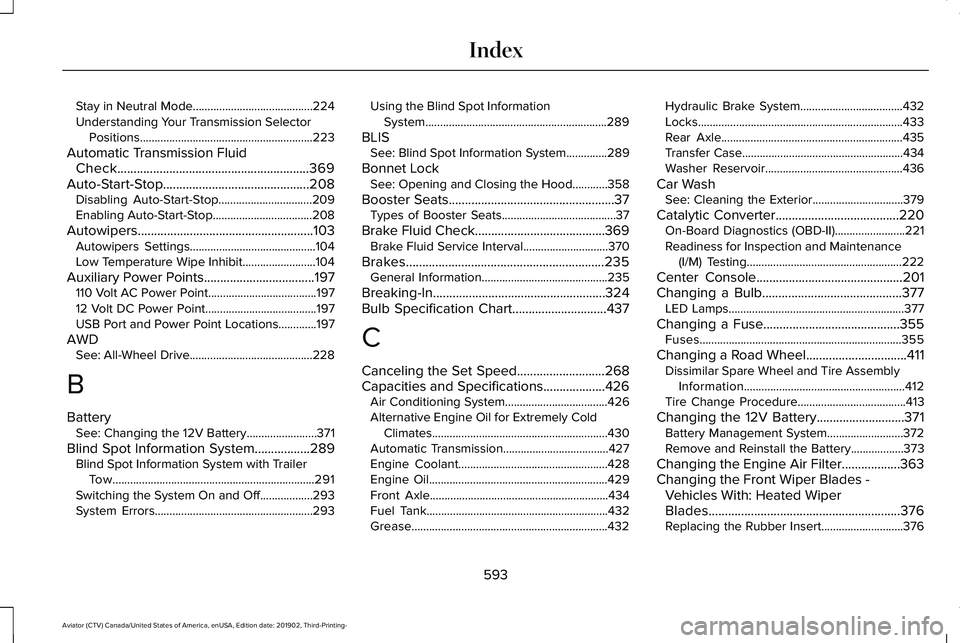
Stay in Neutral Mode.........................................224
Understanding Your Transmission Selector
Positions...........................................................223
Automatic Transmission Fluid Check...........................................................369
Auto-Start-Stop.............................................208 Disabling Auto-Start-Stop................................209
Enabling Auto-Start-Stop..................................208
Autowipers......................................................103 Autowipers Settings...........................................104
Low Temperature Wipe Inhibit.........................104
Auxiliary Power Points..................................197
110 Volt AC Power Point.....................................197
12 Volt DC Power Point......................................197
USB Port and Power Point Locations.............197
AWD See: All-Wheel Drive..........................................228
B
Battery See: Changing the 12V Battery........................
371
Blind Spot Information System.................289 Blind Spot Information System with Trailer
Tow.....................................................................291
Switching the System On and Off..................293
System Errors......................................................293 Using the Blind Spot Information
System..............................................................289
BLIS See: Blind Spot Information System..............289
Bonnet Lock See: Opening and Closing the Hood............358
Booster Seats...................................................37 Types of Booster Seats.......................................37
Brake Fluid Check........................................369 Brake Fluid Service Interval.............................370
Brakes.............................................................235 General Information...........................................235
Breaking-In.....................................................324
Bulb Specification Chart.............................437
C
Canceling the Set Speed...........................268
Capacities and Specifications...................426 Air Conditioning System...................................426
Alternative Engine Oil for Extremely Cold
Climates............................................................430
Automatic Transmission....................................427
Engine Coolant...................................................428
Engine Oil.............................................................429
Front Axle.............................................................434
Fuel Tank..............................................................432
Grease...................................................................432 Hydraulic Brake System...................................432
Locks......................................................................433
Rear Axle..............................................................435
Transfer Case.......................................................434
Washer Reservoir...............................................436
Car Wash See: Cleaning the Exterior...............................
379
Catalytic Converter......................................220 On-Board Diagnostics (OBD-II)........................221
Readiness for Inspection and Maintenance
(I/M) Testing.....................................................222
Center Console
.............................................201
Changing a Bulb...........................................377 LED Lamps............................................................377
Changing a Fuse..........................................355 Fuses.....................................................................355
Changing a Road Wheel...............................411 Dissimilar Spare Wheel and Tire Assembly
Information.......................................................412
Tire Change Procedure.....................................
413
Changing the 12V Battery...........................371 Battery Management System..........................372
Remove and Reinstall the Battery..................373
Changing the Engine Air Filter..................363
Changing the Front Wiper Blades - Vehicles With: Heated Wiper
Blades...........................................................376
Replacing the Rubber Insert............................376
593
Aviator (CTV) Canada/United States of America, enUSA, Edition date: 201902, Third-Printing- Index
Page 598 of 609
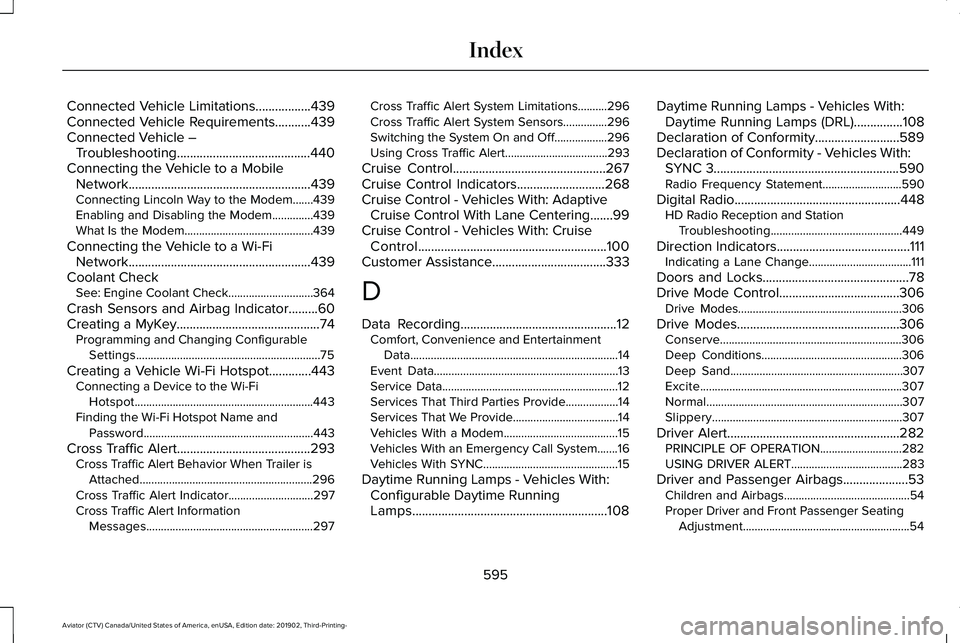
Connected Vehicle Limitations.................439
Connected Vehicle Requirements...........439
Connected Vehicle –
Troubleshooting.........................................440
Connecting the Vehicle to a Mobile Network........................................................439
Connecting Lincoln Way to the Modem.......439
Enabling and Disabling the Modem..............439
What Is the Modem............................................439
Connecting the Vehicle to a Wi-Fi Network........................................................439
Coolant Check See: Engine Coolant Check.............................364
Crash Sensors and Airbag Indicator.........60
Creating a MyKey............................................74 Programming and Changing Configurable
Settings...............................................................75
Creating a Vehicle Wi-Fi Hotspot.............443 Connecting a Device to the Wi-Fi
Hotspot.............................................................443
Finding the Wi-Fi Hotspot Name and Password..........................................................443
Cross Traffic Alert.........................................293 Cross Traffic Alert Behavior When Trailer is
Attached ...........................................................296
Cross Traffic Alert Indicator.............................297
Cross Traffic Alert Information Messages.........................................................297 Cross Traffic Alert System Limitations..........296
Cross Traffic Alert System Sensors...............296
Switching the System On and Off..................296
Using Cross Traffic Alert...................................293
Cruise Control
...............................................267
Cruise Control Indicators...........................268
Cruise Control - Vehicles With: Adaptive Cruise Control With Lane Centering.......99
Cruise Control - Vehicles With: Cruise Control..........................................................100
Customer Assistance
...................................333
D
Data Recording
................................................12
Comfort, Convenience and Entertainment
Data.......................................................................14
Event Data...............................................................13
Service Data............................................................12
Services That Third Parties Provide..................14
Services That We Provide....................................14
Vehicles With a Modem.......................................15
Vehicles With an Emergency Call System.......16
Vehicles With SYNC..............................................15
Daytime Running Lamps - Vehicles With: Configurable Daytime Running
Lamps............................................................108 Daytime Running Lamps - Vehicles With:
Daytime Running Lamps (DRL)...............108
Declaration of Conformity..........................589
Declaration of Conformity - Vehicles With: SYNC 3.........................................................590
Radio Frequency Statement...........................590
Digital Radio
...................................................448
HD Radio Reception and Station
Troubleshooting.............................................449
Direction Indicators
.........................................111
Indicating a Lane Change...................................111
Doors and Locks
.............................................78
Drive Mode Control.....................................306 Drive Modes........................................................306
Drive Modes
..................................................306
Conserve..............................................................306
Deep Conditions................................................306
Deep Sand...........................................................307
Excite.....................................................................307
Normal...................................................................307
Slippery.................................................................307
Driver Alert
.....................................................282
PRINCIPLE OF OPERATION............................282
USING DRIVER ALERT......................................283
Driver and Passenger Airbags....................53 Children and Airbags...........................................54
Proper Driver and Front Passenger Seating
Adjustment.........................................................54
595
Aviator (CTV) Canada/United States of America, enUSA, Edition date: 201902, Third-Printing- Index
Page 599 of 609
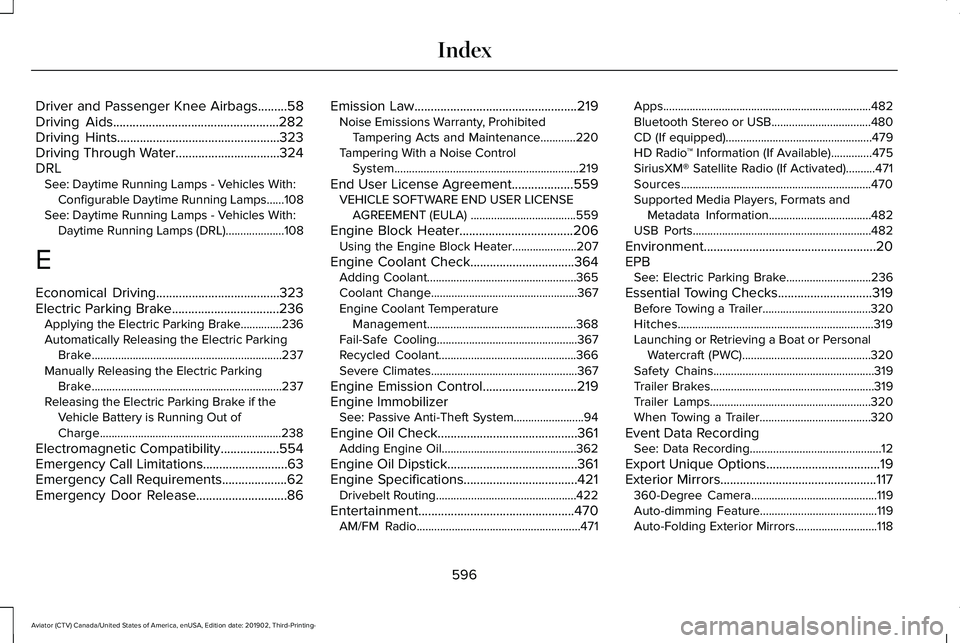
Driver and Passenger Knee Airbags.........58
Driving Aids...................................................282
Driving Hints..................................................323
Driving Through Water................................324
DRL See: Daytime Running Lamps - Vehicles With:
Configurable Daytime Running Lamps......108
See: Daytime Running Lamps - Vehicles With: Daytime Running Lamps (DRL)....................108
E
Economical Driving
......................................323
Electric Parking Brake.................................236 Applying the Electric Parking Brake..............236
Automatically Releasing the Electric Parking
Brake.................................................................237
Manually Releasing the Electric Parking Brake.................................................................237
Releasing the Electric Parking Brake if the Vehicle Battery is Running Out of
Charge..............................................................238
Electromagnetic Compatibility
..................554
Emergency Call Limitations..........................63
Emergency Call Requirements....................62
Emergency Door Release............................86 Emission Law
..................................................219
Noise Emissions Warranty, Prohibited
Tampering Acts and Maintenance............220
Tampering With a Noise Control System...............................................................219
End User License Agreement...................559 VEHICLE SOFTWARE END USER LICENSE
AGREEMENT (EULA) ....................................559
Engine Block Heater
...................................206
Using the Engine Block Heater......................207
Engine Coolant Check................................364 Adding Coolant...................................................365
Coolant Change..................................................367
Engine Coolant Temperature
Management...................................................368
Fail-Safe Cooling................................................367
Recycled Coolant...............................................366
Severe Climates..................................................367
Engine Emission Control
.............................219
Engine Immobilizer See: Passive Anti-Theft System........................94
Engine Oil Check...........................................361 Adding Engine Oil..............................................362
Engine Oil Dipstick........................................361
Engine Specifications...................................421 Drivebelt Routing................................................422
Entertainment................................................470 AM/FM Radio........................................................471 Apps.......................................................................482
Bluetooth Stereo or USB..................................480
CD (If equipped)..................................................479
HD Radio
™ Information (If Available)..............
475
SiriusXM® Satellite Radio (If Activated)..........471
Sources.................................................................470
Supported Media Players, Formats and Metadata Information...................................482
USB Ports.............................................................482
Environment.....................................................20
EPB See: Electric Parking Brake.............................236
Essential Towing Checks.............................319 Before Towing a Trailer.....................................320
Hitches...................................................................319
Launching or Retrieving a Boat or Personal
Watercraft (PWC)............................................320
Safety Chains.......................................................319
Trailer Brakes........................................................319
Trailer Lamps.......................................................320
When Towing a Trailer......................................320
Event Data Recording See: Data Recording.............................................12
Export Unique Options
...................................19
Exterior Mirrors................................................117 360-Degree Camera...........................................119
Auto-dimming Feature........................................119
Auto-Folding Exterior Mirrors............................118
596
Aviator (CTV) Canada/United States of America, enUSA, Edition date: 201902, Third-Printing- Index
Page 601 of 609
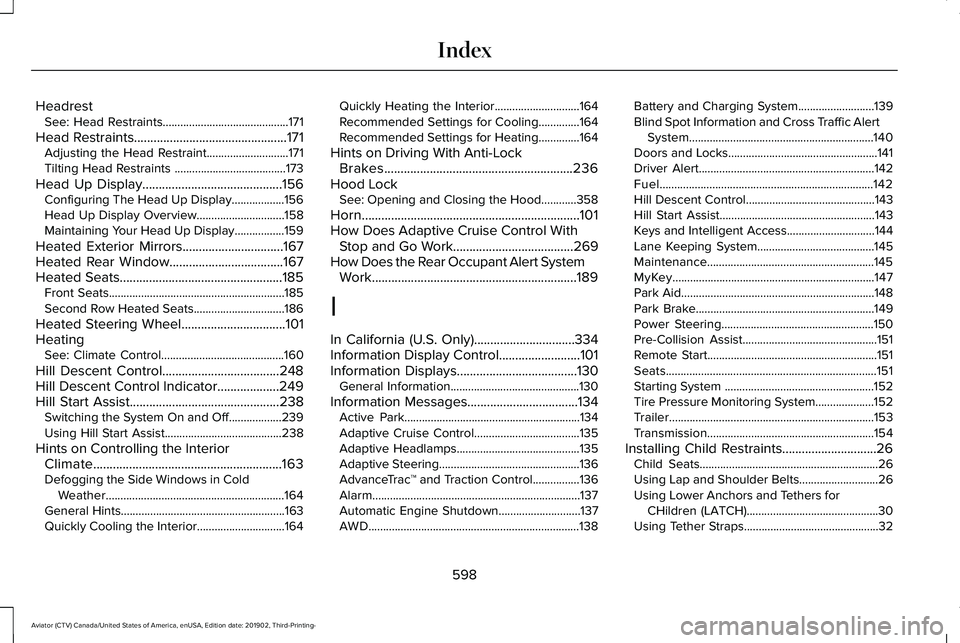
Headrest
See: Head Restraints...........................................171
Head Restraints...............................................171
Adjusting the Head Restraint............................171
Tilting Head Restraints ......................................173
Head Up Display
...........................................156
Configuring The Head Up Display..................156
Head Up Display Overview..............................158
Maintaining Your Head Up Display.................159
Heated Exterior Mirrors
...............................167
Heated Rear Window...................................167
Heated Seats..................................................185 Front Seats............................................................185
Second Row Heated Seats...............................186
Heated Steering Wheel................................101
Heating See: Climate Control..........................................160
Hill Descent Control....................................248
Hill Descent Control Indicator...................249
Hill Start Assist..............................................238 Switching the System On and Off..................239
Using Hill Start Assist........................................238
Hints on Controlling the Interior Climate..........................................................163
Defogging the Side Windows in Cold Weather.............................................................164
General Hints........................................................163
Quickly Cooling the Interior..............................164 Quickly Heating the Interior.............................164
Recommended Settings for Cooling..............
164
Recommended Settings for Heating..............164
Hints on Driving With Anti-Lock Brakes..........................................................236
Hood Lock See: Opening and Closing the Hood............358
Horn...................................................................101
How Does Adaptive Cruise Control With Stop and Go Work.....................................269
How Does the Rear Occupant Alert System Work
...............................................................189
I
In California (U.S. Only)...............................334
Information Display Control.........................101
Information Displays.....................................130 General Information............................................130
Information Messages..................................134 Active Park............................................................134
Adaptive Cruise Control....................................135
Adaptive Headlamps..........................................135
Adaptive Steering................................................136
AdvanceTrac ™ and Traction Control................136
Alarm.......................................................................137
Automatic Engine Shutdown............................137
AWD........................................................................\
138 Battery and Charging System..........................139
Blind Spot Information and Cross Traffic Alert
System...............................................................140
Doors and Locks...................................................141
Driver Alert............................................................142
Fuel........................................................................\
.142
Hill Descent Control............................................143
Hill Start Assist.....................................................143
Keys and Intelligent Access..............................
144
Lane Keeping System........................................145
Maintenance.........................................................145
MyKey.....................................................................147
Park Aid..................................................................148
Park Brake.............................................................149
Power Steering....................................................150
Pre-Collision Assist..............................................151
Remote Start..........................................................151
Seats........................................................................\
151
Starting System ...................................................152
Tire Pressure Monitoring System....................152
Trailer
......................................................................153
Transmission.........................................................154
Installing Child Restraints.............................26 Child Seats.............................................................26
Using Lap and Shoulder Belts...........................26
Using Lower Anchors and Tethers for
CHildren (LATCH).............................................30
Using Tether Straps..............................................32
598
Aviator (CTV) Canada/United States of America, enUSA, Edition date: 201902, Third-Printing- Index
Page 602 of 609
Installing the Vehicle Identification
Card...............................................................438
Instrument Cluster.........................................123
Instrument Lighting Dimmer.......................107
Instrument Panel..............................................21
Interior Air Quality.........................................169
Interior Lamps.................................................112 Front Interior Lamp..............................................112
Rear Interior Lamps..............................................112
Interior Mirror..................................................119 Auto-Dimming Mirror...........................................119
Introduction.........................................................9
J
Jump Starting the Vehicle
..........................329
Connecting the Jumper Cables......................330
Jump Starting........................................................331
Locating the Jump Starting Connection
Points................................................................330
Preparing Your Vehicle.....................................329
Removing the Jumper Cables..........................331
K
Keyless Entry...................................................86 SECURICODE™ Keyless Entry Keypad.............86 Keyless Starting
............................................202
Ignition Modes....................................................202
Keys and Remote Controls...........................64
L
Lane Keeping System.................................283 Switching the System On and Off..................284
Liftgate...............................................................89
Lighting Control.............................................106 Flashing High Beam Headlamps.....................107
Lighting Control Selections..............................106
Switching High Beam Headlamps On and
Off.......................................................................106
Lighting............................................................106 General Information............................................106
Lincoln Automotive Financial Services......16
Lincoln Protect...............................................519 Lincoln Protect (CANADA ONLY)...................520
Lincoln Protect Extended Service Plans (U.S.
Only)...................................................................519
Load Carriers See: Roof Racks and Load Carriers...............309
Load Carrying................................................308
Load Limit
........................................................310
Special Loading Instructions for Owners of
Pick-up Trucks and Utility-type
Vehicles.............................................................314 Vehicle Loading - with and without a
Trailer.................................................................310
Locating the Cabin Air Filter.......................169
Locking and Unlocking..................................78 Activating Intelligent Access..............................
78
Autolock..................................................................83
Battery Saver..........................................................84
Closing the Luggage Compartment................85
Door Lock Indicator..............................................78
Door Lock Switch Inhibitor.................................78
Emergency Locking...............................................81
Illuminated Entry...................................................84
Illuminated Exit......................................................84
Locking and Unlocking the Doors from Inside....................................................................81
Locking the Doors from the Luggage Compartment.....................................................81
Opening the Luggage Compartment..............84
Remote Control.....................................................80
Smart Unlocks for Intelligent Access Keys.....................................................................83
Unlatching the Driver Door with the Key Blade...................................................................82
Luggage Covers...........................................308
Lug Nuts See: Changing a Road Wheel...........................411
599
Aviator (CTV) Canada/United States of America, enUSA, Edition date: 201902, Third-Printing- Index