tires LINCOLN AVIATOR 2020 Workshop Manual
[x] Cancel search | Manufacturer: LINCOLN, Model Year: 2020, Model line: AVIATOR, Model: LINCOLN AVIATOR 2020Pages: 609, PDF Size: 5.4 MB
Page 421 of 609
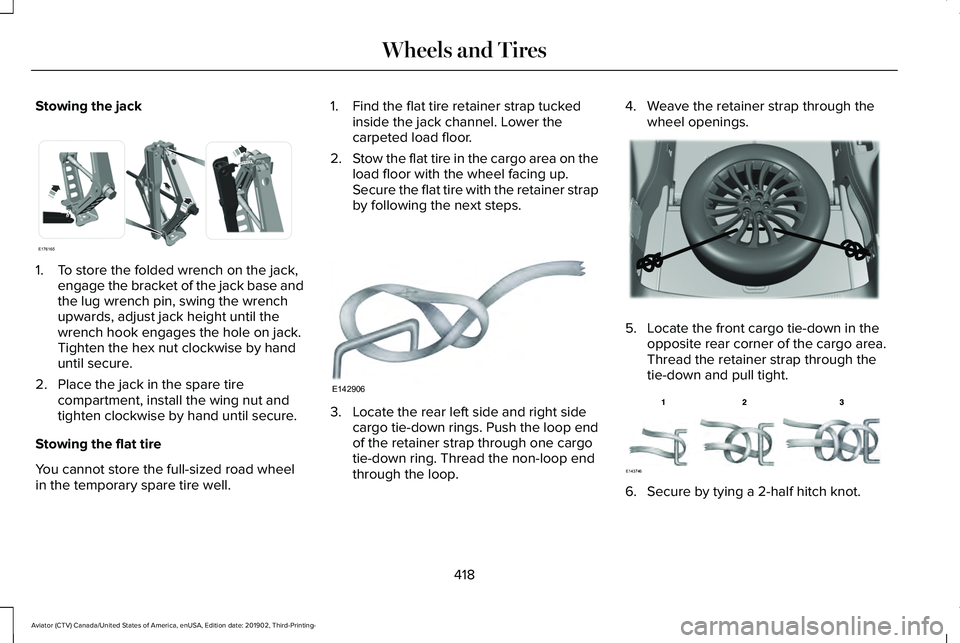
Stowing the jack
1. To store the folded wrench on the jack,
engage the bracket of the jack base and
the lug wrench pin, swing the wrench
upwards, adjust jack height until the
wrench hook engages the hole on jack.
Tighten the hex nut clockwise by hand
until secure.
2. Place the jack in the spare tire compartment, install the wing nut and
tighten clockwise by hand until secure.
Stowing the flat tire
You cannot store the full-sized road wheel
in the temporary spare tire well. 1. Find the flat tire retainer strap tucked
inside the jack channel. Lower the
carpeted load floor.
2. Stow the flat tire in the cargo area on the
load floor with the wheel facing up.
Secure the flat tire with the retainer strap
by following the next steps. 3. Locate the rear left side and right side
cargo tie-down rings. Push the loop end
of the retainer strap through one cargo
tie-down ring. Thread the non-loop end
through the loop. 4. Weave the retainer strap through the
wheel openings. 5. Locate the front cargo tie-down in the
opposite rear corner of the cargo area.
Thread the retainer strap through the
tie-down and pull tight. 6. Secure by tying a 2-half hitch knot.
418
Aviator (CTV) Canada/United States of America, enUSA, Edition date: 201902, Third-Printing- Wheels and TiresE176165 E142906 E294325 E143746
Page 422 of 609

TECHNICAL SPECIFICATIONS
Wheel Lug Nut Torque Specifications
WARNING: When you install a wheel, always remove any corrosion, dirt or foreign m\
aterials present on the mounting surfaces of the
wheel or the surface of the wheel hub, brake drum or brake disc that contacts the wheel. Make sure to secure any fasteners that attach
the rotor to the hub so they do not interfere with the mounting surfaces\
of the wheel. Installing wheels without correct metal-to-metal contact
at the wheel mounting surfaces can cause the wheel nuts to loosen and th\
e wheel to come off while your vehicle is in motion, resulting in
loss of vehicle control, personal injury or death. lb.ft (Nm)
*
Bolt size
150 lb.ft (204 Nm)
M14 x 1.5
* Torque specifications are for nut and bolt threads free of dirt and rust.\
Use only our recommended replacement fasteners.
Retighten the lug nuts to the specified torque within 100 miles (160 kil\
ometers) after any wheel disturbance (such as tire rotation, changing \
a
flat tire, wheel removal).
419
Aviator (CTV) Canada/United States of America, enUSA, Edition date: 201902, Third-Printing- Wheels and Tires
Page 423 of 609
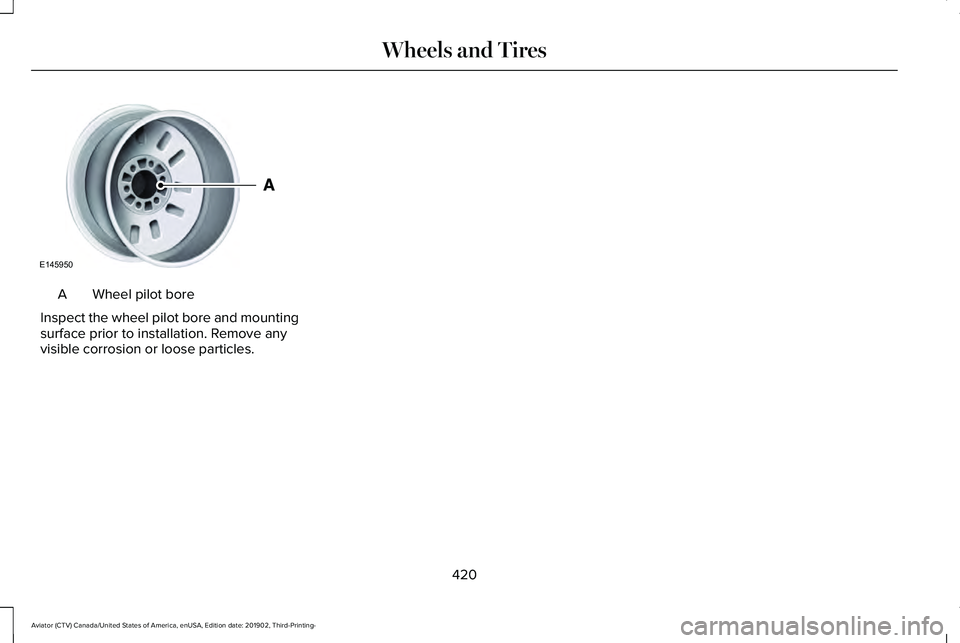
Wheel pilot bore
A
Inspect the wheel pilot bore and mounting
surface prior to installation. Remove any
visible corrosion or loose particles.
420
Aviator (CTV) Canada/United States of America, enUSA, Edition date: 201902, Third-Printing- Wheels and TiresE145950
Page 527 of 609
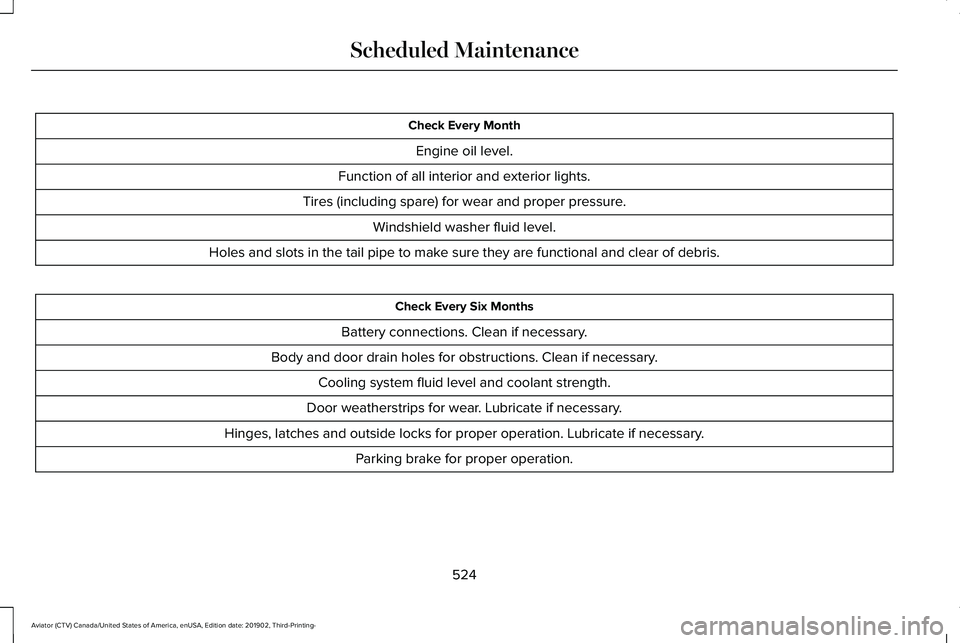
Check Every Month
Engine oil level.
Function of all interior and exterior lights.
Tires (including spare) for wear and proper pressure. Windshield washer fluid level.
Holes and slots in the tail pipe to make sure they are functional and clear of debris. Check Every Six Months
Battery connections. Clean if necessary.
Body and door drain holes for obstructions. Clean if necessary. Cooling system fluid level and coolant strength.
Door weatherstrips for wear. Lubricate if necessary.
Hinges, latches and outside locks for proper operation. Lubricate if necessary. Parking brake for proper operation.
524
Aviator (CTV) Canada/United States of America, enUSA, Edition date: 201902, Third-Printing- Scheduled Maintenance
Page 529 of 609
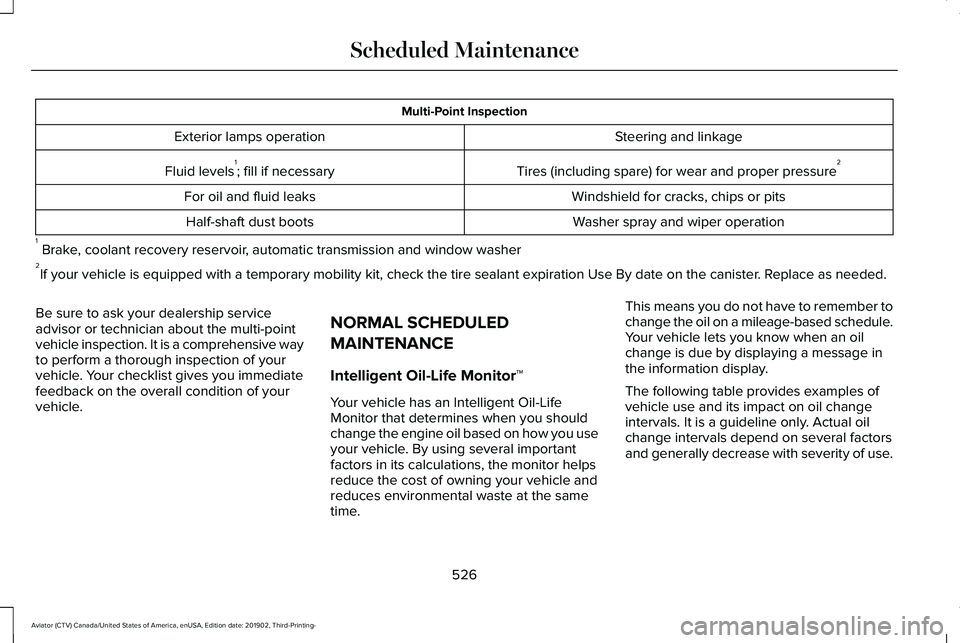
Multi-Point Inspection
Steering and linkage
Exterior lamps operation
Tires (including spare) for wear and proper pressure2
Fluid levels 1
; fill if necessary
Windshield for cracks, chips or pits
For oil and fluid leaks
Washer spray and wiper operation
Half-shaft dust boots
1 Brake, coolant recovery reservoir, automatic transmission and window washer
2 If your vehicle is equipped with a temporary mobility kit, check the tir\
e sealant expiration Use By date on the canister. Replace as needed.
Be sure to ask your dealership service
advisor or technician about the multi-point
vehicle inspection. It is a comprehensive way
to perform a thorough inspection of your
vehicle. Your checklist gives you immediate
feedback on the overall condition of your
vehicle. NORMAL SCHEDULED
MAINTENANCE
Intelligent Oil-Life Monitor™
Your vehicle has an Intelligent Oil-Life
Monitor that determines when you should
change the engine oil based on how you use
your vehicle. By using several important
factors in its calculations, the monitor helps
reduce the cost of owning your vehicle and
reduces environmental waste at the same
time.This means you do not have to remember to
change the oil on a mileage-based schedule.
Your vehicle lets you know when an oil
change is due by displaying a message in
the information display.
The following table provides examples of
vehicle use and its impact on oil change
intervals. It is a guideline only. Actual oil
change intervals depend on several factors
and generally decrease with severity of use.
526
Aviator (CTV) Canada/United States of America, enUSA, Edition date: 201902, Third-Printing- Scheduled Maintenance
Page 531 of 609
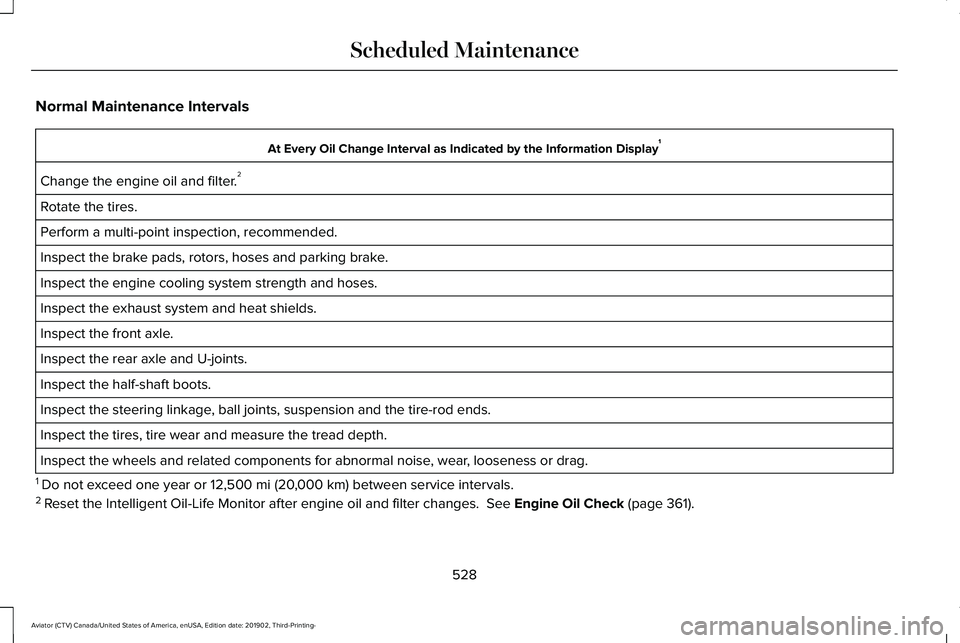
Normal Maintenance Intervals
At Every Oil Change Interval as Indicated by the Information Display
1
Change the engine oil and filter. 2
Rotate the tires.
Perform a multi-point inspection, recommended.
Inspect the brake pads, rotors, hoses and parking brake.
Inspect the engine cooling system strength and hoses.
Inspect the exhaust system and heat shields.
Inspect the front axle.
Inspect the rear axle and U-joints.
Inspect the half-shaft boots.
Inspect the steering linkage, ball joints, suspension and the tire-rod ends.
Inspect the tires, tire wear and measure the tread depth.
Inspect the wheels and related components for abnormal noise, wear, looseness or drag.
1 Do not exceed one year or 12,500 mi (20,000 km) between service intervals.
2 Reset the Intelligent Oil-Life Monitor after engine oil and filter change\
s.
See Engine Oil Check (page 361).
528
Aviator (CTV) Canada/United States of America, enUSA, Edition date: 201902, Third-Printing- Scheduled Maintenance
Page 535 of 609
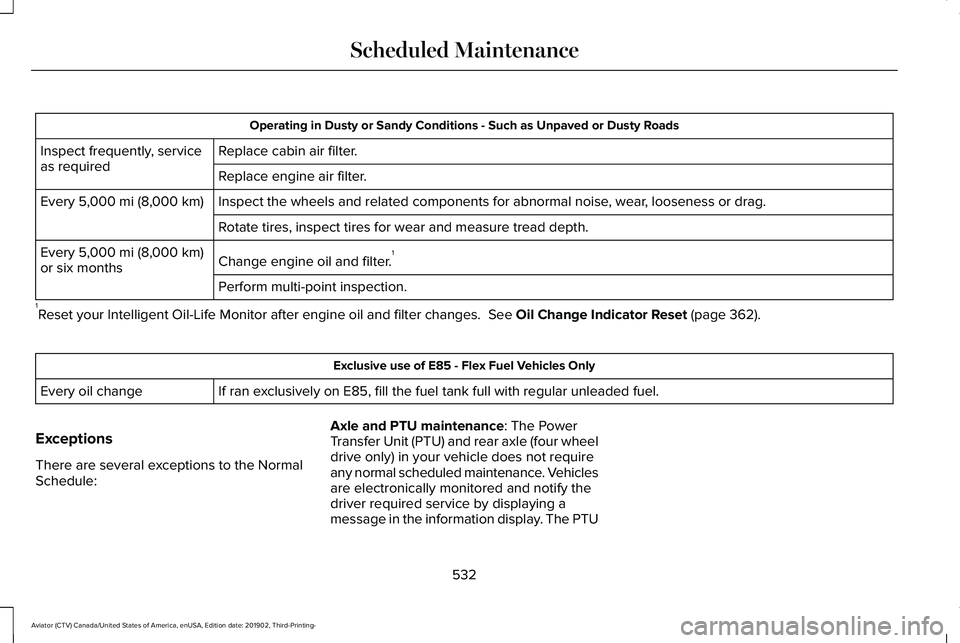
Operating in Dusty or Sandy Conditions - Such as Unpaved or Dusty Roads
Replace cabin air filter.
Inspect frequently, service
as required
Replace engine air filter.
Inspect the wheels and related components for abnormal noise, wear, looseness or drag.
Every 5,000 mi (8,000 km)
Rotate tires, inspect tires for wear and measure tread depth.
Change engine oil and filter. 1
Every
5,000 mi (8,000 km)
or six months
Perform multi-point inspection.
1 Reset your Intelligent Oil-Life Monitor after engine oil and filter chang\
es.
See Oil Change Indicator Reset (page 362). Exclusive use of E85 - Flex Fuel Vehicles Only
If ran exclusively on E85, fill the fuel tank full with regular unleaded fuel.
Every oil change
Exceptions
There are several exceptions to the Normal
Schedule: Axle and PTU maintenance
: The Power
Transfer Unit (PTU) and rear axle (four wheel
drive only) in your vehicle does not require
any normal scheduled maintenance. Vehicles
are electronically monitored and notify the
driver required service by displaying a
message in the information display. The PTU
532
Aviator (CTV) Canada/United States of America, enUSA, Edition date: 201902, Third-Printing- Scheduled Maintenance
Page 607 of 609
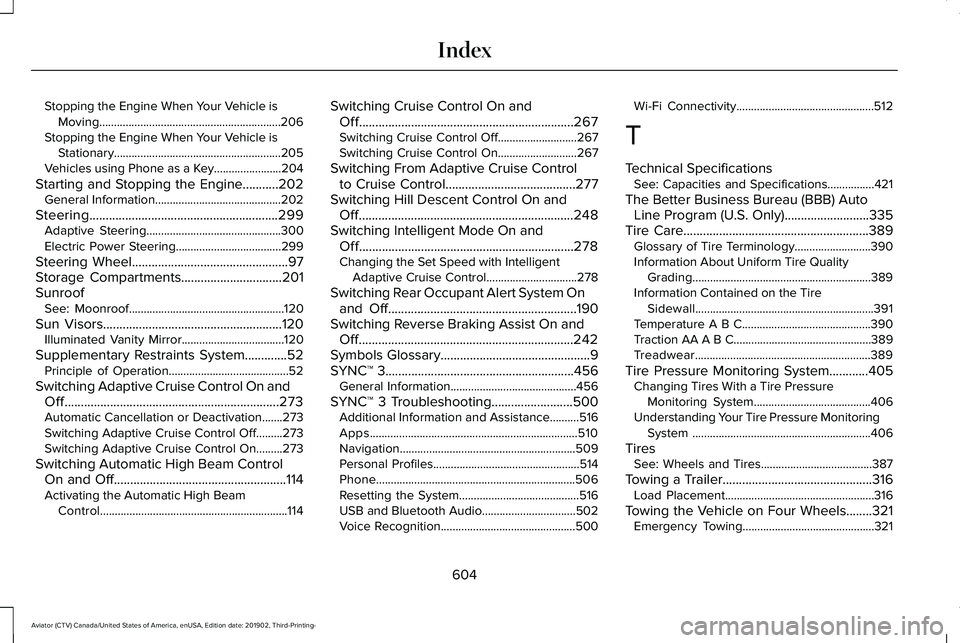
Stopping the Engine When Your Vehicle is
Moving..............................................................206
Stopping the Engine When Your Vehicle is Stationary.........................................................205
Vehicles using Phone as a Key.......................204
Starting and Stopping the Engine...........202 General Information...........................................202
Steering..........................................................299 Adaptive Steering..............................................300
Electric Power Steering....................................299
Steering Wheel................................................97
Storage Compartments...............................201
Sunroof See: Moonroof.....................................................120
Sun Visors
.......................................................120
Illuminated Vanity Mirror...................................120
Supplementary Restraints System.............52 Principle of Operation.........................................52
Switching Adaptive Cruise Control On and Off..................................................................273
Automatic Cancellation or Deactivation.......273
Switching Adaptive Cruise Control Off.........273
Switching Adaptive Cruise Control On.........273
Switching Automatic High Beam Control On and Off
.....................................................114
Activating the Automatic High Beam
Control................................................................114 Switching Cruise Control On and
Off..................................................................267
Switching Cruise Control Off...........................267
Switching Cruise Control On...........................267
Switching From Adaptive Cruise Control to Cruise Control
........................................277
Switching Hill Descent Control On and Off..................................................................248
Switching Intelligent Mode On and Off..................................................................278
Changing the Set Speed with Intelligent Adaptive Cruise Control...............................278
Switching Rear Occupant Alert System On and Off
..........................................................190
Switching Reverse Braking Assist On and Off..................................................................242
Symbols Glossary..............................................9
SYNC™ 3
..........................................................456
General Information...........................................456
SYNC™ 3 Troubleshooting.........................500 Additional Information and Assistance..........516
Apps.......................................................................510
Navigation............................................................509
Personal Profiles..................................................514
Phone....................................................................506
Resetting the System.........................................516
USB and Bluetooth Audio................................502
Voice Recognition..............................................500 Wi-Fi Connectivity...............................................512
T
Technical Specifications See: Capacities and Specifications................421
The Better Business Bureau (BBB) Auto Line Program (U.S. Only)..........................335
Tire Care.........................................................389 Glossary of Tire Terminology..........................
390
Information About Uniform Tire Quality Grading.............................................................389
Information Contained on the Tire Sidewall.............................................................391
Temperature A B C............................................390
Traction AA A B C...............................................389
Treadwear............................................................389
Tire Pressure Monitoring System............405 Changing Tires With a Tire Pressure
Monitoring System........................................
406
Understanding Your Tire Pressure Monitoring System .............................................................406
Tires See: Wheels and Tires......................................387
Towing a Trailer
..............................................316
Load Placement...................................................316
Towing the Vehicle on Four Wheels........321 Emergency Towing.............................................321
604
Aviator (CTV) Canada/United States of America, enUSA, Edition date: 201902, Third-Printing- Index
Page 608 of 609
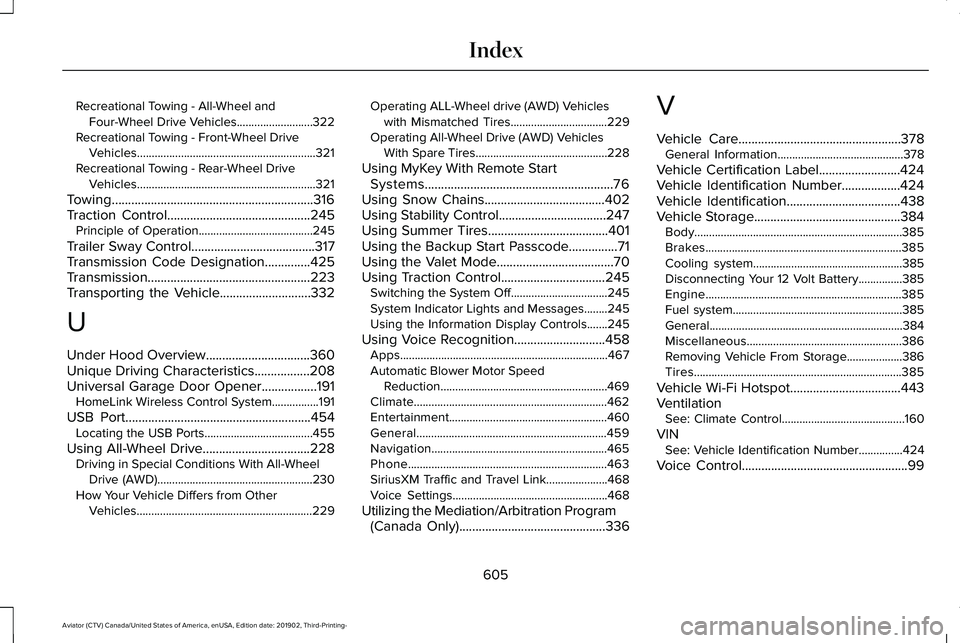
Recreational Towing - All-Wheel and
Four-Wheel Drive Vehicles..........................322
Recreational Towing - Front-Wheel Drive Vehicles.............................................................321
Recreational Towing - Rear-Wheel Drive Vehicles.............................................................321
Towing..............................................................316
Traction Control............................................245 Principle of Operation.......................................245
Trailer Sway Control
......................................317
Transmission Code Designation..............425
Transmission..................................................223
Transporting the Vehicle............................332
U
Under Hood Overview................................360
Unique Driving Characteristics
.................208
Universal Garage Door Opener.................191 HomeLink Wireless Control System................191
USB Port
.........................................................454
Locating the USB Ports.....................................455
Using All-Wheel Drive
.................................228
Driving in Special Conditions With All-Wheel
Drive (AWD).....................................................230
How Your Vehicle Differs from Other Vehicles............................................................229 Operating ALL-Wheel drive (AWD) Vehicles
with Mismatched Tires.................................229
Operating All-Wheel Drive (AWD) Vehicles With Spare Tires.............................................228
Using MyKey With Remote Start Systems..........................................................76
Using Snow Chains.....................................402
Using Stability Control.................................247
Using Summer Tires.....................................401
Using the Backup Start Passcode...............71
Using the Valet Mode....................................70
Using Traction Control
................................245
Switching the System Off.................................245
System Indicator Lights and Messages........245
Using the Information Display Controls.......245
Using Voice Recognition............................458 Apps.......................................................................467
Automatic Blower Motor Speed
Reduction.........................................................469
Climate..................................................................462
Entertainment......................................................460
General.................................................................459
Navigation............................................................465
Phone....................................................................463
SiriusXM Traffic and Travel Link.....................468
Voice Settings.....................................................468
Utilizing the Mediation/Arbitration Program (Canada Only)
.............................................336 V
Vehicle Care..................................................378
General Information...........................................378
Vehicle Certification Label
.........................424
Vehicle Identification Number..................424
Vehicle Identification
...................................438
Vehicle Storage.............................................384 Body.......................................................................385
Brakes...................................................................385
Cooling system...................................................385
Disconnecting Your 12 Volt Battery...............385
Engine...................................................................385
Fuel system..........................................................385
General..................................................................384
Miscellaneous.....................................................386
Removing Vehicle From Storage
...................386
Tires.......................................................................385
Vehicle Wi-Fi Hotspot
..................................443
Ventilation See: Climate Control..........................................160
VIN See: Vehicle Identification Number...............
424
Voice Control
...................................................99
605
Aviator (CTV) Canada/United States of America, enUSA, Edition date: 201902, Third-Printing- Index
Page 609 of 609
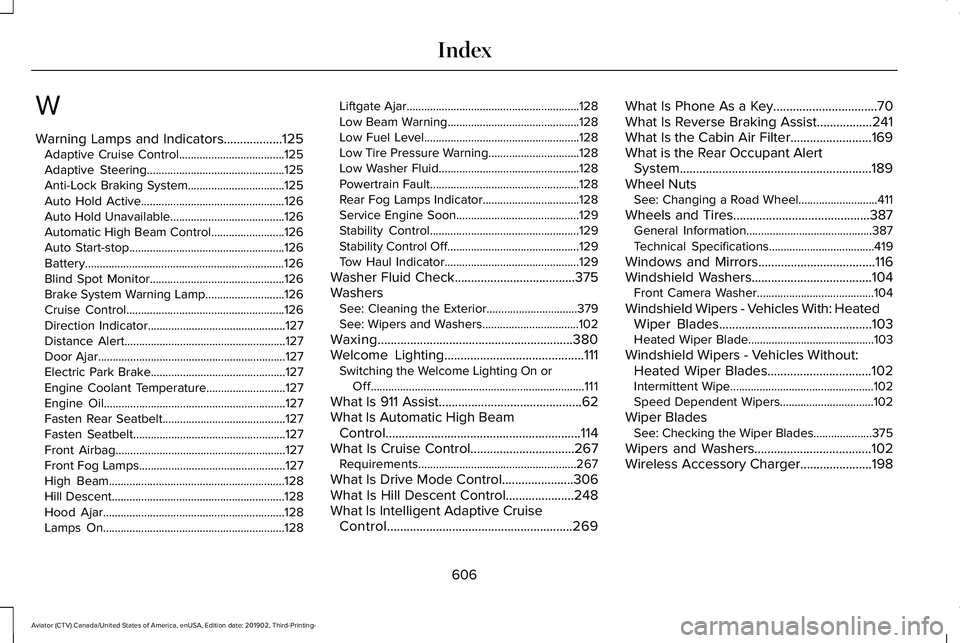
W
Warning Lamps and Indicators..................125
Adaptive Cruise Control....................................125
Adaptive Steering...............................................125
Anti-Lock Braking System.................................125
Auto Hold Active.................................................126
Auto Hold Unavailable.......................................126
Automatic High Beam Control.........................126
Auto Start-stop.....................................................126
Battery....................................................................126
Blind Spot Monitor..............................................126
Brake System Warning Lamp...........................126
Cruise Control......................................................126
Direction Indicator...............................................127
Distance Alert.......................................................127
Door Ajar................................................................127
Electric Park Brake..............................................127
Engine Coolant Temperature...........................127
Engine Oil..............................................................127
Fasten Rear Seatbelt..........................................127
Fasten Seatbelt....................................................127
Front Airbag..........................................................127
Front Fog Lamps..................................................127
High Beam............................................................128
Hill Descent...........................................................128
Hood Ajar..............................................................128
Lamps On..............................................................128 Liftgate Ajar...........................................................128
Low Beam Warning.............................................128
Low Fuel Level.....................................................128
Low Tire Pressure Warning...............................128
Low Washer Fluid................................................128
Powertrain Fault...................................................128
Rear Fog Lamps Indicator.................................128
Service Engine Soon..........................................129
Stability Control...................................................129
Stability Control Off
.............................................129
Tow Haul Indicator..............................................129
Washer Fluid Check
.....................................375
Washers See: Cleaning the Exterior...............................
379
See: Wipers and Washers.................................102
Waxing............................................................380
Welcome Lighting...........................................111 Switching the Welcome Lighting On or
Off........................................................................\
.111
What Is 911 Assist............................................62
What Is Automatic High Beam Control............................................................114
What Is Cruise Control................................267 Requirements......................................................267
What Is Drive Mode Control......................306
What Is Hill Descent Control.....................248
What Is Intelligent Adaptive Cruise Control.........................................................269 What Is Phone As a Key
................................70
What Is Reverse Braking Assist.................241
What Is the Cabin Air Filter.........................169
What is the Rear Occupant Alert System...........................................................189
Wheel Nuts See: Changing a Road Wheel...........................411
Wheels and Tires..........................................387 General Information...........................................387
Technical Specifications....................................419
Windows and Mirrors....................................116
Windshield Washers
.....................................104
Front Camera Washer........................................104
Windshield Wipers - Vehicles With: Heated Wiper Blades...............................................103
Heated Wiper Blade...........................................103
Windshield Wipers - Vehicles Without: Heated Wiper Blades................................102
Intermittent Wipe.................................................102
Speed Dependent Wipers................................102
Wiper Blades See: Checking the Wiper Blades....................
375
Wipers and Washers....................................102
Wireless Accessory Charger
......................198
606
Aviator (CTV) Canada/United States of America, enUSA, Edition date: 201902, Third-Printing- Index