change time LINCOLN AVIATOR 2021 Owner's Manual
[x] Cancel search | Manufacturer: LINCOLN, Model Year: 2021, Model line: AVIATOR, Model: LINCOLN AVIATOR 2021Pages: 667, PDF Size: 7.01 MB
Page 329 of 667
Evasive Steering Assist (If Equipped)
If your vehicle is rapidly approaching a
stationary vehicle or a vehicle traveling in
the same direction as your vehicle, the
system is designed to help you steer around
the vehicle.
The system only activates when all of the
following occur:
• The Pre-Collision Assist system detects
a vehicle ahead and starts to apply Active
Braking.
• You turn the steering wheel in an attempt
to steer around the vehicle.
After you turn the steering wheel, the system
applies additional steering torque to help
you steer around the vehicle. After you pass
the vehicle, the system applies steering
torque in the opposite direction to encourage
you to steer back into the lane. The system
deactivates after you fully pass the vehicle.
Note: The system does not automatically
steer around a vehicle. If you do not turn the
steering wheel, the system does not activate. Note:
The system does not activate if the
distance to the vehicle ahead is too small
and the system cannot avoid a crash.
Adjusting the Pre-Collision Assist
Settings
You can adjust the following settings by
using the information display controls.
See
General Information (page 134).
• You can change Alert and Distance Alert
sensitivity to one of three possible
settings.
• You can switch Distance Indication and
Alert on or off.
• If required, you can switch Active Braking
on or off.
• If required, you can switch Evasive
Steering Assist on or off.
Note: Active Braking and Evasive Steering
Assist automatically turn on every time you
switch the ignition on.
Note: If you switch Active Braking off,
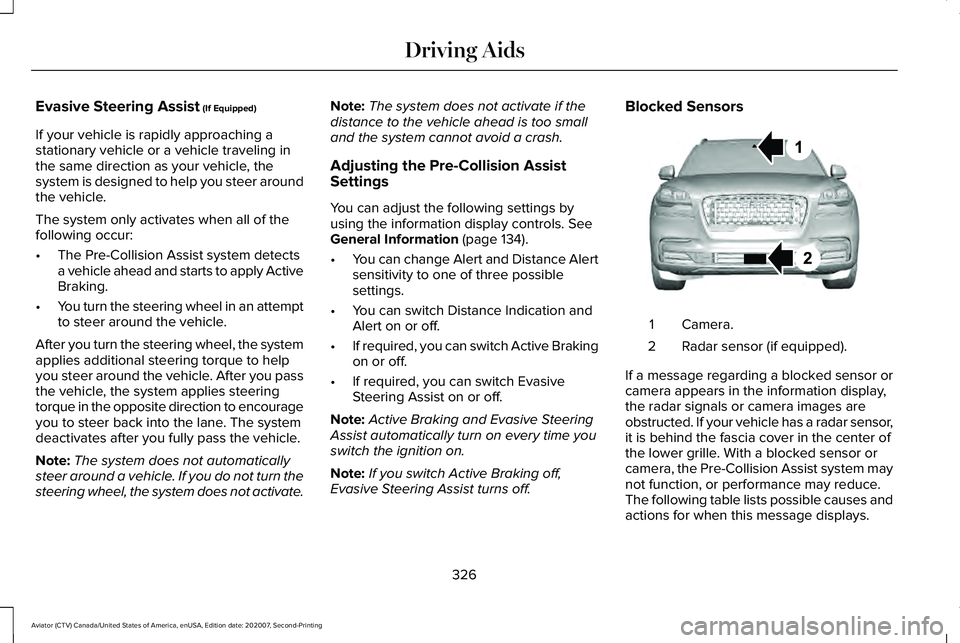
Evasive Steering Assist turns off. Blocked Sensors
Camera.
1
Radar sensor (if equipped).
2
If a message regarding a blocked sensor or
camera appears in the information display,
the radar signals or camera images are
obstructed. If your vehicle has a radar sensor,
it is behind the fascia cover in the center of
the lower grille. With a blocked sensor or
camera, the Pre-Collision Assist system may
not function, or performance may reduce.
The following table lists possible causes and
actions for when this message displays.
326
Aviator (CTV) Canada/United States of America, enUSA, Edition date: 202007, Second-Printing Driving AidsE288869
Page 331 of 667
Radar Troubleshooting (If Equipped)
Action
Cause
Clean the grille surface in front of the radar or remove the objectcausing the obstruction.
The surface of the radar in the grille is dirty or obstructed in some
way.
Wait a short time. It may take several minutes for the radar to detectthat there is no obstruction.
The surface of the radar in the grille is clean but the message remains
in the display screen.
The Pre-Collision Assist system is temporarily disabled. Pre-Collision
Assist automatically reactivates a short time after the weather condi-tions improve.
Heavy rain, spray, snow or fog is interfering with the radar signals.
The Pre-Collision Assist system is temporarily disabled. Pre-Collision
Assist automatically reactivates a short time after the weather condi-tions improve.
Swirling water or snow or ice on the surface of the road may interfere
with the radar signals.
Contact an authorized dealer to have the radar checked for propercoverage and operation.
Radar is out of alignment due to a front end impact.
Note: Proper system operation requires a
clear view of the road by the camera. Have
any windshield damage in the area of the
camera's field of view repaired. Note:
If something hits the front end of your
vehicle or damage occurs and your vehicle
has a radar sensor, the radar sensing zone
may change. This could cause missed or
false detections. Contact an authorized
dealer to have the radar checked for proper
coverage and operation.
328
Aviator (CTV) Canada/United States of America, enUSA, Edition date: 202007, Second-Printing Driving Aids
Page 333 of 667
Deep Sand (If Equipped)
For crossing deep soft and dry sand.
Note: Using deep sand mode on dry hard
surfaces could produce some vibration,
driveline bind up, and potential excessive
tire wear. This mode is for slippery and loose
surfaces.
Excite
For sporty on-road driving. This mode
increases throttle response, provides a more
dynamic powertrain sound and steering feel,
along with a more sporty shifting experience.
If your vehicle has continuously controlled
damping suspension it adjusts to a stiffer
suspension setting, with an emphasis on
handling and control. The transmission also
holds gears longer, helping your vehicle
accelerate faster when shifting gears.
If your vehicle has air suspension, it lowers
approximately
0.6 in (15 mm) to improve
aerodynamics. Normal
For everyday driving. This mode is a perfect
balance of excitement, comfort and
convenience. This is the default mode after
each ignition cycle.
Preserve EV
Your vehicle runs the engine as needed to
save electric driving range for later use in
another drive mode. For example, you first
drive at high speeds on open roads where
engine operation is appropriate. Later, you
drive at low speeds in an urban area where
electric only is most efficient.
See Plug-In
Hybrid Vehicle Operation (page 222).
Pure EV
This mode provides an electric only driving
experience. Your vehicle could accelerate
more slowly, and the top speed could
reduce. For more power, you can temporarily
enable your engine at any time by using one
of the following methods: •
Press and hold the folder button on the
steering wheel when viewing the pure
EV information screen. Your vehicle
enables the engine as needed, and
returns to pure EV after several seconds,
or when the vehicle no longer needs the
engine.
• Press the accelerator pedal fully. A
pop-up message appears. Press OK on
the steering wheel to activate as needed.
Your vehicle could enable the engine if
system conditions require it. An engine
enabled message displays if this occurs. See
Information Messages
(page 140).
Your engine could enable if the climate
control is in a defrost mode and the outside
temperature is cold. If the vehicle does not
need defrost, select a different climate
control mode to permit pure EV.
Your vehicle changes from pure EV mode to
normal mode when the vehicle electric range
is zero.
Note: When in pure EV mode, your vehicle
stays in this mode if there is all electric
driving range available and the system does
not fault.
330
Aviator (CTV) Canada/United States of America, enUSA, Edition date: 202007, Second-Printing Drive Mode Control
Page 348 of 667
Note:
Reconnect the wiring to the trailer
after removing the trailer from the water.
When backing down a ramp during boat
launching or retrieval:
• Do not allow the static water level to rise
above the bottom edge of the rear
bumper.
• Do not allow waves to break higher than
6 in (15 cm)
above the bottom edge of
the rear bumper.
Exceeding these limits may allow water to
enter vehicle components:
• Causing internal damage to the
components.
• Affecting driveability, emissions, and
reliability.
Replace the rear axle lubricant anytime the
rear axle has been submerged in water.
Water may have contaminated the rear axle
lubricant, which is not normally checked or
changed unless a leak is suspected or other
axle repair is required. TOWING THE VEHICLE ON FOUR
WHEELS
Emergency Towing WARNING:
If your vehicle has a
steering wheel lock make sure the ignition
is in the accessory or on position when
being towed.
If your vehicle becomes inoperable without
access to wheel dollies or a vehicle transport
trailer, it can be flat-towed with all wheels on
the ground, regardless of the powertrain and
transmission configuration, under the
following conditions:
• Your vehicle is facing forward for towing
in a forward direction.
• Refer to the Manual Park Release
procedure. See Automatic Transmission
(page 245). Failing to do so could result
in damage to the transmission.
• Maximum speed is
35 mph (56 km/h).
• Maximum distance is
50 mi (80 km). Note:
If you are unsure of the vehicle ’s
configuration, contact an authorized dealer.
Recreational Towing - Front-Wheel
Drive Vehicles
(If Equipped)
You cannot recreational tow your vehicle
with all wheels on the ground because
vehicle or transmission damage could occur.
Place the front wheels on a two-wheel tow
dolly. If you are using a tow dolly, follow the
instructions specified by the equipment
provider.
Recreational Towing - Rear-Wheel
Drive Vehicles
(If Equipped)
You cannot recreational tow your vehicle
with all wheels on the ground because
vehicle or transmission damage could occur.
We recommend towing your vehicle with all
four wheels off the ground, such as when
using a car-hauling trailer. Otherwise, you
cannot recreational tow your vehicle.
345
Aviator (CTV) Canada/United States of America, enUSA, Edition date: 202007, Second-Printing Towing
Page 365 of 667
Disputes submitted to the BBB AUTO LINE
program are usually decided within forty days
after you file your claim with the BBB. You
are not bound by the decision, and may
reject the decision and proceed to court
where all findings of the BBB Auto Line
dispute, and decision, are admissible in the
court action. Should you choose to accept
the BBB AUTO LINE decision, Ford is then
bound by the decision, and must comply with
the decision within 30 days of receipt of your
acceptance letter.
BBB AUTO LINE Application: Using the
information provided below, please call or
write to request a program application. You
will be asked for your name and address,
general information about your new vehicle,
information about your warranty concerns,
and any steps you have already taken to try
to resolve them. A Customer Claim Form will
be mailed that will need to be completed,
signed and returned to the BBB along with
proof of ownership. Upon receipt, the BBB
will review the claim for eligibility under the
Program Summary Guidelines.
You can get more information by calling
BBB AUTO LINE at 1-800-955-5100, or
writing to:
BBB AUTO LINE
3033 Wilson Boulevard, Suite 600
Arlington, Virginia 22201
BBB AUTO LINE applications can also be
requested by calling the Ford Motor
Company Customer Relationship Center at
1-800-392-3673.
For additional information refer to the Better
Business Bureau website.
Note:
Ford Motor Company reserves the
right to change eligibility limitations, modify
procedures, or to discontinue this process
at any time without notice and without
obligation. UTILIZING THE
MEDIATION/ARBITRATION
PROGRAM (CANADA ONLY)
For vehicles delivered to authorized
Canadian dealers. In those cases where you
continue to feel that the efforts by Ford of
Canada and the authorized dealer to resolve
a factory-related vehicle service concern
have been unsatisfactory, Ford of Canada
participates in an impartial third party
mediation/arbitration program administered
by the Canadian Motor Vehicle Arbitration
Plan (CAMVAP).
The CAMVAP program is a straight forward
and relatively speedy alternative to resolve
a disagreement when all other efforts to
produce a settlement have failed. This
procedure is without cost to you and is
designed to eliminate the need for lengthy
and expensive legal proceedings.
362
Aviator (CTV) Canada/United States of America, enUSA, Edition date: 202007, Second-Printing Customer Assistance
Page 399 of 667
WARNING: Only use brake fluid from
a sealed container. Contamination with dirt,
water, petroleum products or other
materials may result in brake system
damage or failure. Failure to adhere to this
warning could result in the loss of vehicle
control, serious personal injury or death. WARNING:
Do not allow the fluid to
touch your skin or eyes. If this happens,
rinse the affected areas immediately with
plenty of water and contact your physician. WARNING:
The brake system could
be affected if the brake fluid level is below
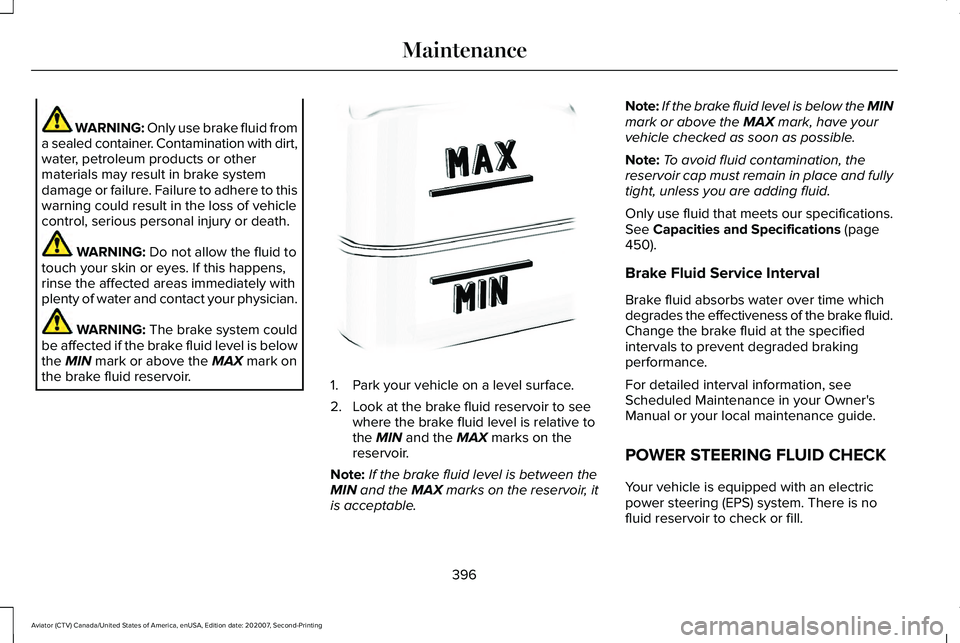
the
MIN mark or above the MAX mark on
the brake fluid reservoir. 1. Park your vehicle on a level surface.
2. Look at the brake fluid reservoir to see
where the brake fluid level is relative to
the
MIN and the MAX marks on the
reservoir.
Note: If the brake fluid level is between the
MIN
and the MAX marks on the reservoir, it
is acceptable. Note:
If the brake fluid level is below the MIN
mark or above the
MAX mark, have your
vehicle checked as soon as possible.
Note: To avoid fluid contamination, the
reservoir cap must remain in place and fully
tight, unless you are adding fluid.
Only use fluid that meets our specifications.
See
Capacities and Specifications (page
450).
Brake Fluid Service Interval
Brake fluid absorbs water over time which
degrades the effectiveness of the brake fluid.
Change the brake fluid at the specified
intervals to prevent degraded braking
performance.
For detailed interval information, see
Scheduled Maintenance in your Owner's
Manual or your local maintenance guide.
POWER STEERING FLUID CHECK
Your vehicle is equipped with an electric
power steering (EPS) system. There is no
fluid reservoir to check or fill.
396
Aviator (CTV) Canada/United States of America, enUSA, Edition date: 202007, Second-Printing MaintenanceE170684
Page 416 of 667
GENERAL INFORMATION
The recommended tire inflation pressures
are found on the Tire Label which is located
on the B-pillar or the edge of the driver door.
This information can also be found on the
Safety Compliance Certification Label, affixed
to either the door hinge pillar, door-latch
post, or the door edge that meets the
door-latch post; next to the driver’
s seating
position.
We strongly recommend maintaining these
tire pressures at all times. Failure to follow
the tire pressure recommendations can
cause uneven treadwear patterns, reduced
fuel economy, and adversely affect the way
your vehicle handles.
Note: Check and set the tire pressure at the
ambient temperature in which you are
intending to drive your vehicle and when the
tires are cold.
Note: Check your tire pressures at least once
per month.
If your vehicle has a spare tire, set the
pressure to the highest value given for your
vehicle and tire size combination. Use only approved wheels and tire sizes,
using other sizes could damage your vehicle.
The tires installed on your vehicle from us
as original equipment are certified for
Greenhouse Gas and Fuel Efficiency
regulations. Replacement tires must be of
equal or lower rolling resistance level (TRRL
or CRR). Consult with your tire supplier for
appropriate replacement tires.
If you change the diameter of the factory
installed tires, the speedometer may not
display the correct speed. This could effect
the functionality of the All Wheel Drive (AWD)
system, if equipped. Take your vehicle to an
authorized dealer and have the engine
management system reprogrammed.
If you intend to change the size of the factory
installed tires, check the suitability with an
authorized dealer.
Additional information related to the
functionality and maintenance of your tires
can be found in the Wheels and Tire section.
See Tire Care (page 415).
Notice to utility vehicle and truck
owners WARNING:
Vehicles with a higher
center of gravity (utility and four-wheel
drive vehicles) handle differently than
vehicles with a lower center of gravity
(passenger cars). Avoid sharp turns,
excessive speed and abrupt steering in
these vehicles. Failure to drive cautiously
increases the risk of losing control of your
vehicle, vehicle rollover, personal injury
and death. WARNING:
In a rollover crash, an
unbelted person is significantly more likely
to die than a person wearing a seatbelt.
Utility vehicles and trucks handle differently
than passenger cars in the various driving
conditions that are encountered on streets,
highways and off-road. Utility vehicles and
trucks are not designed for cornering at
speeds as high as passenger cars any more
than low-slung sports cars are designed to
perform satisfactorily under off-road
conditions.
413
Aviator (CTV) Canada/United States of America, enUSA, Edition date: 202007, Second-Printing Wheels and Tires
Page 421 of 667
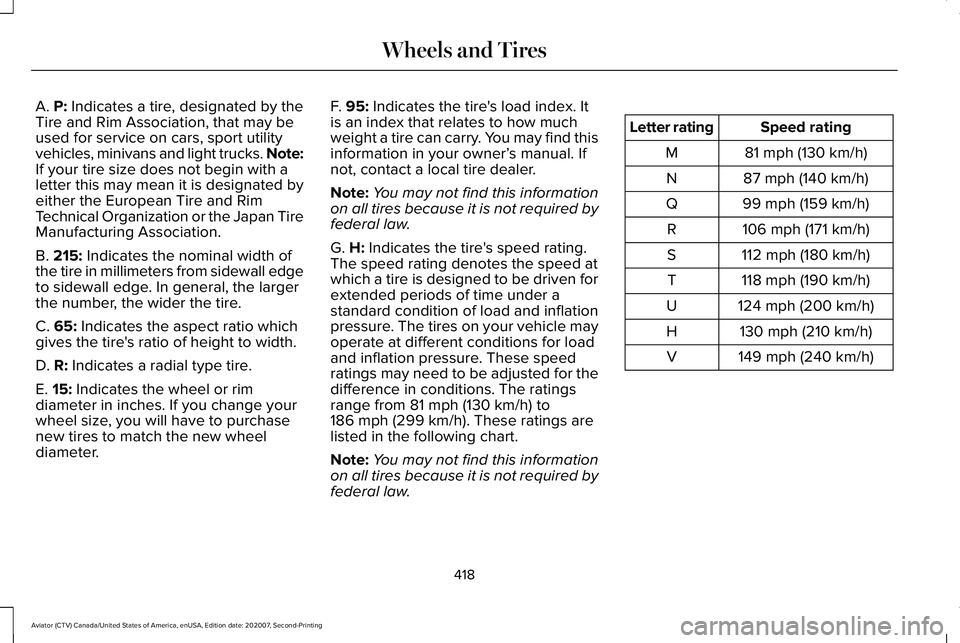
A. P: Indicates a tire, designated by the
Tire and Rim Association, that may be
used for service on cars, sport utility
vehicles, minivans and light trucks.
Note:
If your tire size does not begin with a
letter this may mean it is designated by
either the European Tire and Rim
Technical Organization or the Japan Tire
Manufacturing Association.
B.
215: Indicates the nominal width of
the tire in millimeters from sidewall edge
to sidewall edge. In general, the larger
the number, the wider the tire.
C.
65: Indicates the aspect ratio which
gives the tire's ratio of height to width.
D.
R: Indicates a radial type tire.
E.
15: Indicates the wheel or rim
diameter in inches. If you change your
wheel size, you will have to purchase
new tires to match the new wheel
diameter. F.
95: Indicates the tire's load index. It
is an index that relates to how much
weight a tire can carry. You may find this
information in your owner’ s manual. If
not, contact a local tire dealer.
Note: You may not find this information
on all tires because it is not required by
federal law.
G.
H: Indicates the tire's speed rating.
The speed rating denotes the speed at
which a tire is designed to be driven for
extended periods of time under a
standard condition of load and inflation
pressure. The tires on your vehicle may
operate at different conditions for load
and inflation pressure. These speed
ratings may need to be adjusted for the
difference in conditions. The ratings
range from
81 mph (130 km/h) to
186 mph (299 km/h). These ratings are
listed in the following chart.
Note: You may not find this information
on all tires because it is not required by
federal law. Speed rating
Letter rating
81 mph (130 km/h)
M
87 mph (140 km/h)
N
99 mph (159 km/h)
Q
106 mph (171 km/h)
R
112 mph (180 km/h)
S
118 mph (190 km/h)
T
124 mph (200 km/h)
U
130 mph (210 km/h)
H
149 mph (240 km/h)
V
418
Aviator (CTV) Canada/United States of America, enUSA, Edition date: 202007, Second-Printing Wheels and Tires
Page 490 of 667
HD Radio Technology manufactured under
license from iBiquity Digital Corporation and
foreign patents. HD Radio and the HD and
HD Radio logos are proprietary trademarks
of DTS Ford Motor Company and DTS are
not responsible for the content sent using
HD Radio technology. Content may be
changed, added or deleted at any time at
the station owner's discretion.
SATELLITE RADIO
SiriusXM® Satellite Radio broadcasts a
variety of music, news, sports, weather, traffic
and entertainment satellite radio channels.
For more information and a complete list of
SiriusXM satellite radio channels, visit
www.siriusxm.com in the United States,
www.siriusxm.ca in Canada, or call SiriusXM
at 1-888-539-7474.Note:
This receiver includes the eCos
real-time operating system. eCos is
published under the eCos License.
Satellite Radio Reception Factors Potential satellite radio reception issues
For optimal reception performance, keep the antenna clear of snow and ice build-up and keep luggage and
other material as far away from the antenna as possible.
Antenna obstructions
Hills, mountains, tall buildings, bridges, tunnels, freeway overpasses, \
parking garages, dense tree foliage and
thunderstorms can interfere with your reception.
Terrain
When you pass a ground-based broadcast-repeating tower, a stronger signal may overtake a weaker one and
the audio system may mute.
Station overload
Your display may show ACQUIRING . . . to indicate the interference and th\
e audio system may mute.
Satellite radio signal interfer-
ence
487
Aviator (CTV) Canada/United States of America, enUSA, Edition date: 202007, Second-Printing Audio System
Page 491 of 667
SiriusXM Satellite Radio Service
Note:
SiriusXM reserves the unrestricted
right to change, rearrange, add or delete
programming including canceling, moving
or adding particular channels, and its prices,
at any time, with or without notice to you.
Ford Motor Company shall not be
responsible for any such programming
changes. SiriusXM satellite radio is a
subscription-based satellite radio service that
broadcasts a variety of music, sports, news,
weather, traffic and entertainment
programming. Your factory-installed SiriusXM
satellite radio system includes hardware and
a limited subscription term, which begins on
the date of sale or lease of your vehicle. See
an authorized dealer for availability.
For more information on extended
subscription terms (a service fee is required),
the online media player and a complete list
of SiriusXM satellite radio channels, and
other features, please visit www.siriusxm.com
in the United States, www.siriusxm.ca in
Canada, or call SiriusXM at 1-888-539-7474.
Satellite Radio Electronic Serial
Number (ESN)
You need your ESN to activate, modify or
track your satellite radio account.
Locating Your ESN
With satellite radio as the source, use the
touchscreen to select the following:
1.
Select Settings. See Settings (page 540).
2. Select SiriusXM.
3. Select
SiriusXM information.
488
Aviator (CTV) Canada/United States of America, enUSA, Edition date: 202007, Second-Printing Audio SystemE208625