power steering LINCOLN AVIATOR 2021 Owner's Manual
[x] Cancel search | Manufacturer: LINCOLN, Model Year: 2021, Model line: AVIATOR, Model: LINCOLN AVIATOR 2021Pages: 667, PDF Size: 7.01 MB
Page 397 of 667
When Fail-Safe Mode Is Activated
WARNING: Fail-safe mode is for use
during emergencies only. Operate your
vehicle in fail-safe mode only as long as
necessary to bring your vehicle to rest in
a safe location and seek immediate repairs.
When in fail-safe mode, your vehicle will
have limited power, will not be able to
maintain high-speed operation, and may
completely shut down without warning,
potentially losing engine power, power
steering assist, and power brake assist,
which may increase the possibility of a
crash resulting in serious injury. WARNING: Do not remove the
coolant reservoir cap when the engine is
on or the cooling system is hot. Wait 10
minutes for the cooling system to cool
down. Cover the coolant reservoir cap with
a thick cloth to prevent the possibility of
scalding and slowly remove the cap.
Failure to follow this instruction could result
in personal injury. Your vehicle has limited engine power when
in the fail-safe mode, drive your vehicle with
caution. Your vehicle does not maintain
high-speed operation and the engine may
operate poorly.
Remember that the engine is capable of
automatically shutting down to prevent
engine damage. In this situation:
1. Pull off the road as soon as safely
possible and switch the engine off.
2. If you are a member of a roadside assistance program, we recommend that
you contact your roadside assistance
service provider.
3. If this is not possible, wait for a short period of time for the engine to cool.
4. Check the coolant level. If the coolant level is at or below the minimum mark,
add prediluted coolant immediately.
5. When the engine temperature cools, you
can re-start the engine. Have your vehicle
checked as soon as possible to minimize
engine damage.
Note: Driving your vehicle without repair
increases the chance of engine damage. Engine Coolant Temperature
Management
(If Equipped) WARNING:
To reduce the risk of
crash and injury, be prepared that the
vehicle speed may reduce and the vehicle
may not be able to accelerate with full
power until the coolant temperature
reduces.
If you tow a trailer with your vehicle, the
engine may temporarily reach a higher
temperature during severe operating
conditions, for example ascending a long or
steep grade in high ambient temperatures.
At this time, you may notice the coolant
temperature gauge moves toward the red
zone and a message may appear in the
information display.
394
Aviator (CTV) Canada/United States of America, enUSA, Edition date: 202007, Second-Printing Maintenance
Page 399 of 667
WARNING: Only use brake fluid from
a sealed container. Contamination with dirt,
water, petroleum products or other
materials may result in brake system
damage or failure. Failure to adhere to this
warning could result in the loss of vehicle
control, serious personal injury or death. WARNING:
Do not allow the fluid to
touch your skin or eyes. If this happens,
rinse the affected areas immediately with
plenty of water and contact your physician. WARNING:
The brake system could
be affected if the brake fluid level is below
the
MIN mark or above the MAX mark on
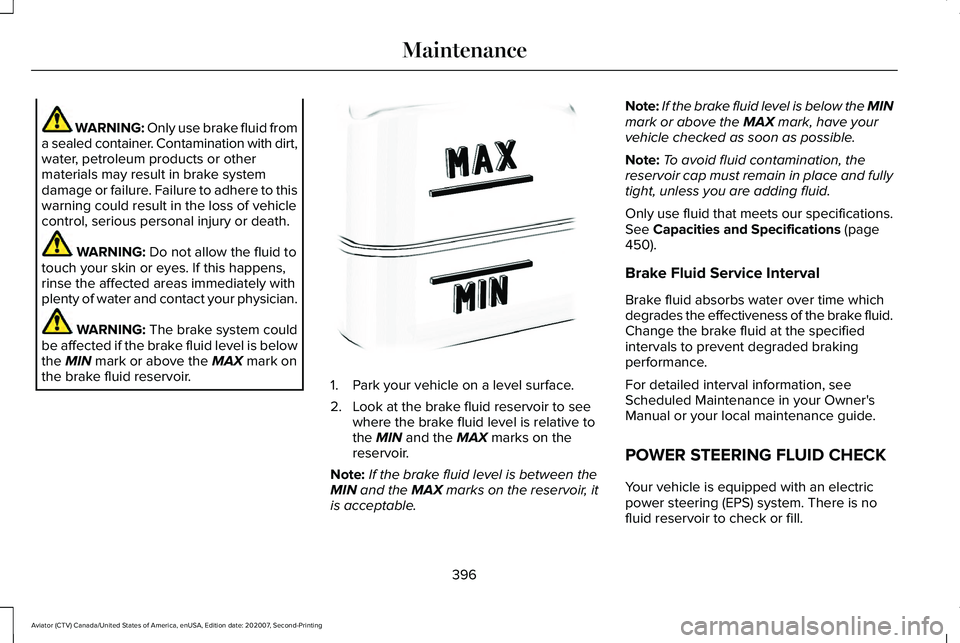
the brake fluid reservoir. 1. Park your vehicle on a level surface.
2. Look at the brake fluid reservoir to see
where the brake fluid level is relative to
the
MIN and the MAX marks on the
reservoir.
Note: If the brake fluid level is between the
MIN
and the MAX marks on the reservoir, it
is acceptable. Note:
If the brake fluid level is below the MIN
mark or above the
MAX mark, have your
vehicle checked as soon as possible.
Note: To avoid fluid contamination, the
reservoir cap must remain in place and fully
tight, unless you are adding fluid.
Only use fluid that meets our specifications.
See
Capacities and Specifications (page
450).
Brake Fluid Service Interval
Brake fluid absorbs water over time which
degrades the effectiveness of the brake fluid.
Change the brake fluid at the specified
intervals to prevent degraded braking
performance.
For detailed interval information, see
Scheduled Maintenance in your Owner's
Manual or your local maintenance guide.
POWER STEERING FLUID CHECK
Your vehicle is equipped with an electric
power steering (EPS) system. There is no
fluid reservoir to check or fill.
396
Aviator (CTV) Canada/United States of America, enUSA, Edition date: 202007, Second-Printing MaintenanceE170684
Page 417 of 667
Study your owner's manual and any
supplements for specific information about
equipment features, instructions for safe
driving and additional precautions to reduce
the risk of an accident or serious injury.
All-wheel drive system (if equipped)
WARNING: Do not become
overconfident in the ability of four-wheel
drive vehicles. Although a four-wheel drive
vehicle may accelerate better than a
two-wheel drive vehicle in low traction
situations, it won't stop any faster than
two-wheel drive vehicles. Always drive at
a safe speed. A vehicle equipped with all-wheel drive has
the ability to use all four wheels to power
itself. This increases traction which may
enable you to safely drive over terrain and
road conditions that a conventional
two-wheel drive vehicle cannot. Power is
supplied to all four wheels through a transfer
case operation and drive mode selection.
See All-Wheel Drive (page 250). You should
become thoroughly familiar with this
information before you operate your vehicle.
Some limited All Wheel Drive (AWD) traction
may be provided if a temporary spare is
installed on one of the front wheels. If you
are in driving conditions where limited All
Wheel Drive (AWD) traction needed while a
temporary wheel is installed, it is
recommended the temporary spare be
installed on the front axle.
For all-wheel-drive vehicles, a spare tire of
a different size other than the tire provided
should never be used. A dissimilar spare tire
size; other than the spare tire provided or
major dissimilar tire sized between the front
and rear axles could cause the
all-wheel-drive system to stop functioning
and default to rear-wheel drive. How your vehicle differs from other
vehicles
Sport utility vehicles and trucks can differ
from some other vehicles in a few noticeable
ways. Your vehicle could be:
•
Higher - to allow higher load carrying
capacity and to allow it to travel over
rough terrain without getting hung up or
damaging underbody components.
• Shorter - to give it the capability to
approach inclines and drive over the
crest of a hill without getting hung up or
damaging underbody components. All
other things held equal, a shorter
wheelbase could make your vehicle
quicker to respond to steering inputs
than a vehicle with a longer wheelbase.
• Narrower - to provide greater
maneuverability in tight spaces,
particularly in off-road use.
414
Aviator (CTV) Canada/United States of America, enUSA, Edition date: 202007, Second-Printing Wheels and Tires
Page 431 of 667
conditions. Like any tire, summer tire
performance is affected by tire wear and
environmental conditions. If you must drive
in those conditions, we recommend using
Mud and Snow (M+S, M/S), All-season or
Snow tires.
Always store your summer tires indoors at
temperatures above 19°F (-7°C). The rubber
compounds used in these tires lose flexibility
and may develop surface cracks in the tread
area at temperatures below
19°F (-7°C). If the
tires have been subjected to 19°F (-7°C) or
less, warm them in a heated space to at least
41°F (5°C)
for at least 24 hours before
installing them on a vehicle, or moving the
vehicle with the tires installed, or checking
tire inflation. Do not place tires near heaters
or heating devices used to warm the room
where the tires are stored. Do not apply heat
or blow heated air directly on the tires.
Always inspect the tires after storage periods
and before use. USING SNOW CHAINS WARNING:
Do not exceed 30 mph
(50 km/h). Failure to follow this instruction
could result in the loss of control of your
vehicle, personal injury or death. WARNING:
Do not use snow chains
on snow-free roads. WARNING:
Only fit snow chains to
specified tires. WARNING:
If your vehicle is fitted
with wheel trims, remove them before
fitting snow chains. WARNING:
Wheels and tires must
be the same size, load index and speed
rating as those originally fitted on the
vehicle. Use of any other tire or wheel can
affect the safety and performance of your
vehicle. Additionally, the use of
non-recommended tires and wheels can
cause steering, suspension, axle, transfer
case or power transfer unit failure. Follow the recommended tire inflation pressures
found on the Safety Compliance
Certification label, or the Tire Label on the
B-Pillar or the edge of the driver door.
Failure to follow this instruction could result
in loss of vehicle control, vehicle rollover,
or personal injury or death.
Only use snow chains on rear wheels. Install
snow chains in pairs. Do not use
self-tensioning snow chains.
Only use snow chains on the following
specified tire sizes:
• 255/60R19
•Only install chains that are 10 mm or
less.
• 255/55R20
•Only install chains that are 10 mm or
less.
We recommend you use steel wheels of the
same size and specification if snow chains
are required because chains may chip
aluminum wheels.
Follow these guidelines when using snow
tires and traction devices:
428
Aviator (CTV) Canada/United States of America, enUSA, Edition date: 202007, Second-Printing Wheels and Tires
Page 540 of 667
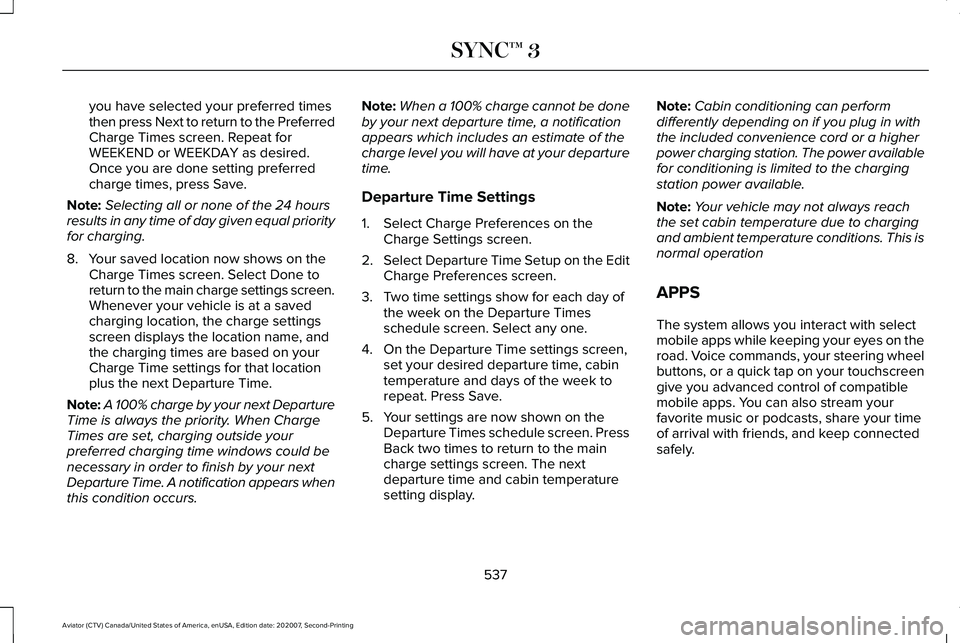
you have selected your preferred times
then press Next to return to the Preferred
Charge Times screen. Repeat for
WEEKEND or WEEKDAY as desired.
Once you are done setting preferred
charge times, press Save.
Note: Selecting all or none of the 24 hours
results in any time of day given equal priority
for charging.
8. Your saved location now shows on the Charge Times screen. Select Done to
return to the main charge settings screen.
Whenever your vehicle is at a saved
charging location, the charge settings
screen displays the location name, and
the charging times are based on your
Charge Time settings for that location
plus the next Departure Time.
Note: A 100% charge by your next Departure
Time is always the priority. When Charge
Times are set, charging outside your
preferred charging time windows could be
necessary in order to finish by your next
Departure Time. A notification appears when
this condition occurs. Note:
When a 100% charge cannot be done
by your next departure time, a notification
appears which includes an estimate of the
charge level you will have at your departure
time.
Departure Time Settings
1. Select Charge Preferences on the Charge Settings screen.
2. Select Departure Time Setup on the Edit
Charge Preferences screen.
3. Two time settings show for each day of the week on the Departure Times
schedule screen. Select any one.
4. On the Departure Time settings screen, set your desired departure time, cabin
temperature and days of the week to
repeat. Press Save.
5. Your settings are now shown on the Departure Times schedule screen. Press
Back two times to return to the main
charge settings screen. The next
departure time and cabin temperature
setting display. Note:
Cabin conditioning can perform
differently depending on if you plug in with
the included convenience cord or a higher
power charging station. The power available
for conditioning is limited to the charging
station power available.
Note: Your vehicle may not always reach
the set cabin temperature due to charging
and ambient temperature conditions. This is
normal operation
APPS
The system allows you interact with select
mobile apps while keeping your eyes on the
road. Voice commands, your steering wheel
buttons, or a quick tap on your touchscreen
give you advanced control of compatible
mobile apps. You can also stream your
favorite music or podcasts, share your time
of arrival with friends, and keep connected
safely.
537
Aviator (CTV) Canada/United States of America, enUSA, Edition date: 202007, Second-Printing SYNC™ 3
Page 650 of 667
3
360 Degree Camera...................................286
Front Camera.......................................................287
Side Camera........................................................288
Using the System...............................................287
9
911 Assist...........................................................64
A
A/C See: Climate Control..........................................168
About This Manual............................................9
ABS See: Brakes..........................................................257
ABS driving hints See: Hints on Driving With Anti-Lock
Brakes...............................................................258
Accessories...................................................559
Accessories See: Replacement Parts Recommendation.....12
Active Park Assist.........................................278 Using Active Park Assist...................................279 Adaptive Cruise Control..............................291
Adaptive Cruise Control –
Troubleshooting.............................................302
Adaptive Cruise Control Indicators - Vehicles With: Adaptive Cruise Control
With Lane Centering.................................298
Adaptive Cruise Control Indicators - Vehicles With: Adaptive Cruise Control
With Stop and Go......................................299
Adaptive Cruise Control Indicators - Vehicles With: Intelligent Adaptive Cruise
Control.........................................................299
System Warnings................................................299
Adaptive Cruise Control Limitations - Vehicles With: Adaptive Cruise Control
With Lane Centering.................................293
Adaptive Cruise Control Limitations - Vehicles With: Adaptive Cruise Control
With Stop and Go......................................293
Sensor Limitations..............................................293
Adaptive Cruise Control Precautions - Vehicles With: Adaptive Cruise Control
With Lane Centering..................................291
Adaptive Cruise Control Precautions - Vehicles With: Adaptive Cruise Control
With Stop and Go......................................292
Hilly Condition Usage.......................................293
When Following a Vehicle...............................292 Adaptive Cruise Control –
Troubleshooting.........................................
302
Adaptive Cruise Control – Information
Messages .........................................................302
Adaptive Headlamps
.....................................112
About Adaptive Headlamps..............................112
Camera Detects Lane Markings.......................113
Camera Detects Traffic Signs............................114
Steering Around a Curve....................................
113
Switching Adaptive Headlamps On or Off........................................................................\
114
Adjusting the Headlamps
..........................399
Vertical Aim Adjustment...................................399
Adjusting the Set Speed Tolerance..........301
Adjusting the Steering Wheel - Vehicles With: Manual Adjustable Steering
Column..........................................................100
Adjusting the Steering Wheel - Vehicles With: Power Adjustable Steering
Column..........................................................100
End of Travel Position.........................................101
Memory Feature...................................................101
AFS See: Adaptive Headlamps.................................112
Airbag Disposal...............................................62
Air Conditioning See: Climate Control..........................................168
647
Aviator (CTV) Canada/United States of America, enUSA, Edition date: 202007, Second-Printing Index
Page 658 of 667
Driving to Optimize Fuel Economy.................221
Starting..................................................................220
Stopping................................................................221
Transmission Operation.....................................221
I
In California (U.S. Only)...............................360
Information Display Control........................104
Information Displays.....................................134
General Information............................................134
Information Messages
.................................140
Active Park............................................................140
Adaptive Cruise Control.....................................141
Adaptive Headlamps...........................................141
AdvanceTrac ™ and Traction Control................142
Alarm......................................................................142
AWD........................................................................\
143
Battery and Charging System (12 volt)...........144
Battery and Charging System (High Voltage).............................................................145
Blind Spot Information and Cross Traffic Alert System...............................................................146
Doors and Locks..................................................147
Driver Alert............................................................148
Fuel........................................................................\
.148
Hill Descent Control...........................................149
Hill Start Assist.....................................................150 Keys and Intelligent Access.............................150
Lane Keeping System........................................152
Maintenance.........................................................153
MyKey.....................................................................154
Park Aid..................................................................155
Park Brake.............................................................156
Power Steering....................................................158
Pre-Collision Assist.............................................158
Remote Start.........................................................159
Seats.......................................................................159
Starting System ...................................................160
Tire Pressure Monitoring System....................160
Trailer.......................................................................161
Transmission.........................................................162
Installing Child Restraints
..............................27
Child Seats..............................................................27
Using Lap and Shoulder Belts...........................27
Using Lower Anchors and Tethers for
CHildren (LATCH)..............................................31
Using Tether Straps..............................................33
Installing the Vehicle Identification Card...............................................................474
Instrument Cluster
........................................126
Instrument Lighting Dimmer........................110
Instrument Panel.............................................22
Interior Air Quality.........................................175 Interior Air Quality – Troubleshooting............
177
Refreshing the Interior Air.................................176 Interior Air Quality –
Troubleshooting..........................................177
Interior Air Quality – Information Messages..........................................................177
Interior Lamps
.................................................115
Front Interior Lamp..............................................115
Rear Interior Lamps..............................................115
Interior Mirror
.................................................122
Auto-Dimming Mirror..........................................122
Introduction.........................................................9
J
Jump Starting the Vehicle..........................353 Connecting the Jumper Cables......................354
Jump Starting......................................................355
Locating the Jump Starting Connection
Points................................................................354
Preparing Your Vehicle.....................................353
Removing the Jumper Cables.........................355
K
Keyless Entry...................................................89 SECURICODE™ Keyless Entry Keypad.............89
Keyless Starting
............................................208
Ignition Modes....................................................209
Keys and Remote Controls
..........................66
655
Aviator (CTV) Canada/United States of America, enUSA, Edition date: 202007, Second-Printing Index
Page 660 of 667
Setting a Destination.........................................525
SiriusXM Traffic and Travel Link.....................530
Zoom......................................................................527
Network Connectivity..................................475
Connecting the Vehicle to a Mobile
Network............................................................475
Network Connectivity – Troubleshooting.........................................476
Normal Scheduled Maintenance
.............568
Intelligent Oil-Life Monitor™.............................568
Normal Maintenance Intervals........................570
O
Oil Change Indicator Reset........................388
Oil Check See: Engine Oil Check......................................387
Opening and Closing the Hood...............384 Closing the Hood...............................................385
Opening the Hood.............................................384
Opening the Doors........................................88 Front Doors............................................................88
Rear Doors..............................................................88
Ordering Additional Owner's Literature.....................................................365
Obtaining a French Owner’ s Manual............365
Overhead Console.......................................207 Overriding Automatic High Beam
Control
............................................................118
Overriding Reverse Braking Assist..........264
Overriding the Set Speed..........................298
P
Parking Aids
...................................................272
Principle of Operation.......................................272
Passive Anti-Theft System............................97 SecuriLock®............................................................97
PATS See: Passive Anti-Theft System........................97
Pedestrian Alert System...............................63
Pedestrian Protection....................................63
Perchlorate........................................................12
Personalized Settings..................................138 Information On Demand....................................138
Personal Safety System ™
..............................52
How Does the Personal Safety System
Work?...................................................................52
Phone as a Key Limitations
..........................72
Phone as a Key................................................72 Phone as a Key – Troubleshooting..................74
Phone as a Key – Troubleshooting
............74
Phone as a Key – Frequently Asked
Questions...........................................................74 Phone
...............................................................521
Android Auto.......................................................523
Apple CarPlay.....................................................523
Pairing Your Cell Phone for the First
Time...................................................................521
Text Messaging...................................................522
Using Your Cell Phone......................................522
Plug-In Hybrid Vehicle Operation............222 Low Engine Use..................................................223
Post-Crash Alert System.............................357
Power Door Locks See: Locking and Unlocking...............................81
Power Liftgate.................................................92 Hands-Free Feature.............................................95
Obstacle Detection..............................................94
Opening and Closing the Liftgate....................92
Setting the Liftgate Open Height.....................94
Stopping the Liftgate Movement......................94
Switching the Power Liftgate On or Off..........95
Power Seats.....................................................181 10-Way and 12-Way Seat Controls....................181
30-Way Seat Controls........................................183
Adjusting the Multi-Contour Front Seats With
Active Motion ..................................................186
Power Steering Fluid Check
......................396
Power Windows..............................................119
Accessory Delay..................................................120
Bounce-Back.........................................................119
657
Aviator (CTV) Canada/United States of America, enUSA, Edition date: 202007, Second-Printing Index
Page 661 of 667
One-Touch Down.................................................119
One-Touch Up.......................................................119
Window Lock........................................................120
Pre-Collision Assist......................................323
Adjusting the Pre-Collision Assist
Settings............................................................326
Blocked Sensors................................................326
Distance Indication and Alert..........................
325
Evasive Steering Assist.....................................326
Using the Pre-Collision Assist System..........324
Programming Your Phone
.............................72
Resetting Phone as a Key...................................72
Protecting the Environment..........................21
Puncture See: Changing a Road Wheel.........................434
R
Radio Frequency Certification Labels...........................................................576
Blind Spot Information System Sensors.......576
Body Control Module.........................................581
Cruise Control Module......................................
584
Garage Door Opener........................................588
Keys and Remote Controls..............................588
Radio Transceiver Module...............................
592
Remote Function Actuator................................581
SYNC.....................................................................596 Telematics Control Unit.....................................601
Tire Pressure Monitoring System
Sensors.............................................................601
Wireless Accessory Charging Module.........608
Rear Occupant Alert System Audible Warnings.......................................................196
Rear Occupant Alert System Indicators......................................................196
Rear Occupant Alert System Limitations....................................................195
Rear Occupant Alert System Precautions..................................................195
Rear Occupant Alert System
......................195
Rear Parking Aid...........................................272 Object Distance Indicator.................................274
Rear Passenger Climate Controls.............172 Directing Air to the Overhead and Rear
Footwell Air Vents...........................................173
Rear Climate Control Lock Message..............
173
Rear Passenger Climate Control Screen.......172
Selecting a Row...................................................173
Setting the Rear Blower Motor Speed...........173
Setting the Rear Temperature..........................173
Switching Rear Auto Mode On and Off.........173
Switching the Rear Climate Control On and Off........................................................................\
173 Rear Seats.......................................................189
Adjusting the Second Row Outermost Seats
Backrest............................................................189
Adjusting the Second Row Seats for Easy Entry...................................................................190
Adjusting the Third Row Power Seats...........192
Folding the Second Row Outermost Seats Flat......................................................................190
Rear Under Floor Storage..........................332 Cargo Management System............................
332
Rear View Camera.......................................283 Camera Guidelines............................................284
Manual Zoom......................................................285
Object Distance Indicator................................285
Rear Camera Delay............................................286
Rear Camera On Demand...............................285
Using the Rear View Camera System...........283
Rear View Camera See: Rear View Camera....................................283
Rear Window Wiper and Washers............107 Rear Window Washer.........................................108
Rear Window Wiper............................................107
Rear Wiper Blades See: Changing the Rear Wiper Blades.........403
Recommended Towing Weights
................341
Reduced Engine Performance..................347
Refreshing the Interior Air
...........................176
Automatically Refreshing the Interior Air......176
658
Aviator (CTV) Canada/United States of America, enUSA, Edition date: 202007, Second-Printing Index
Page 664 of 667
Phone as a Key Backup Starting
Passcode...........................................................214
Switching Off Your Vehicle When It Is Moving...............................................................215
Switching Off Your Vehicle When It Is Stationary..........................................................215
Vehicles Using Phone as a Key.......................214
Starting and Stopping the Engine...........208 General Information...........................................208
Steering..........................................................322 Electric Power Steering....................................322
Steering Wheel
..............................................100
Storage Compartments..............................207
Sunroof See: Moonroof.....................................................123
Sun Visors.......................................................123 Illuminated Vanity Mirror....................................
123
Supplementary Restraints System
.............53
Principle of Operation..........................................53
Switching Adaptive Cruise Control On and Off..................................................................295
Automatic Cancellation or Deactivation......
295
Switching Adaptive Cruise Control Off........295
Switching Adaptive Cruise Control On.........295
Switching Automatic High Beam Control On and Off
.....................................................117
Activating the Automatic High Beam
Control
................................................................117 Switching Cruise Control On and
Off..................................................................289
Switching Cruise Control Off...........................289
Switching Cruise Control On...........................
289
Switching From Adaptive Cruise Control to Cruise Control
.......................................299
Switching Hill Descent Control On and Off..................................................................270
Switching Intelligent Mode On and Off
...................................................................301
Changing the Set Speed with Intelligent
Adaptive Cruise Control...............................301
Switching Lane Centering On and Off..................................................................300
Activating Lane Centering...............................300
System Alerts and Automatic Cancellation....................................................300
Switching Rear Occupant Alert System On and Off
..........................................................196
Semiannual Reminder........................................196
Switching Reverse Braking Assist On and Off..................................................................264
Symbols Glossary..............................................9
SYNC™ 3..........................................................492 General Information...........................................492
SYNC™ 3 Troubleshooting..........................542 Additional Information and Assistance.........558
Apps......................................................................552 Navigation.............................................................551
Personal Profiles.................................................556
Phone....................................................................548
Resetting the System........................................558
USB and Bluetooth Audio................................
544
Voice Recognition..............................................542
Wi-Fi Connectivity..............................................554
T
Technical Specifications See: Capacities and Specifications...............444
The Better Business Bureau (BBB) Auto Line Program (U.S. Only)...........................361
Tire Care..........................................................415 Glossary of Tire Terminology...........................416
Information About Uniform Tire Quality
Grading..............................................................415
Information Contained on the Tire Sidewall.............................................................417
Temperature A B C..............................................416
Traction AA A B C................................................415
Treadwear.............................................................415
Tire Pressure Monitoring System
.............430
Changing Tires With a Tire Pressure
Monitoring System..........................................431
Understanding Your Tire Pressure Monitoring System ..............................................................431
661
Aviator (CTV) Canada/United States of America, enUSA, Edition date: 202007, Second-Printing Index