belt LINCOLN AVIATOR 2021 Service Manual
[x] Cancel search | Manufacturer: LINCOLN, Model Year: 2021, Model line: AVIATOR, Model: LINCOLN AVIATOR 2021Pages: 667, PDF Size: 7.01 MB
Page 212 of 667
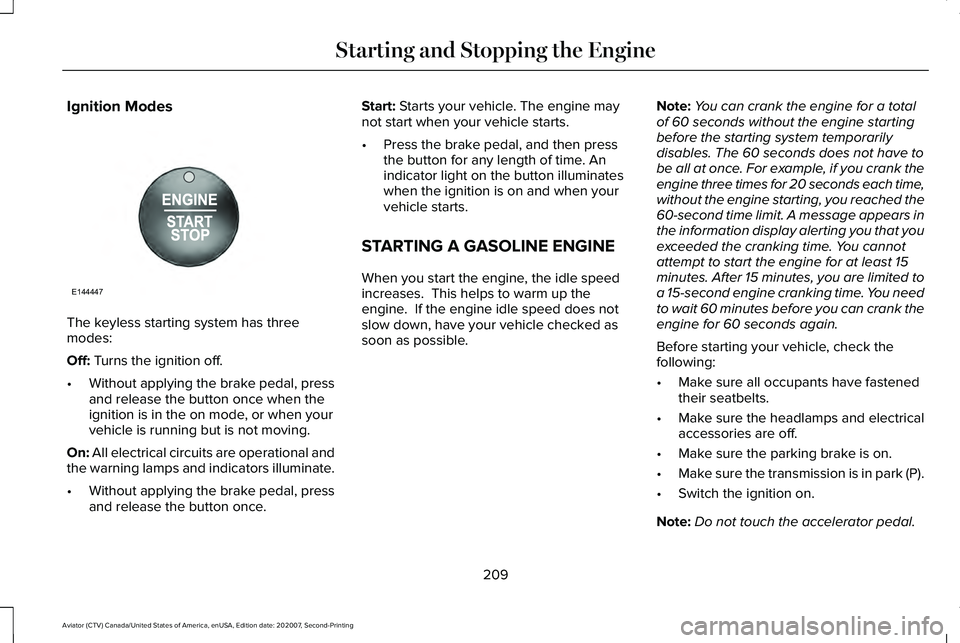
Ignition Modes
The keyless starting system has three
modes:
Off: Turns the ignition off.
• Without applying the brake pedal, press
and release the button once when the
ignition is in the on mode, or when your
vehicle is running but is not moving.
On:
All electrical circuits are operational and
the warning lamps and indicators illuminate.
• Without applying the brake pedal, press
and release the button once. Start:
Starts your vehicle. The engine may
not start when your vehicle starts.
• Press the brake pedal, and then press
the button for any length of time. An
indicator light on the button illuminates
when the ignition is on and when your
vehicle starts.
STARTING A GASOLINE ENGINE
When you start the engine, the idle speed
increases. This helps to warm up the
engine. If the engine idle speed does not
slow down, have your vehicle checked as
soon as possible. Note:
You can crank the engine for a total
of 60 seconds without the engine starting
before the starting system temporarily
disables. The 60 seconds does not have to
be all at once. For example, if you crank the
engine three times for 20 seconds each time,
without the engine starting, you reached the
60-second time limit. A message appears in
the information display alerting you that you
exceeded the cranking time. You cannot
attempt to start the engine for at least 15
minutes. After 15 minutes, you are limited to
a 15-second engine cranking time. You need
to wait 60 minutes before you can crank the
engine for 60 seconds again.
Before starting your vehicle, check the
following:
• Make sure all occupants have fastened
their seatbelts.
• Make sure the headlamps and electrical
accessories are off.
• Make sure the parking brake is on.
• Make sure the transmission is in park (P).
• Switch the ignition on.
Note: Do not touch the accelerator pedal.
209
Aviator (CTV) Canada/United States of America, enUSA, Edition date: 202007, Second-Printing Starting and Stopping the EngineE144447
Page 216 of 667
Important Ventilating Information
If you stop your vehicle and then leave the
engine idling for long periods, we
recommend that you do one of the following:
•
Open the windows at least 1 in (3 cm).
• Set your climate control to outside air.
STARTING A HYBRID ELECTRIC
VEHICLE SYSTEM
Before starting your vehicle, check the
following:
• Make sure all occupants fasten their
seatbelt.
• Make sure the headlamps and electrical
accessories are off.
• Make sure the parking brake is on.
• Put the transmission in park
(P).
Note: Do not touch the accelerator pedal.
1. Fully press the brake pedal.
2. Press the push button ignition switch. Note:
The green ready indicator illuminates
letting you know that your vehicle is ready
for driving. Since your vehicle comes with a
silent key start, the engine may not start
when your vehicle starts.
See Hybrid
Vehicle Operation (page 220).
When the engine starts for the first time on
your drive, the idle speed increases, this
helps to warm up the engine. If the engine
idle speed does not slow down automatically,
have your vehicle checked by an authorized
dealer.
The system does not function if:
• The passive key frequencies are jammed.
• The key battery has no charge.
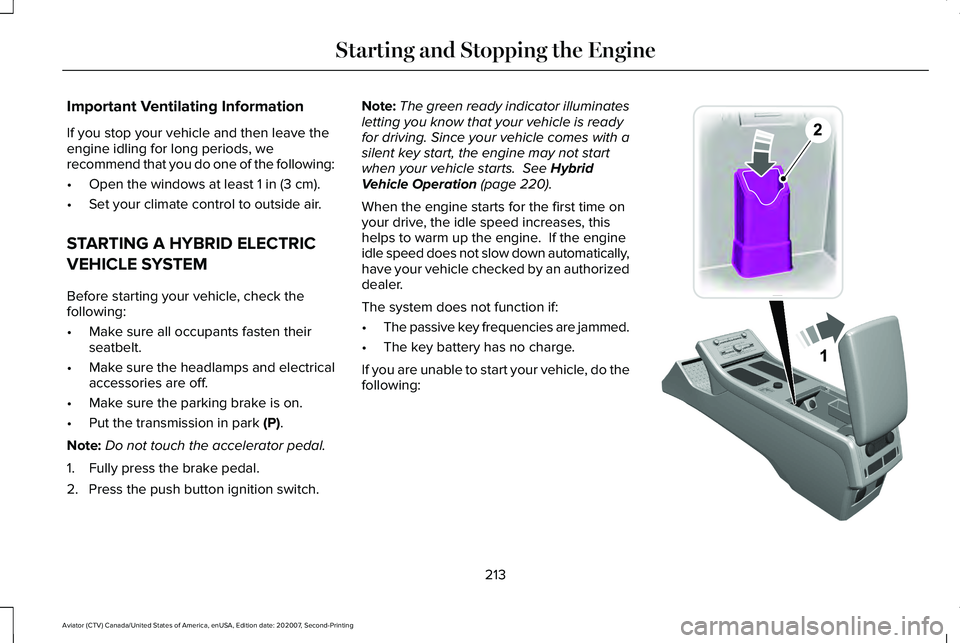
If you are unable to start your vehicle, do the
following: 213
Aviator (CTV) Canada/United States of America, enUSA, Edition date: 202007, Second-Printing Starting and Stopping the EngineE297378
Page 222 of 667
•
The trailer is not connected.
• If you select Normal, Conserve, or
Slippery.
• You are not in 4H or 4L.
• You have not selected Manual shift
mode.
• Hill descent control is not active.
• You have not selected Tow haul, Excite,
Deep, or Slow Climb.
Note: When in Excite mode, Start/Stop can
be enabled by pressing the Auto-Start-Stop
button. The green Auto-Start-Stop
indicator light on the instrument
cluster will illuminate to indicate
when the automatic engine stop occurs. If the instrument cluster is
equipped with a grey
Auto-Start-Stop indicator light, it
illuminates when automatic engine stop is
not available due to one of the above noted
conditions not being met. Automatic Engine Restart
Any of the following conditions will result in
an automatic restart of the engine:
•
You have removed your foot from the
brake pedal.
• You press the accelerator pedal.
• You press the accelerator and the brake
pedal at the same time.
• The driver safety belt becomes
unfastened or the driver door is ajar.
• Your vehicle is moving.
• The interior compartment does not meet
customer comfort when air conditioning
or heat is on.
• Fogging of the windows could occur and
the air conditioning is on.
• The battery is not within optimal
operating conditions.
• You have exceeded the maximum engine
off time.
• When you press the Auto-Start-Stop
button with the engine automatically
stopped. •
The front defroster is turned to the Max
setting.
• When you shift into park (P), the engine
will restart.
Any of the following conditions may result in
an automatic restart of the engine:
• You have increased the blower fan speed
or changed the climate control
temperature.
• You have an electrical accessory turned
on or plugged in.
Note: You may notice that the climate seat
fan fluctuates during an automatic restart.
Disabling Auto-Start-Stop Press the button on the instrument
panel to access the
Auto-Start-Stop feature on the
touchscreen. Use the touchscreen to
deactivate the feature.
Deactivating the feature lasts only 1 key
cycle. Use the touchscreen to restore
Auto-Start-Stop function.
219
Aviator (CTV) Canada/United States of America, enUSA, Edition date: 202007, Second-Printing Unique Driving Characteristics E146361 E287975
Page 249 of 667
Reverse (R)
With the transmission selector in reverse (R),
your vehicle moves backward. Always come
to a complete stop before shifting into and
out of reverse (R).
Neutral (N)
With the transmission selector in neutral (N),
you can start your vehicle and it is free to
roll. Hold the brake pedal down when in this
position.
Drive (D)
Drive (D) is the normal driving position for
the best fuel economy and smoothness. Shift
the transmission selector to drive (D) to allow
your vehicle to move forward and shift
through the forward gears.
The transmission shifts to the appropriate
gear for optimum performance based on
ambient temperature, road slope, vehicle
load and your input.
Automatic Return to Park
Note:
This feature does not operate when
your vehicle is in Stay in Neutral mode or
neutral tow.
The transmission returns to park (P) if any of
the following occur:
• You switch the ignition off.
• You do not have your seatbelt fastened
and you open the driver door.
• The driver door is open and you unfasten
your seatbelt.
If you switch the ignition off when your
vehicle is moving, your vehicle shifts into
neutral (N) until it slows down enough to shift
into park (P).
Note: This feature does not work properly if
the door ajar switch is malfunctioning. If your
door ajar indicator does not illuminate when
you open or close the driver door, or the
Transmission not in Park message still
displays in the information display when the
shifter has already selected (R), (N) or (D) and
the driver door remains closed, see your
authorized dealer. Stay in Neutral Mode
Note:
Stay in Neutral mode is a temporary
vehicle state that works with the engine in
a running or OFF state. Once in this mode,
maintain sufficient battery voltage, or your
vehicle returns to park (P) if left active for an
extended period of time when the engine is
off.
Failure to follow this instruction could result
in vehicle damage not covered by the vehicle
warranty.
Note: When entering an automatic car wash,
always enter the Stay in Neutral mode. Stay
in Neutral mode must be enabled if you are
exiting the vehicle before the car wash.
Extended usage of Stay in Neutral mode
could result in a battery voltage reduction to
a level where the vehicle no longer starts.
Do not tow your vehicle in this mode.
With the transmission selector in Stay in
Neutral mode, you can start your vehicle and
it is free to roll.
To enter Stay in Neutral mode, do the
following:
246
Aviator (CTV) Canada/United States of America, enUSA, Edition date: 202007, Second-Printing Transmission
Page 299 of 667
The system may cancel and set the parking
brake if:
•
You unbuckle the seatbelt and open the
driver door after you stop your vehicle.
• Your vehicle is at a stop continuously for
more than three minutes.
The system may deactivate or prevent
activating when requested if:
• The vehicle has a blocked sensor.
• The brake temperature is too high.
• There is a failure in the system or a
related system.
SETTING THE ADAPTIVE CRUISE
CONTROL SPEED
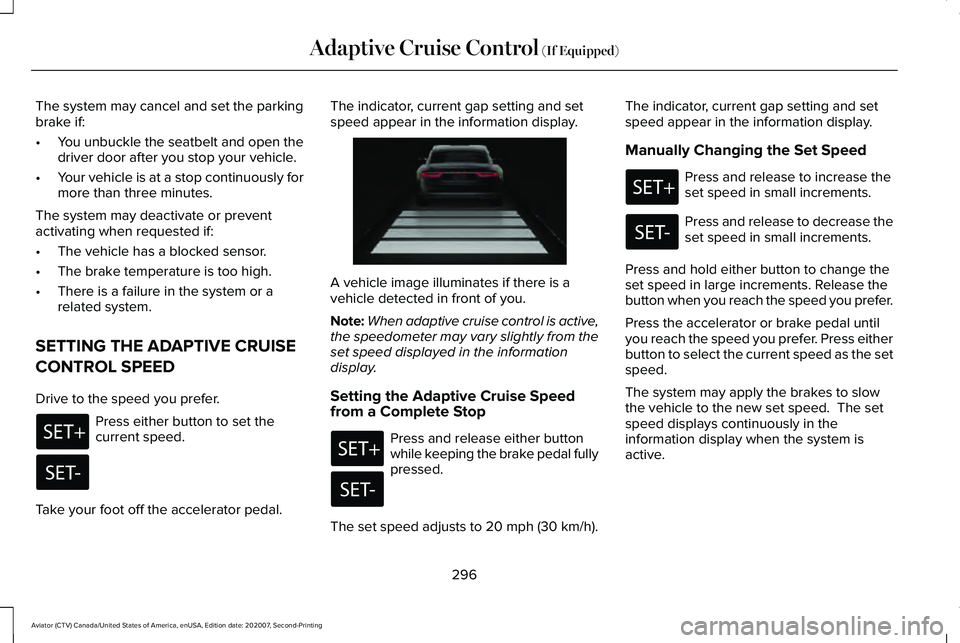
Drive to the speed you prefer. Press either button to set the
current speed.
Take your foot off the accelerator pedal. The indicator, current gap setting and set
speed appear in the information display.
A vehicle image illuminates if there is a
vehicle detected in front of you.
Note:
When adaptive cruise control is active,
the speedometer may vary slightly from the
set speed displayed in the information
display.
Setting the Adaptive Cruise Speed
from a Complete Stop Press and release either button
while keeping the brake pedal fully
pressed.
The set speed adjusts to 20 mph (30 km/h). The indicator, current gap setting and set
speed appear in the information display.
Manually Changing the Set Speed Press and release to increase the
set speed in small increments.
Press and release to decrease the
set speed in small increments.
Press and hold either button to change the
set speed in large increments. Release the
button when you reach the speed you prefer.
Press the accelerator or brake pedal until
you reach the speed you prefer. Press either
button to select the current speed as the set
speed.
The system may apply the brakes to slow
the vehicle to the new set speed. The set
speed displays continuously in the
information display when the system is
active.
296
Aviator (CTV) Canada/United States of America, enUSA, Edition date: 202007, Second-Printing Adaptive Cruise Control (If Equipped) E255686
Page 360 of 667
Post-Incident
•
Do not store a severely damaged vehicle
with a lithium-ion battery inside a
structure or within 49 ft (15 m) of any
structure or vehicle.
• Make sure that passenger and luggage
compartments remain ventilated.
• Call emergency assistance if you observe
leaking fluids, sparks, smoke or flames,
or hear gurgling or bubbling from the
high-voltage battery.
POST-CRASH ALERT SYSTEM
The system flashes the direction indicators
and sounds the horn (intermittently) in the
event of a serious impact that deploys an
airbag (front, side, side curtain or Safety
Canopy) or the seatbelt pretensioners.
The horn and indicators turn off when:
• You press the hazard control button.
• You press the panic button on the remote
entry transmitter (if equipped). •
Your vehicle runs out of power.
• Sounding of the horn is only enabled in
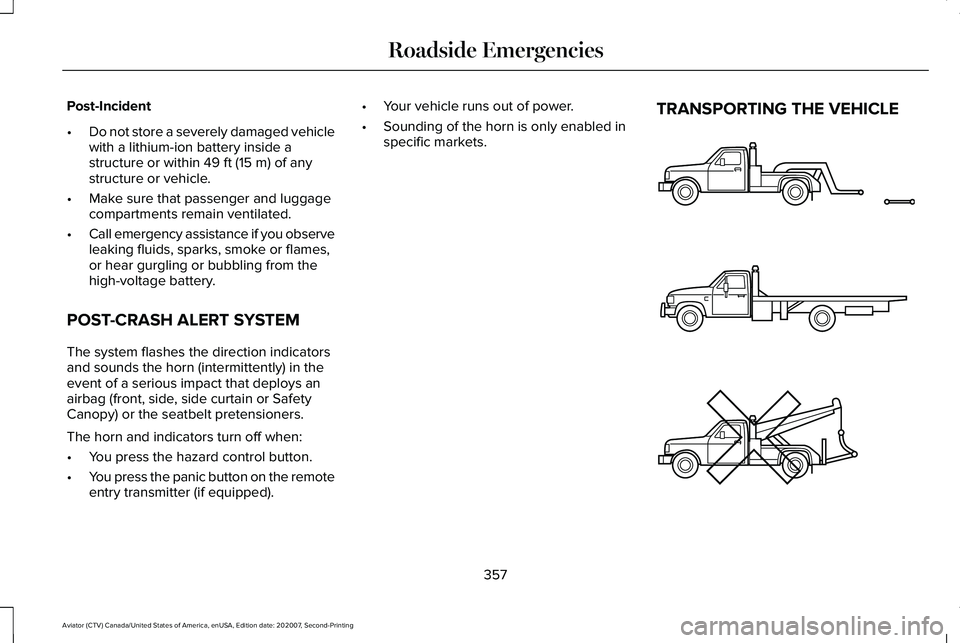
specific markets. TRANSPORTING THE VEHICLE
357
Aviator (CTV) Canada/United States of America, enUSA, Edition date: 202007, Second-Printing Roadside EmergenciesE143886
Page 361 of 667
If you need to tow your vehicle, contact a
professional towing service or, if you are a
member of a roadside assistance program,
your roadside assistance service provider.
We recommend the use of a wheel lift and
dollies or flatbed equipment to tow your
vehicle. Do not tow with a slingbelt. We do
not approve a slingbelt towing procedure. If
you tow your vehicle incorrectly, or by any
other means, vehicle damage may occur.
We produce a towing manual for all
authorized tow truck operators. Have your
tow truck operator refer to this manual for
proper hook-up and towing procedures for
your vehicle.
We recommend towing a four-wheel drive
vehicle with all wheels off the ground, such
as using a wheel lift and dollies or flatbed
equipment.
We recommend towing a rear-wheel drive
vehicle with the rear wheels on a tow dolly
when towing your vehicle from the front
using wheel lift equipment. This prevents
damage to the transmission.
We recommend towing a rear-wheel drive
vehicle with the front wheels on a tow dolly
when towing your vehicle from the rear using
wheel lift equipment. This prevents damage
to the front fascia.
358
Aviator (CTV) Canada/United States of America, enUSA, Edition date: 202007, Second-Printing Roadside Emergencies
Page 411 of 667
Note:
Do not use razor blades or other
sharp objects to clean or remove decals from
the inside of the heated rear window. The
vehicle warranty does not cover damage
caused to the heated rear window grid lines.
CLEANING THE INTERIOR WARNING: Do not use cleaning
solvents, bleach or dye on the vehicle's
seatbelts, as these actions may weaken
the belt webbing. WARNING:
On vehicles equipped
with seat-mounted airbags, do not use
chemical solvents or strong detergents.
Such products could contaminate the side
airbag system and affect performance of
the side airbag in a crash. For fabric, carpets, cloth seats and seats
equipped with side airbags:
•
Remove dust and loose dirt with a
vacuum cleaner.
• Remove light stains and soil with
Motorcraft Professional Strength Carpet
& Upholstery Cleaner.
• If grease or tar is present on the material,
spot-clean the area first with Motorcraft
Spot and Stain Remover. In Canada, use
Motorcraft Multi-Purpose Cleaner.
• If a ring forms on the fabric after spot
cleaning, clean the entire area
immediately (but do not oversaturate) or
the ring will set.
• Do not use household cleaning products
or glass cleaners, which can stain and
discolor the fabric and affect the flame
retardant abilities of the seat materials.
Mirrors
Do not clean the housing or glass of any
mirror with harsh abrasives, fuel or other
petroleum or ammonia-based cleaning
products. CLEANING THE INSTRUMENT
PANEL AND INSTRUMENT
CLUSTER LENS
WARNING:
Do not use chemical
solvents or strong detergents when
cleaning the steering wheel or instrument
panel to avoid contamination of the airbag
system.
Note: Follow the same procedure as
cleaning leather seats for cleaning leather
instrument panels and leather interior trim
surfaces. See Cleaning Leather Seats
(page
409).
Clean the instrument panel and cluster lens
with a clean, damp and soft cloth, then use
a clean, dry and soft cloth to dry these areas.
408
Aviator (CTV) Canada/United States of America, enUSA, Edition date: 202007, Second-Printing Vehicle Care
Page 416 of 667
GENERAL INFORMATION
The recommended tire inflation pressures
are found on the Tire Label which is located
on the B-pillar or the edge of the driver door.
This information can also be found on the
Safety Compliance Certification Label, affixed
to either the door hinge pillar, door-latch
post, or the door edge that meets the
door-latch post; next to the driver’
s seating
position.
We strongly recommend maintaining these
tire pressures at all times. Failure to follow
the tire pressure recommendations can
cause uneven treadwear patterns, reduced
fuel economy, and adversely affect the way
your vehicle handles.
Note: Check and set the tire pressure at the
ambient temperature in which you are
intending to drive your vehicle and when the
tires are cold.
Note: Check your tire pressures at least once
per month.
If your vehicle has a spare tire, set the
pressure to the highest value given for your
vehicle and tire size combination. Use only approved wheels and tire sizes,
using other sizes could damage your vehicle.
The tires installed on your vehicle from us
as original equipment are certified for
Greenhouse Gas and Fuel Efficiency
regulations. Replacement tires must be of
equal or lower rolling resistance level (TRRL
or CRR). Consult with your tire supplier for
appropriate replacement tires.
If you change the diameter of the factory
installed tires, the speedometer may not
display the correct speed. This could effect
the functionality of the All Wheel Drive (AWD)
system, if equipped. Take your vehicle to an
authorized dealer and have the engine
management system reprogrammed.
If you intend to change the size of the factory
installed tires, check the suitability with an
authorized dealer.
Additional information related to the
functionality and maintenance of your tires
can be found in the Wheels and Tire section.
See Tire Care (page 415).
Notice to utility vehicle and truck
owners WARNING:
Vehicles with a higher
center of gravity (utility and four-wheel
drive vehicles) handle differently than
vehicles with a lower center of gravity
(passenger cars). Avoid sharp turns,
excessive speed and abrupt steering in
these vehicles. Failure to drive cautiously
increases the risk of losing control of your
vehicle, vehicle rollover, personal injury
and death. WARNING:
In a rollover crash, an
unbelted person is significantly more likely
to die than a person wearing a seatbelt.
Utility vehicles and trucks handle differently
than passenger cars in the various driving
conditions that are encountered on streets,
highways and off-road. Utility vehicles and
trucks are not designed for cornering at
speeds as high as passenger cars any more
than low-slung sports cars are designed to
perform satisfactorily under off-road
conditions.
413
Aviator (CTV) Canada/United States of America, enUSA, Edition date: 202007, Second-Printing Wheels and Tires
Page 448 of 667
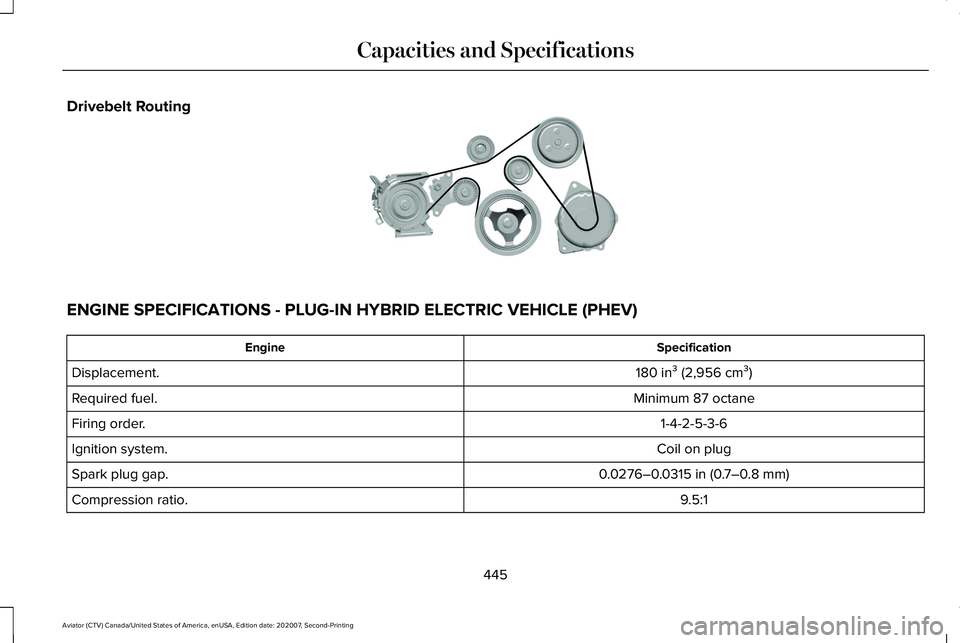
Drivebelt Routing
ENGINE SPECIFICATIONS - PLUG-IN HYBRID ELECTRIC VEHICLE (PHEV)
Specification
Engine
180 in³ (2,956 cm³)
Displacement.
Minimum 87 octane
Required fuel.
1-4-2-5-3-6
Firing order.
Coil on plug
Ignition system.
0.0276–0.0315 in (0.7–0.8 mm)
Spark plug gap.
9.5:1
Compression ratio.
445
Aviator (CTV) Canada/United States of America, enUSA, Edition date: 202007, Second-Printing Capacities and SpecificationsE297178