fuel LINCOLN AVIATOR 2021 Service Manual
[x] Cancel search | Manufacturer: LINCOLN, Model Year: 2021, Model line: AVIATOR, Model: LINCOLN AVIATOR 2021Pages: 667, PDF Size: 7.01 MB
Page 240 of 667
If the service engine soon indicator remains
on, have your vehicle serviced at the first
available opportunity. Although some
malfunctions detected by the OBD-II may not
have symptoms that are apparent, continued
driving with the service engine soon indicator
on can result in increased emissions, lower
fuel economy, reduced engine and
transmission smoothness and lead to more
costly repairs.
Readiness for Inspection and
Maintenance (I/M) Testing
Some state and provincial and local
governments may have
Inspection/Maintenance (I/M) programs to
inspect the emission control equipment on
your vehicle. Failure to pass this inspection
could prevent you from getting a vehicle
registration.
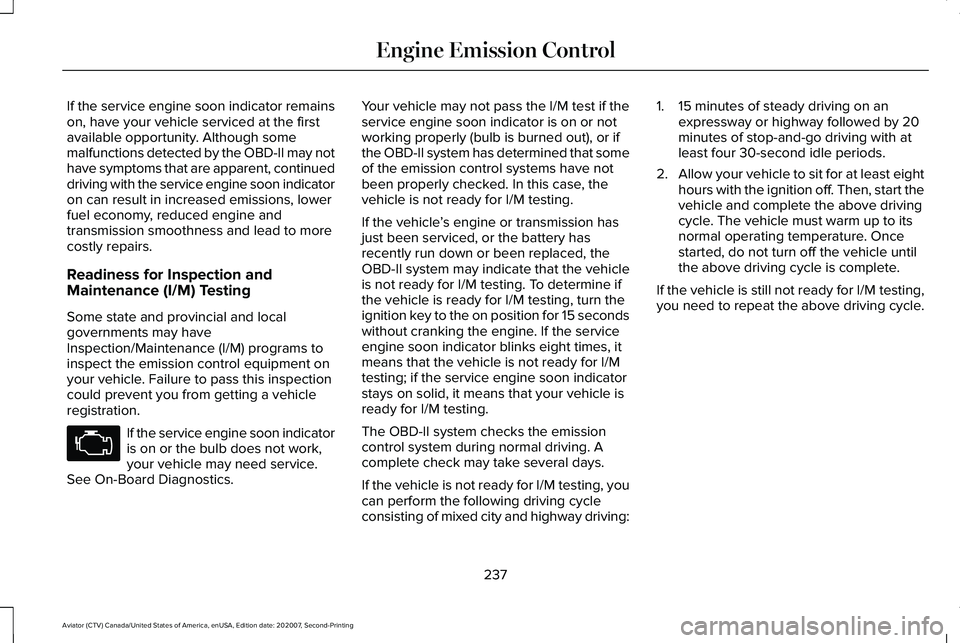
If the service engine soon indicator
is on or the bulb does not work,
your vehicle may need service.
See On-Board Diagnostics. Your vehicle may not pass the I/M test if the
service engine soon indicator is on or not
working properly (bulb is burned out), or if
the OBD-II system has determined that some
of the emission control systems have not
been properly checked. In this case, the
vehicle is not ready for I/M testing.
If the vehicle
’s engine or transmission has
just been serviced, or the battery has
recently run down or been replaced, the
OBD-II system may indicate that the vehicle
is not ready for I/M testing. To determine if
the vehicle is ready for I/M testing, turn the
ignition key to the on position for 15 seconds
without cranking the engine. If the service
engine soon indicator blinks eight times, it
means that the vehicle is not ready for I/M
testing; if the service engine soon indicator
stays on solid, it means that your vehicle is
ready for I/M testing.
The OBD-II system checks the emission
control system during normal driving. A
complete check may take several days.
If the vehicle is not ready for I/M testing, you
can perform the following driving cycle
consisting of mixed city and highway driving: 1. 15 minutes of steady driving on an
expressway or highway followed by 20
minutes of stop-and-go driving with at
least four 30-second idle periods.
2. Allow your vehicle to sit for at least eight
hours with the ignition off. Then, start the
vehicle and complete the above driving
cycle. The vehicle must warm up to its
normal operating temperature. Once
started, do not turn off the vehicle until
the above driving cycle is complete.
If the vehicle is still not ready for I/M testing,
you need to repeat the above driving cycle.
237
Aviator (CTV) Canada/United States of America, enUSA, Edition date: 202007, Second-Printing Engine Emission Control
Page 249 of 667
Reverse (R)
With the transmission selector in reverse (R),
your vehicle moves backward. Always come
to a complete stop before shifting into and
out of reverse (R).
Neutral (N)
With the transmission selector in neutral (N),
you can start your vehicle and it is free to
roll. Hold the brake pedal down when in this
position.
Drive (D)
Drive (D) is the normal driving position for
the best fuel economy and smoothness. Shift
the transmission selector to drive (D) to allow
your vehicle to move forward and shift
through the forward gears.
The transmission shifts to the appropriate
gear for optimum performance based on
ambient temperature, road slope, vehicle
load and your input.
Automatic Return to Park
Note:
This feature does not operate when
your vehicle is in Stay in Neutral mode or
neutral tow.
The transmission returns to park (P) if any of
the following occur:
• You switch the ignition off.
• You do not have your seatbelt fastened
and you open the driver door.
• The driver door is open and you unfasten
your seatbelt.
If you switch the ignition off when your
vehicle is moving, your vehicle shifts into
neutral (N) until it slows down enough to shift
into park (P).
Note: This feature does not work properly if
the door ajar switch is malfunctioning. If your
door ajar indicator does not illuminate when
you open or close the driver door, or the
Transmission not in Park message still
displays in the information display when the
shifter has already selected (R), (N) or (D) and
the driver door remains closed, see your
authorized dealer. Stay in Neutral Mode
Note:
Stay in Neutral mode is a temporary
vehicle state that works with the engine in
a running or OFF state. Once in this mode,
maintain sufficient battery voltage, or your
vehicle returns to park (P) if left active for an
extended period of time when the engine is
off.
Failure to follow this instruction could result
in vehicle damage not covered by the vehicle
warranty.
Note: When entering an automatic car wash,
always enter the Stay in Neutral mode. Stay
in Neutral mode must be enabled if you are
exiting the vehicle before the car wash.
Extended usage of Stay in Neutral mode
could result in a battery voltage reduction to
a level where the vehicle no longer starts.
Do not tow your vehicle in this mode.
With the transmission selector in Stay in
Neutral mode, you can start your vehicle and
it is free to roll.
To enter Stay in Neutral mode, do the
following:
246
Aviator (CTV) Canada/United States of America, enUSA, Edition date: 202007, Second-Printing Transmission
Page 332 of 667
WHAT IS DRIVE MODE CONTROL
The system delivers a driving experience
through a suite of sophisticated electronic
vehicle systems. These systems optimize
steering, handling and powertrain response.
This provides a single location to control
multiple systems performance settings.
Changing the drive mode automatically
changes the functionality of the following
systems:
•
Electronically power-assisted steering
system adjusts steering effort and feel
based on the mode you select. See
Steering (page 322).
• Electronic stability control and traction
control maintains your vehicle control in
adverse conditions or high performance
driving. See Stability Control (page 268).
• Electronic throttle control enhances the
powertrain response to your driving
inputs.
• Transmission controls optimize with shift
schedules tuned to each mode.
• AWD settings become optimized and
tuned to each mode. The system automatically tailors your vehicle
configuration for each mode you select.
Note:
Not all settings, or modes, may be
available.
Note: The system has diagnostic checks that
continuously monitor the system for proper
operation. If a mode is unavailable due to a
system fault, the mode defaults to Normal.
SELECTING A DRIVE MODE
Note: Drive mode changes may not be
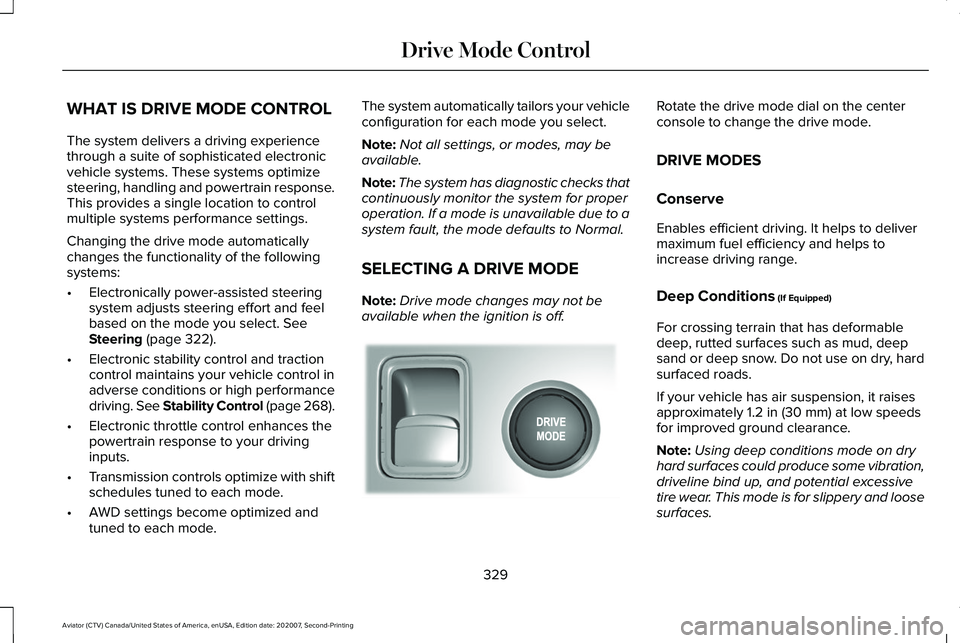
available when the ignition is off. Rotate the drive mode dial on the center
console to change the drive mode.
DRIVE MODES
Conserve
Enables efficient driving. It helps to deliver
maximum fuel efficiency and helps to
increase driving range.
Deep Conditions
(If Equipped)
For crossing terrain that has deformable
deep, rutted surfaces such as mud, deep
sand or deep snow. Do not use on dry, hard
surfaced roads.
If your vehicle has air suspension, it raises
approximately
1.2 in (30 mm) at low speeds
for improved ground clearance.
Note: Using deep conditions mode on dry
hard surfaces could produce some vibration,
driveline bind up, and potential excessive
tire wear. This mode is for slippery and loose
surfaces.
329
Aviator (CTV) Canada/United States of America, enUSA, Edition date: 202007, Second-Printing Drive Mode ControlE297680
Page 336 of 667
ROOF RACKS AND LOAD
CARRIERS
WARNING: When loading the roof
racks, we recommend you evenly distribute
the load, as well as maintain a low center
of gravity. Loaded vehicles, with higher
centers of gravity, may handle differently
than unloaded vehicles. Take extra
precautions, such as slower speeds and
increased stopping distance, when driving
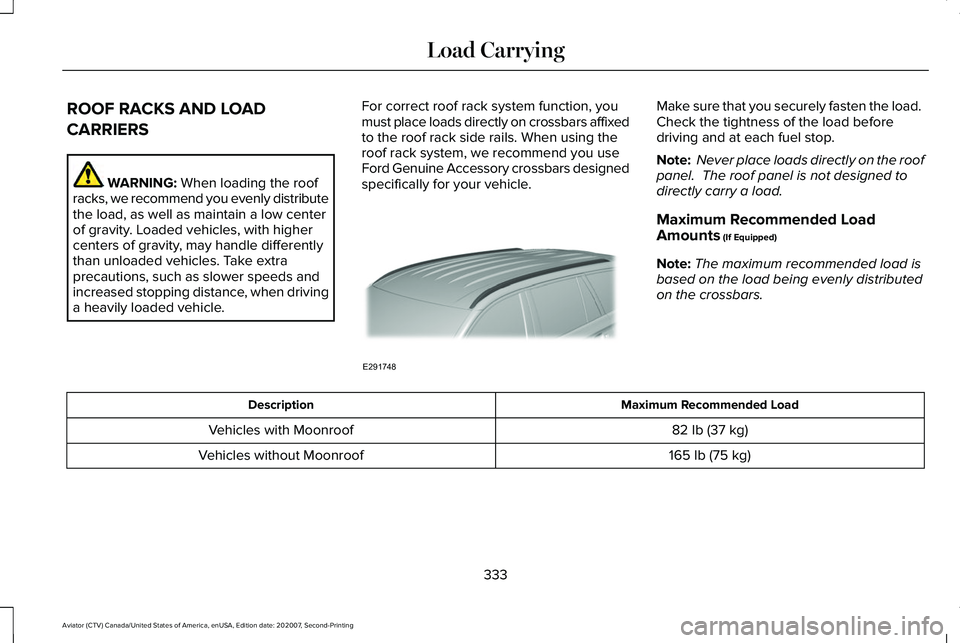
a heavily loaded vehicle. For correct roof rack system function, you
must place loads directly on crossbars affixed
to the roof rack side rails. When using the
roof rack system, we recommend you use
Ford Genuine Accessory crossbars designed
specifically for your vehicle. Make sure that you securely fasten the load.
Check the tightness of the load before
driving and at each fuel stop.
Note:
Never place loads directly on the roof
panel. The roof panel is not designed to
directly carry a load.
Maximum Recommended Load
Amounts
(If Equipped)
Note: The maximum recommended load is
based on the load being evenly distributed
on the crossbars. Maximum Recommended Load
Description
82 lb (37 kg)
Vehicles with Moonroof
165 lb (75 kg)
Vehicles without Moonroof
333
Aviator (CTV) Canada/United States of America, enUSA, Edition date: 202007, Second-Printing Load CarryingE291748
Page 347 of 667
Trailer Lamps
WARNING: Never connect any trailer
lamp wiring to the vehicle's tail lamp wiring;
this may damage the electrical system
resulting in fire. Contact your authorized
dealer as soon as possible for assistance
in proper trailer tow wiring installation.
Additional electrical equipment may be
required.
Most towed vehicles require trailer lamps.
Make sure all running lights, brake lights,
direction indicators and hazard flashers are
working.
Before Towing a Trailer
Practice turning, stopping and backing up to
get the feel of your vehicle-trailer
combination before starting on a trip. When
turning, make wider turns so the trailer
wheels clear curbs and other obstacles. When Towing a Trailer
•
Do not drive faster than 70 mph
(113 km/h) during the first 500 mi
(800 km).
• Do not make full-throttle starts.
• Check your hitch, electrical connections
and trailer wheel lug nuts thoroughly after
you have traveled
50 mi (80 km).
• When stopped in congested or heavy
traffic during hot weather, place the
gearshift in park (P) to aid engine and
transmission cooling and to help A/C
performance.
• Turn off the speed control with heavy
loads or in hilly terrain. The speed control
may turn off automatically when you are
towing on long, steep grades.
• Shift to a lower gear when driving down
a long or steep hill. Do not apply the
brakes continuously, as they may
overheat and become less effective. •
If your transmission is equipped with a
Grade Assist or Tow/Haul feature, use
this feature when towing. This provides
engine braking and helps eliminate
excessive transmission shifting for
optimum fuel economy and transmission
cooling.
• Allow more distance for stopping with a
trailer attached. Anticipate stops and
brake gradually.
• Avoid parking on a grade. However, if
you must park on a grade:
1. Turn the steering wheel to point your vehicle tires away from traffic flow.
2. Set your vehicle parking brake.
3. Place the automatic transmission in park
(P).
4. Place wheel chocks in front and back of the trailer wheels. (Chocks not included
with vehicle.)
Launching or Retrieving a Boat or
Personal Watercraft (PWC)
Note: Disconnect the wiring to the trailer
before
backing the trailer into the water.
344
Aviator (CTV) Canada/United States of America, enUSA, Edition date: 202007, Second-Printing Towing
Page 350 of 667
REDUCED ENGINE PERFORMANCE
WARNING: If you continue to drive
your vehicle when the engine is
overheating, the engine could stop without
warning. Failure to follow this instruction
could result in the loss of control of your
vehicle.
If the engine coolant temperature gauge
needle moves to the upper limit position, the
engine is overheating.
See Gauges (page
126).
You must only drive your vehicle for a short
distance if the engine overheats. The
distance you can travel depends on ambient
temperature, vehicle load and terrain. The
engine continues to operate with limited
power for a short period of time.
If the engine temperature continues to rise,
the fuel supply to the engine reduces. The
air conditioning switches off and the engine
cooling fan operates continually. 1. Gradually reduce your speed and stop
your vehicle as soon as it is safe to do
so.
2. Immediately switch the engine off to prevent severe engine damage.
3. Wait for the engine to cool down.
4. Check the coolant level.
See Engine
Coolant Check (page 390).
5. Have your vehicle checked as soon as possible.
ECONOMICAL DRIVING
Your fuel economy is affected by several
things, such as how you drive, the conditions
you drive under, and how you maintain your
vehicle.
You may improve your fuel economy by
keeping these things in mind:
• Accelerate and slow down in a smooth,
moderate fashion.
• Drive at steady speeds without stopping.
• Anticipate stops; slowing down may
eliminate the need to stop. •
Combine errands and minimize
stop-and-go driving.
• Close the windows for high-speed
driving.
• Drive at reasonable speeds (traveling at
55 mph [88 km/h] uses 15% less fuel than
traveling at 65 mph [105 km/h]).
• Keep the tires properly inflated and use
only the recommended size.
• Use the recommended engine oil.
• Perform all regularly scheduled
maintenance.
Avoid these actions; they reduce your fuel
economy:
• Sudden accelerations or hard
accelerations.
• Revving the engine before turning it off.
• Idle for periods longer than one minute.
• Warm up your vehicle on cold mornings.
• Use the air conditioner or front defroster.
• Use the speed control in hilly terrain.
• Rest your foot on the brake pedal while
driving.
347
Aviator (CTV) Canada/United States of America, enUSA, Edition date: 202007, Second-Printing Driving Hints
Page 351 of 667
![LINCOLN AVIATOR 2021 Service Manual •
Drive a heavily loaded vehicle or tow a
trailer.
• Carry unnecessary weight (approximately
1 mpg [0.4 km/L] is lost for every 400 lb
[180 kilogram] of weight carried).
• Driving with the wheel](/img/15/58979/w960_58979-350.png "LINCOLN AVIATOR 2021 Service Manual •
Drive a heavily loaded vehicle or tow a
trailer.
• Carry unnecessary weight (approximately
1 mpg [0.4 km/L] is lost for every 400 lb
[180 kilogram] of weight carried).
• Driving with the wheel")
•
Drive a heavily loaded vehicle or tow a
trailer.
• Carry unnecessary weight (approximately
1 mpg [0.4 km/L] is lost for every 400 lb
[180 kilogram] of weight carried).
• Driving with the wheels out of alignment.
Conditions
• Heavily loading a vehicle or towing a
trailer may reduce fuel economy at any
speed.
• Adding certain accessories to your
vehicle (for example bug deflectors,
rollbars, light bars, running boards, ski
racks or luggage racks) may reduce fuel
economy.
• To maximize the fuel economy, drive with
the tonneau cover installed (if equipped).
• Using fuel blended with alcohol may
lower fuel economy.
• Fuel economy may decrease with lower
temperatures during the first 5–10 mi
(12–16 km) of driving.
• Driving on flat terrain offers improved fuel
economy as compared to driving on hilly
terrain. •
Transmissions give their best fuel
economy when operated in the top cruise
gear and with steady pressure on the gas
pedal.
• Four-wheel-drive operation (if equipped)
is less fuel efficient than two-wheel-drive
operation.
COLD WEATHER PRECAUTIONS
The functional operation of some
components and systems can be affected at
temperatures below approximately
-13°F
(-25°C).
BREAKING-IN
You need to break in new tires for
approximately
300 mi (480 km). During this
time, your vehicle may exhibit some unusual
driving characteristics. DRIVING THROUGH WATER WARNING:
Do not drive through
flowing or deep water as you may lose
control of your vehicle.
Note: Driving through standing water can
cause vehicle damage.
Note: Engine damage can occur if water
enters the air filter.
Before driving through standing water, check
the depth. Never drive through water that is
higher than the bottom of the front rocker
area of your vehicle.
348
Aviator (CTV) Canada/United States of America, enUSA, Edition date: 202007, Second-Printing Driving Hints
Page 354 of 667
ROADSIDE ASSISTANCE
Vehicles sold in the United States:
Getting Roadside Assistance
To fully assist you should you have a vehicle
concern, Lincoln Motor Company offers a
complimentary roadside assistance program.
This program is separate from the New
Vehicle Limited Warranty.
The service is available:
•
Throughout the life of the vehicle for
original owners.
• For six years or 70,000 mi (110,000 km)
(whichever comes first) for subsequent
owners.
Roadside Assistance covers:
• A flat tire change with a good spare
(except vehicles supplied with a tire
inflation kit).
• Battery jump start.
• Lock-out assistance (key replacement
cost is the client's responsibility). •
Fuel delivery — independent service
contractors, if not prohibited by state,
local or municipal law shall deliver up to
2 gal (8 L)
of gasoline fuel to a disabled
vehicle. Roadside Assistance limits fuel
delivery service to two no-charge
occurrences within a 12-month period.
• Winch out — available within 100 ft (30 m)
of a paved or county maintained road,
no recoveries. •
Towing — independent service
contractors, if not prohibited by state,
local or municipal law shall tow Lincoln
eligible vehicles to the client's selling or
preferred dealer within 100 mi (160 km)
of the disablement location or to the
nearest Lincoln dealer. If a client requests
a tow to a selling or preferred dealer that
is more than
100 mi (160 km) from the
disablement location, the client is
responsible for any mileage costs in
excess of
100 mi (160 km).
• Roadside Assistance includes up to $200
for a towed trailer if the disabled eligible
vehicle requires service at the nearest
authorized dealer. If the towing vehicle
is operational but the trailer is not, then
the trailer does not qualify for any
roadside services.
Vehicles Sold in the United States:
Using Roadside Assistance
United States clients who require roadside
assistance, call 1-800-521-4140 or contact
Roadside Assistance using the Lincoln Way
mobile app.
351
Aviator (CTV) Canada/United States of America, enUSA, Edition date: 202007, Second-Printing Roadside Emergencies
Page 355 of 667
If you need to arrange roadside assistance
for yourself, Lincoln Motor Company
reimburses a reasonable amount for towing
to the nearest Lincoln dealership within
100 mi (160 km). To obtain reimbursement
information, United States clients, call
1-800-521-4140. Clients need to submit their
original receipts.
Vehicles Sold in Canada: Getting
Roadside Assistance
To fully assist you should you have a vehicle
concern, Lincoln Motor Company offers a
complimentary roadside assistance program.
This program is eligible within Canada or the
continental United States.
The service is available 24 hours a day,
seven days a week.
This program is separate from the New
Vehicle Limited Warranty, beginning from
the original warranty start date and lasts the
life of the vehicle for the original owner.
Subsequent owners receive coverage that
is concurrent with the 6 years or
70,000 mi
(110,000 km) (whichever occurs first)
powertrain warranty coverage period. Note:
Canadian roadside coverage and
benefits may differ from the U.S. coverage.
For complete program coverage details,
review your warranty guide, contact your
dealer, call us in Canada at 1-800-387-9333,
or visit our website at
www.lincolncanada.com.
If you purchased your vehicle in Canada and
require roadside assistance, please call
1-800-387-9333 or contact Roadside
Assistance using the Lincoln Way mobile
app.
Note: For quick reference, complete the
roadside assistance identification card found
in the glove compartment of your vehicle
and place it in your wallet.
HAZARD FLASHERS
Note: The hazard flashers operate when the
ignition is in any position, or if the key is not
in the ignition. If used when the vehicle is not
running, the battery loses charge. As a result,
there may be insufficient power to restart
your vehicle. The flasher control is on the
instrument panel. Use your hazard
flashers when your vehicle is
creating a safety hazard for other motorists.
• Press the flasher control and all front and
rear direction indicators flash.
• Press the button again to switch them off.
FUEL SHUTOFF WARNING:
If your vehicle has been
involved in a crash, have the fuel system
checked. Failure to follow this instruction
could result in fire, personal injury or death.
Note: When you try to restart your vehicle
after a fuel shutoff, the vehicle makes sure
that various systems are safe to restart.
Once the vehicle determines the systems
are safe, then the vehicle allows you to
restart.
Note: In the event that your vehicle does not
restart after your third attempt, contact a
qualified technician.
352
Aviator (CTV) Canada/United States of America, enUSA, Edition date: 202007, Second-Printing Roadside Emergencies
Page 356 of 667
The fuel pump shutoff stops the flow of fuel
to the engine in the event of a moderate to
severe crash. Not every impact causes a
shutoff.
Should your vehicle shut off after a crash,
you may restart your vehicle.
If your vehicle has a key system:
1. Switch off the ignition.
2. Switch to start position.
3. Switch off the ignition.
4. Switch on the ignition to re-enable the
fuel pump.
5. If the vehicle does not start, repeat steps
1 through 4.
If your vehicle has a push button start
system:
1. Press START/STOP to switch off your
vehicle.
2. Press the brake pedal and
START/STOP
to switch on your vehicle.
3. Remove your foot from the brake pedal and press
START/STOP to switch off
your vehicle. 4. You can attempt to start the vehicle by
pressing the brake pedal and
START/STOP
, or press START/STOP
without pressing the brake pedal.
5. If the vehicle does not start, repeat steps
1 through 4.
JUMP STARTING THE VEHICLE WARNING:
Batteries normally
produce explosive gases which can cause
personal injury. Therefore, do not allow
flames, sparks or lighted substances to
come near the battery. When working near
the battery, always shield your face and
protect your eyes. Always provide correct
ventilation. WARNING:
Keep batteries out of
reach of children. Batteries contain sulfuric
acid. Avoid contact with skin, eyes or
clothing. Shield your eyes when working
near the battery to protect against possible
splashing of acid solution. In case of acid
contact with skin or eyes, flush immediately
with water for a minimum of 15 minutes and
get prompt medical attention. If acid is
swallowed, call a physician immediately. WARNING:
Use only adequately
sized cables with insulated clamps.
Preparing Your Vehicle
Do not attempt to push-start your automatic
transmission vehicle.
Note: Attempting to push-start a vehicle with
an automatic transmission may cause
transmission damage.
Note: Use only a 12-volt supply to start your
vehicle.
353
Aviator (CTV) Canada/United States of America, enUSA, Edition date: 202007, Second-Printing Roadside Emergencies